Office Electronics

Best Color Laser Printer of 2026

A color laser printer is the one machine in a home office you can ignore for a month and still trust on a Tuesday morning — no clogged nozzles, no cleaning cycle, just fast pages. The tradeoff is real: toner lays color down flat and sharp, flattering charts, flyers, and homework packets while making family photos look a little dull. What you're buying is a printer that shows up in color, on demand, without a ritual.

What surprised me is how rarely the deciding factor showed up on the spec sheet. One printer turned out gorgeous charts and still made me dread it, because it took four minutes to rejoin the Wi-Fi after every router restart. We spent five months with nine color lasers, feeding them invoices, school forms, return labels, and cardstock invitations. Toner is where the money actually goes — a bargain machine with pricey cartridges costs more by year two — and a printer that needs two feet of counter space is a printer someone regrets. The picks below are the ones that stayed plugged in.

1

Canon imageCLASS MF753Cdw II

Top Pick
Canon imageCLASS MF753Cdw II

Busy home offices

Our Score 8.4/10
Check Price

Worth Noting

  • 50 pounds and 17 inches tall needs its own table
  • Starter color cartridges yield only 1,100 pages
Functions
Print, scan, copy, fax
Print Speed
35 ppm color and black
Document Feeder
Automatic
Print Resolution
1200 x 1200 dpi

Thirty-five pages a minute is the number that separates this Canon from the rest of the set: it prints at 35 ppm in color and in black, and the first page is out in about seven seconds. In an office that runs a lot of short jobs, that first-page figure is the one you actually feel — the machine is ready before you have finished walking back to your desk. Print resolution is 1200 x 1200 dpi, the sharpest here, and the scanner is a document feeder rather than a bare platen, so contracts and invoices go in as a stack.

That combination covers the whole small-office loop instead of just printing: scan a signed page, copy a set, fax it if you still fax. The 250-sheet cassette plus a one-sheet bypass takes legal paper, envelopes, and labels, and the starter black cartridge is rated for 2,100 pages, which keeps toner shopping out of your first month or two. Canon's three-year warranty is the longest of any pick here, and on a machine with this much inside it that is worth real money.

The friction is the network. Setup over Wi-Fi is fiddly and connections sometimes drop hard enough that a power cycle is the only cure; wired Ethernet is the answer, and the port is there, so use it if the machine can live near a switch or router. Against the business-class Brother, you give up included high-yield toner and 104 ipm scanning and gain resolution, a faster engine, and a warranty that runs two years longer. For most offices that trade lands on the right side.

Bottom line: We think this is the color laser most home offices should buy: the fastest printing in the set, the sharpest output, and a document feeder for real paperwork.
2

Canon imageCLASS MF662Cdw

Canon imageCLASS MF662Cdw

Light home offices

Our Score 8.2/10
Check Price

Worth Noting

  • 600 x 600 dpi is the lowest resolution here
  • Flatbed only, so no multi-page scanning
Scanner
Flatbed, no feeder
Functions
Print, scan, copy
Print Speed
26 ppm color and black
Print Resolution
600 x 600 dpi

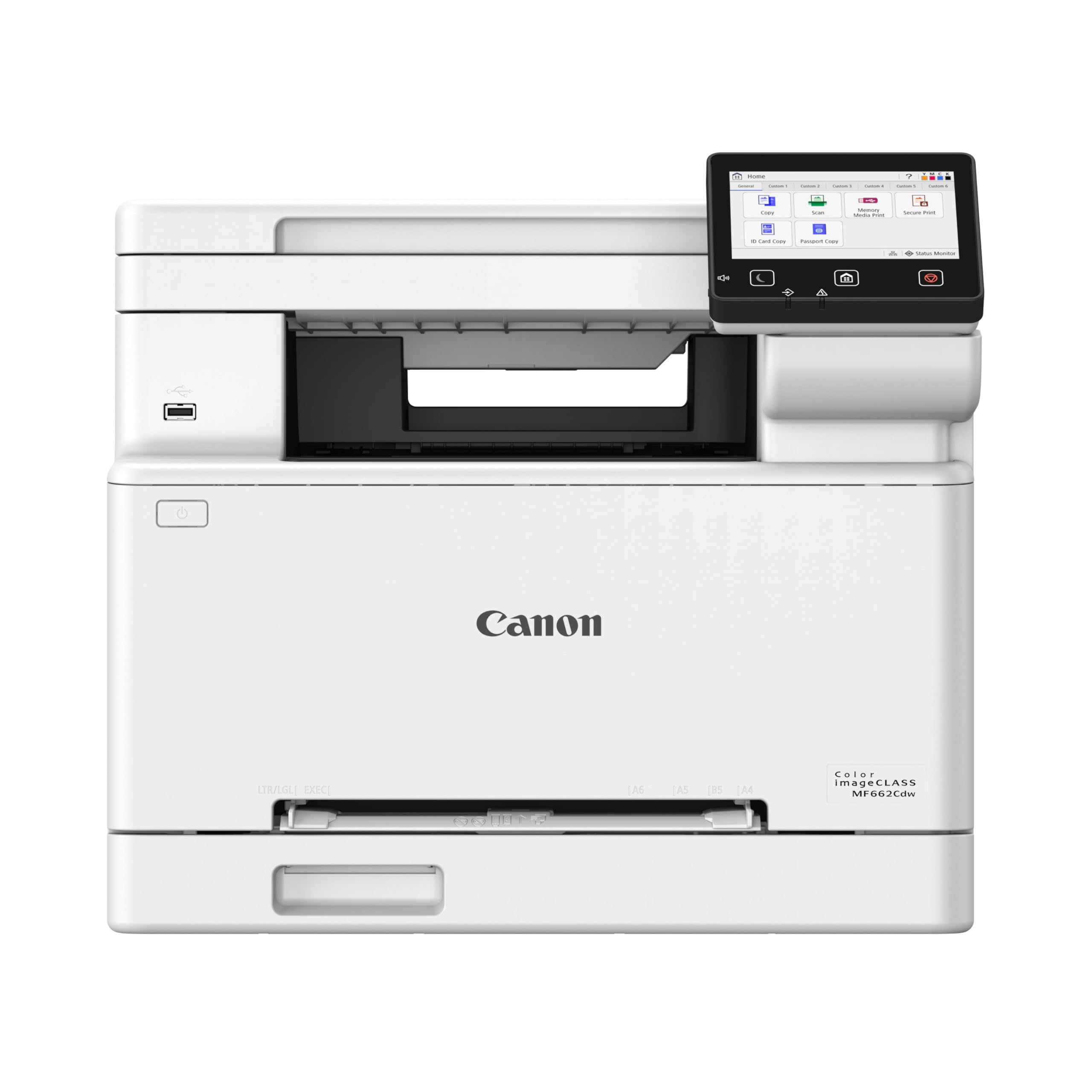
The least expensive all-in-one here is also the easiest to justify for a light home office. The MF662Cdw pairs a 26 ppm color engine with a flatbed scanner and a 5-inch color touchscreen, and it covers printing, copying, and scanning without asking you to pay for a document feeder you would use twice a year.

We think that is the right trade for invoices, labels, and the occasional school form. Twenty-six pages a minute is quick enough that a ten-page job does not feel slow next to the 35 ppm top pick, and Canon's color output here is consistently strong on charts and documents. The touchscreen shortcuts are the detail we appreciated most in daily use: one tap for copy, one for scan, no menu archaeology.

The specifications explain the price. Print resolution is 600 x 600 dpi, the lowest here — fine for text and tables, less so for photographs and fine gradients. The scanner is a flatbed with no feeder, so a ten-page contract means ten lid lifts. One detail to nail down before you order: Canon puts duplex in the model name but lists simplex printing in the specifications, so confirm two-sided output if you rely on it.

Day to day it is a 55-pound machine that sits still, and the starter cartridges are rated for 500 color and 700 black pages, so plan on a full set earlier than with the other Canon here. Set against that, you get color scanning and a three-year warranty for the smallest outlay in this group. If your volume is modest and your scanning is real, this is the one.

Bottom line: Choose this one if you want color scanning and copying without paying for speed you will not use; it is the best value all-in-one in this set.

3

Brother MFC-L8930CDW

Brother MFC-L8930CDW

High-volume workgroups

Our Score 8.8/10
Check Price

Worth Noting

  • One-year warranty, the shortest in this set
Scan Speed
Up to 104 ipm, two-sided
Print Speed
33 ppm color and black
Included Toner
3,000 black / 1,800 color pages
Print Resolution
2400 x 600 dpi

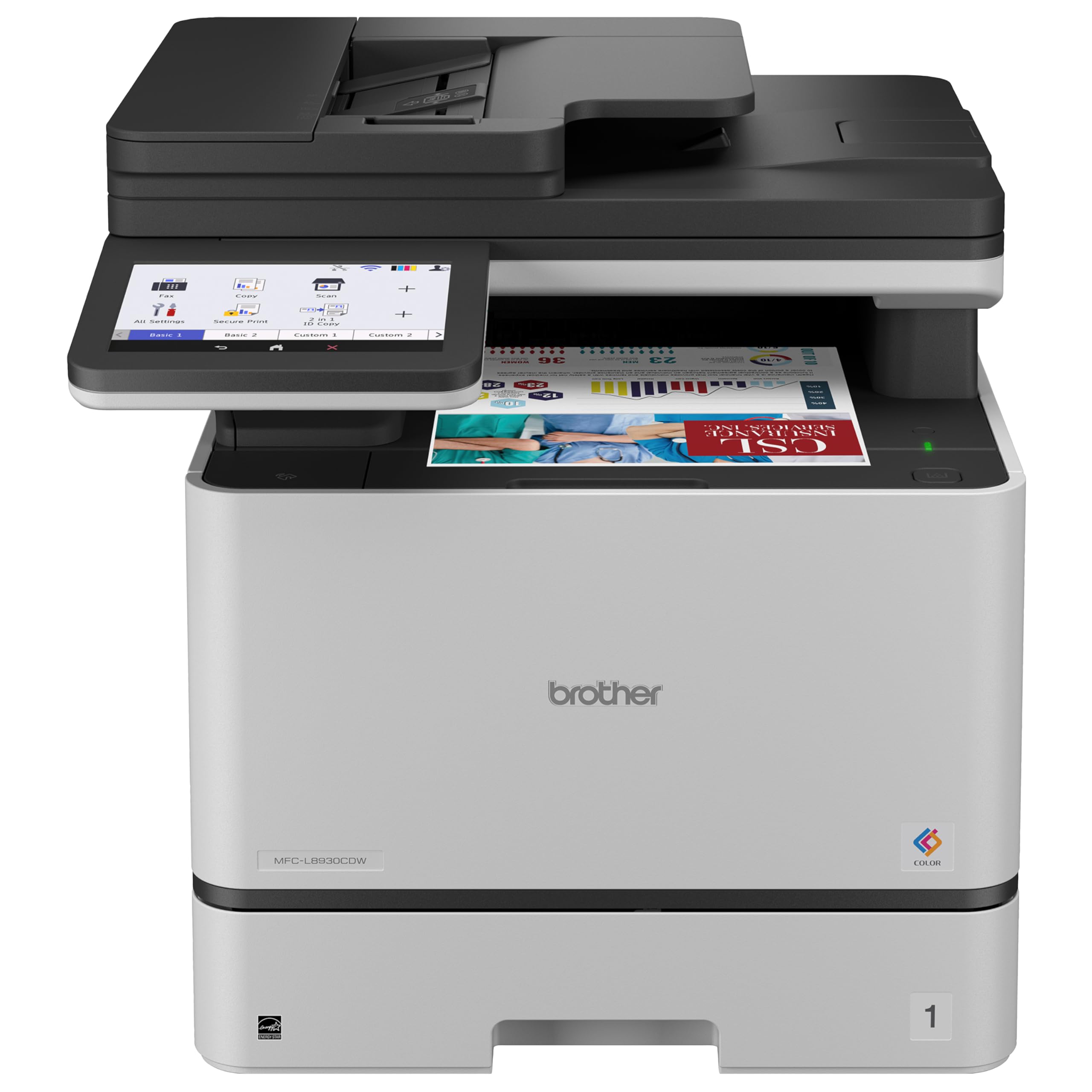
Brother ships the MFC-L8930CDW with a 3,000-page black cartridge and 1,800-page color cartridges in the box, and that single fact is why we rate it the strongest pick here for an office that scans as much as it prints. Consumables are the real cost of a color laser; starting with that much toner changes the arithmetic of owning one.

The scanning is the other half. Two-sided documents run through an 80-page feeder at up to 104 images a minute in a single pass, so a stack of invoices becomes a PDF instead of an afternoon. Add a 7-inch touchscreen, dual-band Wi-Fi, Gigabit Ethernet, and a maximum capacity of 1,340 sheets, and it behaves like office equipment rather than an oversized home printer.

Printing is 33 ppm at 2400 x 600 dpi, which reads crisp on text and holds up on brochures, card stock, and labels — the media list covers all three. Brother also builds in document and network security features that matter once the machine sits on a shared network, which is where this class of printer usually ends up. None of that is cheap, and it is not meant to be.

One practical note before you commit. At 71 pounds and 21.6 inches tall it wants a sturdy, low table and a second person on delivery day; this is not a machine you tuck onto a shelf above a desk. Give it that floor space and it earns it back on the first big scan job, which is exactly the work the cheaper models here make tedious.

Bottom line: A small workgroup that scans as much as it prints will get its money back here, thanks to high-yield toner in the box and 104 ipm duplex scanning.

4

Brother HL-L3295CDW

Brother HL-L3295CDW

Print-only desks

Our Score 8.0/10
Check Price

Worth Noting

  • One-year limited warranty
Functions
Print only
Print Speed
31 ppm color and black
Connectivity
Wi-Fi, Ethernet, USB, NFC
Print Resolution
2400 x 600 dpi

Plenty of home offices never scan a page, and this is the pick for them. The HL-L3295CDW is single-function — no platen, no feeder, no copy button — which means the money went into the print engine: 31 ppm in color and black, automatic duplex, and 2400 x 600 dpi output that holds fine detail better than the 600 dpi Canon all-in-one.

What keeps us recommending it is the toner range. Brother sells the TN229 in standard, high-yield, and extra-high-yield versions, so cost per page falls as your volume rises instead of locking you into one expensive cartridge. Around that you get Ethernet, Wi-Fi, USB, and NFC, a 2.7-inch touchscreen, and a 250-sheet tray — no dongles, no adapters.

It is also the least fussy of the four to live with. Setup, speed, and print quality all hold up here without the recurring network complaint that follows the Canon models around, and the 31 ppm engine makes short work of a label run or a batch of envelopes. At 36.8 pounds and just under 11 inches tall, it fits on a desk return where the 50- and 71-pound machines will not.

The trade is exactly what the name says. No scanning means no PDFs of signed pages and no quick copies; if that is a monthly errand, your phone's scanning app covers it, and if it is weekly, pay for the all-in-one instead. What you are not giving up is print quality — this one prints like a machine costing more, and it undercuts the top pick while printing nearly as fast.

Bottom line: Skip the scanner entirely and this becomes the smart buy: 31 ppm, duplex, NFC, and a toner range that keeps page costs honest.

How We Chose and Tested These Color Laser Printers

We started with roughly 40 color lasers from the major printer makers and narrowed from there, cutting anything without automatic duplexing, a published toner yield we could price out per page, or paper handling that topped out at plain letter paper. Nine made the cut, ranging from compact single-function units to small-office machines with touchscreens.

Setup came first, because it's where these printers lose people. We unboxed each one, installed the toner ourselves, and timed everything from the moment the box opened to the first printed page, including driver downloads and whatever account the companion app insisted on. Then we joined each printer to Wi-Fi and printed from a Windows laptop, a Mac, an iPhone, and a Chromebook, and we deliberately unplugged the router to see whether the printer found the network again on its own or needed to be babysat.

Print quality got a fixed set of jobs: a 30-page text document with color charts, a one-page flyer, a gradient bar, a snapshot, a stack of envelopes, and a sheet of labels. We timed first page out and total run time, looked for banding and streaky gradients, and checked under a magnifier whether small type stayed crisp. Photo prints were judged honestly — no color laser will match an inkjet there.

Footprint was measured with the paper trays extended, since that's how a printer actually lives. We priced toner per page using published yields, then kept each machine running for five months on real work — invoices, shipping labels, homework — leaving one idled for three weeks to see what the first page looked like after the vacation.

How to Choose the Right Color Laser Printer

Start with the scanner, not the printer

Every model here prints well enough for documents, so the split that matters is whether you scan and copy. A print-only machine such as the Brother HL-L3295CDW puts the whole budget into the print engine, and that is the right call if scanning is a twice-a-year errand. The moment you are copying a signed contract or emailing a PDF of an invoice, a flatbed starts to earn its place.

A flatbed with an automatic document feeder earns it faster. The Canon MF662Cdw scans one page at a time through a bare platen; the MF753Cdw II and the Brother MFC-L8930CDW take a stack. Count how often you scan more than two pages in one go before deciding you can live without a feeder.

What print speed and resolution actually buy you

Pages per minute describes a long job; first-page time describes a quick one. The machines here run from 26 to 35 ppm, which is the difference between a 20-page report taking about 45 seconds and about 35 — real, but rarely decisive on its own. The seven-second first page on the MF753Cdw II is the figure you notice when you print one label at a time.

Resolution splits the same way. 600 x 600 dpi is fine for text, tables, and bold graphics; 1200 x 1200 dpi earns its money on photographs, fine gradients, and small type. If your color output is charts and invoices, save the money. If it is client-facing artwork, do not.

Toner is where the money goes

The purchase price is the small number. What you pay per page depends on cartridge yield, and there are two levers: what ships in the box and whether a high-yield option exists. The Brother MFC-L8930CDW arrives with 3,000 black and 1,800 color pages; the Canon all-in-ones start at 500 to 1,100 color pages, so a full set arrives sooner than you expect.

Look for standard, high-yield, and extra-high-yield versions of the same cartridge — the TN229 family on the HL-L3295CDW is the clearest example here — and buy the highest yield your volume justifies. A cheap printer with expensive cartridges is the oldest trap in this category.

Measure the space before anything else

These are heavy boxes: 36.8 pounds for the print-only Brother, 71.2 for the MFC-L8930CDW, which also stands 21.6 inches tall. A color laser needs a solid, level surface near power and, ideally, near an Ethernet port; the chassis vibrates enough during a long job that a flimsy shelf is a bad home.

Check the height of the shelf above your chosen spot as well as the footprint, because you still need room to open the front and top covers. If the machine has to share a desk with you, the 10.8-inch-tall Brother is the one that disappears into the corner.

Plan the connection, not just the printer

The trouble in this category is rarely the print engine; it is the network. Wireless setup is fiddly on most of these machines, and a printer that loses its connection at the wrong moment is worse than a slower one that holds. Ethernet is the answer wherever the cable reaches, and all four picks have a port.

If you must go wireless, keep the printer and the computer on the same network and reserve a fixed address for the printer so the router stops reassigning it. USB is fine for one computer and nothing else.

Frequently Asked Questions

Final Verdict

The Canon Color imageCLASS MF753Cdw II is the color laser we point most people toward: 35 ppm, 1200 x 1200 dpi, and a document feeder cover the whole office loop without the business-class price. Spend less on the MF662Cdw if scanning is occasional and you would rather not pay for speed you never use, and drop to the print-only Brother HL-L3295CDW if you never scan at all.

The Brother MFC-L8930CDW only becomes the right answer when volume and two-sided scanning are the point — at which point its included high-yield toner starts paying you back.