Office Electronics

Best Document Scanner of 2026

Digitizing a filing cabinet sounds like a weekend project until you're twenty pages in and the feeder has eaten a receipt for the third time. The appeal of a document scanner is simple: paper goes in, a searchable PDF comes out, and the drawer you've been avoiding since April stops being a source of dread. What separates a scanner you'll keep using comes down to how reliably it feeds a stack, whether the software behaves, and whether it's small enough to actually live on your desk.

I've scanned receipts at 11 p.m. on a kitchen table and watched a whole tax return disappear into a sheet feeder in under a minute — the gap between a good scanner and a frustrating one shows up fast. We've spent the past six months putting 12 scanners through bills, contracts, school forms, and a shoebox of old receipts. One thing first-time buyers overlook: how a machine handles two-sided pages and crumpled receipts tells you more than the spec sheet does. The picks below run from one that slips into a laptop bag to one that swallows a 50-page stack.

1

Epson WorkForce ES-400 II

Top Pick
Epson WorkForce ES-400 II

Everyday office scanning

Our Score 9.0/10
Check Price

Worth Noting

  • USB only, with no wireless connection
  • Needs a permanent foot of desk space
Duplex
Both sides
Sensor
CCD
Connection
USB
Feeder Capacity
50 sheets

Fifty sheets is the specification that matters most here, and it is the one that changes your week rather than your afternoon. Load a stack of invoices into the feeder, press scan, and the ES-400 II pulls them through one at a time and images both sides in a single pass. A mixed pile of statements, receipts and contracts goes in as paper and comes out as a folder of files.

That combination is why it is our pick as the default document scanner for a home office or a small business. On the three things that decide whether you keep using a machine — feeder handling, duplex speed and clean output — it is the steadiest of the desktop scanners here. We ran a mixed stack through it, everything from thin receipt paper to heavier card stock, and what we noticed was how little we had to think about it.

The software handles the parts you don't want to do by hand. ScanSmart previews the batch, rotates and reorders pages, runs OCR so the PDF is searchable, then sends it to a folder, an email, or Drive, Dropbox, Evernote or OneDrive. Epson also includes a TWAIN driver, which is the difference between scanning inside your document management system and exporting files into it manually.

Two things to accept before you buy. It is USB only, with no Wi-Fi on this model, so it lives beside a computer, and at about a foot in each direction and a bit over eight pounds it wants a permanent corner rather than a drawer. Bound pages and photo prints are the other boundary: a sheet feeder cannot take them, and no amount of software fixes that.

Bottom line: This is the scanner we recommend to anyone with a filing cabinet to clear: a 50-sheet feeder, single-pass duplex and clean searchable PDFs, with nothing fussy to learn.
2

Epson WorkForce ES-590W

Epson WorkForce ES-590W

Computer-free scanning

Our Score 8.8/10
Check Price

Worth Noting

  • Wi-Fi connections drop and need re-pairing
Speed
45 ppm
Display
4.3 in touchscreen
Connection
USB, Wi-Fi
Feeder Capacity
100 sheets

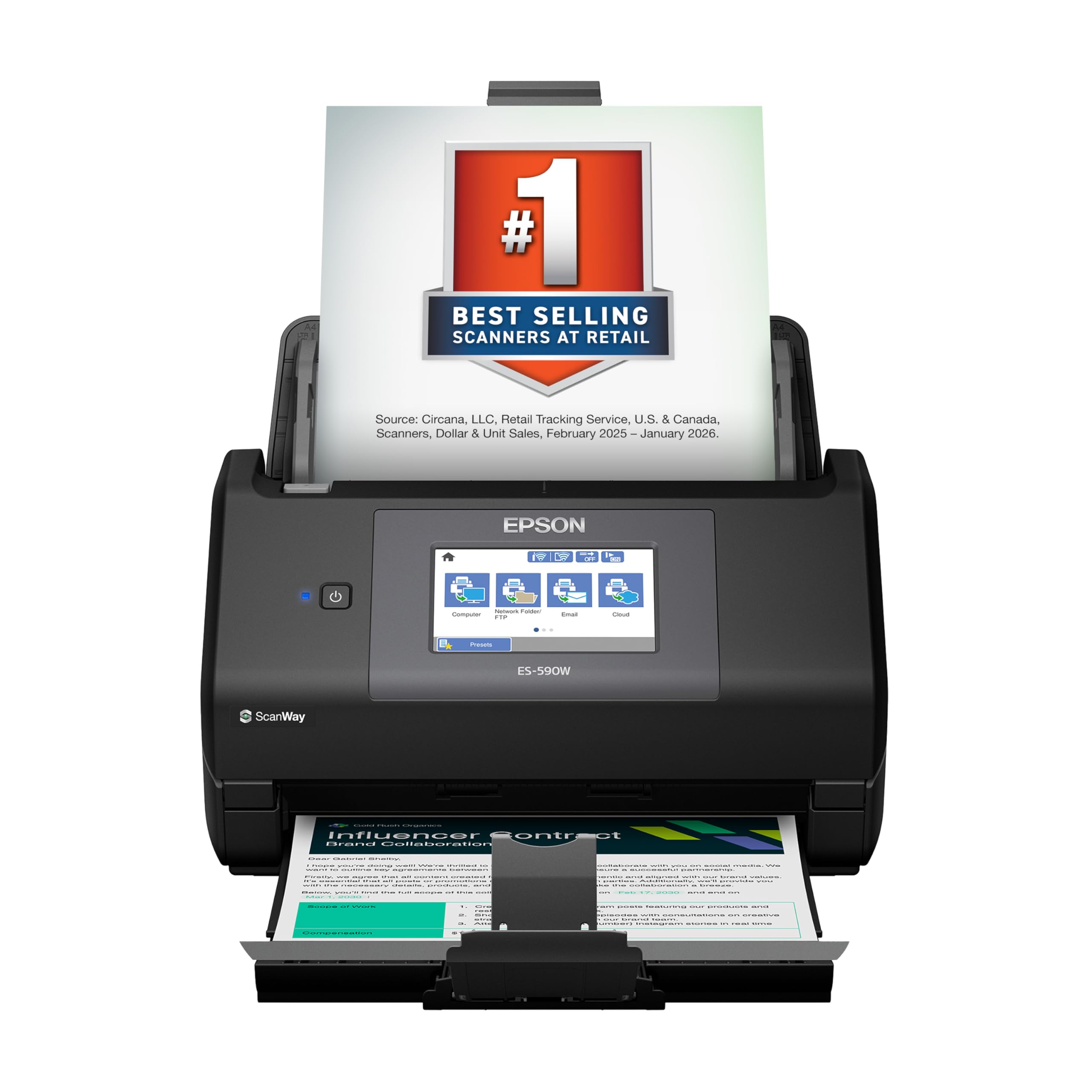
The 4.3-inch touchscreen is the reason to choose this one over the ES-400 II, and it is a better reason than it first sounds. The profiles you set up once — invoices, receipts, scan-to-accounting — sit on the screen as buttons, and the scanner can push a finished file to an email address, a cloud folder or a USB stick with no computer anywhere in the chain. That freedom justifies the price when the scanner is shared, or when the laptop that would otherwise be tethered to it lives in a bag.

Underneath, it is the same class of machine as the top pick with more room to work: 45 pages per minute in duplex and a 100-sheet feeder, so a full load clears in a couple of minutes. Scans go up to 600 dpi, the pages come out consistently straight, and the touchscreen keeps the whole job off your keyboard.

Wireless is the part that slips. Dropped connections and pairing that has to be redone come up with every Wi-Fi scanner in this group, and this one is no exception; we found the cure is to plug in the USB cable if the machine sits within reach of a computer. It also costs more than the ES-400 II for the same core paper handling — the extra buys the screen and the standalone scanning, not better scans.

Bottom line: We pick the ES-590W when the scanner has to work without a computer: touchscreen profiles and scan-to-email make it standalone, and you pay for that freedom.

3

Canon imageFORMULA R30

Canon imageFORMULA R30

Shared front desks

Our Score 8.2/10
Check Price

Worth Noting

  • USB only
Speed
25 ppm
Software
Device-embedded, no install
Connection
USB
Feeder Capacity
60 sheets

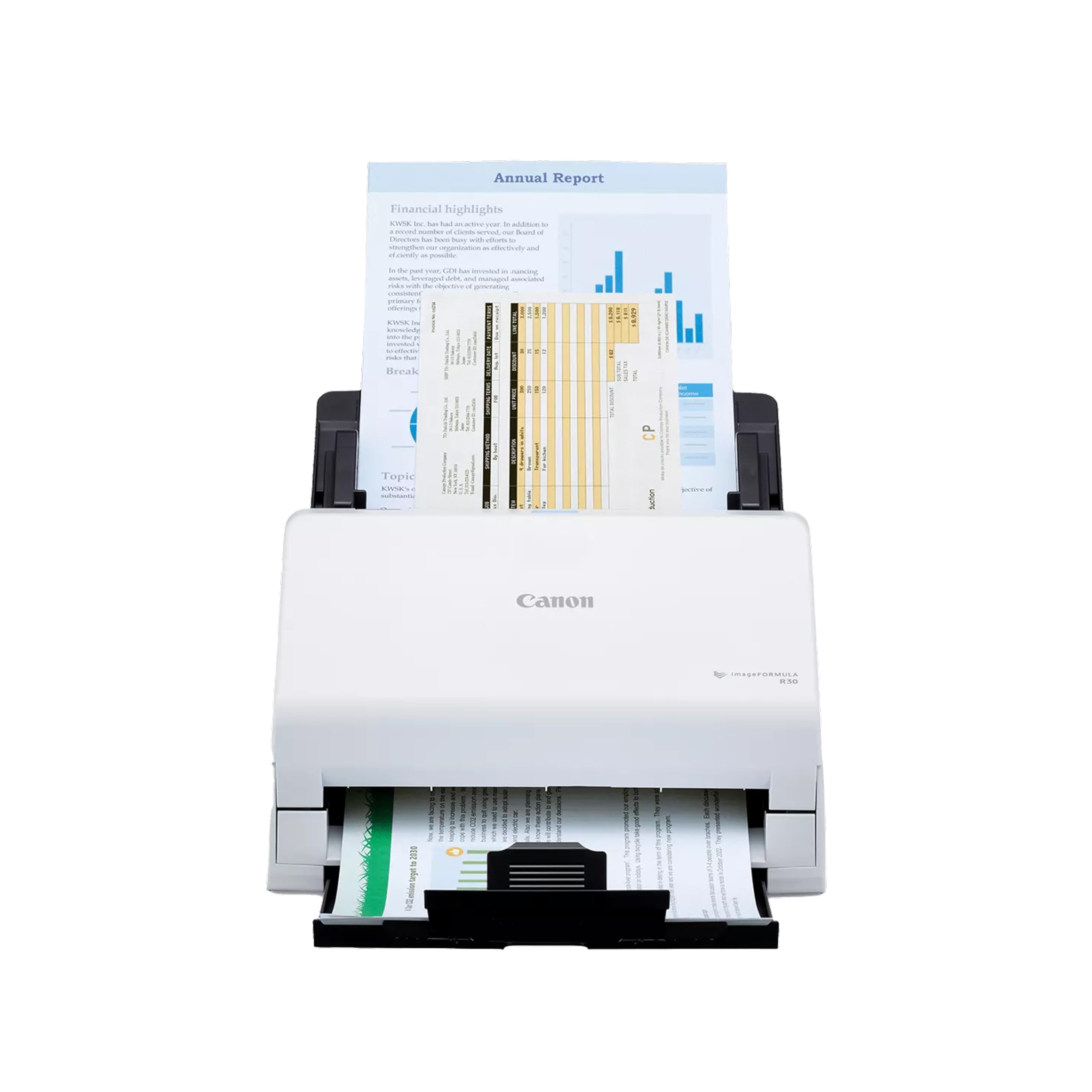
Most scanners here ask you to install something before they will do anything useful. The R30 does not: its scanning software lives inside the machine, opens when you connect the USB cable, and updates itself from there. In an office where staff, temps and visitors all need to scan and nobody wants to be the person who maintains four laptops' worth of drivers, that is a real relief.

The hardware is aimed at the same buyer. A 60-sheet feeder takes mixed batches — invoices, contracts, business cards — without sorting them first, both sides are captured in one pass, and the footprint is roughly a sheet of paper plus a few inches. It runs at 25 pages per minute, the slowest of the desktop machines here, which makes a 500-page archive an afternoon rather than a coffee break.

We think it is the right scanner for a shared front desk or a small office that wants batch scanning without an IT visit. The embedded software is the differentiator and the reason it holds a place over faster machines: there is nothing to deploy, nothing to update on someone else's computer, and nothing to explain to the person covering reception on Friday.

Two things to settle first. There is no wireless, so USB to a computer is the only connection. And confirm that your operating system is on Canon's supported list for this exact model before you order; that is good practice with every scanner here, and it matters more if you are on a Mac.

Bottom line: Ours is a simple judgment: if several people share the scanner, the R30's built-in software saves more time than a faster feeder ever will.

4

Brother DS-640

Brother DS-640

Travel scanning

Our Score 8.6/10
Check Price

Worth Noting

  • One sheet at a time
  • Uneven support for the newest macOS and Windows 11
Feed
Single sheet
Media
Paper, cards, receipts
Speed
16 ppm
Connection
Micro USB 3.0

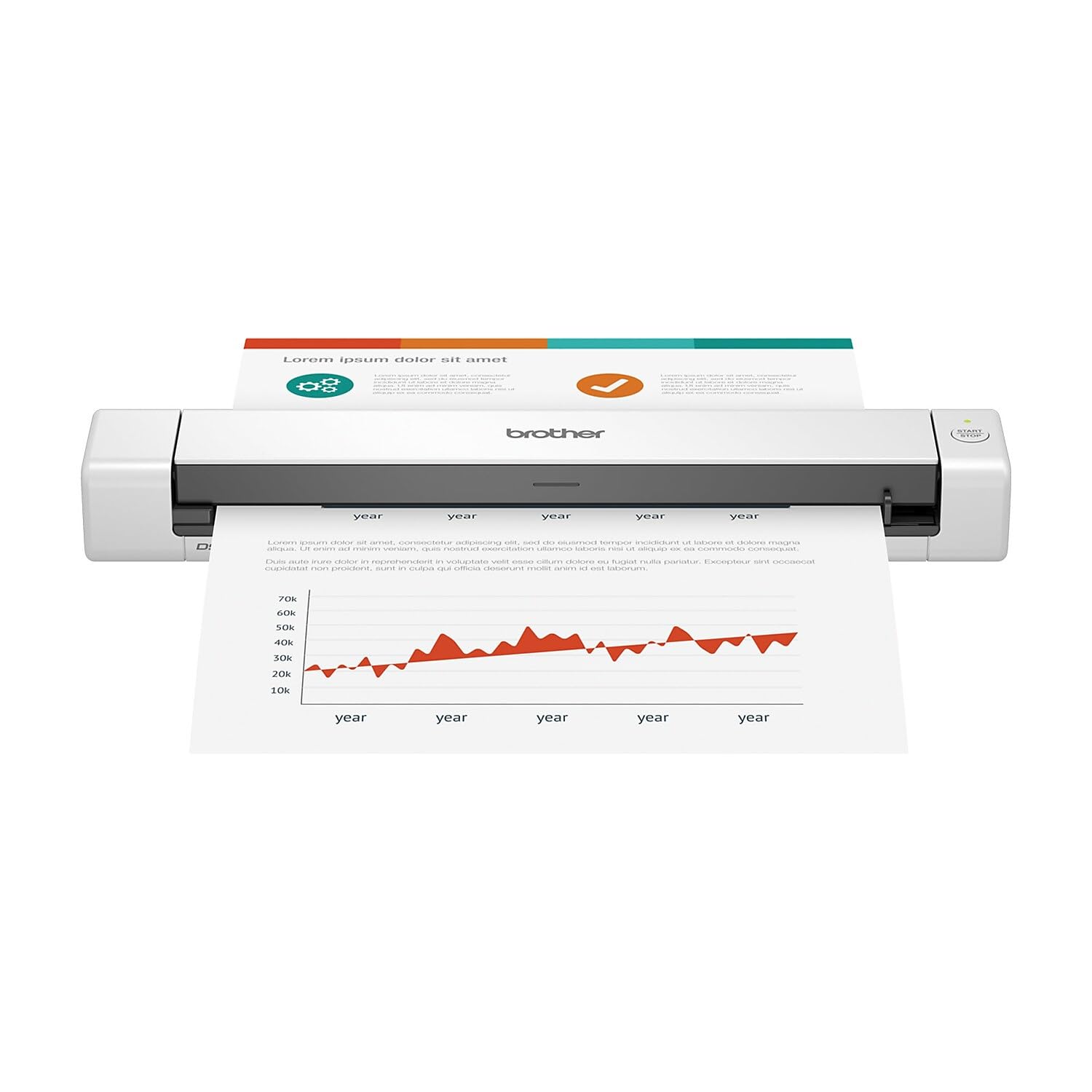
One page at a time, by hand, every time. That is the DS-640's bargain, and it is why the thing weighs about a pound and runs off a USB cable instead of a wall socket. There is no feeder to jam, no tray to unfold, and nothing to load except the sheet in front of you.

We keep coming back to it for the scanning that happens away from a desk: a signed contract at a client's office, a wallet of receipts at the end of a trip, an ID card handed across a counter. At 16 pages per minute it is quick for a manual-feed machine, and the output is clean enough to email before you have packed up. It takes the awkward media too — receipts, laminated cards, embossed cards — without any special handling.

What it is not is a batch machine. Thirty pages of lease agreement means thirty feeds, and you will feel every one; if that is your week, the ES-400 II is the answer. The other thing to get right is software: install Brother's iPrint&Scan on the machine you will actually travel with, before the trip, because a scanner that needs a download is a scanner you cannot use in a parking garage.

Bottom line: We keep one in the laptop bag: a pound of scanner that runs off USB and turns a handful of pages into clean PDFs anywhere you happen to be.

5

Canon imageFORMULA R10

Canon imageFORMULA R10

Portable batch jobs

Our Score 8.0/10
Check Price

Worth Noting

  • Feeder can pull two pages at once
  • Uneven support for newer macOS and Windows 11
Speed
Up to 12 ppm
Duplex
Both sides
Connection
USB
Feeder Capacity
20 sheets

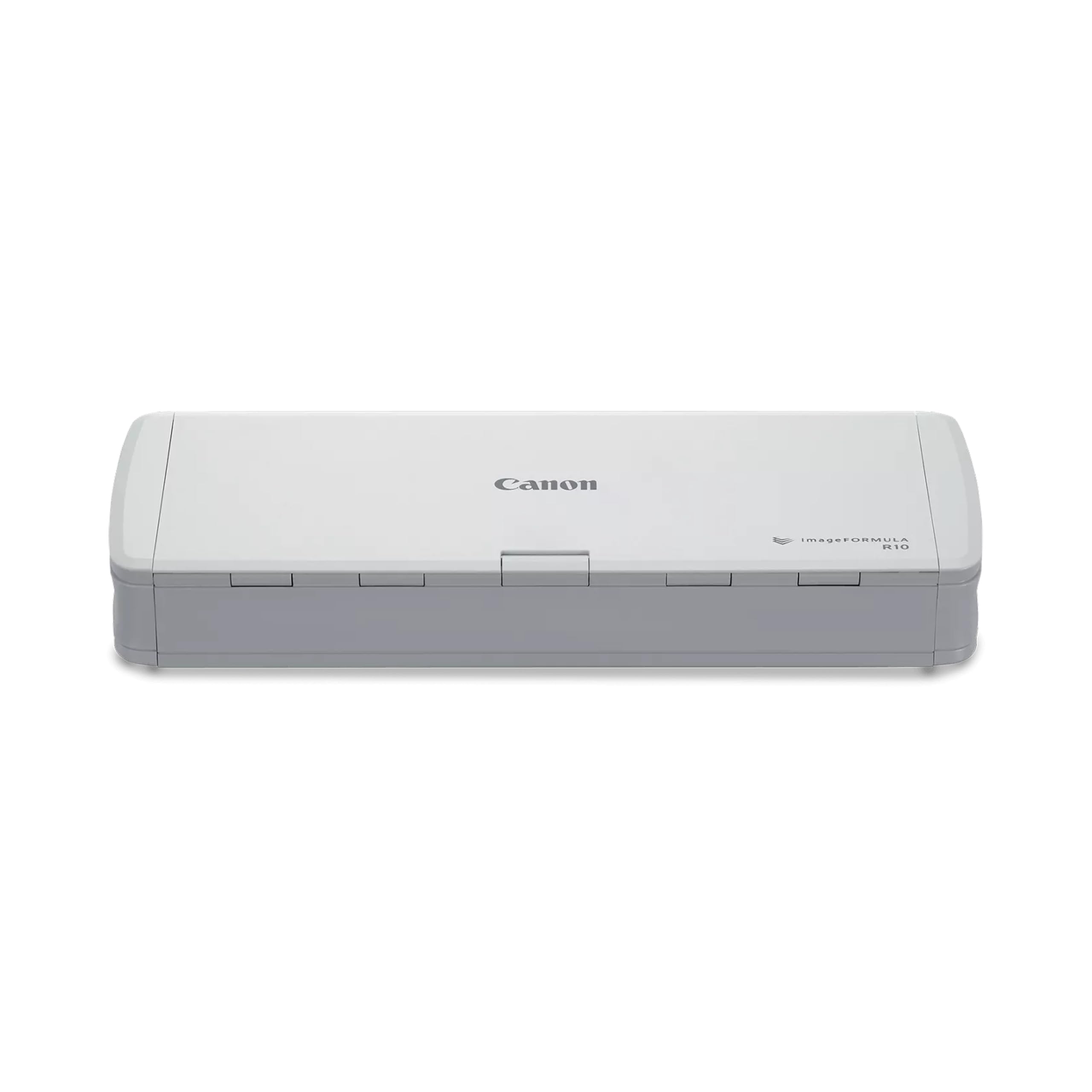
A 20-sheet feeder and duplex scanning in a body you can drop in a laptop bag is a genuinely appealing combination. This is the only portable here that will take a stack rather than a single sheet, and on paper that makes it the obvious choice for anyone scanning forms on site.

It folds open into a small paper tray, images both sides in one pass at up to 12 pages per minute, and produces 600 dpi files. Setup is about as simple as it gets — plug in the USB cable, open the app, scan — and at a couple of pounds it disappears into a bag.

The feeder is also where it gets fussy. Pages that travel through two at a time, or sheets that pass without being imaged, are the recurring problem with this model, and it is worse with thin paper and worse again with a stack that is not squared up. Feed it five or ten sheets at a time and check the count against the original, and it behaves.

That is why it sits here as a consideration rather than one of our main picks: buy it if you need duplex batches on the move and can babysit the feeder, and look at the ES-400 II if you would rather load forty pages and walk away — since that is the same job done at a desk. Check your computer is supported before ordering too, because Macs and Windows 11 are where this one struggles, and if it is not recognized, try a port on the machine itself rather than a hub or dongle.

Bottom line: We rate it for duplex batches on the move — just feed it small stacks and count the pages, because the 20-sheet feeder is where it slips.

6

ScanSnap iX1300

ScanSnap iX1300

Small desks

Our Score 8.4/10
Check Price

Worth Noting

  • Wi-Fi pairing is unreliable
  • 20-sheet feeder means frequent refills
Speed
Up to 30 ppm duplex
Weight
4.4 lb
Connection
USB, Wi-Fi
Feeder Capacity
20 sheets

The iX1300 is the scanner for a desk that does not have room for one. It is about a foot wide but only four and a half inches deep, so it tucks behind a keyboard or under a monitor and effectively disappears; paper goes in the front and loops back over the top rather than shooting out the back. That footprint is the whole argument, and after a few days of use we stopped noticing the machine at all, which is the highest compliment a scanner can earn.

Small does not mean slow. It duplexes at up to 30 pages per minute from a 20-sheet feeder, and the short paper path means a page reappears almost as soon as it went in. Thick items and plastic cards go through the manual slot at the front, which is more than most compact machines manage.

Wi-Fi is the weak spot. Pairing that takes several attempts and connections that drop between sessions come up here the way they do on every wireless scanner in this group. Run it on USB and the frustration mostly goes away, though at that point you have bought a wireless scanner and left the wireless unused.

Quality is good rather than exceptional. Flattened text and clean line art come out fine; photographs are the weak spot, which is true of most sheetfed scanners and worth knowing before you feed in a print you care about.

Bottom line: Our pick when desk space is the constraint: four and a half inches of depth, 30 ppm duplex scanning, and USB to fall back on when Wi-Fi misbehaves.

7

HP HPPS100

HP HPPS100

Light travel use

Our Score 8.4/10
Check Price

Worth Noting

  • Single-sided scanning only
  • 300 dpi limits output to text and forms
Speed
15 ppm
Weight
3 oz
Scanning
Single-sided
Connection
USB 2.0

Three ounces. The HPPS100 is light enough that you forget it is in the laptop bag, which is the entire point of a scanner like this: the receipt you need to expense while you are away, the signed page you need to send before you get home.

It scans one side at a time at up to 15 pages per minute, at 300 dpi, and it draws power from the USB cable rather than an adapter you have to pack. That resolution is built for text and forms, and a two-sided contract goes through twice, with the second pass done by hand.

We think it earns its place as the travel scanner for someone who scans a few pages a week rather than a backlog. The software is a download rather than something in the box, so install HP WorkScan at home, on the machine you will travel with, before the trip — doing it in a hotel room on hotel Wi-Fi is the version of this that goes wrong.

Bottom line: We recommend it for the occasional page on the road — three ounces, USB-powered, and honest about being a one-sided, text-grade scanner.

How We Tested 12 Document Scanners Over Six Months

We started by gathering every scanner a home office or small business could plausibly buy — sheet-fed models, flatbeds, and the compact portables that draw power from a USB cable — then cut the list by checking driver support for Windows, macOS, and phones, paper capacity, and whether the bundled software was usable without a recurring subscription. Price factored in only as a ratio: we wanted machines that earned their spot, not just cheap ones. That left 12.

Setup came first. I timed each scanner from unboxing to a saved, legible PDF using nothing but the quick-start card, and noted where I went hunting — a driver download here, a Wi-Fi pairing there. Then the real work: a 20-page double-sided contract, a stack of thin store receipts, a crumpled utility bill flattened under a book, a school permission slip, and a business card. I ran the contract with a stopwatch and checked whether duplex pages came back in order. For image quality, I zoomed in on the fine print and the faint thermal receipts to see whether the numbers stayed readable or smeared into gray.

Size got judged where these machines actually live. Each one spent a week on a small desk so I could feel what it cost me in workspace, and the portables rode in a messenger bag with a laptop through a day of scanning at a co-working space and a client's office. Reliability was the long game: after roughly 200 pages apiece, I looked for streaks, misfeeds, and rollers starting to pull two sheets at once. Value came down to what shipped in the box — text recognition included beats a lower sticker price with a monthly fee attached.

How to Choose the Right Document Scanner

Start with the feeder, then the duplex

A scanner's real speed is its feeder, not the pages-per-minute figure on the box. A manual-feed model rated at 16 ppm means one sheet in, one sheet out, by hand, so a 40-page report is 40 trips to the machine. A 20-sheet feeder covers a small stack; 50 or 100 sheets covers a week of post. Match the number to the piles you actually have.

Single-pass duplex is the other half of the decision. When both sides are imaged in one trip through the paper path, you halve the handling and stop worrying about page order. If you scan two-sided contracts or mortgage paperwork, don't buy a simplex machine and plan to flip pages yourself.

Check the driver against your computer

A scanner is only as good as its driver on your machine. The failures that matter here are about recognition: the computer not seeing the scanner, a wireless pairing that will not hold, a bundled app that will not install on the newest macOS or Windows 11. Before you order, find the model's system requirements and confirm your exact operating system version is listed. On a Mac, check twice.

Two habits save trouble later. Plug a USB scanner into a port on the computer itself rather than a hub or dongle, and install and update the software before the day you need to scan something urgent.

Decide whether it needs a computer at all

A USB scanner with software on your laptop is the simplest way to get good scans, and it is the right answer when the scanner sits beside the computer. It is the wrong answer when the scanner lives in a hallway and the laptop lives in a bag. Wireless machines with a screen, like the ES-590W, send a scan to email, a cloud folder or a USB stick with nothing else switched on, and that is what makes a shared scanner practical.

The trade is setup. Wireless adds a pairing step and one more thing that can drop out, so if the scanner has a permanent home within cable reach, save the money and run the cable.

Know what a sheet feeder can't do

A sheet feeder handles flat paper. It will not scan a bound book, a photo print you don't want to bend, or a page with a staple in it, and the staple will do damage on the way through. If those jobs are a real part of your paper, the tool is a flatbed, not a document scanner.

Be honest about volume before buying a second machine. Most homes and small offices need a feeder for the 95 percent and a phone photo for the odd book page. Buy for the pile you have, not for the one unusual document that started you looking.

Frequently Asked Questions

Final Verdict

The Epson WorkForce ES-400 II is the scanner we point most people to. A 50-sheet feeder and single-pass duplex turn a filing cabinet into searchable PDFs without any special handling, and on feeder behaviour, duplex speed and clean output it is the steadiest machine in this group.

If the scanner cannot live beside a computer, the ES-590W's touchscreen and computer-free scanning justify the step up. Equipping a shared front desk instead? The Canon R30's embedded software saves you a deployment. And when the paper is somewhere else entirely, the Brother DS-640 is a pound of scanner that runs off a laptop.