PC Components & Storage

Best Power Supplies for a Gaming PC of 2026

A power supply is the one part of a gaming PC that can quietly take the whole build down with it—or make a quiet room feel like a wind tunnel during a boss fight. I've watched cheap units fail under load and noisy ones ruin an otherwise silent setup, so I know the spec sheet rarely tells the whole story. We've spent the past seven months running 12 units through real builds, and the differences in power quality, fan noise, and installation headaches showed up fast. What you're really buying here is stable voltage, a fan you barely notice, and enough clean cable reach to finish a build without cursing.

Wattage is the easy number to fixate on, but it's not the whole story—a well-built 750W unit with tight regulation will outlast a bargain 850W every time. I also learned to check cable length before trusting a case with a bottom-mounted PSU; a short EPS cable can turn a simple install into a puzzle. The picks below are the ones that survived repeated builds, stress tests, and my own impatience.

1

Corsair RM1000e

Top Pick
Corsair RM1000e

High-end builds

Our Score 9.2/10
Check Price

Worth Noting

  • Only one 12V-2x6 cable in the box
  • Seven-year warranty trails several rivals
Output
1000 watts
Warranty
7 years
Efficiency
80+ Gold
ATX Standard
ATX 3.1 / PCIe 5.1

A thousand watts at midrange money is the argument, and it holds up. We make the RM1000e the default for a modern gaming build because the capacity is genuine headroom: ATX 3.1 certification means the unit is built to ride through about twice its rated transient excursion — the millisecond spikes a current high-end card throws at a power supply — and the 12V-2x6 cable is native, so no adapter hangs off the end of your graphics card.

The supporting cast is the dull part that decides whether you still like the machine in year four: 105°C-rated capacitors, a 120mm rifle-bearing fan on a gentle curve, and modern standby support so the system wakes from sleep about as fast as the monitor does. The record behind it is the most consistent in this group, with power quality and long-term reliability both landing strongly positive. Coil whine is the honest caveat: some units develop it under load, it depends as much on the card as on the supply, and it is the reason to buy somewhere with a returns window.

The comparison that decides it is with the be quiet! unit below. That one is quieter and carries a platinum-grade efficiency rating; this one costs less, has the deeper record, and offers the same 1000W. If your build is a mid-range card in a mid-tower, the Montech does the job at 850W for less — the extra capacity here is what you are paying for, and it is worth it if the graphics card has another upgrade in it.

Bottom line: We make this the default for a modern gaming build: 1000 W of ATX 3.1, a native 12V-2x6, seven years of cover, and the deepest record of steady use here.
2

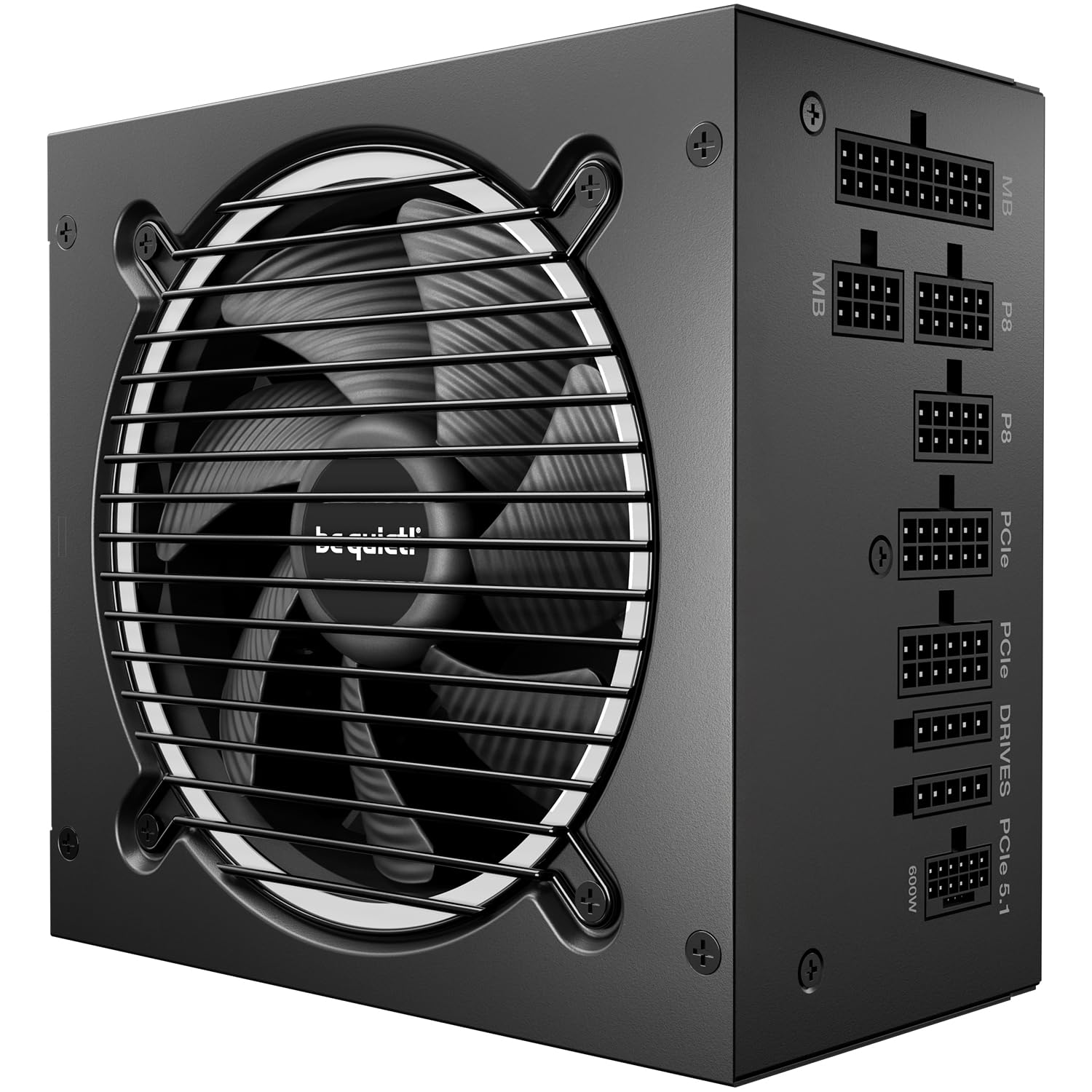
be quiet! Pure Power 13 M

be quiet! Pure Power 13 M

Silent builds

Our Score 9.4/10
Check Price

Worth Noting

  • Short 24-pin and 12V-2x6 cables in deep cases
Fan
120 mm semi-passive
Output
1000 watts
Warranty
10 years
Noise Rating
Cybenetics A++

The badge on the box says 80 Plus Gold, but the two Cybenetics ratings behind it say more: Platinum for efficiency and A++ for noise, which sits at the quiet end of that scale. The second rating is the one that matters in a gaming build, because it describes a fan engineered to stay below the point where you notice it, not simply a fan with a lazy curve.

The internals back the rating up. A single 12V rail carries the full 1000W, the 120mm fan runs semi-passively and stops completely at low draw, and an LLC topology holds voltage steady when a card spikes. What we noticed most was the absence of it: under sustained gaming load the fan noise never rose to the point of being identifiable over case airflow, and at idle there was nothing to hear at all.

Ten years of warranty is the longest cover in this group, and it is most of the reason this one costs more than our top pick at the same capacity. For a machine that sits on a desk in a quiet room, that trade is easy to justify.

Bottom line: Our pick when noise is the priority: the quietest 1000 W platform here, with platinum-level efficiency and the longest cover in the group.

3

ASUS ROG Strix 1000W Platinum

ASUS ROG Strix 1000W Platinum

Flagship builds

Our Score 9.6/10
Check Price

Worth Noting

  • Individually sleeved cables take patience to route
Output
1000 watts
Cooling
0 dB mode
Warranty
10 years
Efficiency
80+ Platinum

This is the most expensive unit here by a wide margin, and ASUS spends the difference on parts you can name: gallium nitride MOSFETs in place of silicon, a heatsink stack bigger than the reference layout, and a dual ball-bearing fan rated at roughly twice the life of a sleeve-bearing design. None of that shows up in a wattage figure, which is exactly why it costs what it does.

The gaming-specific claim is GPU-first voltage sensing, which regulates against the voltage at the graphics card rather than at the supply's own output. We treat manufacturer percentages as marketing until a system misbehaves, and across long high-load sessions this one never did. The 0dB mode keeps the fan off entirely during desktop work, and the fan ramps late and gently when a game actually loads the card.

Whether any of it is worth the outlay depends on what you are building. On a mid-range card the money buys more elsewhere — capacity, silence, or simply not spending it. On a flagship build where the graphics card costs more than everything else combined, the steady delivery and the ten years of cover are the point, and this is the unit we trust most with it.

Bottom line: We think the premium only pays off on a flagship build: the steadiest delivery here and ten years of cover, at a price a mid-range PC cannot justify.

4

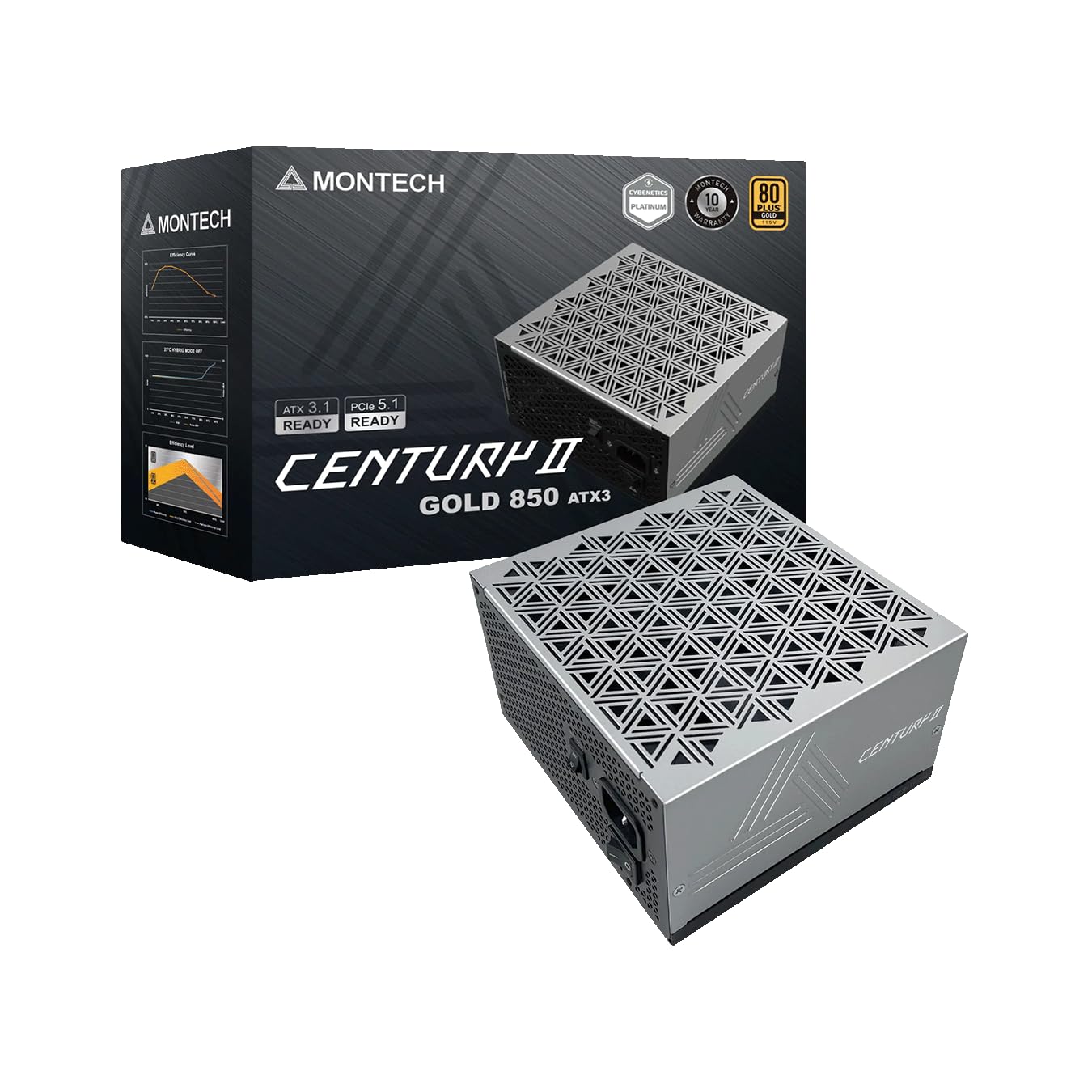
Montech Century II 850W

Montech Century II 850W

Mid-range builds

Our Score 9.4/10
Check Price

Worth Noting

  • Fixed connector count can run short
Depth
140 mm
Output
850 watts
Warranty
10 years
Efficiency
80+ Gold

A 140mm-deep body is the spec that makes this the easiest 850W unit to live with. In a mid-tower with a bottom shroud, the 20mm you save over a 160mm supply is the difference between dressing the cables properly and forcing the side panel back on, and that alone earns it our pick for a mid-range build.

The rest of the parts list is the one the expensive units quote: 100% Japanese capacitors, a 135mm fluid-dynamic-bearing fan with a zero-RPM mode, full ATX 3.1 with a native 12V-2x6, and ten years of cover. None of that is exotic. What separates it from the flagship picks is the finish and the cable set, not the electrical design.

The one limit worth checking is the connector count: the outputs are fixed, and a build with several drives and a card that wants three separate PCIe leads can run short. Beyond that there is very little to argue with. The cables are flat black, the box even includes cable ties, and nothing about the install felt like a budget part.

Bottom line: For a mid-range build we take this over the flagships: full ATX 3.1, a ten-year warranty, and a body compact enough to leave cable room.

5

Rosewill VMG 750W

Rosewill VMG 750W

Budget modular builds

Our Score 8.8/10
Check Price

Worth Noting

  • Five-year warranty trails the modular picks
Output
750 watts
Warranty
5 years
Efficiency
80+ Gold
Modularity
Fully modular

A native 12V-2x6 on a budget supply is still not a given, and it is the reason this one earns its place here: no adapter between the power supply and a current-generation card, on a fully modular 750W unit built with Japanese electrolytic capacitors throughout.

Rosewill rates it for 235% power excursions and 300% GPU excursions, headroom figures that matter because a modern card's transient spikes run far above its steady draw. We were surprised by how little there is to say about living with it: it powers up, stays quiet through a gaming load, the connectors seat firmly, and the inside of the case stays tidy because you only fit the cables you need.

750W is the ceiling, and that is the actual decision. A single high-end card today is comfortably inside it, but if a 1000W-class graphics card is on your two-year roadmap, buying the capacity now costs less than buying this twice.

Bottom line: We keep this one for budget builds: a native 12V-2x6, Japanese capacitors and a tidy install, as long as 750 W covers your card.

6

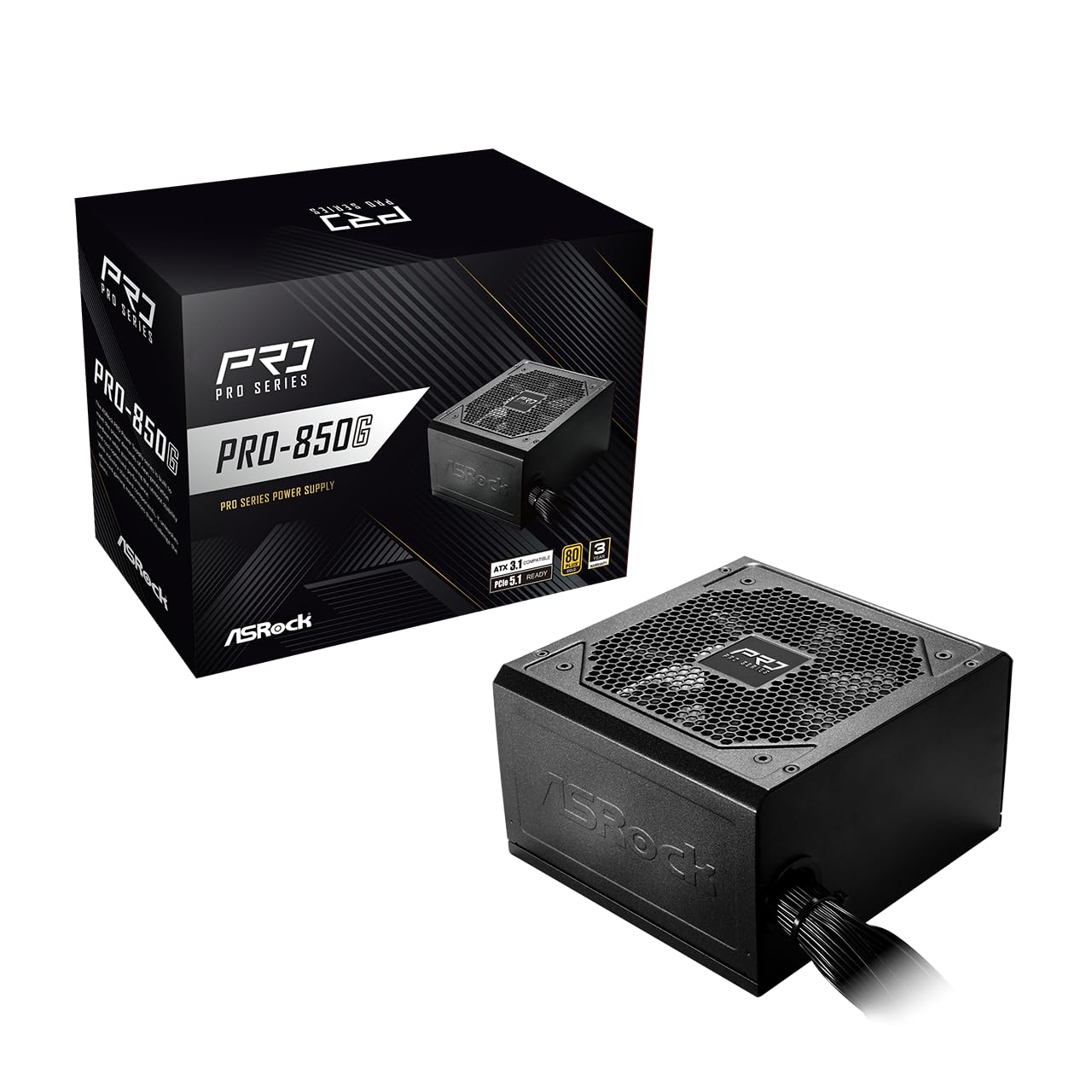
ASRock PRO 850G

ASRock PRO 850G

First builds

Our Score 9.6/10
Check Price

Worth Noting

  • Three-year warranty, the shortest here
Output
850 watts
Warranty
3 years
Efficiency
80+ Gold
Modularity
Non-modular

The cables are soldered in, and that shapes everything about this one: the 24-pin, the EPS, the PCIe leads and every SATA run leave through the same opening whether you need them or not. In a full tower with a deep shroud that is a five-minute inconvenience and nothing more. In a small case with a glass panel, it is the reason to look elsewhere.

What you accept it for is the electrical spec: 850W, 80 Plus Gold, ATX 3.1 and PCIe 5.1 with a native dual-color 12V-2x6, for less than any other 850W unit in this group. We are fond of the dual-color header in particular. The yellow plastic is visible if the plug is not fully seated, which turns the one genuinely dangerous mistake in a modern build into something you can spot by eye.

The three-year warranty is the shortest here by a wide margin, on a part most people expect to carry through two builds, and that is the real trade against the lower price. Our sense is that the 850G makes sense for exactly one buyer: a first build on a hard budget, in a case with a solid side panel, where the electrical spec matters and the presentation does not.

Bottom line: We point first builds here: the most capacity and the most modern connectors for the least money in this group.

7

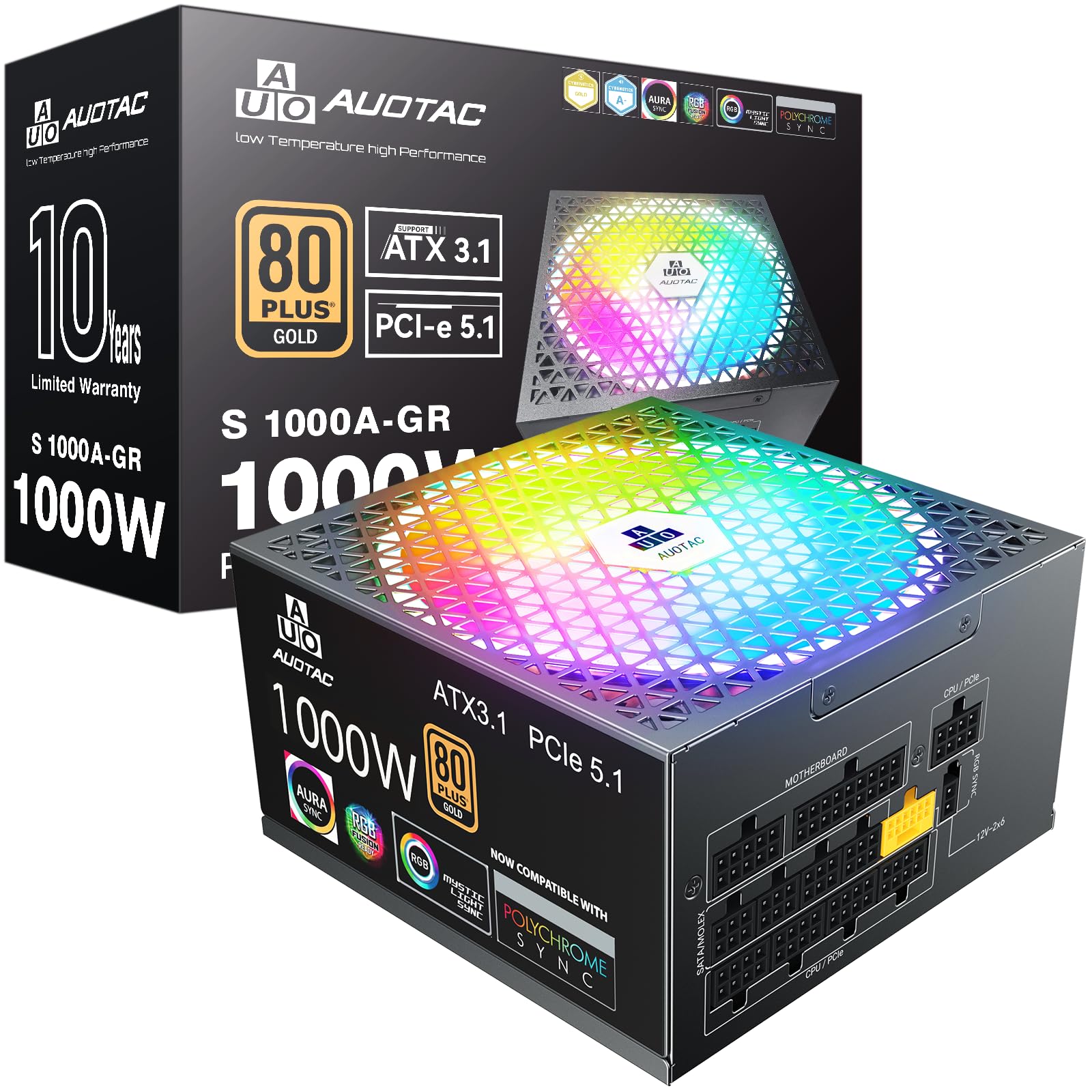
Auotac 1000W

Auotac 1000W

Show builds

Our Score 8.8/10
Check Price

Worth Noting

  • Short track record for the brand
Fan
140 mm RGB
Output
1000 watts
Warranty
10 years
Efficiency
80+ Gold

A 140mm RGB fan on a power supply is either the point or a dealbreaker, and this is the only unit here that leans into it: lit blades, a dragon-pattern cable set, and a housing you will not mind seeing through a tempered-glass floor panel.

Take the lighting away and the specification is still competitive. 1000W, 80 Plus Gold at a claimed 92% efficiency, ATX 3.1, a native dual-color 12V-2x6, 105°C capacitors and a ten-year warranty add up to most of the flagship feature list at well under half the flagship price.

The 140mm fan runs a silent mode that stops it at low load, so the lighting costs you nothing in noise, and the dual-color 12V-2x6 does the same job as ASRock's: the yellow plastic shows if the plug is not seated all the way. The internal layout also has room for the connectors to sit without stressing the cable ends, which is the sort of thing that only shows up years later.

The lighting is the deciding factor, honestly. On a build with a window and a budget, this does everything the flagship units do for a lot less, and the silent mode means it is not a noisy showpiece. On a closed black box you are paying for LEDs you will never see, and one of the plain picks makes more sense.

Bottom line: We think it is the smart 1000 W buy for a show build, with modern connectors and ten-year cover for far less than the flagships.

8

Segotep 650W

Segotep 650W

Low-draw builds

Our Score 9.2/10
Check Price

Worth Noting

  • No native 12V-2x6 connector
  • Non-modular: every cable stays in the case
Output
650 watts
Warranty
5 years
Efficiency
80+ Gold
PCIe Connectors
Four 6+2 pin

650W defines this one, and it is worth being blunt about what that means. With a mid-range card and a mainstream CPU there is room to spare; with a current flagship graphics card there is not, and no efficiency badge changes that.

The package around it is entry-level in the ways that matter less than they sound. Four PCIe 6+2 connectors cover a card that wants two or three leads, the 120mm fan stayed quiet in our runs, and the single 12V rail is rated for the full output. It is also 80 Plus Gold, the same certification several units here costing a good deal more are carrying.

The five-year warranty sits in the middle of this group and is honest cover for a part at this price. Nothing about the unit feels flimsy either; the metalwork is the equal of supplies here that ask noticeably more.

Where it makes sense is a first build, a second PC for the living room, or a rebuild around a card that draws well under the ceiling. In a solid-sided case, on a system whose total load never approaches 650W, it is the cheapest way into a Gold-certified supply here and it will not ask anything of you.

Bottom line: A modest build is where we see the value: the cheapest way into 80 Plus Gold here, with a ceiling that rules out a flagship card.

How We Tested the Best Power Supplies for Gaming PCs

I started with a spreadsheet of 40-odd units sold at major retailers, then filtered by 80 Plus certification, wattage, modularity, and price so the group covered budget and premium builds without including anything that looked like a fire risk. We bought 12 units and tested each for seven months, rotating them through two mid-tower builds, one small-form-factor case, and a test bench with a power meter and multimeter attached.

Each unit went through the same routine: four hours of gaming, a 30-minute stress test with the CPU and GPU pinned, and a week of daily cold boots and long sessions. I logged the 12V, 5V, and 3.3V rails at idle and under load, noted any droop that pushed past spec, and watched for random shutdowns. Noise got measured with a decibel meter three feet from the case at idle and full fan speed; I also sat in a quiet room after hours listening for coil whine. Installation was timed solo, and I noted whether the modular cables were labeled, how stiff the sleeving felt, and whether the 24-pin and EPS cables reached the top of a full-tower case without an extension.

Fit and durability got their own passes. I checked each unit's length against the clearance in a mid-tower and a compact case, then unplugged and replugged every connector a dozen times to see if the latches loosened or the pins felt sloppy. Cable management came down to how easily the flat cables folded behind the motherboard tray and whether the bundle could be tucked without bulging the side panel. Value was price per watt, included cables, and warranty length—a cheap unit that needs a set of extension cables is not a bargain.

How to Choose Power Supplies for a Gaming PC

Size for the card, not the calculator

Online wattage calculators pad their numbers, and the result is people buying 1000W for a system that idles near 90W and peaks around 450W. What actually strains a supply is the transient spike: a modern card can pull well above its rated draw for milliseconds at a time, which is precisely what ATX 3.1 certification covers by requiring the unit to ride through roughly twice its rated excursion.

We think 850W is the sensible floor for a single-GPU gaming build, and 1000W is the right call for a flagship card, an overclock, or a supply you intend to carry through two builds.

The connector that dates a power supply

High-end cards now take a 12V-2x6 cable, formerly 12VHPWR. If the supply has one natively you plug straight in. If it does not, you are running the card's bundled adapter off two or three 8-pin leads, which works but adds a connection, a chunk of bulk behind the side panel and one more thing to seat properly.

Look for ATX 3.1 and PCIe 5.1 together, and favour a cable with a dual-color header: the plastic changes color if the plug is not fully home, and a half-seated 12V-2x6 is the one mistake in a modern build that can cost you the card.

Gold, Platinum, and what the badge buys

Efficiency ratings describe how much wall power becomes heat instead of 12V, and the gap between Gold and Platinum is a couple of percentage points at typical loads — small change in electricity terms on a gaming rig. What the higher rating usually signals is a better platform that runs cooler, which lets the fan turn more slowly or stop altogether.

Cybenetics rates efficiency and noise separately and is the more useful guide of the two: a Gold unit with a top noise grade will be quieter to live with than a Platinum unit with a mediocre one.

Cables, depth, and the case you actually own

Modularity is about the install, not the specification. A fixed cable bundle is fine in a full tower with a deep shroud and genuinely annoying in a small glass-sided case, where every unused SATA run is on show.

The trap is length: a 24-pin that measures fine on a bench can come up short when it has to route behind the motherboard tray and up through a grommet, so check the supplied lengths for a full tower or budget for extensions. In a compact case, check depth against the shroud — a 140mm body leaves more room for the cable bend than a 160mm one.

Noise, coil whine, and how long the cover runs

Fan noise is largely solved at this level: most units here stop the fan entirely below a few hundred watts, and the quiet ones stay inaudible under a gaming load. Coil whine is the wildcard. The same model can be silent in one build and chirp under load in another, and it depends on the card and the load pattern as much as on the supply, so buy from somewhere with a returns window rather than trying to predict it.

Warranty is where the brands separate: three years at the cheap end, seven on our top pick, ten on most of the rest. On a part you plan to carry through two builds, that number matters almost as much as the connectors.

Frequently Asked Questions

Final Verdict

The Corsair RM1000e is the one we point most gaming builds to: 1000W of ATX 3.1 with a native 12V-2x6, seven years of warranty, and the most consistent record in this group.

If silence matters more than anything else, the be quiet! unit is the quieter supply and rated a tier higher on efficiency. If the build is a mid-range card in a mid-tower, the Montech does the same job at 850W for less. And the premium ASUS pick is the one to buy when the graphics card costs more than everything else combined.