Acer USB 3.0 Capture Card
Top Pick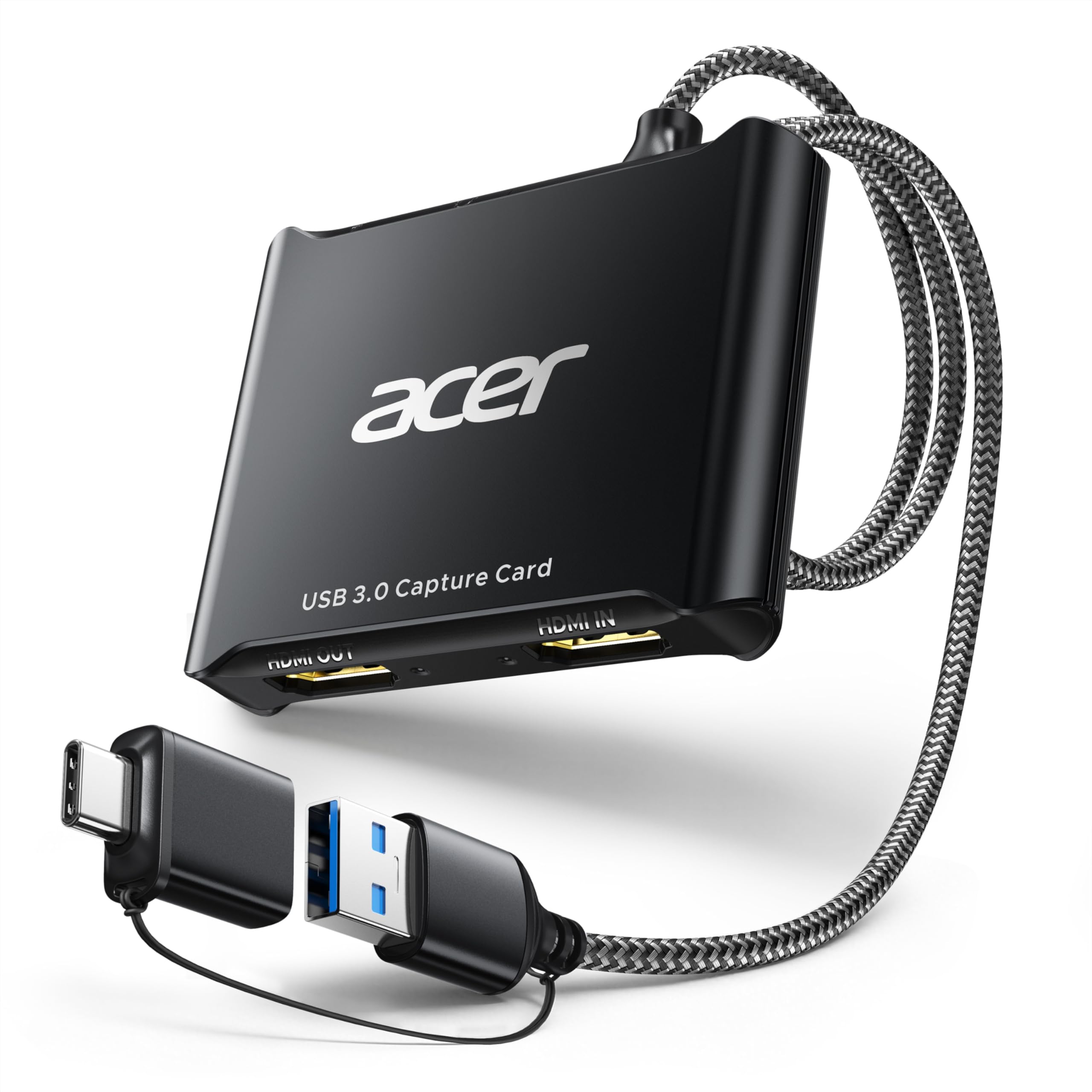
What We Like
- Clean 1080p60 capture for live streams
- 4K loop-out keeps console play on a TV
- Mic input simplifies commentary
- Simple plug-and-play USB setup
Worth Noting
- Capture tops out at 1080p60
- No headphone monitoring jack
- Connection
- USB 3.0 Type-A and Type-C
- Audio Input
- 3.5mm mic
- HDMI Loop-Out
- 4K
- Capture Resolution
- 1080p at 60Hz
The Acer card is the one that made us rethink what a streaming card needs to cost. It captures at 1080p60, passes a 4K signal to your TV, and includes a 3.5mm mic input, all in a body small enough to leave plugged into a laptop. What sold us is that it doesn't ask you to pay for 4K capture you probably won't stream.
The 1080p60 capture is the right target for Twitch and YouTube, where 1080p60 is still the practical broadcast target. The 4K loop-out keeps console play on the big screen without adding a splitter, and the mic input gives commentary a direct path. USB 3.0 Type-A and Type-C connections cover most laptops, and the card is plug-and-play with no drivers. You still need to set the OBS source and audio device once, as with any card.
What we don't like is the ceiling. There is no 4K capture, no HDR or VRR pass-through, and no headphone monitoring jack. If you record 4K or play on a 1440p144 monitor, the AVerMedia cards are the better fit. For everyone else, the Acer is the card we recommend first, and the one we hand to a new streamer.
Bottom line: The Acer is the best default for most streamers: clean 1080p60 capture, 4K pass-through, and mic input without a premium price.