Office Electronics

Best Digital Desk Clocks of 2026

A digital desk clock looks simple until it’s 2 a.m. and the display is lighting up the bedroom, or 7 a.m. and the alarm is either a whisper or a fire drill. I want one that earns its footprint: clean enough for a nightstand or desk, bright enough to read in daylight, dim enough to ignore after dark, and reliable enough that I’m not resetting it after every power blink. The small stuff matters, too—indoor temperature that’s close to the room, buttons that make sense before coffee, and a size that fits the spot you bought it for.

Over four months, we've lived with 14 digital clocks in bedrooms, home offices, and kitchens. We dimmed them in the dark, squinted from across the room, set alarms at whisper and fire-drill volumes, and compared what each one does for the money. The keepers share a readable display at every hour, controls you can work half-asleep, and an appearance that doesn’t make you hide the clock when guests come over. The picks below got those basics right.

1

DreamSky Auto-Set Digital Clock

Top Pick
DreamSky Auto-Set Digital Clock

Set-and-forget desks

Our Score 9.2/10
Check Price

Worth Noting

  • Single alarm; volume is not adjustable
  • Temperature readout can be inaccurate or fail
Power
Corded electric; CR2032 backup
Display
Time, date, day, temperature
Dimensions
6.1"W x 4"H
Screen Size
5 inches

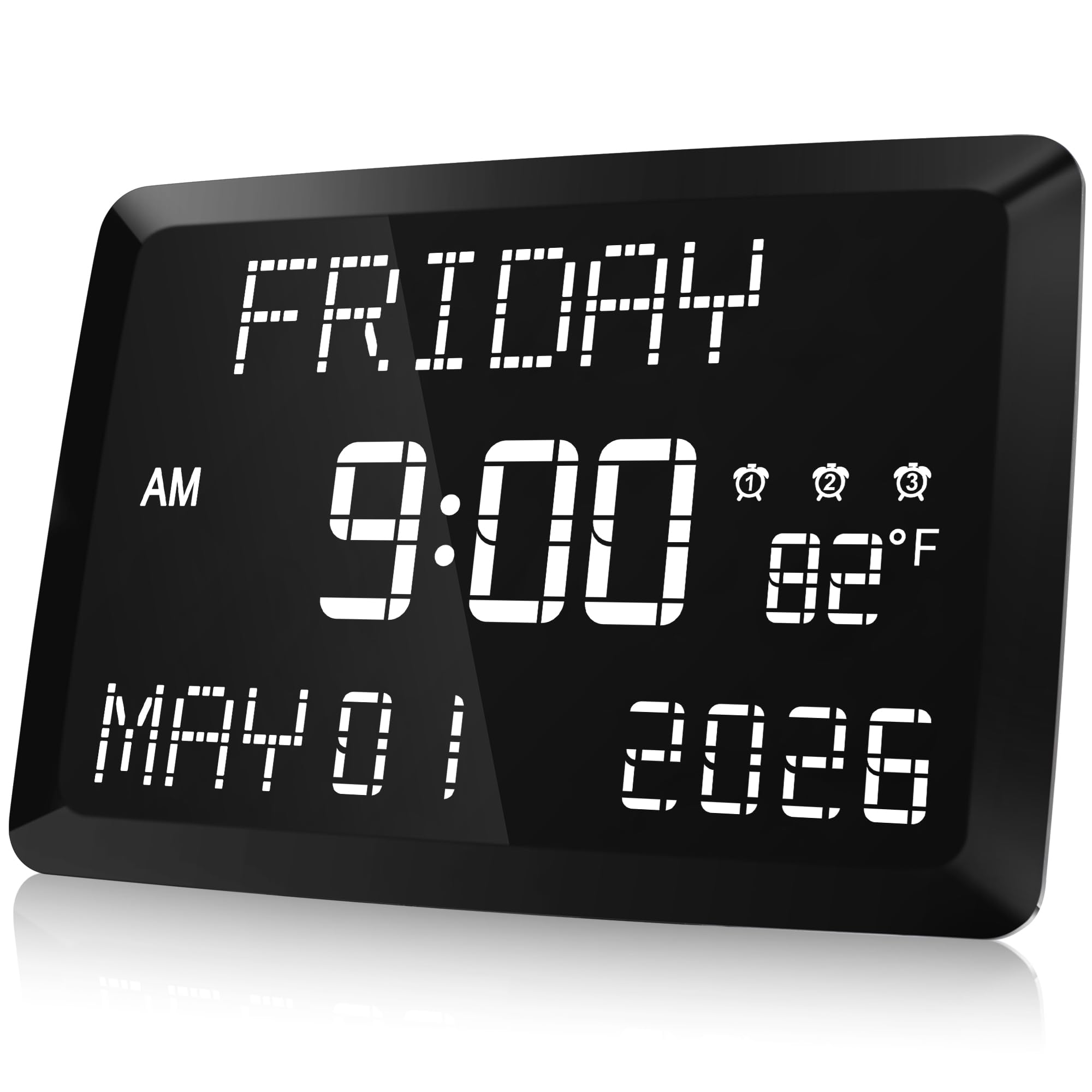
The DreamSky auto-set clock is the one we plug in when we want the clock to disappear into the routine. It picks up the time, date, and daylight saving setting on its own, and a button cell holds that information through a short power blip. The 5-inch LCD puts the time, day, date, and room temperature in one clean block, so it earns desk space as a small information panel as well as a clock.

What makes it our top pick here is the balance of that automatic setup with a display that stays readable across a room. The six brightness levels cover a bright desk and a dark bedroom, and the USB port on the back is a genuinely handy place to top up a phone. We also like that the time is the dominant element; the calendar details sit around it without turning the screen into a wall of tiny icons.

It is not the cheapest readable clock in this group, and it is not trying to be a smart display. For a desk where you want the date, the day, and a temperature check without hunting for a phone, though, it is the most complete package we tested. The auto-set behavior is the part that matters most: it removes the twice-yearly fiddle and the low-level worry that the clock is quietly wrong.

Bottom line: For a desk clock that sets itself and shows the date, this is the one we choose first.

2

Peakeep Large-Display Alarm Clock

Peakeep Large-Display Alarm Clock

Value-focused desks

Our Score 8.8/10
Check Price

Worth Noting

  • Alarm may be too quiet for heavy sleepers
Power
Corded electric; 2 AAA backup
Dimensions
7"W x 3.3"H
Alarm Volume
5 levels
Digit Height
2 inches

The Peakeep MHP6010 gets the fundamentals right for very little money: two-inch digits, five alarm-volume steps, a USB charging port, and a battery backup. On a desk or nightstand, those two-inch numbers are the reason to choose it; you can read the time from across the room without squinting. This is our value pick because it spends on the display and the controls you use daily rather than on calendar features.

The brightness control is the other daily-use feature: it can go low enough for a dark room, yet the display stays legible in daylight. The USB port is a nice extra at this level, and the two AAA batteries hold settings and keep the alarm alive during an outage rather than running the display cordlessly. The five volume settings and snooze cover the basics without a learning curve.

This is a simple clock, not a calendar station. There is no auto-set, no date, and no temperature readout, so if those are the reasons you are replacing a bedside clock, the DreamSky is the better fit. As a readable, adjustable alarm clock that does not ask much of your budget, though, it is the one we point to first.

Bottom line: We see it as the value benchmark for a big-digit desk clock, with enough alarm and brightness control for a normal bedroom.

3

DreamSky Wooden Digital Clock

DreamSky Wooden Digital Clock

Wood decor

Our Score 9.2/10
Check Price

Worth Noting

  • No auto-set time or calendar display
  • Backup battery only runs the alarm
Material
Wood
Brightness
5 levels plus off
Dimensions
5.96"W x 2.7"H
Digit Height
1.8 inches

The wood frame is the first thing you notice about this DreamSky, and it is the reason to put it on a visible desk rather than hide it on a nightstand. The trapezoid shape and warm finish make it look more like a small piece of furniture than a plastic gadget. The 6.5-inch screen keeps the time large and clear, with 1.8-inch digits that are easy to read from across a room.

The practical side holds up, too. Five brightness levels plus an off setting let you tune it for a bright office or a dark bedroom, and the alarm volume has five steps so it can be gentle or more assertive. The USB port is useful for a phone, and the battery backup is there to keep the alarm alive during an outage rather than to run the display.

What makes it our wooden pick is not just the finish; the controls cover the time, alarm, dimmer, and DST without turning the front into a button cluster. We choose it for a guest room, a home office, or a desk where the clock is part of the room rather than a utility. The finish is the reason it earns a place over the plain black boxes here, and the display is good enough that you are not sacrificing function for style.

Bottom line: When the clock has to look intentional on a desk, this wood-finished DreamSky is the one we point to.

4

Raynic 11.5-Inch Calendar Clock

Raynic 11.5-Inch Calendar Clock

Large-print rooms

Our Score 9.2/10
Check Price

Worth Noting

  • Reliability can be inconsistent
Alarms
3
Display
Time, day, date, temperature
Dimensions
9.8"W x 6.8"H
Screen Size
11.5 inches

The Raynic 1005-US is the easy-read outlier in this group. Its 11.5-inch display spells out the time, day, date, and indoor temperature in large characters, and the whole panel is designed to be read from a doorway rather than from arm's length. If you have been squinting at a small bedside clock, this is the correction.

Three alarms and two USB charging ports make it more of a family command center than a simple desk clock. The five brightness levels are important on a display this large, and DST is handled. We like the wall or table mounting flexibility, which lets it move from a desk to a shelf without becoming a permanent installation.

The catch is size: at 9.8 inches wide and 6.8 inches high, it will dominate a narrow desk. On a side table, a shelf, or a kitchen counter it makes more sense, especially for a parent or older relative who needs the day and date at a glance. It is also the priciest clock here, so the value case rests on visibility rather than features.

Bottom line: The clock we point to when the day and date need to be readable from across the room.

5

Peakeep Compact Digital Clock

Peakeep Compact Digital Clock

Tight spaces

Our Score 9.0/10
Check Price

Worth Noting

  • Battery backup only preserves settings and alarm
Power
Corded electric; 4 AAA backup
Brightness
5 levels plus off
Dimensions
5.3"W x 2.1"H
Alarm Volume
5 levels

At 5.3 inches wide and 2.1 inches tall, the Peakeep MHP6020 is the clock that disappears onto a crowded desk. It takes up less width than most phones, yet the front is mostly display, with bright blue digits that are easy to read at desk distance. We reach for it when the priority is a clock that stays out of the way.

What makes it our compact pick is that small does not mean stripped down. It has five brightness levels plus off, five alarm-volume steps, and a four-AAA backup. We appreciate the color options, too; they make a tiny clock feel less like a piece of office equipment and more like something you chose for the room. The display stays clear without turning into a night light.

The size cuts both ways. This is a desk or nightstand clock, not the one to read from across a large living room, and the display is at its best up close. If you need big numbers for low vision, the Raynic is the better choice; if you just need a clear time in a tight space, this one is easier to live with.

Bottom line: We like it for a small desk or nightstand where a full-size clock would crowd out everything else.

6

KWANWA Battery-Operated Clock

KWANWA Battery-Operated Clock

Cordless placement

Our Score 8.8/10
Check Price

Worth Noting

  • Setup can take patience
Power
4 AA batteries
Brightness
3 levels
Dimensions
5"W x 2"H
Digit Height
1.2 inches

The KWANWA KW618 solves a problem the plug-in clocks cannot: it runs on four AA batteries, so it can sit on a shelf, in a camper, or on a desk with no cable snaking across the surface. At 5 inches wide and 2 inches tall, it is small enough to tuck into a corner, and the red digits have a clean, simple look.

The 1.2-inch numbers are not the biggest here, but they are bright enough for desk or shelf viewing, and the three brightness levels let you tone down the display. We like the automatic night mode, which dims the clock between 8pm and 6am; that is the sort of set-and-forget detail that makes a battery clock easier to live with. The alarm runs for 90 seconds and the snooze is seven minutes, so it behaves like a normal bedside alarm when you need it.

We choose this one for cordless placement, not for giant digits or a calendar. Its small red display is best up close, so it is not the clock for reading the date from across the room. If you need a clock where there is no outlet, this is the one we keep coming back to; if you need the time to carry across a large room, choose a plug-in model with a bigger panel.

Bottom line: Our cordless pick: it runs on ordinary AA batteries, so it can sit anywhere without a cable.

7

Mesqool Projection Alarm Clock

Mesqool Projection Alarm Clock

Ceiling projection

Our Score 9.0/10
Check Price

Worth Noting

  • Battery backup is memory-only
Alarms
Dual
Dimensions
7.99"W x 3.58"H
Projection
180° rotatable
Screen Size
7 inches

The Mesqool M-1001F-B is built around a 180-degree swivel projector, and that is the first thing to understand about it. Point the projector at the wall or ceiling and the time appears above you, so you can check it without turning toward the clock. For anyone who wakes up repeatedly and reaches for a phone, that is a small but real improvement.

The clock half is competent. The 7-inch display is big and bright, there are dual alarms for two schedules, and the snooze button is large enough to find in the dark. The main display is bright and adjustable, and the projector has its own five-level brightness control. It is a plug-in clock, with AAA batteries for memory rather than cordless operation.

Projection is the compromise. It works best in a dark room, and it can look dimmer or softer than the main display, especially if the ceiling is far away. This is not the clock for a bright bedroom or the sharpest possible numbers; it is the clock for putting the time overhead where you want it.

We keep it on the also-consider list rather than at the top for that reason. If you want a conventional desk clock with the best display, the DreamSky or Peakeep is easier to recommend. If you want to look up at the ceiling at 3am and see the time, this is the one that earns its place.

Bottom line: We recommend it for ceiling readers and heavy sleepers who want the time overhead without rolling over to a phone.

8

PPLEE Dual-Alarm Clock

PPLEE Dual-Alarm Clock

Couples' schedules

Our Score 8.6/10
Check Price

Worth Noting

  • Reliability can be inconsistent
  • Alarm may not be loud enough for heavy sleepers
Alarms
Dual
Brightness
5 levels
Dimensions
7.62"W x 3.13"H
Alarm Volume
5 levels

The PPLEE CR1001E is one of the few clocks here with true dual alarms, which makes it the obvious place to start for couples with different schedules or a shift worker who needs a weekday and a weekend wake-up. Each alarm can be set separately, and the display keeps the time large and clear.

The 7-inch screen is easy to read across a room, and the five dimmer levels handle everything from a bright desk to a dark bedroom. A USB charging port is included, and the alarm volume has five steps. It is a plug-in clock with AAA batteries for backup, so the display still needs the adapter.

The dual-alarm setup is the feature that justifies the space; the rest is a large-digit clock without a lot of extra menu diving. We like that the display is not overloaded with calendar information, because the two alarms are the reason to choose this one over a simpler bedside clock.

We keep it on the also-consider list because the dual alarms are genuinely useful at this size, not because it is the most polished clock here. If two schedules matter, this one has a clear reason to be on the desk. The display is large and the controls are not fussy, but the dual alarms are the reason to choose it over the simpler Peakeep.

Bottom line: Our dual-alarm pick for couples or shift workers who need two schedules and a big display on a budget.

How We Tested Digital Desk Clocks

We started by pulling together the digital clocks that kept surfacing in retailer listings and owner reviews, then narrowed the list by display type, footprint, alarm features, indoor temperature readings, and price tier. We ended up with 14 clocks, from bare-bones bedside models to feature-heavy desk units, and rotated them through four months of real mornings and late nights.

Each clock spent at least a week on a nightstand, a home-office desk, or a kitchen counter. We noted how the case looked next to a lamp and whether the cord disappeared or turned into clutter, and measured the footprint against a coaster so we knew how much shelf it stole. For brightness, we checked the display in a dark bedroom, under a desk lamp, and in morning sun, then looked at it from bed, from a doorway, and off to the side to judge readability and clarity at angles.

Functionality got the hands-on test: setting the time and alarm without the manual, hitting snooze in the dark, switching 12/24-hour and daylight saving modes, and checking whether backup batteries held settings after we unplugged each clock. We set alarms at their lowest and highest volumes and listened from under the covers, noting which ones were gentle and which could wake the house. Indoor temperature was compared with a separate thermometer in the same room over several days, and reliability meant watching for clock drift and screen flicker across the whole four months. Value for money came last: we asked whether the extras—dimming, temperature, multiple alarms—were useful or just clutter on a clock that already did the basics well.

How to Choose Digital Desk Clocks

Readability comes before features

Start with the distance you will actually read from. A 1.2-inch digit is fine on a crowded desk where you glance from a foot or two away; a 2-inch digit is the safer choice for a nightstand or a shared office desk; an 11.5-inch display is for someone who needs the time, day, and date from across a room. More features do not make a dim or cramped display easier to read.

Look at the whole panel, not just the digit height. A big number surrounded by tiny calendar text can still be hard to use. We prefer clocks that make the time dominant and let the date, temperature, or alarm status sit quietly around it. If low vision is the reason for the purchase, choose the largest display you can fit and accept the bigger footprint.

Dimming is a nightly decision

Every clock here can light up a dark room, so the useful question is how low the dimmer goes. A clock with five or six steps is more flexible than one with a single brightness button, but the lowest setting matters more than the count. Check whether the display can be turned off completely or dimmed automatically; the KWANWA's night mode is a good example of a set-and-forget approach.

Red or amber digits are generally easier on night-adjusted eyes than a bright white or blue panel, though color preference is personal. If you read in bed, choose a clock with a very low step and place it below eye level so the display does not shine straight at you. A night light function is not the same as a dim clock; it can make the room brighter than you want.

Decide how much calendar you need

Auto-set time and daylight saving are the features that save the most annoyance over a year. If the clock is for a guest room or a desk you use daily, that convenience is worth paying for; the DreamSky auto-set is the obvious example. A date, day-of-week, or temperature readout is useful if the clock doubles as a small information panel, but those extras are secondary to accurate timekeeping.

Alarm count is a separate choice. A single alarm is enough for one person with one routine; dual or triple alarms suit couples, shift workers, or a household where the weekend schedule differs. Do not buy extra alarms you will never set, and do not assume a clock with more features keeps better time. The basic timekeeping and backup behavior matter more.

Match power and footprint to the room

Plug-in clocks are the set-and-forget choice, but their battery backup usually protects settings and the alarm rather than running the display. A battery-only model such as the KWANWA is the right tool for a shelf, camper, or desk with no outlet, but it will need fresh AA cells and its digits are smaller. If you want a clock that never asks for an outlet, plan on replacing batteries as part of ownership.

Measure the spot before you fall for a big display. A 9.8-inch-wide clock can take over a narrow desk, while a 5.3-inch model can disappear into a crowded one. Put the clock where you naturally look when you wake up or sit down, and keep it out of direct sunlight if the display washes out. The best placement is the one that makes checking the time a glance, not a reach.

Frequently Asked Questions

Final Verdict

The DreamSky auto-set digital clock is the one we recommend first. It handles the time, date, and daylight saving without fuss, and its dimmable 5-inch display is easy to read without becoming a bedside light show.

If you want a simpler big-digit clock and do not need auto-set, the Peakeep large-display model is the value alternative. Choose the Raynic instead only when the day and date need to be readable from across the room.