Office Electronics

Best Flatbed Scanners of 2026

A flatbed scanner is the piece of office gear you forget about until you need it—and then you really need it. I've digitized everything from my grandmother's recipe cards to a shoebox of receipts, and the difference between a scanner that helps and one that fights you comes down to a few unglamorous things. A good one turns paper piles into files you can actually find and share. We've spent nine months running 12 flatbed scanners through our home offices, scanning tax forms, curled snapshots, and kids' drawings.

The surprises weren't about resolution. Most models claim similar optical specs; what separates them is how quickly they wake up, how evenly they press a dog-eared receipt against the glass, and whether the software plays nice with your computer without a scavenger hunt. Setup, scanning speed, color accuracy, and the ability to handle thick books or delicate photos mattered more than a flashy feature list. Reliability and value separated the desk-worthy models from the ones we boxed up.

1

Epson Perfection V39

Top Pick
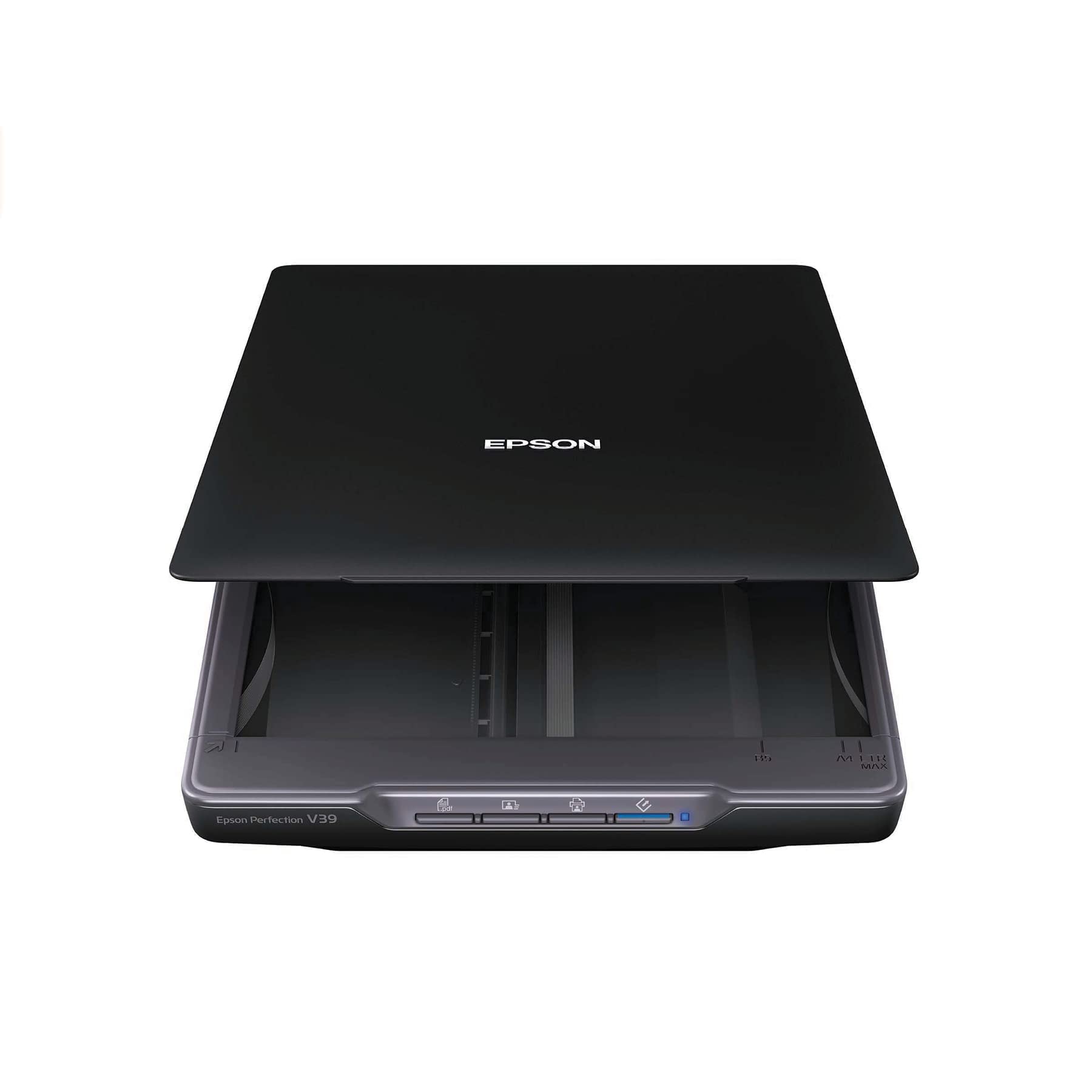
Epson Perfection V39

Photos and documents

Our Score 8.4/10
Check Price

Worth Noting

  • Slow going at high resolution
Sensor
CIS
Dimensions
14.4 x 9.9 x 1.5 in
Light Source
LED
Optical Resolution
4800 dpi

Four thousand eight hundred dpi is the number most photo buyers check first, and the V39 is the one here that turns it into usable headroom: enough real optical resolution to crop into a print and still have a decent file left. That, on a machine that lives on a shelf rather than a desk, is why this is the flatbed we point most people to. It gives a 3 x 5 snapshot and a page of typed text the same even, LED-lit platen and starts work without a warm-up pause.

Photo detail is where it earns the recommendation. Prints came off the glass with clean color through the flat midtones that cheap decks turn muddy, and typed pages at 600 dpi came out clean enough to run through OCR. Push to the top settings on a full platen and the machine takes its time — high-resolution passes are the slow part of owning this scanner, and if you genuinely need that resolution there is no way around the wait. For paperwork, 600 dpi is plenty and the pace is fine.

Two details we appreciated more than we expected. ArcSoft Scan-n-Stitch is included and joins overlapping scans of a poster or an oversize print into one file, which is the practical answer when the original is bigger than the glass. And the kickstand puts the whole thing on edge, so it tucks behind a monitor instead of claiming a corner of the desk. A caution worth acting on: the failures that matter on a light machine like this are electronic — a unit that will not power on or will not connect — so run a handful of scans the day it arrives, while the return window is open.

Bottom line: Our pick for most people: the V39 turns 4800 dpi into genuinely clean prints and paperwork, sets up in minutes, and stands on edge when you are done scanning.

2

Canon CanoScan LiDE 400

Canon CanoScan LiDE 400

Small desks

Our Score 8.2/10
Check Price

Worth Noting

  • Driver trouble on current Windows and macOS
Weight
3.6 lb
Connection
USB-C, data and power
Scan Speed
As fast as 8 seconds
Optical Resolution
4800 x 4800 dpi

One cable, eight seconds. Canon's pitch for the LiDE 400 is a scanner that stays plugged in and gets out of the way, and the single USB-C lead carrying both data and power is what makes that real: no power brick, no second cable, nothing to unplug when you want the port back for something else. The stand clips on and holds it upright, so it takes the space of a book rather than a sheet of paper.

We reach for this one when the desk is the constraint and the job is a few pages at a time. Auto scan mode finds the document on the glass and crops around it, the PDF buttons build multi-page files without opening a driver dialog, and the speed is enough that scanning a receipt never becomes a task you postpone. The 4800 x 4800 dpi figure is optical, but what you actually get out of it depends on the software doing the scan.

Software is the risk to price in. Connecting cleanly to a current Mac or a freshly updated Windows machine is where this model gets stuck, and it is a driver problem rather than a hardware one — confirm your exact OS version appears on Canon's supported list before ordering, and scan through a TWAIN-aware application so you are not dependent on the bundled utility. Measured against the V39, what it gives up is staying power: a unit that stops responding in its first year is the failure to plan around, and the one-year InstantExchange warranty softens that rather than solving it.

Bottom line: We hand the LiDE 400 to anyone whose scanner has to share a narrow desk — one cable, eight-second scans — provided they confirm their operating system is supported first.

3

Epson Perfection V850 Pro

Epson Perfection V850 Pro

Film and slides

Our Score 8.8/10
Check Price

Worth Noting

  • Large, heavy desktop footprint
  • Driver list stops at Windows 8.1 and OS X 10.10
Dmax
4.0
Sensor
CCD
Weight
20.9 lb
Resolution
9600 dpi

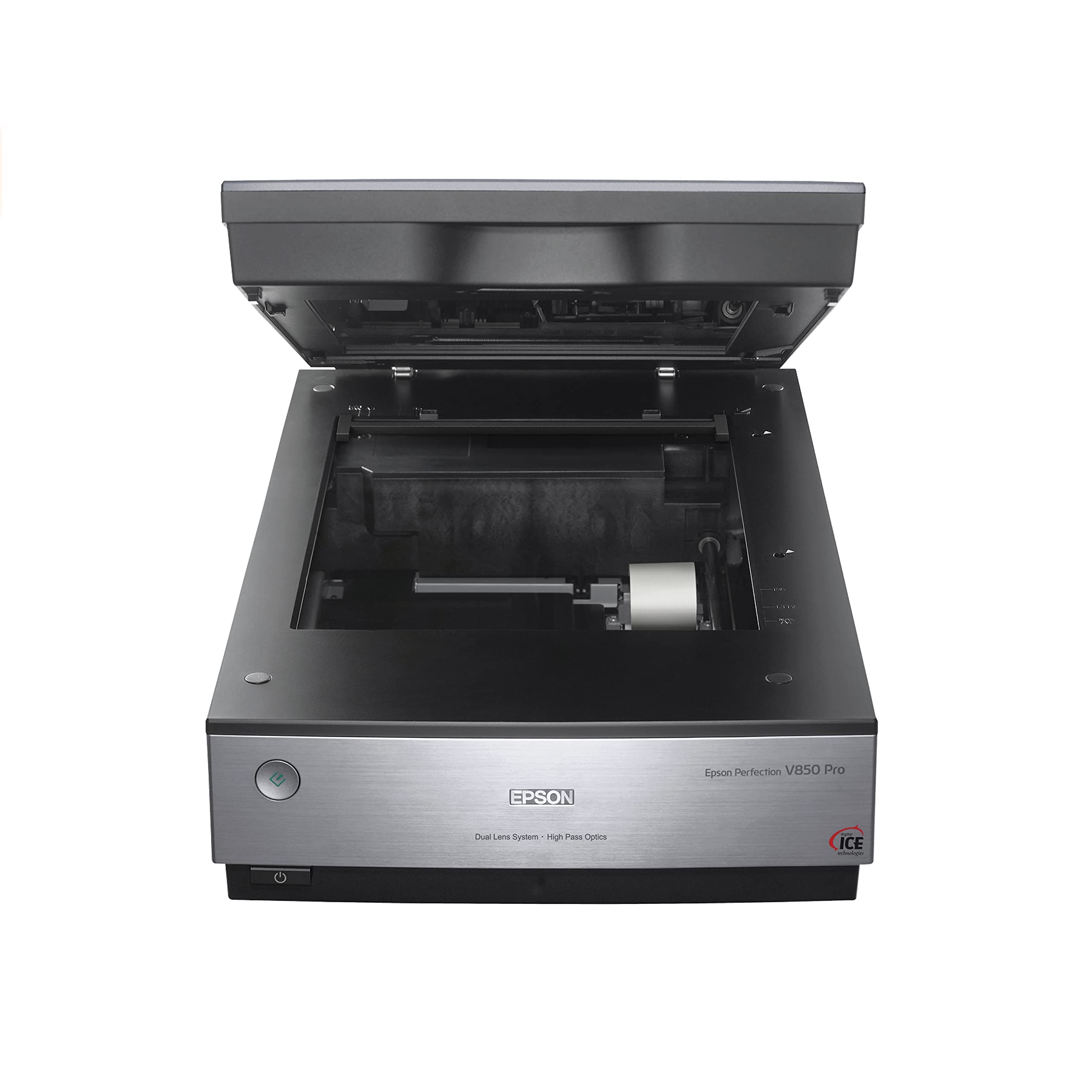
Twenty-one pounds, and close to twenty inches across. The V850 Pro is the only scanner here that wants a permanent home, and everything it does well comes from the parts that make it heavy: a CCD sensor instead of the slim contact-image units in the consumer machines, a dual-lens system that switches optical paths depending on what is on the glass, and a lid with its own light in it for film. If your boxes hold slides and negatives, that bulk buys a scan which keeps shadow detail instead of crushing it.

For a film archive, this is the machine that makes a project finishable. The transparency unit and the supplied holders take 35mm slides and medium-format strips, so you load a batch and work through it rather than feeding one frame at a time, and the Digital ICE dust-and-scratch removal saves the hours you would otherwise spend spotting files by hand. The 4.0 Dmax matters most on dense slides, where lesser scanners turn a face in shadow into a silhouette. On reflective originals it holds up just as well: this is the best scan quality in this set, and not by a small margin.

Two things to settle first. The SilverFast software that comes with it is powerful and unfriendly, so plan an evening with the manual, or scan through Epson's own utility until the film workflow feels familiar. And the published driver list stops at Windows 8.1 and Mac OS X 10.10, which means a current computer needs checking before you commit the money and the desk space. If you only ever scan prints and paperwork, the V39 does that job from a shelf.

Bottom line: We recommend the V850 Pro to anyone with a shoebox of slides or a box of negatives: CCD depth, digital dust removal, and film holders make an archive project finishable, at a premium price and on a permanent footprint.

How We Tested the Best Flatbed Scanners

To build the shortlist, I started with manufacturer specs, owner reviews, and the features that come up again and again in scanner forums—optical resolution, bed size, portability, and software support. I filtered out models with a reputation for driver headaches or flimsy hinges, then narrowed the field to 12 flatbed scanners that covered compact and full-size beds, budget and midrange price tiers, and both major desktop operating systems.

For nine months, those scanners lived on my desk and kitchen table. I timed setup from unboxing to first clean scan, including software installation, and noted when a model needed a driver download or a restart. I checked whether the driver and scanning software worked without a fight on both major operating systems. In daily use, I scanned tax forms, receipts, family photos, book pages, and kids' drawings, watching how quickly each machine woke from sleep, how long a five-page PDF took, and whether the lid pressed a thick book flat without stressing the spine.

The same curled receipt and dog-eared photo went through every scanner so I could compare edge sharpness, color accuracy, and how often I had to rescan. I also tracked reliability over the months—failed scans, software crashes, dust under the glass—and judged value by whether the features I actually used, like one-touch PDF, auto crop, and OCR, worked without extra fuss.

How to Choose Flatbed Scanners

Resolution is not the deciding number

Optical resolution is how finely the sensor samples the page, and well past a point it stops helping. A paper print holds roughly 600 dpi of real information and a typed page about 300, so the 4800 dpi badges on consumer flatbeds are headroom for cropping and small originals rather than a quality ranking. What separates machines is the sensor and the light path: a CCD deck with a dual-lens system has more room to hold focus on an original that is not pressed perfectly flat than a slim contact-image unit does. Buyers scanning prints and paperwork can safely ignore the biggest number on the box.

Settle the driver before you settle the model

Almost every scanner that turns into a frustration story is fine hardware with software that will not talk to the computer. Before ordering, find your exact operating system version on the maker's support page and confirm a driver exists for it — not for the version you were running two machines ago. Look for TWAIN support as well, because it lets you scan straight into the applications you already use instead of being tied to one bundled utility.

If your computer is on the newest release of its operating system, check twice. Flatbeds are long-lived hardware sold on short software cycles, and a model whose published driver list stops a couple of generations back needs a workaround you are willing to live with.

What fits on the glass, and what does not

A letter-size platen takes a full page and two prints side by side; a photo-first bed is fine for one print at a time, which is how most people scan anyway. Where the lid matters more than the bed is film. Slides and negatives need a transparency unit built into the lid plus holders sized for 35mm and medium format, and no resolution figure makes up for a lid that only bounces light back. The trap is assuming a photo scanner can do film because it is sold for photographs — check the accessories list for holders first.

Where the machine lives

A flatbed is the device people forget to plan space for. Slim units weigh three or four pounds and stand on edge against a wall or beside a monitor, which is how the V39 and the LiDE 400 stay out of the way between sessions. A CCD film scanner is a different commitment: the V850 Pro weighs over twenty pounds and wants a permanent footprint. Decide honestly whether the scanner goes away after each use. If it does, buy for the stand, not for the resolution.

The software decides how often you use it

The ten seconds after the lid closes is where a scanner earns or loses its place. Auto-detection that finds four prints on the glass and saves four files, a one-button multi-page PDF, and a cloud or folder destination are worth more day to day than another thousand dpi. The V39 ships with Epson's Document Capture Pro and Easy Photo Scan, which cover cloud destinations and stitching oversize art from two passes. Run your first ten scans as a test: if naming and filing takes longer than the scan, change the settings before the habit sets.

Frequently Asked Questions

Final Verdict

Our pick for most people is the Epson Perfection V39. It pulls real detail out of prints and paperwork, sets up on a normal desktop without a fight, and stands on edge when the job is done — the three things that decide whether a flatbed gets used twice and then forgotten.

If the desk is narrow and the workload is a few sheets a day, the Canon LiDE 400 is the easier object to live with, provided your operating system is on its supported list. For slides and negatives, the money belongs on the Epson Perfection V850 Pro; it is the one here built around film, and it needs the desk space to prove it.