Office Electronics

Best Label Makers of 2026

There's a particular satisfaction in opening a pantry and seeing every jar in the same crisp, even type — and a particular defeat in watching masking tape curl off a cereal container three days later. A label maker closes that gap, turning a shelf of mystery containers into something you can read at a glance. The box also tells you almost nothing: tape width, keyboard versus phone app, batteries versus a cord, and how the unit feels in your hand all decide whether you reach for it weekly or bury it in a drawer.

My test began with a drawer of unlabeled charging cables and spread to the pantry, the school folders, and the garage. Over three months our team put 14 label makers through that same mess, and the keepers were the ones that loaded fast and were cheap to feed. What first-time buyers miss: the machine is the cheap part. Check what replacement tape costs, and whether third-party cartridges fit, before you fall for a sleek design. The picks below are the ones we kept reaching for.

1

Brother P-Touch PT-D210 Bundle

Top Pick
Brother P-Touch PT-D210 Bundle

Home and office

Our Score 9.2/10
Check Price

Worth Noting

  • AC adapter separate; runs on AAA cells
  • No Bluetooth or app editing
Power
AAA batteries; AC adapter separate
Tape Type
12 mm laminated TZe
Tapes Included
4
Print Resolution
180 x 180 dpi

Laminated tape is the quiet advantage of the PT-D210, and it's the main reason this is the label maker we tell most people to buy. Brother's TZe cassettes seal the print between two layers of plastic, so a label on a freezer container or a garage storage bin keeps its edge instead of smudging the way a paper sticker does. The bundle arrives with four tapes — one short sample plus three full rolls — which covers a whole kitchen's worth of jars before you need to reorder.

Using it feels like a small typewriter. There's a real QWERTY keyboard, a preview screen that shows the line before it commits to tape, and a print head that manages 180 x 180 dpi on 12 mm stock. Onboard you get 14 fonts, 98 frames and more than 600 symbols, and the frame library turned out to be more useful than we expected for school folders and gift tags. At 1.1 pounds and roughly 6 by 6 by 2.7 inches, it sits flat on a desk and still disappears into a drawer.

The ceiling is width. Twelve millimeters is right for file tabs, spice jars and cable flags, and too narrow for a shelf sign or a binder spine you want to read from across a room; the PT-D610BT is the answer there. For the ordinary mix of household and light-office jobs, though, this is the machine we keep coming back to.

Bottom line: Buy it for laminated labels that survive the freezer, a real keyboard that skips the phone, and four tapes in the box for everyday home and office labeling.
2

SUPVAN E11

SUPVAN E11

Phone plus keyboard

Our Score 9.0/10
Check Price

Worth Noting

  • Thin printed instructions; app is the real manual
  • Tape width caps at 15 mm
Power
Rechargeable 1200 mAh battery
Control
Keyboard and Bluetooth app
Tape Width
Up to 15 mm
Print Resolution
203 dpi

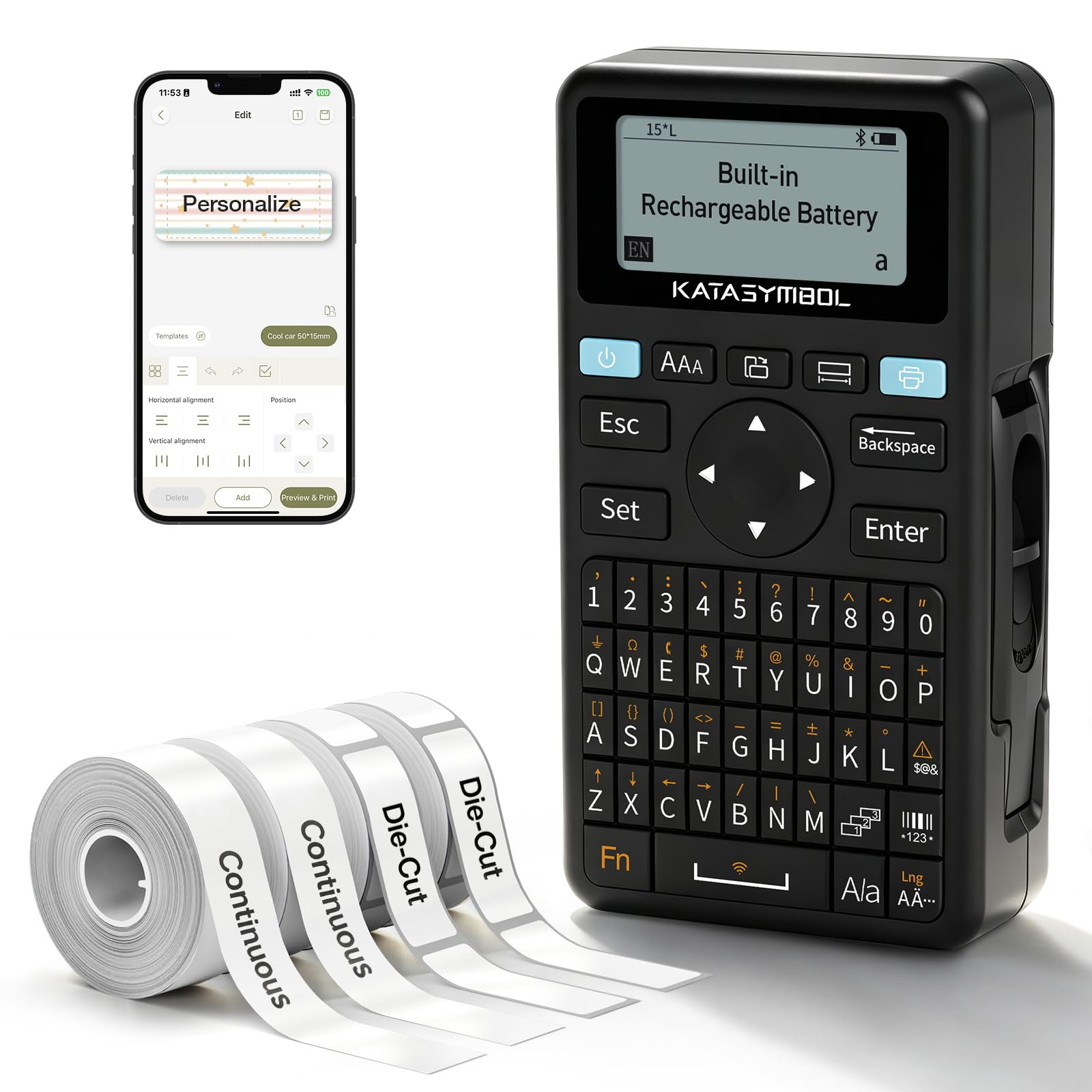
The E11 is for the person who wants a keyboard for the quick jobs and a phone for the pretty ones. Both are on board: type directly and it prints, or pair over Bluetooth and design in the app with more than 30 fonts, 50 frames and 660 icons. It charges over USB-C rather than eating AAAs, which is the difference between a drawer gadget and something you keep topped up.

The 203 dpi print head is the specification that won us over, because it puts tighter, cleaner small text on the tape than the 180 dpi machines here — a real difference when the label says "basil" and not "herbs." Margins are tight too, around 0.2 inch at the leading edge, so a run of short labels doesn't burn through a roll. At 8 ounces and about 5.8 by 3.1 by 1.5 inches, it slips into a tote or a desk drawer with the tape still loaded.

The app is where the deeper editing lives; the buttons on the body handle the everyday jobs and little else. Before a heavy labeling session, charge it fully and print a batch, since the battery is the one part worth proving while returning it is still easy. After that it's a machine you can hand to a teenager without a tutorial.

Bottom line: Buy the E11 if you want one handheld that types without a phone and designs with one; the rechargeable battery and 203 dpi output make it the better-value hybrid here.

3

Brother P-Touch PT-D610BT

Brother P-Touch PT-D610BT

Asset tagging

Our Score 9.2/10
Check Price

Worth Noting

  • Priciest machine in this group
  • Won't take older TZ cassettes
Tape Width
Up to 24 mm (1 in)
Connectivity
Bluetooth and USB
Stored Labels
90
Print Resolution
180 x 360 dpi

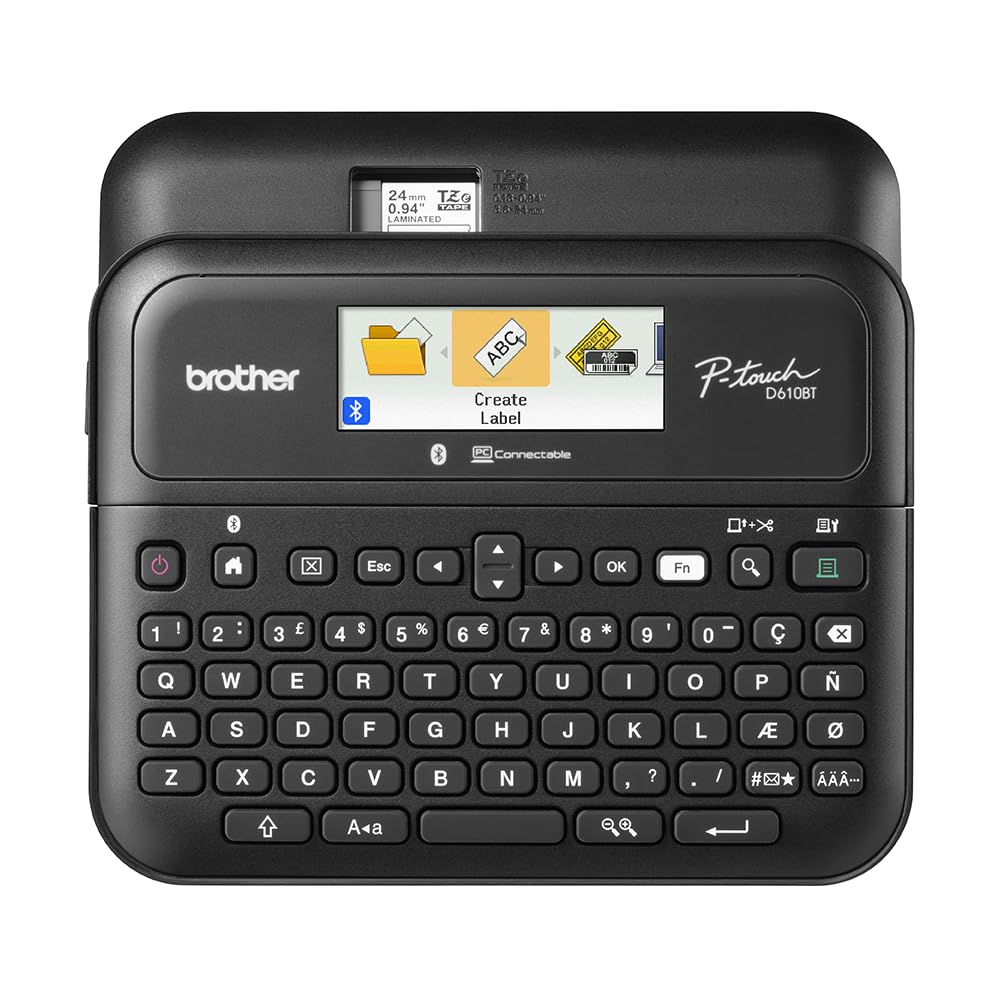
This is the priciest label maker in the group, and the only one that behaves like office equipment. If your labeling is asset tags, inventory bins, sealed samples and binder spines, the extras aren't decoration — they change how fast a batch gets done.

The head prints on tape up to a full inch wide at 180 x 360 dpi, so a label can carry a real description rather than a code. There are 17 fonts, 160 frames and 900 symbols on board, 175 business templates for asset and inventory work, memory for 90 labels you reprint often, and an automatic cutter. A two-line color LCD shows the whole label before it prints, and the machine connects by Bluetooth or USB to Brother's P-touch Editor software, which is where the wide tape earns its keep.

We think the computer connection is the reason to buy it: designing on a real keyboard and screen, then reprinting from memory, is a different job from thumbing text into a handheld. Pairing is also the fussiest part of ownership — if Bluetooth stalls on a Windows or Mac machine, run the first jobs over USB and set the wireless up afterward. Everything else about it is calm and businesslike, down to the 2.1-pound body that stays put on a desk.

Bottom line: For asset tags, wide binder labels and computer-designed templates, the PT-D610BT is the one to buy; a household labeler can spend far less and be just as happy.

4

Nelko P21

Nelko P21

Budget phone labeling

Our Score 8.8/10
Check Price

Worth Noting

  • Every label needs the phone app
  • Some templates sit behind a paid plan
Weight
11.5 oz
Control
Nelko app over Bluetooth
Tape Width
Up to 15 mm
Print Resolution
203 dpi

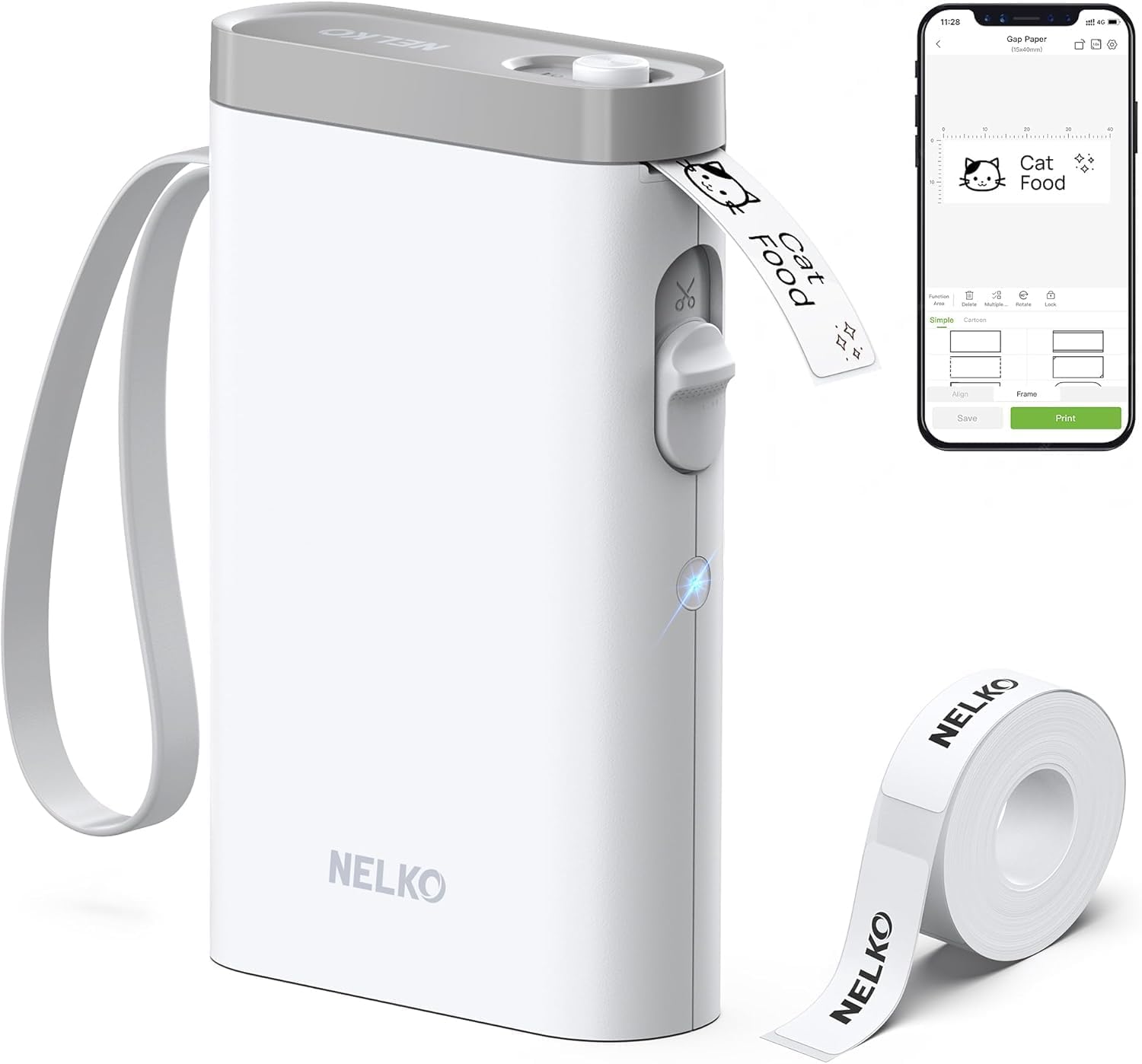
The cheapest machine here is also the smallest, and it does the job entirely through a phone. There's no keyboard on the Nelko P21 — you open the app, pick a template, type and print over Bluetooth. That one design decision explains both what we like about it and who should skip it.

What it does well is speed and size. The 203 dpi head puts clean, dark text on 15 mm tape, the body runs under 7 inches long and weighs 11.5 ounces, and it charges over USB-C with a roll of white labels in the box. Templates and icons in the app turn a cable flag or a jar lid into a quick job rather than a project. It's the right first label maker for a dorm room or a drawer of chargers, and the wrong one if you want to stand at a counter and work through a folder of files.

Bottom line: The best budget buy here: pocketable, quick and cheap to start, as long as you're happy designing every single label on your phone.

5

DYMO LetraTag 100H

DYMO LetraTag 100H

Tidy household labels

Our Score 9.2/10
Check Price

Worth Noting

  • No Bluetooth or computer connection
  • Fewer fonts and styles than app printers
Display
Graphical preview
Tape Types
Paper, plastic and clear LT
Label Styles
5 font sizes, 7 print styles, 8 box styles
Tapes Included
3

Three different tapes in the box is the detail that makes the LetraTag 100H interesting. You get a paper cassette, a white plastic one and a clear plastic one, so you can decide whether a label should be obvious, hard-wearing or nearly invisible before you buy a refill. That's a small thing that most machines here don't offer at all.

The household that wants labels to look tidy rather than loud is the household this suits. Clear tape on a white plastic bin almost disappears, the graphical display previews the line before it prints, and the keyboard keeps the whole job off your phone. There are 5 font sizes, 7 print styles and 8 box styles to work with, which is plenty for a pantry and not so many that you get lost, and automatic power-off keeps a battery handheld from draining between sessions.

The paper cassette is for dry, indoor jobs — on a freezer container or a bathroom bottle it won't last, and the plastic tape is what you want there. For pantry jars, file folders and switch panels all three finishes do the job, which is why this stays on our list for anyone who wants their labels to match.

Bottom line: Pick the LetraTag 100H if you want simple, tidy labels in three finishes and don't need an app; it's the least fussy machine here.

6

Phomemo D30

Phomemo D30

Fun color labels

Our Score 8.6/10
Check Price

Worth Noting

  • Small labels limit longer text
  • Some design tools cost extra in the app
Control
Print Master app over Bluetooth
Charging
USB-C
In The Box
Label maker, 3 tapes, storage bag
Print Resolution
203 x 203 dpi

At roughly 5.2 by 3 by 1.1 inches, the D30 is small enough to live in a kitchen drawer and come out for one label at a time. The box backs up the playful pitch: a white roll, a gold roll, a clear roll and a storage bag, which is a set aimed at people who want a label to look deliberate — a gold name sticker on a lunch box, clear tape on a white shelf.

The printer prints at 203 dpi on thermal tape, so there are no ink or toner cartridges to buy, and it charges over USB-C. Design happens in the Print Master app over Bluetooth, where the icon library runs past 4,000 and the templates cover everything from pantry jars to cable flags. That library is the real product here; the hardware is a small feed mechanism for it.

Where it lands for us is as a fun second machine rather than a household's only label maker. Print quality is worth proving early — run a full label on each of the three tapes in the first week, on the surfaces you actually plan to use, before you invest in a stack of refills. If what you want is a gold sticker on a lunch box, none of that will slow you down.

Bottom line: Buy the D30 for colored tapes and thousands of icons if you enjoy designing on a phone; it's the fun pick, not the everyday workhorse.

How We Chose and Tested 14 Label Makers

The shortlist came from spec sheets first. We compared tape widths, print resolution, power options, app support, and replacement-cartridge pricing across every current model we could find, then cut anything that ran on a discontinued cartridge, only worked with a phone, or cost more per label than the machine itself. That left 14 label makers, from pocket handhelds to desktop units that live on a shelf.

Testing ran three months and roughly followed the mess in my house. I timed each machine from opening the box to holding a printed label — loading the cartridge, pairing the app where there was one, typing the same 40-character address — and noted where I had to reach for the manual. Labels went onto glass jars, plastic storage bins, cardboard file boxes, and fabric school folders. I ran a labeled jar under the faucet, scrubbed it with a sponge, and left one on a freezer container for a week to see whether the edges lifted. On app-driven models I paired with both an iPhone and an Android phone and printed from another room to see how far the connection held before it dropped.

Battery life got its own pass: I ran each unit on the supplied cells and counted prints until it quit, and I logged whether an AC adapter came in the box or was sold separately. I also weighed and measured each machine against a kitchen drawer, because one you can't store where you use it doesn't get used. What we were really scoring was cost per label, sharpness at small type sizes, and how few steps stood between an idea and a stuck label.

How to Choose Label Makers

Start with the tape family

The cassette is what determines whether a label lasts. Laminated TZe tape, which the Brother machines here use, seals the print between plastic layers and is the right choice for freezers, garages and anything that gets handled. Paper and plastic LT cassettes are cheaper and perfectly good on file folders, pantry shelves and switch panels, and the app printers run plain thermal rolls that are fine indoors but don't like heat or abrasion.

Our advice is to buy for the hardest surface you label rather than the easiest. If a single container of frozen stock or a garden tool is on the list, choose a laminated-tape machine and use it for everything.

Keyboard, phone, or both

A keyboard is faster for the labels you make in batches — file tabs, spice jars, a drawer of cables — and it keeps working when your phone is charging in another room. An app gives you fonts, icons and templates a keypad can't hold, plus a preview that looks like the finished label on the roll.

Both designs are legitimate; the mistake is buying an app-only machine for desk work, or a keyboard-only machine and then wanting decorative labels for a child's school supplies. A hybrid such as the SUPVAN E11 covers both, which is why it earns a place here.

Width and resolution

Tape width sets how much label you get. Twelve millimeters handles one or two short lines — a name, a date, a bin number. Fifteen is a little more forgiving, and the 24 mm ceiling on the PT-D610BT is where you can print a proper description or a vertical binder spine.

Resolution works the same way for sharpness: 180 dpi is fine at normal reading distance, and 203 dpi keeps small text noticeably crisper when a label says 'basil' rather than 'herbs.' Match both numbers to the job instead of buying the largest one on the shelf.

Power, adapters and running costs

Most of these run on AAA cells, and several ship without the AC adapter. Order the adapter with the machine if you'll print weekly, because a label maker that lives in a drawer with dead batteries is one you stop using. Rechargeable models avoid the habit entirely and are the better choice if the printer travels.

Then look at the tape. Consumables are the real long-run cost of owning one of these, so price a refill cassette before you commit to a machine whose tape only it can use.

Frequently Asked Questions

Final Verdict

For most households the Brother P-Touch PT-D210 is the label maker to buy: laminated tape that survives a freezer, a keyboard that works without a phone, and enough fonts and frames to keep the job interesting.

If you want a rechargeable handheld that also designs on a phone, the SUPVAN E11 is the better fit. If your labels need to be an inch wide and laid out on a computer, step up to the PT-D610BT — the tape width and stored-label memory are what you're paying for.