Phone & Tablet Accessories

Best Mobile Gaming Controllers of 2026

Your phone can run a game that looks like it belongs on a console — and then your thumbs slide across glass, covering a third of the screen while you try to steer. That's the gap a mobile controller fills: real sticks, real triggers, and a grip that keeps your hands from cramping into claws halfway through a match. The trouble is they don't all clamp the same way, and one that holds your phone loosely, or blocks the port you charge through, is worse than nothing.

A dozen controllers have been through my bag over the past six months, and the pattern is clear: the good ones are boringly consistent — sticks that return to center, buttons that never double-fire, a clamp that holds through a boss fight. One thing first-timers don't expect is that compatibility is the quiet dealbreaker; a controller can list your phone as supported and still fail to map its triggers in certain games. I've sorted the ones worth buying by how they feel in hour three rather than minute one.

1

GameSir G8 Plus

Top Pick
GameSir G8 Plus

All-around phone play

Our Score 8.4/10
Check Price

Worth Noting

  • Bluetooth can lag in fast games
  • Bridge stops short of 13-inch tablets
Weight
11.1 oz
Joysticks
Hall effect
Connection
Bluetooth
Device Fit
Phones, Switch, tablets

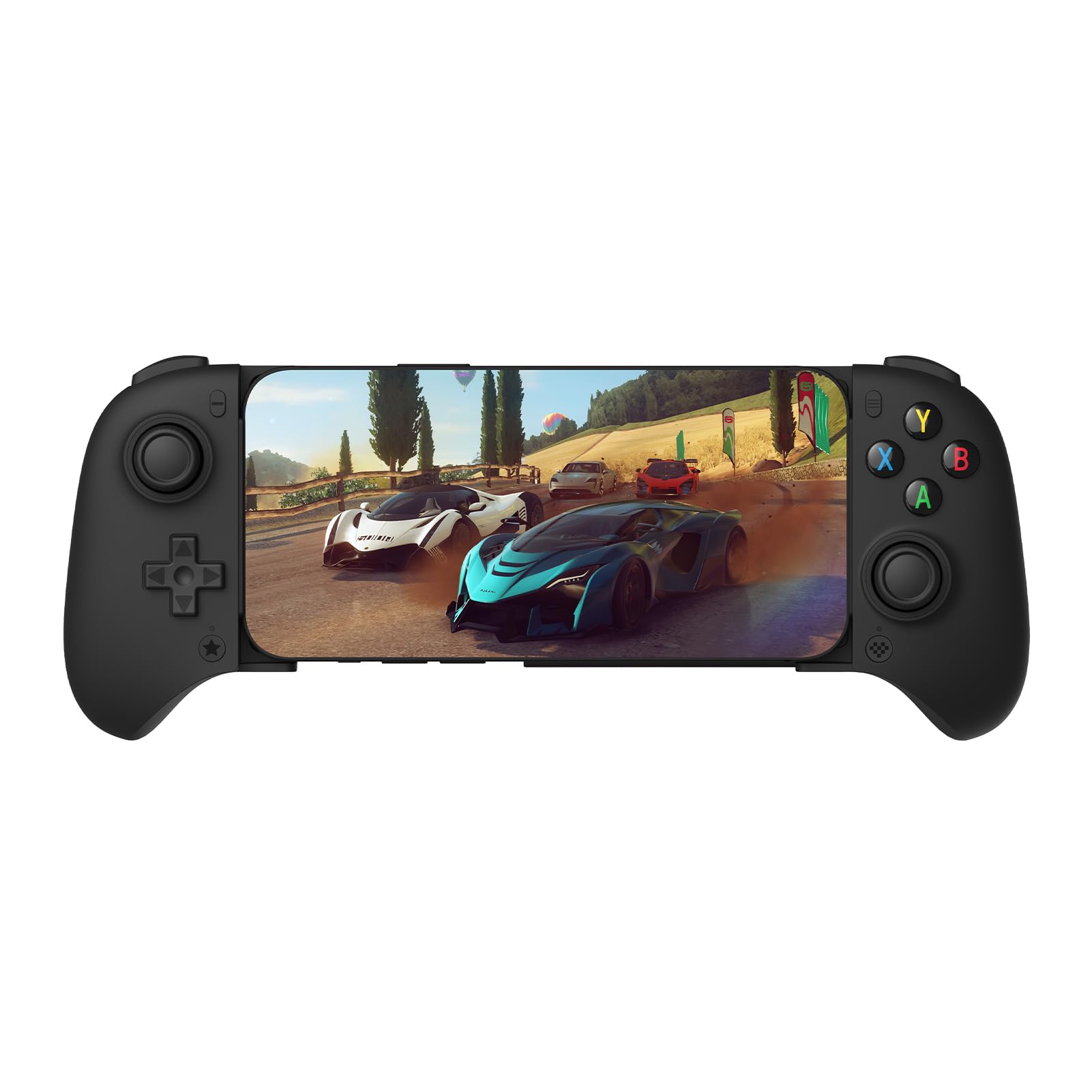
The G8 Plus is the controller we reach for when we want a phone game to feel like a console game. It has full-size grips, Hall-effect sticks and triggers, and a bridge that stretches from a phone to a Switch or a small tablet. That breadth is the first reason it earns the top spot: one controller can cover a phone, a tablet, and a console instead of sitting in a drawer between uses.

What makes it our overall pick is the way those parts work together. The 314 g body gives the grips enough substance to settle in your hands, the sticks have a smooth, precise feel, and the triggers and back buttons are laid out where console players expect them. We also appreciate the six-axis motion and vibration, which make supported games feel less like a phone with an accessory bolted on. The weight is the trade: this is a stay-at-home controller, not the one we toss in a pocket.

Where it fits, it is the most complete package here. Cloud gaming, emulators, Switch, and ordinary phone sessions all benefit from the console layout, and the controller feels substantial without being fussy. It is the one we recommend first to most phone gamers.

Bottom line: We recommend the GameSir G8 Plus as the default for most phone gamers: it brings console-size grips and Hall-effect controls to phones, Switch, and tablets in one complete package.
2

Razer Kishi V3

Razer Kishi V3

Wired, cased phones

Our Score 8.2/10
Check Price

Worth Noting

  • D-pad and face buttons are the long-term risk
Connection
USB-C
Device Fit
iPhone 15-17, Android
Thumbsticks
Full-size TMR
Case Support
Fits many cases

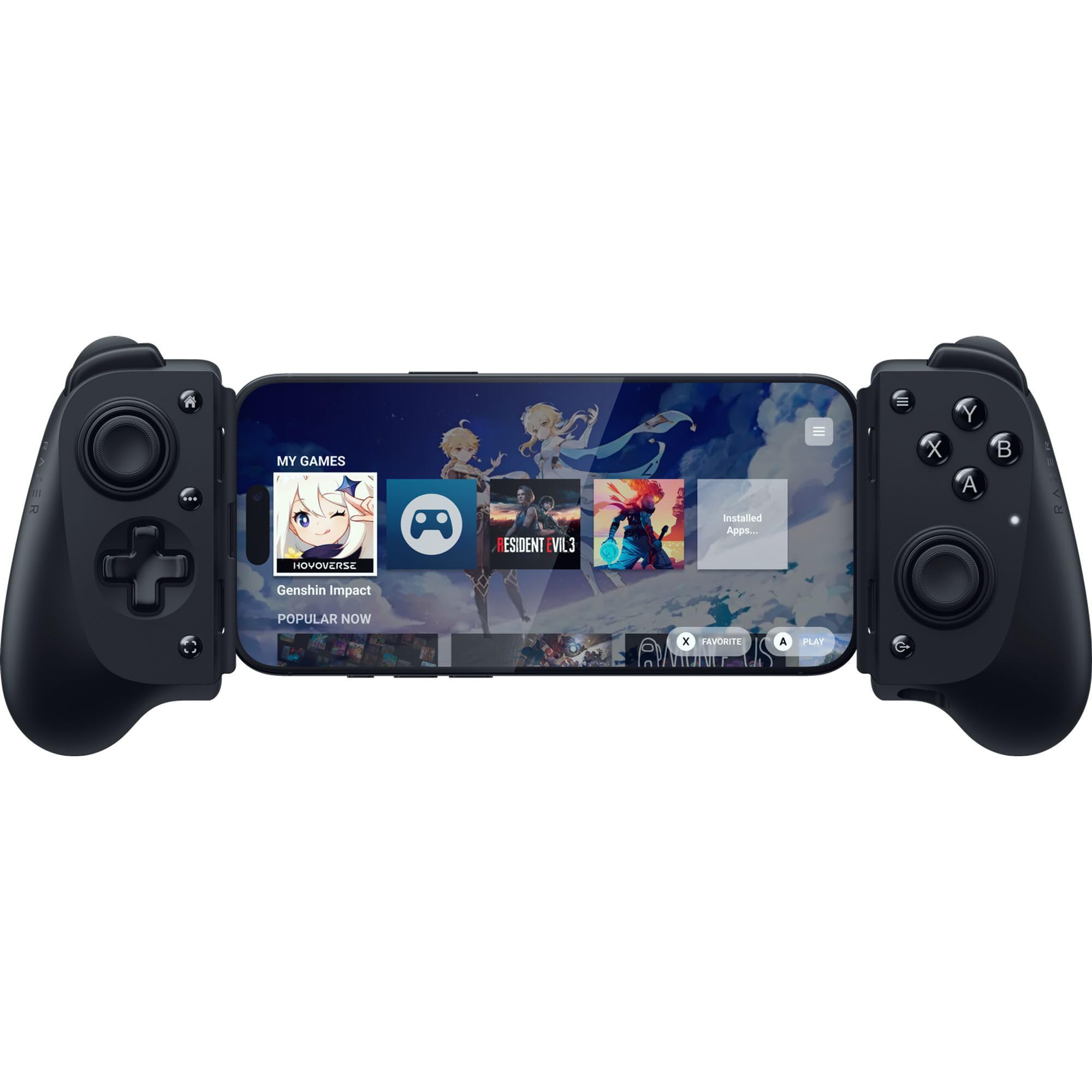
The Kishi V3 solves the two things that annoy us most about clamp controllers: a case that has to come off, and a Bluetooth link that can stutter. Its USB-C island leaves more room around the phone, so many popular cases stay on, and the wired connection means the controls respond without wireless delay. We prefer it for a phone that lives in a case and gets used for cloud or remote play.

The controls are full-size rather than flattened for travel. The TMR thumbsticks have a precise, anti-drift feel, the back buttons use mouse-style switches, and there is pass-through charging plus a headphone jack. We like that combination for long sessions: you can keep the phone topped up and use wired headphones without a dongle.

It is USB-C only, so older Lightning iPhones are out; check that your phone appears on the compatibility list. For a modern iPhone or Android phone in a case, though, it is the wired pick we trust most here.

Bottom line: For a cased iPhone or Android phone, we choose the Kishi V3: it is a wired, full-size controller that avoids Bluetooth lag and fits more cases than most, and its TMR sticks feel precise.

3

8BitDo Ultimate Mobile

8BitDo Ultimate Mobile

Android-only sessions

Our Score 8.8/10
Check Price

Worth Noting

  • Android-only; no iPhone support
Joysticks
Hall effect
Phone Fit
Android, 100-170 mm
Connection
Bluetooth
Back Paddles
2

The 8BitDo Ultimate Mobile is the controller we hand to an Android owner who wants a simple, comfortable pad. It has a compact, console-like shape, Hall-effect sticks and triggers, and two back paddles that are unusual at this level.

The back paddles are the detail we appreciate most. They let you keep your thumbs on the sticks in games that otherwise pull them away to the face buttons, and the profile button makes it easy to switch setups. The soft-touch back and metal stick rings add a bit of grip and wear resistance without making the pad feel bulky.

We like it because it feels like a small console controller rather than a phone accessory, and the Hall sticks should resist the drift that plagues cheaper pads. The boundaries are worth knowing: the bridge tops out at 170 mm, and Bluetooth is not the lowest-latency link. If you play fast shooters on a big phone, a wired controller is the safer buy; for ordinary Android sessions, this is the one we reach for.

Bottom line: If you are on Android and want a compact controller with Hall sticks and back paddles, the 8BitDo Ultimate Mobile is our pick for everyday phone sessions.

4

GameSir X5 Lite

GameSir X5 Lite

Budget wired play

Our Score 8.2/10
Check Price

Worth Noting

  • Small grips for larger hands
Weight
4.78 oz
Joysticks
Hall effect
Connection
USB-C
Device Fit
Up to 213 mm

The X5 Lite is the budget wired controller we keep for a spare bag or a first setup. It is a plug-in USB-C pad with Hall-effect sticks, a light 135.4 g body, and a bridge that stretches to 213 mm, enough for most phones and an iPad mini.

At the budget end, it does the important things. The wired link avoids Bluetooth stutter, the Hall sticks feel smooth, and the light body is easy to hold for a long session. The bridge is wide enough for a small tablet without turning the pad into a heavy desktop controller, and the membrane buttons are quiet enough for shared rooms.

The phone list is the boundary. The X5 Lite is pitched at Android, and iPhone support is inconsistent enough that we do not recommend buying it for an iPhone without checking the exact model and case. A thick case can also stop the USB-C plug from seating. For an Android phone with a slim case, it is a lot of controller for a budget price.

Bottom line: The GameSir X5 Lite gives Android phone owners a wired, Hall-effect controller with a light 135.4 g body for a budget price, making it an easy first setup.

5

Razer Kishi V3 Pro

Razer Kishi V3 Pro

Tablet and phone

Our Score 8.4/10
Check Price

Worth Noting

  • Premium price for tablet-first use
Connection
USB-C
Device Fit
Phone, iPad mini
Thumbsticks
TMR, swappable
Back Buttons
2

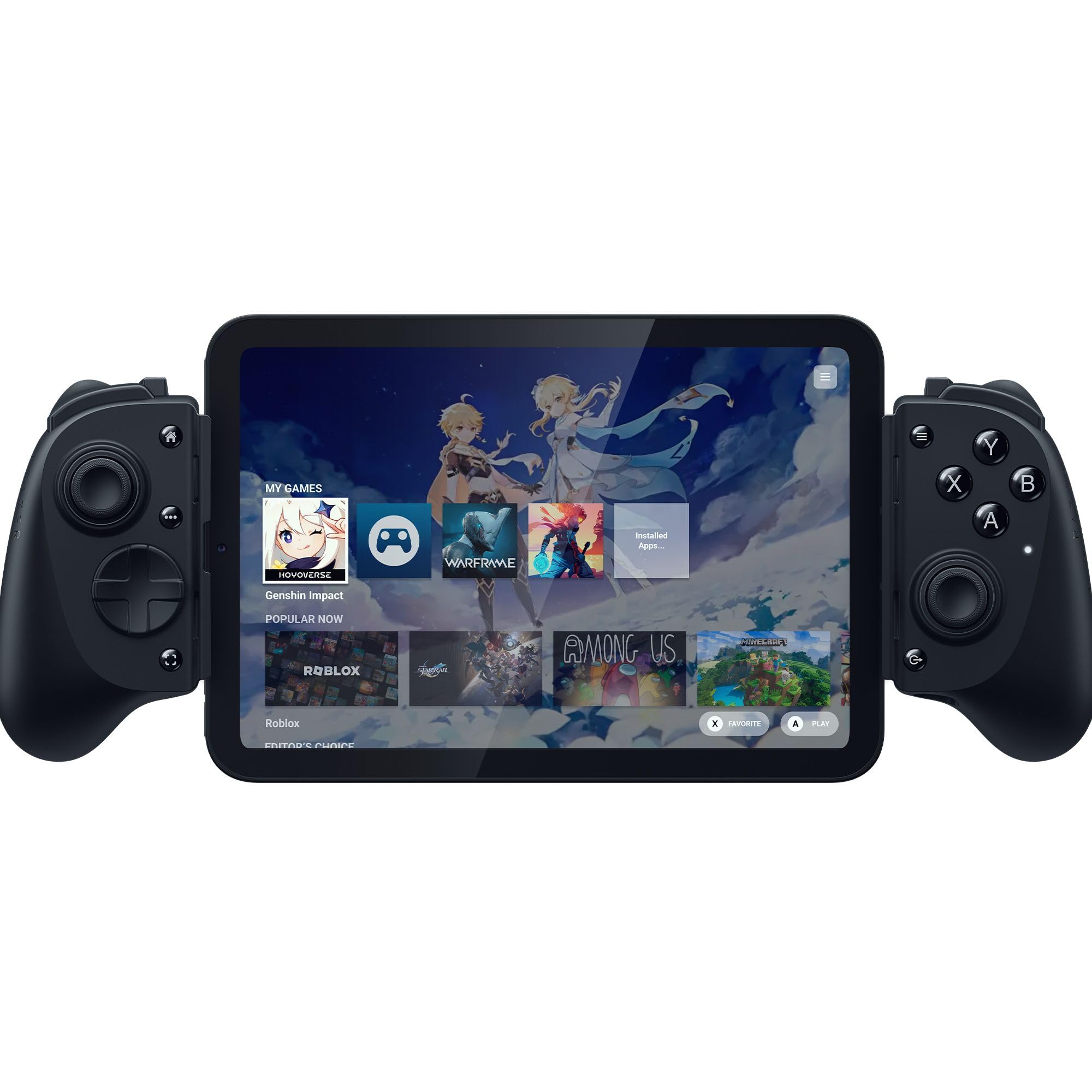
The Kishi V3 Pro is the one that turns an iPad mini or a big Android phone into a handheld console. The bridge is built to hold a tablet up to 8 inches, and the grips are full-size, so the screen sits between two proper handles instead of a pair of thin rails.

The controls are the point. The TMR thumbsticks are full-size and come with swappable caps, the back buttons sit where your middle fingers rest, and the claw-grip bumpers give you extra inputs without moving your hands. We like the way the whole thing feels planted; a tablet is never going to be pocketable, so the Pro leans into being a sit-down controller.

That also means it is the least portable pick here. The 0.68 kg body is a real weight, and the tablet bridge makes it a stay-at-home accessory rather than something you keep in a jacket. For a tablet player who leaves it on the coffee table, that weight buys stability; just check case fit and stick centering when the unit arrives.

We recommend it for the player who mostly games on an iPad mini or a large phone and wants console controls, not a travel accessory. If your phone is the only screen you use, the standard Kishi V3 is the better fit; the Pro earns its keep when the display gets bigger.

Bottom line: For tablet-first players, we recommend the Kishi V3 Pro: it brings full-size sticks and console grips to an iPad mini or big phone, while phone-only buyers are better served by the standard Kishi V3.

6

Mocagen MC1

Mocagen MC1

Budget wireless play

Our Score 8.8/10
Check Price

Worth Noting

  • Buttons can feel inconsistent
Battery
600 mAh
Joysticks
Hall effect
Connection
Bluetooth
Device Fit
iPhone and Android

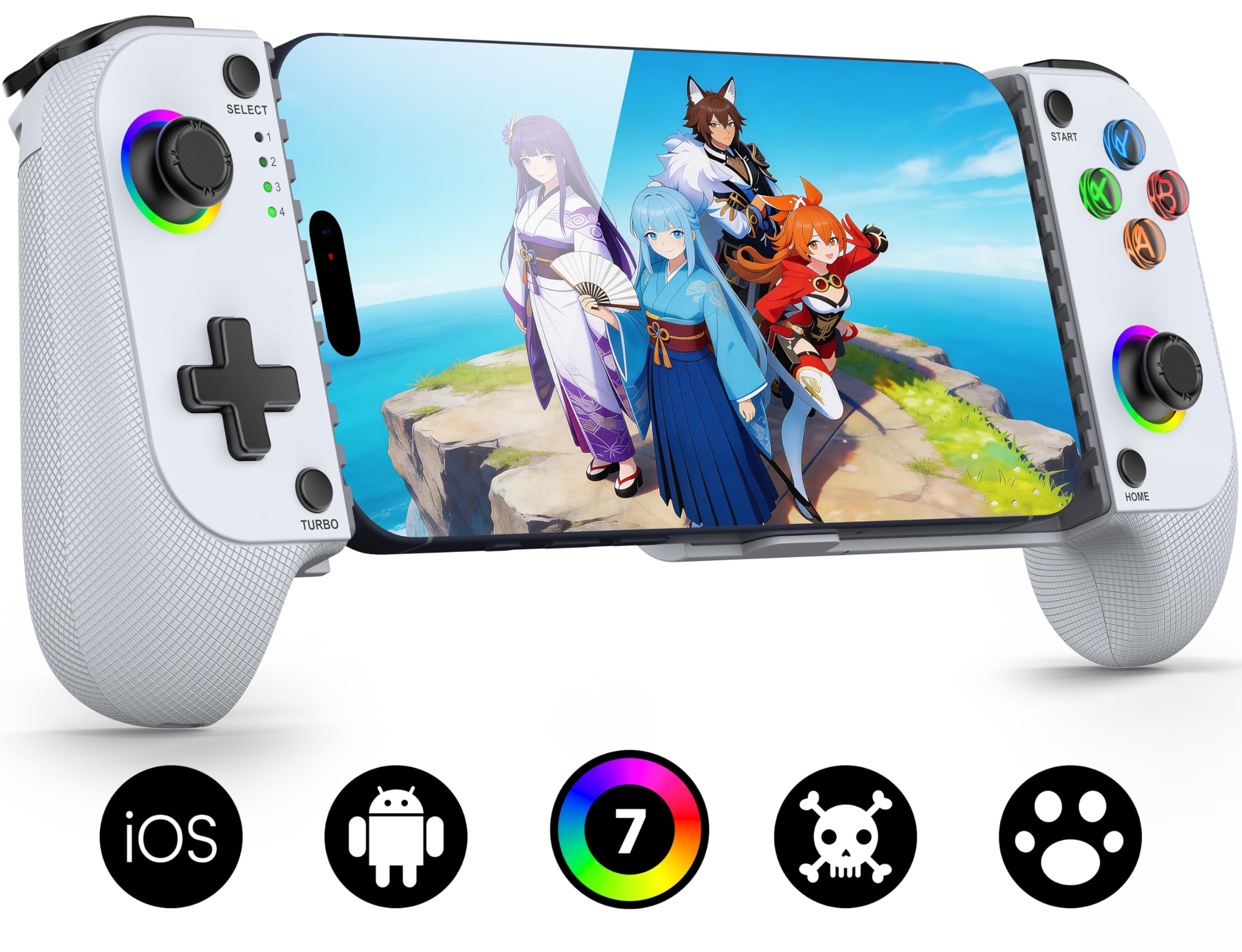
The MC1 is the budget wireless controller we pull out when we want a console feel without a cable or a big spend. It has a 600 mAh battery, a case-friendly clamp, Hall-effect sticks, and a seven-color light ring around the right stick. The lights are a taste call, but they make the controller feel less like a generic accessory.

The Hall sticks are the part that matters. They are rated for a long lifespan, and the smooth arc makes aiming and camera movement feel more controlled than the carbon-film sticks on cheap pads. We also like the textured grips: they are not as deep as the G8 Plus, but they give your palms something to hold during a long session.

Bluetooth is the weak spot. In a crowded wireless room it can stutter, and that is enough to make us choose a wired controller for competitive shooters. The other thing to know is that charging is not always reliable, and the battery does not always top off cleanly. Neither issue ruins a casual session, but they are why this is a budget pick rather than the default.

Bottom line: If you want a wireless iPhone or Android controller without spending much, the MC1 gives you Hall sticks, a case-friendly clamp, and an RGB ring in a travel-friendly package.

7

abxylute S8 Lite

abxylute S8 Lite

Compact USB-C play

Our Score 9.0/10
Check Price

Worth Noting

  • Thick cases can block the USB-C plug
  • No Bluetooth mode at all
Charging
Play and charge
Joysticks
Hall effect
Connection
USB-C
Device Fit
iPhone, Android, tablet

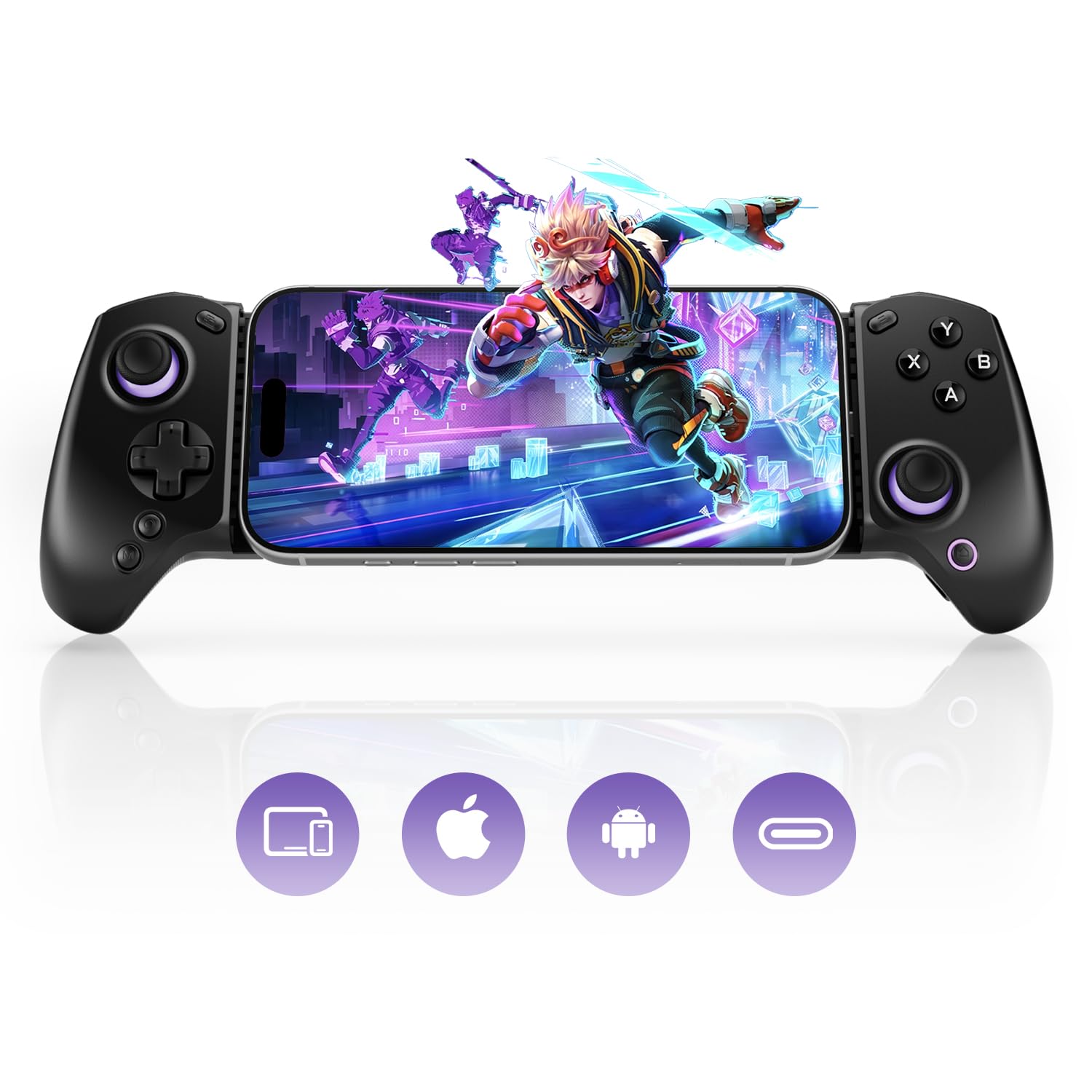
The S8 Lite is the controller we tuck into a bag when we want a wired, no-setup session on a phone or an iPad mini. It is compact, it plugs straight into USB-C, and it has the familiar layout of a console pad rather than a pair of side rails.

The plug-and-play part is what makes it useful. There is no pairing step, no app needed for basic play, and the controller can pass power through so the phone charges while you play. The Hall-effect sticks and triggers give it precise control, and the rear buttons are there for games that need extra inputs.

The shape is comfortable for a compact pad, and the 8-ounce body is light enough to carry without thinking about it. We like that it works with both phones and an iPad mini, because a lot of compact controllers stop at one screen size. It is the kind of accessory that earns a permanent place in a bag.

We recommend it as a compact wired alternative for a phone or small tablet, especially if you want low fuss and Hall sticks without paying premium prices. For plug-in play, it is an easy choice.

Bottom line: For a compact wired controller, the abxylute S8 Lite is an easy recommendation: it is plug-and-play over USB-C, fits phones and iPad mini, and adds Hall sticks in a travel-friendly shape.

8

Bcofo Wireless Controller

Bcofo Wireless Controller

Multi-device clip-on

Our Score 8.8/10
Check Price

Worth Noting

  • Face buttons can stick
Mount
Phone clip
Triggers
Hall effect
Connection
Bluetooth
Device Fit
Phone, Switch, PC

The Bcofo looks like a standard console pad and uses a clip to hold your phone above it, which makes it the most familiar shape here. We like that for players who want one controller for a phone, a Switch, and a PC, because the phone clip is an add-on rather than the whole design.

The controls are better than the budget price suggests. The triggers use Hall-effect sensors, there are two programmable back buttons, and the grips are shaped like an Xbox pad. The layout will feel immediately familiar if you have used an Xbox controller, which shortens the learning curve. The RGB lighting and six-axis motion are extras, but they make the controller feel less plain.

The phone clip is the part that keeps it out of the top tier. A clip holds the phone above the pad, so it is never as planted as a side-clamp controller, and the holder is the first thing to feel flex in a long session. For casual phone play and Switch use, though, it is a lot of controller for the money, and it is the easiest one to share in a mixed household.

Bottom line: The Bcofo is a good fit if you want one wireless pad for phone, Switch, and PC: Hall triggers, two back buttons, and RGB make it a versatile, fun pick.

What We Put These Controllers Through

We started by gathering every controller that officially supports iOS or Android, then cut the list down by whether the thing actually holds a phone. Models that only fit a bare handset, or that covered the charging port, dropped to the bottom before testing began. Twelve made the cut, and I've lived with them for six months, rotating them through the same games and the same bad habits.

Each controller got clamped onto a phone with the case still on, then shaken and tilted to see whether the grip shifted mid-session. I checked fit across three phone sizes and noted whether the charging port stayed reachable. Pairing was timed from a cold start and again after a phone restart — a Bluetooth controller that needs re-pairing every day is a nuisance, not a feature.

For button responsiveness, I ran the same shooter and racing game on every model and watched for double-fires, mushy face buttons, and triggers that bottomed out before they registered. Sticks got a drift check after two-hour sessions, and I handed each controller to people with different hand sizes to see where cramping set in — hour three is where ergonomics stops being a spec and becomes a problem. Batteries were run flat to test the claimed hours, the rails got flexed and dropped from couch height to judge build quality, and all of it was weighed against price, since a cheaper controller that matches a pricier one on feel is the whole point.

How to Choose Mobile Gaming Controllers

Fit the phone you actually carry

We start with the phone, not the controller. A clamp or bridge has a stated length range, and a case adds thickness that can stop a USB-C plug from seating. The 8BitDo Ultimate Mobile tops out at 170 mm, while the GameSir X5 Lite stretches to 213 mm; both are fine for different phones, but neither is universal. A 13-inch tablet is outside the GameSir G8 Plus bridge.

Measure your phone with the case on, then check the connector depth. If you use a bulky case, a controller with a deeper USB-C island, like the Razer Kishi V3, is the safer starting point. For a tablet, check the maximum screen size rather than assuming a phone clamp will stretch.

Wired or Bluetooth?

Wired USB-C is the low-latency choice. It draws power from the phone, or passes charging through on some models, and it avoids the stutter that can hit Bluetooth in a crowded room. The Razer Kishi V3 and GameSir X5 Lite are wired; the GameSir G8 Plus and Mocagen MC1 are Bluetooth.

Bluetooth is better when you want to prop the phone on a table or use the controller across devices. We treat it as the casual and cloud-gaming choice, not the competitive-shooter choice. If you play fast games, pick wired and accept the cable; if you want a clean setup and slower games, Bluetooth is fine.

Controls and hand size

Hall-effect sticks resist the wear that causes drift, and they are now common in this group. But the layout and grip size matter more. A compact pad like the GameSir X5 Lite suits smaller hands and travel; the GameSir G8 Plus has fuller grips for long sessions; the Razer Kishi V3 Pro is the biggest and heaviest of the three.

Look for back buttons if you play shooters, and check that the triggers are analog if you play racing games. A controller that is too small will cramp your hands no matter how good the sticks are, so try the shape before you chase extra features.

Power, mounting, and the long session

A clamp holds the phone between two halves and feels more planted; a clip holds it above the pad and is more flexible for Switch or PC use. The Bcofo uses a clip, while the Razer and GameSir pads use a bridge. For long sessions, pass-through charging matters: the Razer Kishi V3 and abxylute S8 Lite can keep the phone topped up while you play.

Check whether the controller charges while you play, and whether the USB-C port is blocked by your case. A Bluetooth pad with a 600 mAh battery avoids a cable, but charging can be inconsistent, so keep a cable handy. The mount is the part that decides whether the controller gets used or left in a drawer.

Frequently Asked Questions

Final Verdict

For most people, the GameSir G8 Plus is the controller to buy. It is the best all-around pick in this set because it feels like a console pad, uses Hall-effect sticks and triggers, and works across phones, Switch, and tablets. The Bluetooth link is the one compromise; fast shooter players should go wired.

If you use a case and want a cable, choose the Razer Kishi V3. Android-only buyers can save with the 8BitDo Ultimate Mobile, and tablet-first players have the Razer Kishi V3 Pro. Those are the decisions that matter; the rest are variations on fit and budget.