Elite Screens Manual B
Top Pick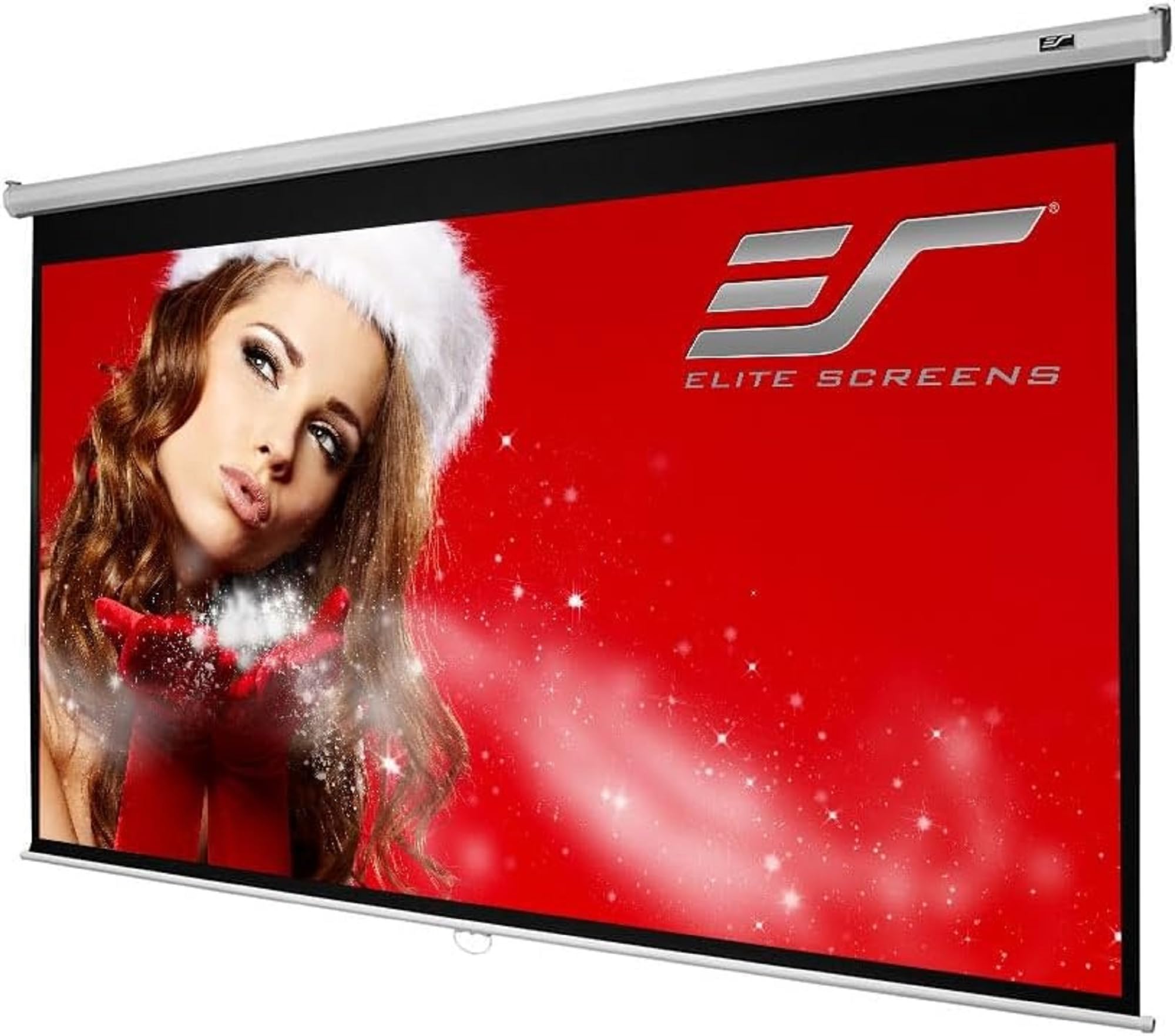
What We Like
- Slow, controlled retraction
- 1.1-gain matte surface with black backing
- 100-inch 16:9 viewing area
- Wall or ceiling mounting flexibility
Worth Noting
- Minimal mounting hardware included
- Mounting
- Wall or ceiling
- Screen Size
- 100 inches
- Aspect Ratio
- 16:9
- Viewing Area
- 49" H × 87.2" W
The first thing that separates the Elite Screens Manual B from the portable screens here is that it stops being furniture once it is installed. The 100-inch 16:9 surface rolls out of a white steel case, locks at multiple heights, and retracts slowly enough that it does not snap at the ceiling. That makes it the one we keep coming back to for a room where the screen can live full time.
The MaxWhite 2 surface has 1.1 gain, a black backing, and four-sided masking, which is the combination that gives a projected image a crisp edge instead of a glowing rectangle on the wall. The 49 by 87.2-inch viewing area needs a projector with enough brightness for 100 inches, but the 180-degree viewing angle means the side seats still get a usable picture. We noticed the matte finish keeps colors even rather than hot-spotting in the center.
The catch is the surface itself: waves can show up in the fabric and distort motion, so unbox it, hang it, and check a solid-color test pattern before you commit to the mounting height. The manual pull-down is also a two-hand job at the bottom bar. If a ripple stays in the viewing area after a day under tension, exchange it before you mount it at final height.
For a permanent home theater, the clean install and even surface are worth that extra care. It is the screen we point to when the room, not the road trip, is the priority.
Bottom line: We recommend the Elite Screens Manual B as the default for a permanent room: it gives you a 100-inch 16:9 surface, steady pull-down action, and a clean wall or ceiling mount.