Office Electronics

Best Receipt Printers of 2026

A receipt printer is the one counter tool nobody notices until it jams—usually with a customer waiting and a card already swiped. I’ve set up my share for pop-ups and shops, and the difference often comes down to the printer, not the POS app. Over six months, we put 12 receipt printers through coffee rushes and returns desks. The right one makes checkout a two-second habit; the wrong one turns every sale into a negotiation with paper and Bluetooth.

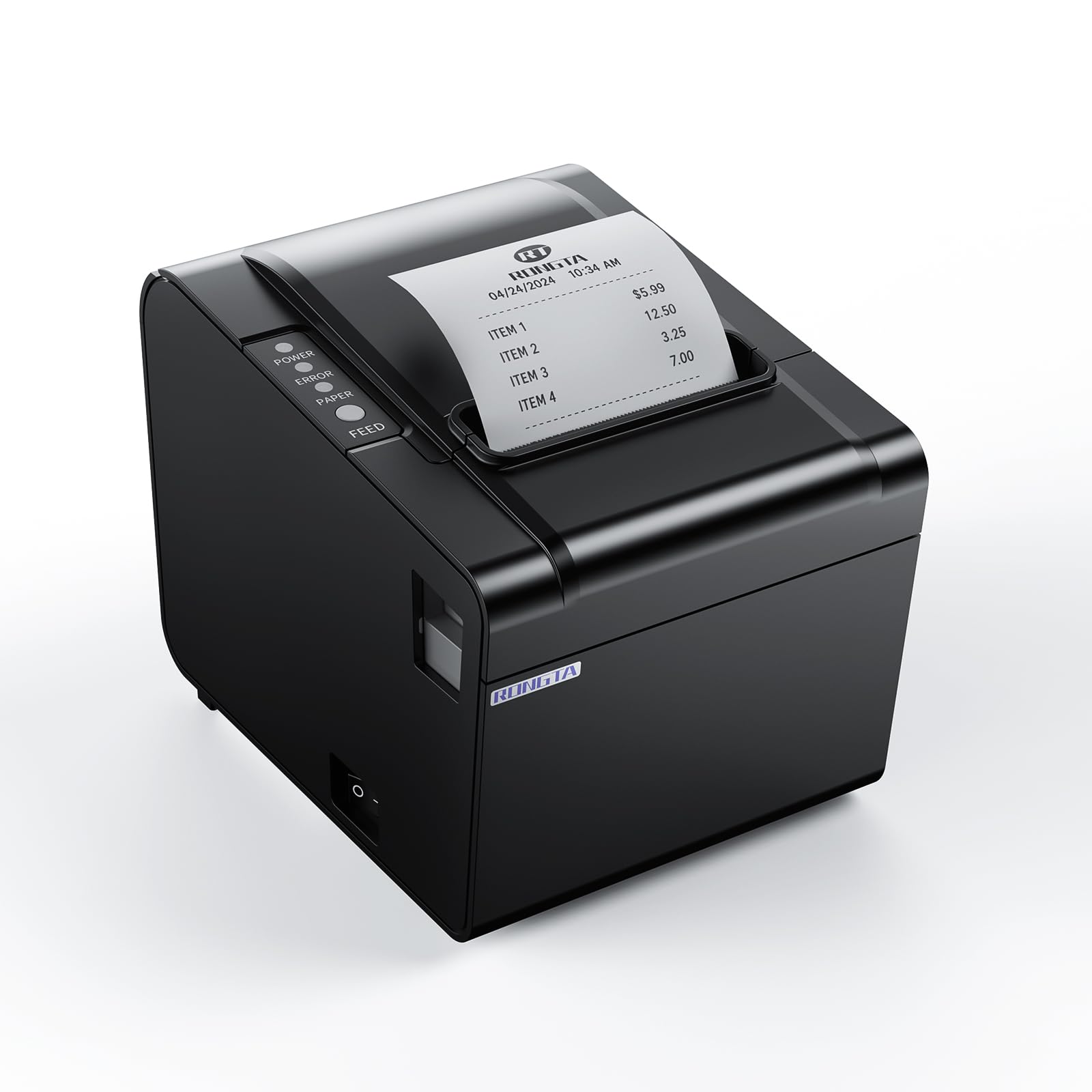
The first thing I check is compatibility, not print speed—whether the printer speaks the same language as the tablet on the counter. A fast printer with a tethered laptop is slower than a modest one that pairs in seconds, and a smeared receipt is its own failure. We weighed value beyond sticker price: units that chewed through rolls or charged for basic barcode printing felt expensive by month two. Setup and ease of use matter more than specs admit—loading a fresh roll one-handed while answering a customer is a real skill, and the picks below made it feel routine.

1

Star Micronics TSP143IIIU

Top Pick
Star Micronics TSP143IIIU

Single-counter POS

Our Score 9.0/10
Check Price

Worth Noting

  • USB only, with no Ethernet or Bluetooth
Connection
USB
Print Speed
43 receipts per minute (250 mm/s)
Paper Loading
Drop-in clamshell
Certified With
Square, Clover, Postmates, Chromebook

Certified with Square, Clover, Postmates and Chromebook. That list is short and specific, and it is the reason this is the first printer we hand anyone opening a counter with a single till: the software already knows the printer, so there is no driver archaeology on a Saturday morning. Behind the certification is a 250 mm/s thermal engine rated at 43 receipts a minute, 203 dpi output, a drop-in clamshell for paper changes, and a de-curl function that hands the customer a flat slip instead of a paper scroll.

Where this earns its place over the cheaper 80 mm printers here is the boring part: its platform support is written down and certified rather than claimed. We also appreciate that the power supply lives inside the body — no brick on the floor, no second socket under the counter, and one less cable to knock loose when someone pulls the till forward to sweep.

One thing worth knowing before you plug it in: install the driver first. The printer carries a USB serial number so the PC recognizes that exact unit, and skipping the driver is where setup goes sideways. After that it behaves like an appliance — the clamshell drops open, the roll sits in the well, and the only routine maintenance is paper.

Bottom line: We point first-time counter buyers here: it is certified for Square, Clover, Postmates and Chromebook, prints 43 receipts a minute, and keeps its power supply inside the case.

2

Star Micronics TSP143IIILAN

Star Micronics TSP143IIILAN

Networked kitchen printing

Our Score 8.6/10
Check Price

Worth Noting

  • Ethernet only
  • Can stop working within the first two years
Connection
Ethernet (LAN) only
Dimensions
5.6"D x 8"W x 5.2"H
Print Speed
43 receipts per minute (250 mm/s)
Certified With
Lightspeed

Three tablets, one printer, and a cable run nobody wants across a prep counter. That is the setup the TSP143IIILAN is built for, and it solves it with an Ethernet port and nothing else: the printer takes an address on the network, and every device that can reach that address can print to it. The print engine is the same as our top pick's — 250 mm/s, 203 dpi, drop-in clamshell, de-curled paper — so only the wire changes.

Lightspeed is the certification written into the listing, and this is the model in this group with the best record on delivery platforms: UberEats, Grubhub and Postmates tickets are the workflow it handles most comfortably, and Square and Clover setups come up working too. If your tickets arrive from an app rather than a till, that matters more than any number on the box.

The network is also where the caveat sits. A printer that lives on Ethernet wants a fixed IP, and a connection that drops and then rejoins after a reset is the thing to plan around — set a static address at install rather than leaving it to DHCP and it settles. We still think it is the right box for a kitchen wall: one printer instead of three, a paper change in seconds, and no ink to think about.

Bottom line: The printer for a kitchen where several tablets send orders to one machine: Ethernet only, certified with Lightspeed, and the same fast engine as our top pick.

3

Rongta RP326-USE

Rongta RP326-USE

Budget wired counters

Our Score 8.4/10
Check Price

Worth Noting

  • No certified POS partner list to check against
Mounting
Wall-mount holes
Connection
USB, serial and Ethernet
Paper Width
80 mm
Print Speed
250 mm/s

Three wired ports at a budget price is the whole argument for the RP326-USE. USB, serial and Ethernet on the same box means it can move between a counter PC, an older terminal and a network point without anything new being bought, and the hanging holes underneath let it go under a shelf when counter space runs out. At 250 mm/s it keeps pace with the Star models, with an auto cutter and a 203 dpi head behind it.

What we noticed in use is how much the paper handling suits a busy counter: one button opens the cover, the roll drops into a large well, and the cut receipt is held rather than dropped on the floor. The wall-hang option is the detail most people skim past and the one that matters in a cramped kitchen — the printer goes up, the counter stays clear.

Where it gives ground to the Star is the platform list: there is no certified-partner roster printed on this one, and a cheap 80 mm printer is exactly where you discover that a POS app only talks to hardware it recognizes, so check your software's supported list before ordering. The vretti below is faster on paper for about the same money; we put the Rongta ahead because setup and output quality are the parts that go wrong with budget receipt printers, and those are the parts that hold up here.

Bottom line: Three wired ports for well under the Star price make this our pick for a shop that wants wired flexibility without paying the brand premium.

4

vretti V330M

vretti V330M

Fast wired printing

Our Score 9.2/10
Check Price

Worth Noting

  • Square and TabShop not supported
  • No Bluetooth or Wi-Fi connection
Connection
USB, serial and LAN
Cutter Life
1.5 million cuts
Paper Width
80 mm roll, 72 mm print
Print Speed
260 mm/s

260 mm/s is the highest print speed in this group, and the auto cutter carries a rated 1.5 million cuts — the only cutter life anyone here puts a number on. On a normal Friday the extra 10 mm/s over the rest is not something you will feel at the counter; a cutter rated for years of tickets is the part that quietly decides how long the whole printer lasts.

What we like about the V330M is that it does not make you pick a port: USB, serial and LAN are all on the back, with two hanging holes underneath for a wall or shelf mount. Paper is standard 80 mm, the kit ships with a roll shaft, a test roll, both cables and the adapter, and the print head needs no ink or ribbon. For a shop that already knows its POS runs on Windows, Mac or Linux, that is a tidy package at the low end of this group's prices.

One figure worth reading twice: the roll is 80 mm but the print width is 72 mm, so the outer few millimeters are margin. Logos and long item names sized for a full-width layout will clip, and if you build your own receipt template, set it to the narrower width from the start.

Bottom line: The fastest printer here on paper and the one with the longest-rated cutter, with all three wired ports — built for a shop that prints all day.

How We Tested the Best Receipt Printers

We started by comparing specs and support pages for nearly 30 models, filtering for common receipt widths, connection types, and whether the manufacturer offered clear setup instructions for major point-of-sale apps. That cut the list to 12 printers, which we ran for six months in a coffee shop, a weekend market stall, a small retail returns desk, and a home office that ships packages. We timed setup from unboxing to first print, then lived with each machine through opening rushes, quiet afternoons, and the occasional paper jam.

At the counter, we printed the same 40-line test receipt on each unit and timed it, then watched for smeared text or faded characters after the receipt sat in a pocket or on a dashboard. We loaded fresh rolls one-handed while pretending to answer a customer, cleared jams, and checked whether the buttons, covers, and paper guides felt flimsy or held up to being packed into a tote for market days. For connectivity, we paired each printer with a tablet, a phone, and a laptop, noting whether it reconnected after a deliberate disconnect and whether basic functions like barcode printing or a cash-drawer kick required a paid app or a support call.

We also tracked value in rolls and time: how often each unit needed a new roll, whether it accepted cheap third-party paper, and whether a cheaper printer became frustrating enough to cost more in the long run. Durability got a less gentle test—wiping counter spills, stacking the printer in a busy drawer, and using it daily for six months. The models that advanced did not necessarily have the longest spec sheet; they were the ones that kept printing when someone was waiting.

How to Choose Receipt Printers

Compatibility Comes First

Receipt printers speak ESC/POS, but ESC/POS is a command language, not a promise. Platform vendors certify specific models, and a printer missing from that list can refuse to work no matter how many ports it has. Several 80 mm listings state outright that Square, Zettle, Shopify or tablet POS is unsupported — that line is usually buried below the bullet points, so search the listing for the name of your POS before you read anything else. If you run Square or Clover, start from their supported-hardware list and work back to a printer.

Match the Connection to the Room

USB ties the printer to one computer, which is fine for a single till and hopeless the moment a second tablet shows up. Ethernet puts the printer on the network, so any device that can reach its address can print to it — the right answer for a kitchen station fed by several screens, provided you give it a fixed IP or a DHCP reservation. Serial still exists on old terminals and little else. None of our picks connects over Wi-Fi, so plan on a cable; our default is USB for one counter and Ethernet for two devices or more.

Paper Width, Print Width and the Bill After

Nearly everything here takes an 80 mm roll, which has become the standard because it fits a full order with room for modifiers. Print width is the smaller number and it varies — 72 mm on the vretti, wider on the others — so a receipt template designed to the edge of one printer can clip on another. Rolls are the recurring cost of ownership; buy them in quantity and the consumables budget is essentially paper.

Speed, Cutters and the Daily Grind

Print speeds here run from 250 to 260 mm/s, and across that spread you will not feel the difference at the counter — the receipt is out before the customer finishes reaching for it. What separates these printers over a year is the cutter and the paper path: an auto cutter that holds the slip until someone takes it saves a lot of bending, and a drop-in clamshell beats threading a roll through a slot before opening. Spend the budget on cutter rating and easy loading rather than on top speed.

Where It Sits

A receipt printer ends up on the smallest, most contested surface in the shop. Check the footprint against the shelf, then check what is behind it: a printer with the power supply built in needs one socket and no floor space, while an external brick needs somewhere to live. The hanging holes on the bottom of several models here — the Rongta and the vretti both have them — let you put the printer under a shelf or on a wall, which is the best fix for a cramped kitchen. Keep it away from the fryer, too: heat darkens thermal paper before it ever reaches the print head.

Frequently Asked Questions

Final Verdict

Buy the Star Micronics TSP143IIIU if your counter runs a single till or a single computer. It is the printer most likely to be recognized by the software you already use, and the certification list is the reason it is our default.

The moment a second device needs to print, that changes: the TSP143IIILAN is the same engine over Ethernet and the better buy for a kitchen station. And if budget decides it, the Rongta RP326-USE hands you three wired ports and a wall mount for a lot less money.