Office Electronics

Best Scientific Calculators of 2026

A scientific calculator is one of the few school supplies that has to perform under pressure: a quiet exam room, a proctor pacing the aisles, forty minutes left on the clock. The wrong one announces itself quickly — keys that need a second, harder press, a screen you tilt toward the window, a function buried three menus deep while the minutes run out. I've borrowed enough of them mid-assignment to know the difference, and the models that fade into the background all share the same unglamorous traits. The right one won't make anyone better at math; it just stops the math from costing you points for reasons that have nothing to do with math.

We've spent the past five months working through real coursework with 14 of them — timed practice sections, lab calculations, homework spread across the kitchen table — and the pattern held: the ones people reached for again were rarely the ones with the longest feature list. Here's what a first-time buyer usually learns the hard way. Check your exam's approved list before you fall for a model, because a powerful calculator you can't carry into the room is an expensive paperweight. The picks below are sorted by what each one is genuinely good at.

1

Texas Instruments TI-30XS MultiView

Top Pick
Texas Instruments TI-30XS MultiView

School and college

Our Score 9.6/10
Check Price

Worth Noting

  • Battery only, with no solar backup
Tables
(x,y) value tables
Weight
5.12 oz
Display
Four-line MultiView LCD
Text Entry
MathPrint textbook style

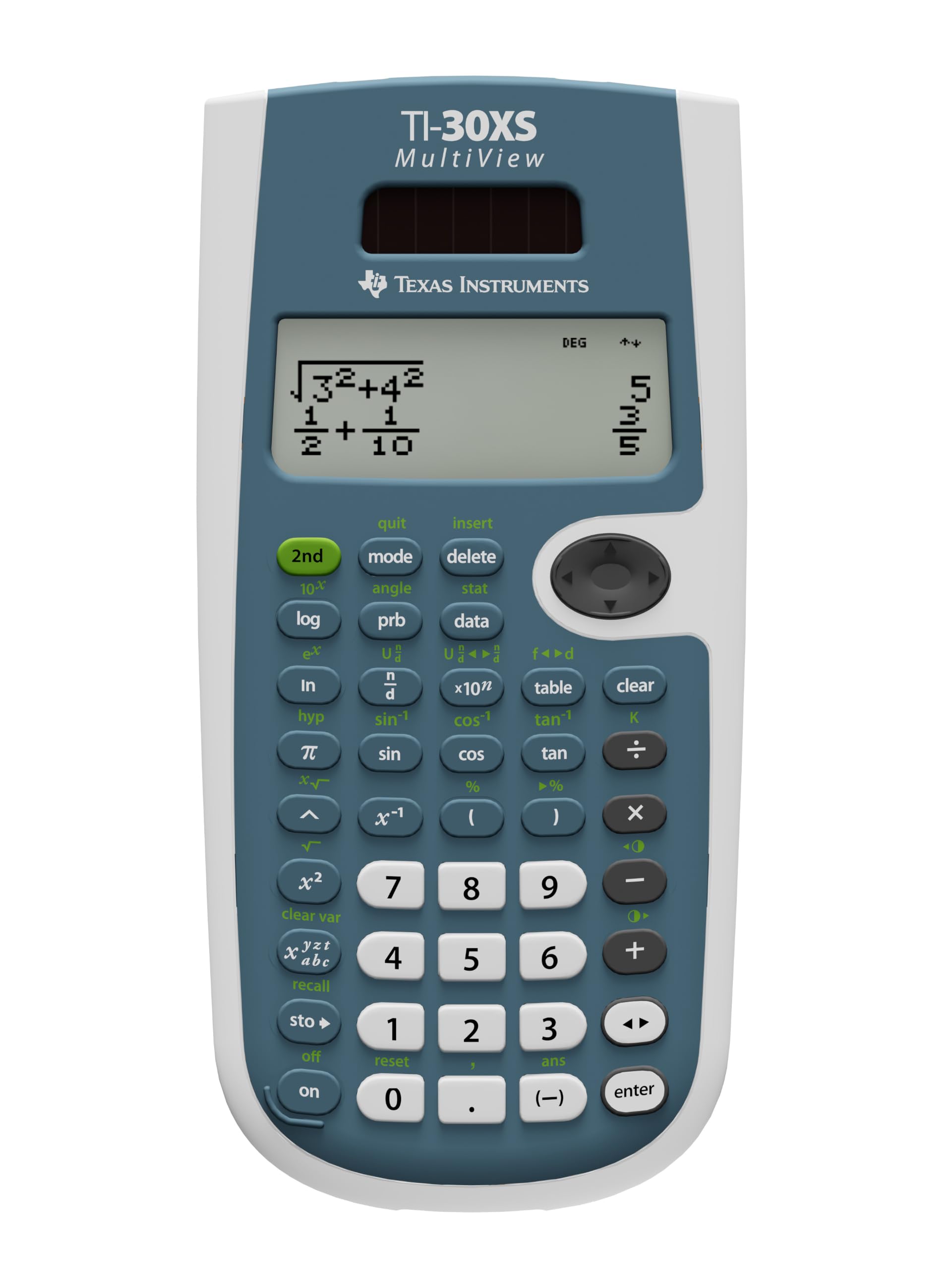
Four lines is the whole argument. MultiView keeps the expression you are typing and the results you have just had stacked on screen, and MathPrint draws fractions and exponents the way they sit on a printed page, so the numerator you entered two steps ago is still there to check. We did a stretch of fraction-heavy algebra on a two-line model first, and the difference is not cosmetic: on one line you are holding brackets in your head, and that is where the mistakes come from.

That display is why this is our top pick for school and college math. Underneath it sits what most courses actually test — trigonometry, logarithms, powers and roots, factorials, one-variable statistics, fraction-to-decimal conversion — plus an (x,y) table that makes function work without a plot screen a good deal less tedious. It is also the least expensive of the four-line calculators here, which matters when a class list requires one and a backpack turns out to be a hostile environment.

Two things to know before you commit. There is no solar cell on this one, so a single battery is the entire power supply; keep a spare in the pencil bag through exam season. And the second functions live above the keys in the usual blue legends, which reads as cryptic for about a week and then stops registering at all, because your thumb has already learned where the fraction key is.

Bottom line: We hand this to almost anyone starting a math or science course: the four-line textbook display makes fraction work readable, and nothing else here is easier to recommend.
2

Texas Instruments TI-36X Pro

Texas Instruments TI-36X Pro

Engineering coursework

Our Score 9.6/10
Check Price

Worth Noting

  • Small, tightly packed keys suit some hands better
Power
Battery, 1 cell included
Weight
5.12 oz
Display
MultiView LCD, 2.62 in
Conversions
Fractions, decimals, pi

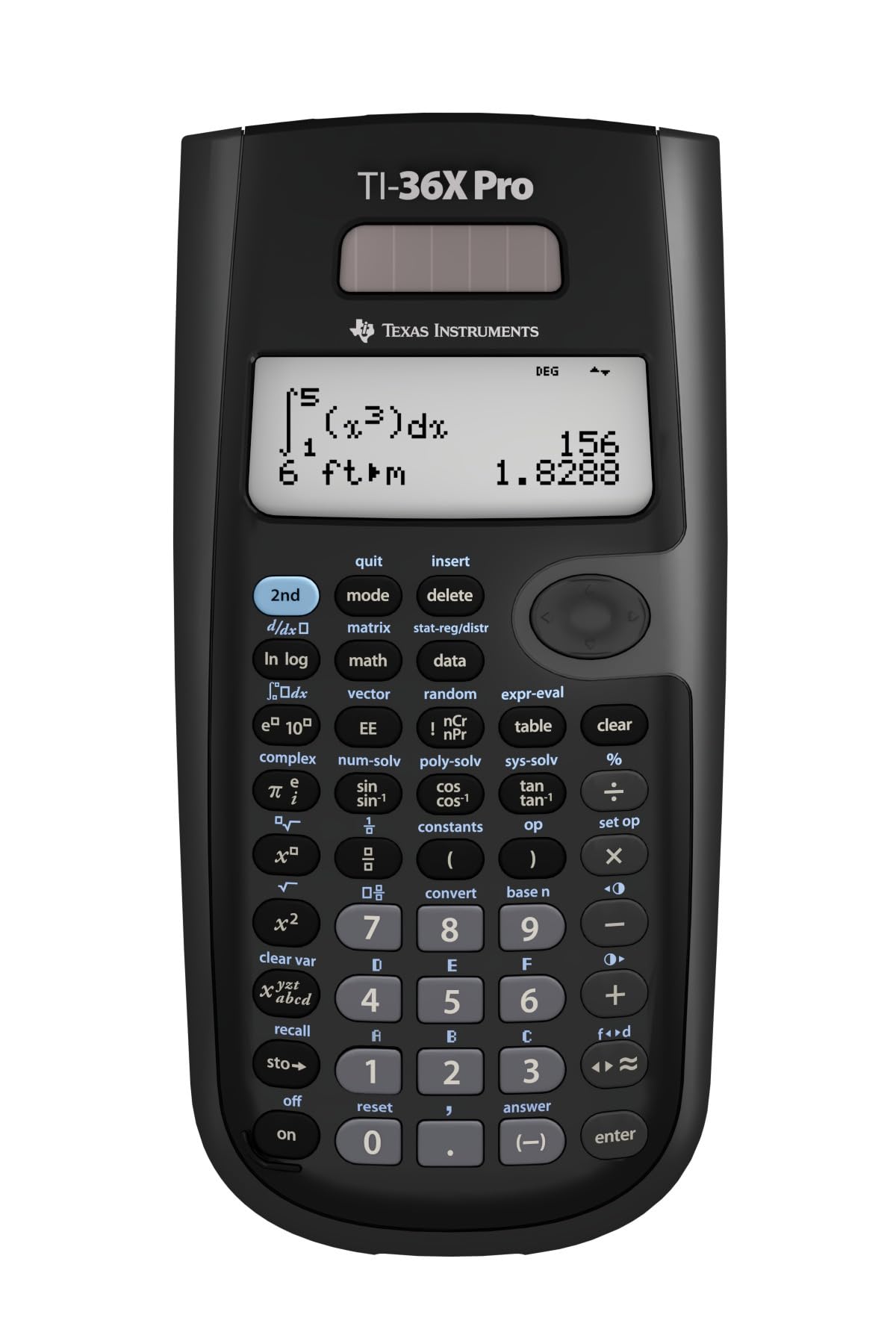
The student who needs this one usually finds out the hard way: the syllabus says no graphing calculators, and the coursework keeps going past algebra anyway. The TI-36X Pro is the answer to that specific problem. It covers what a graphing unit would cover for trigonometry, statistics and calculus — everything except the plotting — in a body that stays on the right side of a no-graphing rule, and that combination is why it is the engineering pick in this set.

The conversion set is what we kept reaching for. Fractions, decimals and pi all flip between exact and decimal forms, so a result that arrives as a long decimal usually has something clean sitting behind it; press the toggle before you decide the answer is ugly. MathPrint stacks the entry the way a textbook prints it, and the display holds more than one line, so a running calculation does not have to be retyped from scratch every time you look away.

It is more calculator than a pre-algebra student needs, and it costs more than the TI-30XS, so it earns its place on the strength of one question: will you meet a definite integral, a matrix or a set of complex numbers this year? If the answer is yes, the extra outlay is the cheapest part of the course. If it is no, the TI-30XS covers everything you will actually be asked to do.

Bottom line: If your coursework runs into calculus and your exam bans graphing units, this is the non-graphing calculator we point you to.

3

Casio fx-991ES Plus 2

Casio fx-991ES Plus 2

Calculus and matrices

Our Score 9.6/10
Check Price

Worth Noting

  • Deep shift layers bury the rarer functions
Size
6.38 × 2.95 in
Power
Solar with battery backup
Display
Natural textbook display
Functions
417 built-in

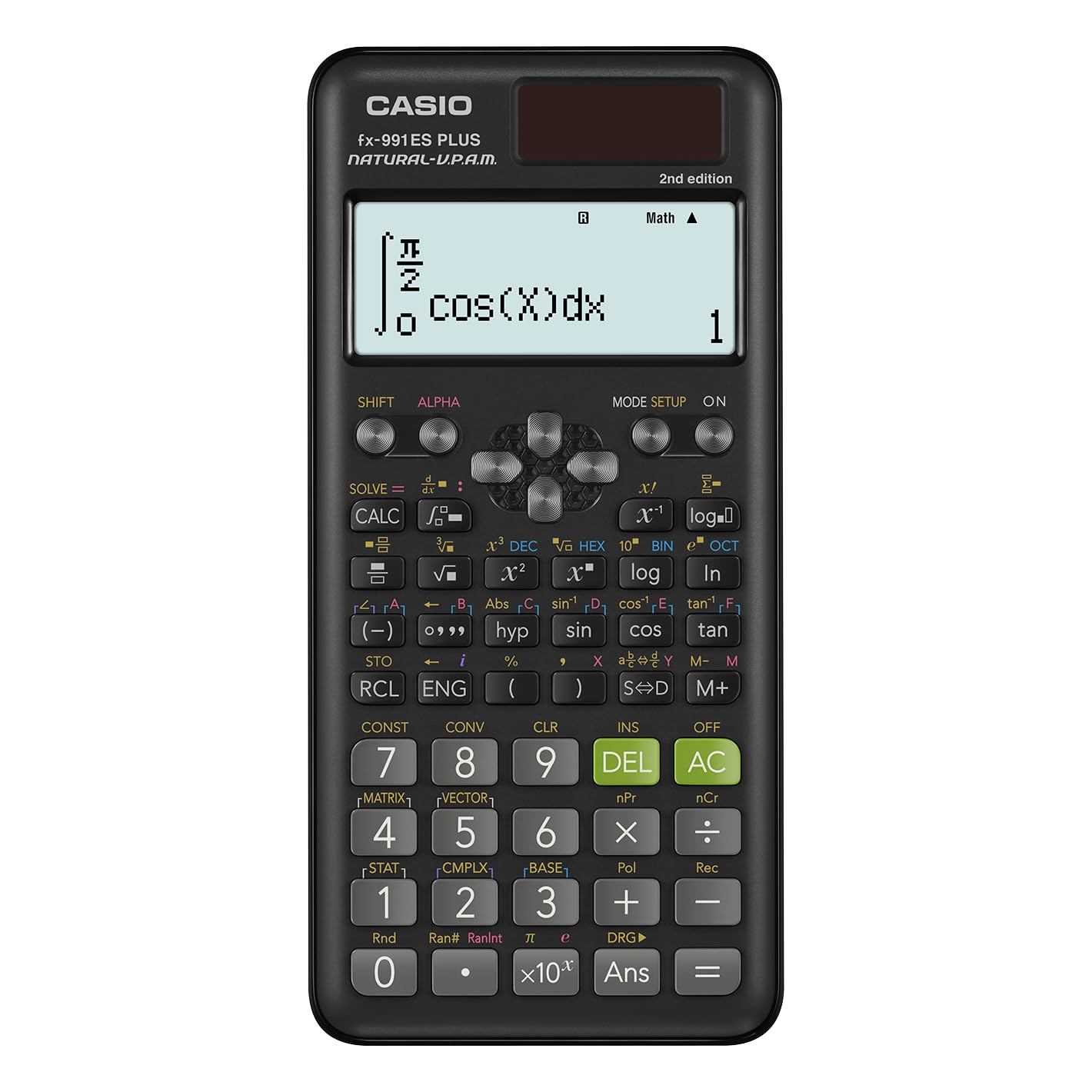
Four hundred and seventeen functions, and for once the number means something. The fx-991ES Plus 2 is the calculator here that will take a definite integral or a derivative, invert a matrix and carry a complex number through a calculation, with 24 levels of bracket nesting before you run out of room to put anything.

Natural display is the other half of the appeal: fractions, roots and exponents are drawn the way they are printed, so a stacked expression reads as a piece of math rather than a line of punctuation. Power is a solar panel with a battery behind it, which means a dim lecture hall is not a problem, and the whole thing is a slim 6.38 inches long — long enough to feel steady on a desk, thin enough to live in a jacket pocket.

Where it lands for us is the math-heavy degree: the one where a regression or a matrix inversion shows up in a problem set most weeks. It is the priciest single unit covered here, so it has to be justified by the advanced half of that function list — a statistics-and-algebra course never touches it, and the TI-30XS would do the same work for a lot less. For the student who will use it, though, the depth is the point.

Bottom line: For a math-heavy degree where integrals, matrices and complex numbers turn up weekly, this is the calculator we reach for.

4

Casio fx-260 Solar II

Casio fx-260 Solar II

Budget pocket carry

Our Score 9.2/10
Check Price

Worth Noting

  • One-line display hides the expression as you type
Size
5 × 2.9 in
Power
Solar with battery backup
Display
10-digit, 2.25 in LCD

It is five inches long and under three wide, which makes it the smallest thing in this guide and the least expensive single calculator we cover. The fx-260 Solar II puts 10 digits on one line, keeps a fraction key for mixed forms, and covers trigonometric and inverse trig work, factorials, permutations and combinations, with solar running the chip and a battery behind it for the days the room is dim.

We keep one in a drawer for the evenings a trig ratio or a unit conversion comes up and nothing else in the house has a sine key. For a middle schooler's first calculator, or a second unit that lives permanently in a backpack, it is the one that asks the least of you: no menus worth learning, no charging, no ceremony. The key legends are the bit we minded — the shift labels are small and sit close together, so the first week involves some squinting.

Bottom line: For a first calculator or a spare that lives in a bag, this does the trig and the fractions with the smallest outlay here.

5

RENUS 8-Pack Scientific Calculator

RENUS 8-Pack Scientific Calculator

Classroom sets

Our Score 8.8/10
Check Price

Worth Noting

  • Two-line display, with no textbook-style entry
Case
Hard sliding cover
Pack
8 calculators
Power
16 AAA batteries included
Display
2-line, 12-digit

Eight calculators, sixteen AAA batteries, one order. If you run a classroom, coach a math team, or keep a tutoring shelf stocked, this is the purchase that actually solves the problem rather than starting it: the cost works out lower per calculator than buying singles, and nobody has to hand over a deposit for one.

Each unit is a two-line, 12-digit calculator with degrees, radians and grads, one- and two-variable statistics, scientific and engineering notation, and a scrollable record of what has already been calculated. The cells are AAA rather than coin type, so a swap needs no tools and no trip to a watch repair counter, and the hard sliding cover stays on when the thing is thrown into a bag.

Treat the set as a starter kit rather than a destination. Students who move into calculus or matrix work will want a TI-36X Pro, and the ones in the middle of fraction-heavy algebra will feel the two-line limit quickly. On delivery, do the boring thing: open the box, power up all eight, and run a key check on each before the return window closes.

Bottom line: For a teacher outfitting a classroom, eight calculators and their batteries in one box is the practical answer, at the lowest cost per unit here.

6

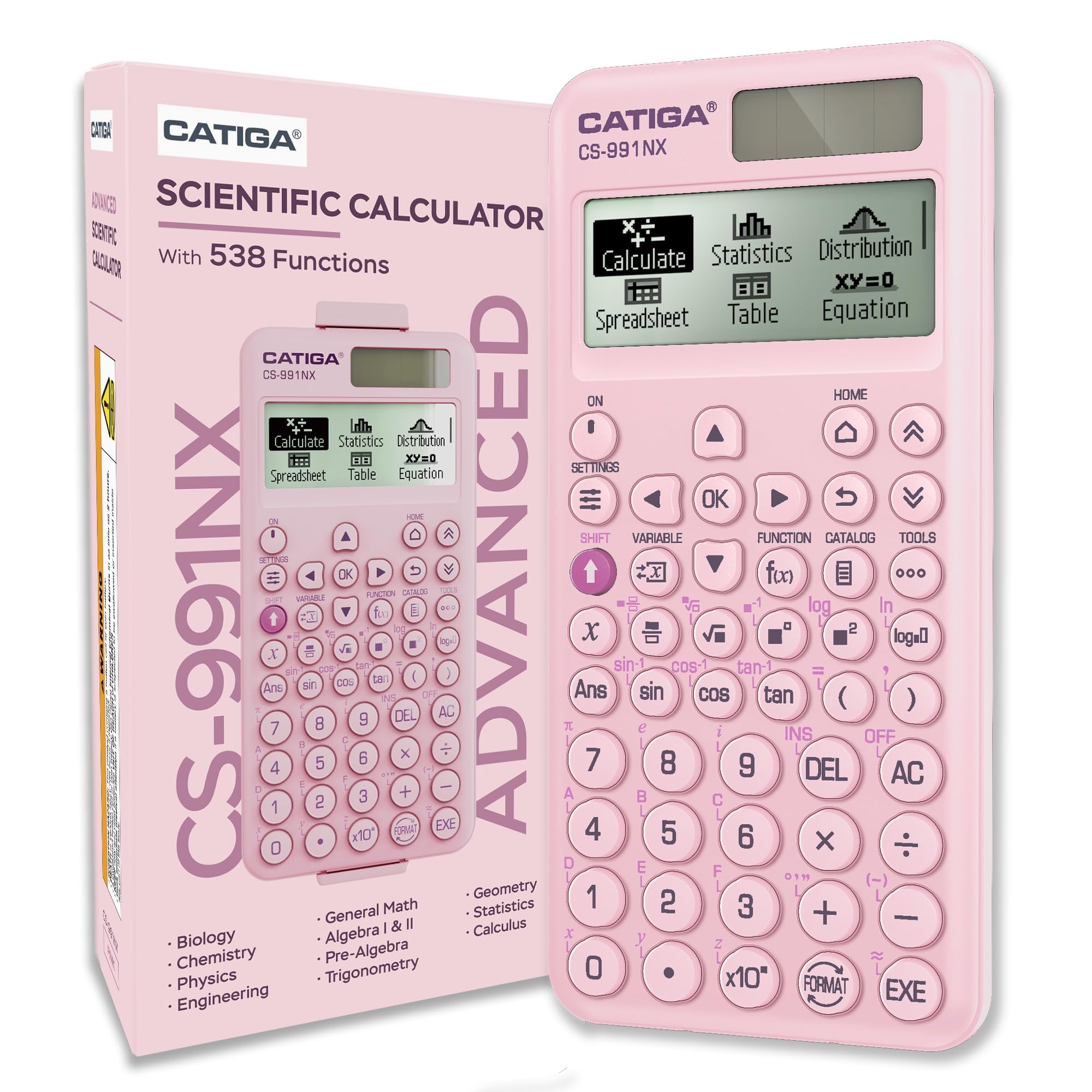
CATIGA CS-991NX

CATIGA CS-991NX

Everyday student use

Our Score 9.2/10
Check Price

Worth Noting

  • Pricier than the TI-30XS for the same school math
Case
Magnetic hard case
Power
Solar + battery
Display
4-line textbook-style HD
Functions
538 built-in

The case is what made us look twice. The CS-991NX ships with a rigid cover that snaps on magnetically and stays where you put it, covering the screen as well as the keys when the calculator is rattling around at the bottom of a bag. That is more than a slip cover gives you, and it is the sort of detail that decides whether a screen is scratched by November.

Underneath it is a 538-function calculator with a four-gradation textbook display, solar with a battery behind it, and a body that comes in at 0.21 pounds and 0.42 inches thick. The screen is the part we noticed most: fractions, roots and exponents are drawn as they would be printed, and the shading gives the digits enough contrast to stay readable under a lecture-hall light.

Give it a couple of evenings. With 538 functions living behind shift layers, the first sessions are spent hunting for things, and the legends only start to feel laid out sensibly once your thumb has used the same six keys for a week. After that it is quick, and the stacked-fraction display earns its keep — a numerator reads at a glance instead of being decoded.

Bottom line: We point students who want a textbook display and a case that stays on toward this one, with the price premium as the trade.

7

IPEROT 417-Function Scientific Calculator

IPEROT 417-Function Scientific Calculator

Backup and spares

Our Score 8.8/10
Check Price

Worth Noting

Size
6 × 2 in
Power
Solar + battery
Display
Four-line LCD
Functions
417 built-in

Four hundred and seventeen functions, a four-line display and dual solar-and-battery power, for less than the Casio with the same function count. That is the trade the IPEROT is offering, and on paper it is a good one: the advanced half of the syllabus — fractions, derivatives, integrals, statistics, complex numbers, linear regression — is all present.

In the hand it is a compact unit, six inches by two, light enough that you forget which pocket it went into. The four-line screen shows an expression and its result together, so a longer calculation can be checked without re-entering it, and the dual power means a dim room is not an emergency.

What to plan around is consistency. There are units that stop working, sometimes early on, so treat the first week as a trial rather than a formality: run it through a real homework set, press every key including the ones under the shift layer, and keep the packaging until you are satisfied. At this price that check is cheap insurance and it takes twenty minutes.

Our use for it is the second calculator — the one that lives in a bag, at a relative's house, or in the desk at work — not the one you carry into a final. The pink shell makes it easy to spot at the bottom of a bag, which matters more than it sounds once you have lost a black calculator twice in a term.

Bottom line: We treat it as a second calculator, the one for a bag or a spare room, rather than the one you sit an exam with.

How We Chose and Tested the Best Scientific Calculators

We started with a shortlist of roughly 40 models pulled from spec sheets, the approved-calculator lists published for the SAT, ACT, and AP exams, and the keypad complaints that resurface in student forums year after year. From there we filtered by price band, display type, and whether the thing was actually permitted in a testing room, then bought 14 to use ourselves rather than handle at a demo table.

Testing ran five months, in the places these calculators actually live: algebra homework at the kitchen table, timed practice sections with a phone face-down as the clock, a chemistry lab's worth of log and exponent work, and the bottom of a backpack on a bike ride to class. I pressed every key with a thumb and then with the corner of a fingernail to find the ones that needed a second attempt, and I counted the double entries that came from a key firing twice.

We read each display in a bright window and in a dim room to see how much tilt the screen demanded, and whether long answers were cut off or quietly rounded. Durability meant drops from desk height onto tile plus a week rattling loose in a bag; battery life meant leaving units on overnight and running solar-only models under a desk lamp versus in a dark lecture hall. Reliability was quieter — the same keystrokes had to give the same answer every time, with no mystery resets after a knock.

At the end we asked a simpler question than any spec sheet answers: which one did people pick up for a calculation they could have done on a phone? The winners on functionality and plain enjoyment were almost never the priciest, which is the whole value story here.

How to Choose Scientific Calculators

Let the display decide the class of calculator

Two lines is enough for arithmetic, unit conversions and a single trig ratio. The moment fractions, exponents or nested brackets enter the work, four lines with textbook-style entry start earning their keep: you can see the expression you typed instead of rebuilding it from memory. We noticed this most in algebra, where a mistyped numerator is invisible on a one-line screen and obvious on a four-line one.

Function counts are marketing; your syllabus is the spec

417 or 538 tells you how many operations are in there and how many keys have a second job, not whether your course is covered. What matters is narrower: the statistics your class actually uses, the complex numbers, the matrices, the definite integrals. A deep library buried under cramped shift layers is slower in an exam than a shallower one you can navigate blind.

Read the syllabus for named features, then buy the calculator you can operate without hunting. Everything here handles trigonometry, logarithms, powers and roots.

Check the approved list before exam day

Non-graphing does not automatically mean permitted. Approval is decided model by model, which is why two calculators that look identical to a proctor can have different fates at the exam door. Look up the exact model number on your board's published list before you buy, and keep the packaging until you have, so an exchange is still easy.

Solar with a battery behind it is the safer power choice

The solar cells on these calculators run the chip when the light is good, and a backup cell takes over when it is not. That combination is what we look for, because fluorescent exam halls and evening study do not always cooperate. A battery-only model is fine — just start the term with a fresh cell and a spare, and check the type it takes, since several here use coin or camera-style cells rather than AAs.

A cover and a pocket-sized body survive the year

These run roughly four to five ounces and six to seven inches long, so they fit a pencil case without argument. What separates them over a school year is the cover: a rigid snap-on or sliding shell keeps the screen off the keys and the keys off whatever else is in the bag. If the calculator rides loose in a backpack, prioritize a hard cover over a soft slip case.

Frequently Asked Questions

Final Verdict

For school and college math, the Texas Instruments TI-30XS MultiView is the safest buy here: four lines of textbook-style display, every function most courses ask for, and a price that leaves room for a spare battery. It is the model we hand to almost anyone starting a math or science course.

The requirement that changes the answer is calculus in a graphing-free exam room, and that is the TI-36X Pro's job. If your work never gets past trig and fractions, the Casio fx-260 Solar II does it for less and disappears into a pocket.