Smart Home & Security

Best Smart Display of 2026

A smart display earns its counter space in about four seconds — the moment you're elbow-deep in bread dough and need a timer without touching anything. The good ones fold into a kitchen or a nightstand so completely that you stop thinking of them as technology and start treating them like a clock, a recipe card, and a radio that answers back. That's the job: your hands stay free, the recipe stays at eye level, and a video call with your mother looks like a face instead of a smudge.

The wrong one sounds thin, washes out in afternoon sun, or needs three tries to hear you — and it ends up unplugged in a drawer. We've spent eight months living with 12 of them, from compact bedside units to big living-room panels, and the gaps show up fast. One thing first-time buyers don't expect: the screen that looks modest in a photo is usually right for a nightstand, and the largest panel is often too much for a counter. The models below cleared that bar.

1

Echo Show 11

Top Pick
Echo Show 11

Main living space

Our Score 8.4/10
Check Price

Worth Noting

  • Fixed screen, no motorized rotation like the Show 10
  • Commands occasionally stall or need repeating
Sound
Spatial audio
Camera
Auto-framing, 3.3x zoom, noise reduction
Display
11-inch Full HD touchscreen
Smart Home
Built-in hub, no separate hub needed

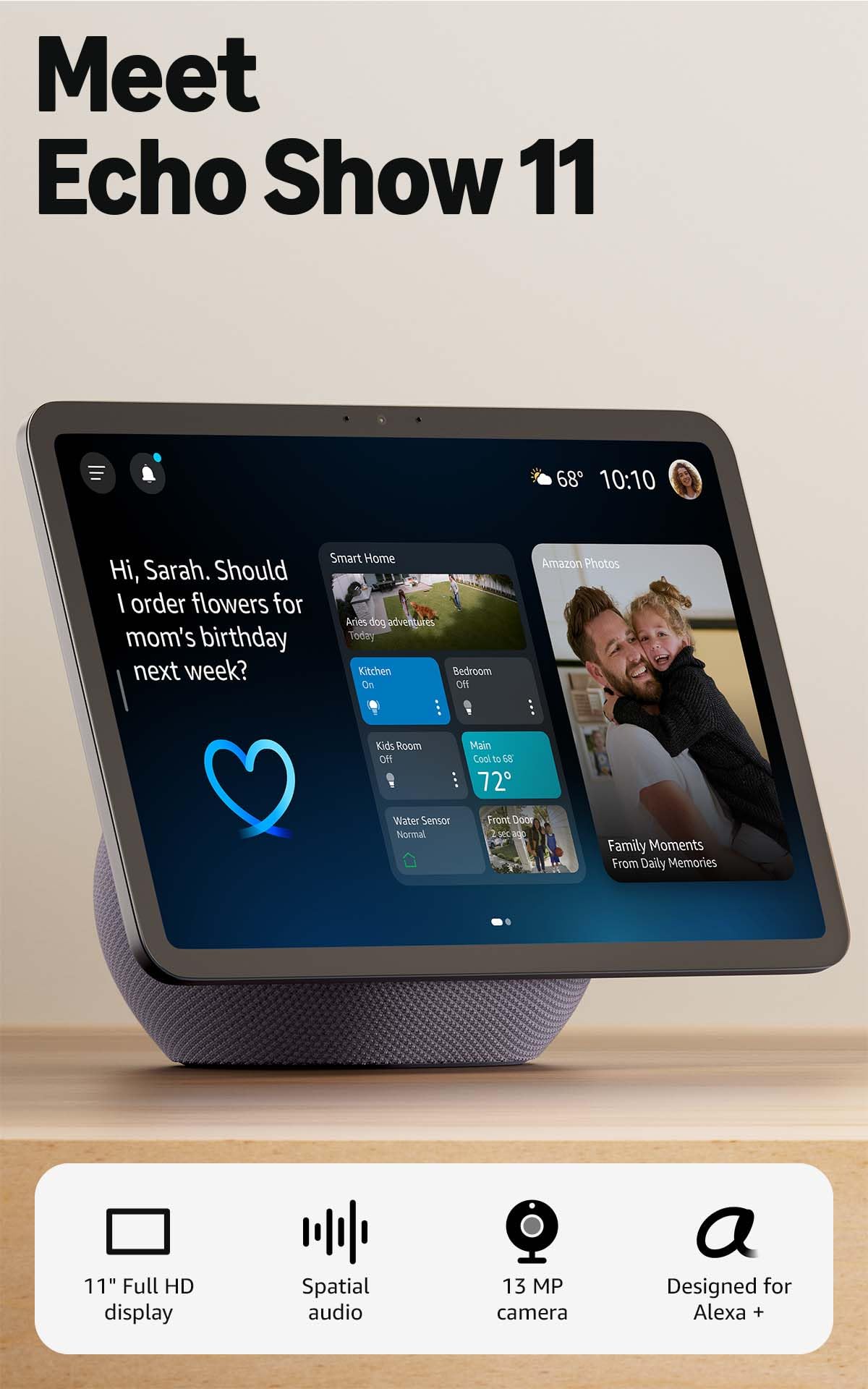
Eleven inches is where a smart display stops being a kitchen timer with a picture on it. The Show 11's Full-HD panel gives you 60 percent more viewing area than the Show 8, and that is the difference we keep noticing: a recipe you read from the stove instead of leaning into, a video call where the other person is not the size of a postage stamp. For a first proper smart display in a kitchen or living room, this is the one we point people toward.

The supporting hardware is quietly well judged. Spatial audio gives it enough body to fill a room with background music, the centered camera auto-frames and zooms 3.3x so you stay in shot while you move, and a smart home hub is built in, so compatible lights, thermostats and camera feeds work without a separate box. That last item is easy to skim past on a listing and irritating to discover you need later. At this size it sits in the middle of the range: not the cheapest way into an Echo Show, not the wall-filling end either.

Two things to know before you commit. Coming from an Echo Show 10, the panel here is fixed — the motorized base that turned the screen toward you is gone — so you position it where you will actually be standing. And Alexa is the variable no spec sheet captures: commands sometimes stall, or need saying twice, which is the one rough edge on an otherwise polished device.

Bottom line: Our pick for most rooms: the 11-inch Full-HD screen, spatial audio and built-in hub cover recipes, calls and smart-home control without a second purchase.
2

Echo Show 8

Echo Show 8

Compact rooms

Our Score 8.4/10
Check Price

Worth Noting

  • HD panel rather than the 11's Full-HD
Camera
Auto-framing, 3.3x zoom, noise reduction
Display
8.7-inch HD touchscreen
Smart Home
Built-in hub, no separate hub needed
Viewing Area
15% more than Echo Show 8 (2023)

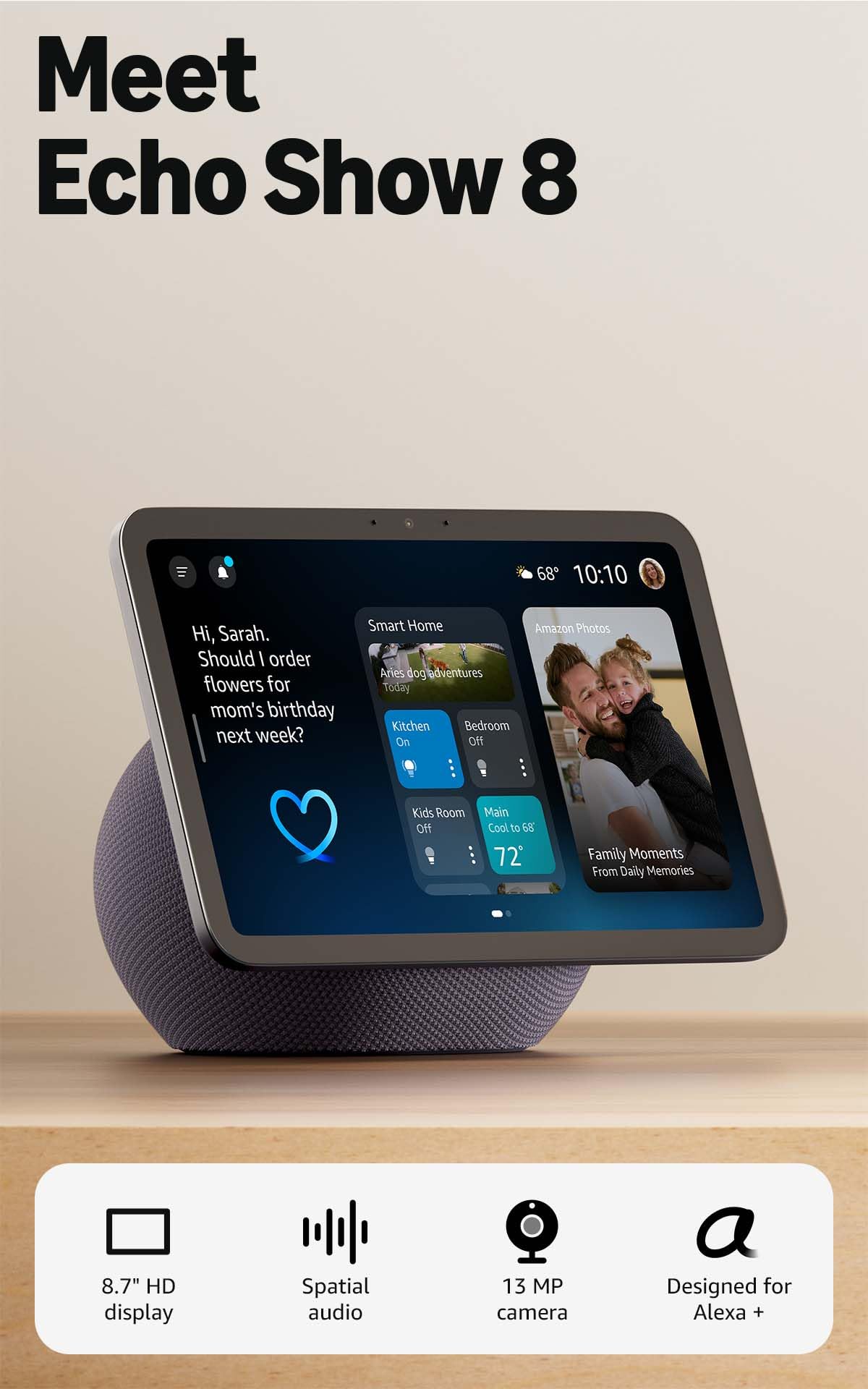
The middle of this lineup is where the value sits: an 8.7-inch touchscreen with 15 percent more viewing area than the 2023 model it replaces, and the same centered auto-framing camera and the same built-in smart-home hub as the 11.

That shared camera is the detail that makes this one easy to recommend. Auto-framing with 3.3x zoom and noise reduction is normally the first thing a cheaper model loses, so calls here look like calls on the bigger screen — you can walk around the kitchen and stay in frame. Set it on a desk or a narrow counter where an 11-inch slab would crowd the kettle and it earns its keep, and spatial audio with up to twice the bass has enough weight for kitchen music.

If you are weighing it against the 11, the question is genuinely about the room rather than the hardware. Same camera, same hub, same approach to sound, a smaller picture. Take the 8 for the counter or desk you would otherwise have to clear; take the 11 for the room where several people watch at once. Neither is the wrong call, and that is rare in a lineup this closely packed.

Bottom line: We point smaller kitchens and desks here — the same auto-framing camera and smart-home hub as the 11, in a footprint that does not take over the counter.

3

Echo Show 5

Echo Show 5

Bedside and counters

Our Score 8.4/10
Check Price

Worth Noting

  • 5.5-inch screen rules it out as a main kitchen display
Sound
2x the bass, clearer vocals
Camera
Built-in, for drop-ins and camera feeds
Display
5.5-inch touchscreen

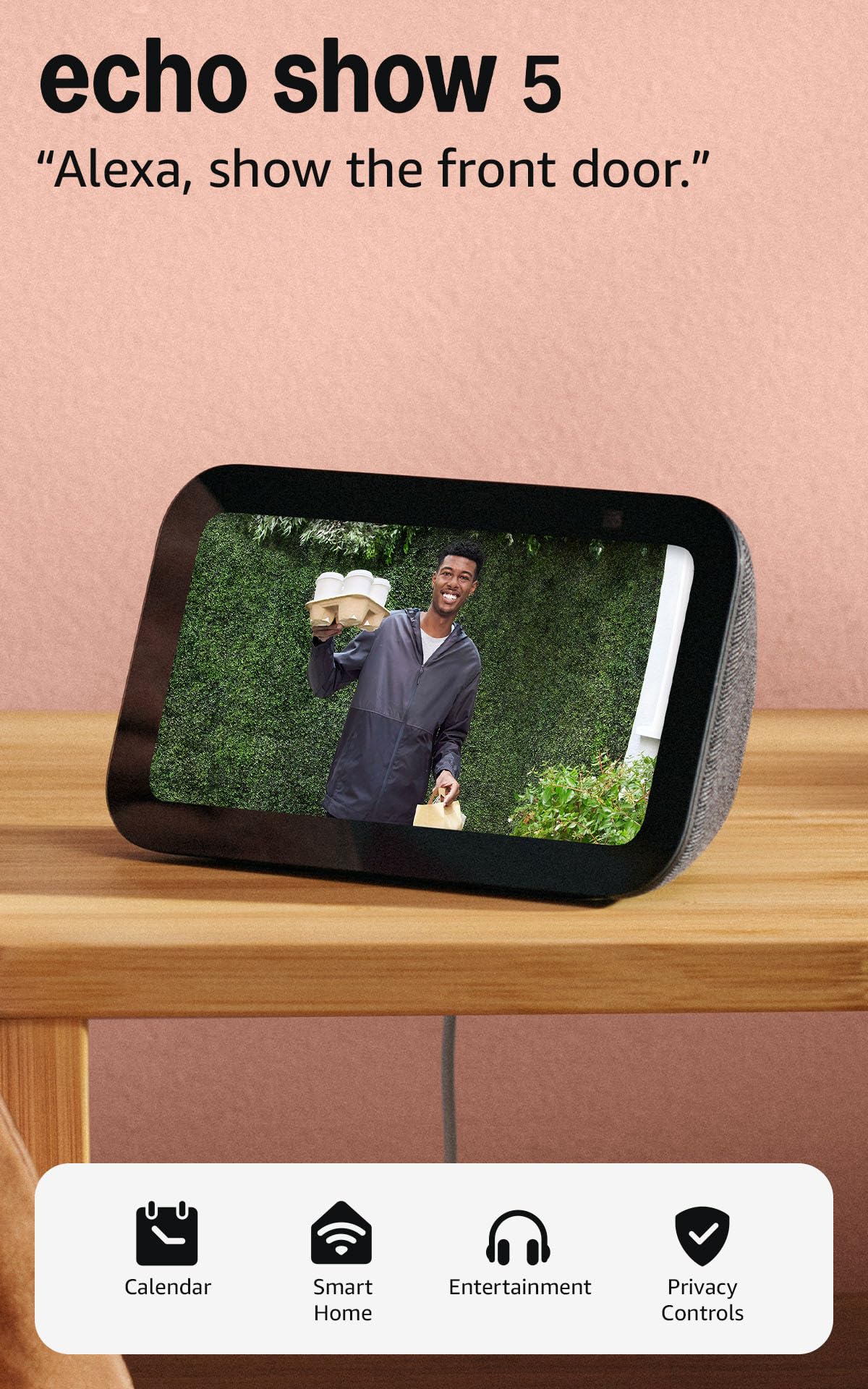
A 5.5-inch screen sounds like a compromise until you put it where this one belongs. On a nightstand, in a kitchen corner, on a kid's desk, the Show 5 sits beside a lamp without rearranging anything, and it handles the jobs that need no real estate: alarm, weather, a shopping list, a look at the front door before you open it.

The sound is the pleasant surprise. Deeper bass and clearer vocals than a 5.5-inch body suggests, enough to carry a podcast while you get dressed. The built-in camera covers drop-ins on family and pets and compatible camera feeds, and that is most of what a secondary screen is ever asked to do. As an entry point to the Echo Show line, nothing here feels like a stripped-down version of the bigger models.

The friction shows up in speed rather than features. The touchscreen can take a beat to register a tap, and an on-screen answer sometimes lands after the voice has already finished. Talk to it instead of poking at it and the lag mostly disappears, which is how a bedside display gets used anyway.

Bottom line: Buy it as a bedside assistant and it is great value: alarms, weather and a doorbell check on a screen that fits beside a lamp.

4

Echo Show 15

Echo Show 15

Family command center

Our Score 8.8/10
Check Price

Worth Noting

  • Needs a wide, permanent surface to make sense
Display
15.6-inch Full HD (1080p)
Streaming
Built-in Fire TV
Home Screen
Customizable widgets and calendars

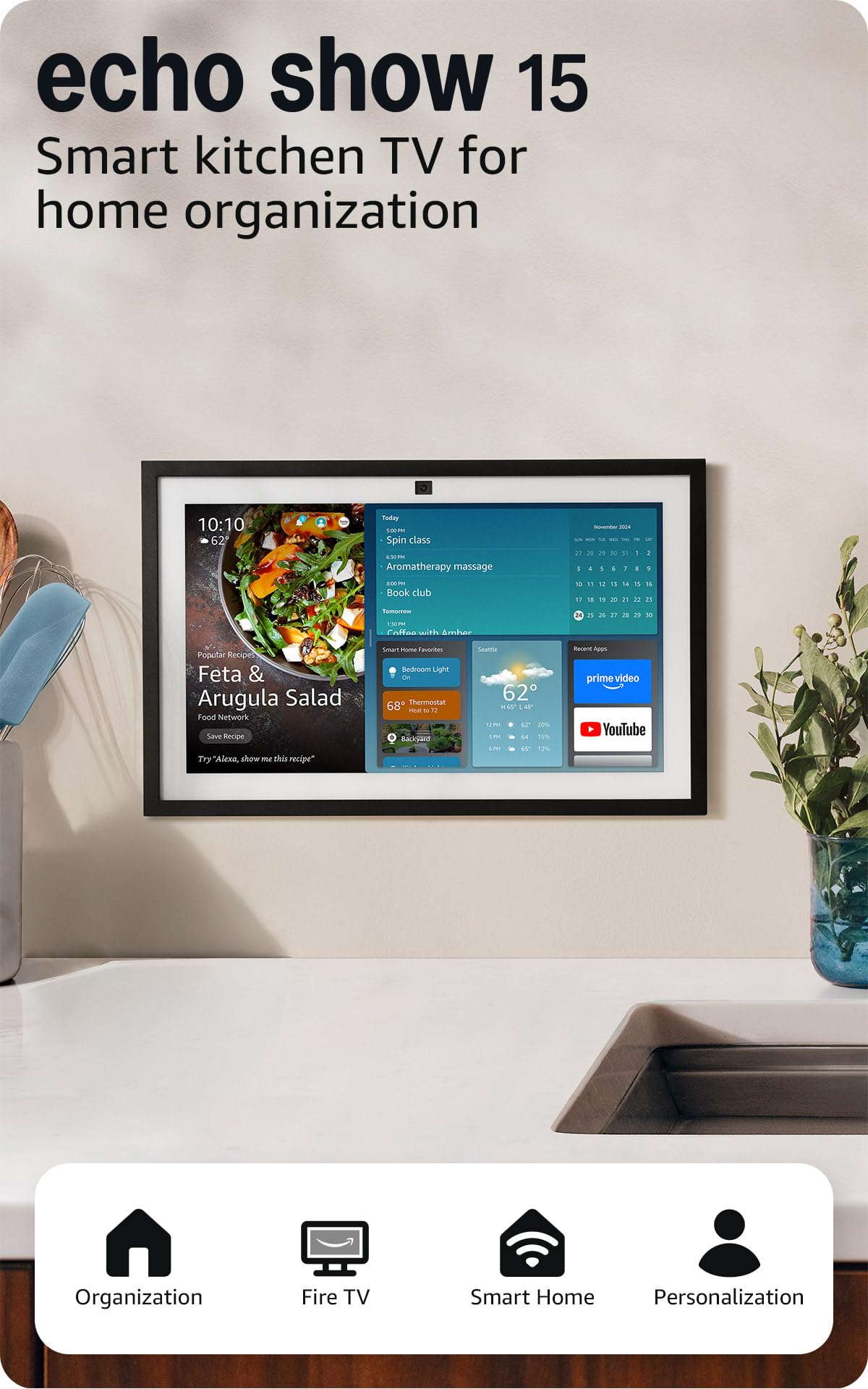
There is a paper calendar on the fridge in most houses, and the Show 15 is aimed straight at it. A 15.6-inch Full-HD panel with customizable widgets keeps the family's calendars, to-do lists, weather and smart-home controls on one surface you walk past a dozen times a day.

Judged as a big smart speaker it is overkill; judged as the place a household's week lives, it earns its keep, because everyone can read it at once instead of crowding around a phone. It is also the first display here where a recipe, a calendar and a video call do not compete for the same few inches.

Built-in Fire TV is the second act: the same panel becomes a small television for the kitchen or a spare room, and that is a large part of how it justifies itself against the 11. Step up to the 21 and you get the same software on a bigger panel, so the 15 is the sensible end of that pair unless the room is genuinely enormous.

Bottom line: For a household juggling several schedules, we think the 15.6-inch widget wall plus built-in Fire TV justifies the space it claims.

5

Echo Show 21

Echo Show 21

Large kitchens

Our Score 8.8/10
Check Price

Worth Noting

  • Most expensive here, and the extra size is the whole gain
Size
Largest display in the range
Display
21-inch Full HD (1080p)
Streaming
Built-in Fire TV
Home Screen
Customizable widgets and calendars

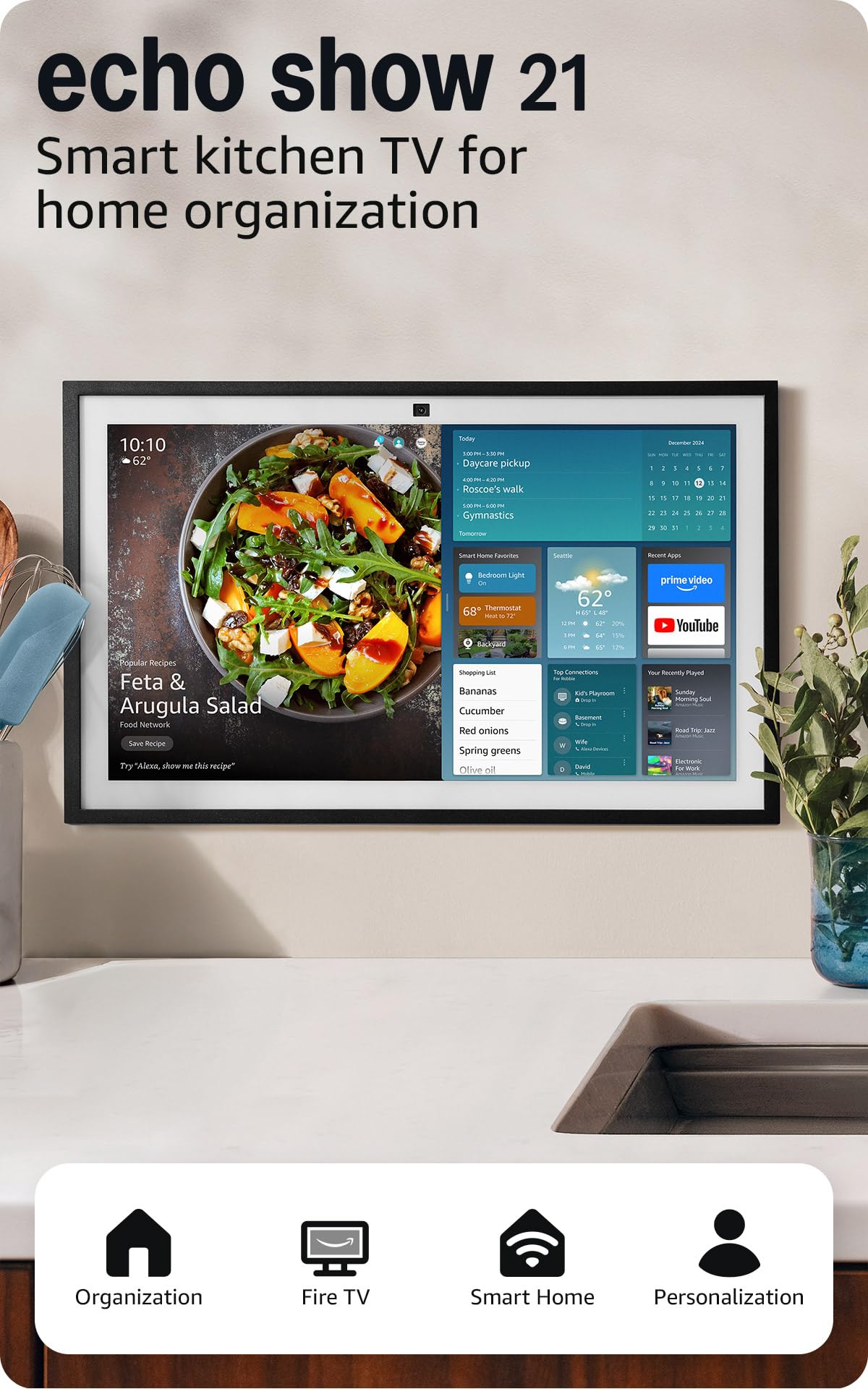
Twenty-one inches is not a spec bump; it is a decision about the room. The Show 21 is the largest display here by a clear margin, and at that size it stops being something you glance at and becomes a surface the kitchen is arranged around. Where that fits — a big island end, a stretch of wall that has been waiting for something — it is the most impressive thing you can put there.

Underneath, it is the Show 15 scaled up: the same customizable widget dashboard for calendars, to-dos, weather and smart-home controls, the same built-in Fire TV, the same photo slideshow when the screen is idle. What the extra diagonal buys is viewing distance. A calendar entry meant to be read from the far side of a large kitchen needs a panel this big, and no smaller model in this set manages it.

For most homes the 15 covers the same ground with less space committed and less money spent, which is why this one is a considered purchase rather than our default. If the display really is the household's shared surface — the thing everyone checks on the way out of the door — the 21 is the version that reads from across the room.

Bottom line: We recommend the 21 only where a large kitchen has a wall or island end to fill — otherwise the 15 does the same job for less.

How We Tested 12 Smart Displays in Real Rooms

We started by pulling every current model from the major voice-assistant ecosystems, then cross-checked spec sheets for screen size, speaker setup, camera shutter, and smart-home radios. Anything that locked basic features behind a subscription, or that owner reviews flagged for freezing and dropped connections, came off the list. That left 12 units, spanning the price range we'd actually recommend to a friend.

Each one was unboxed at home and set up solo, with a stopwatch running from plug-in to the first working timer. We counted app steps, noted whether an account was mandatory before the screen did anything useful, and wrote down where we got stuck. Then they went to work: kitchen counters for recipe-following and hands-free timers, nightstands for alarms and sleep sounds, a living-room shelf for streaming and video calls, and a few weeks in a kid's homework corner.

We played podcasts at low volume to see if voices stayed intelligible and pushed music near maximum to hear where it distorted. Screens were checked at noon with sun across the counter and at 2 a.m. in a dark bedroom, watching how brightness and auto-dim behaved. We asked for timers from across the room, with a range hood roaring and with music playing, tallying every time we had to repeat ourselves and counting the pause before the answer came back. Over the months we logged frozen screens, missed alarms, and features that quietly changed after software updates.

We're still using all 12, and we'll revise these picks as new firmware changes how they behave.

How to Choose the Right Smart Display

Match the Screen to the Room

A display you walk past is a different product from one you stand in front of. The 5.5-inch Show 5 belongs on a nightstand, where you want a clock, a weather line and a camera check before bed; the 15.6-inch Show 15 belongs where a household shares a calendar and everyone can see it at once.

The trap is buying the biggest panel you can afford for a surface that cannot hold it. A 15-inch screen on a cluttered counter is in your way every single day, while an 8.7-inch one across a big room is unreadable from the doorway. Decide the spot first, then shop for the diagonal that suits it.

Resolution Matters Once You Step Back

8.7 inches of HD and 11 inches of Full-HD look similar in a listing and quite different at arm's length. Full-HD on the 11 keeps a recipe step or a calendar entry crisp from a couple of feet away, which is exactly where you stand while cooking.

If the display is going to spend its life showing a shopping list, a radar map and a doorbell feed, HD at 8.7 inches is enough and you can put the saving elsewhere. If you plan to read from it or watch shows on it, resolution and diagonal are worth paying for together.

Camera and Hub Are Where the Models Split

Two features separate these more than the spec table suggests. The 8 and the 11 both list a centered auto-framing camera with 3.3x zoom and noise reduction, so a call stays framed while you move about — unusual at the smaller size, where cheaper models usually inherit leftovers.

Both also include a smart home hub, so compatible lights, thermostats and camera feeds pair directly instead of through a separate box. If you already run a hub, that feature is redundant; if you're starting from nothing, it is a purchase you skip entirely.

What the Price Steps Actually Buy

The range runs from budget to premium, and each step buys screen and sound rather than new abilities. Every display here answers questions, controls compatible devices and runs on the same Alexa software; climbing the range gets you a larger panel, better speakers and, on the 15 and 21, built-in Fire TV.

So decide what the screen has to show before you decide what to spend. A nightstand display and a family calendar wall are not the same purchase, and the cheaper one of those two is often the right answer.

Frequently Asked Questions

Final Verdict

The Echo Show 11 is the smart display we recommend for most homes. The 11-inch Full-HD screen is the first in this lineup that handles a recipe, a calendar and a video call without any of them feeling squeezed, and spatial audio plus a built-in hub means the smart-home job gets done without a second box on the shelf.

If the surface in question is a nightstand or a narrow counter, the Show 8 does most of the same work in a smaller footprint, and the Show 5 covers alarms and doorbell checks for a fraction of the money. The Show 15 only earns its space when the shared family calendar is the whole point of buying one.