Smart Home & Security

Best Smart Light Switches of 2026

A smart light switch is just a light switch with a tiny radio and computer tucked behind the paddle, which is why the good ones disappear into your wall and the bad ones make themselves known: the light that lags half a second behind your finger, the switch that falls off Wi-Fi and needs re-pairing on a weeknight, the dimmer that buzzes at low brightness. What you actually want is something that still behaves like a switch when the app, the hub, or the router misbehaves.

My hallway has had a smart switch in it for years now, and over the past four months my team has lived with 12 more of them across three homes — kitchens, bedrooms, a basement stairwell, and one wind-battered porch fixture — because installation headaches and reliability problems only reveal themselves over time. Fair warning before you buy: most smart switches need a neutral wire in the box, and plenty of older homes don't have one. Below are the switches that wired in cleanly, stayed online, dimmed without flicker, and felt worth the money.

1

Kasa HS200

Top Pick
Kasa HS200

First smart switch

Our Score 9.0/10
Check Price

Worth Noting

  • Requires a neutral wire at the switch
Wi-Fi
2.4 GHz, no hub
Load Rating
15 A, 120 V
Switch Type
Single pole, on/off
Neutral Wire
Required

The first evening the porch light came on by itself at sunset and nobody in the house had to think about it, the whole promise of a smart switch arrived in one small moment. The Kasa HS200 delivers that for the least money of any single switch here: a plain white paddle that replaces one single-pole switch, joins a 2.4 GHz network, and shows up in the Kasa app, Alexa and Google Assistant without a hub in the middle.

Two things in the wall decide whether it is an option at all. The first is the neutral wire, the white bundle at the back of the box, because without it the switch has nothing to run on. The second is space. The body is deeper than the mechanical switch it replaces, and in a box already carrying a couple of three-way runs it can foul its neighbour or leave the plate sitting proud of the drywall. Pull the plate and look before you order, not after. When the wiring cooperates, the app walks you through the rest, and schedules, countdown timers and away mode are all there without a subscription.

Longevity is the one thing we cannot promise. The recurring risk is a switch that drops off Wi-Fi and needs re-adding, or one that quietly stops a year or so in. That is a genuine mark against it, and the answer is practical rather than reassuring: there is a two-year warranty, and at this price replacing one stings far less than replacing a premium switch would. What we kept coming back to is how little the thing asks of anyone else in the house. Guests and kids press it like a normal switch, and the smart part stays invisible until somebody opens the app.

Bottom line: Our default recommendation: a no-hub Wi-Fi switch that works with Alexa and Google, installs with app help, and costs the least of any single switch here, provided your box has a neutral wire.

2

Lutron Caseta Dimmer

Lutron Caseta Dimmer

No neutral wire

Our Score 9.4/10
Check Price

Worth Noting

  • Hub is required and sold separately
  • Shortest warranty in this group
Hub
Lutron Smart Hub required
Warranty
1 year limited
Switch Type
Single pole dimmer
Neutral Wire
Not required

Plenty of older houses have no neutral wire at the switch box, and that single missing wire rules out most of this page. The Lutron Caseta does not need one. It runs on the two wires already there, dims the fixture, and talks to a Lutron Smart Hub instead of your router.

For a house in that position this is the pick, and the price of admission is the hub, a separate box and a separate purchase that nobody budgets for while comparing switch prices. What the hub buys is the calmest connection in this group: the switches talk to it on Lutron's own radio band, so a crowded Wi-Fi network and a weak router are not in the path, which is why we stop short of recommending it to every household. Apple Home, Alexa, Google and Ring all work from the same hardware, and scenes, schedules and geofencing live in the Lutron app.

Dimming is smooth from the app and the wall, with two caveats. The wall control is a hold-to-dim paddle that feels sluggish until you are used to it, and some LEDs fade down to a glow instead of going fully dark. The one-year warranty is also the shortest here, which sits oddly against the price. Test a single fixture before committing a whole house: a room of dimmable LEDs is where this switch is at its best, and a room of cheap lamps is where it will annoy you.

Bottom line: We point anyone with an older house at this one: it dims, it needs no neutral wire, and its hub-based link is the steadiest in this group, as long as you are willing to buy the hub.

3

Kasa HS210 3-Way Kit

Kasa HS210 3-Way Kit

Stairwell 3-way runs

Our Score 9.2/10
Check Price

Worth Noting

  • Thin printed instructions for 3-way wiring
  • Some switches fail within a few years
Pack
2 switches
Load Rating
15 A, 120 V
Switch Type
3-way or single pole
Neutral Wire
Required

Two switches, one light, and a trip up and down the stairs every night: that is the circuit the HS210 kit exists for. It ships with two switches, one for each end of a three-way run, plus plates and wire nuts, and each unit also works as an ordinary single-pole switch if you finish with a spare.

The wiring is the part that catches people out. A three-way circuit has travellers and a common terminal, and mixing them up gives you a switch that only works from one end. The printed sheet is the weak link here, five connection points and not much of a diagram, and we leaned on the app walkthrough instead. Photograph the old switch before you disconnect anything and label every wire with the stickers in the box; do that and the second one takes a fraction of the time.

The kit costs less than two smart switches bought separately, which is most of its appeal, and it keeps the same app, schedules and voice control as the rest of the Kasa line. Longevity is the trade. These are the units in this group most likely to give up after a few years of service, and a firmware update has been enough to knock some off Wi-Fi for good. Neither is fatal at the price, and the two-year warranty covers the early failures, so go in expecting to wire the box once and hope.

Bottom line: If a light sits at the top and bottom of a staircase, this kit is the straightforward answer: two switches, one app, both ends of the circuit covered, for less than two separate smart switches.

4

Tapo S505 (2-Pack)

Tapo S505 (2-Pack)

Apple Home setups

Our Score 9.0/10
Check Price

Worth Noting

  • Needs a Matter hub or speaker
  • On/off only, no dimming
Pack
2 switches
Protocol
Matter over Wi-Fi
Switch Type
Single pole, on/off
Neutral Wire
Required

Most people buy a smart switch first and discover which app they are married to second. The Tapo S505 avoids that. It is a Matter switch, so Apple Home, Alexa, Google Home and SmartThings can all run it, at the same time if the household is split, and it does not care which ecosystem you committed to before you knew better. That flexibility is why we keep steering people toward it, and two switches come in the box.

Matter brings its own friction. It needs a controller, a HomePod, Apple TV, Echo or Google speaker acting as the hub, and pairing is fussier than a plain Wi-Fi switch, so expect a second attempt with the QR code. Once it is on, the switch responds quickly and, unusually at this price, keeps working on your local network when the internet drops, which means routines survive an outage.

What it does not do is dim. This is an on and off switch with a paddle and a small indicator light, so anyone wanting brightness control should look at the Caseta instead. Durability is the open question, because this model does not have a long track record yet, and the failures that do show up happen early, which the two-pack price makes survivable. For a kitchen or a hallway, where you want control to be dependable rather than atmospheric, it is the most future-proof thing here.

Bottom line: We recommend the S505 to anyone who has not picked a smart-home platform yet: Matter lets Apple Home, Alexa and Google share it, and you get two switches without paying a premium.

5

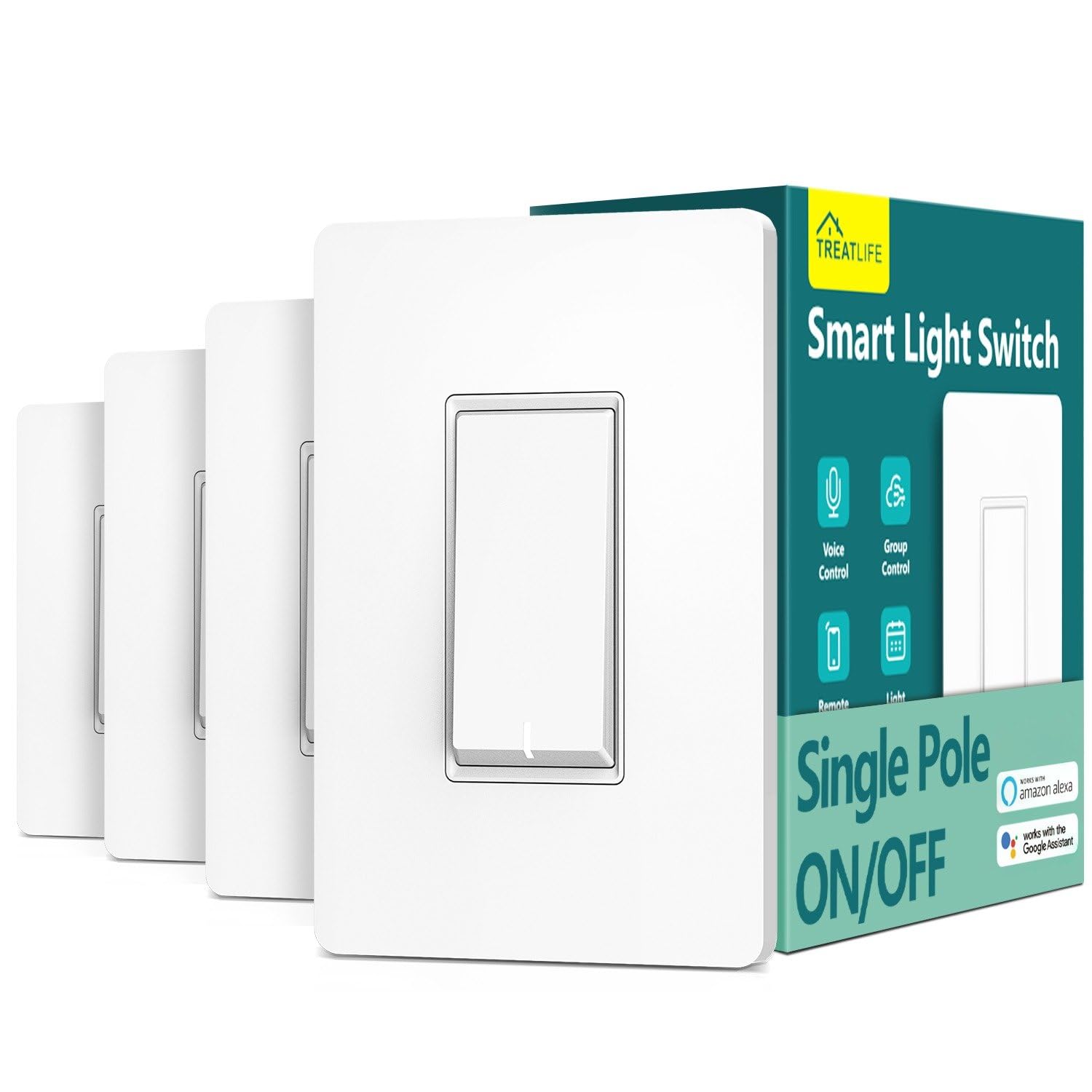
Treatlife 4-Pack

Treatlife 4-Pack

Whole-home budget

Our Score 9.0/10
Check Price

Worth Noting

  • Single pole only, no 3-way circuits
  • Wall button can fail before the smart side
Pack
4 switches
Load Rating
10 A, 1250 W
Switch Type
Single pole
Neutral Wire
Required

Four switches, four plates, four sets of wire nuts: this pack is the cheapest way to make a whole house smart, and the arithmetic is why it is on the list. Per switch, nothing else here gets close, and that changes the project from which room first into doing the lot in an afternoon.

The faceplate is the detail we noticed once it was on the wall. It is a flat screwless cover, so there is no row of screws breaking up the paint, and a small LED makes the switch findable in a dark hallway without lighting the room. Wiring is ordinary single pole with a neutral, the Smart Life app hands you a step-by-step, and the switches speak Alexa, Google, SmartThings and IFTTT, which makes them a sensible fit for a house already running Smart Life.

Two limits matter before you order four. It is single pole only, so a three-way circuit is out, and the app is Smart Life rather than a first-party one, which is unglamorous but works. Reliability is the bigger caveat, and the failure mode is sneaky: the wall button is the part that gives out, sometimes while app control carries on, so a dead switch looks like a network problem until you walk over and press it. The pack price and the two-year warranty soften that considerably.

Bottom line: The whole-house buy: four switches and plates at the lowest cost per switch here, with the tidiest faceplate in the group, so long as no circuit in the house is three-way.

6

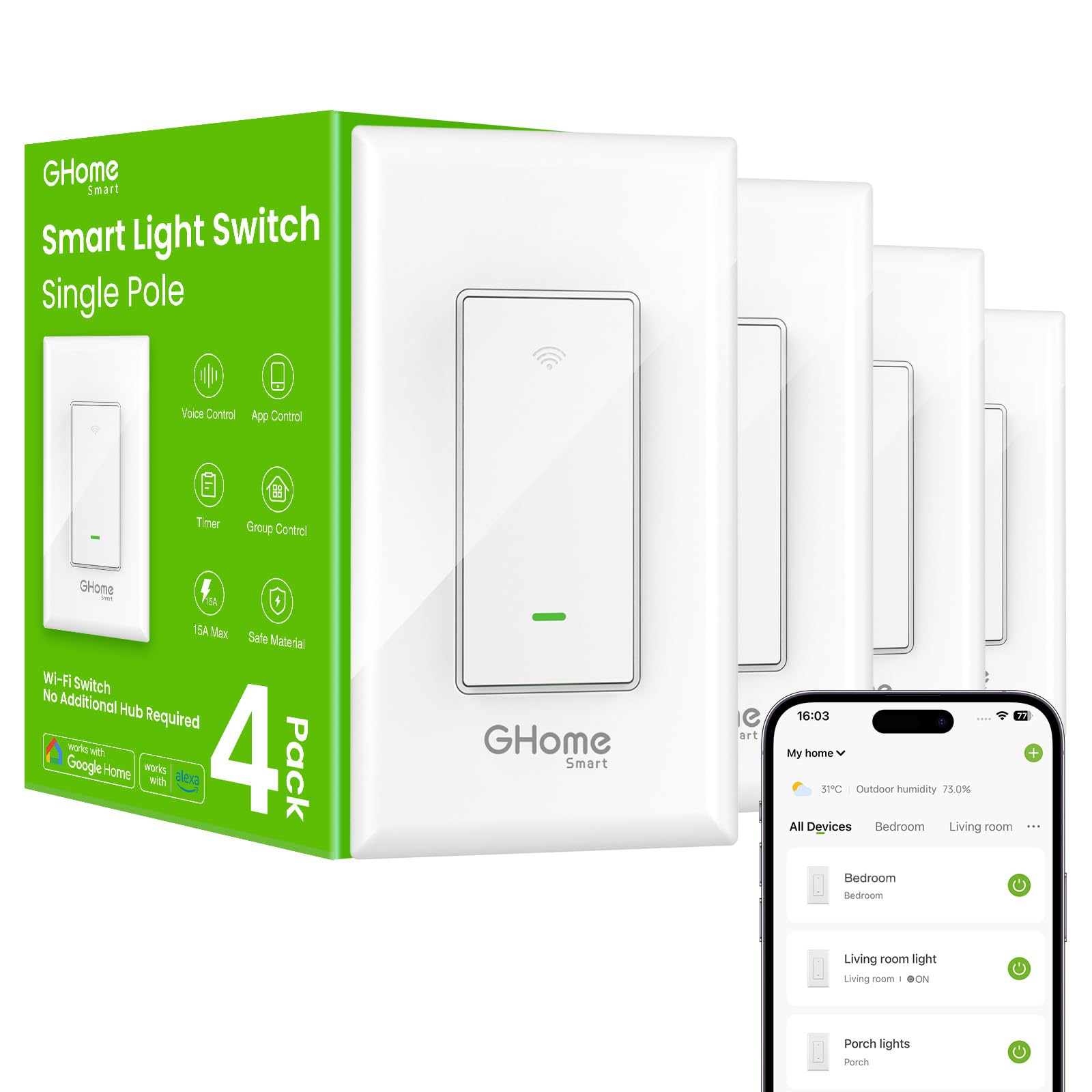
GHome 4-Pack

GHome 4-Pack

Garage and rental

Our Score 9.0/10
Check Price

Worth Noting

  • Single pole only, no 3-way option
  • Noticeable lag on the physical button
Pack
4 switches
Load Rating
15 A, 1800 W
Switch Type
Single pole
Certification
UL and FCC

Set the GHome pack next to the Kasa switches and it looks like the same idea with the branding filed off: four white paddles, four plates, wire nuts and screws in the box, and the same job in mind. It undercuts the Kasa per switch, adds UL and FCC certification and a 24-month warranty, and asks you to trust an app you have probably never heard of, which is the part we hesitated over.

One gap to close before ordering. The neutral wire is spelled out on every other single-pole switch here; GHome's listing does not say either way, and a smart switch that needs a neutral is useless in a box without one. Pull the plate, look for the white bundle, and if you cannot identify it, ask support or buy a switch that states the requirement plainly. The rest of the installation is ordinary.

Where the pack earns its place is headroom: 15 amps and 1800 watts, the highest rating in this group, so a switch sharing a circuit with a fan or a heavy fixture is not a worry. The physical button has a beat of lag before the light responds, which is noticeable if you use the wall more than the app. Early failures cluster in the first few months rather than years, which at least makes them the warranty's problem. For a garage, a basement or a rental where four cheap switches beat two good ones, it is an easy call.

Bottom line: A cheap four-pack with the highest load rating here and a two-year warranty, best for garages and rentals, but confirm the neutral wire before you order.

How We Tested 12 Smart Switches in Three Homes

We started with every smart switch sold by the major retailers, filtered out anything that required a proprietary hub we didn't already own, then cut the list by price, bulb compatibility, and whether a three-way version existed. That left 12 switches, which we bought ourselves and installed across three homes over four months.

Installation came first, since it's where these live or die. We killed the breaker, opened each box, and timed the job from the first instruction to the faceplate going back on — once as someone who'd done it before, once following the instruction sheet alone. We noted whether the diagrams matched the wires actually in the wall, whether the terminals took solid and stranded wire, how much of the box the body ate up, and whether the wire labels meant anything to a first-timer. Two switches never made it past this step in one house for lack of a neutral wire.

After that, every switch ran on a real schedule: porch light at dusk, hallway on motion after 10 p.m., kitchen dimmed to about 30 percent after dinner. We logged pairing time, dropouts, and reconnects after deliberately rebooting the router twice, and judged responsiveness by how often the paddle answered instantly versus after a visible lag or not at all. Each dimmer ran against three kinds of LED bulbs, and we listened for buzz and watched for flicker at the bottom of the range.

At the end we compared cost per switch and per three-way set, how the paddle felt after months of daily use, and whether the app made sense to someone who never opened the manual. A few were disappointing only in week six — a firmware update that wiped schedules, a switch that went unresponsive until we flipped the breaker.

How to Choose Smart Light Switches

Find the neutral wire first

Almost every Wi-Fi switch here needs a neutral wire, the white bundle tucked at the back of the box, and plenty of older homes simply do not have one at the switch. Kill the breaker, pull the plate and look before you order anything. If the white wires are there, your choice is wide open.

If they are not, the field narrows to switches designed to run without one, and the Lutron Caseta is the pick we trust in that situation. It is behind most smart-switch purchases that turn out to be the wrong one for the house.

Match the switch to the circuit

A single-pole switch controls one light from one place. A three-way circuit controls the same light from two, usually the top and bottom of a staircase. They are not interchangeable and no app setting fixes it: a three-way circuit needs a three-way switch such as the Kasa HS210 kit, with a unit at each end.

Dimming is a separate question again. If you want to change brightness, buy a dimmer and check that your bulbs are actually dimmable, because cheap LED lamps and dimmers make a bad-tempered pair. Flicker or a low buzz at the bottom of the range is the usual sign.

Choose the platform before the brand

Decide whether the house runs on Alexa, Google Home, Apple Home or SmartThings, then buy for it. Most switches here cover two of those. Matter models such as the Tapo S505 cover all four and let two systems operate the same switch at once, which is the closest thing to future-proofing in this category.

Two traps. A listing that says it works with Google Home may mean only through a Matter hub, so read what the hub requirement actually is. And a hub-based system like Caseta needs its own box before anything talks to anything, which is a real cost on top of the switch.

Leave room in the box

A smart switch is deeper than the mechanical one you are removing, and the wire takes up space too. In a single box you will usually be fine. In a two- or three-gang box that already holds several cables, the switch body can foul its neighbour and the plate can end up sitting proud of the drywall.

Check what is behind the plate before you buy a set of switches for the whole house, and never force a cover plate flat against a wall that is fighting back. If it will not sit flush, the box is the problem, not the plate.

Price the pack, not the switch

Single switches are the expensive way to buy. Four-packs like the Treatlife and GHome sets bring the cost per switch down sharply, and that is usually the difference between doing one hallway and doing the house.

What you trade is flexibility and support. A pack commits you to one design and one app everywhere, and warranty cover ranges from a single year to two depending on the brand, so check it before you commit. Fit one switch, live with the app for a week, then order the rest.

Frequently Asked Questions

Final Verdict

Our starting point is the Kasa HS200: no hub, both major assistants, an app that walks you through the wiring, and the smallest outlay to get started. Two things override that advice. If the box has no neutral wire, or you want to dim, the Lutron Caseta earns its hub and its premium, because it is the steadiest system here and the only one that works on two wires. And if one light is controlled from both ends of a staircase, the HS210 kit is the right purchase, not two single switches.