Smart Home & Security

Best Smart Locks of 2026

The moment a smart lock proves itself isn't installation day. It's the night you come home with both arms wrapped around a bag of groceries, the dog pulling toward the door, and no free hand for a key. What a good one actually removes from your day is that whole small ritual — the pocket pat-down, the juggle, the balancing act on the step — and it does it without handing you a new thing to worry about. That second half is the hard part, and it's why my team and I have spent the past six months installing 12 of these on our own front doors, back doors, and one much-abused garage entry.

Here's what nobody tells you before you buy: the flashiest feature, auto-unlock, is the one most likely to let you down. It leans on your phone's Bluetooth and location services, so it can fire while you're still in the driveway or not at all when your phone battery is low. A fingerprint reader is more dependable — right up until your hands are wet from rain or dusty from the garden. What separates the locks below is how gracefully they handle those bad days, and the picks are grouped by which trade-off you'd rather live with.

1

Veise VE06-H

Top Pick
Veise VE06-H

Front door handleset

Our Score 9.0/10
Check Price

Worth Noting

User Codes
250+
Connectivity
Bluetooth; Wi-Fi via G2 gateway
Access Methods
App, code, fob, key, thumb turn
Weather Rating
IP55

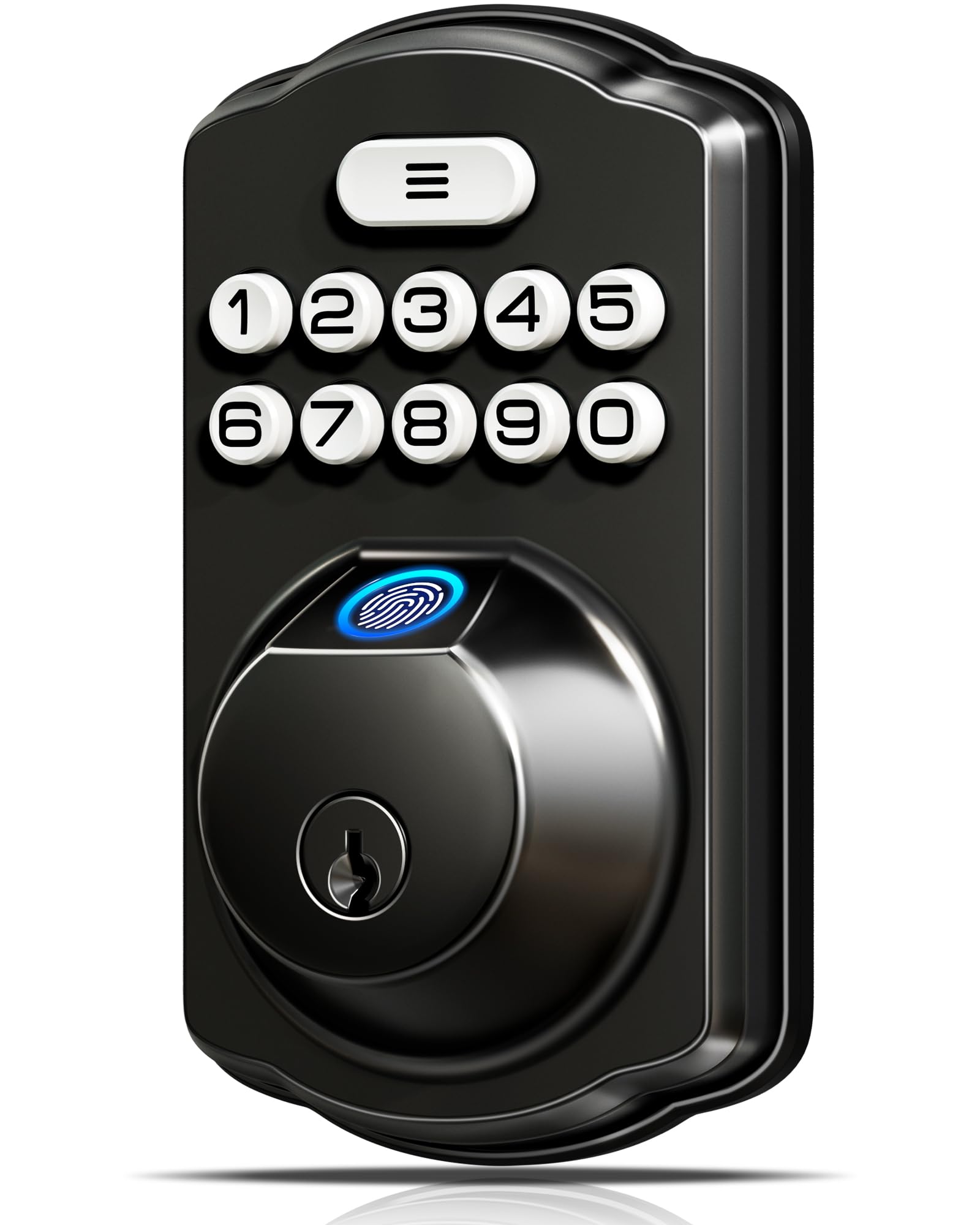
The VE06-H is the one we point to when someone wants the whole front door to feel finished, not just a keypad bolted above an old handle. The lever and deadbolt are a matched set, and the matte black finish is the best-looking hardware in this group. You get app control, codes, two fobs, a mechanical key, and a thumb turn, so everyone in the house has a way in that suits them.

We were impressed by the rental-ready side: you can create one-time, scheduled, or recurring codes and eKeys from the app, and the 250-plus code capacity is far more than a family needs. The catch is remote access. Bluetooth app control works without extra hardware, but Wi-Fi, Alexa, and Google need the Veise G2 gateway sold separately. That's not a dealbreaker for a primary home, but budget for it if you want to check the door from the office.

Installation is a bigger job than a deadbolt-only swap because you're replacing the handle and the deadbolt, so check your door prep and backset before ordering. The payoff is a clean, cohesive entry, and it has the strongest overall package in this group. What sold us is the combination of looks, access options, and guest management rather than one flashy feature.

Bottom line: We recommend the Veise VE06-H for a front door that needs a complete, polished handleset with app, code, fob, and key access, provided you add the gateway for remote Wi-Fi.
2

ULTRALOQ Bolt SE

ULTRALOQ Bolt SE

Apple Home setups

Our Score 8.6/10
Check Price

Worth Noting

  • App and Wi-Fi can be finicky
Connectivity
Wi-Fi, Bluetooth, Matter over Thread
Fingerprints
50
Certification
BHMA certified
Access Methods
Fingerprint, code, app, key

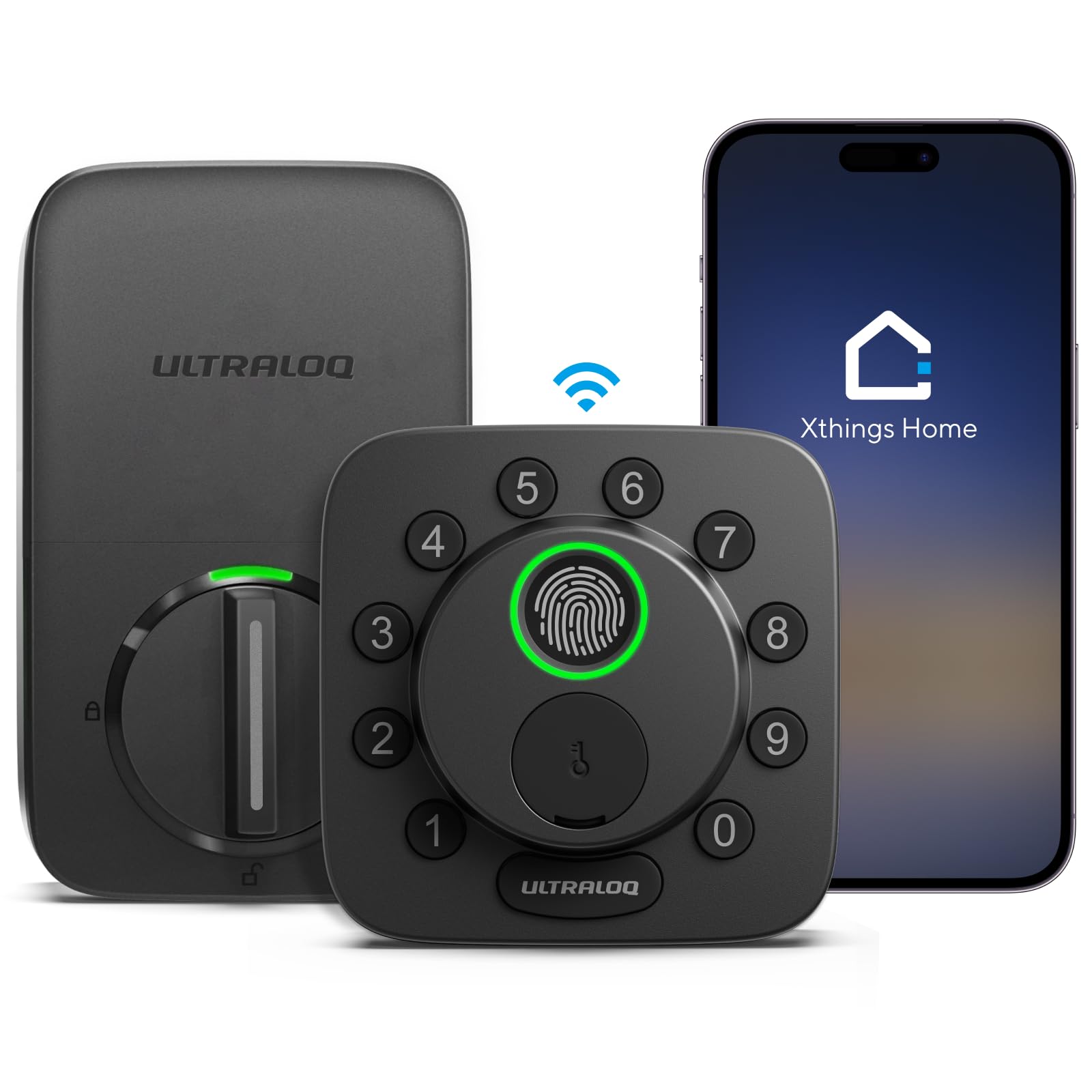
If your smart home runs on Apple Home or Matter, the Bolt SE is the most complete lock here. It covers fingerprint, keypad, app, web portal, eKeys, and Matter over Thread, and it's the only one in this group with built-in Wi-Fi and Apple Home support in the same box. That breadth is the reason it earns a runner-up spot.

The fingerprint reader stores up to 50 prints and the keypad takes 50 codes, which is more than most households need but useful for a rental or a small office. We found the reader quick when the finger was centered; off-center presses were the ones that needed a second try. The zinc body and BHMA certification give it a sturdier feel than the budget locks here.

The trade-off is long-term durability: some units have failed after a couple of years, which is why it's a runner-up rather than our top pick. If you want the broadest ecosystem support and you're comfortable with a more complex setup, it's a strong choice; if you want a lock that never asks you to open an app, the Schlage Camelot is the safer buy.

Bottom line: We recommend the ULTRALOQ Bolt SE for a tech-forward household that wants Apple Home, Matter, fingerprint, and keypad access in one lock, as long as you can live with some app fussiness.

3

eufy Smart Lock C220

eufy Smart Lock C220

No-hub Wi-Fi

Our Score 8.4/10
Check Price

Worth Noting

  • Fingerprint reader can be inconsistent
Battery
8 AA batteries
Connectivity
Built-in Wi-Fi
Access Methods
Fingerprint, code, app, key
Weather Rating
IP53

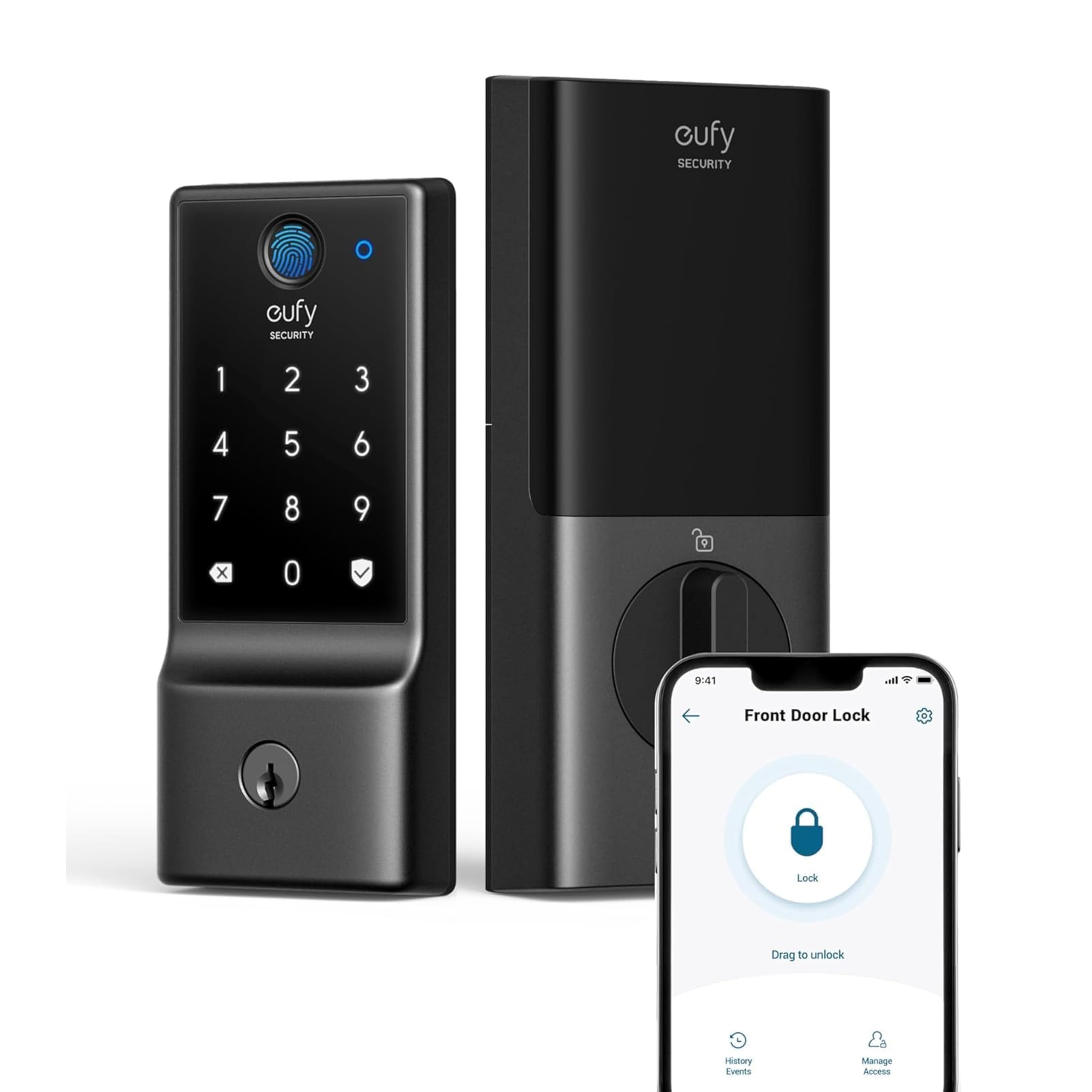
The C220 is the simplest way to get a connected lock on the door without adding a bridge or a hub. Wi-Fi is built in, the fingerprint reader is on the outside, and the eufy Security app handles codes, notifications, and remote locking. For a household already using eufy cameras or a doorbell, it slots into the same app with almost no friction.

We like the fingerprint-first setup: it reads quickly when it works, and the self-learning claim is plausible because the reader settles in with repeated use. The keypad and physical key are there as backups, and the lock is BHMA Grade 3 with a 36-month mechanical warranty, which is more coverage than most budget locks offer.

The catch is power. The eight-month estimate is optimistic with Wi-Fi active, so plan on checking the low-battery alert and using lithium AAs. If you want built-in Wi-Fi and don't mind monitoring batteries, it's a good fit; if you want a lock you can ignore for a year, the Schlage Camelot is the better bet.

Bottom line: We recommend the eufy C220 for a household that wants built-in Wi-Fi and fingerprint access without a hub, as long as you're willing to stay on top of battery changes.

4

Schlage Camelot

Schlage Camelot

No-app keypad

Our Score 8.6/10
Check Price

Worth Noting

  • Long-term durability is mixed
Power
9-volt battery
Finish
Satin nickel
Access Methods
Keypad, key
Security Rating
Grade 2/AAA

The Camelot is the lock we recommend when someone wants keyless entry without a smartphone, an app, or a subscription. It's a keypad deadbolt with illuminated silicone buttons, a 9-volt battery, and a physical key backup. There's no Wi-Fi and no auto-lock; you punch in a code to unlock and press the Schlage button while turning the thumbturn to lock.

That sounds old-fashioned, and it is, but the simplicity is the point. The Grade 2/AAA rating is the highest security rating in this group, the metal body feels substantial, and the illuminated buttons are easy to read in the dark. Installation is a screwdriver job, and the code programming is done at the keypad rather than buried in an app.

The trade-off is convenience. You don't get remote access, fingerprint entry, or automatic locking, and the inside thumbturn is manual. For a rental, a garage, or a front door where you don't want another app, that's a fair trade. For a busy household that wants the door to lock itself, it isn't.

We keep coming back to the Camelot because it does the core job with fewer things to break. The long record is not an accident; it's a lock you install and then stop thinking about. If you want a simple keypad that feels solid and doesn't depend on Wi-Fi, this is the one.

Bottom line: We recommend the Schlage Camelot for anyone who wants a proven keypad deadbolt with no app, no Wi-Fi, and no auto-lock, and who values simple, solid hardware over remote convenience.

5

TEEHO TE001

TEEHO TE001

Budget back door

Our Score 9.0/10
Check Price

Worth Noting

Auto-lock
10–99 seconds
User Codes
20
Access Methods
Keypad, key
Weather Rating
IP54

The TE001 is the budget lock we recommend without a caveat about it feeling cheap. It's a keypad deadbolt with 20 codes, a one-time guest code, auto-lock you can set from 10 to 99 seconds, and a one-touch lock that works by holding any key. The aluminum body and IP54 rating are more than we expect at this end of the market, and it's the safest low-cost pick here.

What we don't like is the auto-lock consistency. It can be set to lock itself, but it doesn't always engage, so test it on your door before relying on it. The keypad and manual lock work fine, and the 365-day battery claim is realistic if you keep auto-lock off. For a back door, rental, or first smart lock, it's an easy recommendation; for a front door where you want app alerts, spend more.

Bottom line: We recommend the TEEHO TE001 as the best budget keypad deadbolt for a back door or rental, provided you test the auto-lock and don't need app or fingerprint access.

6

Veise KS02A

Veise KS02A

Budget fingerprint

Our Score 8.8/10
Check Price

Worth Noting

  • Battery drain is heavy with auto-lock on
User Codes
20
Fingerprints
20
Access Methods
Fingerprint, code, key
Weather Rating
IP54

The KS02A is the least expensive way to get a fingerprint reader on a deadbolt, and it doesn't feel like a compromise in the hand. The reader stores 20 prints, the keypad takes 20 codes, and there are two mechanical keys plus one-time guest codes. Installation is straightforward, and the matte black finish looks better than the price suggests.

We found the fingerprint reader is the weak point. It usually works, but a clean, centered finger matters, and it isn't as quick as the readers on the pricier locks here. The keypad and two keys are reliable backups. For a bedroom, office, or rental where you want fingerprint entry on a budget, it's a solid pick; for a busy front door, the Veise VE06-H is the better long-term buy.

Bottom line: We recommend the Veise KS02A for a bedroom, office, or rental that wants budget fingerprint entry, as long as you can live with heavier battery drain when auto-lock is on.

7

Yamiry YR01

Yamiry YR01

Rental guest access

Our Score 8.6/10
Check Price

Worth Noting

  • Fingerprint reader can be inconsistent
Fobs
2
Backup Keys
2
Connectivity
Bluetooth app
Access Methods
Fingerprint, code, app, fob, key

The YR01 is aimed at landlords and hosts: you can create permanent or temporary codes in the app, hand out fobs, and keep a mechanical key for backup. It stores multiple access methods, and the matte black finish is clean enough for a front door. It's one of the more flexible locks here for managing guests without handing over a key.

The app setup is Bluetooth-first, and the connection was stable in our testing. The fingerprint reader is the headline, and it works well enough for quick entry. The keypad and fobs are the everyday options, and the mechanical key is a useful backup.

For a rental where guests use the keypad and you manage codes remotely, it's a good value. The app makes it easy to add and remove access without meeting anyone, and the fobs are handy for cleaners or family. The main caveat is inside operation: some units are awkward to lock or unlock from the inside, so test that before you commit. For a primary front door, the Veise VE06-H is easier to live with.

Bottom line: We recommend the Yamiry YR01 for a rental or Airbnb where you want app-managed codes, fobs, and a key backup, provided you test the inside operation before you commit.

8

Yamiry YR04

Yamiry YR04

Knob replacement

Our Score 8.8/10
Check Price

Worth Noting

Material
Aluminum alloy
Auto-lock
5–99 seconds
User Codes
20
Access Methods
Keypad, key

The YR04 is for a door that has a knob rather than a deadbolt, or for someone who wants keyless entry without changing the whole lock format. It's a keypad knob with a backlit keypad, 20 codes, a one-time guest code, and two mechanical keys. Installation is a screwdriver job, and the aluminum body feels sturdier than the plastic knobs it replaces.

We like it for a garage, workshop, laundry room, or interior door where a full deadbolt is overkill. The auto-lock can be set from 5 to 99 seconds, and you can disable it when you're having people over. The code programming is done at the keypad, and the backlight is a nice touch for coming home after dark.

The obvious limitation is security: a knob lock is not a deadbolt, so we don't put this on a primary front door unless your door already uses a knob lock and you're comfortable with that level of protection. It also replaces the knob, not the deadbolt, so check your door prep before ordering.

For the right door, it's a clever, affordable upgrade. We recommend it for a back door, shop, or rental where you want codes and a key backup without cutting a new deadbolt. If you need primary-entry security, spend the extra on a deadbolt lock like the Veise VE06-H.

Bottom line: We recommend the Yamiry YR04 for a garage, workshop, or interior door that already has a knob lock and wants keypad entry without adding a deadbolt.

How We Tested 12 Smart Locks on Real Doors

We started by pulling every lock we could find that's sold with a keypad, an app, or both, then filtered on the unglamorous details that decide whether it fits your door at all: deadbolt backset and door thickness, whether it keeps a physical key override, finish options, and what you get for the money compared with a solid dumb deadbolt.

Each of the 12 locks spent at least a month mounted on a door — a main front entry, a back door off the kitchen, a garage side door, and one apartment door — and I installed every one myself with nothing but a screwdriver and the hardware in the box, timing the job and noting exactly where the instructions lost me. After pairing, we timed how long it took to add a second user and handed a neighbor a guest code to see if they could get in without help.

Then we just lived with them. We came home with groceries, walked the dog in the rain, left with our hands full, and logged whether auto-unlock fired at the right distance or jumped the gun from the driveway. We watched auto-locking actually throw the bolt and then checked by hand that the door was locked, not just that the app said so. I scanned each fingerprint reader 20 times with dry hands, wet hands, and hands fresh from the garden, and we killed the Wi-Fi for an afternoon to see what still worked over Bluetooth and what shut us out entirely.

Battery life we tracked from install day, and when a lock warned of a low battery we pulled the cells to find out whether it had given us real notice or a token beep. Six months in, we looked at each finish for scratches and fingerprint smudges, checked that the motor still moved at the same speed it did in week one, and asked whether the whole thing was worth its price.

How to Choose Smart Locks

Start With the Door

Before you compare features, look at the hardware already on the door. A deadbolt-only lock replaces the bolt above your handle; a handleset replaces the lever and the bolt together; a knob lock replaces the knob. Those are different jobs, and a smart lock that fits one won't fit the others. Check the door prep, backset, and whether the door is left- or right-handed. The trap is assuming every smart lock is a drop-in deadbolt swap. The Veise VE06-H is a complete handleset, the Yamiry YR04 is a knob replacement, and the Schlage Camelot and TEEHO TE001 are deadbolt-only. Measure before ordering.

Choose Your Access Method

Keypad, fingerprint, app, fob, and mechanical key each solve a different moment. A keypad is the most reliable for everyone, including guests and kids; fingerprint is faster when your hands are full but can be inconsistent on budget locks; app control is for remote access and logs, not for everyday entry. We recommend at least two ways in: a code plus a key, or a fingerprint plus a code. Don't buy a fingerprint lock as the only way into a rental. The eufy C220 and ULTRALOQ Bolt SE are the strongest fingerprint-first picks here, while the Schlage Camelot is the simplest keypad.

Decide How Much Connectivity You Need

Built-in Wi-Fi is the difference between checking the door from anywhere and only managing it nearby. Bluetooth is simpler and often more stable, but it usually needs you within range; a hub or gateway adds remote access and voice control, sometimes as a separate purchase. Matter over Thread is the most flexible route into Apple Home, Alexa, and Google, but it depends on a strong Thread border router. The trap is a listing that says Wi-Fi when the lock actually needs a gateway. The Veise VE06-H needs the G2 gateway for Wi-Fi and voice; the eufy C220 and ULTRALOQ Bolt SE have built-in Wi-Fi.

Plan for Power and Auto-Lock

Every lock here runs on batteries, and the claimed life is a best case. Wi-Fi, fingerprint reads, and auto-lock all shorten it, so choose a lock with a low-battery alert and keep spare batteries on hand. Auto-lock is convenient, but it can engage before the door is fully closed, especially on a warped frame. Test it for a week before you rely on it. If you want the longest battery life, a keypad-only lock like the Schlage Camelot or TEEHO TE001 is the simpler bet; if you want Wi-Fi, expect to monitor the alert.

Match Security and Capacity to the Door

Security is not just the word smart on the box. Look for an ANSI/BHMA rating, and remember that a deadbolt protects better than a knob lock. For a rental, code capacity and temporary access matter more than fingerprint; the Veise VE06-H handles 250-plus codes, while the Yamiry YR01 is built around app-managed guest access. For a family home, 20 codes is plenty. The trap is buying a knob lock for a front door because it is easier to install. Put the security rating first, then the convenience features.

Frequently Asked Questions

Final Verdict

The Veise VE06-H is our top pick because it solves the whole front door: a matched lever and deadbolt, five access methods, and rental-ready codes. Add the G2 gateway if you want Wi-Fi and voice control. If you want the broadest smart-home integration, the ULTRALOQ Bolt SE is the better fit; if you want a simple keypad with no app, the Schlage Camelot is the one we trust.