Phone & Tablet Accessories

Best Tablet Keyboard Case of 2026

A tablet is the lightest computer you own — right up until you add a keyboard case. Then it gains a hinge, a deck, a trackpad, and a few ounces you feel on a commute. That trade is worth making: the right case turns a screen you watch into something you can draft an essay on. The wrong one undoes it, with mushy keys, a kickstand that collapses mid-sentence, or magnets that let go when you tilt the screen back. My team and I have spent six months typing on 12 of them.

The attachment decides almost everything else. A strong magnetic back holds at steep angles without re-seating it; a weak one turns every tilt into a small fight. Watch how the keyboard charges, too — some draw power from the tablet, others want their own cable, and that gets old on a trip. Fit and color are easy to get right. Everything else is what separates a case you keep from one you leave in a drawer — the picks below are the ones that survived.

1

ESR Ultra-Light Keyboard Case

Top Pick
ESR Ultra-Light Keyboard Case

Everyday iPad work

Our Score 8.8/10
Check Price

Worth Noting

  • No backlit keys
  • Only two fixed viewing angles
Weight
1.17 lb
Trackpad
Extra-large, multi-gesture
Compatibility
iPad A16 11-inch (2025), iPad 10th gen 10.9-inch
Viewing Angles
65 degrees and 20 degrees

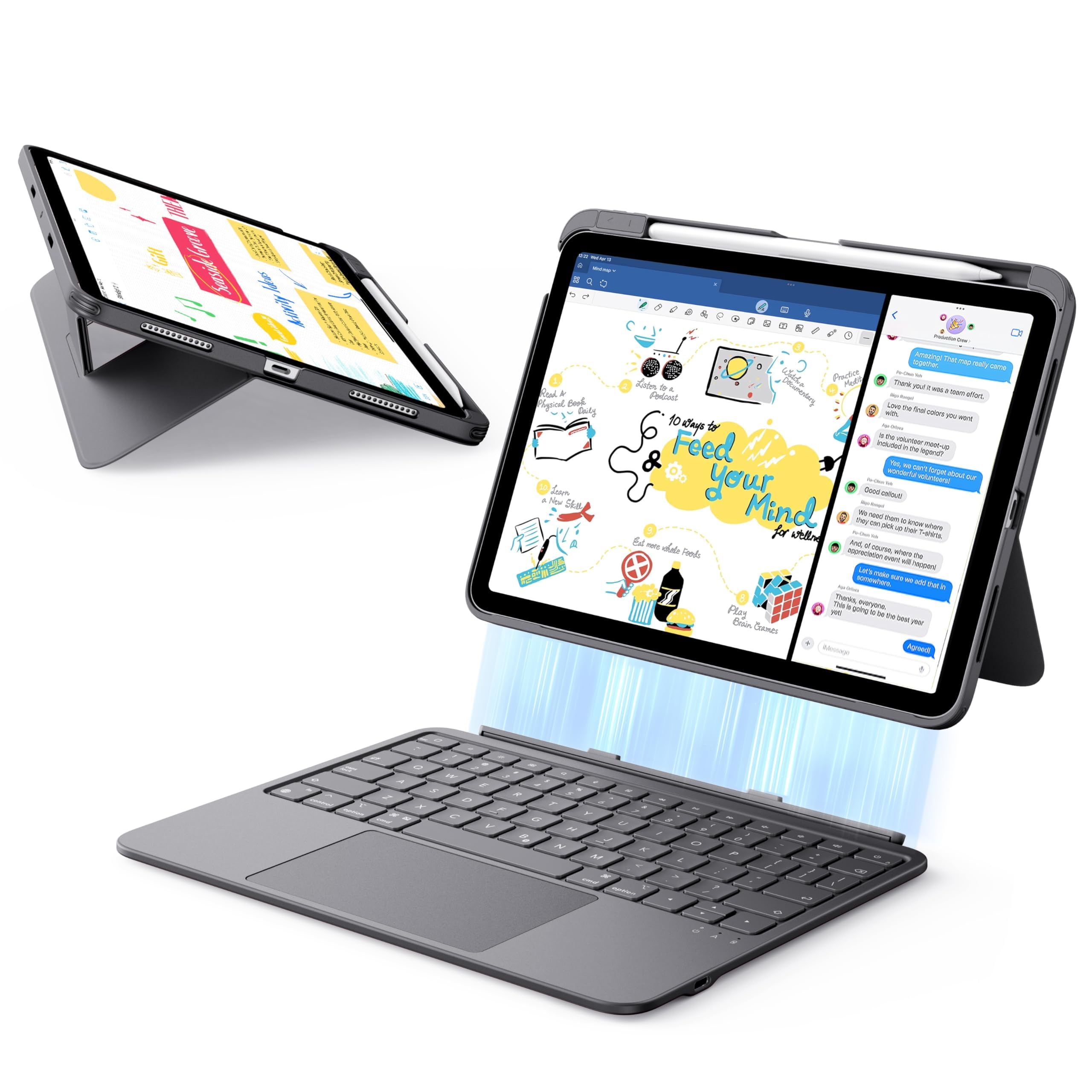
Trackpad first, because it is the part that decides whether an iPad case feels like a laptop or a toy. This one is wider than the strips most cases give you, so two-finger scrolling stays a scroll instead of sliding into a gesture halfway down a page, three-finger app switching lands on the first attempt, and the cursor goes where you push it. ESR's claim is a trackpad 65% larger than the usual; what matters is that it is big enough for gestures your fingers can actually finish.

That is why we hand this recommendation to most iPad owners. An afternoon of typing does not leave your hands cramped, the keyboard half lifts off magnetically when you want the iPad back in tablet form, and at 530 g with a 6.9 mm keyboard it does not drag on a shoulder strap.

The stand works in the two positions it offers. Sixty-five degrees is right for typing at a desk or on a train tray, and the shallow 20-degree setting is the one for sketching with a pencil or watching something on a kitchen counter. The triangular fold stays put when you tap the screen, which is exactly where cheaper groove stands give way.

Battery life has not been a worry: this is a keyboard you charge occasionally rather than every night. The shell wraps the back and edges and leaves the ports and camera clear. The limit is the fit list - iPad A16 11-inch (2025) in A3354, A3355 or A3356, and the 10th-generation 10.9-inch in A2696, A2757 or A2777. Anything else in the house needs a different case.

Bottom line: For most iPad owners this is the one to buy: a genuinely usable trackpad, a stand that stays put and a keyboard that types like a small laptop.
2

typecase Touch 360 Keyboard Case

typecase Touch 360 Keyboard Case

Portrait and calls

Our Score 9.0/10
Check Price

Worth Noting

  • Heavy at 650 g and top-heavy on a lap
  • Keyboard stays attached in tablet mode
Hinge
360 degrees, 7 use modes
Weight
1.43 lb
Backlight
11-color RGB
Compatibility
iPad A16 11-inch, iPad 10th gen 10.9-inch

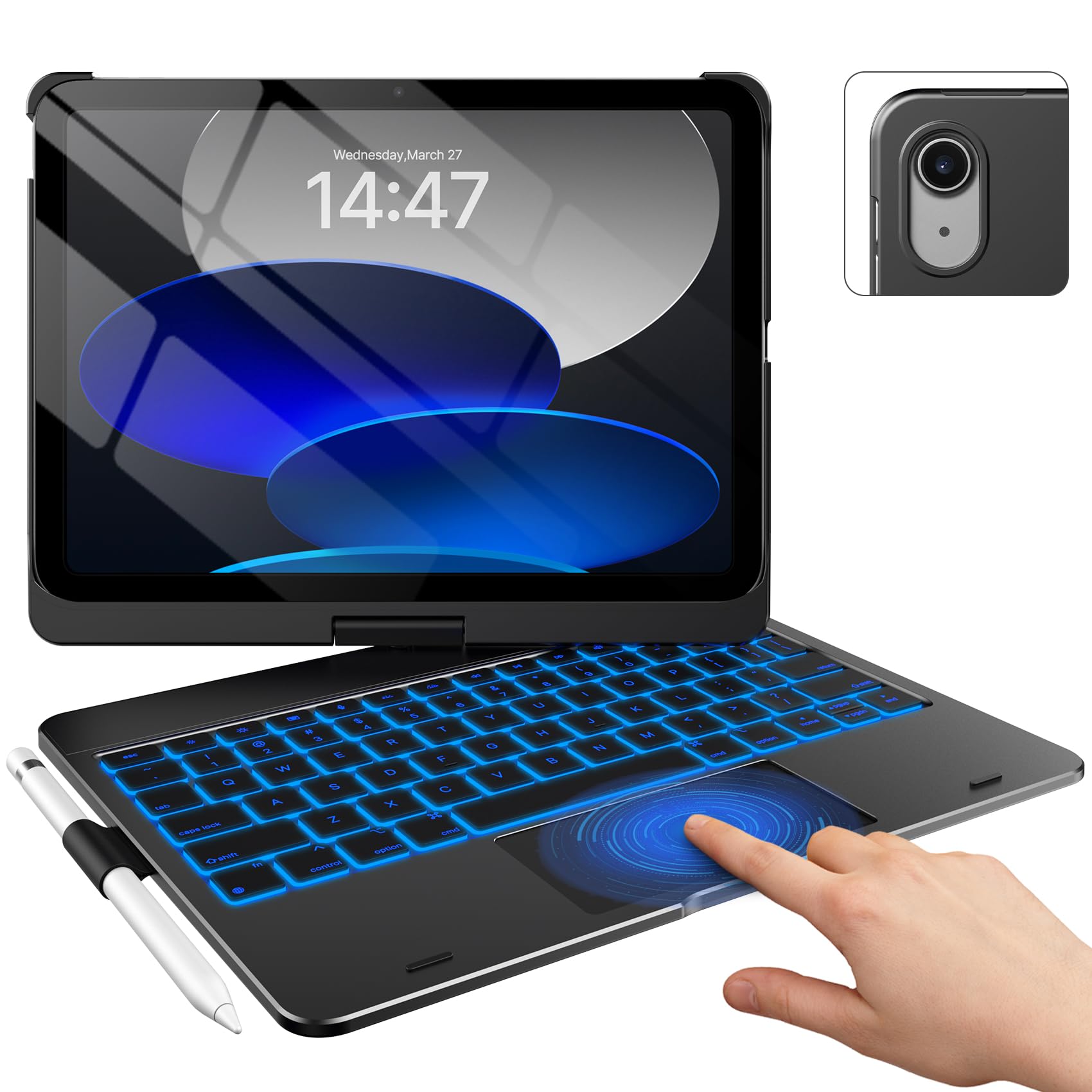
The hinge is the whole idea. The iPad clips into a hard shell that swivels a full 360 degrees, so it flips from laptop to portrait to a near-flat drawing position without anything coming apart. We like it most for the jobs a fixed folio handles badly: a video call in portrait, a recipe propped sideways on the counter, a form you are signing with a finger.

Typing is better than the price suggests. The keys are laptop-shaped with a full row of iPadOS shortcuts, and the 11-color backlight earns its place on a night flight. The trackpad takes the usual two- and three-finger gestures, and pairing was uneventful in the way you want: connected on the first attempt and stayed connected through a week of daily use.

Protection is where it pulls ahead of the folios. A polycarbonate shell covers the back and sides, there is a slot for the Apple Pencil, and sleep/wake fires when you close the lid. A hard shell is what you want if the iPad travels in a bag with a laptop and a water bottle.

Bottom line: Worth it if you want one case that types, stands and rotates into portrait; the hinge is the feature you are paying for.

3

Apple Magic Keyboard Folio

Apple Magic Keyboard Folio

Serious typists

Our Score 8.8/10
Check Price

Worth Noting

  • No backlit keys
  • Barely protects the bezels
Design
Two-piece magnetic, detachable
Trackpad
Built-in, click-anywhere
Function Row
14 keys
Compatibility
iPad (A16) and iPad 10th generation

It comes apart in two: a keyboard that clips magnetically to the iPad's edge and a back panel that stands on its own. That is either the best thing about Apple's Folio or the reason you skip it. The halves separate if you pick the whole thing up by the cover alone, and on a sofa they can end up in different rooms.

Type on it and the argument gets clearer. The keys are quieter and more substantial than the third-party cases here, the 14-key function row handles brightness and volume without a trip to the screen, and the trackpad clicks anywhere on its surface rather than only along the bottom edge.

There is no keyboard battery to manage, because the Folio draws power through the iPad's connector. That sounds like a small thing until you have started typing on a flat keyboard halfway through a meeting.

We keep coming back to the typing feel, and that is the case for buying it. If the keyboard is the part you use most, this is the best one here and the price is the price. If you mostly watch, read and answer the occasional email, a cheaper case does the same job for a lot less.

Bottom line: Buy it if the keyboard is the part you use most: the best typing here, no charging to remember, and a price that reflects whose logo is on it.

4

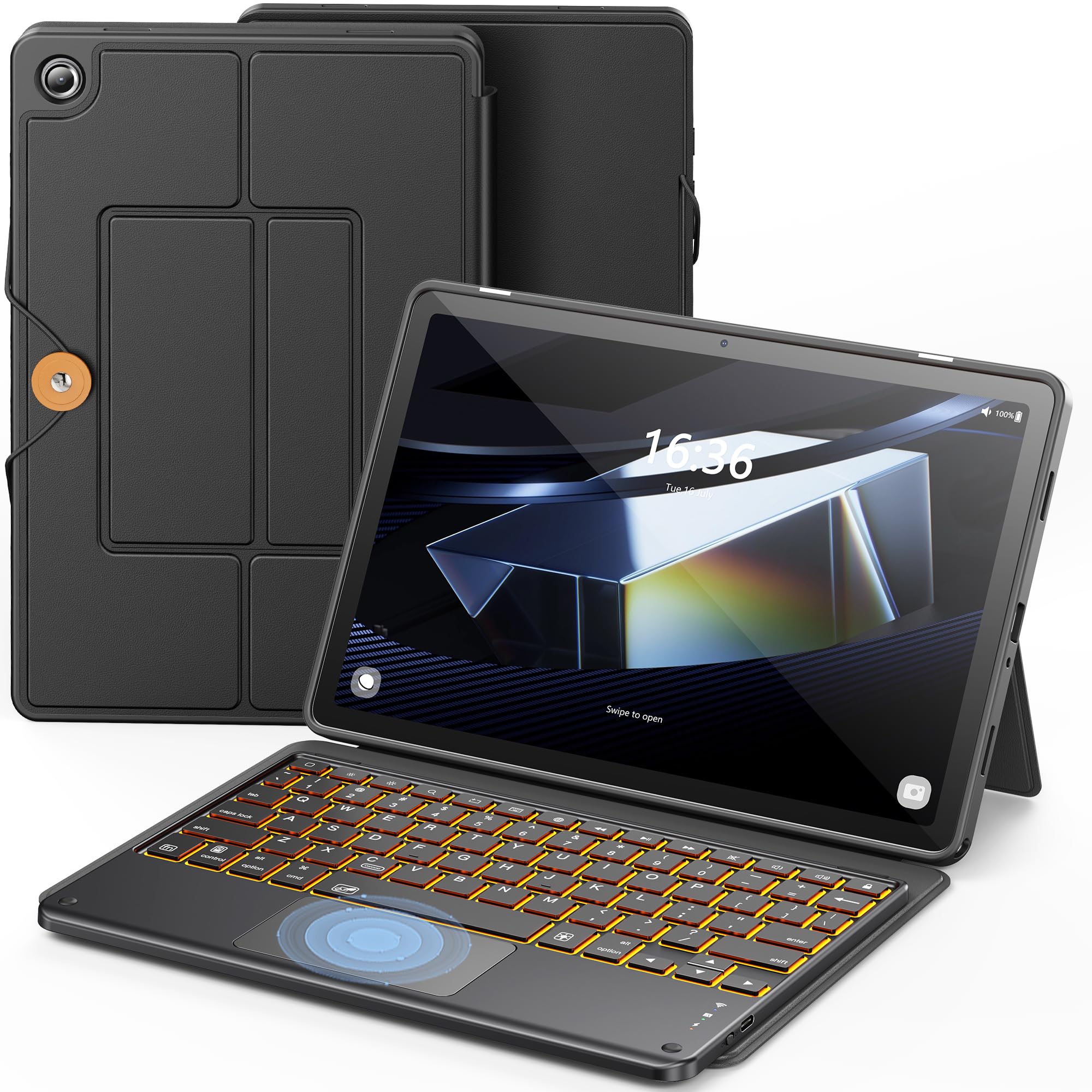
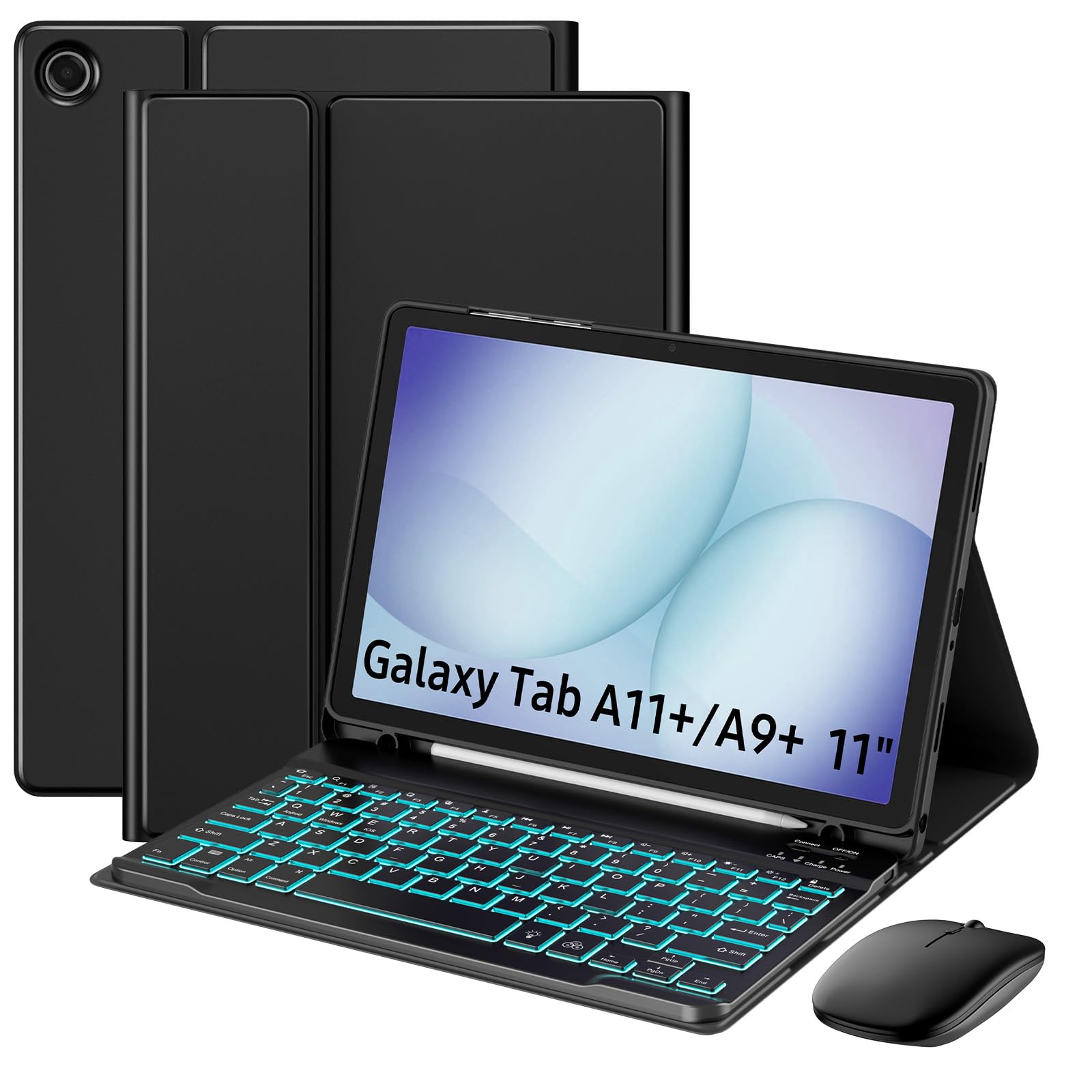
INFILAND Keyboard Case for Tab A9+/A11+

INFILAND Keyboard Case for Tab A9+/A11+

Galaxy Tab A9+

Our Score 9.2/10
Check Price

Worth Noting

  • Adds 0.68 kg to your bag
Battery
Up to 4 hrs backlit, 5-7 days standard
Trackpad
Multi-finger gestures
Backlight
7-color RGB
Compatibility
Galaxy Tab A11+ and A9+ 11-inch

Samsung owners get the better end of this deal. For the Galaxy Tab A9+ and A11+ this is the case we point to, and the touchpad is why: click, pinch, swipe and scroll all behave the way a laptop does, so you can work through a document without lifting a hand to the screen. The fit is the other half of it; the tablet sits deep in the shell and the cutouts line up. The keys have real travel too, which is not a given on a case this cheap.

The backlight runs seven colors, and soft pads at the keyboard's corners keep the keys off the screen when it closes. Battery life is the thing to plan around: roughly four hours with the backlight on, or five to seven days of ordinary typing with it off, so leave the lights off unless you need them. The box skips the charging cable, so use the tablet's own USB-C cord.

Bottom line: Our pick for the Galaxy Tab A9+ and A11+: a trackpad that behaves, a precise fit and a backlit keyboard for sensible money.

5

XCHYTECHER Universal Keyboard Case

XCHYTECHER Universal Keyboard Case

Mixed-tablet homes

Our Score 8.8/10
Check Price

Worth Noting

  • Fit gets tight at 10.9-11 inches
Stand
Three anti-slip grooves
Weight
1.94 lb
Backlight
6-color rainbow plus white
Compatibility
9- to 11-inch tablets

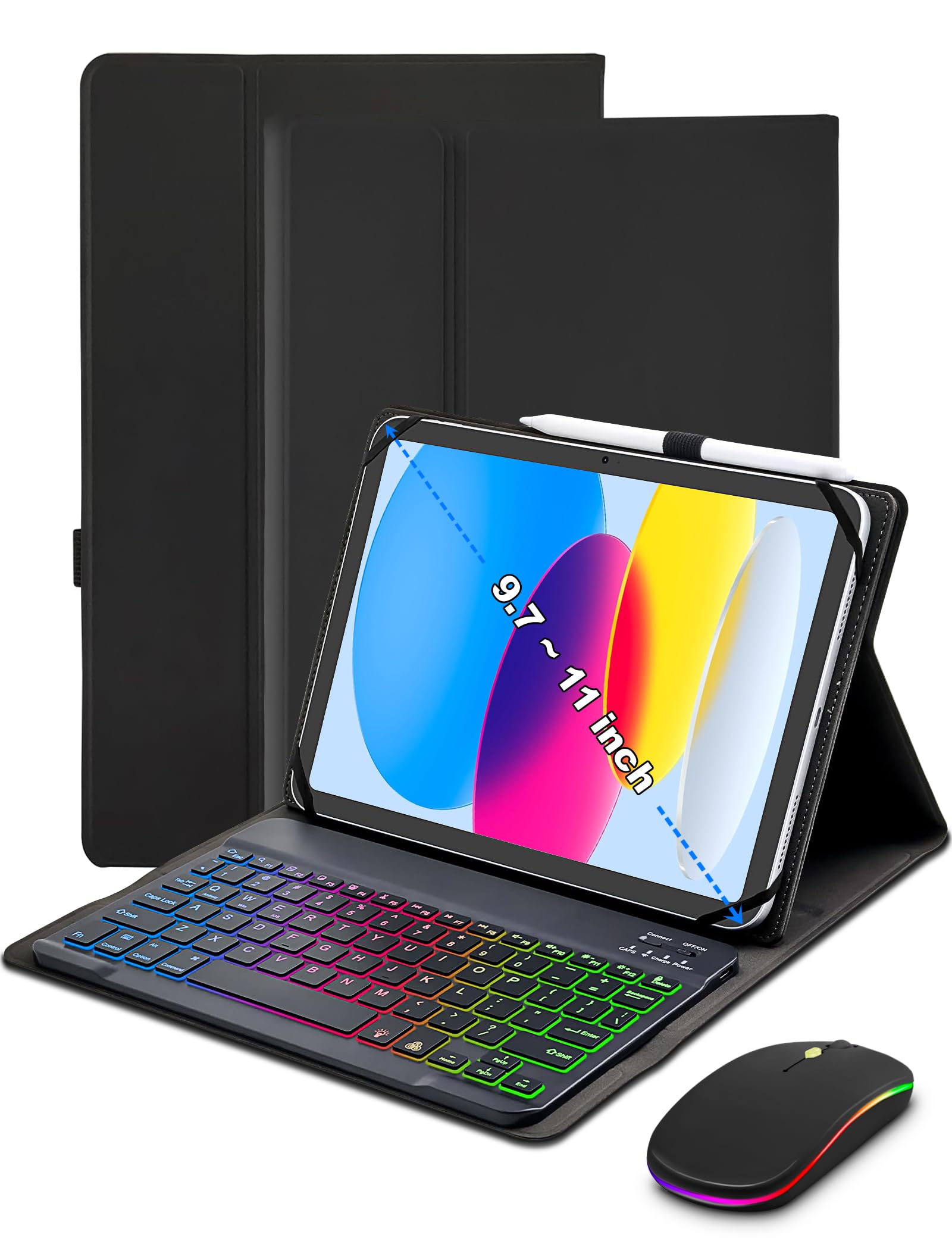
Rubber corner straps give it away. This is a universal case, holding a tablet the way a mount holds a phone rather than the way a moulded shell holds an iPad. That is the right answer when the tablets in a house keep changing, and the wrong one if you want the tightest fit available.

What you get for the compromise is range. It covers 9- to 11-inch tablets, stands in three grooves, and the backlight runs six rainbow colors plus a plain white setting with three brightness levels for daylight. The bundled mouse is a usable extra for spreadsheet work, and the magnetic book closure keeps the keyboard off the screen in a bag.

We point mixed households here - a Fire tablet for the kids, a Galaxy Tab for work, something 10-inch in a drawer - because one case covers the lot. Two things to check first: at 0.88 kg it is the heaviest case in this group, and the straps can run over the volume and power buttons, so press them before you commit.

Bottom line: For a household with mixed 9- to 11-inch tablets, one of these covers everything, mouse included, as long as you are not at the very top of the size range.

6

Harvopu iPad Keyboard Case

Harvopu iPad Keyboard Case

Budget iPad setup

Our Score 8.6/10
Check Price

Worth Noting

  • Keyboard can slide on the magnetic base
  • Keyboard charge does not reliably hold
Stand
Three anti-slip grooves
Trackpad
Multi-touch gestures
Backlight
7 colors
Compatibility
iPad A16 11-inch, iPad 10th gen 10.9-inch

This is the cheapest route to a trackpad in this group, and it does not look it. The navy cover has a soft, leathery finish, the stitching is tidy, and closed it reads as a slim folio rather than a gadget accessory.

We keep it on the list for students and for anyone buying a first keyboard for an iPad without spending much. What you are buying is coverage: a multi-touch trackpad, seven backlight colors, a full row of iPadOS shortcut keys and three stand grooves, in a case that folds into a stand without fuss. It is a case built to a price, and the keyboard is where the savings show.

The fit list is the A16 11-inch and the 10th-generation 10.9-inch iPad, the pencil has its own slot, and the three grooves give you more angle choice than the ESR does. Where it lands is a good first keyboard case rather than a last one.

Bottom line: The least expensive trackpad case in this group, and a sensible first keyboard for a student who needs the basics to work.

7

MoKo Keyboard Case & Mouse

MoKo Keyboard Case & Mouse

Samsung desk work

Our Score 9.0/10
Check Price

Worth Noting

  • Heavy at 703 g
  • Mouse needs its own charging
Mouse
3-level DPI, Bluetooth or 2.4G
Stand
Three adjustable angles
Weight
1.55 lb
Compatibility
Galaxy Tab A11+ and A9+ 11-inch

The mouse is why this kit exists. MoKo bundles a small wireless mouse with three DPI settings that talks to the tablet over Bluetooth or a 2.4G dongle, alongside a detachable backlit keyboard and a folio that stands in three positions. For dragging cells around a spreadsheet, a mouse still beats a trackpad, and no other case here includes one.

It is cut for the Galaxy Tab A11+ and A9+, and the tablet sits deep in the shell with the S Pen slot along the side. The keyboard detaches magnetically, the backlight runs seven colors, and the keys use a standard scissor layout that takes no adjusting to. Pairing took a moment and then behaved.

We treat it as the second case for a Samsung owner: take the INFILAND if you want one tidy unit with a trackpad, and this one if a mouse is what your work actually needs. The pointing device here is the mouse rather than the keyboard, which suits desk sessions better than lap work. The three angles cover typing, watching and a bit of drawing.

Bottom line: Buy it for the mouse: a Samsung kit that suits spreadsheet work better than a trackpad case, as long as most of that work happens at a desk.

How We Tested the Best Tablet Keyboard Cases

We started by pulling every case we could find for the most common tablet sizes, then narrowed the list by three practical questions: does the tablet attach magnetically or clip into a shell, does the keyboard need its own charging cable or draw from the tablet, and what do you actually get for the price — backlit keys, a trackpad, a stylus holder, a fold-out stand. That left 12 cases, and we typed on them for six months.

Every case went through the same first week. I timed setup from unwrapping to first keystroke and noted whether pairing made sense without the manual. Then real use: a morning train commute, a lap desk on the couch, a kitchen counter while following a recipe, and a full workday of drafting. I typed the same 600-word passage on each and wrote down where my fingers caught — shallow keys, a space bar that only registered on the left, a trackpad that jumped the cursor mid-sentence.

Fit and stability got their own checks. I tilted each screen to its steepest locked angle and counted how often the tablet slipped out of the magnetic strip, then held it upside down and gave it a gentle shake. Port cutouts, camera openings, and stylus storage were checked against the tablet itself. I weighed each case empty and loaded, then carried it in a tote for a full day to see what the extra ounces felt like by evening.

Durability ran the whole six months: folded and unfolded daily, tossed in a bag with keys and a water bottle, inspected for fraying at the hinge. We ordered alternate colorways where they existed to see which finishes showed fingerprints. Charging got logged weekly — how long the backlight lasted and how much trouble the cable was on a two-day trip. The top picks rarely won on a single spec; they won because nothing annoyed us by month three.

How to Choose the Right Tablet Keyboard Case

Match the model number, not the screen size

An 11-inch iPad and an 11-inch Galaxy Tab need completely different shells, and even inside one family the fit changes. The iPad A16 11-inch and the 10th-generation 10.9-inch share a case; older iPads do not. Find the A-number on the back of the tablet or under Settings, General, About, and match it against the compatibility list before you look at anything else.

Universal cases work differently, gripping with rubber corner straps rather than a moulded shell. They cover a range instead of a model, and the grip gets tight near the top of that range: a 10.9-inch tablet fills one, and an 11-inch tablet may not squeeze in, whatever the listing says.

Decide whether you need a trackpad

A trackpad is the biggest single jump in usefulness, and it is also where the money and the battery go. With one you can select text, scroll a long document and switch apps without reaching over the keys; without one you type, then touch the screen. For email and notes, a keyboard-only case is fine.

If the tablet is standing in for a laptop on a trip, pay for the trackpad. The ESR and the INFILAND are the two here whose trackpads behave like a laptop's rather than a cursor you fight.

Look at how the stand holds the screen

Groove stands are simple, stable on a table and give you three or four fixed angles. A rotating hinge flips the tablet into portrait for calls and reading, which no groove can do, at the cost of weight and a keyboard that never detaches. Continuous stands adjust to any angle and suit drawing best.

The place a stand fails is your lap. A top-heavy hinge tips backwards; a triangular fold sits still. If you type on the couch more than at a desk, that difference matters more than the number of angles.

Weigh the whole kit and the charging routine

With a keyboard attached you are carrying a small laptop. The cases here run from 530 g to nearly 0.9 kg, and a detachable keyboard lets you leave that weight in the bag when you only want the tablet. That flexibility is worth more than a thin spec sheet suggests.

Backlighting is the other hidden cost. One case here manages about four hours with the lights on, or five to seven days of ordinary typing with them off. If you work in daylight, skip the backlight and gain a week between charges.

Frequently Asked Questions

Final Verdict

For iPad owners the decision is short: the ESR does the typing, the trackpad and the stand better than anything else here for midrange money, and it fits the A16 11-inch and the 10th-generation 10.9-inch. Want portrait mode or a backlight? The typecase is the one to carry, and the extra weight is the trade.

Samsung owners should start with the INFILAND for the Tab A9+ and A11+, and move to the MoKo bundle only if a mouse, rather than a trackpad, is what your work actually needs.