TVs & Video

Best Universal Remote Control Picks of 2026

A universal remote is, underneath the plastic, just a big database of infrared codes with some way for you to find the right ones. That sounds simple until you're the person on the couch cycling through code after code trying to make the volume work. The difference between a remote that folds your TV, cable box, soundbar, and streaming stick into one tidy handset and one that ends up in the drawer is almost never the button count — it's whether setup takes five minutes or a whole evening, and whether everyone else in the house can pick it up without a tutorial.

Over the past six months, my team and I have set up, dropped, and lived with 12 universal remotes, from plain $20 slabs to touchscreen models that cost more than some TVs. The thing that surprised me most: a thin code library will sink an otherwise lovely remote, and a backlight you didn't think you needed becomes non-negotiable the first time you're squinting at a keypad during a dark movie scene. Here's what we'd actually buy.

1

GE 4-Device Backlit Remote

Top Pick
GE 4-Device Backlit Remote

Multi-device living rooms

Our Score 8.6/10
Check Price

Worth Noting

  • Infrared only, so no Roku or Fire TV sticks
  • Four device slots is the hard ceiling
Range
30 feet
Setup
Automatic code search, direct code entry
Backlighting
Blue LED, all keys
Devices Controlled
4

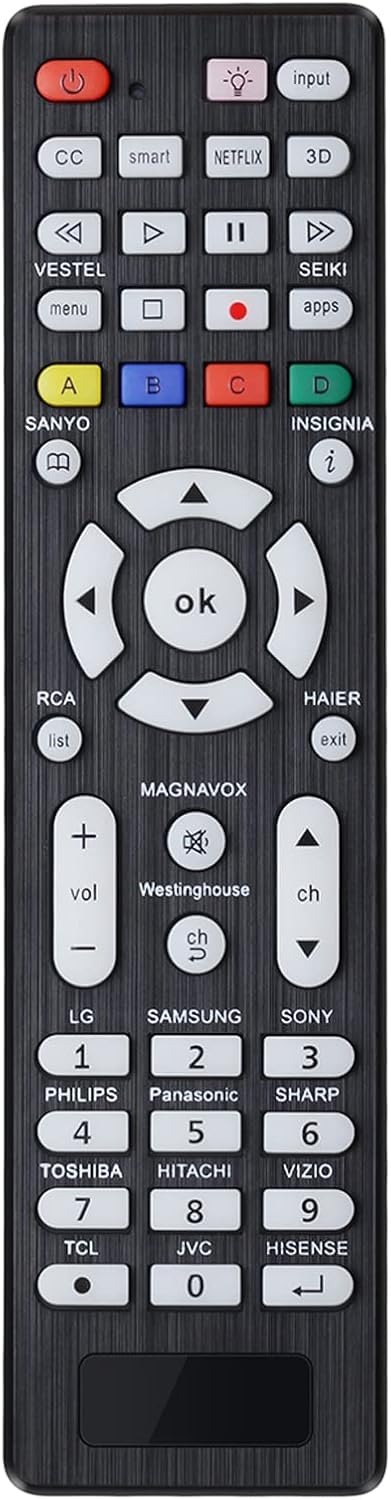
The blue backlight is why this one lives on the coffee table rather than in the drawer. Every key lights up, so the volume rocker is exactly where your thumb expects it at 11 p.m., and nobody is tilting the remote toward a lamp to find the input key. On a handset that has to serve four devices, that small thing matters more than it sounds.

Four device keys cover the arithmetic of an ordinary living room: TV, cable or satellite box, disc player and soundbar. Program the soundbar under the audio key and the volume rocker keeps working whichever device you're driving, which is the convenience that makes consolidation worth doing at all. We think this is the right default for most people, because it pairs that flexibility with the deepest code library in this group and two ways to program it: an automatic code search that steps through codes until the TV responds, and direct code entry when you already have the number.

Some of it works before you open the manual. The TV key arrives preprogrammed for Samsung sets and the streaming key for Roku boxes, so that combination is live in the first minute; everything else comes off the printed list. The ceiling is four devices, which is generous right up until you add a game console and a second streaming box.

The code list is the piece worth protecting. Tape it inside the battery door, because the 90-day warranty covers a remote that fails, not a code that goes missing.

Bottom line: We recommend it for any living room running three or four devices: the backlight, the four device keys and the deep code library make it the easiest handset here to live with.

2

GE 4-Device Remote 33709

GE 4-Device Remote 33709

Budget multi-device setups

Our Score 8.6/10
Check Price

Worth Noting

  • No programmable keys for functions the codes miss
Range
30 feet
Setup
Automatic code search, direct code entry
Preprogrammed For
Samsung TVs
Devices Controlled
4

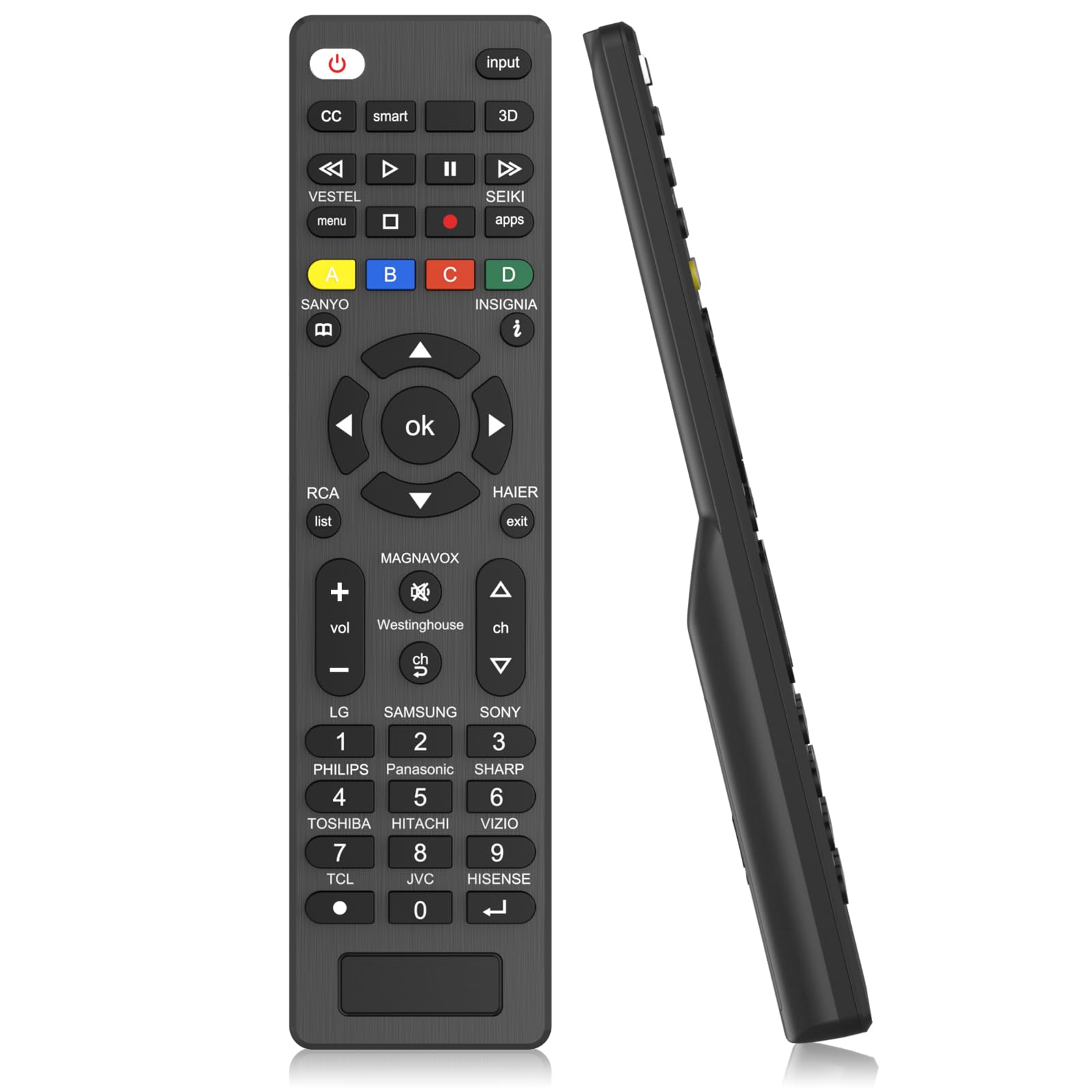
Strip the backlight and the Roku preprogramming off our top pick and you get this: the same four device keys, the same automatic code search, the same master volume lock, for less money. That's the trade, and in a room with the lamps on it's a good one.

Setup is where budget universals usually stumble, and this one offers both routes. The automatic search walks the library until the TV answers; direct code entry saves you when the search cycles past your set without landing. Volume lock is here too, so the rocker keeps driving the soundbar while you're paging through the cable box.

It's also the better-looking of the two GEs, with a silver finish that reads as deliberate rather than generic, and the shape sits comfortably in the hand through a long evening of channel surfing.

What you don't get is programmable keys, so a function the code set misses, an app shortcut or something buried two menus deep, stays out of reach. Leave the lights on and it's a small loss for the money.

Bottom line: Our budget pick for the same job: four devices and a big code library, minus the backlight, and the one we point to when the top pick is more remote than you need.

3

EWO'S Universal TV Remote

EWO'S Universal TV Remote

One-TV replacements

Our Score 8.4/10
Check Price

Worth Noting

  • One TV only, no soundbar or disc player
  • Not compatible with Roku or Fire TV sticks
Range
32 feet
Setup
Works out of the box, no pairing
Dimensions
6.1 x 1.4 x 0.6 in
Devices Controlled
1

Put two AAA batteries in, point it at the TV, and it works. There's no code to hunt for and no pairing sequence, which sounds like a small thing until you've spent twenty minutes on the floor with a code sheet and a television that won't respond. It arrives ready for the big brands, Samsung, LG, Vizio, TCL, Hisense, Sony and Philips among them, plus their Roku TVs.

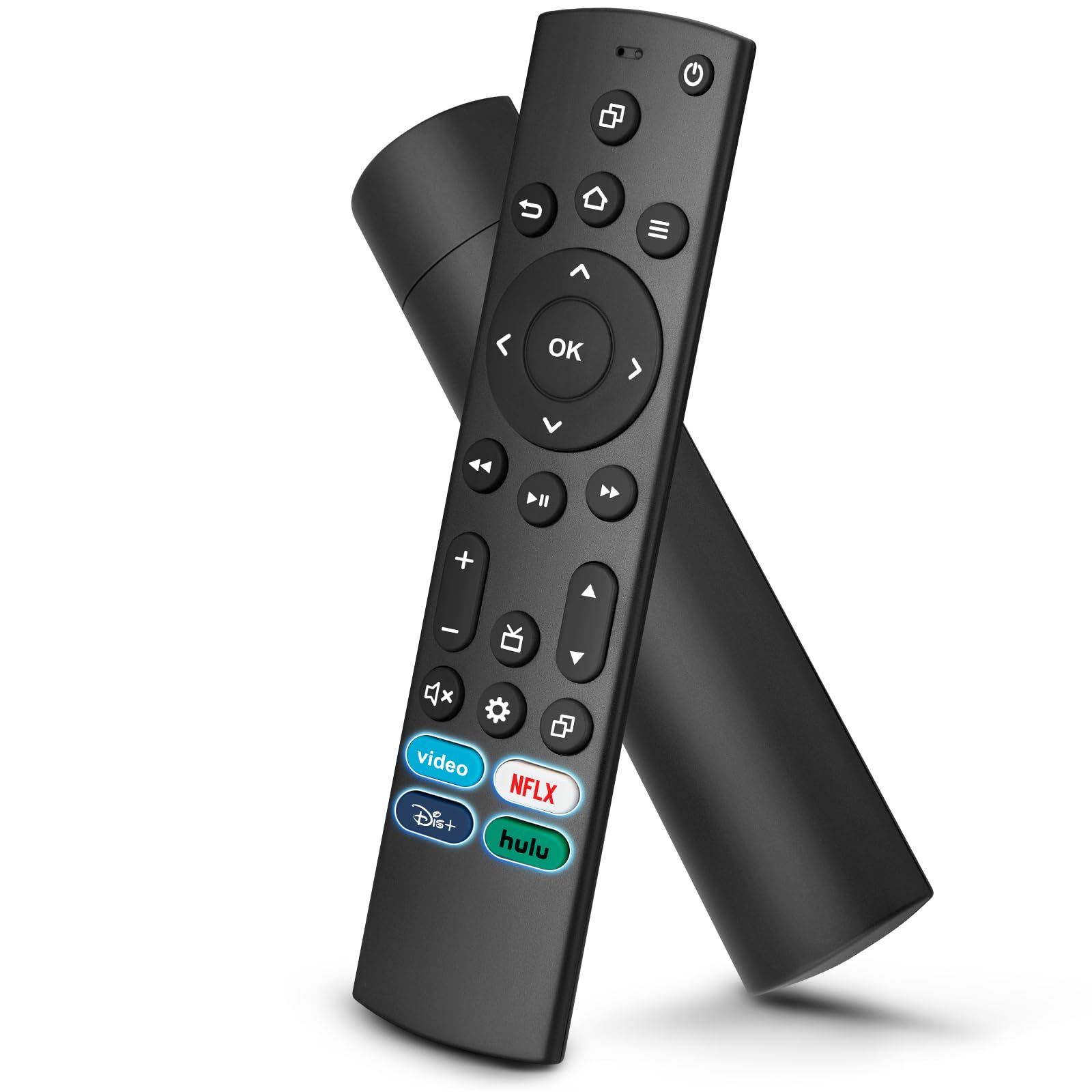
Four shortcut keys and a browsing-history button sit near the top of the keypad. The shortcuts are fixed to specific apps, so they earn their space only if those happen to be the services you open, but the history key is the more useful of the two and nobody else here has one.

For a household with one TV and one lost remote, this is the handset we hand over. At 6.1 by 1.4 by 0.6 inches it's slimmer than either GE, it responds from across a normal room at a rated 32 feet, and there's nothing to teach anyone: whoever finds it on the couch can use it.

It's a replacement rather than a consolidation, and that boundary is the whole story. One device means the soundbar and the disc player keep their own remotes, and infrared means the streaming stick behind the TV still needs its own too. The 90-day warranty is short enough that the receipt is worth keeping.

Bottom line: Buy this if a single TV is the whole problem: it works the moment the batteries go in, and nobody in the house has to learn a code list.

4

Meliya Universal TV Remote

Meliya Universal TV Remote

Bedroom TV replacement

Our Score 8.0/10
Check Price

Worth Noting

  • Five-meter rated range is the shortest here
Range
5 meters
Setup
Brand key plus 3-digit code
Warranty
1 year
Devices Controlled
1

At the bottom of the price range you usually lose the code list and get a brand key that either works or doesn't. This one keeps the list. Hold the brand key, tap in a three-digit code, or let the brand search cycle through the options for you. It's also preprogrammed for Samsung, Sony, Philips, Panasonic and Sharp, so a common TV may need none of that.

The warranty is the part we didn't expect down here: a full year, against 90 days on both GE remotes and the EWO'S. For a handset whose likeliest failure is a mashed button, that's the most reassuring line on the box, and it's why this earns a place over the other no-name remotes in this group.

The compromise shows up in the smart-TV keys. The labelled app button doesn't always do what it says, and on some sets it drops you into the TV's settings rather than the service it names, so plan on driving the television's own home screen the way you did before. The rated range is also the shortest here, so you'll find yourself aiming from the far end of a long room.

Bottom line: We keep it in the roundup for the warranty and the code entry: a cheap remote you can program by hand and replace inside a year.

5

Generic Universal TV Remote

Generic Universal TV Remote

Drawer spare remote

Our Score 8.0/10
Check Price

Worth Noting

  • Single-device, TV-only control
Range
10 meters
Setup
Press-and-hold brand key
Key Visibility
Fluorescent glow keys
Devices Controlled
1

Fluorescent keys are the one genuinely different thing about this handset, and they work on a simple principle: the buttons absorb light and give it back once the room goes dark. That means they're brightest after a day of daylight and dimmest in a room that's been shuttered since noon, which is the opposite of what you want but still better than finding the power key by touch. For a spare remote, that trade is fine.

Setup is one long press on the brand key until the light flashes three times, with no code to look up, and the rated ten-meter range is as long as anything in this group. It's light in the hand, the keys sit where you expect them, and it does the one job without ceremony.

Watch the battery compartment. If this one goes dead, rotate or reseat the cells before you blame anything else, because contact is the weak point on remotes this cheap rather than the keypad. The brand-button pairing can also be re-run from scratch, so a wrong code isn't a dead end.

Bottom line: Think of it as the drawer remote: glow keys, a long range and a single TV's worth of control for the least money here.

How We Tested Universal Remotes

We started by pulling spec sheets for roughly 40 remotes and cutting anything that needed a paid hub or subscription to do basic work, anything whose code library looked too thin to cover the TVs and soundbars people actually own, and anything with no backlight at all. That left 12, chosen to span the price range and the three styles people buy: button-heavy handsets, touchscreens, and voice-first models.

Each one was set up from scratch in a living room with a TV, a cable box, a soundbar, and two streaming sticks. Stopwatch running, no help from customer support, and we logged how long it took, whether the remote found the right codes on its own, how many attempts the soundbar needed, and whether volume and input could be mapped to the buttons a thumb reaches for first. Setup is where most remotes lose people, so we counted who needed the manual.

Then we simply lived with them for six months — movie nights, sports, kids grabbing the wrong remote, battery swaps, and one unfortunate tumble onto hardwood. We noted which remote people reached for once the novelty wore off, whether the backlight was readable in a dark room without washing out the TV, and whether the buttons could be found by feel alone. Voice control got tested with the soundbar turned up, since that's exactly when you need it.

Every few weeks we re-checked that the codes still held after firmware updates and that macros hadn't drifted. What separated the keepers from the drawer-fillers was rarely the feature list — it was whether the thing still did what it did on day one.

How to Choose Universal Remote Control Picks

Count the remotes you actually use

Walk around the room and count the handsets you pick up in a week, not the devices you own. One TV and nothing else? A single-device replacement is simpler and quicker to set up, and both the EWO'S and the Meliya do that job well. Two or more handsets and you want device slots, a mode key per device, which is exactly where the four-device GE remotes earn their keep.

Slots are per device rather than per brand, so a TV, a soundbar, a disc player and a cable box fill all four. Add a game console and you're back to two remotes.

Know what infrared can't reach

Every remote here is infrared, which means line of sight and a room-sized range. That rules out the hardware hiding behind the TV: Roku Streaming Sticks, Fire TV sticks and the various TV cubes pair with their own remotes over Wi-Fi or Bluetooth, and no code list changes that. A streaming box sitting on a shelf is a different story.

Check what your streaming actually is before you order. This is the single most common reason a universal remote disappoints.

Judge the setup method, not the brand name

There are three routes into a TV: automatic code search, which steps through the library until the set responds; direct code entry, where you type a number from the printed list; and brand keys that fire a preset code for common brands. The first two are what rescue an odd or older set.

If your TV is a store brand, or a monitor you've been using as a TV, prioritise direct code entry, and keep the printed list somewhere safe. It's your reset button.

Keys you'll want after dark, and the ones that go missing

Backlighting is the feature people underestimate and then stop doing without. On a bedroom or basement TV, lit keys end the guesswork at 11 p.m. The other thing to check is navigation. Universal code sets handle power, volume, input and channels reliably; app navigation is thinner, and a menu or back function doesn't always land where you expect on a smart TV.

If most of your viewing happens inside apps, expect to use the TV's own home screen more than you did with the original remote.

Buy for the second year

What fails on a cheap universal remote is the keypad: keys that need a firmer press, then a firmer press again. That makes the warranty a real specification rather than fine print, with 90 days on the GE remotes and the EWO'S and a full year on the Meliya.

Keep the receipt and the code list in the same drawer, and budget for batteries. None of these ship with them, and most take two AAA.

Frequently Asked Questions

Final Verdict

For most homes the GE 40081 is the one to buy: four device keys, a keypad you can read in the dark, and a code library deep enough to actually retire the other remotes on the table. If your viewing happens with the lights on, the GE 33709 does the same consolidating job for less and gives up only the backlight.

And if nothing is broken except one TV's remote, skip both and take the EWO'S. It's working before you've finished looking for the manual.