Wearables & Health

Best VR Headset of 2026

The best VR headset is the one you stop noticing. Within about twenty minutes — usually right around the moment you reach out for something that isn't there — the hardware should disappear and the room should become the place you're actually standing. That's harder than a spec sheet admits: a soft lens, a controller that drifts half an inch, or a battery that quits mid-level pulls you straight back out. Get it right and it stops being a gadget you show guests and becomes a way to spend a Friday night: a boxing ring, a haunted house, a tennis court in your living room.

I've owned a headset since the early consumer models, and my team and I just wrapped ten months with eight current ones — stand-alone, PC-tethered, and console-linked. The pattern that held across all of them: the sharpest screen rarely won. Comfort, a controller that tracks your hands without you thinking about it, and a game library actually worth the money decided which ones we reached for. The picks below are ranked with exactly that in mind.

1

Meta Quest 3 512GB

Top Pick
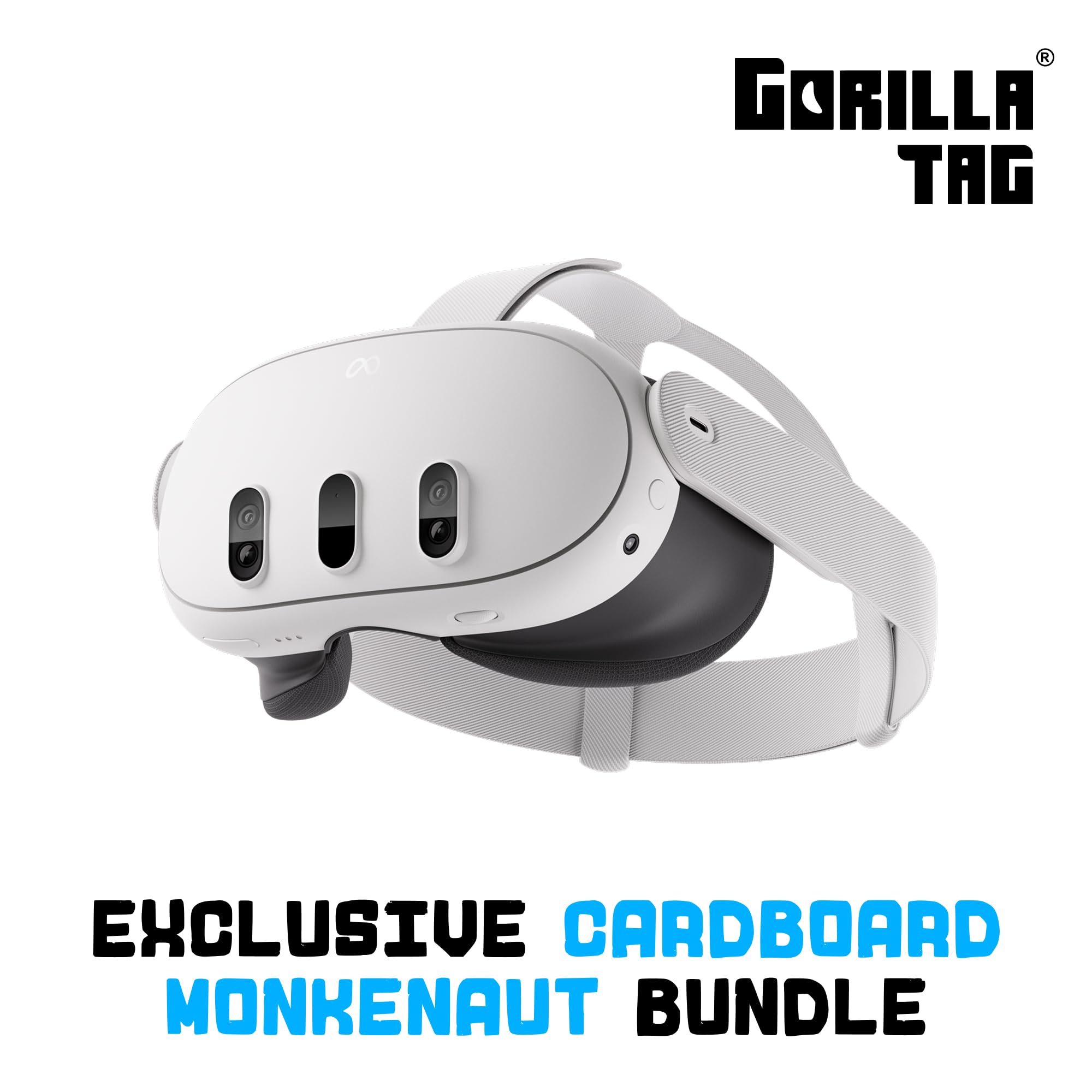
Meta Quest 3 512GB

Best overall

Our Score 9.0/10
Check Price

Worth Noting

  • Controller tracking can be inconsistent
Storage
512 GB
Platform
Standalone (Meta Horizon OS)
Resolution
2064 x 2208 per eye
Refresh Rate
120 Hz

The 2064-by-2208-per-eye display and 512GB of storage are why the Quest 3 earns the top spot. Text, distant objects, and mixed-reality overlays look sharper than they do on the cheaper Quest 3S, and the 120Hz refresh rate makes fast turns feel smoother. The 7-inch LCD panel is not OLED, but the resolution does more for everyday clarity than a contrast boost alone. This is the standalone headset we recommend to anyone who wants the best picture without plugging into a PC or console.

The Snapdragon XR2 Gen 2 and the mixed-reality cameras are not filler. They give the headset enough processing headroom to keep menus and games responsive, and the passthrough is useful for checking your phone or picking up a controller without taking the headset off. We like that the 512GB model lets you keep a large library installed instead of treating storage like a weekly chore.

Battery life is the compromise. The rated 2.2 hours is the number to plan around, and demanding games can cut a session shorter, so a battery pack or a charging break belongs in the routine. Controller tracking is usually steady, but it can stutter when the controllers leave the headset's view; keep them charged and in front of you. Neither issue changes the main appeal: this is the standalone Quest that makes the virtual world look sharpest.

Bottom line: The Quest 3 earns our top recommendation for standalone VR because it pairs the sharpest display here with 512GB of storage.

2

Meta Quest 3S 128GB

Meta Quest 3S 128GB

Budget standalone

Our Score 9.2/10
Check Price

Worth Noting

  • 128GB storage fills quickly
Storage
128 GB
Platform
Standalone (Meta Horizon OS)
Resolution
1832 x 1920
Battery Life
2.5 hours

The Quest 3S makes its case with the price gap: it runs the same Quest library for meaningfully less than the Quest 3. It uses the same mixed-reality approach, the same controllers, and the same Meta Horizon OS, so the experience feels familiar from the moment you put it on. That is a lot of the premium headset's everyday appeal without the premium price.

The display is where the savings show. At 1832 by 1920, the Quest 3S cannot match the Quest 3's sharpness, and text-heavy virtual screens can look soft. We think that is a fair trade for most first-time buyers, especially if you are playing colorful action games rather than reading inside the headset. The 2.5-hour battery rating is slightly better than the Quest 3's, which helps the value case.

What we like most is how little you give up functionally. The controllers, mixed reality, and the full Quest catalog are all here, so the 3S feels like a real VR headset rather than a stripped-down toy. It is also the one we reach for when the headset has to be shared, because the lower cost makes the inevitable bumps and scratches easier to accept. That is a different kind of value from a spec sheet.

Bottom line: We think the Quest 3S is the value pick for anyone who wants the Quest library without paying for the premium display.

3

PlayStation VR2 Horizon Bundle

PlayStation VR2 Horizon Bundle

PS5 setups

Our Score 8.6/10
Check Price

Worth Noting

  • Requires a PlayStation 5
Display
OLED
Platform
PlayStation 5
Resolution
1920 x 1080 per eye
Refresh Rate
120 Hz

The PSVR2 is a PlayStation 5 purchase first and a headset second, and its OLED display is the reward. The 1920-by-1080-per-eye panel gives you deep blacks and strong contrast, while the 120Hz refresh rate keeps fast motion smooth. We think it is the console headset to get if you already own a PS5 and want the most atmospheric games to look their best.

Eye tracking and haptic feedback are what separate it from the Quest pair. The headset follows where you look, and the controllers add adaptive trigger resistance and vibration that make actions feel more physical. Finger-touch detection lets the controllers sense small hand movements, which makes menu interaction feel more natural. It suits seated sessions where the cable stays out of the way, and that is the setting where its strengths make the most sense.

What keeps it from being the default is the cable. You are anchored to the console, so it suits a dedicated play space more than a headset you carry between rooms. That is easier to accept when you treat the PSVR2 like a seated console accessory, which is how we prefer to use it for racing and horror games. If you want untethered movement, the Quest pair is the better fit.

Bottom line: For anyone with a PlayStation 5, the PSVR2 is our pick for OLED contrast, eye tracking, and haptic controllers.

How We Tested the Best VR Headsets

We started with the current generation and sorted it by what each headset actually is — a stand-alone unit running its own software, a PC-tethered model leaning on a computer, or a console-linked option — then set aside anything with a shrinking game store, a dead accessory ecosystem, or a price that hadn't budged in two years. Eight made the cut, and we've spent ten months with them.

Every set lived in a home rather than a lab. We wore each one for evening sessions of an hour or more, longer on weekends, and timed every run from a full charge to forced shutdown, then timed how long it took to get back into a game afterward. We played the same three titles on all eight to compare load times and frame smoothness, and we deliberately pushed the controllers: swinging, ducking, reaching behind our backs, and playing in both a dim room and near a sunny window to see how quickly tracking lost its grip.

For visual quality, we read small text in menus, moved our eyes to the edges of the lens to see how far off-center things stayed sharp, and noted whether pixels or a visible mesh appeared in dark scenes. Compatibility meant plugging each headset into a PC where supported and finding out what extra hardware we'd need. Then there's the part no spec captures: which ones we kept reaching for on a Friday night, and which sat in the drawer.

How to Choose the Right VR Headset

Choose the platform first

A standalone headset is the simplest place to start because it includes the display, tracking, controllers, and processing in one unit. The Quest 3 and Quest 3S run the same Meta Horizon OS library, so you can move between them without changing ecosystems. The PSVR2 is a different purchase: it needs a PlayStation 5 and a USB-C cable, and it will not give you the same untethered room-scale freedom. We put platform first because the best display in the world is useless if the games you want are on the other system.

Balance resolution against contrast

Resolution determines how much detail you see, and it matters most for text, menus, and mixed-reality passthrough. The Quest 3's 2064-by-2208-per-eye panel is the sharpest of this group; the Quest 3S drops to 1832 by 1920 and can look softer in text-heavy scenes. The PSVR2 takes a different route with an OLED display and 1920-by-1080-per-eye resolution, so it trades some fine detail for deeper blacks and stronger contrast. If you browse, read, or use mixed reality often, favor the higher-resolution Quest 3. If you mostly play dark, atmospheric games on a PS5, OLED is the more noticeable upgrade.

Plan for fit and play space

VR is physical in a way flat gaming is not, so the headset has to fit your face and your room. A standalone Quest is easier to move between rooms, while the PSVR2's cable anchors you near the console; that suits a dedicated play area more than a shared living room. Before you buy, clear a space wider than your arm span and decide whether you will mostly sit, stand, or move around. We also pay attention to strap adjustment and face fit, because a headset that presses on your cheeks or slips during fast movement will shorten every session.

Match storage and battery to your habits

Storage is easier to judge than battery life because it maps to how many games you keep installed. The Quest 3S's 128GB is workable for a small rotating library, but the Quest 3's 512GB is the more comfortable choice if you want several large titles ready to go. Battery is the standalone tax: the Quest 3 is rated 2.2 hours and the Quest 3S 2.5 hours, and demanding games can pull you below those figures. A battery pack or a charging break solves it for the Quests; the PSVR2's cable is the alternative trade-off.

Frequently Asked Questions

Final Verdict

For most people, the Meta Quest 3 is the headset to buy. It has the sharpest standalone display in this group, enough storage for a large library, and the mixed-reality features that make the Quest platform worth owning. If you want the same library for less, the Quest 3S is the practical alternative; if you already own a PlayStation 5, the PSVR2's OLED screen and eye tracking make it the more exciting console upgrade.

The deciding factor is not a single specification but where you play. Buy the Quest 3 if you want the best untethered experience, the Quest 3S if the headset will be shared or the budget is tighter, and the PSVR2 only if the PlayStation 5 is already part of your setup.