Networking & Wi-Fi

Best Ethernet Switch for Home of 2026

An Ethernet switch is the least glamorous box on your network, which is exactly why it should disappear once it's plugged in. What most people want is simple: enough ports for the desk, TV, console, and NAS; full speed at every port without one device starving another; and a setup that doesn't require a networking degree. I've also learned the hard way that an unmanaged switch working fine in a two-person apartment can become a mystery box once you add an access point or need VLANs for work and guest traffic.

Over the past six months, my team and I ran twelve switches through the same everyday routine: a home office dock, a living room media console, and a relative's house where several devices compete for one line. We cared about build quality, what you get for the money, how quickly each passed traffic, whether ports negotiated at advertised speed, and whether a first-timer could get it working without a manual. Some were plug-and-play; others rewarded setup with VLAN support and better traffic control. The picks below reflect that split.

1

TP-Link TL-SG105

Top Pick
TP-Link TL-SG105

Most home networks

Our Score 9.4/10
Check Price

Worth Noting

  • No VLANs or management page
Case
Metal, fanless
Ports
5 × 1 GbE
Warranty
2 years
Traffic Features
QoS, IGMP snooping

Five ports, a steel case, and a footprint just under four inches square — the TL-SG105 is the least interesting-looking box on this page, and it is the one we hand to most people. The metal matters more than it sounds. This is gear that ends up on the floor behind a TV stand or screwed to the side of a cabinet, and a steel shell takes the knocks and cable yanks that crack a thin plastic one. There is no fan, so it adds nothing to the room's noise, and it weighs under eight ounces.

What separates it from the other five-port boxes here is what comes bundled: port-based QoS and IGMP snooping. In practice the switch can read the priority tags already on your traffic and let a video call or a stream go first, and it stops multicast video being pushed out of every port at once. There is no settings page to visit — it is unmanaged, so this happens quietly or not at all depending on how your devices tag what they send. We like that it is there for the households that need it and invisible for the ones that don't.

Count the ports before you order. One of the five goes back to your router, so you get four devices: a TV, a console, a desktop and a NAS fills it exactly, with nothing spare for the printer you forgot. If that list is longer, go to the eight-port TP-Link below rather than buying twice. The honest note is reliability. This model has the longest track record in this group, and it is not spotless — plenty of units run for years, and some stop passing traffic within months. The two-year warranty is the answer to the second case, so keep the receipt.

Bottom line: The switch we point most people to: five gigabit ports in a metal case, silent, with traffic prioritization the plain boxes skip, and nothing to configure.

2

NETGEAR GS305

NETGEAR GS305

Simple set-and-forget

Our Score 9.6/10
Check Price

Worth Noting

  • No QoS or multicast handling
Case
Metal, fanless
Ports
5 × 1 GbE
Mounting
Desktop or wall
Warranty
3 years

The GS305 does almost exactly what our top pick does, with less inside and one thing more outside: three years of hardware cover instead of two. Both are five-port gigabit boxes in a fanless metal shell with no settings page to open. What NETGEAR leaves out is the traffic handling — no QoS, no IGMP snooping — and for a lot of homes that is a fair trade, because if nothing on your network is competing for bandwidth those features never do anything.

It is the bigger of the two metal fives at 6.2 by 4 inches and just over half a pound, and NETGEAR lists wall-mount placement, which suits a garage, a closet, or the back of a media cabinet where the cables already converge and nobody will admire it. Energy Efficient Ethernet trims draw when ports are idle, a small thing on a device this size but a real one in a warm cabinet.

Our read: this is the pick when the switch is infrastructure and nothing more. You mount it, you forget it, and the extra year of cover is worth more than a feature you will never open. The trade bites if your network is busy — a large backup running while someone is on a call has no priority lane here, where the TP-Link at least has the mechanism.

The shared caveat in this class is longevity: most of these run for years, and some quit inside six months. Three years of hardware cover is the most practical answer to that, and registering the unit the day it goes into service costs nothing.

Bottom line: We reach for the GS305 when nobody will ever look at the switch again: five gigabit ports, a metal case, three years of cover, and no settings to get wrong.

3

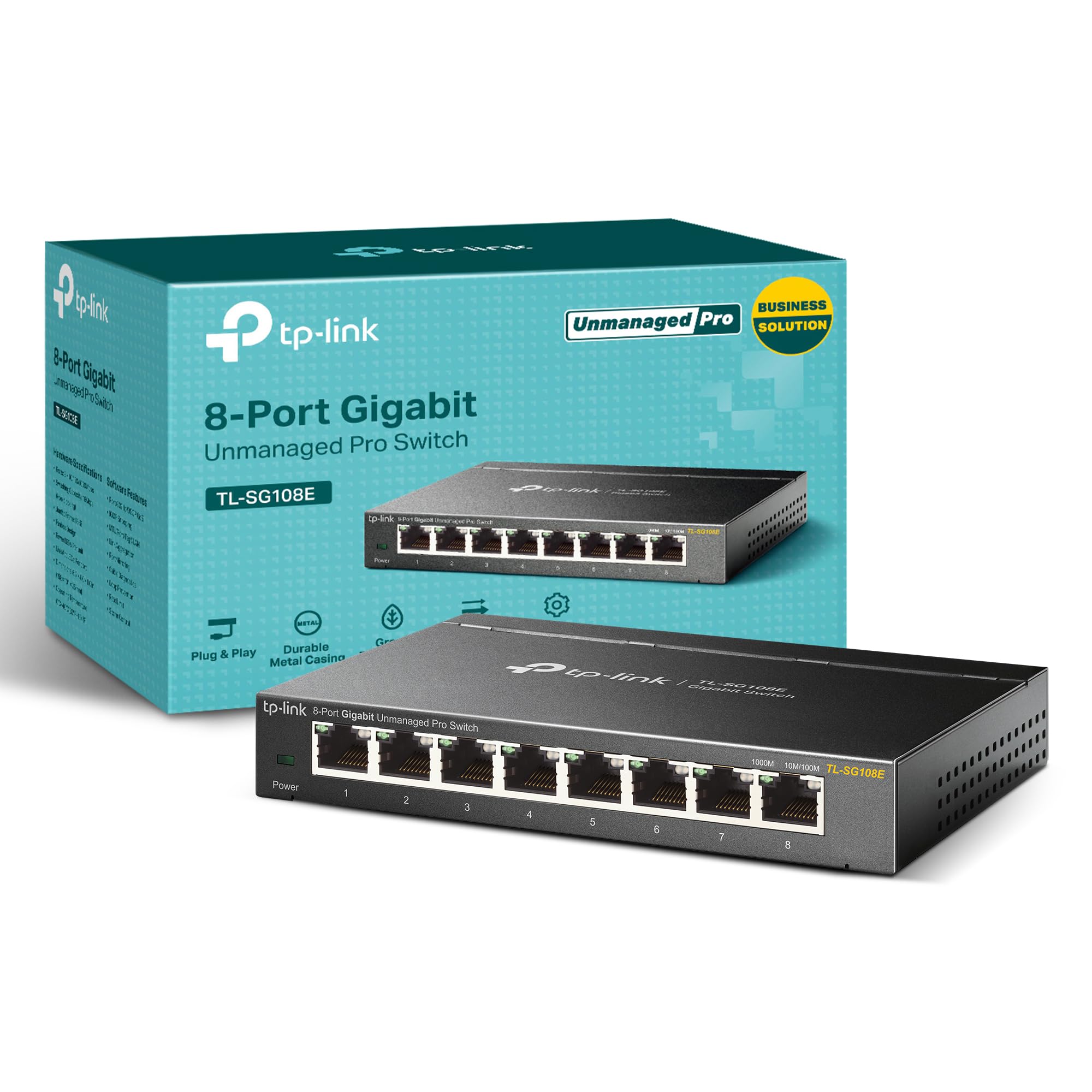
TP-Link TL-SG108E

TP-Link TL-SG108E

Larger wired setups

Our Score 9.4/10
Check Price

Worth Noting

  • Dated web interface with no HTTPS or CLI
Case
Metal, fanless
Ports
8 × 1 GbE
Warranty
5 years
Management
Web-managed, VLAN, QoS

Eight ports is the whole argument, and it is a good one: seven devices plus the cable back to your router, in a metal box that costs about what a five-port managed switch does. We think that arithmetic settles it for anyone wiring a desk, a TV stand and a small pile of gear at the same time. The management features ride along for free, and you are free to ignore them — out of the box it behaves like a plain unmanaged switch.

Open the web interface and you get VLANs, port mirroring, IGMP snooping, link aggregation, QoS and cable diagnostics. That is a serious toolkit for the money, and it is why this is the pick for a home lab or a work-from-home office that wants work machines on a separate segment from everything else.

Two compromises to weigh. The smart layer is basic — a modest VLAN count, no command line, and behavior that assumes a straightforward network. And links are where this one is least consistent in this group: alongside plenty of units that run without complaint, some drop connections or act up once VLANs are configured. The five-year warranty is the longest fixed term here, so our advice is to put it into service early, run it hard for two weeks, and use the cover if a port goes quiet.

Bottom line: We buy this one for the port count: seven devices and an uplink in a metal case, with smart features you can use or cheerfully ignore.

4

BrosTrend 8-Port 2.5G

BrosTrend 8-Port 2.5G

Multi-gig home networks

Our Score 8.6/10
Check Price

Worth Noting

  • Plastic case feels a step below the metal picks
  • Amber-only LEDs hide the link speed
Case
Plastic, fanless
Size
5.6 × 3.5 × 0.9 in
Ports
8 × 2.5 GbE
Warranty
Limited lifetime (registration)

Multi-gig is easy to buy and easy to waste money on. A 2.5G switch only earns its keep when the gear on both ends can also do 2.5G — a router with a 2.5G LAN port, a NAS with a 2.5G card, a desktop that isn't stuck at gigabit. Plug a gigabit laptop into this and that port simply runs at gigabit, happily, while you have paid for speed nothing is using. So the question before ordering is what is going into the ports.

What you get is eight 2.5G ports, fanless, in a plastic case that weighs about seven ounces and measures 5.6 by 3.5 by 0.9 inches. It negotiates down for older gear, so 1G and 2.5G devices can share it without a second switch, and there is nothing to configure. The detail we keep coming back to is the LEDs: they are the same amber whatever a link is running at, so you cannot glance at the front and tell a 2.5G connection from a gigabit one. Small thing. You notice it every time you check.

Eight ports at this speed is more multi-gig capacity than anything else in this group, and that is the reason to choose it. A home moving big files between a NAS and two or three machines feels the difference immediately; a home that mostly streams and browses gets nothing from it. If only one device is multi-gig, spend the money on the router instead.

It is also the lowest-rated pick here, and the soft spots are the ones you would expect from a plastic box: some units develop problems inside the first year. Registration gets you limited lifetime protection, a longer commitment than any other maker here makes — do it the day it works, not the day it doesn't.

Bottom line: The multi-gig pick: eight 2.5G ports, fanless, with enough capacity to feed a NAS, a desktop and a Wi-Fi 7 access point at once.

5

NETGEAR GS305E

NETGEAR GS305E

Compact managed setups

Our Score 9.4/10
Check Price

Worth Noting

  • Three fewer ports than the TP-Link at the same money
Size
3.9 × 3.7 × 1.1 in
Ports
5 × 1 GbE
Warranty
3 years
Management
Web-managed, VLAN, QoS

If you have read about VLANs and want to try them without buying rack gear, this is the friendliest way in. It is five gigabit ports in the same fanless metal body style as the GS305, with a web interface and NETGEAR's app on top: VLANs, QoS priorities, and port monitoring. Setup is a browser page rather than an installer, and assigning a VLAN is a job measured in minutes.

We like it for a desk where work machines and everything else should sit on separate segments without a second box. At 3.9 by 3.7 inches it tucks beside a monitor instead of taking a shelf, and the metal case means it doesn't feel like a toy. Here is the trade: it costs the same as the eight-port TP-Link above, so you are choosing size and a gentler setup over three extra ports. If you will never open the settings, the plain GS305 does the same job for less.

Three years of cover is the other argument, and it is the same one that makes the unmanaged NETGEAR easy to recommend. The boring parts are all in order — fanless, metal, wall-mountable, and happy to run as a dumb switch straight out of the box — which is exactly what you want from the piece of gear everything else in the room hangs off.

Bottom line: Our pick for a small managed setup: VLANs and QoS in a metal box barely wider than a coaster, backed by three years of cover.

6

UGREEN 5-Port Gigabit

UGREEN 5-Port Gigabit

Tight spaces

Our Score 9.4/10
Check Price

Worth Noting

  • Ports too close for chunky cable boots
Case
Plastic, fanless
Ports
5 × 1 GbE
Mounting
Desktop or wall
Warranty
24 months

This is the switch we drop behind a wall-mounted TV or into a drawer of spare gear. The footprint is roughly a credit card, it weighs next to nothing, and there are keyhole slots on the back for hanging it — so it goes where the cables are rather than where there is shelf space. It is also the least expensive pick here, and it still does full gigabit on all five ports with no fan and nothing to configure.

The catch is the compactness itself. The ports sit close together, and cables with chunky molded boots or stiff Cat6 jackets crowd their neighbors — you can feel the connector beside the one you are pushing in. Slim patch cables are fine. If you are reusing whatever is in the cable bin, expect to shuffle the order of your runs to keep the fat plugs apart.

Cover is 24 months, tied with the top pick for the shortest here, and there is no management at all: no VLANs, no priorities, no settings page. That is less a flaw than the brief. This is a switch for someone with one wall jack, three devices, and no interest in the difference between a VLAN and a VPN, and it does that job quietly and cheaply.

Bottom line: The one we tuck behind a wall-mounted TV: a credit-card footprint, five gigabit ports, and a box that disappears once the cables are in.

How We Tested 12 Home Ethernet Switches

We started by pulling together the switches that show up most often in home networking threads and retail listings, then narrowed the list by port count, speed, managed versus unmanaged features, and price so we weren't comparing a simple plastic box to a rack-mounted enterprise unit. The final 12 ranged from five-port unmanaged models to compact managed switches with VLAN support. Each one spent six months in at least two of three spots: my home office, where a laptop dock, NAS, and printer share a line; the living room media console, with a TV, game console, and streaming box; and a family member's house where several devices compete for a single router port.

We plugged each switch in cold, timed how long it took to pass traffic, and noted whether the ports felt loose or snug when cables went in. Setup was judged by doing it: I ignored the quick-start card first, then followed it only if I got stuck, and recorded whether the app or web interface made sense without a networking background. For speed and compatibility, I moved large files between a laptop and NAS, ran simultaneous video calls and game downloads, and checked whether older gear negotiated at the expected speed instead of falling back. Reliability and durability got the least glamorous test: leaving each switch running for weeks, gently tugging cables, and checking whether it stayed cool and kept every device connected.

Managed features got their own pass. On switches that claimed VLAN support, I set up a work network and a guest network, then confirmed devices stayed separated and still reached the internet. Connectivity was checked by filling every port and seeing whether the switch kept up, and value came down to what extra ports, metal housing, or management features actually bought in daily use. The switches that rose to the top were the ones I stopped thinking about.

How to Choose the Right Ethernet Switch for Home

Count the uplink before you count ports

A five-port switch gives you four devices, because one port has to feed back to your router. An eight-port gives you seven. Walk the room and count what actually wants a cable — TV, console, desktop, NAS, printer, a mesh node — then add the uplink and round up. Buying a five-port for six devices is the most common way people end up shopping twice.

If you land on six or seven devices, go straight to eight. The gap between the two sizes is usually smaller than the cost of a second switch and the afternoon spent setting it up.

Gigabit is the floor; 2.5G is a specific upgrade

Every switch here does gigabit, and on an internet plan under a gigabit that is the ceiling you will ever touch. 2.5G is about what happens inside the house: a NAS, a PC-to-PC backup, a Wi-Fi 7 access point. Two things have to be true for it to pay off — the devices on both ends need 2.5G ports, and the cable has to cope. The Cat5e already in most walls handles 2.5G fine, so the endpoints are usually the blocker, not the wiring.

If only one device in the house is multi-gig, you are buying a link that will run at gigabit. Put the money into the router instead.

Managed, smart, or happily dumb

Unmanaged is what most homes want: plug in, done, nothing to misconfigure. Easy-smart managed switches add VLANs, QoS, port mirroring, and monitoring through a web page, and they usually still work as a plain switch out of the box.

Two things to know before paying for the smart part. The management layer on inexpensive switches is basic — a web page, not a command line — and a managed switch you never configure is an unmanaged switch with a bigger manual. Buy the features only if you have a reason: separating work machines, isolating a guest device, giving a video call priority.

Placement, heat, and noise

Every switch here is fanless, so noise is not a deciding factor. Heat is worth a thought: a metal case spreads it, a plastic one relies on airflow, and neither belongs on top of a receiver or inside a sealed cabinet. Put the switch near a power outlet, because it needs one — the ports carry no power unless you have bought a PoE model.

Wall-mount slots matter more than they look. Hanging the switch where the cables already converge beats running six cables across a room to a shelf.

Warranty is the reliability plan

Switches are simple enough that failures tend to be abrupt: a unit that has run for a year usually keeps running, and one that is going to fail tends to do it early. You cannot screen for that before you buy, so the warranty is the practical hedge. Cover runs from two years to five here, plus one lifetime registration program.

When two switches are otherwise close, take the longer cover. It costs nothing today and settles the argument later.

Frequently Asked Questions

Final Verdict

Buy the TP-Link TL-SG105. Five gigabit ports in a metal case, silent, with traffic prioritization the cheaper boxes leave out — it is the switch we hand to anyone wiring a normal home, and it asks nothing of you beyond a power socket and a cable to the router.

Change the requirement and the answer changes. Seven devices instead of four takes you to the eight-port TL-SG108E, which costs about the same. A NAS and a couple of 2.5G machines take you to the BrosTrend. And if you want the long warranty and the simplest possible box, the NETGEAR GS305 is the one we point at.