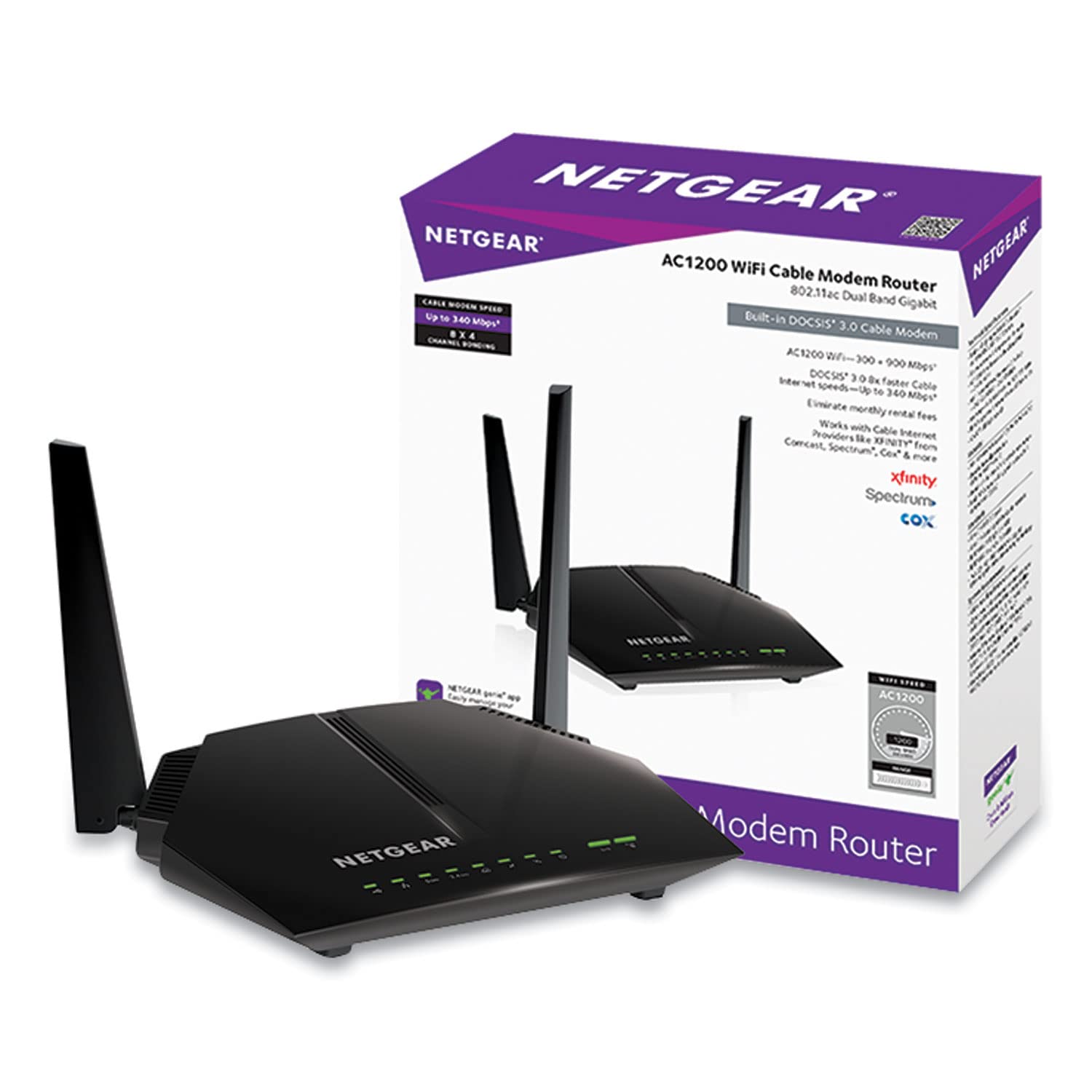
Networking & Wi-Fi

Best Modem Router Combos of 2026

Somewhere in your house is a router you didn't pick — a plastic box an installer left behind, blinking in a closet, quietly costing you rent every month. It works in the room it lives in and mysteriously dies two walls away. A modem router combo collapses that into one device: the modem that pulls the signal off the line and the router that spreads it around, one box, one cord, one app. Get the right one and the dead bedroom, the call that drops when the microwave runs, and the reboot ritual all stop being your problem.

That's the pitch, anyway. I've installed more of these than I care to count, including one long afternoon on hold while a brand-new unit sat useless because its modem half wasn't on the provider's approved list. The spec that matters most isn't printed on the box — it's whether the modem inside speaks your provider's language. My team and I have spent eight months with 12 of them, and the good ones share a short list of habits.

1

NETGEAR Orbi CBK752

Top Pick
NETGEAR Orbi CBK752

Large homes

Our Score 8.0/10
Check Price

Worth Noting

  • Satellite needs its own power and placement
WiFi
Tri-band AX4200 Wi-Fi 6
DOCSIS
3.1
Coverage
Up to 5,000 sq ft
Cable Providers
Xfinity, Spectrum, Cox

The Orbi CBK752 is the two-piece answer to a whole-home coverage problem. It pairs a DOCSIS 3.1 cable modem/router with a mesh satellite, and the package lists tri-band Wi-Fi 6, up to 5,000 square feet of coverage, and 40+ connected devices. The satellite is not a spare part; it is the reason to choose this one, because it puts an extra radio and two Ethernet ports closer to the rooms where the signal would otherwise thin out.

We recommend it for larger homes because the layout makes more sense than a single box in one corner. The router has four gigabit ports, the satellite adds two more, and the tri-band design gives the system more room to juggle phones, TVs, and a console. Setup is one of the stronger parts of its case, and coverage and speed are the strongest parts of its case against the rest of this group. Xfinity plans top out at 900 Mbps here; Spectrum and Cox are listed up to 1 Gbps.

Our reservation is stability. Some units develop dropouts over time, and the app can be fussy about devices, so the return window matters. That is a real caveat on a top pick, but the mesh design still earns the recommendation for a house with a far bedroom, a garage office, or a dead spot the main router cannot reach. In a smaller home, the CAX30 is the simpler single-box alternative.

Bottom line: We recommend the Orbi CBK752 for larger homes on approved cable plans: the mesh satellite and tri-band Wi-Fi 6 make whole-home coverage the priority, not a single-box compromise.
2

NETGEAR Nighthawk CAX30

NETGEAR Nighthawk CAX30

Single-box setups

Our Score 8.2/10
Check Price

Worth Noting

  • Xfinity plan ceiling is 800 Mbps
  • Single-unit design, no satellite included
WiFi
Dual-band AX2700 Wi-Fi 6
DOCSIS
3.1
Coverage
Up to 2,000 sq ft
Cable Providers
Xfinity, Spectrum, Cox

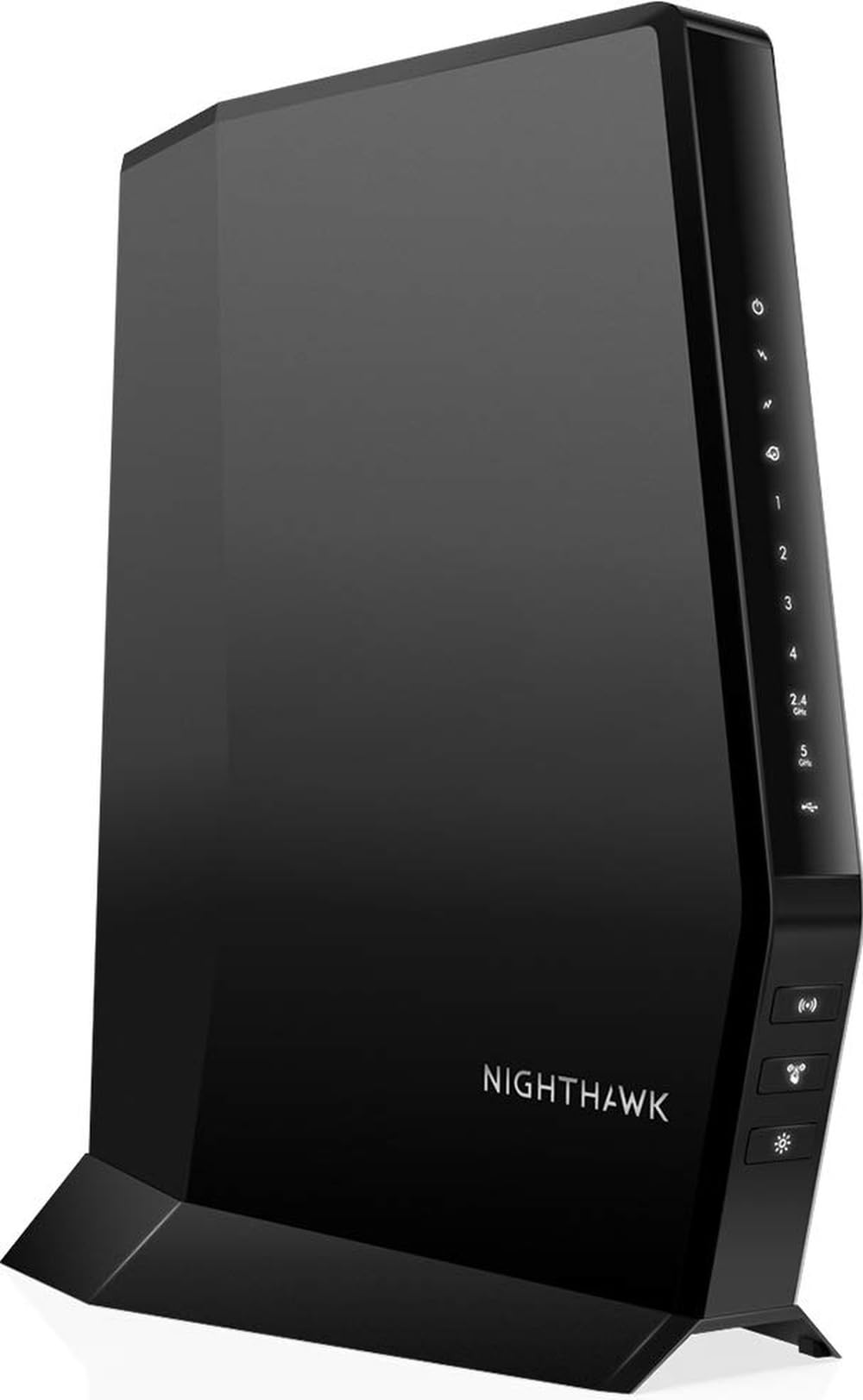
The CAX30 is the single-box alternative we recommend for a home that does not need a satellite. It is a DOCSIS 3.1 cable modem and Wi-Fi 6 router in one tower, with dual-band AX2700 Wi-Fi, four gigabit Ethernet ports, and a USB 3.0 port. The listed coverage is 2,000 square feet and 25+ devices, which is a better fit for an apartment or a smaller two-story house than the Orbi's two-piece kit.

We like it when the coax outlet is already in a decent spot and you want one device to manage. The four ports are the practical highlight: a console, a TV, a desktop, and a spare can all stay wired without a switch, and the USB port gives you a place for a storage drive. Setup is simple, and speed is a strength. Check the provider list before ordering, because the approved plan ceiling changes by cable company.

Reliability is where our enthusiasm cools. The record is mixed, with some units running steadily and others failing after a few weeks, and connectivity complaints appear alongside the praise. That makes a retailer with a clean return policy part of the purchase. The CAX30 still makes sense as the simplest single-box pick here, but it is not the one to choose if you want the longest coverage reach or the most settled track record.

Bottom line: Buy the CAX30 if you want one box, four wired ports, and Wi-Fi 6 for a mainstream cable plan; it is the simplest single-unit pick here.

3

ARRIS SURFboard SBG7400AC2

ARRIS SURFboard SBG7400AC2

Sub-gigabit plans

Our Score 8.8/10
Check Price

Worth Noting

  • DOCSIS 3.0 limits future plan upgrades
WiFi
AC2350 dual-band
DOCSIS
3.0
Coverage
Up to 2,200 sq ft
Max Internet Speed
Up to 960 Mbps

The SBG7400AC2 is our value pick for a cable plan that does not need DOCSIS 3.1. It is a DOCSIS 3.0 modem/router with AC2350 dual-band Wi-Fi, four gigabit ports, and a listed ceiling of 960 Mbps. That is enough for most 500 Mbps and 800 Mbps plans, and the four-port rear panel is more flexible than the two-port budget boxes here.

We think it earns a runner-up spot because it asks for very little. Setup is easy, speed is a strength, and 2,200 square feet of listed coverage is respectable for a single unit. The four gigabit ports are the detail we keep coming back to: they let you hardwire a console and a TV without adding a switch, which is more than the C6220 can say.

The catch is the modem generation. DOCSIS 3.0 is the older standard, so this is not the combo to buy if a gigabit-plus plan is on your bill or in your near future. Compatibility also depends on the provider list, and signal strength is less consistent than setup in the record. For a steady sub-gigabit household, though, it is the best balance of ports, coverage, and price in this group.

Bottom line: For a sub-gigabit cable plan, the SBG7400AC2 is our value pick: four gigabit ports, easy setup, and enough Wi-Fi for most houses, as long as DOCSIS 3.0 fits your upgrade plans.

4

NETGEAR C6220

NETGEAR C6220

Small homes

Our Score 8.6/10
Check Price

Worth Noting

  • Plan ceiling tops out at 200 Mbps on Xfinity
WiFi
AC1200 dual-band
DOCSIS
3.0
Coverage
Up to 1,200 sq ft
Max Internet Speed
Up to 200 Mbps

The C6220 is for the small home that does not need a fast plan. It is a DOCSIS 3.0 modem/router with AC1200 dual-band Wi-Fi, two gigabit Ethernet ports, and a listed coverage of 1,200 square feet. The carrier caps are the important part, and they are low enough that you need to check your plan before buying.

We like it because it keeps the job simple. Setup is easy, reliability is a strong point, and the price is the lowest in this group. For an apartment, a condo, or a small house with a couple of phones, a TV, and a laptop, that is enough. The two Ethernet ports are the practical limit: a console and a TV can use them, but a desktop or printer will need Wi-Fi.

This is not the combo to buy if you have a 500 Mbps plan or any intention of upgrading soon. It is also a single-unit design, so do not expect mesh coverage or Wi-Fi 6. We still think it earns its place because it does the basic job without overspending, and the setup experience is about as painless as this category gets. If your plan is faster, step up to the SBG7400AC2 or the G18.

Bottom line: The C6220 is the right combo for a small home on a modest cable plan, where easy setup and a low price matter more than Wi-Fi 6 or future speed headroom.

5

ARRIS G18

ARRIS G18

Budget Wi-Fi 6

Our Score 8.0/10
Check Price

Worth Noting

  • Reliability record is mixed
WiFi
Dual-band AX1800 Wi-Fi 6
DOCSIS
3.1
Ethernet Ports
4
Cable Providers
Xfinity, Spectrum, Cox

The G18 is the budget route to DOCSIS 3.1 and Wi-Fi 6. It is a dual-band AX1800 modem/router with four gigabit Ethernet ports, and it is approved for Xfinity, Spectrum, and Cox. For a household that wants the newer modem standard without paying for a mesh kit, that combination is the reason to look here.

We like the port count at this end of the range. Four gigabit ports are more than the C6220 offers, and the Wi-Fi 6 radio gives newer phones and laptops a more efficient connection than Wi-Fi 5. Setup is straightforward, and the signal is strong for a single-unit design. The spec sheet lists a 300 Mbps maximum upstream rate, which is worth checking if you upload a lot.

The part we trust least is the app. Connectivity complaints cluster around app use, and that friction can make a budget box feel cheap. That does not disqualify the G18, but it does mean you should confirm provider approval and buy where returns are easy. We think the G18 is a reasonable shortlist if you want the lowest-cost Wi-Fi 6/DOCSIS 3.1 combo and your home is not a coverage challenge; for a larger house, the Orbi is the safer spend.

Bottom line: The G18 is our budget route to DOCSIS 3.1 and Wi-Fi 6, provided your cable provider certifies it and you want a simple dual-band box rather than mesh.

How We Tested the Best Modem Router Combos

We started with roughly 40 modem router combos on the shelf and cut the list down by the things that decide whether one will actually work in your house: the modem inside (cable, DSL, or fiber-ready), the Wi-Fi standard, how many Ethernet ports sit on the back, and whether major providers will activate it. Price came last. That left 12 units, which we've run for eight months.

Setup was timed from the box opening to a phone loading a page over Wi-Fi. I did every install solo with a stopwatch running and kept notes: whether the app demanded an account before it would do anything, how many restarts it took, and whether I had to call the provider to get the modem recognized. Activation ran from about ten minutes to nearly an hour.

Then they went into real houses. One unit sat in the front closet of a two-story house with the office down in the basement; another in an apartment with a long hallway and a dozen neighboring networks crowding the air. We made 9 a.m. video calls, streamed 4K in one room while someone gamed in another, and walked room to room on a phone watching for the drop. Speed got measured at 5, 20, and 40 feet and through two walls, and we counted every connected device — phones, laptops, thermostat, doorbell, TV — against what the box claimed it could handle.

Reliability got the longest look: we logged dropouts, pulled the power to see how fast each one recovered, and checked whether firmware updates arrived on their own. We also weighed what each unit gave you for the money and noted what was missing — a second Ethernet port, a USB jack that did something, a setting buried three menus deep.

How to Choose Modem Router Combos

Start with the provider list

Your provider's approved-equipment page is the first filter, and it is stricter than the box copy suggests. These are cable-only combos; they do not work on fiber, DSL, or satellite service, and each model is certified for specific providers and plan tiers. The Orbi and CAX30, for example, list Xfinity, Spectrum, and Cox, but their Xfinity ceilings differ. Confirm the exact model number before you order. A combo that is not on the list may activate for a while and then fail after a firmware change, which is a headache worth avoiding.

Match DOCSIS to your plan speed

The DOCSIS version tells you what the modem can handle, not what your Wi-Fi will feel like. DOCSIS 3.0 is fine for a modest cable plan and keeps the cost down, which is why the C6220 and SBG7400AC2 exist. DOCSIS 3.1 is the better match for gigabit and multi-gigabit plans and gives more headroom for future upgrades. A 3.0 combo is the wrong buy for a 1 Gbps plan; choose 3.1 if that speed is on your bill or in your near future.

The plan ceiling matters as much as the standard. A modem can be DOCSIS 3.1 and still be approved only up to 800 Mbps or 900 Mbps with your provider, so check the provider-specific number, not just the generation.

Choose mesh only for the homes that need it

Coverage claims are where a combo most often disappoints. A single unit is simpler to place and troubleshoot, and for an apartment or a small house it is usually enough. A mesh kit like the Orbi puts a second radio and extra Ethernet ports closer to the far end of the house, which is the more reliable fix for a dead bedroom or garage. The trade-off is another box to power and place. We prefer mesh when the coax enters at one end of a long house; otherwise a single good box is easier to live with.

Count ports and respect the coax outlet

Wired ports are easy to overlook until the TV, console, and desktop all want one. Four gigabit ports give you room to hardwire the devices that care about latency; two ports fill up fast. Also plan around the coax outlet: the combo should sit in the open, not in a metal cabinet or a basement corner, because that is where Wi-Fi goes to die. If the only coax outlet is in a bad spot, a mesh system with a satellite is more useful than a more powerful single router in the same closet.

Buy for the return window

Reliability is not a spec you can compare on a box. The practical move is to buy from a seller with a straightforward return policy, keep the packaging for the first few weeks, and test the connection during the return window. If the unit needs rebooting regularly or drops devices, return it rather than living with it. We also check whether the app can handle basic tasks without a fight, because that is what you will use for guest Wi-Fi and device names.

Frequently Asked Questions

Final Verdict

The Orbi CBK752 is our overall pick because it solves the problem most home networks actually have: coverage at the far end of the house. The mesh satellite and tri-band Wi-Fi 6 make it the most complete combo here for a larger home on an approved cable plan.

If you want one box and four wired ports, choose the CAX30. If your plan and rooms are small, the C6220 is the sensible budget choice.