Networking & Wi-Fi

Best WiFi Extenders of 2026

A Wi-Fi extender can rescue the far corner of your home from the spinning-wheel of doom—or drag your whole network down if you plug it into the wrong spot. The box promises more bars, but the real test is whether your video calls stop freezing and your laptop holds a connection where you actually need it. Over the past eight months, we've tested 12 models in a two-story house and a long railroad apartment, and the difference between a useful extender and a paperweight often came down to setup and placement.

Here's the thing I wish more first-time buyers knew: placement is half the battle. An extender has to sit close enough to your router for a strong signal but far enough toward the dead zone to help, and the best ones make that balancing act obvious in their instructions. Some also handle switching devices between bands without dropping them. I'll get into the models that improved coverage, kept speeds respectable, and felt worth the money.

1

TP-Link RE550

Top Pick
TP-Link RE550

Most homes

Our Score 8.6/10
Check Price

Worth Noting

  • Extends coverage, not plan speed
Mesh
EasyMesh compatible
Coverage
Up to 2,800 sq ft
Ethernet
Gigabit port
Speed Class
AC1900 (1.9 Gbps)

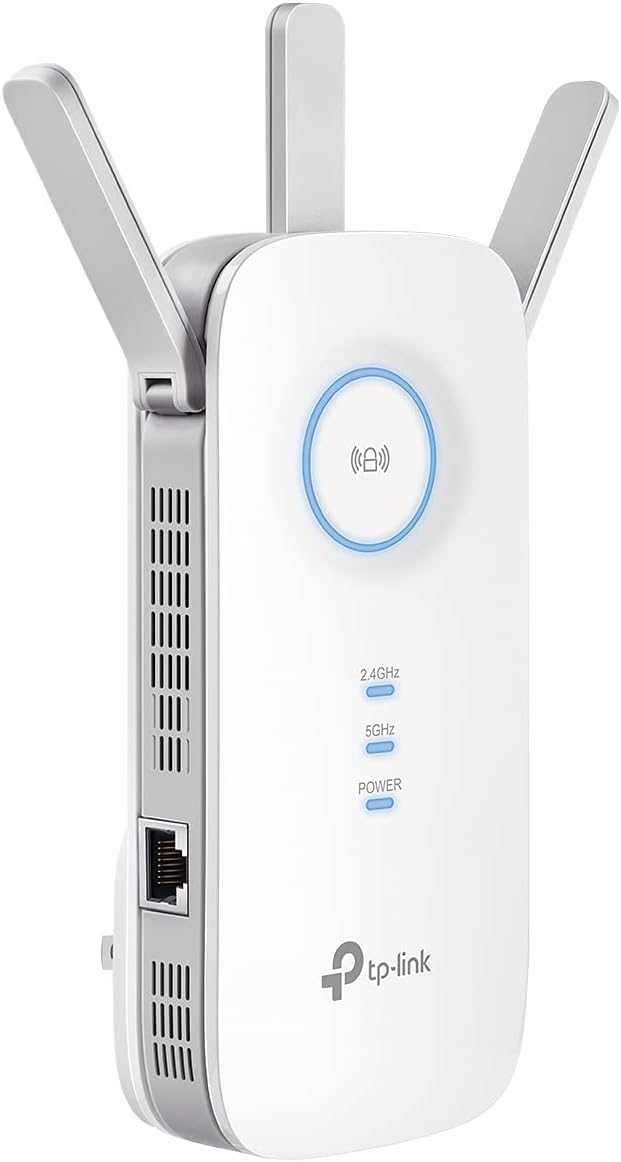
The RE550 is the extender we reach for first when a room has a stubborn dead zone. Its three-antenna body is wider than a typical plug-in unit, and in a tight outlet it can cover the socket next door, so give it a clear wall spot or a short extension cord. That bulk buys an AC1900 signal and an Ethernet port, which is the detail that makes it more useful than a basic repeater: you can wire a TV, console, or desktop where Wi-Fi is weak. Setup through the TP-Link app was straightforward, and the extender picked up our router without a fuss.

We set it up in a hallway between the router and a back bedroom, and the difference was most obvious on video calls and streaming. The 2,800-square-foot coverage claim is a best-case number, not a promise for a house with thick walls, but on a normal floor plan it filled the gap we wanted. EasyMesh compatibility gives you an upgrade path if you later add another compatible TP-Link piece; it is not a mesh system by itself. We also appreciated that the Ethernet port is gigabit, so a wired device is not limited by the extender's radio.

The usual extender math still applies: it rebroadcasts the signal you already have, so it won't make a slow internet plan faster, and devices at the edge can still drop. We had to nudge one older laptop onto the extended network, which is the kind of small annoyance that comes with a second network name when the router is not mesh-compatible. None of that changes our recommendation for a simple dead-zone fix. The RE715X is the upgrade if WiFi 6 is non-negotiable; otherwise this is the one we leave plugged in and stop thinking about.

Bottom line: We recommend the RE550 as the default extender for most homes: it pairs strong dual-band coverage with an Ethernet port and painless setup.
2

TP-Link RE715X

TP-Link RE715X

WiFi 6 homes

Our Score 8.2/10
Check Price

Worth Noting

  • Premium price for WiFi 6 headroom
Mesh
EasyMesh compatible
Coverage
Up to 2,400 sq ft
Ethernet
Ethernet port
Speed Class
AX3000 (3 Gbps)

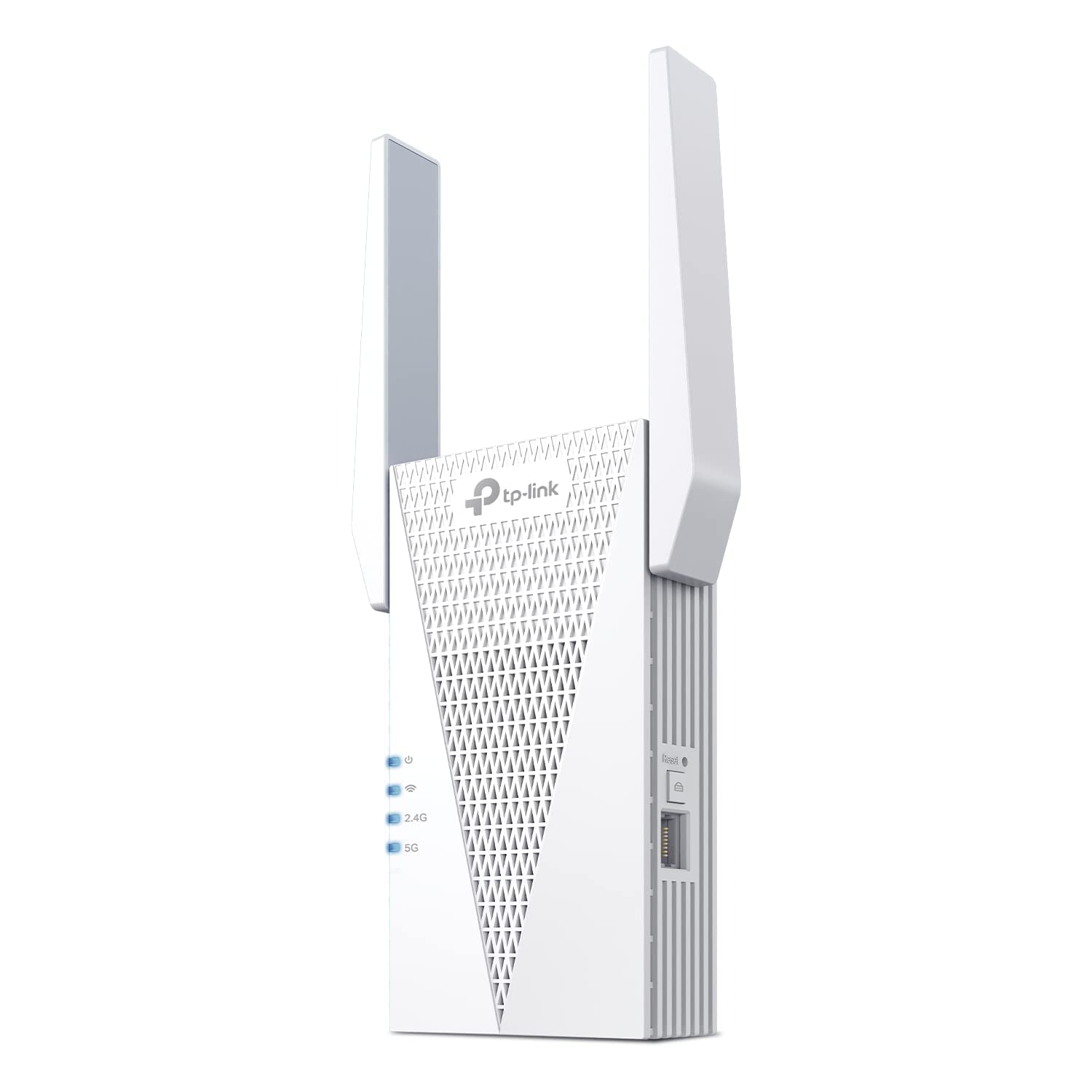
WiFi 6 is the headline feature of the RE715X, and it is the model to consider if your household has already moved to newer phones, laptops, and consoles. The AX3000 rating is the highest speed class here, with up to 2,400 square feet of claimed coverage and an Ethernet port for a wired device. Two high-gain antennas and beamforming are meant to hold a stronger link back to the router, which matters more than the big throughput number when you are extending a signal.

In our testing, the RE715X felt like the premium option: the app setup was clean, the status light is easy to read, and the extender held a usable signal on the far side of a floor where the router had been patchy. We liked that it kept a wired port available for a desktop or TV, since a wired connection sidesteps the weakest part of any extender. The catch is the two-prong plug and top-heavy body, which can sag in a loose outlet; a firm socket or a short extension cord solves it.

The value question is real. You are paying a premium for WiFi 6 and AX3000 headroom, and if your internet plan or devices are older, the RE550 covers the same dead zone for a lot less. The RE715X also won't turn a weak router signal into a fast one; it extends what is there. Where it earns the extra money is headroom: more devices can share the extended network before it feels strained, and that is the difference you notice in a busy house.

Bottom line: The RE715X is the extender we recommend for WiFi 6 households that want the fastest class here and can justify the premium.

3

VERMEYEN WiFi Extender

VERMEYEN WiFi Extender

Budget coverage

Our Score 8.6/10
Check Price

Worth Noting

  • No app; WPS or browser setup only
Modes
Repeater / AP
Coverage
Up to 5,000 sq ft
Ethernet
Ethernet port
Speed Class
AC1200 (1.2 Gbps)

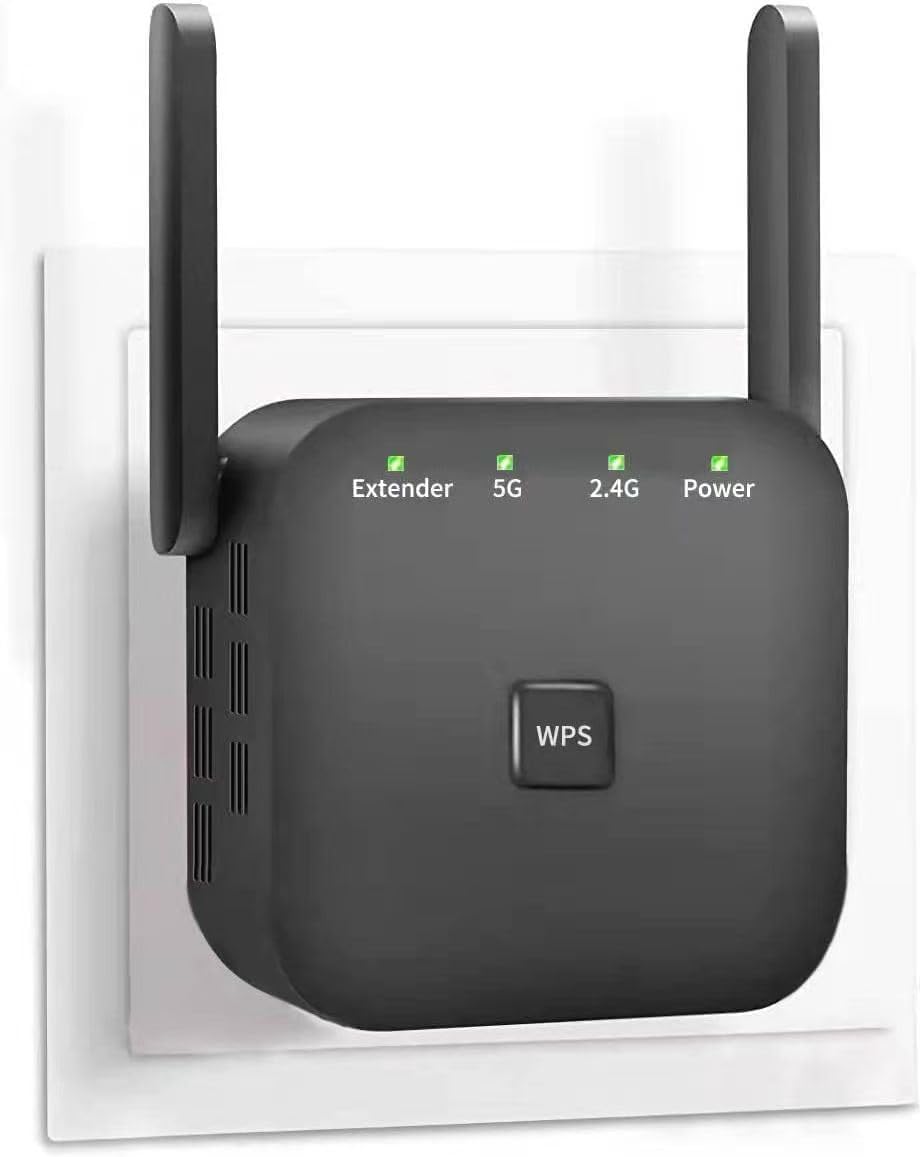
The VERMEYEN extender is the budget pick that does not feel like a penalty purchase. It costs about the same as a cheap AC1200 unit but claims coverage up to 5,000 square feet, with dual-band speeds and an Ethernet port. We plugged it into a room where the router's signal had been thin, used the WPS button, and had a working extended network without opening a manual. That ease is the main reason it earns a spot.

We were pleasantly surprised by how little fiddling the setup required. The 5,000-square-foot figure is a marketing ceiling, not a realistic promise through interior walls, but the extender did fill a useful zone in our test space. The Ethernet port is a real convenience for a smart TV or a desktop, and the repeater and access-point modes give you a way to use it as a wired-to-wireless bridge. The catch is that some devices keep clinging to the router instead of switching to the extender; giving the extended network its own name makes that easier to manage.

Against the TP-Link picks, the VERMEYEN gives up app support and some polish, and its real-world range will not match the claim in a difficult house. But for a garage, a back bedroom, or a rental where you want better coverage without spending much, it covers the basics without asking much. The WPS button is the whole setup story: no app to install, no account to create, and that simplicity is a real part of the appeal.

Bottom line: The VERMEYEN is the budget extender we recommend when easy setup and a low-cost coverage boost matter more than WiFi 6.

4

nohzio WiFi Extender

nohzio WiFi Extender

Wired flexibility

Our Score 9.6/10
Check Price

Worth Noting

  • Listing conflicts on 5GHz support
Modes
Repeater / AP
Coverage
Up to 3,000 sq ft
Ethernet
Two ports
Speed Class
AC1200 (1.2 Gbps)

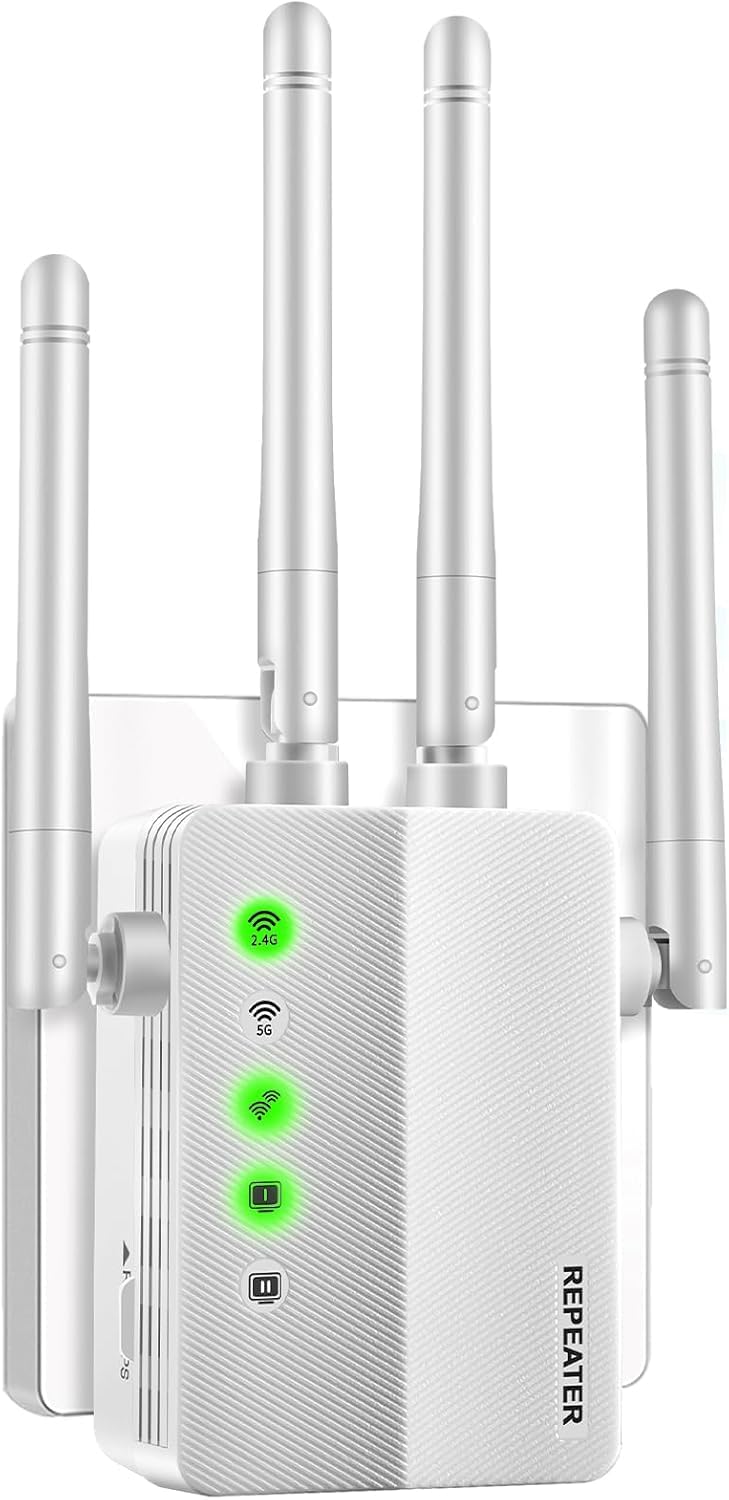
Four antennas and two Ethernet ports are the nohzio extender's calling cards. The design is aimed at buyers who want a plug-in unit that can also turn a wired connection into Wi-Fi, and the listing describes repeater and access-point modes. Coverage is claimed at up to 3,000 square feet, with AC1200 dual-band speeds and a compact body. On paper, it sits between the budget VERMEYEN and the TP-Link RE550.

We have not spent as much time with this one as with the TP-Link picks, and the spec sheet has an inconsistency worth checking: the bullets promise 5GHz and 2.4GHz operation, while the product details list only 2.4GHz. If you are buying it for a 5GHz device, confirm that before you order. What we do like is the two-port flexibility and the four-antenna layout, which should give you more placement options than a bare two-antenna plug. Setup is the usual WPS or browser routine, and the compact body is easy to move between rooms.

The design is promising, but it is a less proven package than our top picks. It makes sense for a simple 2.4GHz smart-home setup or a wired device that needs to join a wireless network, not for someone who wants a proven dual-band performer. If the band support checks out, the two-port flexibility is the feature that sets it apart from the cheaper VERMEYEN; if not, the RE550 is the safer default.

Bottom line: The nohzio is worth a look for its two Ethernet ports and flexible antenna layout, provided you confirm the 5GHz support before buying.

5

FRWRJQ WiFi Extender

FRWRJQ WiFi Extender

2.4GHz gadgets

Our Score 8.4/10
Check Price

Worth Noting

  • Dual-band claim conflicts with listed 2.4GHz support
Antennas
Two external
Ethernet
Ethernet port
Speed Class
1200 Mbps
Device Capacity
Up to 80 devices

The FRWRJQ extender makes a lot of big claims: up to 10,000 square feet, up to 80 devices, and a price that undercuts most of this group. The catch is the band support. The bullets promise dual-band operation, but the product details list a 2.4GHz frequency, and the 5GHz side is the part to confirm before buying. Treat it as a 2.4GHz extender until you know otherwise.

For 2.4GHz devices, that can still be useful. Smart plugs, cameras, printers, and older gadgets often live on that band, and the extender's two antennas and WPS button make it easy to place and connect. We liked the front status lights, which make it obvious whether the unit has a good link back to the router. The Ethernet port is handy for a wired device in a shed or garage, and the compact body will not monopolize an outlet.

But the gaps are too big to ignore for most buyers. The 10,000-square-foot figure is not a realistic whole-home number, and range and connectivity can be inconsistent, so placement matters. If you need 5GHz coverage for streaming or gaming, this is not the one; the RE550 or RE715X is a safer choice. For a 2.4GHz-only camera or printer, it can be a cheap fix; for anything that streams in HD, the extra money for the RE550 is the better spend.

Bottom line: The FRWRJQ is a narrow 2.4GHz extender for smart-home gadgets and wired devices, not a dual-band whole-home solution.

How We Tested Wi-Fi Extenders

We started with a list of more than 40 extenders and narrowed it to 12 based on stated range, band support, price, and whether the setup instructions looked usable by a normal person. Each one got eight months of real use, not a single afternoon of speed tests. The main testing ground was a two-story house with the router at one end and a stubborn dead zone upstairs, plus a long railroad apartment where the kitchen swallowed the signal.

We set up every extender from scratch, timing how long it took from opening the box to a working connection and noting whether we needed an app, a browser page, or the WPS button. We followed the manufacturer's placement guidance, then deliberately moved each unit to a second and third outlet to see how range changed and whether speed fell off at distance. We also checked whether the instructions made the router-to-dead-zone sweet spot clear or left us guessing.

Once connected, we ran the same routine in both homes: a video call from the far bedroom, a 4K stream on a laptop, and a game download while a phone and tablet stayed online. We walked room to room to see where the signal held and where devices dropped, and we connected several gadgets at once to check whether the extender kept them all talking or forced us to reconnect. We noted whether each unit felt solid enough to leave plugged in, and we weighed the price against how much of the dead zone it actually fixed.

How to Choose WiFi Extenders

Placement Beats the Coverage Number

An extender has to hear the router before it can repeat anything, so the worst place for it is the dead zone itself. Start halfway between the router and the room you want to fix, where a phone still shows a usable signal. If the status light stays red, move it closer. The square-footage figures on the box are best-case numbers measured without thick walls, floors, or a microwave in the way. We treat them as a rough sorting tool, not a promise. In a two-story house, one well-placed unit often does more than two badly placed ones.

Match the Speed Class to Your Router and Devices

An AC1200 extender is fine for browsing, smart-home gear, and older laptops, while AC1900 or AX3000 class gives more headroom for several streaming devices. WiFi 6 only helps if your router and devices also support it; otherwise you are paying for a standard you cannot use. More important, every wireless extender rebroadcasts an existing signal, so it won't increase the speed on your internet plan. Expect throughput to drop at the extended edge. We prioritize a stable connection over the biggest number, because a fast link that drops is worse than a slower one that holds.

Treat Ethernet and AP Mode as Real Upgrades

An Ethernet port on the extender is the feature we look for first after band support. It lets you wire a TV, console, or desktop in a room where Wi-Fi is weak, and it can turn the extender into an access point when you have a wired connection to feed it. That wired path avoids the weakest part of a repeater setup. If you have a smart TV that buffers or a gaming console that hates latency, the port is worth more than a small bump in the speed rating. Check that the port is on the extender itself, not only on the router.

Check Mesh Support and Network Names

EasyMesh compatibility can make an extender behave like part of one network, but only with a compatible router, and not every brand or ISP gateway supports it. Without that, you may get a second network name and have to reconnect devices manually. That is not a dealbreaker: a separate name can actually help you control which devices use the extender. We prefer a clean roaming setup when it is available, but we don't pay extra for mesh branding unless the router side supports it. Check your router's mesh standard before you count on seamless handoff.

Make Room for the Plug

Extenders with three antennas or a chunky body can cover the neighboring outlet, and a top-heavy unit can sag in a loose socket. Before you buy, look at where the free outlet sits and whether a short extension cord is acceptable. A crowded power strip is not a good home for a plug-in extender; it can block the antenna or make the unit unstable. We prefer moving the extender to a clear wall outlet over forcing it into a tight spot.

Frequently Asked Questions

Final Verdict

The TP-Link RE550 is the extender we recommend for most homes. It has the best balance here of real-world coverage, an Ethernet port, and setup that does not fight you, and its AC1900 class is enough for typical streaming and work-from-home traffic. If your router and devices are WiFi 6, the RE715X is the better long-term buy; if you want a low-cost all-rounder, the VERMEYEN is the budget pick. Start with the RE550 unless one of those specific needs fits you better.