Networking & Wi-Fi

Best USB WiFi Adapters of 2026

A USB Wi-Fi adapter is a radio on a stick: you plug it into a port, and a desktop with no wireless card — or a laptop whose internal card has given up — is back online. The trouble is that the tiny plastic nub in the product photo tells you almost nothing. Two adapters that look identical can differ by a fold-out antenna, a USB cradle, and a chipset that decides whether your video call holds together or dissolves into a green smear.

I've plugged a rotating cast of these into a tower under my desk, and the pattern holds: the ones that work have a real antenna and a driver that installs itself. Over the past four months, my team and I have lived with 16 adapters, from bare dongles to models on little stands, in a basement office, an upstairs bedroom, and at a patio table. One thing worth knowing before you buy: which port you use matters nearly as much as the adapter itself, and a USB 2.0 port at the back of a case can halve what a good one can do. The picks below are sorted by the situations they actually solve.

1

TP-Link Archer T2U Plus

Top Pick
TP-Link Archer T2U Plus

Everyday desktop WiFi

Our Score 8.8/10
Check Price

Worth Noting

  • No Linux support
  • AC600 is the speed ceiling
Bands
2.4 GHz and 5 GHz
Speed
600 Mbps
Antenna
5dBi adjustable
OS Support
Windows and macOS

The Archer T2U Plus is the adapter we reach for when a desktop has no WiFi at all or a laptop's internal card has gone weak. The adjustable 5dBi antenna is the reason: you can stand it up and angle it toward the router instead of letting a tiny dongle collect whatever signal reaches behind the case. That single design choice makes it more useful in a far room than many smaller adapters.

The AC600 rating is modest, with 433 Mbps on 5 GHz and 200 Mbps on 2.4 GHz, but it's enough for streaming, video calls, and everyday browsing on most home connections. We like that it supports both Windows and macOS, since a lot of cheap adapters are Windows-only. Setup on Windows 10 and 11 is usually plug-and-play; older Windows versions may need the driver, and Linux isn't supported.

The caveat is long-term reliability. Some units stop working after a few months, so buy from a seller with an easy return window. If you need gigabit-class throughput or Linux support, look elsewhere; for the common job of restoring reliable WiFi to an older machine, this is the safest bet here.

Bottom line: We recommend the Archer T2U Plus as the default USB WiFi adapter: its adjustable antenna, broad Windows and macOS support, and easy setup solve the most common desktop and laptop WiFi problems.

2

Tenda U11

Tenda U11

Budget WiFi 6

Our Score 8.8/10
Check Price

Worth Noting

  • Windows-only
  • USB 2.0 limits throughput
Bands
2.4 GHz and 5 GHz
Speed
900 Mbps
Interface
USB 2.0
OS Support
Windows 7/10/11

The U11 is the least expensive way here to add WiFi 6 to a Windows desktop, and it doesn't feel like a compromise. The body is small enough to leave in a rear port, and the built-in driver means you can plug it in and run the installer without hunting for a download. For a machine that just needs to get online, that's a tidy solution.

The AX900 label means up to 600 Mbps on 5 GHz and 286 Mbps on 2.4 GHz, and the USB 2.0 interface is the real limiter. You get WiFi 6's efficiency and congestion handling, not its top throughput. That's fine for a modest broadband plan or a secondary PC, but don't expect it to feed a gigabit connection or a heavy local-network workload.

Compatibility is the trade: this is a Windows 7/10/11 adapter, with no macOS or Linux support. We recommend it for a Windows desktop or laptop that needs a cheap WiFi 6 upgrade and can live with USB 2.0 speeds; if you need Mac support or more headroom, the Archer T2U Plus or NETGEAR A7500 are the better fits.

Bottom line: We like the U11 for a cheap WiFi 6 upgrade: it's plug-and-play on Windows, tiny enough to forget, and quick enough for streaming, as long as you don't need macOS or Linux.

3

NETGEAR Nighthawk A7500

NETGEAR Nighthawk A7500

Mainstream WiFi 6

Our Score 8.6/10
Check Price

Worth Noting

  • Windows-only
  • Needs WiFi 6 router for full benefit
Bands
2.4 GHz and 5 GHz
Speed
1.8 Gbps (AX1800)
Interface
USB 3.0
OS Support
Windows 10/11

The Nighthawk A7500 is a desktop-first adapter, and the flippable antenna is the detail we appreciate most. You can stand it up and angle it toward the router, which is more useful behind a tower than a nano dongle that disappears into the case. The body is bigger than the tiny picks here, but that's the trade for an antenna that can actually be aimed.

AX1800 and USB 3.0 give it more headroom than the budget picks: up to 1.8 Gbps combined, with the interface less likely to be the bottleneck. We think it's the right step up for a WiFi 6 router and a home with several devices, especially if you want to keep the adapter on a desk rather than tucked into a laptop bag. It's Windows 10/11 only, and you need a WiFi 6 router to see the benefit.

The A7500 is not the cheapest way to get online, and it's overkill for a basic browsing machine. But for a desktop that does video calls, large downloads, and some gaming, the USB 3.0 connection and adjustable antenna make it a more comfortable long-term pick than an AC600 stick.

Bottom line: The A7500 is the WiFi 6 adapter we point to when you want more headroom than a budget dongle: USB 3.0, a flippable antenna, and Windows 10/11 support in a tidy package.

4

TP-Link Archer TX10UB Nano

TP-Link Archer TX10UB Nano

Tiny travel dongle

Our Score 8.8/10
Check Price

Worth Noting

  • USB 2.0 limits throughput
  • Windows-only, with uncertain Linux support
Speed
900 Mbps
Bluetooth
Bluetooth 5.3
Interface
USB 2.0
OS Support
Windows 10/11

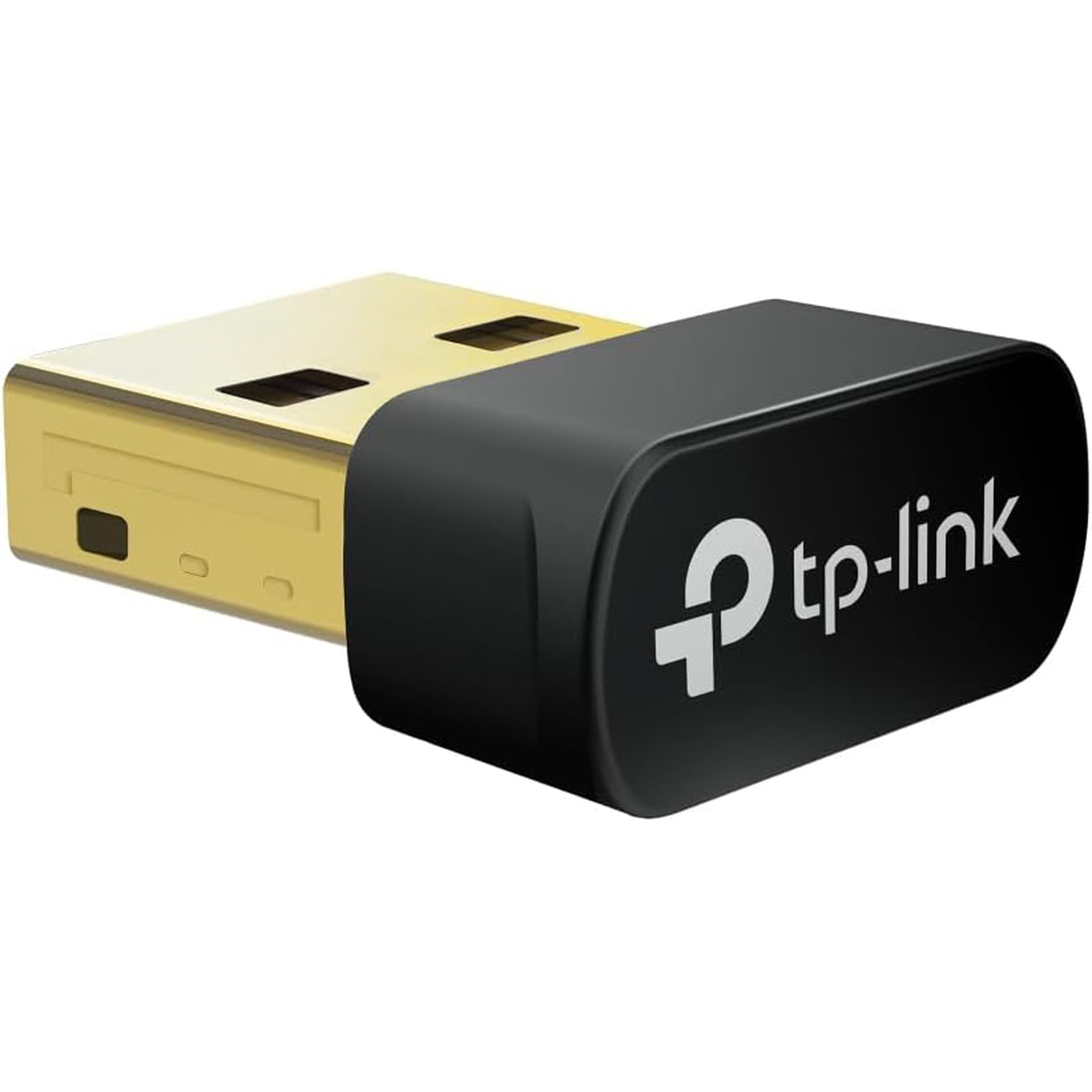
The TX10UB Nano is barely bigger than the USB plug it sits on. It won't block the ports next to it, and it adds Bluetooth 5.3 alongside WiFi 6, so a laptop or a crowded desktop can drop one dongle instead of two.

We recommend it when port clearance and Bluetooth matter more than raw speed. The compromise is USB 2.0: the AX900 rating tops out at 600 Mbps on 5 GHz and 287 Mbps on 2.4 GHz, and the older interface means you're buying WiFi 6's efficiency more than its peak speed. For a travel laptop or a desktop where port space is tight, that's a fair trade. If you need maximum throughput, a USB 3.0 adapter like the A7500 is the better choice.

It's a Windows 10/11 adapter, and Linux support isn't something to count on. The Bluetooth side is the feature that makes it worth the space: it handles headphones, controllers, and keyboards without another dongle. That combination is why it earns a spot even though faster adapters exist.

Bottom line: We recommend the TX10UB Nano when port space is tight and you also need Bluetooth: it's a tiny WiFi 6 and Bluetooth 5.3 dongle that disappears into a laptop.

5

Nineplus N12

Nineplus N12

Weak-signal rooms

Our Score 8.6/10
Check Price

Worth Noting

  • No macOS or Linux support
  • Uneven latency and reliability
Bands
2.4 GHz and 5.8 GHz
Speed
1300 Mbps
Antennas
Two 5dBi
Interface
USB 3.0

The Nineplus N12 has two 5dBi antennas, and that pair is the reason it earns a place here. On a desktop in a back room, you can angle both toward the router instead of relying on a nano adapter buried behind the case. That makes it the range-focused budget pick in this set, even though the brand is less familiar than TP-Link or NETGEAR.

The AC1300 rating gives you up to 867 Mbps on 5 GHz and 400 Mbps on 2.4 GHz, and USB 3.0 keeps the interface from being the obvious bottleneck. Setup is usually plug-and-play on Windows, which keeps this a low-friction way to add WiFi. The catch is that it's a Windows 7–11 adapter, with no dependable macOS or Linux support.

The N12 is not the adapter for competitive gaming: latency and reliability are uneven, and some units disconnect under load. For general browsing, streaming, and a weak-signal room, the twin antennas do more for the money than a smaller AC600 stick. If you need consistent low latency, spend more on the A7500 instead.

Bottom line: If your router is far away and you don't want to spend premium money, the Nineplus N12's two adjustable antennas make it the range-focused pick here.

6

NETGEAR Nighthawk A8000

NETGEAR Nighthawk A8000

Premium 6 GHz

Our Score 8.6/10
Check Price

Worth Noting

  • Windows-only
  • Only worth it with a WiFi 6E router
Bands
2.4, 5, and 6 GHz
Speed
3 Gbps (AXE3000)
Interface
USB 3.0
OS Support
Windows 10/11

The Nighthawk A8000 is the only adapter in this set with a 6 GHz band. That band is the reason it exists: on a WiFi 6E router, it can use a cleaner channel in a crowded apartment or a house full of devices. On an older router, the extra band does nothing.

AXE3000 and USB 3.0 give it up to 3 Gbps combined across 2.4, 5, and 6 GHz, and the flippable antenna helps you aim the signal. It's Windows 10/11 only, with WPA3 support and a one-year warranty. The hardware makes sense for a desktop that already has a WiFi 6E router and does large local transfers, VR, or high-bitrate streaming.

We recommend the A8000 only for a Windows PC on a WiFi 6E network that needs the extra headroom. For everyone else, it's the priciest pick here and a narrow fit; the A7500 is the smarter buy. The 6 GHz band is a genuine advantage, but only when your router can feed it.

Bottom line: The A8000 is the premium pick for a WiFi 6E router and a Windows PC: its 6 GHz band and tri-band design are genuinely useful if you have the router to feed it.

How We Tested the USB Wi-Fi Adapters

We started by gathering adapters from brands we'd recommend to a friend, filtering out anything without 5 GHz support or with a driver last updated years ago, and checking that each one listed Windows 11 and macOS. We paired every finalist with both an older WPA2 router and a current WPA3 one. That left 16 units, which we tested over four months.

Each adapter went through the same install first. We plugged it into a Windows 11 laptop and timed from port to working connection, noting whether we had to hunt down a driver at all and whether the boxed disc was the only option. Then we ran a speed test from the same chair at the same hour of the evening, moved two rooms and a floor away, and ran it again, recording signal strength alongside throughput. Each one also did the near test in a USB 2.0 port to see how much speed survived.

For latency, we took video calls and played a few rounds of an online game on each adapter, watching for spikes rather than averages. Reliability got the boring treatment: 48-hour stretches left connected, 20 sleep-and-wake cycles to see whether the adapter reconnected on its own, and a dropout count at the end. Two finalists came along to a coffee shop and a hotel room to prove they'd hold a connection on a network we didn't control.

Value came last, and it wasn't about the sticker. Anything that demanded a driver disc, a reboot, or a second try at connecting lost ground no matter how fast it looked on paper.

How to Choose USB WiFi Adapters

Start with your router, not the box number

A WiFi 6 adapter cannot create WiFi 6 from an older router. If you have a WiFi 5 router, an AC600 or AC1300 adapter like the Archer T2U Plus or Nineplus N12 is already in the right ballpark; a WiFi 6 model mainly adds efficiency and future headroom. WiFi 6E is narrower still: the NETGEAR A8000's 6 GHz band is useful only with a WiFi 6E router. We prefer to match the adapter to the router first and then spend the difference on a better antenna or USB 3.0, because those help in more situations.

Choose the antenna for where the adapter sits

A nano adapter is the right answer when the USB port is on the side of a laptop or the back of a crowded desktop and you don't want a stick jutting out. The TP-Link TX10UB Nano is the obvious example here. An adjustable external antenna, like the one on the Archer T2U Plus or the twin antennas on the Nineplus N12, gives you a better shot at a signal across a house or through a wall. The trap is assuming compact means better range; it usually means the opposite.

Confirm OS and driver support

Most cheap adapters are Windows-only, and the listing may say Windows 10/11 while the fine print excludes macOS or Linux. The Archer T2U Plus is the broadest pick here because it covers Windows and macOS; the Tenda U11 and NETGEAR models are Windows-only. If you use Linux, check the exact model's driver situation before ordering, because a WiFi adapter with no working driver is just a plastic plug. On Windows, built-in drivers make setup much easier; older Windows versions may still need a manual install.

Match the USB interface to the speed you need

USB 2.0 caps real-world throughput well below the combined AC or AX rating, which is why the Tenda U11 and TX10UB Nano are fine for browsing but not for gigabit fiber. USB 3.0 adapters like the NETGEAR A7500 and Nineplus N12 have more room, though your router and internet plan still set the ceiling. If your laptop only has USB 2.0 ports, don't pay extra for a USB 3.0 adapter unless you're also moving to a faster machine.

Treat reliability as a return-window decision

USB WiFi adapters are small, heat-producing devices that live in a port for years, and the category has a recurring pattern of units that work fine and then stop after a few months. We cannot predict which unit will fail, but we can tell you to buy from a seller with an easy return window and to test the adapter thoroughly in the first week: a long video call, a large download, and a sleep/wake cycle will expose most early problems. If a model has a pattern of failures, we leave it out of the recommendations.

Frequently Asked Questions

Final Verdict

The TP-Link Archer T2U Plus is the USB WiFi adapter we recommend first because it solves the most common problem, a desktop or laptop with weak WiFi, without making you pay for speed you may not use. Its adjustable antenna and broad Windows and macOS support make it easy to live with.

If you have a WiFi 6 router and want more headroom, the NETGEAR A7500 is the step up. If you need the smallest possible dongle and Bluetooth in the same package, choose the TP-Link TX10UB Nano. The Archer T2U Plus remains the default for everyone else.