Networking & Wi-Fi

Best Travel Router of 2026

Hotel Wi-Fi is where many people first realize they need a travel router: the signal looks fine on your phone, then your laptop drops every few minutes and the TV refuses to cast. A travel router takes that one sketchy connection—hotel Ethernet, Airbnb Wi-Fi, a coffee shop hotspot—and turns it into your own stable little network, so every device you carry uses the same password. The good ones fit in a laptop sleeve, but they still have to hold a connection, pass through decent speed, and set up without a manual.

I've tested 12 travel routers over nine months of real trips, from hotel rooms with captive portals to a rented cabin with one sad Ethernet jack, and the gap between models is real. The best ones earn their bag space because setup takes minutes, the features you actually use are included, and the price feels fair. A few compact units feel flimsy; those did not last the trip. Below are the picks that got connectivity, reliability, and speed right.

1

GL.iNet Slate 7

Top Pick
GL.iNet Slate 7

Hotel and cruise

Our Score 8.8/10
Check Price

Worth Noting

  • Dual-band only, with no 6 GHz band
  • Advanced OpenWrt settings assume networking comfort
Setup
Touchscreen, OpenWrt 23.05
Wi-Fi
Wi-Fi 7, dual-band
Dimensions
3.5 x 1.3 x 5.1 in
Wired Ports
Dual 2.5G Ethernet

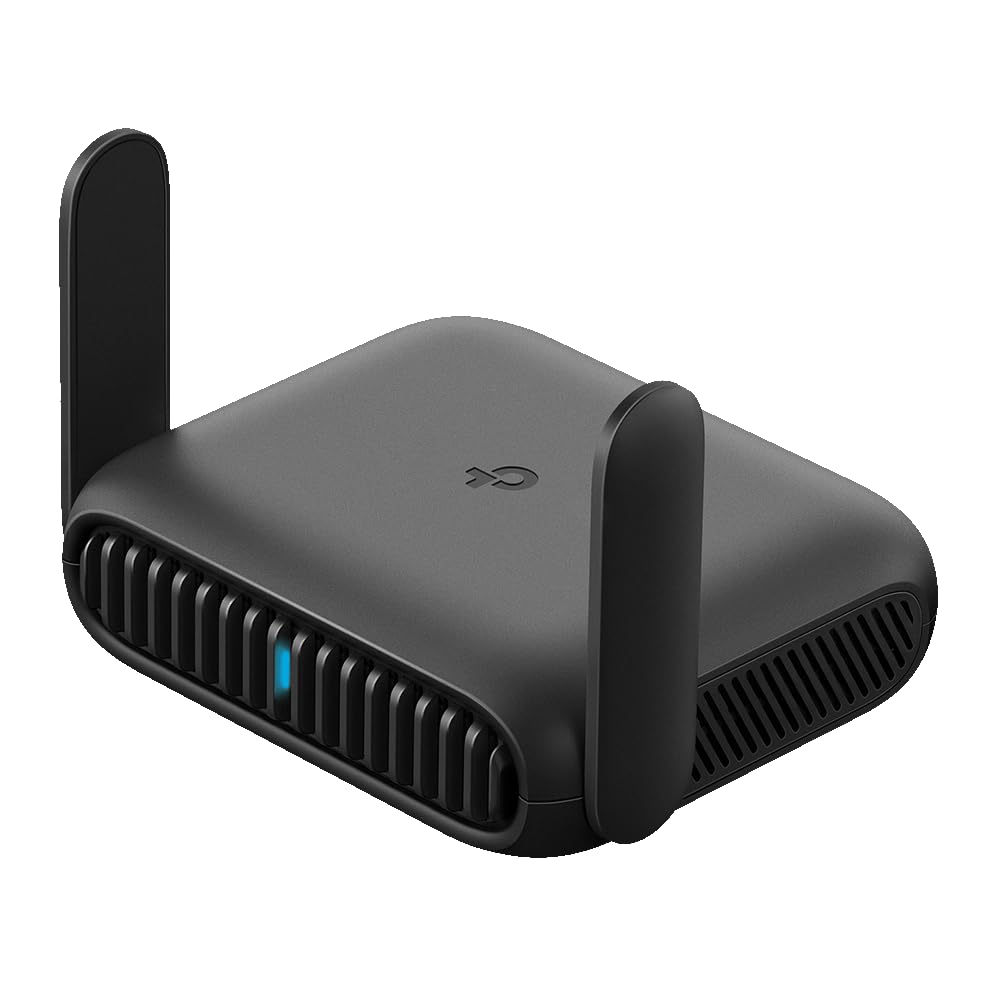
The Slate 7 replaces the admin page with a screen. Rather than typing an address into a browser on your phone, you tap the panel on the router itself to pick the hotel network, scan a QR code to hand the password to whoever you're traveling with, watch throughput in real time, or switch the VPN on and off. After a few nights of that, we stopped treating the touchscreen as a novelty and started treating it as the reason this one is our default.

What's underneath earns the price too. It's a dual-band Wi-Fi 7 router with 688 Mbps on 2.4 GHz and 2882 Mbps on 5 GHz, plus two 2.5-gigabit Ethernet ports — one WAN for a hotel wall jack, one LAN for a laptop, a TV, or a console. OpenWrt 23.05 is the firmware, with OpenVPN and WireGuard preinstalled and support for the 30-plus commercial VPN providers people already subscribe to. It's rated for 120-plus devices, which is more headroom than a hotel room needs and about right for a family traveling with tablets, watches, and a streaming stick.

The supplied adapter carries US, UK, EU, and Australian plugs, and the body is 1.3 inches thick, so it disappears into a laptop sleeve. The Roam 7 gives you Wi-Fi 7 for a good deal less, but we kept reaching for the Slate 7: the screen lets you diagnose a bad hotel network without opening a laptop, and the 2.5G port on the LAN side is faster than anything the cheaper pick offers. It is the most expensive router in this group, which is easy to justify for someone on the road most weeks and hard to justify for two trips a year.

Bottom line: The one we recommend to anyone who needs hotel Wi-Fi to simply work: the Slate 7's screen and fast ports earn their premium on the first awkward login.

2

TP-Link Roam 7 BE3600

TP-Link Roam 7 BE3600

Value Wi-Fi 7

Our Score 8.8/10
Check Price

Worth Noting

  • Connections can drop under load
  • Configuration runs through the phone app
Wi-Fi
Wi-Fi 7, dual-band
Devices
Up to 90
5 GHz Speed
Up to 2882 Mbps
Wired Ports
2.5G WAN, 1G LAN

Take the touchscreen off the Slate 7 and you're looking at this. The Roam 7 BE3600 is a dual-band Wi-Fi 7 router with a 2.5-gigabit WAN port, a gigabit LAN port, USB 3.0, and the same class of wireless speeds — 2882 Mbps on 5 GHz, 688 Mbps on 2.4 GHz — in a body about the size of a paperback. It's the cheaper way into Wi-Fi 7 on this list, and the one most people should look at first.

We think that's the right call for a lot of buyers. Setup runs through TP-Link's Tether app, which is friendlier than an OpenWrt console if you've never configured a router, and hotspot mode walks you through joining a hotel's login page and rebroadcasting it as your own network. Add USB tethering from a phone and you have a fallback for the night the hotel Wi-Fi gives up entirely. For a family trip with a streaming stick and four phones, it does everything the top pick does except the screen.

Stability is where it gives ground. Connections can drop under load, so if the hotel-room connection is how you earn a living, that risk belongs in the decision rather than in a footnote. For a holiday where the worst case is a reboot, it isn't enough to change our recommendation — the specification-to-price ratio here is the best in the group.

Bottom line: Most buyers get the same Wi-Fi 7 network as our top pick for less, giving up only the screen and the second fast port.

3

TP-Link Roam 6 AX1500

TP-Link Roam 6 AX1500

Simple hotel use

Our Score 8.2/10
Check Price

Worth Noting

  • Connections can drop on some hotel networks
  • Wi-Fi 6 only, with a gigabit port ceiling
Wi-Fi
Wi-Fi 6, AX1500
Weight
6.72 oz
Devices
Up to 60
Wired Port
1 Gbps WAN/LAN

This is the least expensive way into Wi-Fi 6 in this group, and that's most of the argument. AX1500 speeds — 1201 Mbps on 5 GHz, 300 Mbps on 2.4 GHz — a single gigabit WAN/LAN port, support for up to 60 devices, and a body that weighs 6.72 ounces and measures about four inches across.

The modes are where it earns more than its price: router mode for a hotel's Ethernet jack or a tethered phone, hotspot mode for public Wi-Fi, plus access point, range extender, and client modes for when you get home. The Tether app handles setup, WPA2 and WPA3 are both supported, and there's a guest network and parental controls if you're traveling with kids — which we appreciate more every year.

For a first travel router, or a second one for occasional trips, this is the sensible buy. It does what the expensive picks do — one login, a private network, every device connected — at the bottom of the price range, and setup is short enough to finish standing in a lobby. What you give up shows on busy networks rather than quiet ones, which is the right way round for a router that mostly sees hotel rooms.

Bottom line: For a first travel router or a tight budget, we point you here: Wi-Fi 6, every mode you need, and setup short enough for a hotel lobby.

4

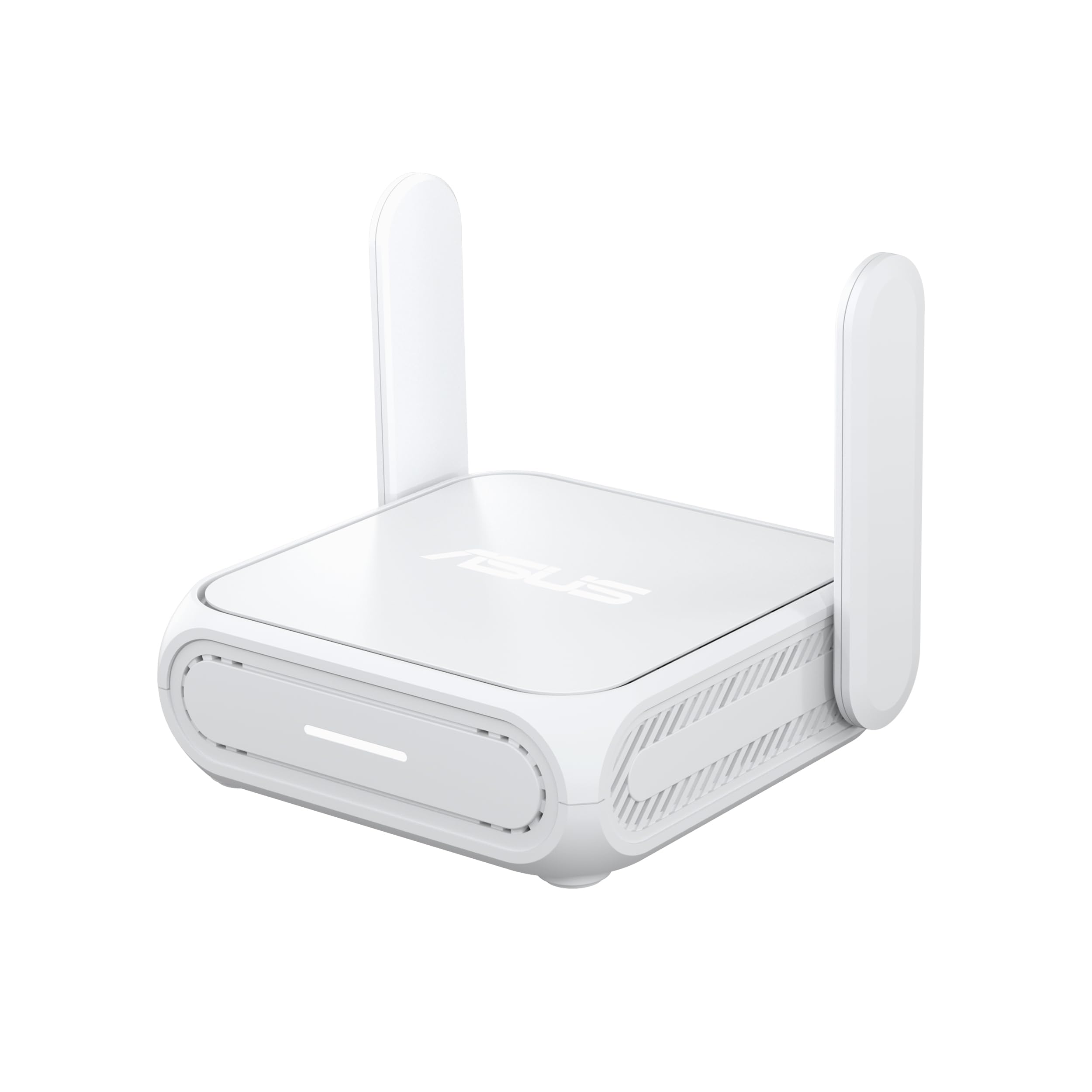
ASUS RT-BE58 Go

ASUS RT-BE58 Go

One-charger travel

Our Score 8.4/10
Check Price

Worth Noting

  • Only one Ethernet port
  • AiMesh needs other ASUS gear to matter
Mesh
AiMesh compatible
Power
USB-C PD, 18W
Speed
Up to 3600 Mbps
Wi-Fi
Wi-Fi 7, dual-band

If you already carry a USB-C laptop charger, the RT-BE58 Go is the travel router that adds the least to your bag. It runs on USB-C Power Delivery at 18W, so the brick you pack for the laptop powers it too — no proprietary adapter, no second wall wart, no extra travel plug. That single decision is why it holds a runner-up slot here despite a body that's chunkier than the pocket routers.

The rest of the specification is current: dual-band Wi-Fi 7 up to 3600 Mbps with MLO and 4K-QAM, ASUSWRT, WPA2 and WPA3, and a public Wi-Fi mode built around hotel login pages — the feature that decides whether any travel router is useful on the first night. Tethering from a phone or a 4G/5G dongle is supported too, and the three-year warranty is the longest in this group.

AiMesh is the wildcard. At home it slots in as a mesh node, so the box that travels with you strengthens the network when it's back on a shelf — genuinely useful if your house already runs ASUS gear, close to irrelevant if it doesn't. In a hotel room the mesh features do nothing; you're paying for the shared charger and a competent Wi-Fi 7 radio, and both of those are worth the money.

Bottom line: We recommend the RT-BE58 Go to travelers who want one USB-C charger for everything, and to ASUS households that can use it as a mesh node at home.

5

GL.iNet Opal

GL.iNet Opal

Budget travel

Our Score 8.4/10
Check Price

Worth Noting

  • Connections can drop under load
  • Wi-Fi 5 radio, with no Wi-Fi 6 support
VPN
OpenVPN and WireGuard, 30+ providers
Wi-Fi
AC1200, dual-band
Weight
5.11 oz
Wired Ports
2x GbE LAN, 1x GbE WAN

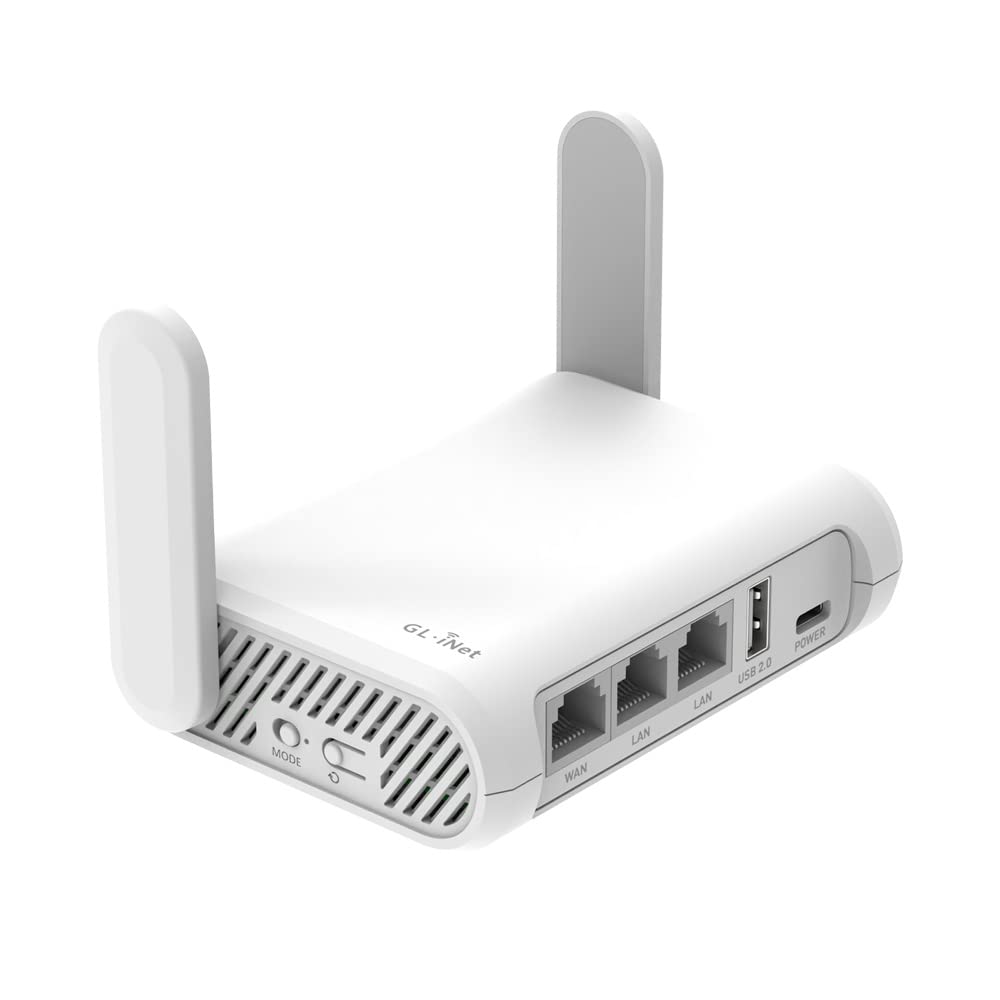
The Opal is the cheapest router on this page, and the spec sheet shows where the money went: a dual-band AC1200 radio, 300 Mbps on 2.4 GHz and 867 Mbps on 5 GHz. What you get anyway is unusual at the price — three gigabit Ethernet ports, OpenWrt, OpenVPN and WireGuard preinstalled with support for 30-plus providers, WPA2 and WPA3, and a two-year warranty.

We still like it for a specific job. At 145 grams and roughly the footprint of a passport, it's the one that disappears into a bag, and the gigabit WAN port means a hotel wall jack gives you a far better connection than repeating the hotel's Wi-Fi ever will. As insurance for the trip where the room's Wi-Fi turns out to be broken, that's plenty.

Where it needs a reality check is throughput. The rated VPN ceiling is 28 Mbps over OpenVPN and 170 Mbps over WireGuard, so a tunnel running on the router is fine for email and browsing and wrong for anything that needs bandwidth. Put the VPN on your laptop when speed matters and let the Opal handle the hotel login and the private network — that division of labor is what makes a router this cheap worth packing.

Bottom line: We reach for the Opal when a trip needs insurance rather than infrastructure: cheap, tiny, and capable, as long as VPN work stays on your laptop.

6

Ubiquiti UniFi UTR

Ubiquiti UniFi UTR

UniFi households

Our Score 8.4/10
Check Price

Worth Noting

  • Wi-Fi 5 radio, no Wi-Fi 6 or 7
  • Gigabit ports only, with no 2.5G
Power
USB-C 5V/2A, adapter not included
Wi-Fi
Wi-Fi 5, dual-band
Dimensions
3.78 x 2.6 x 0.5 in
Wired Ports
2x GbE RJ45

At half an inch thick, the UniFi UTR slides into the laptop sleeve next to the machine it's there to protect, and the 1.14-inch status display is enough to tell you it's alive without opening an app. There's no power adapter in the box — a 5V/2A USB-C charger you already own covers it, which we count as a fair trade for a body this thin.

What it does is narrower than the price suggests. Wi-Fi 5, two gigabit RJ45 ports, an uplink over Ethernet or Wi-Fi, and WireGuard for a tunnel back to your own network. If you run UniFi at home, it joins that network and behaves like a device you already understand — same console, same habits — and Ubiquiti is explicit that no UniFi account is required for stand-alone use.

For a UniFi household, that continuity is worth real money: the router you hand to a family member before a trip is one you can check from the console you already use, and a WireGuard link back home means the same box gets you into your own network from a hotel desk. Outside that world the case thins quickly, and it costs about the same as the Roam 7.

Bottom line: The UTR makes sense for UniFi households and anyone who prizes a half-inch body over Wi-Fi 6; for everyone else, cheaper picks do more.

How We Tested Travel Routers on Real Trips

We started by pulling together the models that show up again and again in travel-gear forums and retailer listings, then narrowed the field by price, size, and the connections each one offers. We ruled out anything that needed a subscription for basic routing, and we skipped giant desktop-style units that no one would actually pack. That left 12 routers, which we tested over nine months.

Each router came on real trips: hotel rooms with captive portals, a rented cabin with one Ethernet jack, coffee shops, an airport lounge, and a train. I timed setup from unboxing to a working network, including the moment a portal asked for a room number and the moment I had to reconnect after my laptop went to sleep. I plugged each into hotel Ethernet where it was available, then joined a phone, a laptop, and a tablet to see whether the router kept all three online.

To judge speed, I ran the same speed test before and after the router was in the chain, then streamed a video call and a 4K show at the same time. I walked to the far end of each room and down a hallway to see where the signal gave out, and I left each unit running overnight to catch dropouts. For portability and compact size, I packed each one in a laptop sleeve and a quart-size pouch, weighed it, and noted whether the antennas or case felt like they would survive a week in a bag. Value came down to what the router did without extra gear or fees.

How to Choose the Right Travel Router

Captive portals decide your first night

The first job a travel router does in a hotel is open a login page that was never designed for it. Look for hotspot, repeater, or WISP mode in the specs, and better still a manual that mentions captive portals by name. A router that can't get past that page is a paperweight with an antenna, no matter what its wireless rating says.

All six picks here handle hotel logins, but they differ in how visible the handshake is: the Slate 7's screen shows you the uplink and the VPN state, the Roam pair walk you through it in an app, and the GL.iNet boxes expose the underlying setting if you want it. If you're buying for one specific hotel chain or cruise line, search the model number plus "captive portal" before you commit.

Your speed ceiling is the hotel, not the router

Every Wi-Fi 7 number on this page describes the link between your devices and the router, not the internet you're borrowing. Repeat a hotel's wireless signal and you also halve its airtime, because the router talks to the access point and to your laptop on the same radio. A cheap router on a hotel Ethernet jack will beat an expensive one repeating weak Wi-Fi every time.

So check the room before you blame the hardware. If there's a wall port, carry a short Ethernet cable and use it — that's what the gigabit WAN port on the Opal and the 2.5G WAN on the Roam 7 are for. If there isn't, expect less than the router's rating and plan your uploads accordingly.

VPN throughput matters more than radio specs

Putting the tunnel on the router covers every device that joins — the streaming stick, the e-reader, the tablet that can't run its own client — and that's the main argument for a router-level VPN over a laptop app. But the router's processor sets the ceiling, and that number is easy to miss.

The Opal, for instance, is rated at 28 Mbps over OpenVPN and 170 Mbps over WireGuard. The first figure is fine for mail and browsing and painful for a video call. Prefer WireGuard where your provider supports it, and read the rated VPN speed before you buy rather than discovering it from a frozen call.

Power, plugs, and the bag you're actually packing

Travel routers fail on power more often than on Wi-Fi. The Ubiquiti UTR ships without an adapter and expects 5V/2A over USB-C; the ASUS runs on an 18W USB-C PD charger you probably already carry for a laptop; the GL.iNet models include a power supply with US, UK, EU, and Australian plugs. Count the chargers in your bag, then pick the router that adds none.

This matters most on long-haul trips with a plug adapter in the mix. One more wall wart is one more thing to lose in a hotel room, and a router that charges from the same brick as your phone is the one that actually comes home with you.

Ports and devices: what you'll actually plug in

Count the wired things. A 2.5G WAN port only helps if the hotel jack or your tethering source can feed it, but a LAN port for a laptop, a TV, or a console is worth having — and two is better than one if you're setting up a workspace. The ASUS makes you choose, with a single Ethernet port total.

Device limits are generous everywhere here, from 60 on the budget Roam 6 to 120-plus on the Slate 7, so they rarely decide a purchase. Port count does, and it's the specification most shoppers skip entirely.

Frequently Asked Questions

Final Verdict

Buy the GL.iNet Slate 7 if you travel often enough to care how a hotel network behaves. The touchscreen and the dual 2.5G ports turn a five-minute troubleshooting session into a glance, and it has the steadiest ownership picture in this group.

If the budget is tighter, the TP-Link Roam 7 BE3600 delivers Wi-Fi 7 and a 2.5G WAN port at a lower price, and the ASUS RT-BE58 Go is the one for travelers who refuse to pack a second charger. Those three cover nearly every trip; the cheaper picks are for the traveler who wants insurance rather than infrastructure.