Networking & Wi-Fi

Best Wi-Fi Routers of 2026

The router is the quiet workhorse of the house — every video call, streamed episode, and late-night game runs through it — and it's usually the last thing anyone thinks to replace. Then the bedroom TV starts buffering and the doorbell camera drops offline. Advertised speeds are the easiest thing to compare and the least useful; what decides whether your Wi-Fi holds up is how one box juggles a dozen devices, thick walls, and the neighbor's network bleeding into yours. A good one fixes that, with steady signal where you sit rather than a bigger number on the box.

Setup is the other thing people dread: plenty of routers still greet you with a muddled app and a modem handshake that fails twice. I've installed more of these than I care to count, and over the past six months my team and I have lived with 12 of them, from budget single boxes to mesh kits. One rule I'd give first-time buyers: placement beats price — a cheap router in the hallway will run circles around an expensive one shut in a closet.

1

TP-Link Archer AXE75

Top Pick
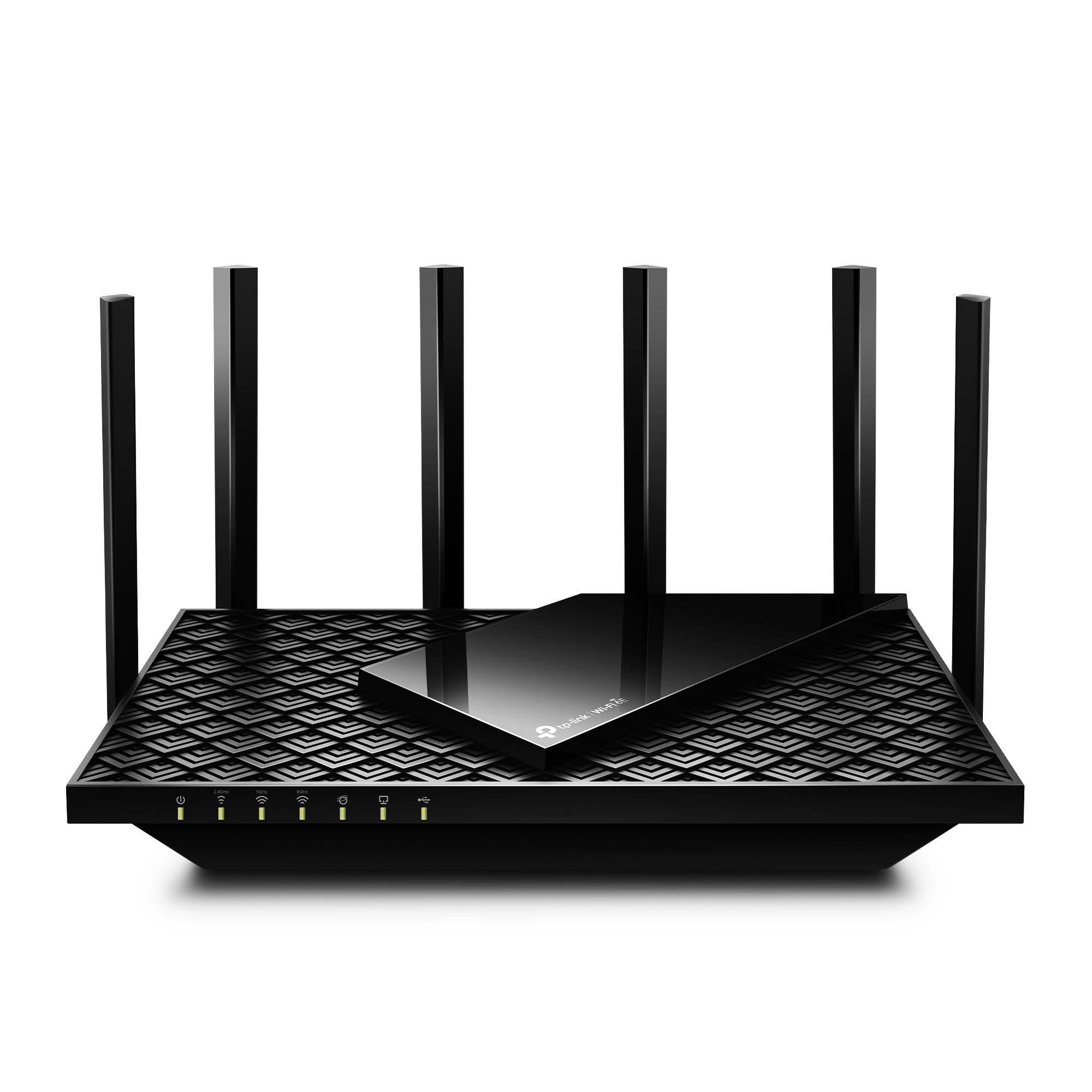
TP-Link Archer AXE75

Crowded homes

Our Score 8.6/10
Check Price

Worth Noting

  • 6 GHz gains require compatible devices
Bands
Tri-band with 6 GHz
Wired Ports
2.5 Gbps WAN, Gigabit LAN
Wi-Fi Standard
Wi-Fi 6E
Total Bandwidth
5400 Mbps

The Archer AXE75 earns its place with a combination that is easy to miss on a spec sheet: a third radio for the 6 GHz band and a 2.5 Gbps WAN port at midrange money. Plenty of routers have one or the other. Having both means newer laptops and phones can move off the busy 5 GHz channel while the wired side leaves room for a multi-gig internet plan or a NAS. That is the balance we want in a default router.

The 5,400 Mbps headline is split across three bands, so you'll never see that number from a single device. What matters is capacity: the eight antennas are fixed inside the housing, so there is no aiming them at a far room, but beamforming and the tri-band layout give a busy home more places to put devices. EasyMesh compatibility is another practical touch. If you finish a basement or add a home office later, you can pair a compatible node instead of replacing the router.

We treat the coverage as a single-router solution for a typical house, not a promise for every floor plan. It does best with a central, open spot rather than a cabinet or the far end of a long ranch. If you need a strong signal in a detached garage or across three floors, plan for mesh from the start. The AXE75 can be the center of that system, but one unit is not the same thing as a mesh kit.

Against the Netgear RS90, the AXE75 gives up the newer Wi-Fi 7 label but keeps a dedicated 6 GHz band and a tri-band design. For a house with Wi-Fi 6E laptops and several streaming devices, that is the more useful trade today. It is also the easier router to recommend without knowing exactly which phones and computers you own.

Bottom line: We recommend the Archer AXE75 as the default for most homes because its tri-band design and 2.5 Gbps WAN port leave room for crowded networks without a flagship price.

2

Netgear Nighthawk RS90

Netgear Nighthawk RS90

Wi-Fi 7 upgrades

Our Score 8.6/10
Check Price

Worth Noting

  • Connection drops can occur for some devices
Coverage
2,000 sq. ft.
Wi-Fi Standard
Wi-Fi 7
Device Capacity
50 devices
Total Bandwidth
3.6 Gbps

The RS90 sits in an interesting spot: it costs a little more than our top pick while offering Wi-Fi 7 instead of Wi-Fi 6E. That sounds like a straight upgrade until you notice the RS90 is dual-band. There's no 6 GHz radio here, so the newer standard has to earn its keep on the 2.4 GHz and 5 GHz bands.

We think it does earn its keep for a household that already owns Wi-Fi 7 phones, laptops, or consoles. The router is rated for 3.6 Gbps total, 2,000 square feet, and 50 devices. Only one wired port runs at 2.5 Gbps; the other three are gigabit, so plan your NAS and gaming PC accordingly. The 2.5 Gbps jack is still the right feature for a fast modem or a wired backhaul, and it keeps the router from capping a multi-gig plan.

The missing 6 GHz band is the real trade. A dual-band Wi-Fi 7 router can be a fine fit for an apartment or a smaller house, but it doesn't give you the cleaner lane that makes 6E useful in a dense neighborhood. Coverage is rated at 2,000 square feet, which is enough for many single-family homes but not a guarantee through thick walls or across several floors. If you need to cover a long house, mesh is the better answer.

Compared with the AXE75, the RS90 is the futureproofing choice; compared with the RS140, it is the more affordable way into Wi-Fi 7 with fewer devices and less square footage. We recommend it when Wi-Fi 7 gear is already in the house and you want the newer standard without flagship pricing.

Bottom line: The RS90 is the router we suggest for a household ready to move to Wi-Fi 7, as long as you want the newer standard without flagship pricing.

3

TP-Link Archer AX21

TP-Link Archer AX21

Small apartments

Our Score 8.8/10
Check Price

Worth Noting

  • Long-term durability is mixed
Antennas
4 external
Wired Ports
Gigabit Ethernet
Wi-Fi Standard
Wi-Fi 6
Total Bandwidth
1.8 Gbps

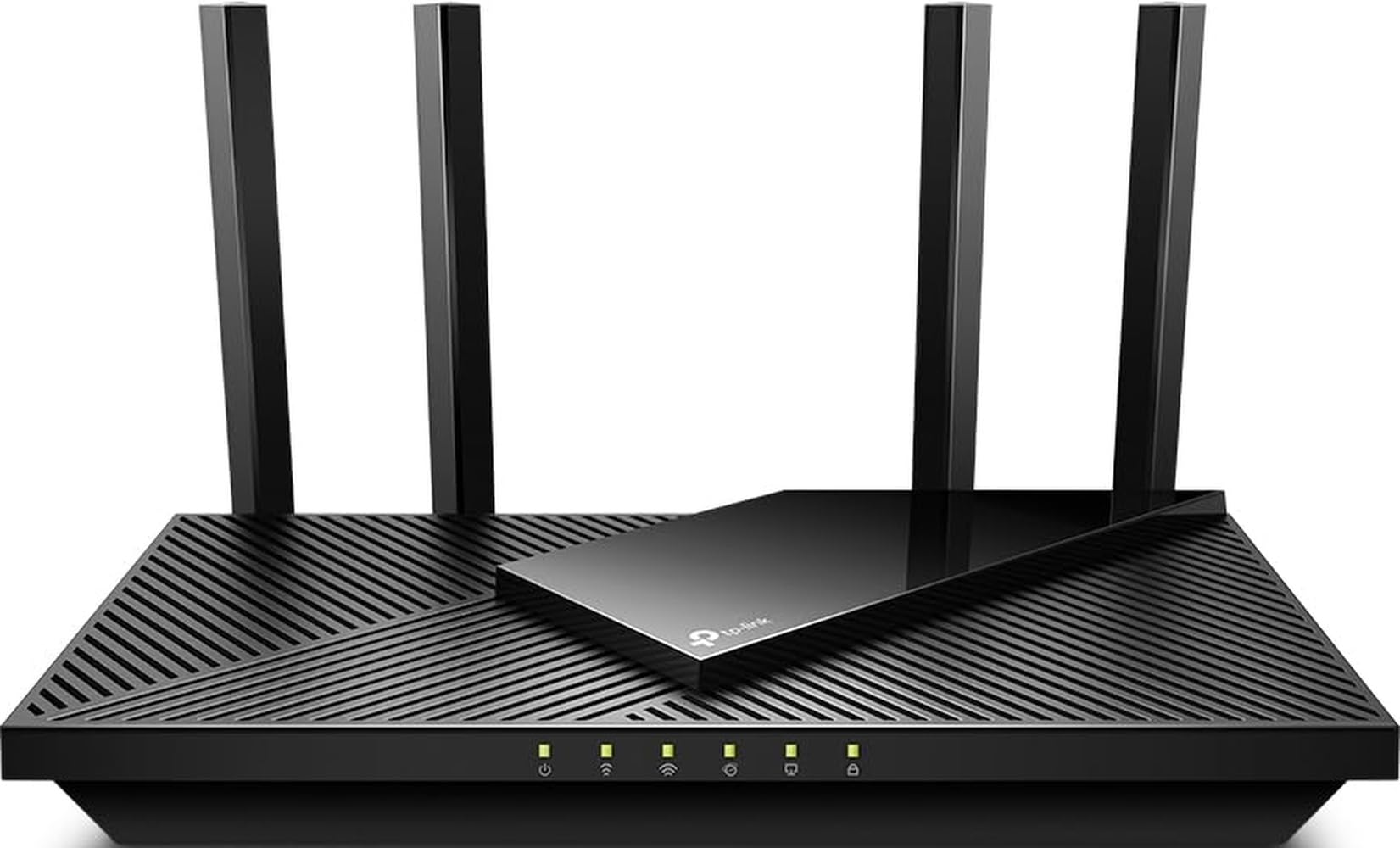
The Archer AX21 is the router we suggest when the goal is to replace a rented ISP box without turning the purchase into a project. It is a Wi-Fi 6 dual-band router with 1.8 Gbps of total bandwidth, four external antennas, and gigabit Ethernet ports. None of that is exotic. The point is that it covers the basics for streaming, browsing, and video calls in a small home.

We like the simplicity. The four antennas are fixed, so you can't angle them toward a far room; placement matters more than tweaking. The rest is plug-and-play: setup runs through the TP-Link app, and the gigabit ports mean a wired PC or console is not stuck at 100 Mbps.

The bigger caveat is headroom. This is a Wi-Fi 6 dual-band router, not a multi-gig or Wi-Fi 7 one, and a home with several 4K streams, game downloads, and dozens of smart devices will feel the ceiling sooner. It is the budget pick for a simple setup, and it makes sense when the internet plan is modest and the device count is not. For a first apartment or a cheap replacement for a failing ISP box, it is an easy call; for a house you expect to grow into, the AXE75 is worth the step up.

Bottom line: We think the Archer AX21 is the right budget router for simple homes: it brings Wi-Fi 6 and gigabit Ethernet at a low price without asking you to learn a complicated app.

4

Netgear Nighthawk RS140

Netgear Nighthawk RS140

Large households

Our Score 8.6/10
Check Price

Worth Noting

  • Dual-band only, no 6 GHz radio
  • Compatibility can vary with some devices
Coverage
2,250 sq. ft.
Wi-Fi Standard
Wi-Fi 7
Device Capacity
80 devices
Total Bandwidth
Up to 5 Gbps

The RS140 makes its case with numbers: 2,250 square feet, 80 devices, and up to 5 Gbps across Wi-Fi 7's 2.4 GHz and 5 GHz bands. That is more coverage and more device headroom than anything else we are recommending. If your problem is a big house with a lot of connected gear, those numbers are the reason to look here before the cheaper Netgear.

The step up from the RS90 is mostly device count, not a dramatic coverage jump: 2,250 square feet versus 2,000, but 80 devices versus 50. That makes the RS140 a capacity pick rather than a range miracle. One wired port runs at 2.5 Gbps and the other three are gigabit, so a wired NAS and a gaming PC can't both get the fast lane. The Nighthawk app handles setup and basic management, which keeps the learning curve short.

The price is the first reservation: this is the top of our range, and the step up buys device headroom more than raw coverage. If your real problem is one dead room rather than total capacity, a mesh node or wired access point will do more for the money. We treat it as a considered upgrade, not an automatic one. Choose it when the coverage and device counts are the actual constraint; if you mainly want the newer Wi-Fi standard and a 2.5 Gbps port, the RS90 covers most homes for less.

Bottom line: We see the RS140 as a sensible specialist for a large home with up to 80 devices, not the default for most people.

How We Tested These Routers

We started with the specs that narrow the field before anything gets plugged in: which Wi-Fi standard each model supports, how many Ethernet ports it offers, whether it can pair with a second unit later, and how comfortably it works with the cable and fiber modems most people already own. That list got filtered by price and by physical size — a router you can't fit on a shelf is a router you'll end up hiding in a closet, where it does nobody any good. Twelve models made the cut, from a single budget box to a three-piece mesh kit.

Each one then took a turn as the only router in a two-story house with a basement, a backyard, and roughly 30 connected devices: laptops on video calls, a TV streaming, phones, a printer, smart plugs, a game console. We ran the same speed tests in the same four spots every time — at the kitchen table, in a back bedroom behind two walls, at the far end of the yard, and down in the basement — and wrote down where calls held without stuttering and where they fell apart. We also watched whether the signal stayed steady through a long evening of streaming rather than just looking good for the first ten minutes.

Setup was timed solo, from unboxing to a working network, and we noted every point where the app confused us or the modem handshake had to be retried. Over the six months, we logged dropped connections and forced reboots, checked how warm each case ran after a full day of use, and confirmed that settings survived a power cut. The expensive models had to prove the extra money bought something measurable — a dead zone genuinely cleared, not just a prettier app.

Cheaper units that covered the same square footage scored as well as the pricey ones, which is the whole argument for shopping carefully. We also made sure older gear — a five-year-old laptop, a bargain smart bulb — could still join the network without coaxing.

How to Choose Wi-Fi Routers

Match the router to your internet plan

Your ISP sets the ceiling. A router advertised at 5,400 Mbps or 6.5 Gbps is quoting the sum of its wireless lanes, not the speed you will get from the wall. If you pay for 1 Gbps or less, gigabit WAN and LAN ports are enough. If you are on a multi-gig plan, or you move big files to a NAS, a 2.5 Gbps WAN port keeps the router from becoming the bottleneck; the AXE75 and both Netgear picks have one. Avoid 10/100 Ethernet in 2026 unless the budget is the only thing that matters, because those ports cap wired devices at 100 Mbps.

Wi-Fi 6, 6E, or 7: buy for the devices you own

Wi-Fi 6 is the sensible floor. Wi-Fi 6E adds a 6 GHz band, which is cleaner and faster for compatible laptops and phones, but it does nothing for older gear. Wi-Fi 7 adds newer efficiency and multi-link features, and it is backward compatible, though the biggest gains arrive with Wi-Fi 7 clients. We treat 6E as the sweet spot for a crowded home today and Wi-Fi 7 as futureproofing you pay for now. If you own only Wi-Fi 5 devices, a Wi-Fi 6 router is the better value; if you are buying for the next five years, 6E or 7 makes more sense.

Coverage is a floor-plan problem

Square-footage claims assume open space and a central placement. Walls, floors, and a router tucked into a cabinet cut into that number. A single router is usually enough for an apartment or a compact house; a long ranch, thick masonry, or three floors calls for mesh or a wired access point. Put the router high and central, not in the basement or behind a TV. If you are choosing between one strong router and a mesh kit, start with the floor plan rather than the box's coverage claim.

Ports and management matter after setup

Count the wired devices you will connect and leave a spare. A 2.5 Gbps WAN port helps only if your modem and plan support it; LAN ports matter for consoles, PCs, and NAS boxes. We also look for a usable app, parental controls, guest Wi-Fi, and EasyMesh or equivalent expansion. None of those rescue a weak radio, but they make the second year of ownership easier. Firmware updates matter too: a router that no longer receives security patches is a false economy, however fast it was on day one.

Reliability is the overlooked specification

Routers are boring until they drop a call or need a reboot. We weigh connection stability and long-term reliability more heavily than a small speed advantage, because a router that needs restarting every week is a worse router no matter what the box says. Buy from a seller with a return window you can live with, install firmware updates, and replace a router that keeps dropping devices after a reset rather than tolerating it. A two-year warranty is useful, but a stable first month is better evidence.

Frequently Asked Questions

Final Verdict

Most people should buy the TP-Link Archer AXE75. It has the best balance in this group of a dedicated 6 GHz band, a 2.5 Gbps WAN port, and enough capacity for a busy home without the premium of the Wi-Fi 7 flagships. If you already own Wi-Fi 7 devices and want the newer standard, the Netgear RS90 is the alternative we recommend. If the budget is tight and the house is small, the Archer AX21 is the simpler buy.