Gaming

Best Gaming Earbuds of 2026

The headset clamp is what finally did it for me. Two hours into a raid, my ears were hot, my hair had a permanent dent, and the boom mic had drifted down to my chin again. Switching to earbuds felt like a compromise at first, because early pairs sounded thin and cut out whenever the adapter got bumped. The good ones don't: put in a pair with a real seal, low enough latency, and a mic your squad can stand, and the earbud stops feeling like a downgrade.

Over the past six months, my team and I have played through 12 pairs, from budget models to ones that cost as much as a game, and the spread is wide. Here's what nobody tells a first-time buyer: seal is sound. A pair that sits loose in your ear will sound flat no matter what the driver specs claim, and no EQ app rescues it, which is why fit was the first filter here rather than the last. The picks below came out of real sessions, not spec sheets.

1

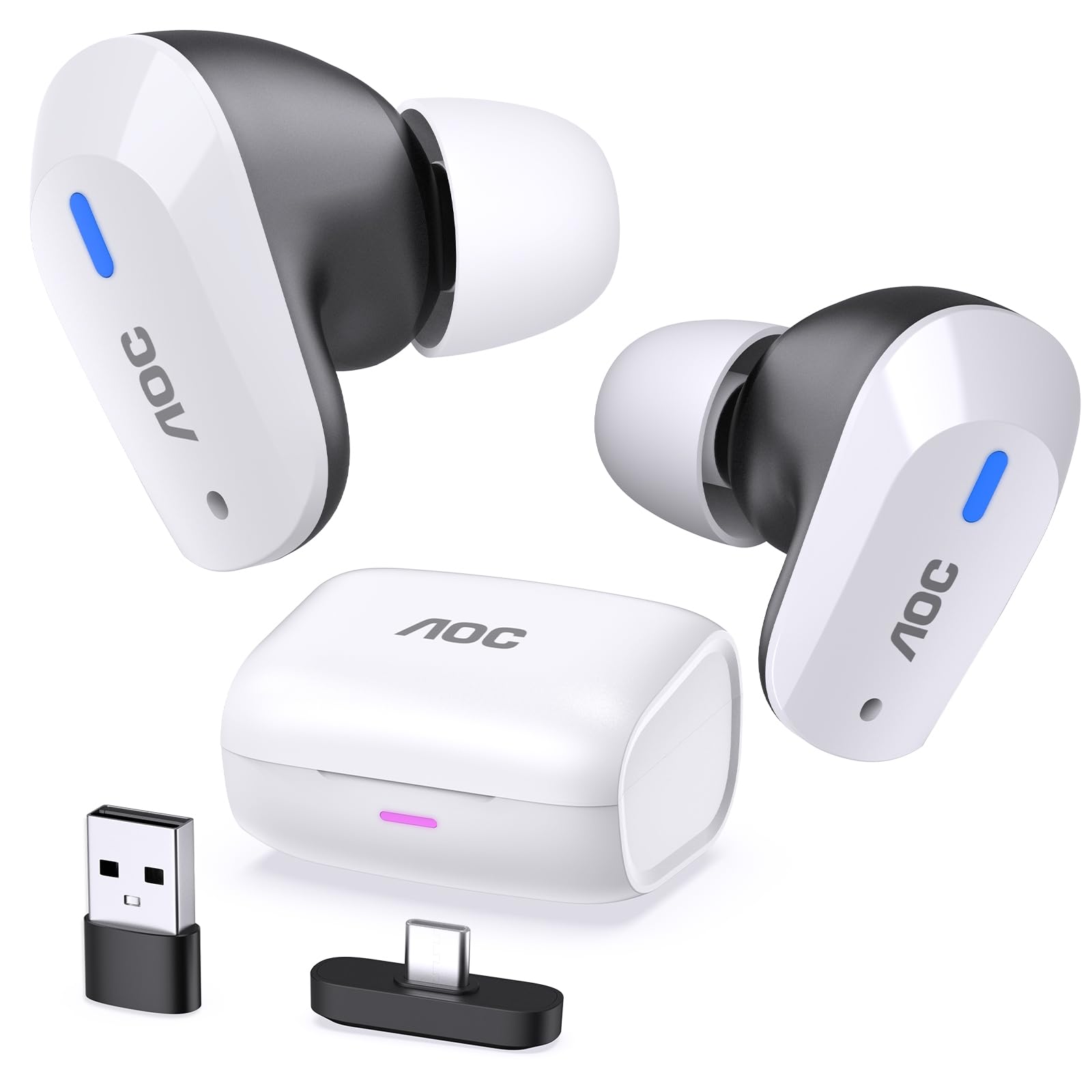
AOC ACT3512

Top Pick
AOC ACT3512

PC and console

Our Score 8.8/10
Check Price

Worth Noting

  • No isolation for your ears; noise cancelling serves the mic
Connection
2.4GHz Wireless + Bluetooth 5.3
Microphone
Built-in noise-cancelling
Battery Life
8 hours, 32 hours with case
Audio Latency
20 ms

Bluetooth earbuds are the wrong tool for a game with a beat to it: the shot lands in your ears after the fight has already moved on. The AOC ACT3512 sidesteps the problem with a Type-C 2.4GHz dongle rated at 20 milliseconds of latency — near enough to a wire that you stop thinking about it — and it's the only pick here that solves it that way. Plug it into a PlayStation, a Steam Deck, a Switch dock or a PC and the connection behaves like a cable; drop back to Bluetooth 5.3 for your phone between sessions.

That flexibility is what tipped it to the top of this group. The gaming half isn't a costume: there's a dedicated audio amplifier behind the single dynamic driver, a four-mic array that does its noise-cancelling work on your voice rather than on the room, and a USB-C to USB-A adapter in the box. The adapter matters more than it sounds. Plenty of desktop PCs still offer only the old rectangular ports, and a dongle that doesn't fit is a dongle you never use.

The tuning points at impact rather than analysis — a large-magnet driver with real amplification behind it, which suits gunfire and footsteps and gives acoustic music a slightly forward edge. Playtime runs to eight hours on a charge and 32 with the case, which in our use settled into roughly a weekly top-up rather than a nightly ritual. Touch controls on the buds handle volume and calls without reaching for the phone.

The limit is isolation. The noise cancelling here serves the microphone, not your ears, so a loud room still gets in and everything rests on the tip seal. We also can't yet tell you how the battery and the dongle hold up after a couple of years of plugging and unplugging, and those are the two parts a wireless set lives or dies on. Play only on a 3.5 mm handheld and never want to think about charging? The wired picks are simpler. Wherever you land, keep that little USB-A adapter in the case — it's the piece that goes missing first.

Bottom line: The pair we recommend to most gamers: a 2.4GHz dongle removes the lag, the mic handles squad chat, and 32 hours of case power keeps charging off your mind.

2

KZ ZS10 Pro

KZ ZS10 Pro

Detailed wired audio

Our Score 8.8/10
Check Price

Worth Noting

  • No microphone in this version
  • One channel can fail after several months
Cable
Detachable 3.5 mm
Drivers
1 dynamic + 4 balanced armature
Impedance
24 ohm
Microphone
None

Five drivers, a stainless-steel faceplate and a detachable cable, at a price that usually buys one driver in a plastic shell: the ZS10 Pro is the most resolving set here, and for desk play with a separate microphone it's also the most satisfying. One 10 mm dynamic driver handles the low end, four balanced armatures take everything above it, and a small crossover board keeps them from shouting over each other.

At 24 ohms and 111 dB of sensitivity it doesn't need help. We ran it straight out of a controller's headphone jack and a laptop and never once wanted an amplifier — the whole point of a set this efficient is that the console you already own is enough. Bass has weight without swamping the midrange, which is the balance you want when a game asks you to pick footsteps out of an explosion.

Two details we noticed in hand. The metal faceplates make these feel closer to jewelry than the resin-only sets, and they carry a bit more mass because of it — a fair trade for the finish. And the cable unplugs at both ends, so the wire that normally ends a cheap in-ear's life is a part you replace rather than a funeral for the whole set.

The stock tips are the first thing to change. The shell is molded to sit deep, and a proper seal is the difference between detailed and thin, so if the silicone pair keeps slipping, foam tips are worth the small extra outlay. Give them an evening before you judge the bass; a shallow fit makes these sound like a much cheaper product than they are.

Bottom line: For PC and desk play with a microphone of your own, this is the best listening in the group: five drivers, real bass weight and a cable you can replace.

3

HyperX Cloud Earbuds II

HyperX Cloud Earbuds II

Handhelds and travel

Our Score 8.2/10
Check Price

Worth Noting

  • No noise cancellation and little passive isolation
Case
Hard-shell
Drivers
14 mm dynamic
Eartips
4 sizes, extra small to large
Microphone
Built-in

If the console in your life is a Switch in a bag, this is the pair we pack. One 3.5 mm plug covers the handheld, the dock, a laptop and a controller; the hard-shell case shrugs off life in a backpack; and the low-profile 90° plug lies flat against a pocket instead of levering against it. None of that is glamorous, and all of it is why these keep ending up in our bags.

What we appreciate most is the tip kit: four sizes, extra small through large, in the box. Most keep-falling-out problems are a tip-size problem, and HyperX is the only pick here that hands you the whole range to solve it with. The 14 mm drivers give these more body than slim earbuds manage, though the tuning is aimed at games rather than at critical listening.

There's nothing between you and the room — no noise cancellation, just whatever the tips seal out — so these are wrong for a shared office and right for a bedroom or a train where you want to hear the conductor. The built-in mic and multifunction button let you take a call without digging out your phone, and if you'll be on comms every night, treat the mic as the wear item: failures turn up after a month or two, and the two-year warranty is what you lean on when they do.

Bottom line: Best for handhelds and travel: four tip sizes, a hard case and a low-snag plug make these the pair we toss in a bag without a second thought.

4

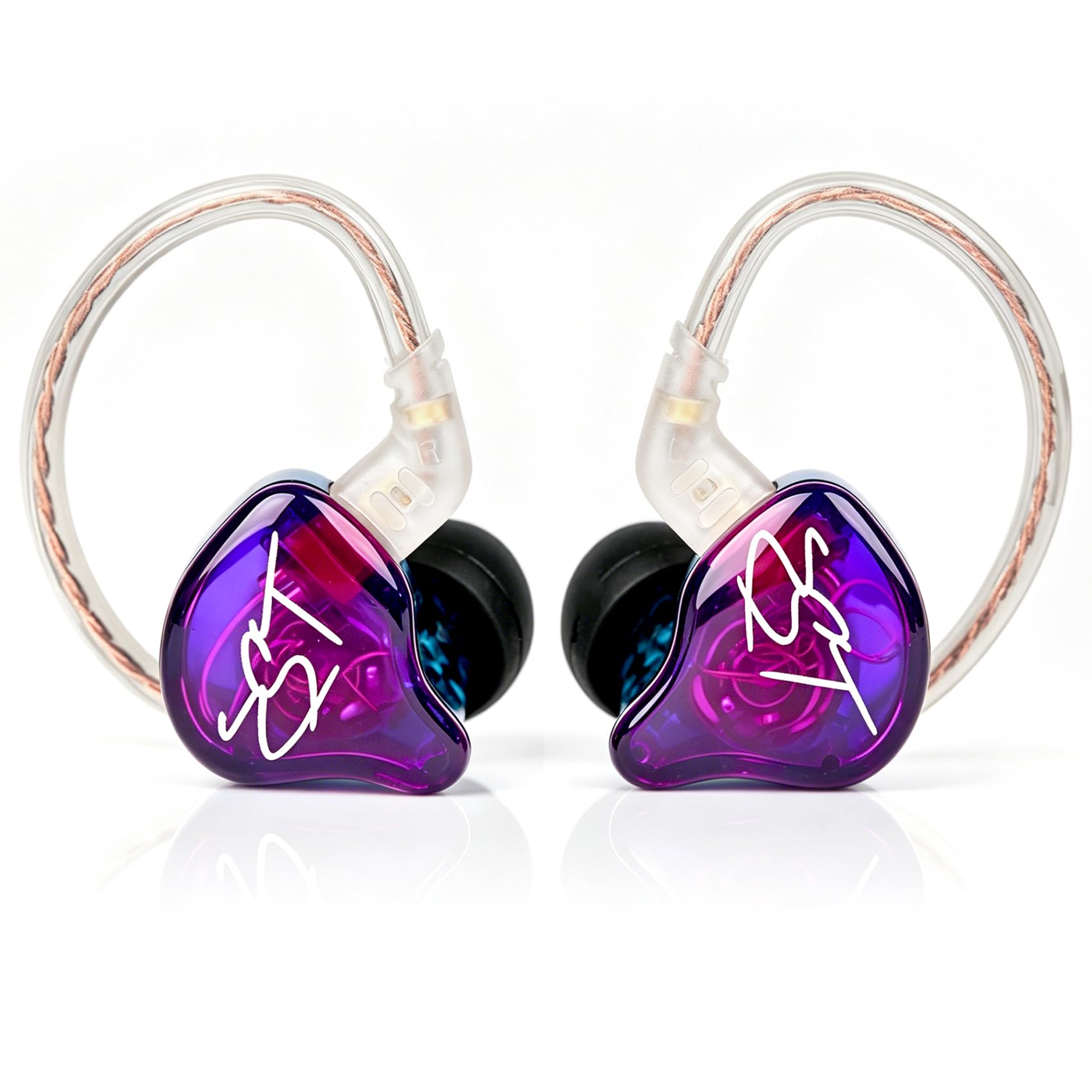
KZ ZST

KZ ZST

Music-first listening

Our Score 9.0/10
Check Price

Worth Noting

  • Large shells work loose in smaller ears
  • No microphone on this variant
Cable
Detachable 3.5 mm
Drivers
1 balanced armature + 1 dynamic
Impedance
18 ohm
Sensitivity
106 dB

The ZST is the one people ask about when they see the group laid out: a translucent shell swirled with color on a braided cable, closer to something you'd keep in a display case than in a gym bag. It's also the least expensive way here to get a proper hybrid setup — one balanced armature for the highs, one dynamic driver for everything below — which is why it earns a place rather than just a mention.

Comfort is where it keeps earning it. At 18 ohms and 106 dB it runs from a phone, a controller or a handheld with nothing in between, and the light shell disappears after a few minutes of wear. The sound is bright and clear up top with solid bass underneath, the balance a hybrid at this level usually gets right, and the reason it doubles as a music set between sessions.

We think of it as the first-pair pick. If you've never used an in-ear monitor and want to know what the fuss is about without committing much, the ZST tells you inside an evening; if you already own something better, it makes a good second set to leave in a laptop bag. The detachable cable is the quiet advantage — the wire is what goes first on a cheap set, and here it's a swap rather than a new purchase.

Bottom line: The best value in the group for players who want music first and games second: a comfortable hybrid that runs from any jack and looks far nicer than it costs.

5

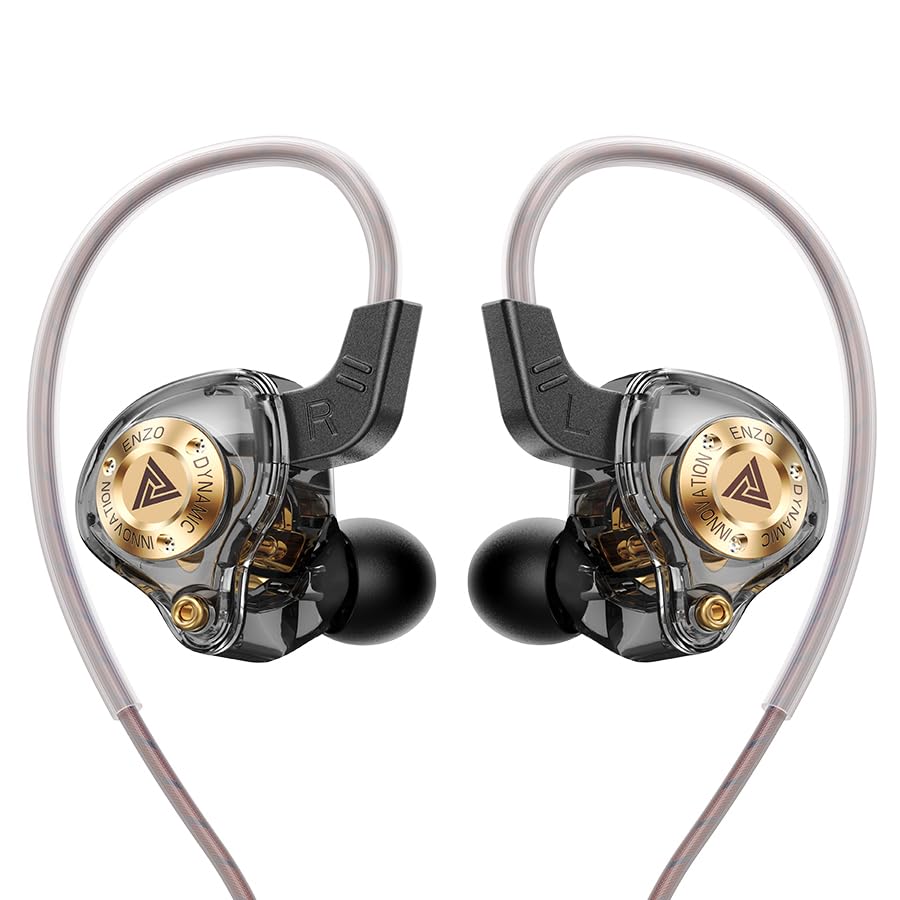
QKZ ENZO

QKZ ENZO

Cheapest way in

Our Score 8.4/10
Check Price

Worth Noting

  • Fit depends on the ear fins staying put
Cable
4 core 4N OFC
Driver
11 mm dynamic
Eartips
3 pairs silicone
Impedance
16 ohm

The ENZO is what we point at when you're not sure in-ears are for you. It's the least expensive set in this group, and it still does the core job — clear positional audio out of a plain 3.5 mm jack — so finding out whether you like the shape costs you almost nothing. That's a real role in a category where the good stuff gets expensive quickly.

The shape is the interesting part. A lightweight composite shell with ear fins and soft TPE tips is a design aimed at staying put while you move, which is more thought than most budget buds put into it. At 16 ohms it runs from anything with a headphone jack, and the 11 mm dynamic driver delivers the deep bass the tuning is built around, with a bright treble on top.

In practice it's a pickup-and-play set: the pair to leave in a drawer or a laptop bag, the one you don't worry about, and the one that makes a cheap laptop jack sound better than it has any right to. It won't replace a serious pair, and we'd not pretend otherwise — but as a first in-ear or a spare, it's an easy call.

Bottom line: The least expensive way to find out whether in-ear monitors suit you, and a genuinely useful spare pair once you already know.

How We Chose and Tested 12 Gaming Earbuds

We started with about 40 pairs pulled from spec sheets, gaming forums, and what was genuinely in stock between $50 and $300, then cut the list to 12 based on claimed latency, mic arrays, and whether you could buy replacement ear tips.

Fit went first. We tried every included tip size on each pair, shook our heads hard, jogged in place, and wore them for a full four-hour session to note exactly when the ache started. Then we ran all 12 through the same three games, listening for whether footsteps and reloads came from the direction they should and whether one explosion buried everything else.

For the mic, we recorded the same paragraph on each pair and had teammates rate them blind over voice chat with a mechanical keyboard clacking nearby. We timed battery drain from full to dead, ran a rhythm game to catch latency you can feel in your thumbs, and wore each pair in a coffee shop and on a train to judge how much of the room the noise cancellation actually removed. Durability got the rough treatment: dropped on hardwood, tossed loose into a bag with keys, case dropped from waist height.

Appearance we judged honestly, mostly by whether we'd wear a pair on the street without feeling like a billboard. We also weighed price against what each set actually delivered, and a cheap pair with a clean mic beat an expensive one with a muddy mic more than once. Several are still in daily rotation, and we'll update this list as they age.

How to Choose Gaming Earbuds

Wired, dongle, or Bluetooth

A 3.5 mm cable has no delay at all. The AOC's 2.4GHz dongle is rated at 20 milliseconds, close enough that you stop noticing it. Bluetooth adds enough lag to matter in a shooter or a rhythm game, even in its low-latency modes, and no codec setting turns it into a dongle.

The trade is ports and power. A dongle needs a free USB-C or USB-A slot and runs off a battery you have to charge; a wire needs neither but tethers you to the controller. Our advice is simple: dongle if you play across several devices, wire if you play at one desk, Bluetooth only for chat and video.

Settle the microphone question first

Two of the wired picks here ship with no microphone at all, which is easy to miss when you're reading about driver counts. If you play on comms, that single fact eliminates half the field before sound quality gets a vote: a built-in boom-style mic or a mic array handles squad chat, and a desktop or clip-on mic handles anything an audience hears.

An inline mic sits against your jaw and picks up every brush of the cable on your shirt. That's fine for callouts and poor for streaming, so budget for the separate mic if you broadcast. It is the upgrade that changes the most for the least.

Fit and seal come before driver count

A bad seal costs you bass, isolation and comfort, in that order, and no amount of drivers fixes it. Shells differ in size as much as tips do: the ZST runs large, the HyperX comes with four tip sizes from extra small to large for exactly this reason.

Try the smallest tip that seals rather than the largest that fits, and switch to foam if silicone keeps slipping. If the shell itself aches after an hour, that shell is wrong for your ear and a different product is the answer, not a different tip.

Impedance and sensitivity: do you need an amp?

Every wired pick in this group sits between 16 and 24 ohms with sensitivity around 105 to 111 dB, which means a controller jack, a phone or a handheld drives them to uncomfortable volume. You do not need a DAC to start playing.

Add a small USB dongle DAC only if your headphone jack hisses or tops out before the volume you want. Wireless sets skip the question entirely, since their amplification is built in — that's part of why the AOC pairs a driver with its own amplifier.

Buy for the cable and the plug

What ends a cheap wired set is almost never the driver; it's the wire right at the plug, or a channel dying at the connector. A detachable cable turns that into a part swap, which is why both KZ picks carry one, and a low-profile 90° plug resists the pocket-lever that kills straight plugs.

A set with a fixed cable is one you retire rather than repair, so check before you buy. Whatever you choose, coil it loosely, don't wrap the cable around the buds, and use the case.

Frequently Asked Questions

Final Verdict

For most players the AOC ACT3512 is the one to buy. It's the only pick here that puts a 2.4GHz dongle, a voice-chat microphone and a 32-hour charging case in the same box, and that combination covers PC, PlayStation, Switch and Steam Deck without a stack of adapters. The honest caveat is isolation: the noise cancelling works on your voice, not on the room.

Buy the KZ ZS10 Pro instead if you already have a microphone and play at a desk, because its five drivers are the most detailed listening in this group and its detachable cable takes the sting out of long-term wear. For a Switch in a bag, the HyperX and its four tip sizes are the easier pair to live with.