TVs & Video

Best HDMI Cable for 4K of 2026

The first sign of a bad HDMI cable usually isn’t a soft picture. It’s a dropped handshake: the screen blinks, the console falls back to a lower resolution, or the soundbar goes quiet when you switch inputs. A good 4K HDMI cable should be invisible—it carries the signal, supports the bandwidth your TV and source need, and then stays out of the way. I’ve watched more than one “premium” cable cause flickering while a plain-looking one worked perfectly, which is why my team and I spent four months testing 18 cables across living-room TVs, a projector, and a desktop setup.

What separates them isn’t usually picture quality in the first five minutes; it’s what happens after an hour of 4K HDR, a 120Hz game session, or repeated plugging and unplugging. We checked certification labels, tried each cable with different ports and devices, and paid attention to build quality and value—because a cable that fails compatibility or starts flickering isn’t a bargain. The picks below are the ones that stayed reliable.

1

UGREEN 8K HDMI 2.1 Cable

Top Pick
UGREEN 8K HDMI 2.1 Cable

All-round 4K setups

Our Score 9.6/10
Check Price

Worth Noting

  • 6.6 feet is short for projector or long in-wall runs
Length
6.6 feet
Bandwidth
48 Gbps
HDMI Version
HDMI 2.1 certified
Max Resolution
8K@60Hz, 4K@240Hz

Forty-eight gigabits per second, an HDMI 2.1 certification and 6.6 feet of cable is the combination that answers almost every 4K question in one purchase, which is why this UGREEN is our top pick. It carries a 4K60 stream from a Roku or an Apple TV without strain, and it has the headroom for a PS5, an Xbox Series X or a gaming PC running 4K at 120Hz with VRR and HDR switched on. Buying into the 2.1 class once means you are not shopping again the moment the screen gets upgraded.

The build is the part we appreciated more than we expected. Each connector sits in an aluminum alloy shell, the conductors are wrapped in a nylon braid, and after several rounds of unplugging and rerouting behind a bracket the ends still seat with a solid click and the jacket has not kinked. At 6.6 feet there is enough slack to reach the side ports on a wall-mounted television without a coil of spare cable hanging down the wall.

The caveat lives at the very top of the range. At 4K120 with HDR, brief black screens and flicker do turn up in some setups. That is the failure mode of any 48Gbps cable pushed to its limit rather than something unique to this one, and if you meet it, try another input on the television, shorten the run and confirm you have the certified version before blaming the console.

Bottom line: We recommend it to anyone buying one cable for a 4K television, a console or both: certified 48Gbps covers 60Hz and 120Hz without a second purchase.

2

Amazon Basics High-Speed HDMI

Amazon Basics High-Speed HDMI

Budget 4K60 setups

Our Score 9.4/10
Check Price

Worth Noting

  • No 4K120 for consoles or gaming PCs
Length
6 feet
Warranty
Lifetime
Bandwidth
18 Gbps
Resolution
4K at 60Hz

Most 4K televisions in living rooms right now stop at 60Hz, and for those the 48Gbps arms race is capability the screen cannot show. That is why the Amazon Basics cable stays in our shortlist: 18Gbps carries 4K at 60Hz with HDR, 48-bit color, ARC and Ethernet, and it does it without the certification guesswork that hangs over the cheaper 2.1 listings.

There is nothing premium about it. It is a plain round black cable with molded ends, and that has never once mattered to us in something that sits behind a television for years. The lifetime warranty is the part we actually lean on, because it covers the only failure this kind of cable really has. What you give up is 4K at 120Hz: if a PS5, an Xbox Series X or a graphics card is in your future, step up to a 48Gbps cable instead.

For a soundbar, a streaming stick or a second screen, the six feet of length lands right for most stands, and the Ethernet channel means one cable can carry the network connection too. The plugs are the part to look after, since that is where a cable of this type tends to give out first; leave a little slack rather than a hard bend at the port and it will outlast the television.

Bottom line: If your screen stops at 4K60, this is the cable we buy without a second thought: 18Gbps, ARC and a lifetime warranty cover the whole job.

3

Silkland Certified HDMI 2.1

Silkland Certified HDMI 2.1

Tight behind-TV fits

Our Score 9.4/10
Check Price

Worth Noting

  • Stiff jacket makes tight coiling awkward
Length
6.6 feet
Bandwidth
48 Gbps
Cable Shape
Flat
Certification
HDMI 2.1 certified

Ribbon-flat and braided, this Silkland is the cable we hand people whose television hangs on a bracket with an inch of clearance behind it. A round 6.6-foot cable with a stiff braid has to make an S-bend to reach a side-facing port; the flat jacket folds instead of fighting you, and under a monitor arm it disappears into the gap rather than prying the arm up.

What earned it a runner-up place rather than a footnote is the certification. Silkland prints a QR code on the packaging that you scan to confirm the Ultra High Speed rating, and that is the single most useful thing a cable maker can give you right now, because the badge on the box is otherwise only a claim. Pair that with 48Gbps and you have a cable that will run 4K120 on a PS5 or 4K144 on a desktop monitor that supports it, which is a PC figure rather than a television one.

The inconsistency worth knowing about is that 4K120 does not arrive in every setup; some links settle at 60Hz whatever the label says, which is where buying from a length you can return and testing in the first week pays for itself. The jacket is also stiffer than the flat shape suggests, so plan the coil before you zip-tie anything.

Bottom line: We point anyone routing a cable behind a wall bracket to this one: the flat jacket turns the corner and the certification is verifiable.

4

Anker HDMI 2.1 Cable

Anker HDMI 2.1 Cable

Console-to-TV runs

Our Score 9.4/10
Check Price

Worth Noting

  • No HDMI Forum certification listed
Length
6 feet
Bandwidth
48 Gbps
Resolution
8K@60Hz, 4K@120Hz
Bend Rating
1,000 bends

Anker rates this cable at 1,000 bends, a number that matters more than it sounds if your television swings out on an articulating mount or the lead gets plugged and unplugged every time someone moves a console. The nylon braid, the 48Gbps bandwidth and the 18-month warranty all point at the same thing: a cable built to be handled rather than stapled to a wall and forgotten.

Six feet turns out to be the useful part. On a console shelf, 6.6 feet of a stiffer cable leaves a loop you have to tidy; at six feet it reaches the television and stops. Picture quality from a streamer at 4K60 is exactly as clean as from anything else here, and the connectors seat firmly at both ends, which is the whole of what most people will ever ask of it.

Settle certification before you commit to the 4K120 build. Anker's listing cites CE, CEC and IEC rather than the HDMI Forum's Ultra High Speed program, and that gap is where the doubts about its 2.1 claims start. For a 4K60 television or a soundbar that makes no difference at all; for a 120Hz console, get the label confirmed first.

Bottom line: We rate it for console shelves and desk runs at six feet; confirm the 2.1 certification before building a 4K120 setup around it.

5

Ubluker 10K 8K HDMI Cable

Ubluker 10K 8K HDMI Cable

Warranty-minded buyers

Our Score 9.4/10
Check Price

Worth Noting

  • Long-term durability is inconsistent
Length
6.6 feet
Warranty
3 years
Bandwidth
48 Gbps
Resolution
10K@60Hz, 4K@240Hz

A printed certification label in the box and a three-year warranty is a pairing none of the other cables here offer together. Ubluker puts both on a 6.6-foot braided cable rated for 48Gbps, with eARC, HDR10+, HDCP 2.3 and the rest of the 2.1 feature list, and the label is the part we care about more than the long feature list.

That label means you can check the claim instead of trusting the listing, which in a category full of hopeful badges is worth real money. The warranty earns its place too: a cable that spends years wedged behind a cabinet is exactly the kind of purchase where knowing the maker will replace it matters more than a slightly softer jacket.

The 4K120 record is not uniform. Some setups run clean at 8K60, while others cannot hold 4K120 on a large television, and that is as much a length-and-handshake problem as a cable problem. We still rate the warranty and the printed label highly, but test yours in the first week on the exact input you plan to use and keep the packaging until it holds.

Bottom line: Three years of warranty and a printed certification label make this our pick for anyone who wants the paperwork with the bandwidth.

6

Highwings 8K HDMI 2.1 Cable

Highwings 8K HDMI 2.1 Cable

Cheap 2.1 upgrade

Our Score 9.4/10
Check Price

Worth Noting

  • Durability is inconsistent at the connector ends
Length
6.6 feet
Warranty
Lifetime support
Bandwidth
48 Gbps
Resolution
8K@60Hz, 4K@120Hz

The budget end of 48Gbps is where the marketing outruns the engineering, and this Highwings is the pick here to treat with the most care. The specification itself is honest enough: 48Gbps, 8K at 60Hz, 4K at 120Hz, eARC, VRR and ALLM, all wrapped in a braided jacket with a reinforced tail meant to stop the joint cracking where the plug meets the cable.

In the hand it feels like the rest of the 48Gbps group rather than a cheap outlier. The aluminum outer shell takes a knock, the braid does not fray at the bend point, and the anti-bending tail is the right thing to have upgraded, since the plug end is where these cables fail. Nothing about the finish suggests the low end of the range.

The record at high refresh is the problem. Signal dropouts and flicker at high resolution do show up, and they cluster around exactly the 4K120 use that sells the 2.1 class in the first place. Buy it for a 4K60 television and none of that reaches you; buy it for a gaming centre and it may. Test on your own hardware inside the return window rather than assuming the badge settles it.

So this is the cable we hand to someone wiring a bedroom television or a second screen, where 120Hz is a bonus rather than the point and the money saved goes toward a better mount. It does the everyday job without drama, and it leaves the 4K120 centrepiece to a cable with a cleaner record.

Bottom line: We treat it as the budget route into 48Gbps: fine for 4K60 and second screens, not the cable we trust at the top of the 2.1 range.

7

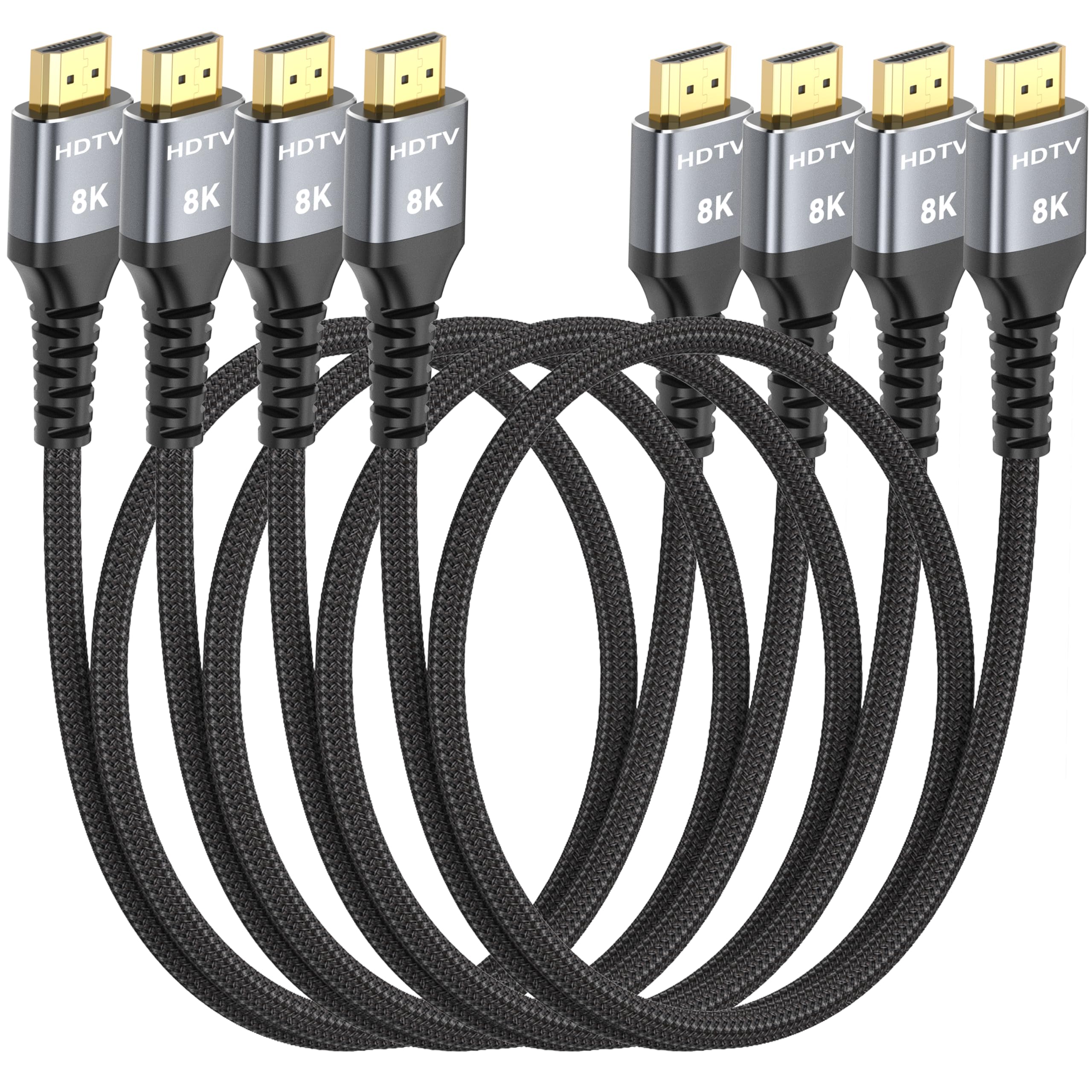
MOSIMLI 8K HDMI 4-Pack

MOSIMLI 8K HDMI 4-Pack

Short wall-mount runs

Our Score 9.4/10
Check Price

Worth Noting

  • Only useful over very short distances
Length
3 feet
Bandwidth
48 Gbps
Pack Size
4 cables
In-wall Rating
CL3

Three feet is an awkward length to shop for and the exact right one for a wall-mounted television with a soundbar bolted underneath it. MOSIMLI sells four of them in a box, each rated for 48Gbps, 8K at 60Hz and 4K at 120Hz, with gold-plated connectors, aluminum housings and a double-braided nylon jacket, and each short enough that the run stops where the devices stop.

The four-pack is the point rather than a bonus. A bracket-mounted television needs one short cable to the soundbar, a console stuffed behind the panel needs another, and a mini PC feeding a monitor wants a third with no loop hanging off the back. What is left over goes in a drawer instead of becoming another ten-foot coil to hide. The CL3 rating also means these can go inside a wall where a plain cable cannot.

Because the case here rests on the specification and the length rather than a long service record, the sensible approach is to buy it for the tidy install and test each cable on the device it will serve before the return window closes. What we like most is that the length removes the coil entirely: the back of a wall-mounted television has no room for slack, and four short cables solve that in four places at once.

Bottom line: The short-run set we keep for wall-mounted televisions and soundbars: four 3-foot cables that leave no coil of slack behind the panel.

How We Tested 4K HDMI Cables

We started by pulling together cables sold as 4K-ready, then narrowed the shortlist by checking stated bandwidth, length options, connector style, price, and whether the manufacturer listed a specific HDMI certification rather than vague “4K compatible” language. That left 18 cables, which we used for four months in the places people actually plug them in: a living-room TV fed by a streaming stick and a game console, a ceiling projector, and a laptop dock at a desk. We rotated the same sources and displays between cables so differences in the cable, not the gear, were easier to spot.

In daily use, we looked for the boring signs of a good connection: whether the picture came on immediately after switching inputs, whether 4K HDR stayed stable through a full movie, and whether a 120Hz game session produced flickering, blackouts, or dropped resolution. We plugged and unplugged each cable repeatedly, routed it around tight corners behind a media console, and gently stressed the connector strain relief to see how the jacket and plug held up. We also checked printed certification and used the official certification app where available, since bandwidth support on the box doesn’t always match what the cable actually negotiates.

We compared the same cable across different devices to judge compatibility, and we weighed build quality against price—not just the sticker, but whether the connectors felt secure and the cable survived being moved. A cable that looked premium but flickered under load did not make the cut; neither did a cheap one with loose plugs. The ones that stayed in the mix delivered clean picture and sound, negotiated full 4K HDR and high-refresh signals when the gear allowed it, and felt worth the money for their length and construction.

How to Choose the Right HDMI Cable for 4K

Match bandwidth to your refresh rate, not the badge

The split that matters is 18Gbps against 48Gbps. An 18Gbps cable, the HDMI 2.0 class, carries 4K at 60Hz with HDR, which is what every streaming stick, soundbar and most televisions send. 48Gbps is the HDMI 2.1 class, and it exists to carry 4K at 120Hz from a PS5, an Xbox Series X or a recent graphics card. Both are fine for a 4K image; only one is enough for a 4K image that updates twice as often.

The trap is paying for bandwidth your devices cannot send. A 2.1 cable in a 2.0 port still gives you 60Hz, and a television that never leaves 60Hz gets nothing from the extra headroom. Check what the console or graphics card outputs first, then buy.

Certification is the one claim you can check

8K and 2.1 are marketing words. Ultra High Speed HDMI is a certification with a test behind it and a label or a scannable code on the packaging. That distinction is where most disappointment in this category comes from: a cable sold as 2.1 that is really a decent 18Gbps cable with a hopeful badge.

Of the picks here, UGREEN, Silkland, Ubluker and Highwings state HDMI 2.1 certification, and Silkland prints a QR code you can scan. Anker's listing cites CE, CEC and IEC instead. If you cannot find the mark, treat the cable as a 4K60 part and buy it on that basis.

Signal trouble shows up at the top of the range

Flicker, a one-second black screen, or a resolution that quietly falls back to 1440p are the classic symptoms of a link running past what the cable can carry. They appear at 4K120 far more than at 4K60, because a 48Gbps signal has less margin for a marginal cable, a long run or a loose port.

Buy certified, keep the run as short as the install allows, and test the exact input you plan to use in the first week while returns are still easy. If a cable also fails at 4K60, it is rarely the cable: look at the port or the source.

Measure the route before you choose a shape

Length and stiffness decide whether the install is pleasant. A 6-foot cable reaches most TV-to-console layouts with a little slack; a 3-foot cable is right when the two devices share a bracket and wrong almost everywhere else. Round braided jackets resist tight bends, which is why flat cables earn their place behind wall mounts and under monitor arms.

Measure the path, add a foot, and leave the excess loose rather than coiled hard against a port. Anything much longer than the picks here is a different purchase: buy a certified cable in that exact length, and test it before it goes anywhere permanent.

Spend on the signal you send, not the maximum

Most people searching for a 4K cable need 18Gbps: a streamer, a Blu-ray player, a soundbar, a desktop monitor at 60Hz. The 48Gbps cables here earn their keep once a console or a gaming PC is in the chain, and add little otherwise.

Within either class, what is worth paying for is verification and support rather than a bigger number: Amazon Basics backs its 18Gbps cable with a lifetime warranty, Ubluker three years, Anker eighteen months. Buy for the devices you own, with one upgrade in mind.

Frequently Asked Questions

Final Verdict

We recommend the UGREEN 8K HDMI 2.1 cable to most people buying one cable for a 4K setup. The certification, the 48Gbps of headroom and the 6.6-foot length mean it works with the television you have and the console you might add, and it has the cleanest record of the 48Gbps picks here.

If your screen stops at 4K60, the Amazon Basics cable does that job for less and backs it with a lifetime warranty. If the cable has to fold behind a wall bracket, the flat Silkland is the one that fits.