Tools & DIY

Best Laser Engravers of 2026

A laser engraver can feel like a magic trick until you open the box: loose parts, a software download, and instructions that skip the part where you actually learn to focus the beam. The right machine turns that confusion into an afternoon of making—custom cutting boards, engraved tumblers, cut-out ornaments—without requiring an engineering degree. I've spent eight months with eight engravers in my workshop, and the gap between the ones that feel intuitive and the ones that fight you is wider than the price tags suggest.

Assembly ranges from a twenty-minute screwdriver session to a full afternoon of squinting at diagrams, so I noted which machines got me making quickly and which left me hunting for a missing step. Versatility matters just as much: the best models switched from deep-cutting walnut to fine engraving on metal without a hitch, and they stayed reliable through weeks of daily use. The value isn't the lowest sticker price—it's the machine whose instructions, interface, and laser quality keep you from wasting material. Fun helps once the test burns start working.

1

xTool S1 40W

Top Pick
xTool S1 40W

Enclosed home shop

Our Score 9.2/10
Check Price

Worth Noting

  • 86.8 pounds; needs a permanent bench
  • Priciest pick that still suits a home shop
Laser
40W diode
Safety
Class 1 enclosed
Weight
86.8 lb
Work Area
23.93 × 15.16 in

The lid is the whole argument. A 40W diode on an open frame is a machine that lives in a garage and gets visited; the same power inside this enclosure is rated Class 1, filters 99% of the laser light, and lets you stand beside it while it works without goggles and without wondering what the smoke is doing to the room. That single decision is why we give the top spot to a machine that costs more than most of the others here.

The specification backs the idea up rather than carrying it alone. Forty watts of optical output will slice 18mm cherry wood according to xTool's own figures, the bed is 23.93 by 15.16 inches — a full set of coasters or a sign blank in one pass — and the 3mm aluminum frame addresses the thing you notice too late on a cheaper laser: a gantry that flexes and throws a cut a millimeter off the line halfway through an hour-long job.

Auto-focus and pinpoint positioning do the same work in software. You place the design on the preview, close the lid, and press go, and the machine handles the gap to the material. XCS, xTool's own program, carries material presets, so your first project is a settings question rather than a hardware one.

The cost is real in both senses. At 86.8 pounds it is a bench machine: it does not go in a closet between projects, and it wants to sit near a window or a filter. It is also the priciest option that still makes sense for a home shop, and the Longer Ray5 further down delivers the same 40W for a great deal less if you are willing to build the enclosure yourself. What the extra money buys is a laser you can run in the room you actually work in, which is worth it to us.

Bottom line: We recommend the S1 to anyone who wants one laser that can live indoors, cut real stock, and skip the goggles-and-cardboard workaround.

2

Longer Ray5 40W

Longer Ray5 40W

High-power value

Our Score 8.8/10
Check Price

Worth Noting

  • Open frame needs goggles, a barrier, and extraction
  • 15.16-inch bed is small for a 40W laser
Laser
40W diode
Weight
16.9 lb
Max Speed
24,000 mm/min
Work Area
15.16 × 15.16 in

Forty watts for a good deal less than an enclosed machine is the deal the Ray5 is offering, and it is a real one: the same power class as our top pick, a 15.16-inch square work area and 24,000mm/min on the spec sheet. What you do not get is the box. This is an open frame, so eye protection and extraction are your job, and part of what you saved goes on plywood, a fan, and a way to get the smoke out of the window.

We still call it the best value in the high-power half of this group, because the parts that matter for cutting are all here. The 40W module does the work, the 32-bit board keeps long jobs from stuttering through fine detail, and the frame squares up in an evening with the tools in the box — assembly is the part of ownership that goes right here.

The 15-inch bed is the honest limitation: it is the smallest work area among the 40W machines on this page, so measure the sign before you plan the sign. Cutting 5mm plywood in multiple passes and slicing through 6mm Baltic birch is the sort of job it handles well, and thicker stock rewards patience rather than another run at full power.

One thing we did not expect: Longer rates it for continuous 7×24 operation and lets one computer drive several machines at once. For a craft seller running the same ornament file all weekend, that matters more than the missing lid, and it is why this one is a small-production tool rather than just a large hobby laser.

Bottom line: We point workshop buyers at the Ray5: 40W of cutting for midrange money, provided you will build the enclosure and vent the smoke.

3

Ortur Laser Master 2 S2

Ortur Laser Master 2 S2

Learning the craft

Our Score 8.6/10
Check Price

Worth Noting

  • Manual is thin; budget time for video tutorials
  • Cuts thin stock only; thicker wood takes passes
Laser
10W diode
Weight
9.03 lb
Assembly
10–15 min
Spot Size
0.05 × 0.1 mm

A laser is not hard to own; it is hard to learn. Any machine here will engrave a photo onto a cutting board — the difference is how much of your first month goes on the craft and how much goes on fighting the hardware. The Ortur is the one we put in front of people starting from zero.

Ten watts and a 0.05 by 0.1mm spot is the engraving-first end of the diode market: clean marks on wood, leather and coated metal, and a beam that will not touch a bare steel tumbler. What makes it a good teacher is the loop — change a setting, run something small, look at the result. The G-sensor that cuts power when the frame is knocked and the cover that filters most UV light mean a beginner's mistake is less likely to be a dangerous one.

We recommend it as a first machine for a reason that has little to do with the hardware: an enormous number of people own this exact model, so when your fill comes out dark and banded at eleven at night, someone has already posted the answer. That is a real part of what you are buying. What no community can fix is the hardware itself — when these go wrong they tend to go wrong early, so run yours hard on scrap in the first weeks while returns are still simple.

Nine pounds is the other quietly useful thing about it. The Ortur moves between a desk, a shelf and a friend's kitchen table without a second person, which is more than most of this group can say.

Bottom line: We put the Ortur in front of first-timers: 10W of diode, a tilt cut-off, and a deep pool of shared settings make it the least painful place to learn.

4

Kentoktool LE400PRO

Kentoktool LE400PRO

Budget engraving

Our Score 9.0/10
Check Price

Worth Noting

  • 5.5W limits cutting to thin stock
Laser
5.5W diode
Weight
14 lb
Spot Size
0.08 mm
Work Area
400 × 400 mm

Fixed focus sounds like a compromise, and it behaves like one: there is no autofocus motor here, so you loosen a collar and set the head height by hand whenever the material changes thickness. On a machine this affordable we do not mind it, because it is the one adjustment you make before a job rather than during it, and the magnetic shield swings out of the way so the ritual takes seconds.

What the money buys is a 400 by 400mm work area — the same bed as machines with far more power behind them — a 0.08mm square spot that holds small text and fine logos, and an all-metal frame at 14 pounds that stays where you put it. 5.5W is engraving power: wood, leather, acrylic, coated metal, stone and glass all take a clean mark, and the software situation is the good one, with GRBL and LightBurn support on Windows and macOS.

We rate it the budget pick because the things that ruin a cheap laser are the things this one gets right: a shield that does not fog, a frame that does not flex, and no requirement to run everything through a phone app. The 400mm square is the small surprise — a set of coasters or a small sign fits in one pass, and you are not repositioning work halfway through.

Bottom line: We send budget buyers to the Kentoktool: a full 400mm bed and a fine 0.08mm spot, with none of the usual cheap-laser annoyances.

5

xTool F1 Ultra

xTool F1 Ultra

Metal and jewelry

Our Score 8.4/10
Check Price

Worth Noting

  • Highest price here, before add-ons
  • 220 × 220 mm bed is small for flat work
Lasers
20W fiber + 20W diode
Weight
43.8 lb
Max Speed
10,000 mm/s
Work Area
220 × 220 mm

Bare metal is the line most machines here cannot cross. A diode marks coated metal — anodized aluminum, painted steel, powder coat — because it is burning the coating, and it does nothing at all to a brass tag or a steel blade. The F1 Ultra pairs a 20W diode with a 20W fiber laser, and fiber is the source that actually cuts and deep-engraves metal. If your work is knives, jewelry, dog tags or metal business cards, that is not a feature on a list; it is the whole reason to consider this machine.

The call is narrow and unhedged: buy it if metal is the job, skip it if metal is not. Everything else it does is genuinely good — 10,000mm/s, a 16MP camera that lets you place a design on a curved part by eye instead of by measurement, 3D embossing for relief work — but the enclosed 40W S1 handles flat wood and acrylic better, and it wants a fraction of the attention.

What the dual head asks in return is patience. Fiber and diode have separate settings, separate material behavior and separate failure modes, and two lasers in one box means twice the dialing-in before the presets start making sense. It is not where a hobbyist should start; it is where a small business selling engraved metal should start, and that difference is worth being blunt about.

Bottom line: We recommend the F1 Ultra only to people whose work involves bare metal — for everyone else, the fiber laser is money spent on capability you will never use.

6

LaserPecker LP2

LaserPecker LP2

Curved objects

Our Score 8.4/10
Check Price

Worth Noting

  • No bare or polished metal; coated surfaces only
Rotary
Roller included
Weight
10.3 lb
Cutting
Up to 0.2 in (wood, paper)
Max Speed
1,417 in/min

Every other machine here makes you bring the work to it. The LP2 is a handheld galvo head that sits on the object — a tumbler in the roller, a knife on the bench, a leather patch flat on the table — and fires down onto it. For curved, awkward, or already-assembled things that will not fit under a gantry, nothing else on this page works the same way.

The roller is what makes it more than a novelty. Drop a tumbler in and the machine rotates the work while it marks, which is the job most people actually want a laser for and the one an open-frame machine struggles with unless you buy a rotary attachment. Galvo heads are quick, too: the beam moves with mirrors instead of dragging a carriage, which is why small detailed marks come out fast.

Everything runs from a phone or a PC, and the wireless link is where this one gives trouble. Pairing, reconnecting and dropped jobs mid-project are the recurring theme, so treat it as an app-first machine: get it connected and cutting inside the return window, and keep the USB-C cable as the fallback. Cutting stops at paper, card and thin wood — around a fifth of an inch at most.

We keep it on the list for one buyer: someone whose work is on objects — tumblers, tools, tags, leather goods — that cannot be laid flat under a gantry. If your projects are flat, the same money buys a bigger bed, more power, and no dependence on a wireless link. The rest is genuinely portable: roughly the size of a large coffee tin at 10.25 pounds, which is a market-stall machine in a way nothing else here is.

Bottom line: We keep the LP2 for people engraving objects that cannot lie flat, and we tell everyone else to buy a bed machine instead.

7

Creality Falcon 5W

Creality Falcon 5W

Large flat projects

Our Score 8.4/10
Check Price

Worth Noting

  • Cutting stops at thin material
Laser
5W diode
Weight
10.8 lb
Spot Size
0.06 × 0.06 mm
Work Area
400 × 415 mm

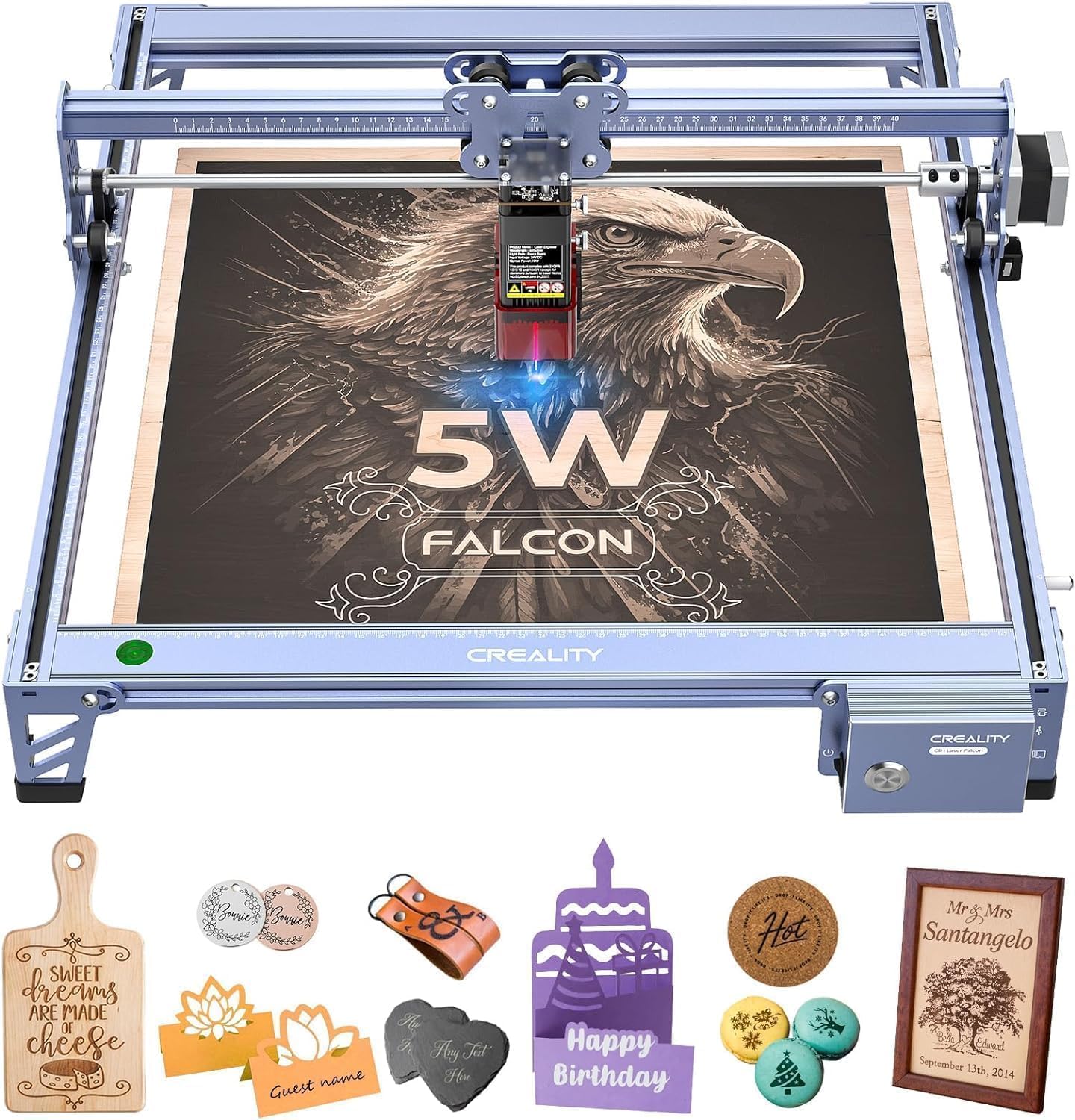
A 400 by 415mm work area normally belongs to machines in a higher price bracket; here it comes attached to the least expensive laser in the group. If your projects are signs, coasters and panels rather than three-dimensional objects, that ratio is the whole appeal: a bed big enough for a full run without paying for power you were never going to use.

Five watts is a marking laser. Wood, leather, acrylic, glass and coated metal take clean, fine detail — the 0.06mm spot is the finest here — and cutting stops at thin material. The eye-protective cover filters 97% of UV, the active-stop cuts the job if the machine is disturbed, and it will run offline without a computer attached, which matters in a garage with no laptop in it.

At 10.82 pounds it moves between a bench and a shelf without a second trip, and the 32-bit board drives 10,000mm/min, so small jobs finish quickly even with a modest beam. It is the least complicated machine here to own: frame, shield, software, done.

It earns its place as the cheap way into laser work, and we mean that approvingly. This is a machine for finding out whether you love the craft — real gifts, small products, a hobby you might drop in three months — and that is a reasonable thing to spend on. What it is not is a production tool: thin stock, one job at a time, and a frame that asks you to clear the bench properly before you start.

Bottom line: We point first-time buyers with flat projects at the Falcon 5W: the biggest bed in the cheap tier and enough detail to make gifts look deliberate.

8

ACMER S2 7W

ACMER S2 7W

Small-space crafting

Our Score 8.6/10
Check Price

Worth Noting

  • 300 × 300 mm bed limits larger signs
  • Desktop software only; no phone app
Laser
7W output (48W system)
Weight
7.83 lb
Spot Size
0.08 × 0.08 mm
Work Area
300 × 300 mm

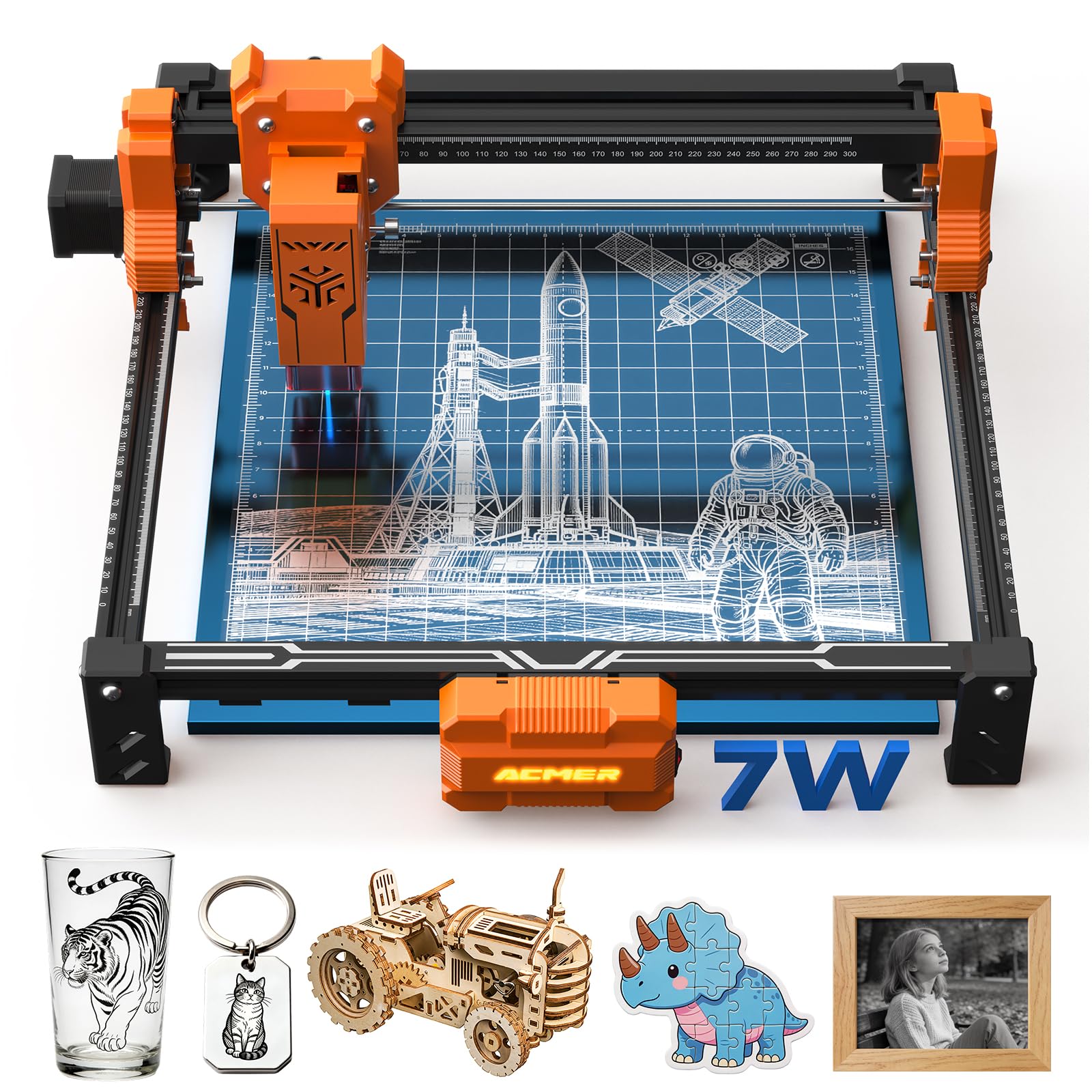
300 by 300mm is a desk machine, and we mean that as a compliment: it is about the size of a sheet of letter paper, it weighs under eight pounds, and it fits on a side table instead of claiming half a workbench. If your work is small — keychains, coasters, phone cases, leather patches, gift boxes — a smaller bed costs you nothing and settles the space argument with everyone you live with.

Seven watts of true output sits between the 5W machines and the 10W ones, which in practice means cleaner, quicker engraving on wood and leather than the cheapest lasers manage and a little more patience on thicker stock. The 0.08 by 0.08mm spot is fine enough for small text and logos, and the safety basics are covered: a UV-filtering shield, a pair of goggles, and a motion sensor that pauses the job if the machine gets knocked.

We like it as a small-format machine for gifts and craft-fair stock, with one caveat: the software path is ACMER's own studio, aimed at people who would rather type a prompt than draw a vector. It runs on Windows and macOS, and there is no phone app, so if you already work in another program, confirm yours is supported before you buy. For a compact laser that lives on a desk and never needs its own room, that is a fair trade.

Bottom line: We recommend the ACMER S2 to crafters short on bench space: a compact 7W laser with the safety basics and beginner-oriented software.

How We Tested the Best Laser Engravers

We started by gathering the machines that show up most often in maker forums, craft-store demos, and beginner-focused roundups, then filtered the list by work area size, supported materials, software, and price. We cut anything that required a dedicated 220-volt line or a truck to deliver, since most shoppers are fitting one into a garage or spare room. That left eight engravers, which we assembled and ran in a home workshop over eight months.

Out of the box, I timed how long assembly took with just the included tools and noted where the instructions assumed prior knowledge—missing focus steps, vague belt tensions, diagrams that didn't match the hardware. I also handed the controls to two people who had never used a laser engraver and watched where they got stuck: menu labels, focusing routines, setting origin points. The machines that scored best were the ones that got a first test burn onto scrap wood without a call for help.

Once set up, every machine ran the same project list: engraving a photo onto slate, cutting basswood ornaments, etching stainless steel tumblers, and cutting half-inch plywood. I recorded how many passes each cut needed, whether edges came out charred or clean, and how fine the smallest legible text could get. We also ran each engraver through daily use for several weeks to see which ones held their alignment and which needed re-squaring. Value came down to the final result against the price—not just the sticker, but how much material each machine wasted while I learned its quirks. I also noted which ones made me want to keep going after the required test pieces were done.

How to Choose Laser Engravers

Watts on the box are not watts in the beam

Almost every listing leads with a figure that is not the laser. A machine advertised as 72W is usually a 10W beam that draws 72W from the wall, and the gap between those numbers is where buyers get disappointed. Compare optical output only. Here, 5 to 7W marks wood, leather and acrylic cleanly and cuts very little; 10W adds speed and one-pass cuts in thin stock; 20W and up is where thicker plywood becomes realistic.

The useful question is not the wattage but the demonstration: what does it cut in a single pass, at what speed, and how many passes for the next thickness up? A seller who answers that has told you more than any headline figure.

Enclosed or open frame decides where it can live

This is the choice that separates a machine you use weekly from one you use twice a year. An enclosed, Class 1 unit can sit in a spare room: the lid filters the light and holds the smoke long enough for extraction to catch it. An open frame throws light in every direction and needs goggles, a barrier, and a window or filter for every single job.

Watch for the trap: a shield clipped onto the laser head is eye protection, not an enclosure. It does nothing about the smoke, and smoke is the part that gets your laser banished to the garage.

Measure the bed against your real projects

Work area is quoted in millimeters and read in projects. A 400mm square takes a coaster set or a small sign in one pass; 300mm is a desk machine for small objects; 220mm is for parts, not panels. Lay out the largest thing you actually plan to make and add an inch of margin — repositioning a half-finished panel is how you end up with a visible seam in the middle of a gift.

If your work is cylindrical — tumblers, rings, handles — no flat bed solves it. Budget for a rotary attachment or a handheld machine, and decide that before you buy rather than after.

Software decides whether you keep using it

Two programs matter: LightBurn, the standard if you plan to stick with the craft, and the maker's own app. Machines built on GRBL generally accept LightBurn, so your files and habits survive a hardware upgrade. A proprietary app can be genuinely good — xTool's XCS is beginner-friendly — but check that it runs on a computer rather than only a phone, and treat wireless-only control as a risk until it proves itself.

Buy somewhere you can test the connection and return the machine. A laser that will not talk to your laptop is a very heavy paperweight.

Budget for what the machine does not include

The purchase price is rarely the whole cost. Open-frame machines need extraction — a window, an inline fan, or a filter unit — plus something fire-resistant to sit on. Add eye protection if it is not supplied, a sheet of scrap plywood for test grids, and an enclosure you build or buy if the machine is going indoors.

None of that is optional, and it is why the cheaper laser is sometimes not the cheaper way to start.

Frequently Asked Questions

Final Verdict

For most people the xTool S1 40W is the machine to buy. The enclosure is what lets a laser live indoors instead of in the garage, and 40W behind a 23.93 by 15.16 inch bed handles real projects rather than test tiles.

If you have a ventilated workshop or the budget will not stretch, the Longer Ray5 gives you the same 40W and asks you to build the box yourself. And if you are starting from zero, the Ortur will teach you the craft for a lot less — just run it hard while returns are still easy.