UGREEN DXP2800
Top Pick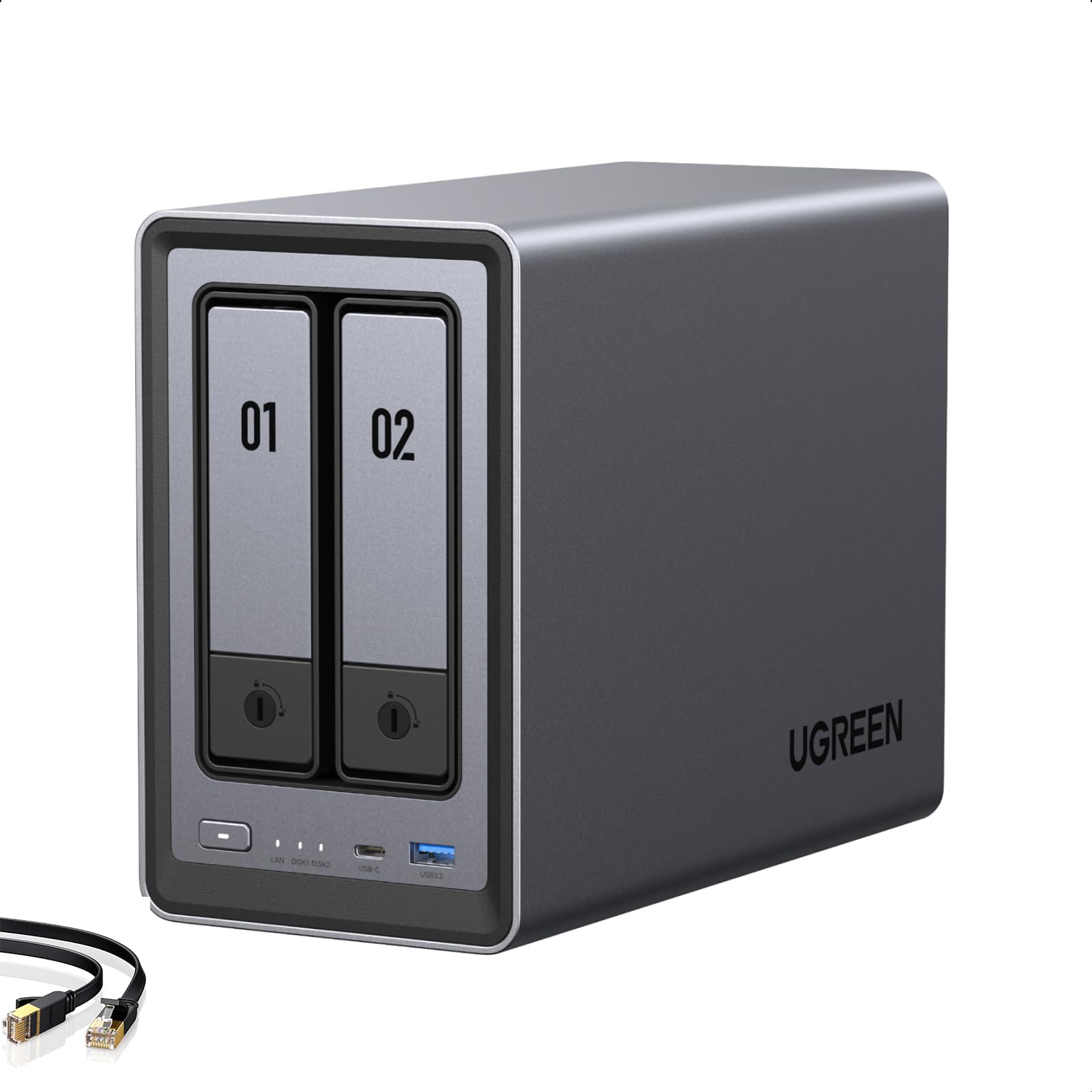
What We Like
- 2.5GbE port makes big transfers quick
- 8GB DDR5 and N100 handle Docker and indexing
- Two M.2 slots without giving up drive bays
- Quiet enough for a room you use
Worth Noting
- Remote access can stall; support is email-only
- Memory
- 8 GB DDR5
- Network
- 2.5GbE
- Drive Bays
- 2, plus 2 M.2 NVMe
- Max Raw Capacity
- 80 TB
Two specs decide how a NAS feels day to day, and the DXP2800 gets both right: a 2.5GbE network port and 8GB of DDR5. With the Intel N100 behind them, that's enough headroom to index a photo library, run a couple of Docker containers and stream a film at the same time — the sort of multitasking that turns a two-bay box from a network drive into a small server. It's why this one is our top pick.
The two M.2 NVMe slots are the part worth understanding before you start comparing prices. They let you add fast flash for the system and for thumbnails without spending either 3.5-inch bay, and UGREEN lists a combined ceiling of 80TB across the four slots. In practice that means the second bay can hold a mirror of your data rather than just more of it.
In a hallway or a home office it stays out of the way. The fan doesn't call attention to itself, and the spinning drives are what you'll actually hear — true of every NAS here. It's the kind of appliance you stop noticing, which is exactly what you want from something that runs around the clock.
The reservation is remote access and support. Reaching your files from outside the house is the part that can stall mid-transfer, and help runs by email rather than a phone line. If you're happy working through a support page, that's a fair trade for the hardware you get; if you want someone to walk you through router settings, the Synology pair is the safer company to keep.
Bottom line: For a first serious home NAS, we recommend the DXP2800: 2.5GbE networking, 8GB of DDR5 and two M.2 slots give it room to grow without a premium price.