PC Components & Storage

Best NVMe SSDs of 2026

An NVMe SSD is the drive your operating system, games, and photo library actually live on, and the difference between a slow one and a fast one shows up every single time you open a file. What you're really buying is less waiting. The trouble is that the number on the box tells you almost nothing about how a drive behaves after twenty minutes of sustained work, and that's where the real differences between models hide.

I've had a drive post beautiful benchmark numbers and then fall off a cliff halfway through a 40GB transfer, which is why I stopped trusting spec sheets. Over the past eight months our team has run 12 drives through a desktop, a laptop, and a handheld console, and the ones that held their speed under load were the ones worth paying for. One thing first-time buyers rarely hear: check the drive's length and whether your slot sits under a heatsink before you order, because most compatibility headaches start there. The picks below sort themselves by what you actually do with your machine.

1

Samsung 990 EVO Plus 2TB

Top Pick
Samsung 990 EVO Plus 2TB

Everyday PC upgrades

Our Score 9.6/10
Check Price

Worth Noting

  • 2280 length will not fit 2230-only laptops
Capacity
2 TB
Warranty
5 years
Interface
PCIe 4.0 x4 / 5.0 x2
Rated Read/write
7,250 / 6,300 MB/s

The 990 EVO Plus 2TB is the drive we keep coming back to because it gets the balance right: 2TB of space, rated reads up to 7,250 MB/s, and a design that works in either a PCIe 4.0 x4 or PCIe 5.0 x2 slot. That sounds like a lot of numbers, but the practical effect is simple—you get flagship-adjacent Gen4 speed without needing a bleeding-edge platform or a dedicated cooler.

We think that makes it the best default here for most PC and laptop upgrades. A 2TB drive leaves room for Windows, a healthy game library, and working files without the constant uninstall shuffle, while the 7,250/6,300 MB/s rating is far beyond what everyday apps and games can actually use. The nickel-coated controller and thermal control matter more in a laptop or a cramped case, where a hot drive can throttle and make a fast SSD feel ordinary.

Compatibility is the one place to slow down. The drive is listed for PCIe 4.0 x4 and PCIe 5.0 x2, and it is a standard M.2 2280 stick, but some systems still need a BIOS update or a careful look at the slot's key and lane sharing. We also like that Samsung's Magician software handles firmware and health checks, though it is not a reason to buy the drive on its own.

The 990 EVO Plus is not the drive for someone chasing the highest sequential score—the 9100 PRO owns that—but it is the one we recommend for most builds because it gets capacity, speed, thermals, and warranty right. If you have a very small laptop that takes a shorter 2230 drive, check the slot before ordering; otherwise this is the safer default.

Bottom line: The 990 EVO Plus 2TB is our default NVMe upgrade: it has the capacity, Gen4 speed, and thermal headroom most PC and laptop owners actually need.

2

Samsung 9100 PRO 4TB

Samsung 9100 PRO 4TB

PCIe 5.0 workstations

Our Score 9.4/10
Check Price

Worth Noting

  • Runs hot under sustained heavy loads
  • Overkill on PCIe 4.0 systems
Capacity
4 TB
Warranty
5 years
Interface
PCIe 5.0 x4
Rated Read/write
14,800 / 13,400 MB/s

The 9100 PRO's headline is impossible to ignore: up to 14,800 MB/s read and 13,400 MB/s write over PCIe 5.0 x4, with 4TB of capacity. Those figures are roughly double the best Gen4 drives here, and they are real only if your motherboard has a PCIe 5.0 M.2 slot with enough lanes and cooling to keep the drive from throttling.

For a video editor moving multi-gigabyte project folders, a 3D artist caching assets, or anyone working with large datasets, that bandwidth can change how the machine feels. The 4TB capacity also means you can keep active projects and a game library on the same drive without constantly pruning. The five-year warranty and Samsung's Magician software round out the package.

We think this is a specialist pick, not the default. Most games and everyday apps do not scale with sequential throughput, so a good Gen4 drive like the 990 EVO Plus will feel just as responsive while leaving money for capacity or a better GPU. The 9100 PRO also runs hot under sustained heavy use, and it needs a motherboard that can feed it; on a Gen4 board you are paying for speed you cannot use.

If you have the platform and the workload, the 9100 PRO is the fastest drive in this group and a genuinely useful tool. If you are building a general-purpose PC or upgrading a laptop, the smarter move is to put the budget into capacity and a cooler-running Gen4 drive. The drive rewards a specific buyer, not every buyer.

Bottom line: For a PCIe 5.0 workstation moving huge files, the 9100 PRO is the drive we choose; it is the fastest here, and overkill for most everyday upgrades.

3

WD Blue SN5000 4TB

WD Blue SN5000 4TB

High-capacity storage

Our Score 9.2/10
Check Price

Worth Noting

  • Sequential speed trails performance Gen4 drives
Capacity
4 TB
Endurance
Up to 1,200 TBW
Interface
PCIe 4.0 x4
Rated Read/write
5,500 / 5,000 MB/s

Four terabytes is the number that matters on the WD Blue SN5000. The drive is rated for up to 5,500 MB/s read and 5,000 MB/s write, which is quick enough for games and large files, and the point is that you stop managing free space. We think that is the right trade for anyone who is tired of moving games around to make room.

The 4TB model is rated for up to 1,200 TBW, which is a lot of writing before the endurance limit becomes the reason to replace it. Western Digital also includes Acronis True Image for cloning, and the drive is a standard M.2 2280 stick. In a desktop with a motherboard heatsink, installation is about as simple as PC upgrades get; in a laptop, check clearance and airflow before you commit.

The caveat is heat and reliability. This drive runs warm enough under load that a heatsink is worth using, and early failure is a possibility to weigh with any SSD. Neither is unique to this model, but they are reasons to keep backups and buy from a seller with a straightforward return policy. If you want the fastest Gen4 drive, look at the Acer or Samsung picks; if you want to stop thinking about storage, the 4TB SN5000 is the one we reach for.

Bottom line: When capacity is the problem, we reach for the WD Blue SN5000 4TB: it trades peak speed for the space to stop managing a game library.

4

Acer Predator GM7 1TB

Acer Predator GM7 1TB

PS5 game storage

Our Score 9.4/10
Check Price

Worth Noting

  • 1TB capacity fills quickly with big games
Capacity
1 TB
Interface
PCIe 4.0 x4
Rated Read/write
7,400 / 6,500 MB/s
PS5 Compatibility
Compatible

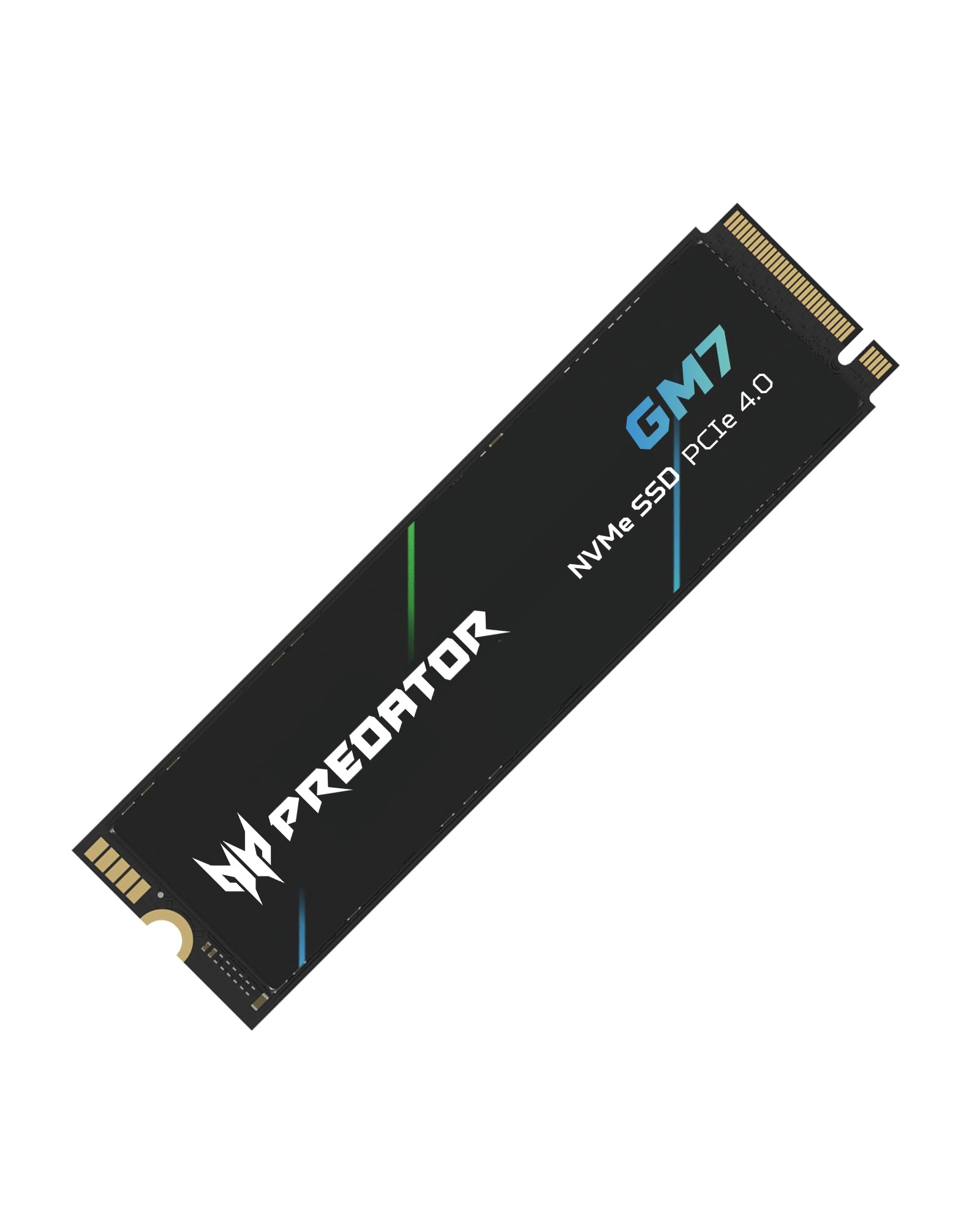
The Predator GM7 is the drive we point to when someone wants PS5 storage expansion without paying for the fastest Gen4 label. It is rated for up to 7,400 MB/s read and 6,500 MB/s write, uses PCIe 4.0 x4, and is listed as compatible with the PlayStation 5. For a 1TB drive, that is a lot of headline speed for the money.

In a PC, the GM7 is a strong game drive and a competent boot drive. The 1TB capacity is enough for Windows and a handful of large games, though a modern library can eat it quickly. The drive uses HMB and an SLC cache to keep burst performance up, and thermal throttling and power management are part of the design. We like that it does not demand a heatsink to make sense, though a motherboard heatsink is still the safer choice for sustained writes.

The PS5 part deserves a careful note. Sony's console wants an M.2 2280 NVMe drive with a heatsink and adequate clearance, and the GM7 is listed as compatible. If you are installing it in a PS5, add a low-profile heatsink and check that the cover closes without forcing anything. On a PC, the same drive is a straightforward upgrade as long as your board has a Gen4 M.2 slot.

What sells us is the combination of speed, capacity, and console readiness at a price that undercuts the premium Samsung drives. The 1TB ceiling is the main limitation—if you keep a dozen big games installed, the 2TB Samsung 990 EVO Plus is the easier long-term buy. For a focused game drive or a first PS5 expansion, the GM7 earns its place.

Bottom line: The Predator GM7 1TB is the PS5-ready game drive we recommend when you want near-top Gen4 speed without flagship pricing.

5

Kingston NV3 1TB

Kingston NV3 1TB

Value Gen4 builds

Our Score 9.4/10
Check Price

Worth Noting

  • Not a PS5-ready drive
Capacity
1 TB
Warranty
3 years
Interface
PCIe 4.0 x4
Rated Read/write
6,000 / 4,000 MB/s

The NV3 is the value play in this group: a 1TB PCIe 4.0 x4 drive rated for up to 6,000 MB/s read and 4,000 MB/s write, with Acronis cloning software and a standard M.2 2280 shape. Those are not flagship numbers, but they are well past the point where a desktop or laptop feels slow for everyday work.

We think it is a sensible choice for a budget build, a secondary game drive, or a laptop upgrade where the slot is Gen4 but the budget is not. The 1TB capacity is the practical minimum for Windows plus a few large games, and the drive is easy to install and recognize in most systems. The catch is that reliability is the question mark: this is not the drive we choose for irreplaceable work without a backup plan, and some systems have had recognition issues.

It is not the drive for a PS5 expansion; it is not sold as console-ready, and the 4,000 MB/s write rating is below the fastest console-focused picks. If you want a cheap Gen4 boot drive for a general-purpose PC, the NV3 does the job. If you want console storage or a long-term primary drive, spend more on the Acer or Samsung.

Bottom line: Our budget Gen4 pick is the Kingston NV3 1TB: it makes everyday upgrades feel fast, provided you keep backups and skip PS5 duty.

6

Patriot P300 512GB

Patriot P300 512GB

Budget boot drives

Our Score 9.2/10
Check Price

Worth Noting

  • 512GB capacity is limiting
  • Gen3 write speed is modest
Capacity
512 GB
Warranty
5 years
Interface
PCIe 3.0 x4
Rated Read/write
1,700 / 1,100 MB/s

The P300's 512GB capacity is not a compromise you have to discover later; it is the whole point. This is a Gen3 x4 drive rated for up to 1,700 MB/s read and 1,100 MB/s write, and at this size it is best understood as a budget boot drive for a basic desktop, a home-office PC, or a laptop that does not need a huge game library. We think it is a good fit for that narrow job.

For Windows and a handful of everyday apps, the P300 is quick enough to feel like a real upgrade from a hard drive. It is easy to install, it does not run hot in normal use, and the five-year warranty is reassuring at this end of the market. The drive is happiest as a boot drive, not as a vault for a large game library.

Compatibility is the other caveat. Some laptops and desktops have not recognized the drive, so check that your M.2 slot supports PCIe Gen3 x4 and buy from a seller with an easy return path. If you need more space or faster writes, the Kingston NV3 or Acer GM7 is the better spend. If you just need a cheap, competent boot drive, the P300 earns its place.

Bottom line: We like the Patriot P300 512GB as a cheap boot drive for a basic PC or light-use laptop, not as a fast primary drive.

7

Sandisk Optimus 5100 1TB

Sandisk Optimus 5100 1TB

Creator laptops

Our Score 9.4/10
Check Price

Worth Noting

  • 1TB capacity limits large video projects
Capacity
1 TB
Warranty
5 years
Interface
PCIe 4.0 x4
Rated Read/write
7,100 / 6,700 MB/s

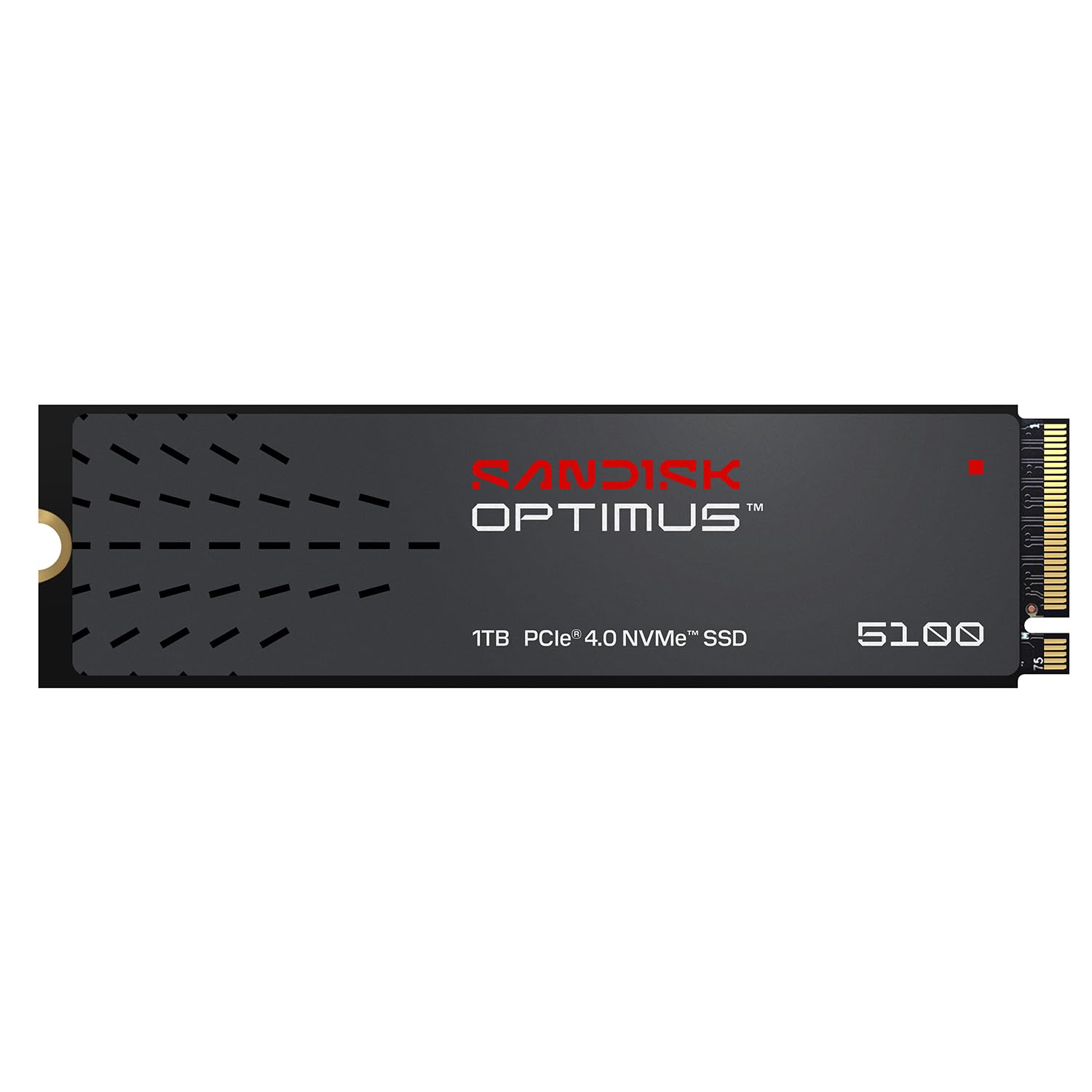
The Optimus 5100's pitch is efficiency as much as speed. It is a 1TB PCIe 4.0 x4 drive rated for up to 7,100 MB/s read and 6,700 MB/s write, with a power-efficient architecture and a five-year warranty. Those numbers put it near the top of the Gen4 class, but the low-power design is what makes it interesting for a laptop.

A fast desktop drive can afford to run hot; a laptop drive has to be more careful. The Optimus 5100 is built with creators in mind—4K video, high-resolution images, and large project files—and the efficiency claim matters when the drive is sharing a thin chassis with a CPU and GPU. The 1TB capacity is enough for an active project and a working set of apps, though not for a massive game library plus raw footage.

We think this is a strong pick for a creator laptop or a compact desktop where you want Gen4 speed without turning the case into a space heater. The catch is that the track record is thinner than the Samsung and WD drives here, so it is not our default for a mission-critical workstation without a backup. The 1TB ceiling is also a real limit for video work, where a single project can eat hundreds of gigabytes.

If you need maximum capacity, the WD Blue SN5000 4TB is the better tool; if you need the fastest drive, the Samsung 9100 PRO is in another class. The Optimus 5100 sits in the useful middle: quick enough for demanding creative work, efficient enough for a laptop, and priced below the flagship drives. That is a specific brief, and it fills it well.

Bottom line: For creator laptops, the Sandisk Optimus 5100 1TB is the efficient Gen4 drive we recommend, as long as 1TB fits your projects.

8

SIX X7400 1TB

SIX X7400 1TB

PS5 heatsink bundle

Our Score 9.2/10
Check Price

Worth Noting

  • PS5 Slim compatibility is not assured
  • Heatsink attachment can be awkward vertically
Capacity
1 TB
Heatsink
Included
Interface
PCIe 4.0 x4
Rated Read
7,350 MB/s

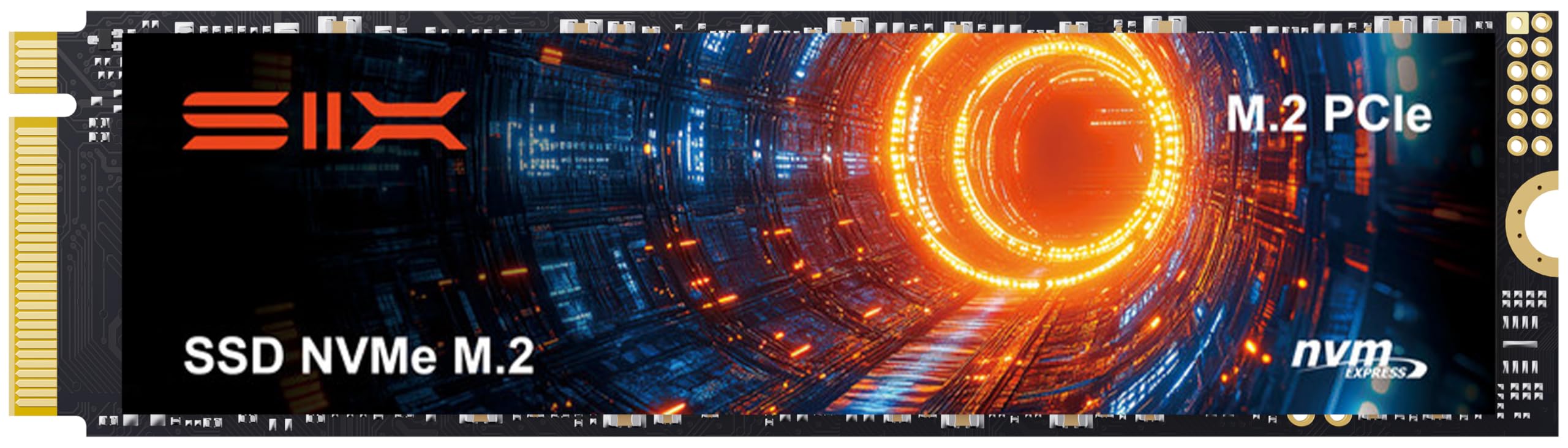
The X7400 arrives with the accessory that usually costs extra: a heatsink. That makes it a convenient choice for a PS5 expansion or a desktop build where the motherboard's M.2 shield is missing or awkward to use. The drive itself is a 1TB PCIe 4.0 x4 model rated for up to 7,350 MB/s read, with a five-year limited warranty.

On paper, the speed is right in the mix with the Acer and Samsung Gen4 drives. The 1TB capacity is enough for a focused game library or a boot drive plus a few big titles, and installation is straightforward once you know which standoff and screw your board or console uses. The screwdriver kit in the box is a small but welcome detail.

The heatsink is the part to scrutinize. It is a useful inclusion, but the fit and quality are not the same as a good motherboard shield, and it can be awkward in a vertical install. For PS5 use, the standard console is the safer match; the PS5 Slim and some CFI-2114 models are not a sure thing. Check the exact model before you buy, and do not force the cover closed.

What we like is the completeness: drive, heatsink, and tools in one package, with speed that will not hold back a Gen4 system. What keeps it out of the top tier is the uncertainty around console fit and the heatsink's simple attachment. If you have a standard PS5 or a desktop that needs a bundled cooler, the X7400 is a practical pick. If you want the safest PS5 bet, the Acer GM7 with a known heatsink is the easier call.

Bottom line: The SIX X7400 1TB is the bundled-heatsink pick we recommend for a standard PS5 or a desktop build, with a model-fit check first.

How We Tested the Best NVMe SSDs

We started by gathering every drive we could find in the 1TB and 2TB range from brands with a track record, then cut the list using specs a shopper can actually verify: PCIe generation, whether the drive is single- or double-sided, published endurance ratings, and whether a heatsink version exists at all. That left us with 12 drives, which we lived with for eight months.

Each one was cloned with the same working Windows install, roughly 700GB of games, photos, and raw video, and then dropped into a desktop as the boot drive for at least two weeks of ordinary use. I timed cold boots, game loads, and a 40GB folder copy, then ran a 20-minute continuous write with a monitoring tool open to catch the exact moment a drive's transfer rate dropped. After that, every drive moved into a laptop and a handheld to see how it fit and how hot it ran in a tighter space.

We handled installation the way a normal person does: the cloning software, the tiny screw, whether the drive appeared in the BIOS on the first try, and whether it survived a dozen sleep-and-wake cycles without vanishing. To see how capacity affects speed, we filled each drive to 90 percent and re-ran the copy tests, and we weighed price per terabyte against endurance ratings rather than against the number on the box. A thick heatsink that won't clear a laptop's bottom panel is a compatibility problem, not a cooling win, so we noted which drives were built for which machine.

How to Choose NVMe SSDs

Fit and generation come first

An NVMe drive is not universal. You need an M.2 2280 slot with the right key, and you need to know whether that slot runs PCIe 3.0, 4.0, or 5.0. A Gen4 drive will work in a Gen3 slot at lower speed, and a Gen5 drive will work in a Gen4 slot the same way, but you are paying for bandwidth you cannot use. Check the motherboard manual or console requirements before you buy.

For a PS5, the drive must be an M.2 2280 NVMe model with a heatsink and enough clearance for the cover. The Acer Predator GM7 is listed as compatible; the SIX X7400 includes a heatsink but needs a model check. On a laptop, confirm the slot length and whether the drive sits under a shield before ordering.

Capacity is the upgrade you feel

Capacity changes daily use more than a jump from Gen4 to Gen5. A 1TB drive is workable for Windows and a few large games, but it fills fast once you add a modern library or video projects. We see 2TB as the sweet spot for a primary drive, and 4TB as the point where you stop managing free space.

The Samsung 990 EVO Plus 2TB is our default because it balances space and speed. The WD Blue SN5000 4TB is the better choice for a large game library or archive, even though it gives up peak sequential speed. Buy the capacity you will still be comfortable with a year from now, not the smallest drive that fits today.

Cooling and heatsink clearance

Heat is the hidden spec. PCIe 5.0 drives such as the Samsung 9100 PRO can run hot under sustained heavy use, and a hot drive throttles, which makes a fast SSD feel inconsistent. Motherboards often include an M.2 shield; use it if it fits. In a laptop, there may be no room for a thick heatsink at all.

For a PS5, a heatsink is required, and a low-profile design is easier to fit under the cover. The SIX X7400 bundles one, but the attachment can be awkward in a vertical install. If you are buying a bare drive, budget for a heatsink or confirm the motherboard shield covers it.

Endurance, warranty, and backups

Endurance is written as TBW, or terabytes written, and it is the amount of data the drive is rated to handle before the warranty limit. A 4TB WD Blue SN5000 is rated for up to 1,200 TBW, which is generous for a game library; a small budget drive will have a lower ceiling. For most buyers, the warranty length is the easier shorthand: five years is the norm among the better drives here, while some budget models stop at three.

No warranty covers the time spent reinstalling Windows. Keep a backup of anything you cannot recreate, and clone or reinstall with that backup in place. If a drive is going into a work machine, buy from a seller with a straightforward return path and keep the packaging until the migration is done.

How much speed do you actually need?

Gen3 drives such as the Patriot P300 are fine for a basic boot drive, but they are no longer the value sweet spot for a general-purpose PC. Gen4 drives like the Samsung 990 EVO Plus and Acer GM7 are the practical performance choice: they feel instant for games and apps, and they cost less than Gen5. Gen5, including the 9100 PRO, is for large-file work where sequential throughput changes the clock.

We prioritize capacity and cooling before another thousand megabytes per second. A 2TB Gen4 drive with a good heatsink will feel faster in everyday use than a 1TB Gen5 drive that is constantly full and throttling. Spend up when your workload moves huge files, not because the box has a bigger number.

Frequently Asked Questions

Final Verdict

Our default remains the Samsung 990 EVO Plus 2TB. It has the capacity to stop the uninstall shuffle, Gen4 speed that feels instant in games and apps, and thermal behavior that suits laptops as well as desktops.

The 9100 PRO is the better buy only if you have a PCIe 5.0 slot and move huge files for a living; for everyone else, the extra speed is money that does more for you in capacity. If you need a PS5 drive, start with the Acer Predator GM7.