Home Appliances & Robots

Best Smart Home Hubs of 2026

A smart home hub is the translator in the closet: the small box that lets a motion sensor from one brand trigger a lamp from another and keeps those routines running when the internet blinks. Without one, you end up with six apps and a house that only half listens. What separates a good hub from a frustrating one isn't the spec sheet — it's whether setup eats an evening or a weekend, whether the app makes sense to someone who didn't do the install, and whether everything still shows up after the router reboots.

Living with a hub is the real test, not pairing it once. We set up and lived with 10 hubs over the past eight months, and the weaknesses surfaced in week two: sensors that quietly dropped offline, camera clips that filled local storage faster than expected, automations that broke after a software update. One thing I'd tell any first-time buyer — choose for the gear you already own rather than the ecosystem you might build later. The hubs below are the ones that earned their outlet.

1

Home Assistant Green

Top Pick
Home Assistant Green

Local automation

Our Score 8.8/10
Check Price

Worth Noting

  • Zigbee, Z-Wave and Thread need add-on USB radios
Ports
Ethernet, 2 USB
Radios
Bluetooth
Footprint
4.41 x 4.41 x 1.26 in
Memory And Storage
4 GB RAM, 32 GB storage

Home Assistant Green is the most flexible automation platform in this roundup, and it arrives looking like nothing at all: a fanless slab with one Ethernet port, two USB sockets and Bluetooth, about the size of a coaster stack. There is no Wi-Fi on board, so it lives where a cable can reach. That shape is the buying decision. The radios you need for Zigbee, Z-Wave or Thread devices are USB adapters you choose and add yourself, which means you buy the hub once and the radios as your devices demand them.

We like that trade more than any single feature. Because it runs Home Assistant OS with 4 GB of RAM and 32 GB of storage, the box keeps your automations, history and dashboards on your own network, and it keeps running when a manufacturer's cloud has a bad night. Being official Nabu Casa hardware matters too: this is the version of the platform you can buy and get support for, rather than the one you assemble from a spare mini PC and a forum thread.

What it is not is an appliance. The first evening is configuration, not use, and the payoff only arrives when you ask it to do something no ecosystem would allow — a lamp that follows the sunset and your calendar, or a doorbell that pauses the TV. If you wanted an app and a wizard, this will feel like homework. If you have ever been told a device is not supported, it will feel like the first honest answer you have had.

Bottom line: We recommend Green to anyone who wants automations running locally and does not mind adding radios — the most flexible hub here, and the least appliance-like.
2

Homey Pro (2026)

Homey Pro (2026)

Mixed-protocol homes

Our Score 8.0/10
Check Price

Worth Noting

  • Most expensive hub in this roundup
  • Automation logic still takes learning
Size
4.9 x 4.9 x 1.5 in
Radios
Wi-Fi, Zigbee, Z-Wave Plus, IR, BLE, Matter, Thread
Device Support
50,000+ devices, 1,000+ brands

The first thing to say about Homey Pro (2026) is the price: it is the most expensive hub here. The second is what that buys. Wi-Fi, Zigbee, Z-Wave Plus, Thread, Matter, Bluetooth and infrared all sit inside a metal puck about five inches across, so there is no dongle, no bridge and no second hub for the one device that speaks something else. We think that is the whole case for it, and in a house with old Z-Wave locks, new Thread sensors and an air conditioner on an infrared remote, it is a good one.

The software matches the hardware's ambition without demanding a config file. Homey Flow is a visual builder: you drag a trigger, add conditions, drop in actions, and a presence routine is done. Compared with Green, the distance is mostly in that first weekend, when you are arranging blocks rather than reading documentation. That makes it the pick we hand to someone who wants the outcome more than the process, and because everything runs on the box, the routines keep going when the internet does not.

The caveat is the odd stubborn device. A hub that speaks seven protocols still depends on each device's own quirks, and at this end of the market one that will not join is harder to shrug off than a cheap dongle that does not work. What you are buying is coverage — Z-Wave alone puts this in a category the rest of the list cannot reach — and coverage is the thing you cannot retrofit cheaply later.

Bottom line: Homey Pro is the one we hand to people who want every radio in one box and no tinkering; expensive, and worth it for a genuinely mixed house.

3

Aqara Hub M3

Aqara Hub M3

Apple Home setups

Our Score 8.2/10
Check Price

Worth Noting

  • Third-party Zigbee devices often will not pair
Size
4.13 x 4.13 x 1.41 in
Radios
Zigbee, Thread, Bluetooth, Wi-Fi, IR
Network
Ethernet with PoE, dual-band Wi-Fi
Local Storage
8 GB encrypted

Aqara's M3 costs well under our top pick and hands you the radios Green makes you buy: Zigbee, Thread and Bluetooth are inside, plus dual-band Wi-Fi, Ethernet with PoE and a 360-degree infrared blaster. For an Apple Home it is the more natural fit of the two, bringing Aqara sensors and its Thread network into Apple's app alongside everything else. That combination is why it sits near the top of this set for anyone already living in that app.

The hardware is the most generous in this roundup for the money. Power over Ethernet means one cable to a ceiling or a closet shelf and no power brick, and the case has no microphone or camera — a small thing that matters if the hub is going in a bedroom. The infrared blaster is smarter than most, picking up when someone uses the original handset so the app does not drift out of sync with the TV it is controlling.

The catch is whose devices it likes. In our view this is an Aqara hub first and a universal one a distant second: third-party Zigbee gear is where a mixed home gets stuck, and the frustration lands on people who expected a bridge for everything. Build your home from Aqara sensors and Apple's app, add the TV and the air conditioner on infrared, and it is one of the best-value boxes here. Bring a shoebox of no-name sensors and you will be fighting it.

Bottom line: For an Apple Home built on Aqara sensors, this is the hub we reach for — PoE, Thread and a genuinely clever IR blaster for less than the top pick.

4

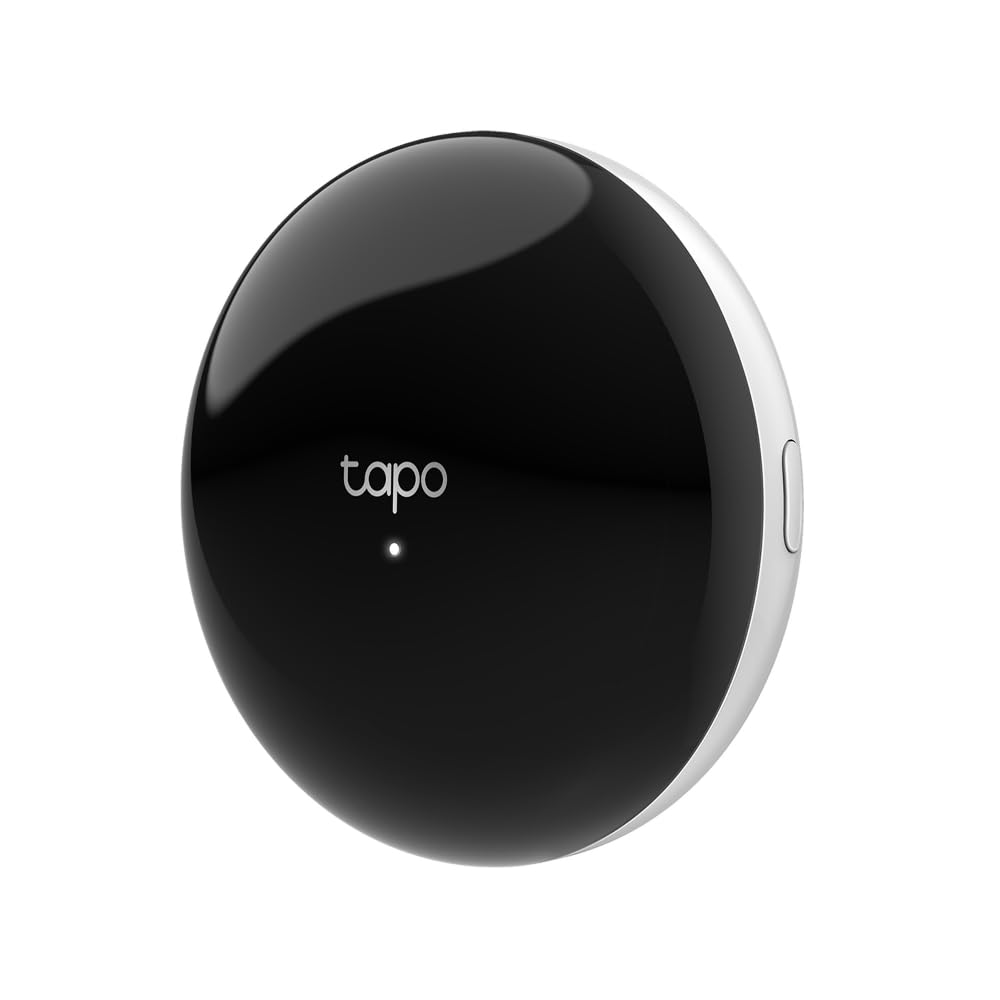
Tapo H500

Tapo H500

Tapo camera homes

Our Score 9.0/10
Check Price

Worth Noting

  • Tapo only, with no Zigbee, Thread or Matter
  • SATA bay is fussy about drives
Storage
16 GB built-in, 2.5-inch SATA bay
Video Out
HDMI, four live views
Cameras And Sensors
16 Tapo cameras, 64 sensors

If the cameras around your house say Tapo on them, the H500 is less a hub than the piece that was missing. It takes up to 16 Tapo cameras and 64 of the low-power sub-GHz sensors off your Wi-Fi and onto one box, adds facial recognition to cameras you already own, and does it without a subscription. That last part is the sentence that sells it.

Storage and viewing are where the money goes. There is 16 GB inside, a 2.5-inch SATA bay for a drive you supply, and an HDMI port that can put four live feeds on the TV in the hallway. We like that combination for a busy household: the person who never opens the app can still see who is at the door, and the recordings sit on a disk you own rather than in someone else's cloud.

Two things to know before you commit. The SATA bay is picky, so check the compatibility list rather than reaching for a spare SSD from a drawer, and continuous recording is limited to a handful of cameras, which means a large installation still leans on event clips and a bigger drive. Neither is a dealbreaker; both are the kind of detail you want to learn before the returns window shuts.

Our verdict is narrow and confident. For a Tapo camera household this is the obvious buy. For anyone else it is a camera appliance that will not run your lights: it speaks Tapo's sensors, not Zigbee, Thread or Matter, so it cannot be the center of a mixed home. Pair it with a real hub or skip it.

Bottom line: Our pick for a Tapo camera household is the H500: local storage, HDMI viewing, no subscription, and no ambition to control anything else.

5

SONOFF Bridge Max

SONOFF Bridge Max

Budget Matter bridging

Our Score 9.2/10
Check Price

Worth Noting

  • No Z-Wave, Thread or infrared
Alarm
90 dB built-in
Weight
2.88 oz
Network
Ethernet, Wi-Fi
Protocols
Zigbee, BTHome, Matter bridge

SONOFF's Bridge Max is the budget pick with the least compromise. It takes Zigbee and BTHome devices and hands them to Apple Home, Alexa, Google Home or Home Assistant over Matter, so the sensors you already own show up in the app you actually use. For very little money you get a bridge that does not ask you to standardize the whole house around one brand, which is a rare thing at this end of the market.

Local configuration is the part we appreciate most. Plenty of budget bridges tether you to a phone app and a cloud account; this one serves a web console from your own network, so you can set it up from a laptop browser and manage it with the internet unplugged. Add the 90 dB alarm and Zigbee sensor pairing and you have the bones of a small security setup with no monthly plan.

The risk is firmware. A Matter bridge is only as good as the updates behind it, and this is a small-brand box in a category where the big platforms keep moving the goalposts. That is why it is here rather than at the top: buy it to solve a specific problem — a handful of Zigbee sensors that Apple Home will not take — and it delivers. Buy it as the brain of a large house and you are betting on a roadmap.

Bottom line: We point budget buyers at the Bridge Max: Zigbee sensors into Apple Home, Alexa or Home Assistant over Matter, set up from a browser, no cloud account.

6

Tapo H110

Tapo H110

IR appliances

Our Score 8.2/10
Check Price

Worth Noting

  • IR devices stay in the Tapo app, not Matter platforms
Alarm
93 dB
Range
130 m
Control
IR, 8,000+ brands, 18 device types
Wireless
2.4 GHz Wi-Fi, Matter certified

The appliances that most deserve a schedule are usually the dumbest ones in the house: the window air conditioner, the ceiling fan, the TV in the spare room. The H110 puts an infrared blaster in front of them, matches their remotes from a database covering 8,000-plus brands and 18 device types, and folds them into the same Tapo app as your plugs and sensors. It is the least glamorous hub here and, in our view, one of the most immediately useful.

Line of sight is the whole trick, and it is the bit people underestimate. The blaster has to see the appliance's receiver, so a shelf facing the air conditioner works and a closed cabinet does not. Get that right and the appeal is obvious: cooling that starts before you get home, a fan that runs on a schedule, and a 93 dB alarm plus Tapo sensor support on the same box if you also want a siren or a chime.

One limit to know about: infrared control stops at the Tapo app for a lot of devices. Air conditioner remotes in particular do not pass their full state through to Matter, so Alexa and Google get on, off and temperature rather than everything the handset can do. For stopping the AC being left on all day that is plenty; for scene-perfect climate control it is not. The rest of the box — sensors, chime, alarm — is genuinely good value.

Bottom line: The H110 is our pick for the AC, fan and TV you want on a schedule — inexpensive, quick to place, happiest inside the Tapo app.

7

SENCKIT Multi-Mode Gateway

SENCKIT Multi-Mode Gateway

Cheap Tuya sensors

Our Score 8.0/10
Check Price

Worth Noting

  • Tuya and Smart Life only, no Matter
App
Tuya / Smart Life
Size
1.93 x 1.93 x 0.51 in
Capacity
128 Tuya devices
Protocols
Zigbee 3.0, Bluetooth mesh

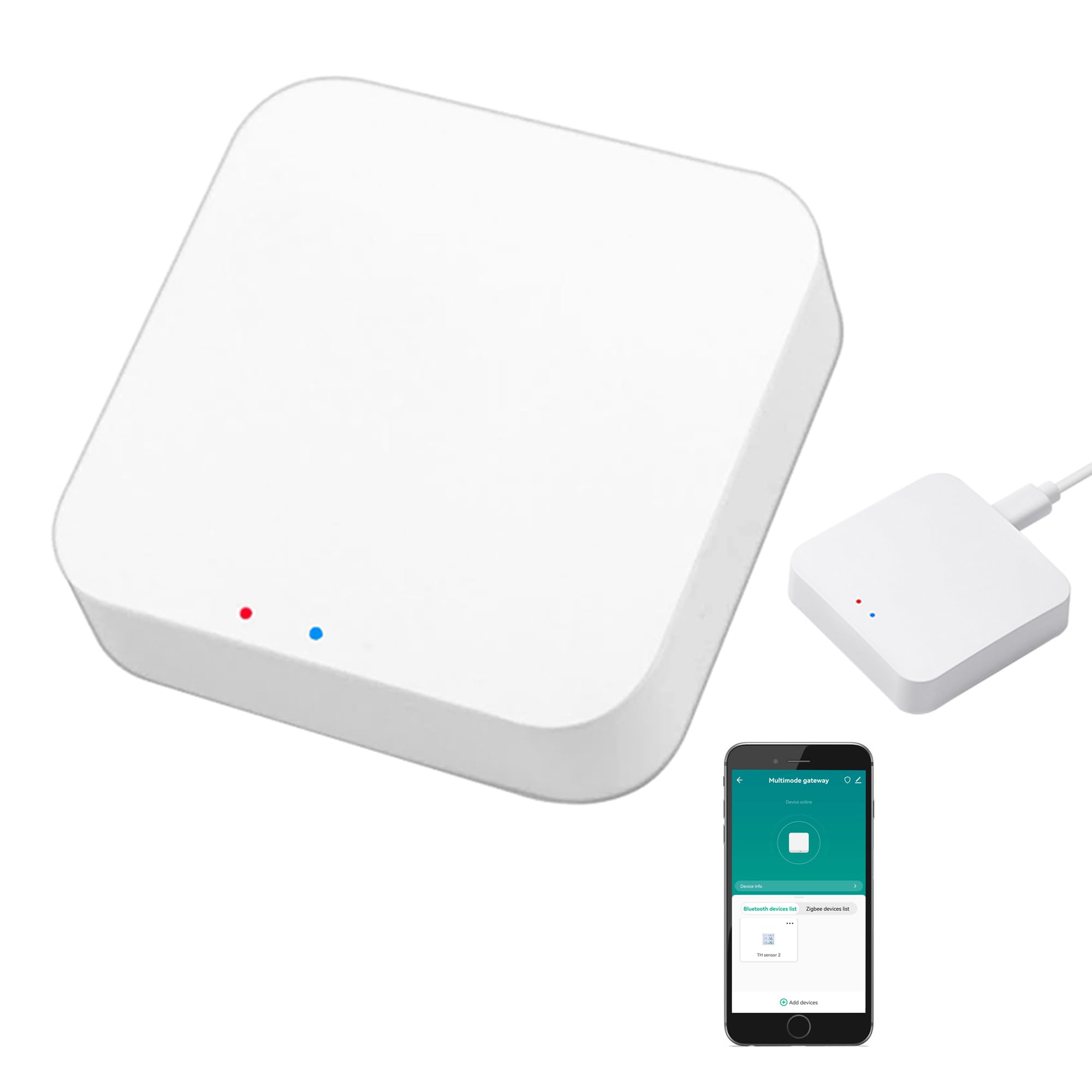
SENCKIT's gateway is the cheapest hub here, and it is refreshingly blunt about its limits: the app is Tuya Smart or Smart Life, and that is the end of it. No Matter, no Apple Home, no Home Assistant without something else in the middle. What you get in exchange is Zigbee 3.0 and Bluetooth mesh in a puck under two inches square, with capacity for 128 devices and pairing that takes a couple of minutes.

For a specific buyer that is a genuinely good deal: someone with a box of Tuya sensors, a Bluetooth door lock and a finger bot who wants them triggering each other instead of living in four separate apps. We rate it as a starter hub rather than a destination. Every device you add deepens the Tuya dependency, and moving to Matter later means replacing the gateway rather than updating it — fine when the outlay is this small, a dead end if you were hoping this would be the last hub you buy.

Placement does more work than usual here. It is a tiny radio puck, so it belongs near the middle of your sensors rather than in the cupboard with the router, and the devices that struggle are the ones at the far end of a long house. Everything else about it is modest and honest: it does the one job, it does it cheaply, and it tells you exactly which ecosystem you are joining.

Bottom line: We like the SENCKIT gateway for Tuya and Smart Life devices that need to talk to each other cheaply — just do not expect a route out of that ecosystem.

How We Tested These Hubs (and What Broke)

The shortlist started with research. We compared protocol support — Matter, Zigbee, Z-Wave, Thread — checked which devices each hub claimed to work with, and crossed off anything that put basics like recording, remote access, or backups behind a mandatory subscription. Price factored in, but a cheap hub that can't talk to the sensors you already own isn't cheap. We landed on 10 hubs, bought them at retail, and set them up at home rather than on a bench.

We timed each setup from the moment the box opened to the moment a first automation ran — a door sensor triggering a hallway light — without opening a support article, then repeated the install a few weeks later without the instructions to see whether it stuck. After that we simply lived with them: lamps on the living room shelf, plugs in the kitchen, a thermostat in the hallway, a camera on the back door, a contact sensor in a detached garage about 40 feet and two walls past the router. We recorded clips to each hub's local storage until it filled, noting how many days that took and what stopped working when it did.

Every few weeks we pulled the router for ten minutes and counted which devices still responded, and we watched what survived software updates — some hubs re-paired themselves, others needed every sensor added back by hand. Hardware got the same scrutiny: whether buttons felt solid, whether a unit ran hot, whether it recovered from a brief power cut. We're still using all of them past the eight-month mark and will update as firmware changes the picture.

How to Choose Smart Home Hubs

Count your radios before you count features

Every device in your home talks over something — Wi-Fi, Zigbee, Z-Wave, Thread, Bluetooth or infrared — and a hub can only control what it can hear. Matter has not changed that. It is a common language layered on top of Thread, Wi-Fi and Ethernet, so a Matter badge does not promise a Thread radio or a Zigbee one.

Open each manufacturer's app and note the protocol for the devices you actually care about. If every plug and bulb is Wi-Fi, you may not need a hub at all. If half your gear is battery-powered Zigbee sensors, the radio list is the first thing you check and the first thing worth paying for.

Local control is the feature you notice when the internet is not

A cloud-dependent hub sends every command through someone's server. A local-first hub runs the logic on the box, which shows up on the afternoon your broadband drops and the hallway light still needs to work, and in how quickly a motion sensor turns a lamp on. Home Assistant Green, Homey Pro and SONOFF's bridge all keep automation on-site and keep working without an account.

Ask one question of any hub before you buy: with the internet unplugged, which routines still run? If the answer is none, you are buying a remote control with extra steps.

Open ecosystems and the lock-in trap

The most expensive mistake in this category is buying a hub that only loves its own family. Three of the boxes here are ecosystem hubs first and general-purpose controllers a distant second. That is not a fault, but it makes them the wrong center for a house that already mixes brands.

If you own devices from three manufacturers, buy the hub that adapts to them rather than the one that asks you to replace them. If you are starting clean, an ecosystem hub is a perfectly good beginning, as long as you pick the ecosystem on purpose rather than by accident.

Setup effort: appliance or project

Be honest about the evening you are signing up for. Tapo and Aqara hubs get you to a working sensor in an app in a few minutes. Homey Pro asks you to understand triggers and flows, then behaves. Home Assistant Green is a platform: the box takes no time at all, and the first automation that does something clever takes an evening of reading.

None of that is a flaw, but buyers who expect an appliance and get a project stop using it. Choose the hub whose worst evening you can live with, and be suspicious of any review that pretends the difference does not exist.

Placement, wiring and line of sight

Put the hub where its radios can work. Ethernet, and especially PoE, frees you from the router shelf: the M3's PoE port is the neatest example here, letting the hub sit centrally with a single cable. Zigbee and Thread hubs do best near the middle of the house rather than in a metal rack in the basement.

Infrared is stricter still. The blaster has to see the appliance's receiver, so a shelf facing the air conditioner works and a closed cabinet does not. Settle that before you commit to a cupboard.

Frequently Asked Questions

Final Verdict

The hub we keep coming back to is Home Assistant Green. It is the most flexible box here, it keeps your automations in your own house, and it comes from the team that writes the software — which matters far more in year three than in week one. Add a Zigbee or Z-Wave adapter when a device demands one and you will not outgrow it.

If an evening with documentation is a dealbreaker, Homey Pro is the alternative: every radio already inside, flows you build by dragging, and a bill that reflects it. And for an Apple Home built on Aqara sensors, the M3 does most of the same job for a lot less.