Home Appliances & Robots

Best Smart Thermostats of 2026

A smart thermostat sounds like a straightforward upgrade until you're staring at a tangle of low-voltage wires and wondering whether your furnace, heat pump, or home Wi-Fi will cooperate. The best models make the boring parts vanish: setup that doesn't require an electrician, a schedule that holds without babysitting, and steady temperature control instead of hot and cold swings. I've spent the past eight months living with 12 smart thermostats in my own home and a few test houses, and the gap between the great ones and the fussy ones shows up quickly. What you're really buying is fewer small annoyances—not a longer spec sheet.

The tricky part is that the same feature can be a dealbreaker depending on your system. A thermostat that installs in 20 minutes but drops Wi-Fi every other day is worse than a plain programmable model, and a feature-packed unit that needs a C-wire may not fit an older setup. I weighed installation ease, temperature accuracy, app usability, connection reliability, and whether the price made sense for what you actually get. The picks below are the ones that kept working after the novelty wore off.

1

Sensi ST55

Top Pick
Sensi ST55

Most homes

Our Score 8.8/10
Check Price

Worth Noting

  • No remote sensor in the box
C-wire
Not required in most homes
Display
5-inch LED with button control
Warranty
3 years
Works With
Alexa, Apple HomeKit, Google Assistant, SmartThings, Vera

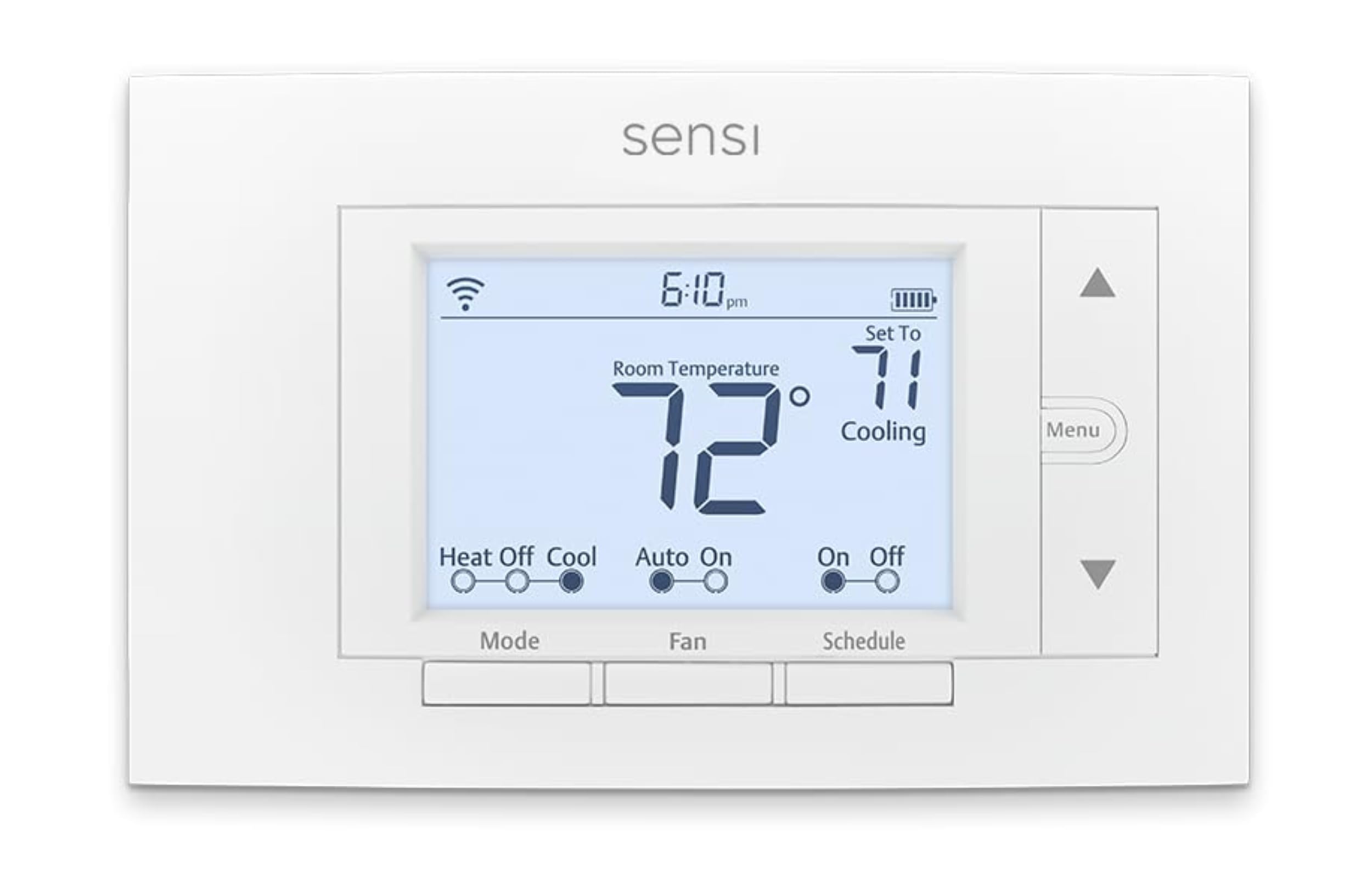
The fourth wire is where most smart-thermostat projects stall. A lot of older houses have only two or three conductors at the wall plate, and the common wire that powers a screen without stealing from the heating circuit is the one that is missing. The Sensi ST55 was built for that situation: it runs without a C-wire in most systems, which spares you an adapter, an electrician or a return. That is why it is our default pick for a standard 24-volt furnace-and-AC house — the wiring you already have is enough.

The rest of the design is deliberately plain, and we came to appreciate it. A 5-inch LED panel with real buttons sits in a body sized at 5.88 by 3.75 inches, close enough to a traditional thermostat that it covers the old footprint without patching and painting. Buttons sound like a downgrade until you are adjusting the heat at two in the morning without waking a touchscreen or hunting through menus. The install runs through the app the way we like: it makes you label every wire before you disconnect anything, then confirms each terminal as you reconnect.

Wi-Fi is the weak spot. If the signal at the wall plate is marginal, dropouts and failed reconnects follow, so check the strength there before you buy and keep the unit on the 2.4GHz band rather than a 5GHz-only network. Everything else is quietly generous: Alexa, Apple HomeKit, Google Assistant, SmartThings and Vera support, usage reports, filter reminders, and a three-year warranty that matches the longest here.

Bottom line: Our default pick for a standard 24-volt house: it runs on the wiring already in your wall, installs in an afternoon, and costs less than the touchscreen alternatives.

2

Sensi Touch ST75

Sensi Touch ST75

Touchscreen upgrades

Our Score 8.8/10
Check Price

Worth Noting

  • Requires a C-wire; no adapter in the box
C-wire
Required
Display
4.3-inch color touchscreen
Warranty
3 years
Works With
Alexa, Apple HomeKit, Google Assistant, SmartThings, Vera

The Touch is the ST55 in a better suit: same app, same platform support, same three-year warranty, but a 4.3-inch color LCD where the cheaper unit has a segmented LED and buttons. The screen is the whole upgrade, and it does more for daily use than the spec suggests — temperatures are readable from across a hallway, menus use words rather than codes, and the backlight is soft enough for a middle-of-the-night glance.

We prefer using the Touch and still point most people to the ST55, because the extra money buys interface rather than capability. Both handle schedules, voice commands and filter reminders the same way, and neither learns anything about your routine. If you walk past this thing twenty times a day and want it to feel like a modern device, the touchscreen is responsive and the menus are genuinely clear; if you set a schedule once and run everything from your phone, you are paying for glass.

Auto changeover earns its keep in spring and fall: once the indoor temperature crosses your heat and cool setpoints, the unit picks the right mode without a schedule edit, and geofencing handles the comings and goings. One practical wrinkle — the body is slightly smaller than the ST55's, so check that it covers the paint line the old unit left behind, or plan on a trim plate.

Bottom line: The nicest-feeling thermostat of the two Sensi models, with a color touchscreen that is readable across a hallway and the same easy app-guided install.

3

ecobee Smart Thermostat Enhanced

ecobee Smart Thermostat Enhanced

HomeKit households

Our Score 8.8/10
Check Price

Worth Noting

  • No remote room sensor in the box
C-wire
Power Extender Kit included
Warranty
3 years
Works With
Alexa, Apple HomeKit, Google Assistant
HVAC Compatibility
90% of systems

Occupancy sensing is the line between a thermostat that follows a schedule and one that notices the house is empty. The ecobee Enhanced builds that into the unit itself, so it can precool before you get home and let the temperature drift while you are away. For an Apple Home household it is the easiest recommendation here: HomeKit support without a bridge, with Alexa and Google Assistant working alongside it.

Installation is where we formed the firmest opinion. The box includes ecobee's Power Extender Kit, a small module that borrows power from the existing control wires so the thermostat works in a house without a fourth conductor. That is more hardware to fit behind the backplate, and it is the fiddliest part of the job — but the app walks through it with photos of the terminals, and the alternative is running new cable. If you already have a C-wire, leave the module in the box and the install is ordinary.

The rest is competent rather than exciting: a clear 4-inch LCD, a metal body that feels better than the Sensi's plastic, and a trim plate that hides a messy paint edge. One setting worth visiting on a heat pump is the equipment menu, where you decide when the auxiliary strips are allowed to run. The default can bring them on sooner than you want during a cold snap, and five minutes there keeps the system from feeling expensive to run.

Bottom line: Our pick for a HomeKit household that wants real occupancy sensing: it also handles homes without a C-wire, courtesy of the included adapter module.

4

ecobee Smart Thermostat Premium

ecobee Smart Thermostat Premium

Uneven room temperatures

Our Score 8.6/10
Check Price

Worth Noting

  • SmartSensor pairing can take a few tries
C-wire
Power Extender Kit included
Works With
Alexa, Apple HomeKit, Google Assistant, Siri
Sensor Included
ecobee SmartSensor
HVAC Compatibility
95% of systems

The argument for the Premium arrives in the box beside it: ecobee's SmartSensor, a small battery-powered puck you put in the room that never matches the hallway. Once paired, that room becomes the temperature the system works from, so the bedroom over the garage stops being several degrees colder than the thermostat believes. If the complaint is one stubborn room rather than the whole schedule, this accessory does more than any feature on the screen.

The hardware is the nicest here after the Nest: a metal body with a matte finish, a touchscreen that is crisp and quick, and both Alexa and Siri built in, which means voice control without a speaker in the hallway. If you also own an ecobee video doorbell, it can pull up the camera feed — a genuinely useful trick at the front door, and irrelevant if you do not.

We think it is worth the premium for exactly one problem, and an expensive way to buy a thermostat for everyone else: the sensor is the value, and the voice assistants and the metal are extras. One thing to check before you trust it — the reading at the unit can sit a few degrees off a thermometer in the same room, so compare the two and shift your setpoints rather than assuming the schedule is broken.

Bottom line: We recommend it when one room never matches the hallway: the included sensor turns the thermostat into a system that measures where you actually sit.

5

Nest Learning Thermostat (4th Gen)

Nest Learning Thermostat (4th Gen)

Design-conscious buyers

Our Score 8.8/10
Check Price

Worth Noting

  • Runs on the Google Home app, not the Nest app
C-wire
Not required in most homes
Warranty
1 year
Works With
Alexa, Apple HomeKit, Google Assistant
Sensor Included
Nest Temperature Sensor

Round, polished and immediately recognizable, this is the only thermostat here that reads as a design object rather than a wall plate. The display is 60 percent larger than the previous generation's and sits behind a mirrored finish that stays dark until someone walks past, then fades in the time, the weather or the temperature. It is showy, and we liked it more than we expected to in a hallway we walk through a dozen times a day.

The learning is real but unhurried. It watches the adjustments you make and starts shaping a schedule from them; the first week is mostly you teaching it, and after that it settles close to your routine. The bundle is what makes it coherent — the Nest Temperature Sensor comes in the box, so you can favour a bedroom overnight and the hallway during the day, and Matter support means it keeps working with whatever hub you move to next.

One thing to look at before you commit: the body is round, so if the old thermostat was rectangular, the paint line around it may show. Check the wall, or plan on a trim plate. Installation itself is easy, with no C-wire required in most homes and a wiring assistant in the app that checks each connection as you make it.

Bottom line: The one to buy when the thermostat is part of the room: a big mirrored display, a learning schedule and a room sensor in the box.

6

Riseem Wi-Fi Thermostat

Riseem Wi-Fi Thermostat

Single-stage systems

Our Score 9.0/10
Check Price

Worth Noting

  • 2.4GHz Wi-Fi only
Wi-Fi
2.4GHz only
C-wire
Required
Display
LCD with button control
System Support
Single-stage 1 heat, 1 cool

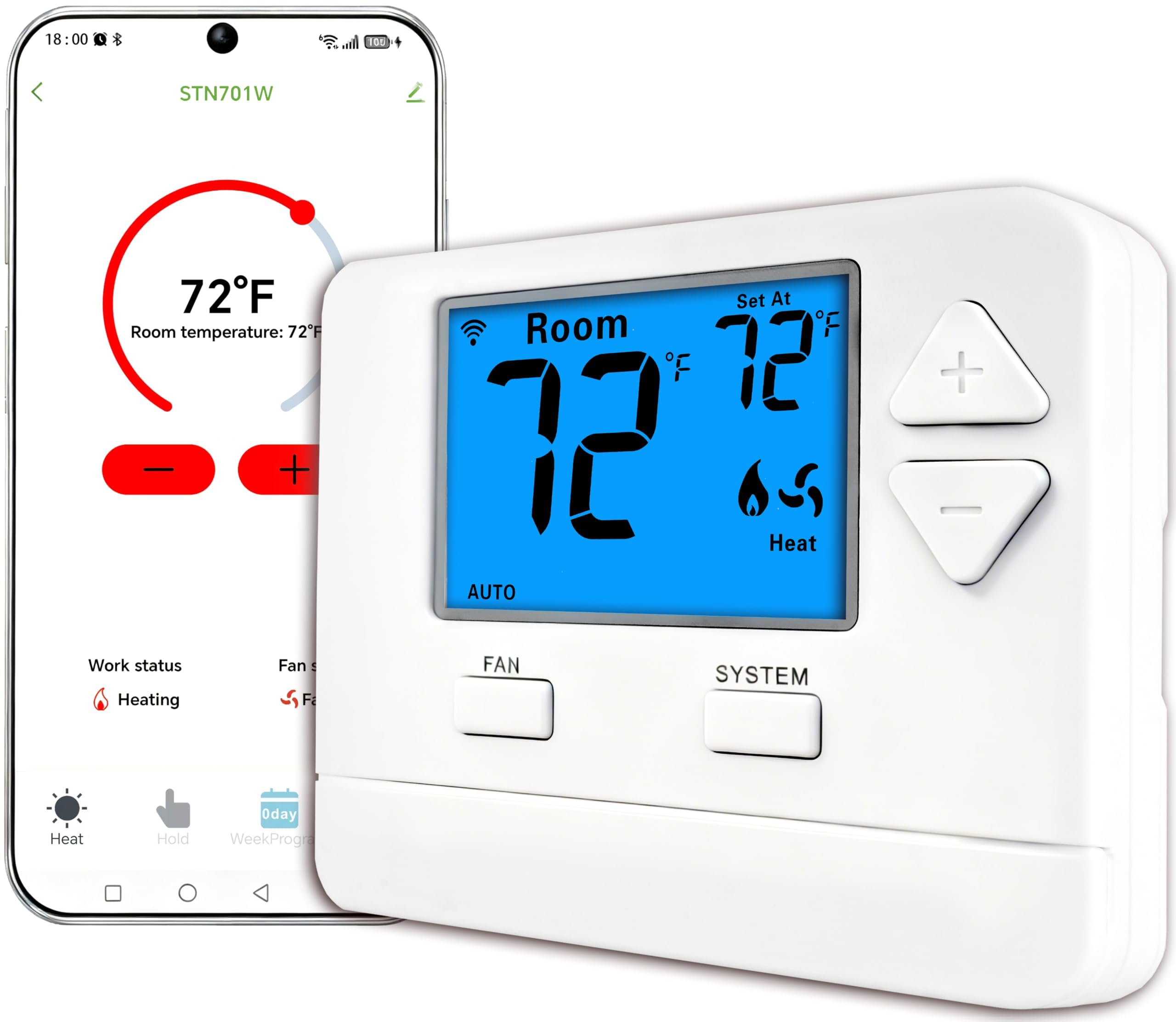
Start with what it cannot do, because for plenty of houses that settles it: one stage of heat, one stage of cooling, a C-wire required, and no heat pump or second-stage support. If that describes your system — a plain gas furnace and an air conditioner, which is still a great many houses — it is the least expensive way here to get a thermostat you can adjust from your phone.

What you get for that is refreshingly uncomplicated: a big blue LCD with numbers you can read from the doorway, physical buttons, a 7-day schedule you set once, and an app for everything else. The body is small — 4.72 by 3.86 inches and a touch over six ounces — so it drops onto the old footprint without drama, and the display is bright enough to read across a room without turning the hallway into a lighthouse at night.

It earns its place as the second thermostat in a house: the garage, the rental, the workshop, the cabin, where the point is remote control and a schedule rather than a lot of automation. Check that your system really is single-stage before you order, since that is the one mismatch this unit cannot work around. Beyond that it does what the box says without asking you to learn an app first.

Bottom line: We keep it on the list for one job: inexpensive phone control and a schedule on a plain single-stage furnace-and-AC system.

How We Tested 12 Smart Thermostats Over Eight Months

My team and I started by pulling together a shortlist across the price spectrum, then crossed off any models that couldn't handle common residential setups—gas furnace, heat pump, or a two-wire system without a C-wire—or that buried basic scheduling behind a subscription. The goal was simple: find thermostats that fit real houses, not just new construction with perfect wiring. I installed 12 units over eight months, starting in my own home and rotating several through two nearby test houses with different HVAC systems and Wi-Fi layouts.

Installation was timed solo, breaker off to first saved schedule, and I noted every extra step: a required C-wire adapter, a skipped wire label, a mounting plate that didn't sit flush, or a display that felt flimsy when I pressed it. For temperature control, I set a calibrated thermometer a few feet from each unit and logged morning and evening readings for a week, watching for overshoot after setbacks and short cycling. Ease of use got the same treatment—changing a schedule from the couch, setting away mode, adjusting temperature from bed—and I counted taps and mislabeled menus.

Wi-Fi got its own stress test: I placed each thermostat in the least convenient corner of the house, tracked dropped connections and delayed commands, and pulled the router for an hour to see whether schedules and local control survived. I also ran compatibility checks on heat pump aux heat and fan-only modes, tried the headline features—remote sensors, geofencing, energy reports—instead of trusting the box copy, and compared price against what each unit did without an add-on subscription. The models that made the cut stayed connected, held temperature without constant correction, and felt worth the money once the install dust settled.

How to Choose Smart Thermostats

Count the wires before you shop

Every thermostat here needs steady power, and in most houses that comes from a fourth conductor — the common, or C-wire — that the old unit may never have used. Without one, a thermostat either sips power from the heating circuit, needs a small adapter module behind the plate, or refuses to run. The Sensi ST55 is the simplest answer in this group because it works without a C-wire in most systems; the ecobee units include a Power Extender Kit that does the same job with more hardware to fit.

Turn the furnace off at the breaker, photograph the terminals, label every wire, then count. Three or four wires with no C is common and manageable. Two wires usually means heat-only, which changes the purchase entirely.

Match it to your equipment

These are built for standard 24-volt systems: gas furnace, air conditioner, heat pump. The traps are second-stage heat, heat pumps with auxiliary strips, and zone panels — each zone needs its own thermostat, and a single-stage-only unit like the Riseem will not drive a two-stage system however you wire it. Line-voltage baseboard and mini-split controllers sit outside this group and need their own hardware.

Before ordering, run the manufacturer's compatibility checker with the air handler's model number in hand. That is faster and more reliable than guessing from the thermostat's marketing page.

Expect the Wi-Fi to be the weak link

Connection trouble is the shared weakness across this group: dropouts, failed reconnects, an app that shows the thermostat offline for no obvious reason. Most of it comes down to location. Thermostats live in hallways, on exterior walls and at the far end of the house from the router, and nearly all of these connect on 2.4GHz only.

Check the signal strength on your phone at the exact spot before you buy, and do not box the unit in behind metal. A thermostat that keeps its schedule locally still heats the house when the network drops; what you lose is the phone control you paid for.

Sensors, occupancy and learning

A schedule and an app are the baseline. Beyond that, the money goes to three different ideas: a remote sensor that measures the room you actually sit in (the ecobee Premium and the Nest Learning include one), occupancy sensing built into the unit (the ecobee Enhanced), and learning that builds a schedule from your adjustments (the Nest Learning).

None of them help if the thermostat's own location is fine and your week is predictable. They earn their keep when one room never matches the hallway, or when your comings and goings refuse to fit a fixed schedule.

Decide what the extra money buys

Moving up this group buys interface and extras more than better temperature control: a color touchscreen on the Sensi Touch, a metal body and built-in voice on the ecobee Premium, the Nest's display and learning. The upgrade we think is worth paying for is a sensor, because it changes how the house feels rather than how the thermostat looks.

Everything else is a daily-use pleasure, and worth the money only if you will notice it every day.

Frequently Asked Questions

Final Verdict

For most people replacing an old thermostat with a connected one, we recommend the Sensi ST55. It works with the wiring already in the wall, installs in an afternoon with the app walking you through each terminal, and delivers the two things that matter — a schedule and phone control — without charging for a screen you will rarely touch.

If one room never matches the hallway, the ecobee Premium and its included sensor change how the house feels rather than how the thermostat looks, and that is the upgrade worth paying for. Buy it for the sensor, and treat the metal body and built-in voice control as extras.