Office Electronics

Best Under Desk Cable Management Trays of 2026

The top of a desk is easy to keep tidy. It's the underside that gives you away — the power strip dangling by its cord, the laptop brick resting on the carpet, the loop of slack that snags your knee every time you roll in. A cable tray fixes all of that by giving the mess a place to live: a shallow shelf, screwed or clamped under the desktop, that holds the strip and swallows the extra cord so nothing hangs. The catch is finding one that stays put and actually fits your desk.

I've mounted trays on particleboard, butcher block, and a metal standing desk that made me regret my screw choice. Over six months, my team and I installed 12 different trays under desks in home offices and at the office; the differences came down to unglamorous things — how long the install took, whether the hardware matched the desk material, whether the tray still sat level once it held a strip and two bricks, and how much mounting gear actually came in the box. The ones below earned their screws.

1

Mzmaxy 25-Inch Tray

Top Pick
Mzmaxy 25-Inch Tray

Most desk setups

Our Score 9.6/10
Check Price

Worth Noting

  • Open basket leaves cables visible from below
Length
25 in
Mounting
Edge clamp, no drill
Load Rating
15 lb
Desk Thickness
0.4-2 in

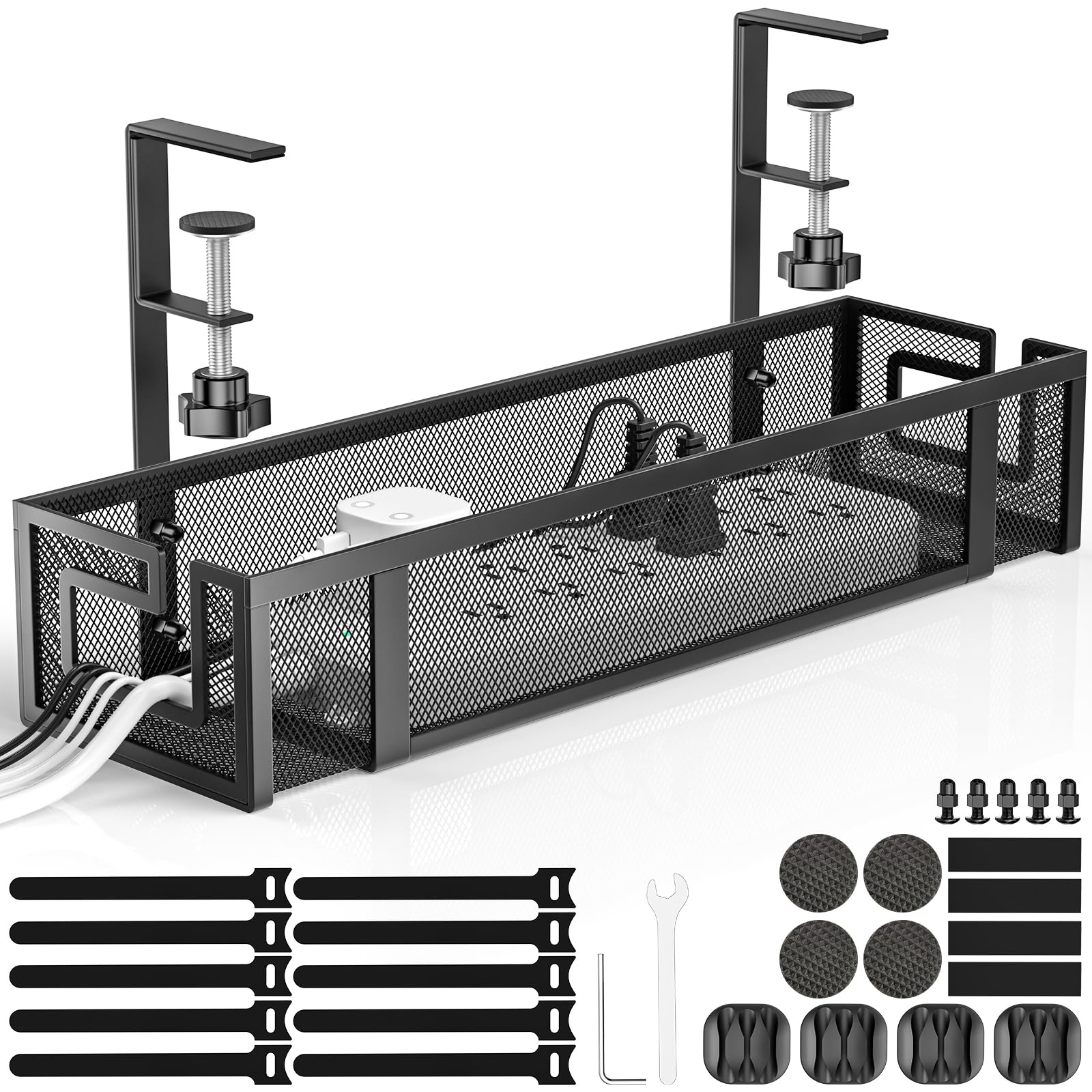
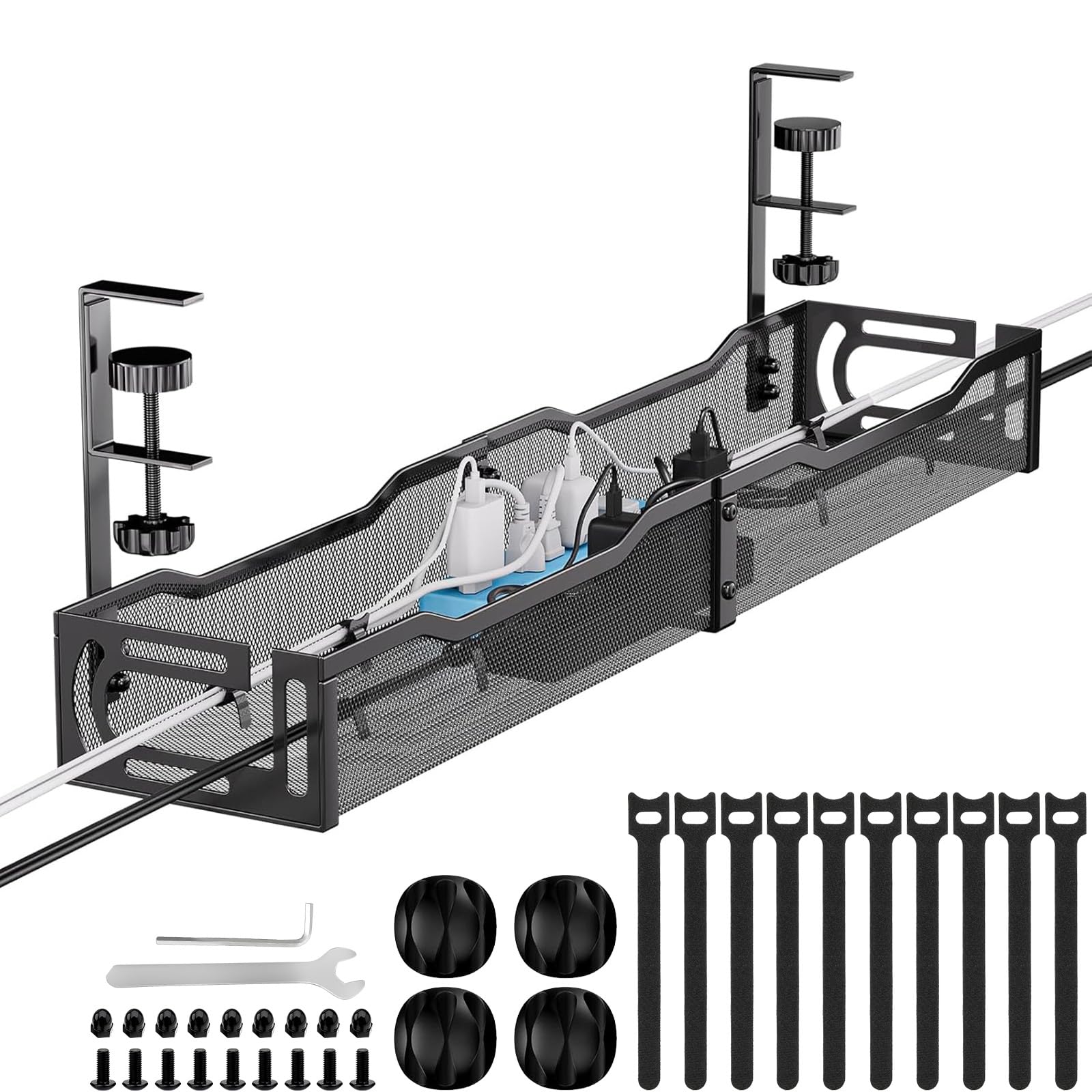
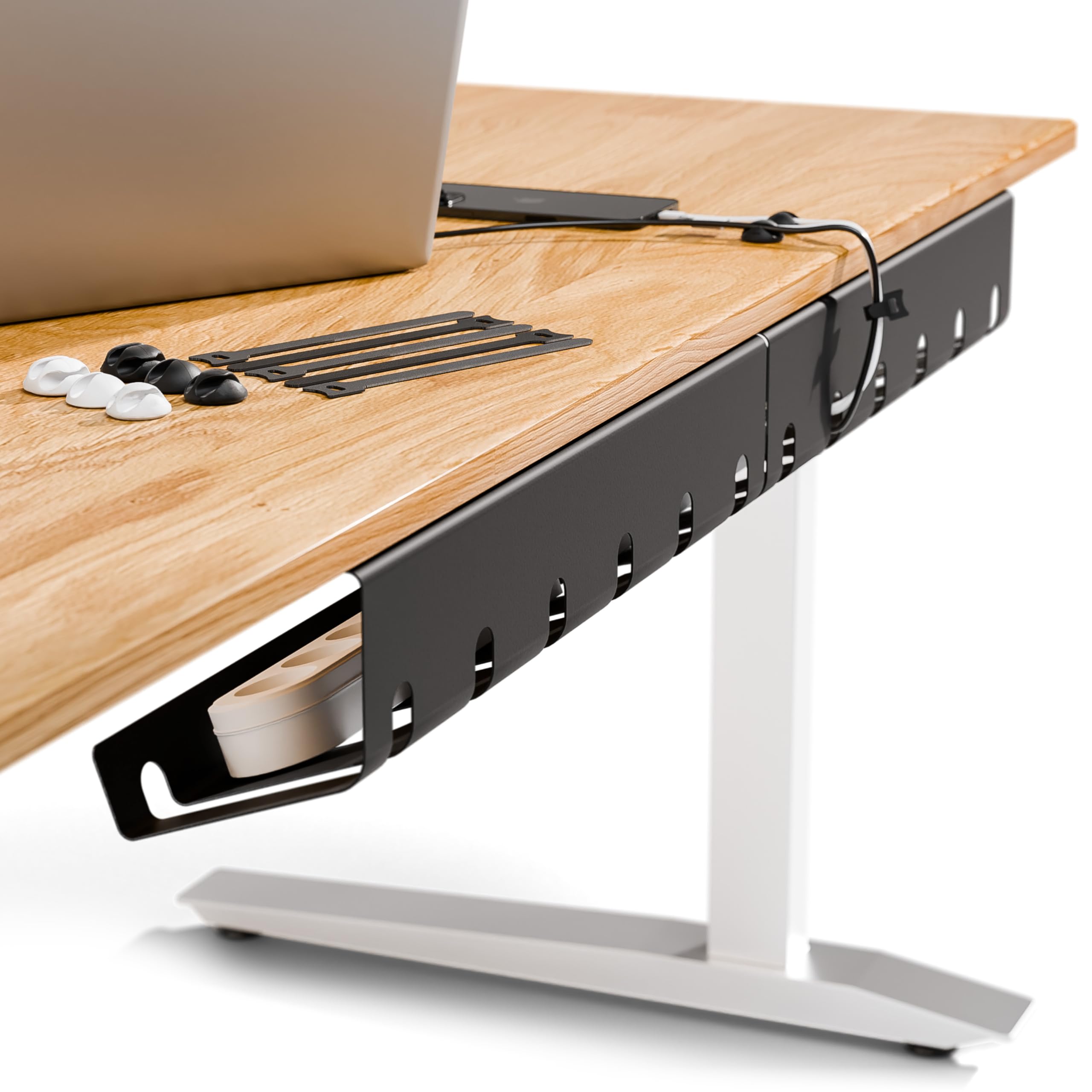
The 25-inch metal basket is why this one became our default. It has enough length for a full power strip and the usual knot of monitor and charging cables, and the 15-pound rating means a couple of adapters do not turn it into a sagging shelf. We also like that the clamp does the work without drilling, so the tray can move with a desk or come off when you rearrange. That combination is what most people need from a cable tray, and it is why the Mzmaxy sits at the top of this list.

The clamp is the part to understand before ordering. It tightens onto the desk edge with non-slip pads and fits tops from 0.4 to 2 inches thick, which covers the common office and standing-desk surfaces. A thick lip or a support bar can leave the clamp without a clean place to bite, so check that edge before you commit. The mesh body is a sensible match for a power supply: it lets heat escape and gives cables several routes out instead of forcing every cord through one opening.

Loading it is straightforward. The open top takes a strip and adapters, and the 25-inch run keeps cables from bunching in one spot. We kept the power strip toward the back and the lighter charging cables toward the front, which made the things we unplug most often easier to reach. The black finish disappears under a desk without looking like a piece of server hardware. If you want a tray that handles a normal desk's worth of gear and still leaves room to grow, this is the one we point to first.

Bottom line: We recommend the Mzmaxy to most desk owners: its 25-inch metal basket holds a real power strip, installs with a clamp, and leaves the floor clear without drilling.
2

Univivi 36-Inch Tray

Univivi 36-Inch Tray

Large cable loads

Our Score 9.2/10
Check Price

Worth Noting

  • Fabric body flexes more than steel
  • 5.5-inch width crowds oversized plugs
Width
5.5 in
Length
36 in
Material
600D Oxford fabric
Mounting
Clamp or screw

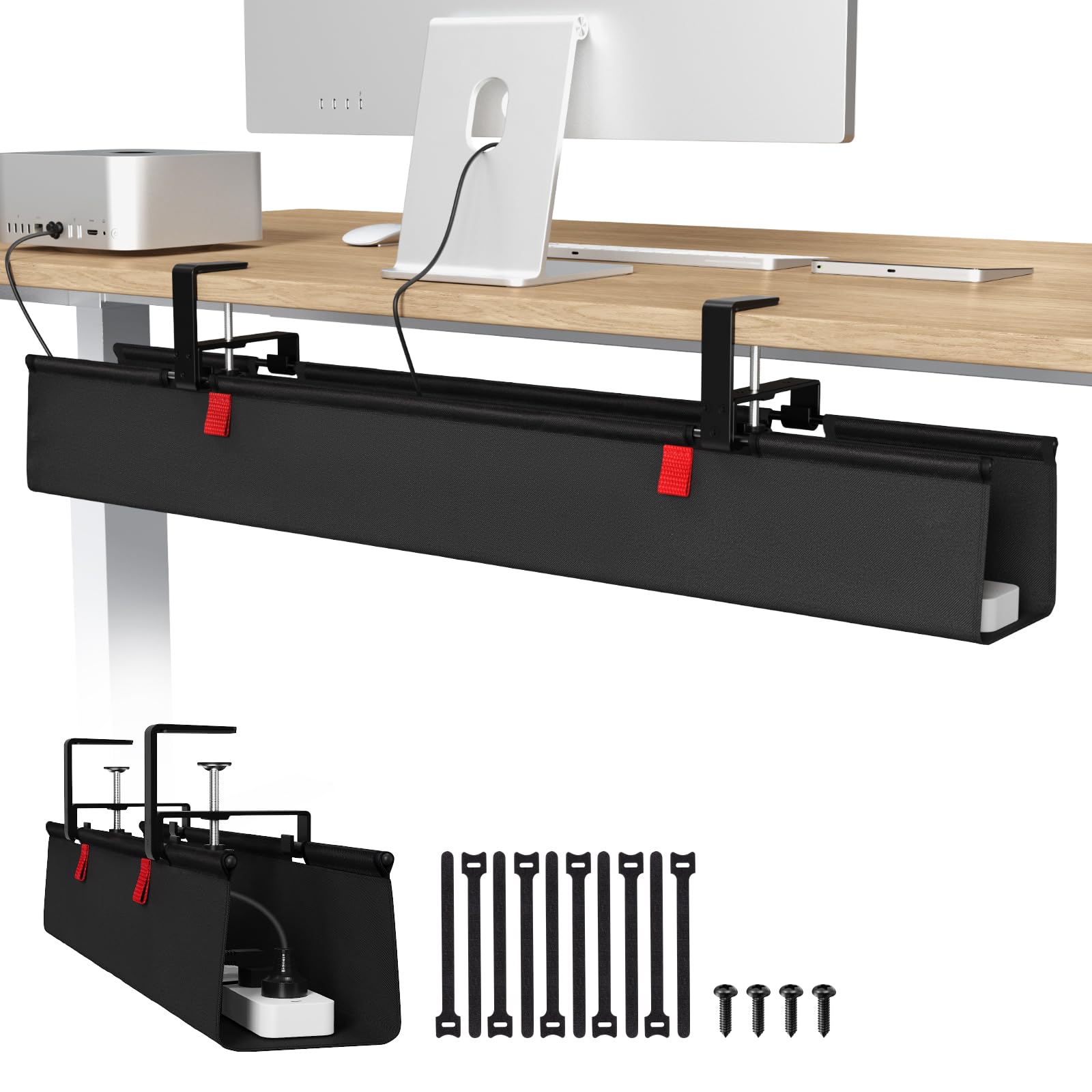
A 36-inch tray sounds excessive until you see a power strip, two monitor bricks, and a docking station fighting for the same patch of floor. The Univivi's length is the main argument: it gives each item its own stretch of basket instead of stacking everything in the middle. The 5.5-inch width also leaves room for a strip and a bundle of cables side by side, which is more than the compact trays here can promise.

What we liked most is the way the tray unfolds. You can open it, drop in a strip or reach a plug, and close it again without unscrewing the mount or pulling the whole thing off the desk. That sounds like a small convenience, but it is the difference between tidying a cable in a minute and leaving it for another day. The fabric is flame-retardant Oxford cloth, which keeps the tray light and quiet under a desk.

Mounting is flexible: the tray comes with a no-drill clamp and screw hardware, and the clamp is designed to fit wood, glass, and other tabletop materials. We appreciated having the screw option for a permanent setup and the clamp for a desk we did not want to mark. The 36-inch span needs a clear run under the desktop; on a small desk it will dominate the space. That is not a fault so much as a fit decision.

Bottom line: Buy the Univivi if your desk has more gear than a standard tray can swallow: the 36-inch fabric basket unfolds for access and mounts by clamp or screw.

3

PAMO Two-Pack

PAMO Two-Pack

Dual-desk setups

Our Score 9.4/10
Check Price

Worth Noting

  • Screw-in mounting requires drilling
Pack
Two trays
Mounting
Screw-in
Tray Size
17.32 x 3.94 in
Steel Thickness
1 mm

Two trays solve a problem a single long tray does not. You can put the power strip and laptop brick under one side of the desk and the network switch, charging cables, or monitor cables under the other, which keeps each run shorter and easier to trace. The 17.32-inch trays are not huge on their own, but the pair gives you about the same overall span as a long single basket with more flexibility in where it goes. We like that flexibility more than the extra length of a single 36-inch tray, because it lets you work around a desk leg or a support bar.

The steel is the other reason these earn a place. At 1 mm thick with a powder-coated finish, the baskets feel substantial enough for a strip and a heavy adapter, and the beveled Easy Access profile leaves the outlets angled toward you instead of buried at the back. The included reusable ties are useful for bundling cable sets, and the flat-head screws are meant to drive into a wood or particle-board top. This is a permanent mount, not something you move every week.

On a narrow desk, the two-pack may be more than you need; on a wide or dual-desk setup, it is the more useful shape. We also appreciated that the trays can be spaced independently, so you can leave a clear gap for a keyboard tray or a leg. The PAMO's advantage is rigid steel and a low-profile screw mount, and it delivers both.

Bottom line: The PAMO two-pack is the best choice when one tray is not enough: two 17-inch steel baskets let you split power and data runs, provided you can drill.

4

Xpatee Clamp Tray

Xpatee Clamp Tray

Small white desks

Our Score 9.4/10
Check Price

Worth Noting

  • Clamp needs a clear desktop edge
Width
6.1 in
Length
15.7 in
Assembly
None required
Mounting
C-clamp, no drill

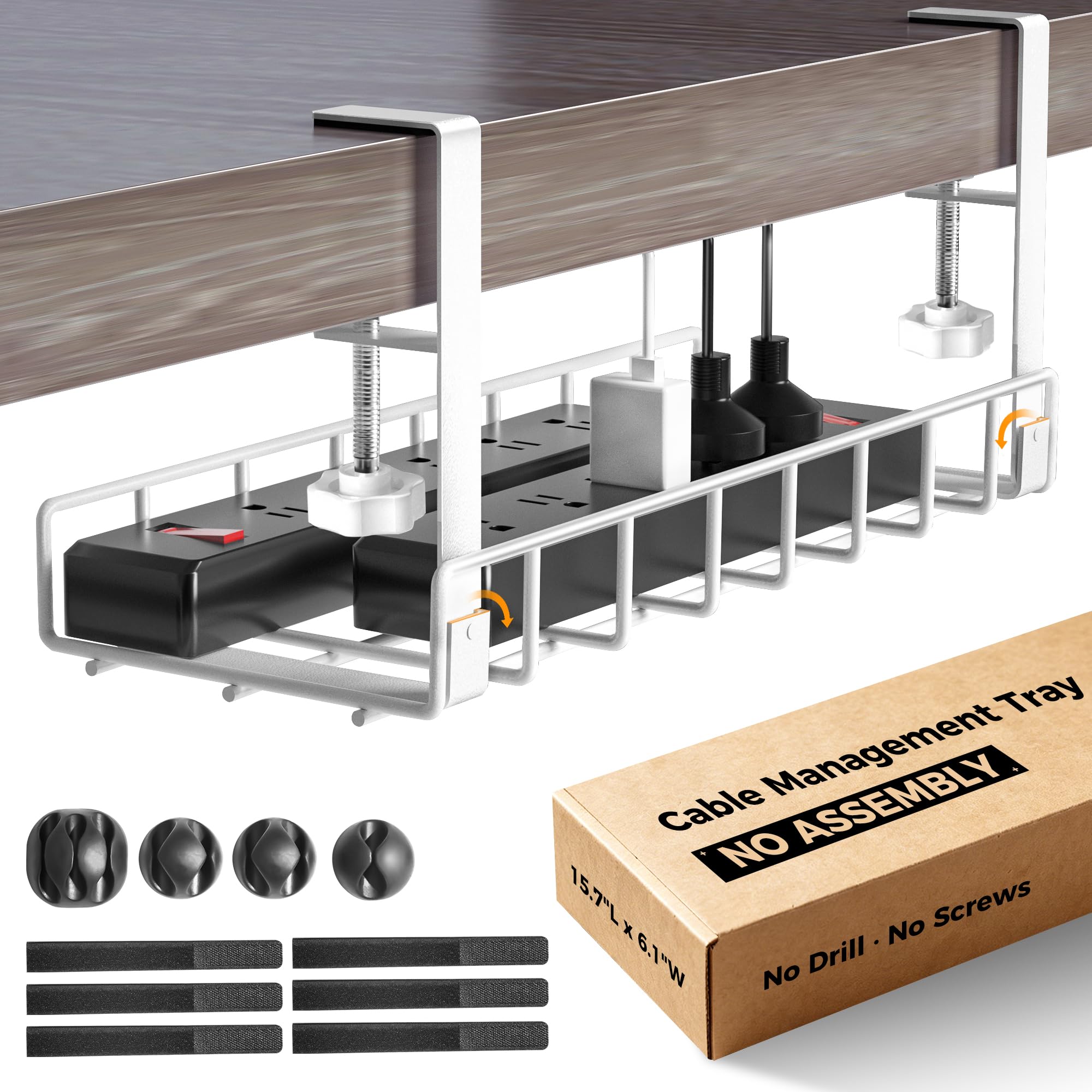
The Xpatee is the tray you can hang without reading the instructions first. It arrives as one welded metal piece with C-clamps already attached, so there is no basket to assemble and no brackets to line up. The clamps have anti-scratch pads, and the white finish is a better match for a pale desktop than the usual black mesh.

At 15.7 inches long and 6.1 inches wide, it is a compact tray with a useful amount of width. A surge protector and a charger box fit side by side, which is more than the length alone suggests. The C-clamps tighten by hand and hold the tray under the desk edge, and the open top makes it easy to drop in a cable or pull one out. The guardrails keep the strip from sliding off the sides.

We liked the Xpatee most for a small home desk where the goal is to get one strip and a few chargers off the floor without drilling or assembling a basket. It is not the tray for a long run of monitor and PC cables; the 15.7-inch length fills up fast once you add a second brick. For a light setup, though, the no-assembly install is the feature that makes it worth choosing over a basket that needs more work.

Bottom line: The Xpatee is our budget pick for a small, light setup: it clamps on without assembly, comes in white, and handles a surge protector and charger box.

5

Cinati 13.4-Inch Tray

Cinati 13.4-Inch Tray

Thick desktops

Our Score 9.4/10
Check Price

Worth Noting

  • Basket can flex under a heavy power brick
  • Short 13.4-inch length limits capacity
Length
13.4 in
Included
4 clips, 6 ties
Mounting
Clamp, no drill
Desk Thickness
0.4-2.4 in

The Cinati's clamp range is the first thing we check on a tray like this. It fits desktops from 0.4 to 2.4 inches thick, which is wider than many compact trays, and the anti-scratch mats under the clip are there to keep the desktop finish from getting chewed up. The 13.4-inch metal basket is fully welded and powder-coated, so it does not look like a bare wire rack.

The kit includes four cable clips and six ties, which is more than the tray itself needs and useful for the cable run leaving the basket. The opening is designed for dropping cords in from the side, and the white finish makes the tray less obvious under a light desk. We found it best for a laptop charger, a lamp cord, and a small power strip rather than a full desktop's worth of gear.

We liked the Cinati for a compact desk with a thick top, especially where a larger tray would crowd your knees. The clamp is quick to fit and the tray is easy to reposition if you get the placement wrong. The included clips and ties make the cable run look deliberate, and the white finish stays visually quiet. For a small, simple setup, that is an easy trade to live with.

Bottom line: The Cinati is the best fit for thick desktop edges and light cable loads: a compact clamp tray that installs in minutes and leaves a small footprint.

6

VIVO 16.5-Inch Tray

VIVO 16.5-Inch Tray

Permanent low-profile

Our Score 9.2/10
Check Price

Worth Noting

  • 3-inch width is too narrow for some surge protectors
Depth
3 in
Length
16.5 in
Mounting
Screw-in
Load Rating
11 lb

The VIVO's 3-inch depth is the first thing you notice. It is a low-profile steel tray that tucks under the desk instead of hanging below it, and the partially closed design keeps cables from spilling out the sides. The 16.5-inch length is enough for a run of AV cables or a power strip, but the tray is clearly designed to stay out of the way rather than swallow a whole charging station.

We liked the VIVO for a permanent desk setup where the tray is mounted once and forgotten. The steel body has an 11-pound rating, the mounting holes are 11 inches apart, and the included screws hold it flat against a wood or particle-board top. There is no clamp to adjust and no adhesive to trust, which makes it feel more solid than a tray that relies on a friction fit.

The screw-in mount is the deciding trade-off. It leaves a clean look and a firm hold, but it also means drilling into the desktop, so it is not the tray for a glass top or a desk you plan to resell. On the right surface, the low profile is the reward: it stays out of knee space and hides a simple cable run without calling attention to itself. This is the one for a deliberate, permanent install.

Bottom line: The VIVO is the one for a permanent, low-profile install: its 16.5-inch steel tray screws under a wood top and stays out of the way, as long as your power strip is narrow.

7

GZOKMOG 15.75-Inch Tray

GZOKMOG 15.75-Inch Tray

Heavy small setups

Our Score 9.0/10
Check Price

Worth Noting

  • Short length limits long power strips
Length
15.75 in
Mounting
Clamp, no drill
Load Rating
20 lb
Desk Thickness
0.2-2 in

The GZOKMOG's 20-pound load rating is the number that separates it from the compact clamp trays here. It is a carbon steel basket with a reinforced mesh base, and the extra capacity is meant for a power strip, a charger, and the cables that always seem to arrive with them. The side openings are the other useful detail: you can route a cable in or out without lifting the whole tray.

The clamp is tool-free and fits desktops from 0.2 to 2 inches thick, with anti-scratch rubber pads to protect the surface. We liked that the clamp tightens by hand and the tray stays put once it is seated. The 15.75-inch length keeps the footprint compact, which is helpful on a standing desk or a small home office where a longer basket would hit a leg or a support bar.

The basket is deeper than a low-profile tray, so it holds a power brick upright instead of forcing it into a narrow slot. The mesh keeps airflow around a power supply, and the open top makes it easy to reach a plug. This is a tray for a concentrated cluster of gear, not for stretching cables across a wide desk.

We liked the GZOKMOG most for a standing desk with a tight under-top area. The side openings make it easy to add a cable when the desk is already in place, and the 20-pound rating gives it a margin that the smallest trays do not. For a dense cluster of gear in a tight space, that is the trade we want.

Bottom line: The GZOKMOG is the heavy-duty small tray: a 20-pound clamp-on basket with side openings that suits standing desks and tight spaces, though it is not the longest tray here.

8

Cotohim 28.6-Inch Tray

Cotohim 28.6-Inch Tray

Mid-size fabric

Our Score 9.2/10
Check Price

Worth Noting

  • Fabric body flexes more than a steel tray
Width
5.6 in
Length
28.6 in
Material
Oxford fabric
Mounting
Clamp or screw

The Cotohim sits in the middle of the size range: 28.6 inches long and 5.6 inches wide, which is enough for a power strip plus a few adapters without taking over the underside of a small desk. The tray uses a clamp or screw mount, so you can choose the no-drill route or fix it permanently. The fabric basket is the same idea as the larger Univivi, just in a more manageable length.

The Oxford fabric is flame-retardant and soft enough that it does not rattle against the desk, and the open top makes it easy to drop in a strip or reach a plug. The kit includes two fiber tubes and twelve cable ties, which is a useful start on the cable run leaving the tray. The fabric is also quiet against the desk, with none of the metallic ring of a steel tray.

Mounting is straightforward. The clamp is designed for desktops from 0.4 to 2.4 inches thick, and the screw option is there for a permanent install. We appreciated having both because a clamp is easier on a finished top, while screws make more sense under a desk that will not move. The 5.6-inch width is roomy for a strip, and the open top makes it easy to add a cable without unpacking the whole basket.

We liked the Cotohim for a mid-size desk that needs more room than a compact metal tray but does not want a 36-inch basket hanging underneath. It is light, quiet, and easy to load, and the included ties help the cable run look intentional. For a desk that needs a forgiving basket with a bit more room, this is a sensible middle ground.

Bottom line: The Cotohim is a good middle-size fabric tray for a desk that needs more room than a compact metal basket but not a full 36-inch run.

How We Tested 12 Under-Desk Cable Trays

We built the shortlist by reading spec sheets and customer reviews side by side, comparing mounting style (screw-in brackets, clamps, adhesive pads), listed load limits, and interior dimensions against the footprint of a standard surge protector. Anything that couldn't clear a one-inch desktop, or that expected us to source our own hardware, got cut before we ordered. That left 12 trays spanning the price range.

Each one went under a real desk. We timed the install solo, once with a drill and once with a hand screwdriver, on a particleboard desk and a solid wood one, and noted whether the pilot holes lined up, whether the screws bit without stripping, and whether the clamps cleared a drawer apron. Then we loaded every tray the same way — a six-outlet strip, two laptop bricks, a monitor cable, a phone charger, and deliberately too much slack — and watched whether the middle sagged or the cables slipped out of their slots.

The last six months were the honest part. Trays lived under a standing desk that went up and down most workdays, and under desks where we plugged and unplugged things daily, kicked the tray by accident, and vacuumed around it. We checked whether screws backed out of particleboard, whether a clamp crept down the desktop, whether the powder coating scratched, and whether the plastic clips cracked. We also sat back and looked: from a chair and from the doorway, which trays disappeared and which ones turned the underside of the desk into a shelf of hardware.

How to Choose Under Desk Cable Management Trays

Start With How It Attaches

Clamp trays are the easiest choice for a finished desk because they leave no holes, but they need a clear edge and a top within the clamp's thickness range. Screw-in trays like the PAMO and VIVO are more permanent and feel more solid under a heavy brick, provided you are willing to drill into wood or particle board. Adhesive-only trays are the least forgiving over time, especially once a power strip adds weight. If you rent, clamp; if you own the desk and want the lowest profile, screw.

Size the Basket Around the Power Strip

Measure the power strip first, then the widest adapter, and add an inch. A 13-to-16-inch tray can handle one strip and a few cables; a 25-to-36-inch tray gives you room to separate power and data runs. Depth matters too: a 3-inch metal tray like the VIVO suits a strip and a few cables, while a 5.5-inch fabric basket like the Univivi swallows a bulky brick but takes more space. If the strip is wider than the tray's interior, it will sit on top rather than inside, which defeats the point.

Pick Metal for Rigidity, Fabric for Give

Metal mesh is the better match for a dense load: it holds its shape, lets a power supply breathe, and does not mind a heavy adapter pressing against the side. Fabric trays are lighter, quieter, and often unfold for easier access, but they flex more and can feel less like a box. We reach for steel when the tray will hold a strip and a brick, and fabric when the load is mostly cables and the priority is quick access. Either way, keep the weight within the tray's stated limit.

Leave Room for Access

An open top is the difference between a tray you can use and one you avoid. Side openings and beveled profiles help when the tray is already mounted and you need to add one cable without unloading everything. Check that the opening faces the side you reach from, and leave a little slack so a plug can be pulled out without tugging the whole run. On a sit-stand desk, mount to the underside of the desktop, not a moving frame, and keep cables clear of the lift mechanism.

Frequently Asked Questions

Final Verdict

For most desk setups, the Mzmaxy is the one we recommend. It has the length for a real power strip, a metal basket that holds its shape, and a clamp that leaves the desktop undrilled. If your setup is larger than one strip, the Univivi's 36-inch fabric basket gives you more room and an unfoldable opening. If you only need to tame a small white desk, the Xpatee is the simpler shape.