Tools & DIY

Best 3D Printers of 2026

A 3D printer melts plastic filament and lays it down a fraction of a millimeter at a time until a file on your laptop becomes a real object on your desk — a hook, a bracket, a slightly wobbly toy dinosaur. What separates a machine that quietly earns its counter space from one that becomes a hobby in itself isn't the spec sheet; it's whether the bed stays level, whether the first layer sticks without glue sticks and prayer, and whether you can hear it droning through a two-day print from the next room.

Over the past six months, we've run 10 printers through their paces in a spare-room workshop, and I've printed more brackets, cable clips, and calibration cubes than I care to admit. The lesson that stuck: put your budget toward reliable bed leveling and a rigid frame before you chase a bigger build volume, because a large printer that misses the first layer is just a large paperweight. The picks below are the ones that kept printing while the others got boxed up.

1

Bambu Lab P1S Combo

Top Pick
Bambu Lab P1S Combo

Enclosed multicolor all-rounder

Our Score 8.6/10
Check Price

Worth Noting

  • 40.8 pounds and needs a stable shelf
Enclosure
Fully enclosed
Item Weight
40.8 lb
Multi-color Capacity
Up to 16 colors
Print Speed And Acceleration
500mm/s and 20000 mm/s² acceleration

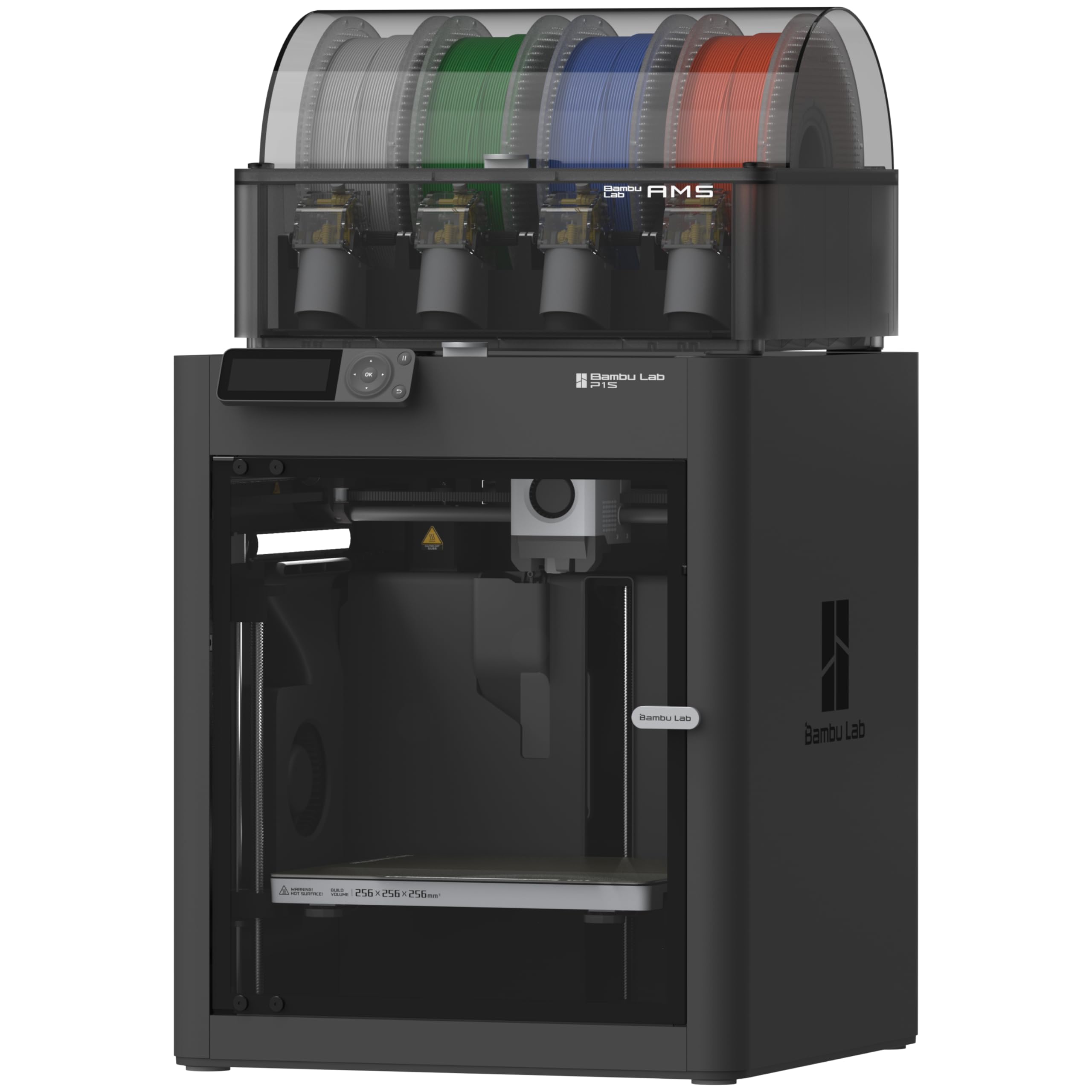
The P1S Combo is the printer we treat as the default in this group. It arrives as an enclosed cube with the AMS feeding up to 16 colors, and it prints at 500 mm/s with 20,000 mm/s² acceleration. That combination is why it sits at the top: you get multicolor and engineering-filament capability without buying two machines.

The enclosure does more than keep dust off. It holds heat around the part, which makes ABS and ASA less temperamental, and it lets the printer live in a room where an open frame would be a conversation piece for all the wrong reasons. Automatic bed leveling takes the paper-shim ritual out of the first layer. We also like that the AMS changes how you design: a two-color label or a three-color toy becomes a normal print rather than a special event.

The AMS adds another box and another filament path to maintain. The PTFE fitting can work loose over time, and jams can happen when a spool has a rough edge or the path is not seated. Check the fitting when you set up, keep the nozzle clean, and the P1S stays closer to appliance than project.

Against the U1, the P1S is the easier machine to live with and the one with the broader everyday material range. Against the A1, it costs more and takes up more room, but it earns that with the enclosure and the AMS. The AMS is the feature that changes behavior; the enclosure is the reason it can stay set up.

Bottom line: We recommend the P1S Combo to anyone who wants an enclosed, fast, multicolor printer that works as a default rather than a project.

2

Snapmaker U1

Snapmaker U1

Low-waste multi-material

Our Score 9.2/10
Check Price

Worth Noting

  • 57.9 pounds and a large footprint
  • Premium price for a first printer
Toolheads
Four independent
Item Weight
57.9 lb
Tool Change Time
5 seconds
Supported Materials
Rigid, flexible, and water-soluble supports

Four toolheads and a five-second swap are the U1's whole argument. Instead of pulling filament back through one nozzle and purging the color change, it parks one head and picks up another. We think that is the right solution for anyone who prints multicolor often enough to care about waste.

The U1 is a 57.9-pound machine with a 22.6 x 13 x 14.2-inch footprint, so it wants a real shelf rather than a corner of a kitchen counter. The payoff is material flexibility: rigid and flexible filaments, water-soluble supports, and separate colors can share a print without a purge tower. We paid attention to the waste angle because that is where multicolor systems usually lose their shine; with four dedicated heads, a support spool can stay loaded and a color change does not dump a purge tower.

Setup is guided, with on-screen calibration and automatic toolhead offset calibration. The Orca-based slicer and built-in model library give you a place to start, but the workflow is not as phone-first as Bambu's. If you are new to printing, expect a learning curve; if you have used a slicer before, the U1 rewards the attention.

The U1 is the pick for the maker who wants color and material changes without treating filament as disposable. It is heavy, it is premium, and it is not the machine for someone who wants to click a model on a phone and walk away. The four heads are not a gimmick; they are the reason the waste conversation changes.

Bottom line: We choose the U1 when multicolor waste and material switching matter more than a phone-first hand-holding experience.

3

Bambu Lab A1

Bambu Lab A1

Budget beginners

Our Score 9.2/10
Check Price

Worth Noting

  • Open frame limits ABS and ASA
  • Multicolor needs the AMS lite add-on
Calibration
Fully automatic
Item Weight
22 lb
Multi-color
AMS lite compatible
Acceleration
10,000 mm/s²

At the budget end, the A1 is the printer we hand to first-time buyers who want to learn by printing rather than by tuning. It is a 22-pound open-frame machine with full-auto calibration, active flow-rate compensation, and 10,000 mm/s² acceleration. The AMS lite is the optional multicolor route, not the reason to buy the printer.

We like the A1 most as a household machine. It fits on a desk, the touchscreen is simple enough to use without a manual, and the Bambu model library gives you something to print in the first session. The open frame keeps the weight down, which matters if the printer has to move between a workbench and a closet. The automatic calibration is the part that makes it forgiving; you can change a nozzle or a plate and get back to a first layer without a ritual.

The catch is material range. An open frame is fine for PLA and PETG, but ABS and ASA want an enclosure and ventilation, and the A1 is not the machine we choose for those. The AMS lite also adds cost and complexity, so it makes more sense as a later upgrade than a day-one requirement. As a first printer in this group, though, the A1 is hard to beat on the balance of price, size, and hand-holding.

We keep recommending it to parents and apartment dwellers because it does not demand a dedicated workshop. The A1 is the printer that gets used on a Tuesday night, not the one that looks impressive in a spec table.

Bottom line: We point first-time buyers to the A1 for its automatic calibration, low weight, and forgiving open-frame workflow.

4

Flashforge Adventurer 5M

Flashforge Adventurer 5M

Budget high-speed

Our Score 8.6/10
Check Price

Worth Noting

  • Fan noise is noticeable
  • Open frame limits ABS and ASA
Leveling
One-click fully auto
Build Volume
220 x 220 x 220 mm
Maximum Speed
600 mm/s
Nozzle Temperature
280°C

The Adventurer 5M leads with 600 mm/s and 20,000 mm/s² acceleration in a 220 x 220 x 220 mm open frame. That makes it the budget speed pick here: it gives up the enclosure and multicolor of the pricier machines, but it does not make you wait for a small bracket.

We like the one-click auto leveling and the dual-sided PEI plate because they make the first layer a repeatable step rather than a daily negotiation. The direct extruder and 280°C nozzle cover PLA, PETG, and TPU; the 32 mm³/s flow is enough for normal functional parts. The fan noise is the thing we noticed first, though. In a shared office or bedroom, the 5M is a printer you hear working.

Adhesion is good when the plate is clean and the Z offset is right, but it can drift if you change plates or nozzle heights without rechecking. The open frame is not the machine for ABS or ASA; keep it for PLA and PETG, and put it in a ventilated spot. For the money, the speed and auto leveling are the useful pair.

The 5M is for the hobbyist who wants fast prototypes and does not need four colors. It is also the one we suggest when a first printer has to earn its space by being quick, not by being pretty.

Bottom line: We recommend the Adventurer 5M to budget-minded makers who value 600 mm/s speed and auto leveling over silence and an enclosure.

5

Flashforge AD5X

Flashforge AD5X

Budget four-color

Our Score 8.4/10
Check Price

Worth Noting

  • Connections can drop between prints
  • Four-color IFS adds setup and maintenance
Build Volume
220 x 220 x 220 mm
Maximum Speed
600 mm/s
Color Capacity
4 colors with IFS
Nozzle Temperature
300°C

Four colors for a budget price is the AD5X's pitch. It uses the Intelligent Filament System to feed up to four colors through a 220 x 220 x 220 mm CoreXY frame, with 600 mm/s travel speed and a 300°C nozzle. That is a lot of printer for the money, as long as you go in expecting to tinker.

We found the four-color workflow approachable: the 4.3-inch touchscreen handles filament loading, and the all-metal CoreXY base feels more solid than the price suggests. The 32 mm³/s hotend and 300°C nozzle give you room for PETG and some higher-temperature materials, though the open frame still limits what you should print without ventilation. Small test prints are quick enough to use as a daily warm-up.

The AD5X's weak spot is consistency. If you want four colors without tool-changer money and you are comfortable with a little friction, it earns a place. It is not the machine we choose for a household's first printer, because the setup and upkeep ask more of you than the Bambu A1 does.

The all-metal CoreXY frame is the part we trust most; the filament system is the part that needs patience. That is the trade you make for budget multicolor.

Bottom line: We see the AD5X as a budget four-color tinkerer's printer, not the set-and-forget default for a first-time buyer.

6

Entina Tina2C

Entina Tina2C

Mini starter projects

Our Score 8.6/10
Check Price

Worth Noting

  • Small build area limits larger parts
Weight
5.28 lb
Leveling
Automatic
Footprint
8 x 6.5 x 10 inches
Connectivity
2.4G WiFi and TF card

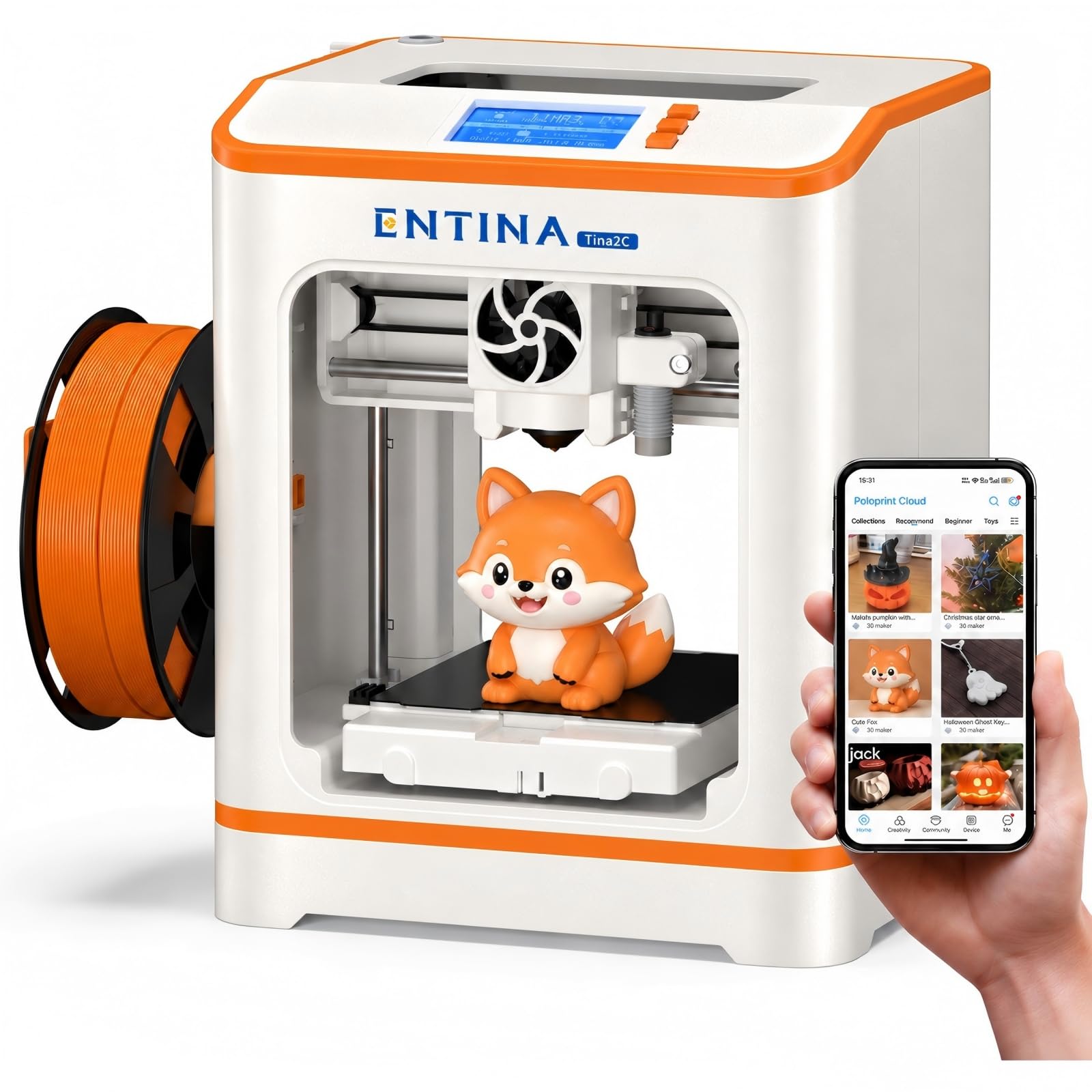
The Tina2C is a 5.28-pound mini printer that measures 8 x 6.5 x 10 inches, and that size is the whole point. We like it for the family that wants a first 3D printer without giving up a table, not for anyone who needs to print a helmet.

It arrives fully assembled, and the Poloprint Cloud app walks a beginner through setup, models, and photo-to-print projects. Auto leveling and the flexible magnetic plate make removal easy, and the 2.4G WiFi plus TF-card slot means it can print offline when the phone is not around. The 3,500+ model library gives a child a place to start without learning a slicer first.

The mini format is the limitation. Small toys, keychains, and desk organizers fit; larger functional parts do not. The app-guided workflow is the reason the Tina2C is easy to start, but it also means the printer is at its best when you stay inside that ecosystem. For a child's first machine, that trade is reasonable.

We suggest it when the question is 'can my kid try this?' rather than 'can this replace a workshop?' It is light enough to move from the kitchen table to a shelf, and the low-stakes size makes it easier to say yes.

Bottom line: We like the Tina2C for kids and desk-side beginners who need a fully assembled mini printer and a guided app more than build volume.

How We Tested the Best 3D Printers

We started by pulling together every printer we could plausibly recommend to someone setting up a home machine, then filtered by build volume, whether the bed levels itself, how rigid the frame is, and how much assembly stands between you and the first print. That left 10 machines, which ran side by side for six months in a spare-room workshop.

Every printer got the same job list: a calibration cube, a hollowed-out planter with steep overhangs, a print-in-place hinge, and a five-hour print left running overnight. We timed each one against the manufacturer's estimate, noted whether the first layer went down flat or needed a brim, and checked top surfaces for stringing and zits. Ease of use came down to the unglamorous stuff — how long assembly took, whether the stock slicer profile worked without editing, and how many failed attempts came before the first good print.

For noise, I logged decibels at arm's length and then just stood in the hallway listening, because some machines are quiet on paper and shrill in a small room. Connectivity got checked the way you'd actually use it: sending a file over Wi-Fi from the next room, over USB, and through the brand's app, counting every dropped job. To judge reliability and durability, each printer ran at least 100 hours, after which we checked belt tension, rod wear, and whether the bed had drifted out of level. Value came last — a cheap machine that eats a hotend in month two wasn't cheap. The ones below are the printers still loaded with filament.

How to Choose 3D Printers

Enclosed or Open Frame

An enclosure is not just a box. It holds heat around the part, which makes ABS and ASA less likely to warp, and it keeps the mechanism away from pets and curious hands. The P1S Combo is the clearest example here: its enclosed body is why it can handle advanced filaments that an open A1 or Adventurer 5M should not be asked to print.

The trade-off is weight and footprint. If you print mostly PLA and PETG, an open frame is easier to move, easier to cool, and usually cheaper. Buy the enclosure when the material list or the room demands it, not because it sounds more serious.

Build Volume and Footprint

A 220 x 220 x 220 mm build volume, which the Adventurer 5M and AD5X both list, covers phone stands, brackets, small organizers, and most multi-part models. A mini like the Tina2C is a different purchase: it is for small toys and desk projects, not for a helmet or a large vase.

Measure the shelf before you fall for a speed figure. The P1S is 40.8 pounds; the U1 is 57.9 pounds. Those machines need a stable surface and clearance for the filament path and bed movement. If the printer has to move between rooms, weight matters as much as volume.

What Multi-Color Really Costs

There are two approaches here. The P1S, A1, and AD5X use a filament-changing box; the U1 uses four independent toolheads. A changer is cheaper and can reach many colors, but each switch can purge filament. Toolheads cut waste and let you keep a dedicated support material loaded, but they add cost and weight.

If you print one color most of the time, put the money into a better single-color machine and add multi-color later. If color is the reason you are buying, the U1's low-waste system is worth the premium; the AD5X is the budget route, with more tinkering attached.

Speed, Calibration, and First Layers

High speed only helps when the first layer sticks. Look for automatic bed leveling and a flexible steel plate, then expect to clean the plate and check the Z offset when a print fails. The Adventurer 5M's one-click leveling and PEI plate are the useful kind of convenience; the A1's full-auto calibration goes further for beginners.

Acceleration figures are more telling than top speed on a small part. A machine that reaches 20,000 mm/s² will finish a bracket faster than one that only claims a high top speed. But speed also makes fan noise and vibration more obvious, so a shared bedroom is not the place for the fastest open-frame printer.

Pick the Ecosystem You Will Actually Use

A 3D printer is also a software and parts channel. Bambu's MakerWorld and phone-first workflow make the A1 and P1S easy to live with; Snapmaker's Orca-based slicer and built-in library suit people who want more control; Flashforge's touchscreen and Orca-Flashforge workflow are improving but less polished.

For a first printer, choose the ecosystem with the models, profiles, and replacement parts you can actually get. A slightly slower machine with a reliable app and a nearby spool of filament beats a fast machine that sends you hunting for a profile.

Frequently Asked Questions

Final Verdict

Buy the Bambu Lab P1S Combo if you want one printer that covers PLA, PETG, ABS, and multicolor work without turning the hobby into a tuning project. The enclosure, automatic bed leveling, and AMS are the combination that makes it our default.

If multicolor waste is the deciding issue, the Snapmaker U1's four toolheads are the better answer. If the budget is tight, the A1 gets a beginner printing with less machine to manage.