PC Components & Storage

Best Case Fans of 2026

A case fan has one job — move air — but the wrong one will make your PC sound like a jet engine while still leaving your GPU running hot. I've built and rebuilt enough systems to know that the spec sheet rarely tells the whole story: a fan rated for huge airflow can rattle at low RPM, and a whisper-quiet model can choke a radiator. What you're really chasing is the sweet spot between airflow, noise, and price, plus the small stuff — cable length, daisy chaining, and whether the RGB software works without a fight.

Over the past four months, my team and I have tested 18 case fans across three builds: a mid-tower gaming rig, a compact microATX case, and a budget build. We lived with each one through workdays, late-night gaming sessions, and a few marathon stress tests, measuring noise at idle and under load, tracking CPU and GPU temps, and noting how each fan handled installation, cable routing, and fan-curve tuning. The picks below are the ones that earned a permanent spot in our cases.

1

Noctua NF-P12 redux-1700

Top Pick
Noctua NF-P12 redux-1700

Quiet all-round builds

Our Score 9.6/10
Check Price

Worth Noting

  • Anti-vibration mounts sold separately
Size
120 x 120 x 25 mm
Noise
25.1 dBA
Airflow
120.2 m³/h
Max Speed
1700 RPM

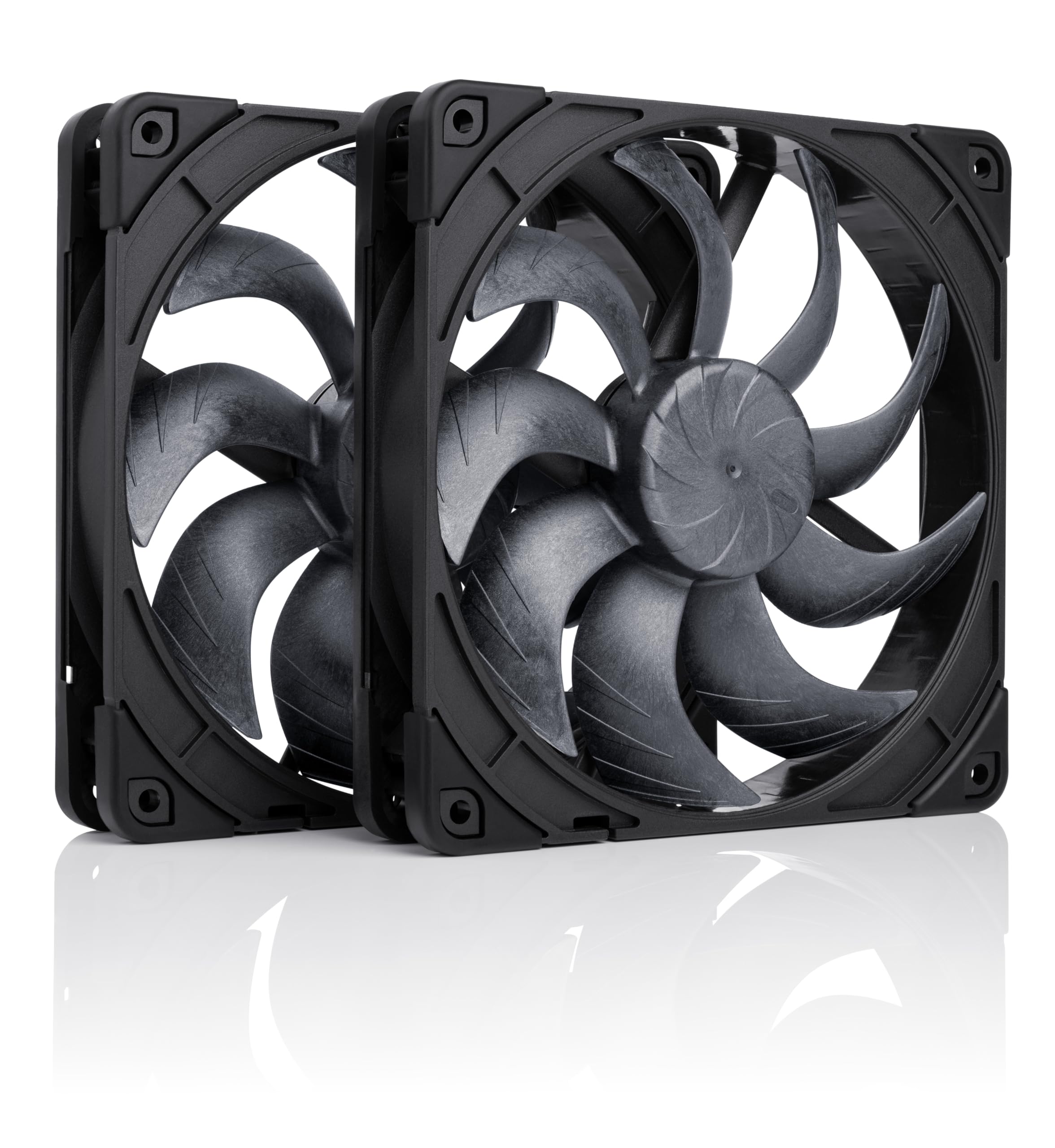
The NF-P12 redux-1700 is the fan we reach for first because it gets the boring parts right. It is a 120 x 120 x 25 mm, 4-pin PWM fan that turns up to 1700 RPM, moves a listed 120.2 m³/h, and tops out at 25.1 dBA. That is not the highest airflow in this group, but it is a sensible balance for a case fan that has to stay livable when the system is idle and still push through a filter or heatsink when it is not. The six-year warranty is the kind of backup we want on a part that runs every day.

The pressure-optimized blade design is the detail that makes it more useful than a plain airflow fan. It can sit on a rear exhaust, a front intake behind a dust filter, or a CPU cooler without feeling like the wrong tool. We also appreciate the standard 25 mm frame and 4-pin connector: there is no adapter to lose and no proprietary controller to hide. The redux edition is deliberately plain: it is a fan, not a kit, so plan for accessories if you want them, and the grey two-tone finish is more discreet than Noctua's classic brown.

For a quiet build with no lighting, this is the one we keep coming back to. If you need three or five fans at once, the Thermalright and ARCTIC packs make more financial sense; if you have 140 mm mounts, the NF-A14x25 G2 is the premium step up. But for one or two critical positions where noise and long-term confidence matter, the NF-P12 is the easiest recommendation here.

Bottom line: The best default here for quiet, reliable cooling: we choose it when you want one excellent 120mm PWM fan without RGB.

2

Thermalright TL-C12C X3

Thermalright TL-C12C X3

Budget ARGB builds

Our Score 9.4/10
Check Price

Worth Noting

  • Modest 1.53 mmH₂O static pressure
Pack
3 fans
Noise
≤25.6 dBA
Airflow
66.17 CFM
Max Speed
1550 RPM ±10%

Three 120 mm PWM fans with ARGB lighting for very little money is the whole pitch, and the TL-C12C X3 delivers it without feeling like a toy. Each fan runs to 1550 RPM, lists 66.17 CFM and 1.53 mmH₂O, and uses an S-FDB bearing. The 4-pin connector means the motherboard can control speed, and the ARGB blades give a budget build some color without adding a separate lighting kit.

We think this is the best budget ARGB set here for a first-time build because the performance is real: 66 CFM is enough for a mesh-front case, and three fans cover front intake and rear exhaust. The catch is noise character. The 25.6 dBA rating looks tame, but these fans can develop a whine above 1000 RPM, so set a fan curve that keeps them below that for everyday use. If you want near-silent at full speed, spend more; if you want a lot of cooling and light for the money, this is the set.

It is not the fan for a thick radiator or a restricted front panel, where the 1.53 mmH₂O pressure rating is modest. But for a standard airflow build, it earns its place next to the more expensive packs. The three-fan count is the practical part: one purchase covers the usual front-and-rear layout, and the ARGB lighting is a bonus rather than the reason the set works.

Bottom line: The budget ARGB set we recommend for a first build: three PWM fans, decent airflow, and a low price that leaves room for the rest of the PC.

3

ARCTIC P12 5-Pack

ARCTIC P12 5-Pack

Value 5-fan builds

Our Score 9.2/10
Check Price

Worth Noting

  • Short cables, no daisy chain
Pack
5 fans
Airflow
56.3 CFM
Max Speed
1800 RPM
Static Pressure
2.2 mmH₂O

The P12 five-pack is the most practical way to populate a case on a budget. You get five 120 mm fans, each rated to 1800 RPM, 56.3 CFM, and 2.2 mmH₂O, with a fluid dynamic bearing and a six-year warranty. The pressure-optimized blades are the reason it works on radiators and behind dust filters, not just as an open-air exhaust.

We choose it for a full-case refresh or a budget radiator setup because the price per fan is hard to beat. The catch is the 3-pin connector: these are voltage-controlled, not PWM, so your motherboard needs DC fan control to slow them down. On a board that only does PWM, they may run at full speed, which is the opposite of quiet. Check the header before you buy the pack.

For a five-fan airflow build with a board that supports DC control, the P12 is the pack we choose. It is not the right set for a showcase build or for someone who wants each fan on its own PWM curve; the Thermalright C12C or Noctua NF-P12 are better there. But as a blunt, inexpensive way to move more air through a budget case, it is the value leader here.

Bottom line: The value pick we choose for filling a whole case: five pressure-optimized 120mm fans for one modest outlay, as long as your motherboard can control 3-pin fans.

4

Noctua NF-A14x25 G2

Noctua NF-A14x25 G2

Premium 140mm builds

Our Score 9.8/10
Check Price

Worth Noting

  • Premium price for a two-fan set
Pack
2 fans
Size
140 x 140 x 25 mm
Noise
24.8 dBA
Max Speed
1500 RPM

The NF-A14x25 G2 Sx2-PP is a two-fan set for people who have already decided that noise is the enemy. Each 140 mm fan turns to 1500 RPM, lists 155.6 m³/h, and stays at 24.8 dBA, with Noctua's SSO2 bearing and a 150,000-hour MTTF. The pair is deliberately offset by about 25 RPM so the two fans do not share the same acoustic signature when they sit side by side.

We think it earns its premium in a high-end build because the engineering is aimed at the real problem: two fans next to each other can create a beat or resonance that a single-fan test misses. The set includes anti-vibration mounts, gaskets, low-noise adaptors, and extension cables, so it is a complete installation rather than a bare fan. The all-black chromax finish is also easier to live with than Noctua's traditional colors.

The obvious limit is the 140 mm mounting: it will not fit a case or cooler with 120 mm mounts. If you have the space, it is the quietest premium pair here. If you need 120 mm, the NF-P12 is the natural step down, and the ARCTIC P12 pack is the budget route to a full case.

Bottom line: The premium 140mm choice we prefer for a quiet, high-end build: two exceptionally quiet fans with the engineering to justify the price, if your case has the room.

5

Corsair RS120 ARGB

Corsair RS120 ARGB

White ARGB radiators

Our Score 9.2/10
Check Price

Worth Noting

  • Short ARGB leads complicate routing
Pack
3 fans
Airflow
72.8 CFM
Max Speed
2100 RPM
Static Pressure
2.8 mmH₂O

The RS120 triple pack is aimed at a clean white build with a radiator in it. Each fan runs to 2100 RPM, moves a listed 72.8 CFM, and produces 2.8 mmH₂O of static pressure, which is the highest pressure rating in this group. The eight-LED ARGB lighting and white frame are the visual half of the pitch; the daisy-chain connector is the practical half.

The daisy-chain design is genuinely useful in a case with three fans in a row: you run one PWM and one ARGB lead for the group instead of six separate cables. Corsair's AirGuide vanes are meant to concentrate airflow toward the components, and the high static pressure makes these a better match for a thick radiator than the cheaper airflow-first fans here. The five-year warranty is also longer than most of the budget packs.

This is the set we choose when the build is white, the radiator is the priority, and the lighting matters. The trade-off is noise: 36 dBA at full speed is not a quiet-fan figure, so a conservative fan curve is essential. If silence is the goal, the Noctua NF-P12 or NF-A14x25 G2 is the better choice; if you want strong radiator performance and a clean white look, this is the set.

Bottom line: The white ARGB set we pick for a radiator build: high static pressure, strong airflow, and daisy-chain wiring, with a noise ceiling to manage.

6

Lian Li UNI Fan SL-Infinity

Lian Li UNI Fan SL-Infinity

Showcase RGB builds

Our Score 9.4/10
Check Price

Worth Noting

  • Premium price
  • Controller needs room in small cases
Pack
3 fans + controller
Airflow
58.54 CFM
Lighting
40 LEDs per fan
Max Speed
2100 RPM

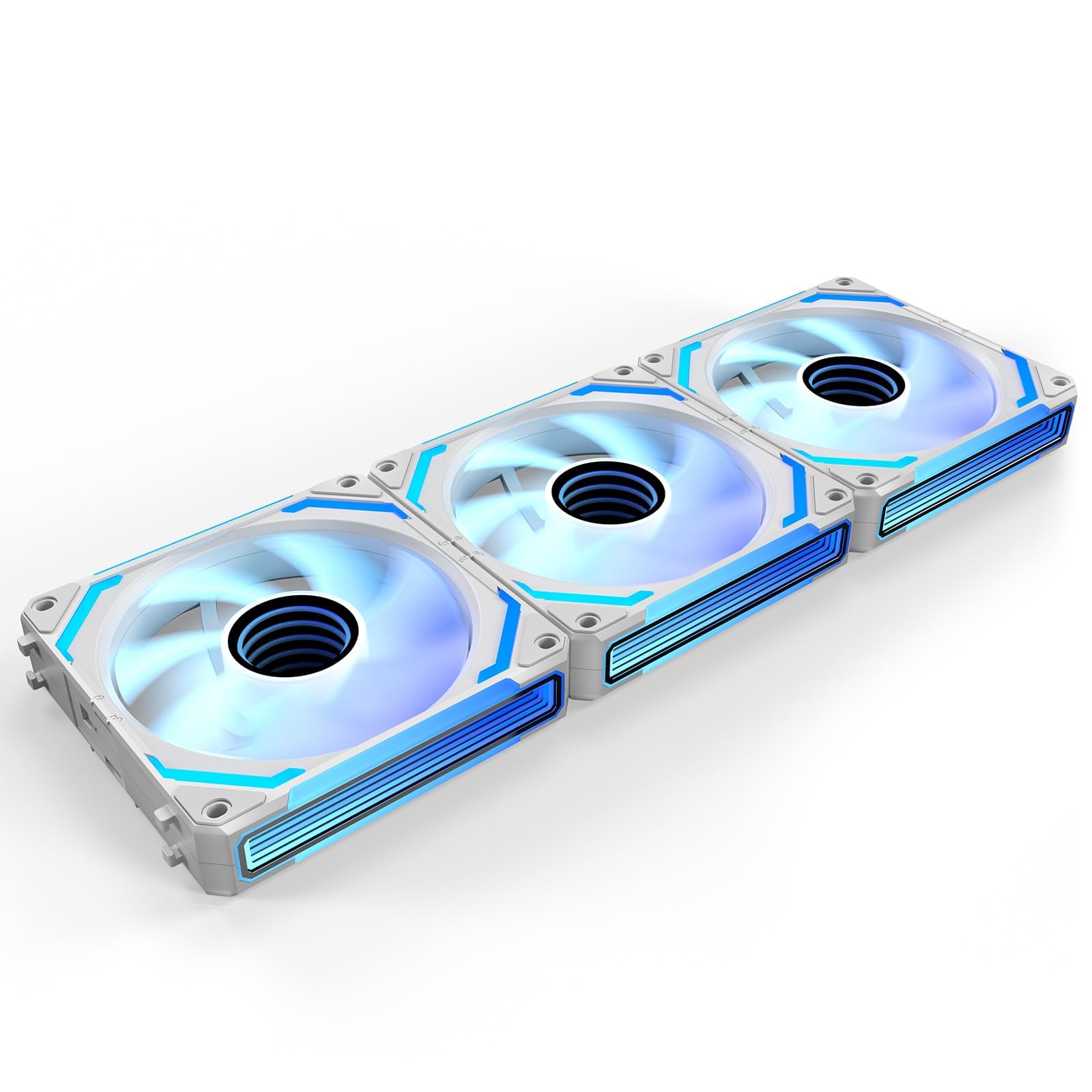
The SL-Infinity is what we point to when the look of the build is part of the brief. Each fan carries 40 LEDs behind an infinity-mirror frame, and the effect is visible from the side as well as the front, which is more than most ARGB fans manage. The triple pack includes a controller that supports up to 16 fans across four groups, and the interlocking cable system is designed to cut the wiring down to a single run.

Performance is not an afterthought: 2100 RPM, 58.54 CFM, and a 29 dBA rating put it in the middle of this group for airflow and noise. It is enough for a glass-panel case with a mesh front, but it is not the fan we choose for a thick radiator or a high-restriction front panel. The removable keylock and reversible cable module help with radiator fit, which is a thoughtful detail for a fan this style-led.

The software is the part that decides whether the ownership experience is smooth. L-Connect 3 controls both lighting and fan speed, and it can be fussy about detecting groups or keeping settings after a reboot. Reliability is the other caveat: a fan or controller can fail, so buy from a seller with a straightforward return policy. Neither issue is universal, but both are real enough to mention before you spend premium money.

We point to the SL-Infinity for a showcase build where the lighting and the clean cable run are the point, not for a value-first airflow build. If you want the same look for less, the AsiaHorse COSMIQ is the white reverse-blade alternative; if you want maximum quiet, the Noctua NF-A14x25 G2 is the better spend. This is the fan that makes a build look finished.

Bottom line: The premium show-build fan we point to: stunning infinity-mirror lighting and tidy daisy-chain wiring, provided you accept the price and the software risk.

7

AsiaHorse COSMIQ

AsiaHorse COSMIQ

White reverse builds

Our Score 9.6/10
Check Price

Worth Noting

  • Short cables limit routing options
Pack
3 fans
Airflow
68.5 CFM
Lighting
Infinity mirror ARGB
Max Speed
2000 RPM

The COSMIQ is a white ARGB fan set built around a reverse blade. That sounds like a small detail until you mount fans as intakes in a glass-panel case: a standard fan shows its back and its support struts, while a reverse-blade fan keeps the clean side facing you. The set runs to 2000 RPM, moves a listed 68.5 CFM, and tops out at 29.2 dBA, with an infinity-mirror frame and a small controller in the box.

The lighting is the reason to choose this one over a plain white fan. The infinity mirror is bright and even, and the reverse-blade orientation means the effect is not hidden behind a fan hub. The daisy-chain wiring is also welcome in a white build, where a tangle of black cables is especially noticeable. The controller is a useful inclusion if your motherboard does not have a 5V ARGB header.

At 29.2 dBA, the COSMIQ is not the quietest set here, but the noise is reasonable for a 2000 RPM fan with this much lighting. The 68.5 CFM airflow is strong for a reverse-blade design, and the daisy-chain connection keeps the wiring manageable. It is still an ARGB fan, so the lighting controller and the fan curve are part of the installation, not an afterthought.

The COSMIQ is the set we choose for a white reverse-blade intake setup where appearance is a real priority. It is not the cheapest ARGB set here, and it is not the quietest at full speed, but it solves a specific visual problem that the standard fans do not. If you do not need reverse blades, the Corsair RS120 or Thermalright C12C gives you more airflow for less.

Bottom line: The white reverse-blade ARGB set we choose when your intake fans are on display and you want the lighting to face the right way.

8

UTLGAMENG 7-Pack

UTLGAMENG 7-Pack

Full case bundles

Our Score 9.2/10
Check Price

Worth Noting

  • Cables can be fiddly to route
Pack
7 fans
Lighting
28 ARGB LEDs
Blade Mix
4 forward, 3 reverse
Max Speed
1550 RPM

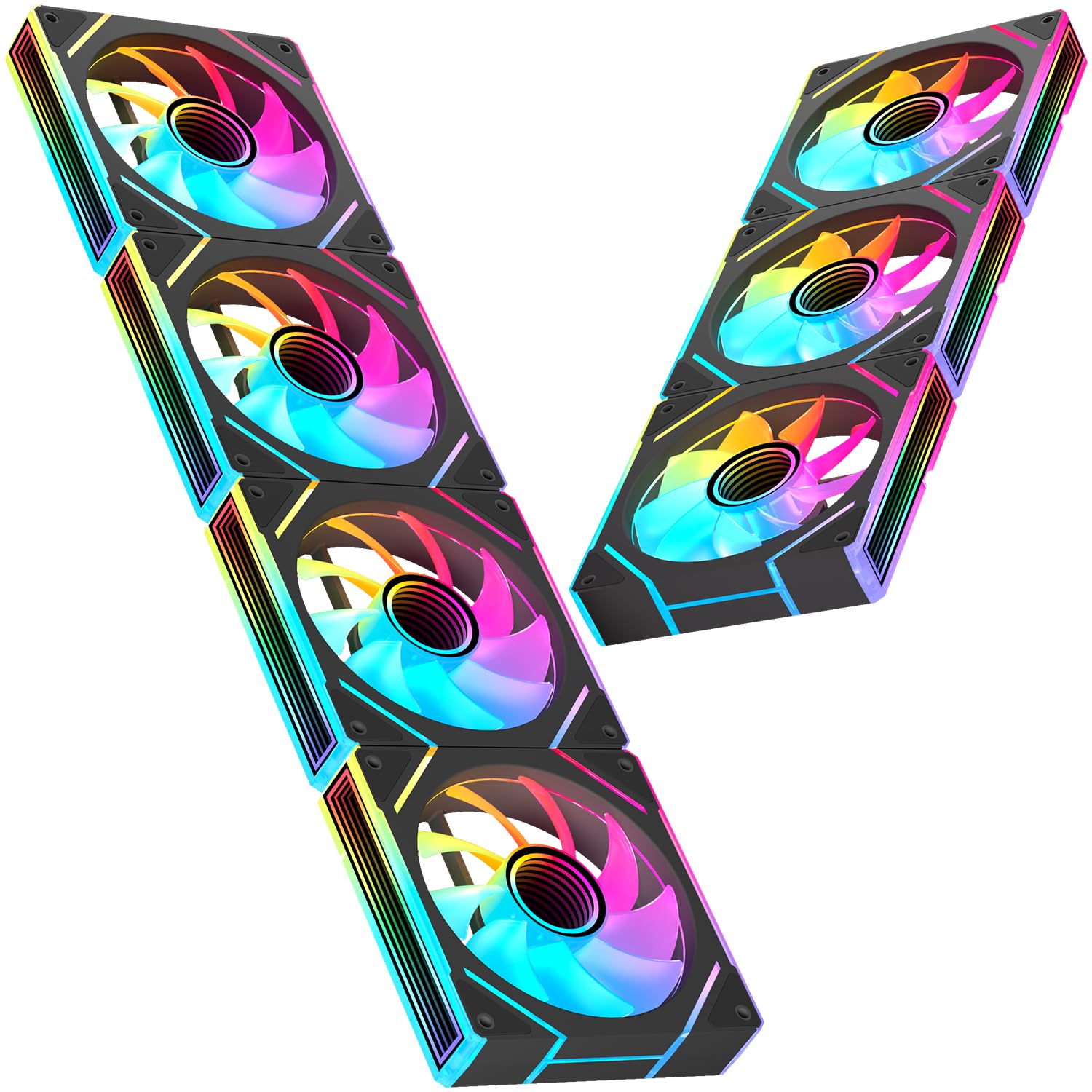
The UTLGAMENG set is a full-case kit rather than a single replacement fan. You get seven 120 mm fans: four with standard forward blades and three with reverse blades, all rated to 1550 RPM with 4-pin PWM control and 28 ARGB LEDs. The 19 dBA claim is best-case, but the point of the pack is coverage: front, bottom, and side intakes can all use the reverse fans without showing their backs.

The mix is what makes this bundle useful. A standard seven-fan pack forces you to flip fans or accept the ugly side of the frame in a glass case; this one gives you the right blade for each position. The 4-pin connectors mean the motherboard can control speed, and the ARGB lighting is addressable through a compatible header or controller. For a first build with a lot of fan mounts, it is a tidy shortcut.

It earns a place for a budget glass-panel build where the look and the fan count matter more than premium acoustics. The 19 dBA claim is the number to treat carefully: a 1550 RPM fan moving real air will be audible at full speed, so plan a fan curve. If you want a quieter, simpler set, pay more for the Corsair or Noctua; if you want to fill every mount with matching ARGB fans for very little, this is the bundle.

Bottom line: The full-case bundle we see as the budget shortcut: seven fans including three reverse blades, PWM control, and enough lighting for a glass-panel case.

How We Tested Case Fans

We started by pulling together more than 60 models from brands we've had good luck with and a few newcomers, then narrowed the list by size, bearing type, rated airflow and static pressure, price, and whether the company publishes honest noise specs. That left us with 18 fans to test — a mix of budget models, RGB-heavy options, and premium static-pressure fans. We installed each one in the same three builds over four months: a mid-tower gaming rig on my desk, a compact microATX case in the office, and a budget build that lives under a coworker's desk.

For noise, we placed a handheld decibel meter a foot from the front intake and recorded readings at idle, while gaming, and during a 30-minute CPU-and-GPU stress test, then sat with each build to listen for bearing whine, motor ticking, and wind turbulence. For cooling, we logged CPU and GPU temperatures under the same load and compared them with a baseline set of fans, paying attention to whether a fan moved air through a radiator or just spun bravely. We also ran each fan at its lowest controllable speed to see if it stalled or developed a rattle, and we adjusted fan curves in the BIOS and in each brand's software to check how fine the control really was.

Installation was its own test: we timed how long it took to mount four fans in the mid-tower, checked whether the cables reached the motherboard headers without stretching, and noted where daisy-chaining helped versus where it just added bulk. For RGB models, we synced the lighting with two different motherboard utilities, saved a profile, rebooted, and confirmed the settings stuck. Reliability got the slow treatment — every fan ran daily for four months, and we listened for new clicking or bearing noise at the end. Value came down to whether a fan's price matched its noise and cooling numbers, not just its spec sheet.

How to Choose Case Fans

Match airflow to the restriction

A fan with a high CFM number is not automatically the best choice for every mount. Open mesh and rear exhaust positions reward raw airflow, while dust filters, tight front panels, and radiators reward static pressure. The Corsair RS120's 2.8 mmH₂O and the ARCTIC P12's 2.2 mmH₂O are the pressure-first picks here; the Noctua NF-P12 is the middle ground that works in either spot.

The trap is buying a high-airflow fan for a thick radiator or a filter-covered intake, where the blades stall and the extra CFM never reaches the case. If you are cooling a radiator, start with a pressure-optimized fan; if you are filling an open case, an airflow fan is fine and often quieter at the same speed.

Decide between PWM and 3-pin

A 4-pin PWM fan lets the motherboard control speed with a clean signal, and it is the right choice for most modern builds. A 3-pin fan is voltage-controlled: it can still be quiet, but only if your motherboard supports DC control on that header. The ARCTIC P12 five-pack is the value standout, but it is 3-pin; the Noctua NF-P12 is the safer default for a PWM-only board.

The other connector trap is RGB. A 4-pin fan header and a 5V 3-pin ARGB header are not the same thing, and some fans need both. Check the motherboard and the fan before you assume the lighting will sync; if there is no ARGB header, a controller like the one in the Lian Li triple pack or the AsiaHorse set is the workaround.

Read the noise number carefully

The dBA figure on the box is a single point, usually at or near full speed, and it does not tell you how the fan sounds at idle. Bearing type, blade shape, and the way two fans interact can matter more than a decimal. The Noctua NF-A14x25 G2 pair is deliberately offset in speed to avoid the beat two identical fans can create side by side.

For a quiet build, look for a low minimum speed and a sensible PWM curve rather than the lowest headline number. A fan that is quiet at 800 RPM but harsh at 1500 RPM is still a good fan if you keep it in the lower range. The 36 dBA Corsair RS120 is a radiator-first fan, not a silence-first one.

Plan the pack, wiring, and orientation

Count the mounts before you buy. A three-pack covers a typical front-and-rear setup, a five-pack fills a budget case, and a seven-fan bundle like the UTLGAMENG set is for a build with front, bottom, and side positions. Check whether the case takes 120 mm or 140 mm fans, and leave room for the fan thickness and any radiator.

Reverse-blade fans are the clean solution for glass-panel intakes: they push air in the same direction while showing the finished face. Daisy-chain wiring helps, but it still needs a clear path to a header or controller, and short leads are a common annoyance. If you want the lighting to sync, budget for the controller or the ARGB header, not just the fans.

Frequently Asked Questions

Final Verdict

The Noctua NF-P12 redux-1700 is the case fan we recommend first. It has the best balance here of quiet operation, pressure-ready airflow, PWM control, and long warranty coverage, and it fits the widest range of builds. If you are filling five mounts on a budget, choose the ARCTIC P12 5-pack instead; if your case takes 140 mm fans, the Noctua NF-A14x25 G2 is the premium quiet alternative. For a white radiator build, the Corsair RS120 ARGB is the better fit.