Tools & DIY

Best Circuit Breaker Finders of 2026

The job was supposed to take ten minutes: swap a dimmer, screw the plate back on, move on. Instead I spent the next half hour walking to the basement, flipping a breaker, walking back up to check the light, and repeating until I found the right one. A circuit breaker finder collapses that routine into a single trip — plug the transmitter into the outlet, sweep the receiver across the panel, and it tells you which breaker answered. What it actually fixes is the guesswork that has people killing power to the whole house for a five-minute repair.

We've had 14 of these in and out of panels over the past four months, and the split is stark: the good ones land on the same breaker every time, and the rest make you doubt your own wiring. One thing nobody mentions up front — a finder only reads a live circuit, so you still need a lamp or a tester to confirm the power is actually off. The picks below survived repeated sweeps.

1

Klein ET310

Top Pick
Klein ET310

Whole-home labeling

Our Score 9.4/10
Check Price

Worth Noting

Weight
7.2 oz
GFCI Testing
Yes
Circuit Range
90–120V AC
Receiver Alerts
Visual and audible

The ET310 keeps the job simple: a transmitter plugs into the outlet or fixture, and a receiver sweeps the panel until it lights and chirps at the matching breaker. The 90–120V AC rating covers ordinary residential branch circuits, and the built-in GFCI tester gives the transmitter a second job. Nothing about the routine requires a second person or a long setup.

That plug-and-scan routine is why we recommend it first for a typical homeowner. We prefer a finder that one person can run without a phone call or a helper, and the ET310's visual and audible cues are easy to follow from the panel. The receiver is light enough to sweep a full panel without fatigue, and the controls are simple enough to learn on the first job.

The caveat is crowded panels. When breakers sit close together, the receiver can respond to more than one, so treat a chirp as a candidate and confirm by switching the breaker before you touch wiring. That extra check is quick, and it is the difference between a useful finder and a false sense of certainty.

Bottom line: We recommend the ET310 as the default for straightforward 90–120V home tracing: its two-part routine is easy to run solo, and the built-in GFCI check adds useful confidence.
2

KAIWEETS KT301P

KAIWEETS KT301P

Detailed diagnostics

Our Score 9.2/10
Check Price

Worth Noting

  • Premium price for occasional use
  • Can flag more than one breaker
Display
Backlit LCD
Voltage Readout
30–150V
Included Adapters
3-prong, light socket, alligator clip
Non-contact Voltage
Yes

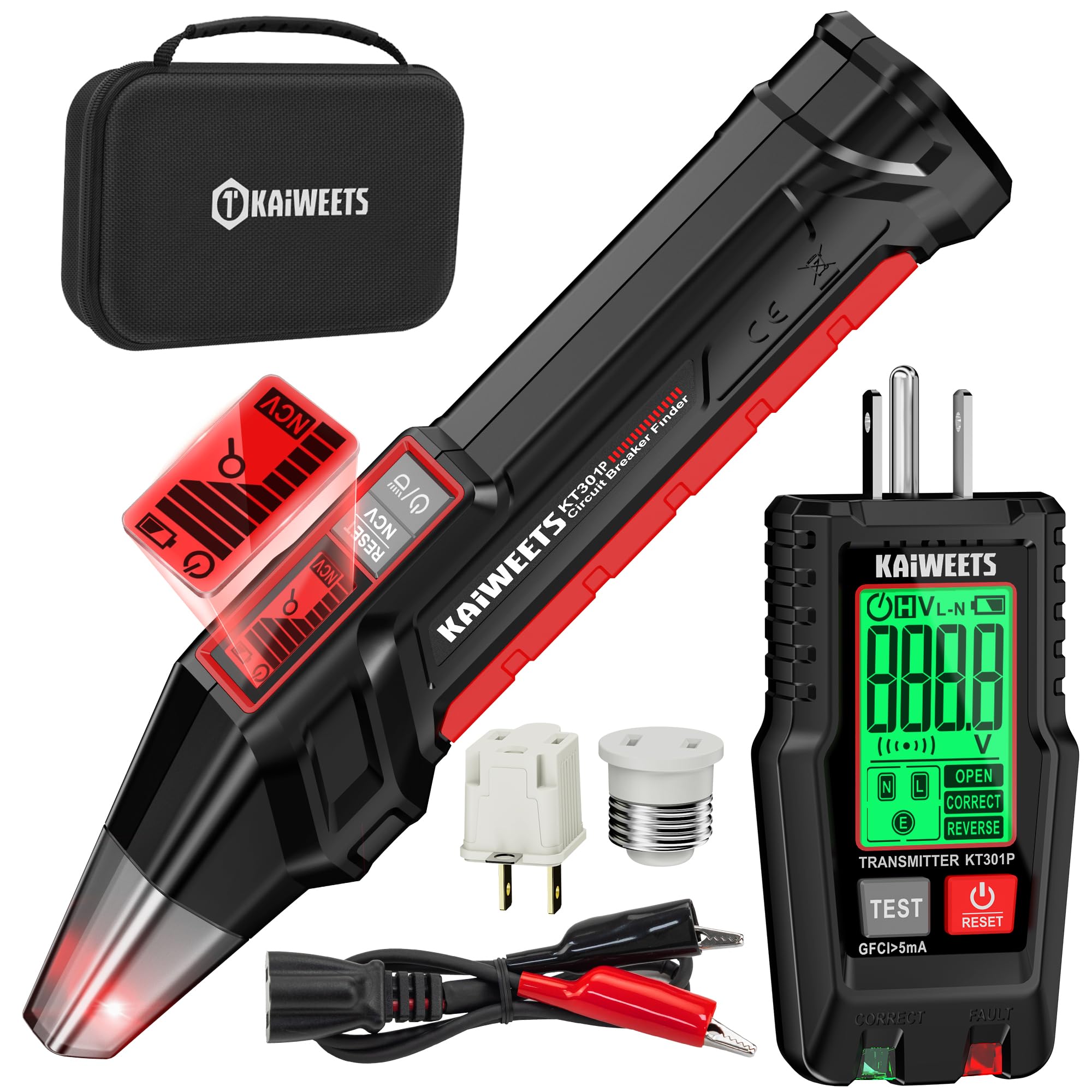
We pick the KT301P when we want the finder to show its work. Its backlit LCD reports real-time voltage from 30–150V and gives a signal-strength readout as you sweep, so you are not working from a beep alone. The transmitter also handles GFCI trip testing, and the receiver adds non-contact voltage detection for a quick live-wire check.

The accessory kit is more useful than it sounds. A light-socket adapter lets you trace a switched fixture, the 3-prong-to-2-prong adapter helps in older rooms, and the alligator clip reaches a hardwired connection. Everything stores in the case, which matters because these are tools that get borrowed and misplaced. We also appreciate the flashlight for dim panels.

For anyone who wants to check outlet wiring, confirm a GFCI, and trace a breaker without swapping tools, this is the most complete kit here. It is the one we hand to someone who wants more feedback than a chirp, and the extra modes are the reason to choose it.

Bottom line: We pick the KT301P when you want the finder to show voltage and signal strength while you work; the LCD and NCV mode make it the most informative kit here.

3

Klein ET350

Klein ET350

Crowded panels

Our Score 9.2/10
Check Price

Worth Noting

  • Premium price
Weight
8.32 oz
Scan Modes
Learn and Locate
Outlet Diagnostics
Faults, voltage, GFCI trip time
Non-contact Voltage
Yes

Learn mode is what separates the ET350 from the simpler finders. You sweep the whole panel once so the receiver can build a picture of it, then switch to Locate and scan again for the breaker feeding your outlet. That two-pass approach is slower than a one-sweep beeper, but it is designed for the panels that make a basic finder look indecisive.

The transmitter also reports outlet faults, voltage, and GFCI trip time, and the receiver includes non-contact voltage testing and a work light. Those checks make it a more complete diagnostic tool for a panel you are mapping from scratch. We also like the backlit display for a basement or garage panel.

We trust the learn-then-locate routine most on a crowded or badly labeled panel. When several breakers sit close together, having the receiver compare against a learned baseline gives you a better shot at isolating one candidate. The extra setup pass is worth it there; on a small, clearly labeled panel, the ET310 gets you there with less ceremony.

Bottom line: For a crowded or badly labeled panel, we trust the ET350's learn-then-locate routine to narrow the field before you commit to a breaker.

4

AstroAI Circuit Finder

AstroAI Circuit Finder

Budget DIY

Our Score 8.8/10
Check Price

Worth Noting

  • No signal-strength display
  • Can alert on adjacent breakers
GFCI Testing
Yes
Circuit Range
90–120V AC at 50/60Hz
Included Adapters
Light socket, 3-to-2-prong, alligator clip
Low-battery Alert
Yes

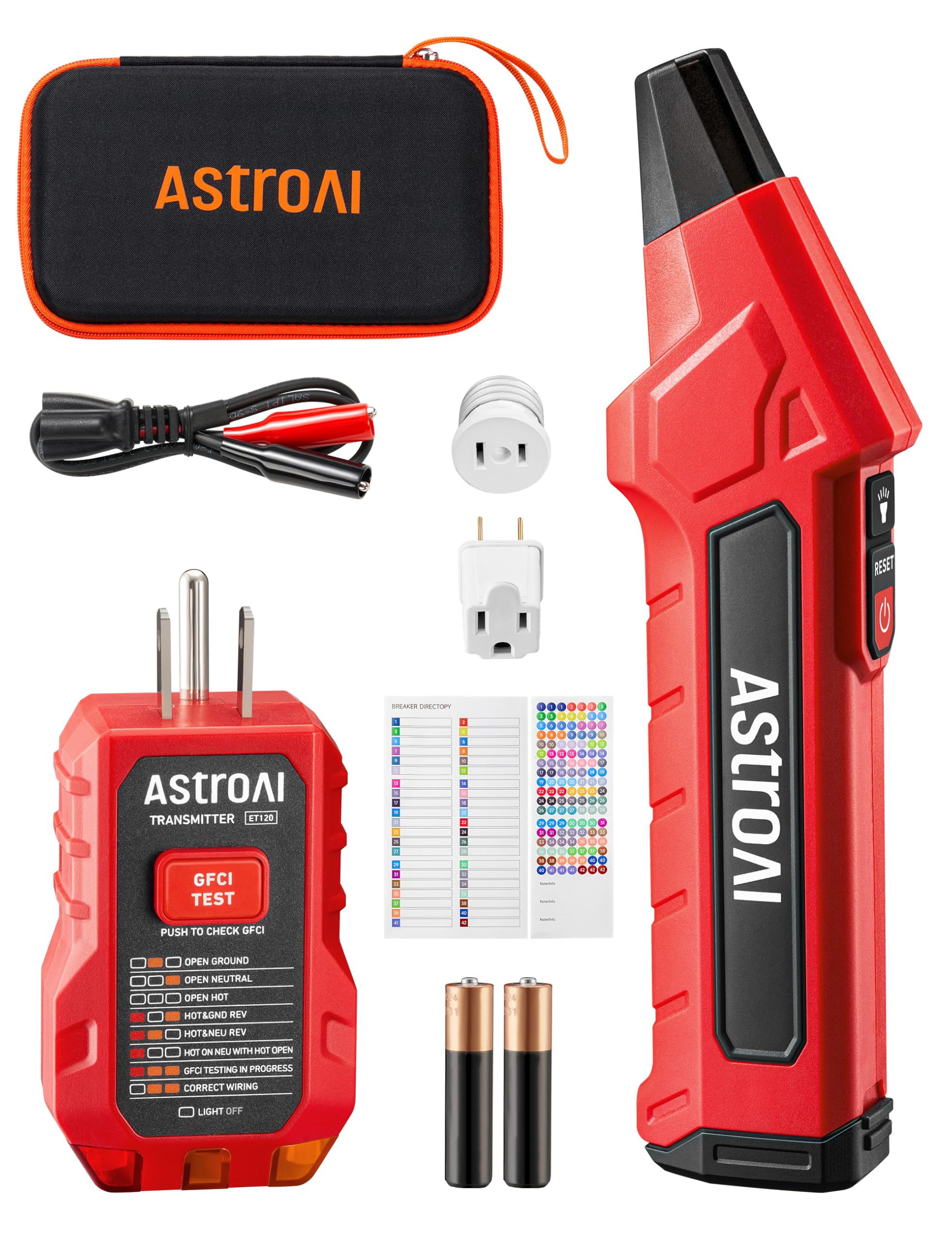
The AstroAI is the budget pick that still feels like a kit. You get the transmitter, receiver, a foam-lined case, and adapters for a light socket, a two-prong outlet, and exposed wires. The receiver beeps and flashes red at the breaker, and a built-in LED light helps in a dim panel.

For occasional DIY work, that is a sensible package. The 90–120V AC range covers ordinary household circuits, the GFCI test is built in, and auto-shutdown and a low-battery alert are small conveniences that keep you from chasing a dead tool. It saves the walk back to the outlet when you are working alone.

We recommend the AstroAI when price matters more than precision. It is a first finder for someone who will use it a few times a year, and the included adapters cover the odd jobs that make a kit worth keeping. It does the basic job without asking you to learn a complicated menu.

Bottom line: The AstroAI is the budget pick we suggest for occasional DIY work; it covers basic tracing and GFCI testing without extra complexity.

5

Fluke BK120

Fluke BK120

Non-contact checks

Our Score 9.2/10
Check Price

Worth Noting

  • Breaker tracing can be inconsistent
  • Premium price
NCV Mode
Dual sensitivity
Functions
Breaker finder, NCV, socket tester, flashlight
Socket Tester
Standard and GFCI
Minimum Voltage
110V AC

The BK120's standout is its dual-sensitivity non-contact voltage mode. We keep it for the times when the question is not only which breaker, but whether a terminal strip or supply cord is live. It is a four-in-one tool: breaker finder, NCV detector, socket tester, and a bright LED flashlight.

As a socket tester, it is easy to like: the LEDs confirm correct wiring in standard and GFCI outlets without pulling out another tool. The receiver's audible and visual alerts are clear, and the flashlight is bright enough for a basement panel. We prefer it as a second tool for checking a circuit before touching it, rather than as the fastest pure breaker finder here.

For pure panel labeling, the ET310 is the simpler choice. We reach for the BK120 when non-contact checks are part of the job, or when one tool needs to cover outlet testing and voltage detection as well as breaker tracing. It earns its place as a specialist, not as the default.

Bottom line: We keep the BK120 for non-contact checks and outlet testing first; its dual-sensitivity NCV mode is the reason to choose it over a plain breaker finder.

6

Focemta Circuit Finder

Focemta Circuit Finder

Midrange diagnostics

Our Score 8.8/10
Check Price

Worth Noting

  • Accuracy can be inconsistent
  • Instructions can be unclear
Display
Dual-function LCD
Voltage Range
90–135V
GFCI Diagnostics
Trip time displayed
Included Adapters
Light socket, 3-to-2-prong, alligator clip

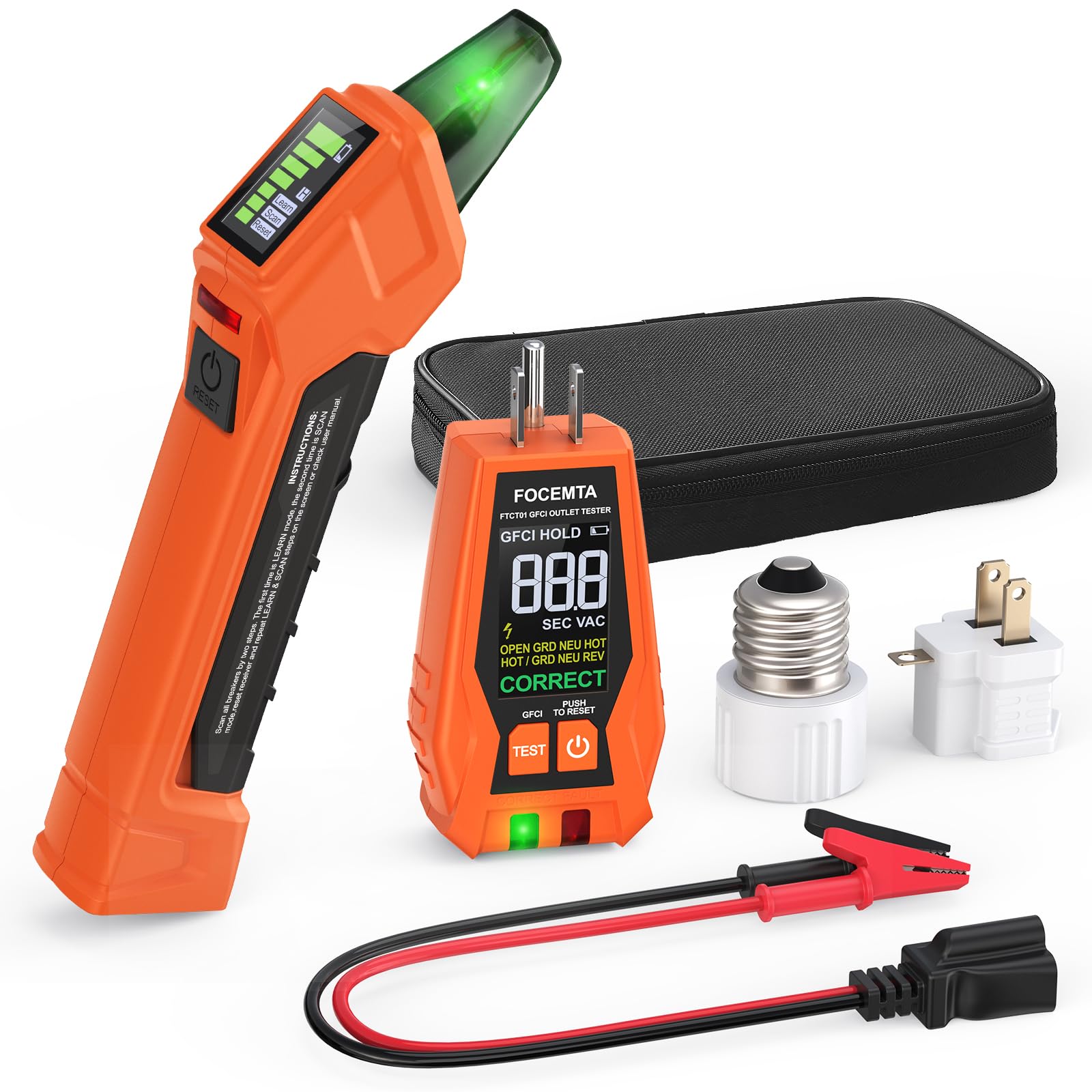
The Focemta puts voltage and signal strength on a dual-function LCD, so you can see the number climb as you move the receiver along the panel. The transmitter also tests GFCI protection and displays trip time, and the kit includes adapters for light sockets, two-prong outlets, and exposed wires.

That makes it a useful middle ground: more diagnostic feedback than a beeper, without the cost of the most premium kits. We like it for a homeowner who wants to check outlet wiring and confirm a GFCI while tracing, and who values a screen over a simple beep. The batteries are included, so it is ready for a first job.

The case keeps the adapters together, and the display is easy to read in a dim panel. It is not the fanciest tracer here, but it covers the checks a DIYer is likely to need. If you want the simplest possible handshake, the AstroAI is easier to pick up; if you want the screen, this is the midrange choice.

Bottom line: We like the Focemta for a DIYer who wants voltage and signal feedback on screen and a fuller adapter kit, provided you confirm every breaker hit.

7

KAIWEETS KT302P

KAIWEETS KT302P

Simple tracing

Our Score 9.0/10
Check Price

Worth Noting

  • Can flag more than one breaker
GFCI Testing
Yes, auto trip
Scan Process
Learn, then locate
Circuit Range
90–120V AC
Included Adapters
3-prong, light socket, alligator clip

The KT302P is the simpler KAIWEETS: a transmitter, a receiver with dual-sided LEDs, and a two-scan routine that asks you to learn the panel before you locate the breaker. The receiver uses bright indicators and an audible signal when you get close.

The kit is still complete. You get the 3-prong-to-2-prong adapter, light-socket adapter, alligator clip, and a carrying case, plus GFCI trip testing at the transmitter. For a homeowner with a small, clearly labeled panel, that is enough.

The two-scan process is easy to repeat, and the dual-sided LEDs are readable from either side of the receiver. It is a more basic tool than the KT301P, with no screen to interpret and no non-contact voltage mode. That simplicity is the appeal if you do not want to learn a menu; if you do, the KT301P is the upgrade.

We see it as the value choice in the KAIWEETS pair. It does the basic job without fuss, and the included adapters cover the common fixtures. If you want more diagnostic feedback, the KT301P is the upgrade; if you want a straightforward finder, this one keeps the routine simple.

Bottom line: We see the KT302P as a sensible simple finder for a homeowner who does not need a screen: two scans, clear LEDs, and a complete GFCI-ready kit.

8

VENLAB VCT03P

VENLAB VCT03P

Budget LCD kit

Our Score 8.6/10
Check Price

Worth Noting

Display
Dual-color backlit LCD
Voltage Range
90–130V
Included Adapters
3-prong, light socket, alligator clip
Non-contact Voltage
Yes

The VENLAB VCT03P is a budget kit with an LCD, non-contact voltage detection, GFCI testing, and the usual adapter set. The receiver shows signal strength and scanning mode on a dual-color backlit screen, while the transmitter checks outlet wiring and trips a GFCI for testing.

The display makes the sweep easier to follow than a beep-only receiver. You can watch the signal strength change as you move across the panel, which helps you slow down near a candidate instead of sweeping blindly. The non-contact voltage mode is a useful check before you reach into a box.

The case keeps the light-socket, two-prong, and alligator adapters together, and the kit is ready to use without hunting for parts. It is a sensible first finder for a small home with a clearly labeled panel. The controls are not complicated, and the screen is readable in a dim basement.

We point budget shoppers to the VENLAB when they want a screen without stepping up to a premium kit. It is a capable starter tool, not the most refined tracer here. For occasional use, that is a fair trade; for a panel full of unlabeled breakers, the ET350 is the better tool.

Bottom line: We point budget shoppers to the VENLAB for an LCD, NCV detection, and a full adapter set; it is a capable starter kit, not the most refined tracer here.

How We Tested Circuit Breaker Finders

We started with every finder sold by the major tool brands plus the smaller names that turn up in electrician forums, then cut anything with a single fixed sensitivity setting or a transmitter that couldn't handle a GFCI-protected outlet. That left 14 units, ranging from bare-bones single-button receivers to kits with adjustable sensitivity and a separate lead for fixtures with no outlet nearby.

All of it happened in real panels. My own house — a 1950s split-level with 24 circuits and an index that's wrong about half the time — was the main proving ground, along with a finished basement, a detached garage on a subpanel, and a closet where the panel hides behind a coat rack. At each one I timed how long it took to identify a named circuit from a cold start, then counted how many breakers I had to switch off before the outlet actually went dead. I swept each receiver through a closed panel door, moved it fast and slow to see how readily it locked onto the breaker next door, and re-ran every circuit weeks apart to check it read the same breaker twice.

Usability got judged in the worst conditions — a dark basement, one hand on a flashlight. Could I hit the buttons with a thumb, did the beep carry through a steel door, did the transmitter fit a crowded outlet behind furniture. I read the manual first and tried to complete a full identification without a video; the ones that explain sensitivity trimming in a page or two had a real advantage. Value, in the end, came down to how few repeat trips a unit cost me.

How to Choose Circuit Breaker Finders

Accuracy first, especially in a crowded panel

The core job is identifying one breaker, not producing a confident beep. Basic receivers can pick up adjacent breakers when the panel is tight, so look for a tool that gives you a way to separate the strongest hit from the noise: a signal-strength display, a learn-then-locate scan, or at least a clear audible and visual alert. Whatever you choose, confirm the breaker by switching it before you touch wiring. A finder narrows the search; it does not replace that final check.

Match the voltage rating to your home

Most residential branch circuits in the US are 90–120V AC, and that is the range most of these finders are built for. A few kits stretch to 90–135V for older or uneven systems, but do not assume a wider label means commercial or 240V capability. Check the rating before you use it on a dryer, range, or air-conditioner circuit. If your panel serves only ordinary outlets and lighting, a standard 90–120V finder is the right default; the extra range is not a substitute for the correct tool.

Decide whether you want a beeper or a diagnostic screen

A receiver that only beeps is quick to learn and easy to hand to another person. A screen adds voltage, signal strength, or mode feedback, which helps when you are tracing several circuits or working in a dim panel. The trade-off is interpretation: more information means more to read, and the best display still needs a confirmation step. We prefer a screen for labeling an entire panel and a simple alert for a one-off repair. The feature is worth paying for when you will use it more than once or twice.

Look at the adapter kit and the one-person workflow

Adapters are what let a finder reach a light socket, a two-prong outlet, or an exposed wire, so check the kit against the fixtures in your home. A carrying case is not glamorous, but it keeps the pieces together and protects the receiver. Also think about the workflow: can one person plug in the transmitter, walk to the panel, and read the receiver without a helper? That is where a clear alert, a light, and a comfortable receiver shape matter more than a long feature list.

Treat GFCI testing as a useful bonus

Many transmitters double as GFCI testers, and that is genuinely handy when you are already at the outlet. It checks whether the protection trips, and some models report trip time or wiring faults. It does not tell you the whole circuit is safe, and it does not replace a full inspection if you find heat, damage, or repeated trips. Buy for the breaker-finding job first; the GFCI function is a welcome extra, not the reason to choose one kit over another.

Frequently Asked Questions

Final Verdict

We recommend the Klein ET310 as the default for most 90–120V homes. It is the easiest finder here to run solo: plug in the transmitter, sweep the panel, and follow the audible and visual cues. The built-in GFCI test is a useful bonus, and the simpler receiver keeps the routine short.

If your panel is crowded or badly labeled, the Klein ET350's learn-then-locate scan is the upgrade we trust to narrow the field. Buy the ET310 for routine labeling; step up when the panel itself is the puzzle.