PC Components & Storage

Best External Blu-Ray Drives of 2026

Laptops quietly lost their disc slots years ago, which is fine right up until you're holding a Blu-ray you actually want to watch. An external drive fixes that with one USB cable: movie nights come back, the box of family DVDs becomes rippable, and files you burned to disc in 2011 are readable again. The trouble is they all look alike in photos and behave nothing alike in practice. Some read Blu-ray but only write DVDs, some need two USB ports to spin up, and a few whirr like a coffee grinder the moment a disc goes in.

I spent four months with 12 drives, feeding them the same discs on the same laptops. The ones worth keeping weren't the fastest on paper — they were the ones that read a disc on the first try, stayed quiet enough to sit beside, and didn't care which machine or operating system I plugged them into. Reliability first, format support second; raw speed is the least interesting number on the box. Everything below earned its place.

1

ASUS SBW-06D5H-U

Top Pick
ASUS SBW-06D5H-U

Everyday burning

Our Score 8.8/10
Check Price

Worth Noting

  • Costs more than the other slim drives
Weight
8.47 oz
Interface
USB 3.1 Type-A and Type-C
Dimensions
5.87 x 5.67 x 0.58 in
Disc Formats
BDXL, Blu-ray, DVD, CD, M-DISC

Two drives in this group write BDXL discs, and only one of them fits in a laptop sleeve. The ASUS SBW-06D5H-U handles BDXL and M-DISC archival media at 240 g and 0.58 inches thick, and that combination is what put it at the top of our list: genuine archival burning in something you can carry without noticing.

Both cables ship in the box, a USB 3.1 Type-A lead and a Type-C one, so a USB-C-only laptop and an older desktop are covered without a dongle. We like that more than it probably deserves, because a missing adapter is usually what stops a portable drive from being portable. There is no power brick either; the drive runs from the port.

What it does not do is win races. A slim drive is a slower writer than a full-size burner, and the 16x ASUS below will get through a stack of discs in a fraction of the time. This one is for the person who burns a project to M-DISC now and then, reads the occasional Blu-ray, and wants the drive to be the answer every time rather than the fastest one.

Most of what goes wrong with a portable optical drive after a year is logistical: the adapter lost, the second cable borrowed, the brick left at home. Here all of it is already in the box, which is why we stopped looking for a caveat and started recommending it.

Bottom line: We recommend the ASUS SBW-06D5H-U to most buyers: it burns BDXL and M-DISC discs, ships with both cables, and travels at 240 g.
2

GODBPNYMU 8-in-1 Drive

GODBPNYMU 8-in-1 Drive

Budget laptop use

Our Score 8.2/10
Check Price

Worth Noting

  • Blu-ray writing tops out at 6x
  • Plain ABS plastic shell
Weight
10.6 oz
Dimensions
6.1 x 5.87 x 0.59 in
Extra Ports
2 USB, 1 USB-C, SD/TF card reader
Write Speeds
BD-R: 6x; DVD-R: 8X; CD-R: 24x

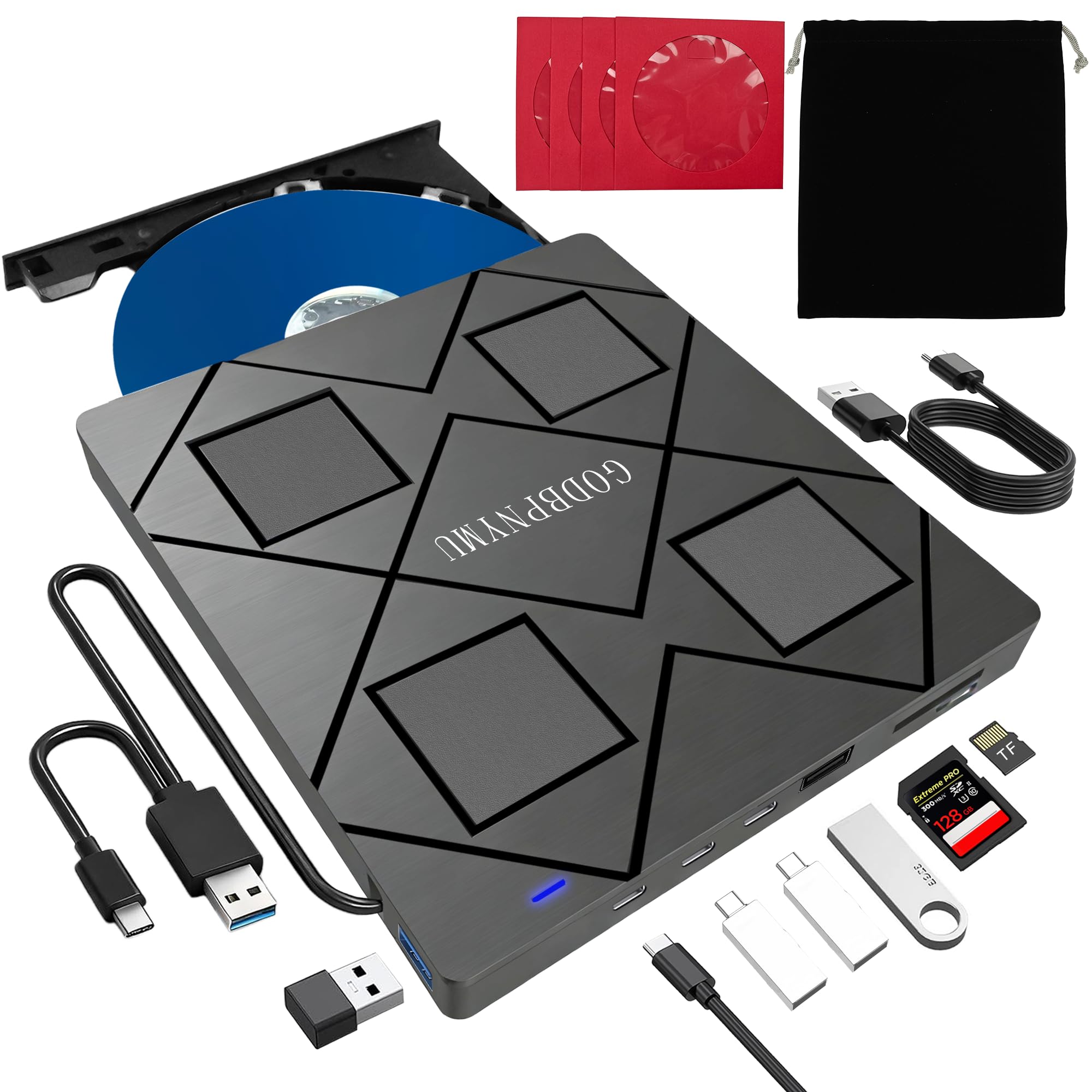
The cheapest drive in this group also has the most sockets on it. This GODBPNYMU reads and burns Blu-ray, DVD and CD, and it adds two USB ports, a USB-C port and an SD/TF card reader, which turns a laptop with two connectors into something you can actually work from.

We expected the hub to be the gimmick and the drive to be the compromise, and it went the other way. Discs loaded immediately, the combined USB-A and USB-C lead covered both laptops we tried, and the pouch and four disc sleeves turned out to be the sort of thing that keeps discs out of a scratched pile at the bottom of a bag.

The edges are where it gives ground. Some discs can come back as read errors instead of loading, so work through your own collection, especially older or burned discs, while the return window is still open. The 12-month warranty is worth more here than it looks: keep the receipt until a dozen of your own discs have played.

What you get in exchange is the lowest price here, a carrying case, and a drive that pulls double duty on a desk that does not have room for a separate hub. That last part is the reason we keep recommending it to students and anyone living out of one small laptop.

Bottom line: We point budget buyers to the GODBPNYMU 8-in-1: it burns Blu-ray for the least money here and adds a card reader and three extra ports.

3

Dainty Blu-ray Drive

Dainty Blu-ray Drive

Portable everyday use

Our Score 8.6/10
Check Price

Worth Noting

  • BD-RE rewrites cap at 2x
Power
Extra USB power cable
Warranty
1 year
Interface
USB 3.0 with Type-C plug
Disc Support
Reads and writes BD, DVD, CD

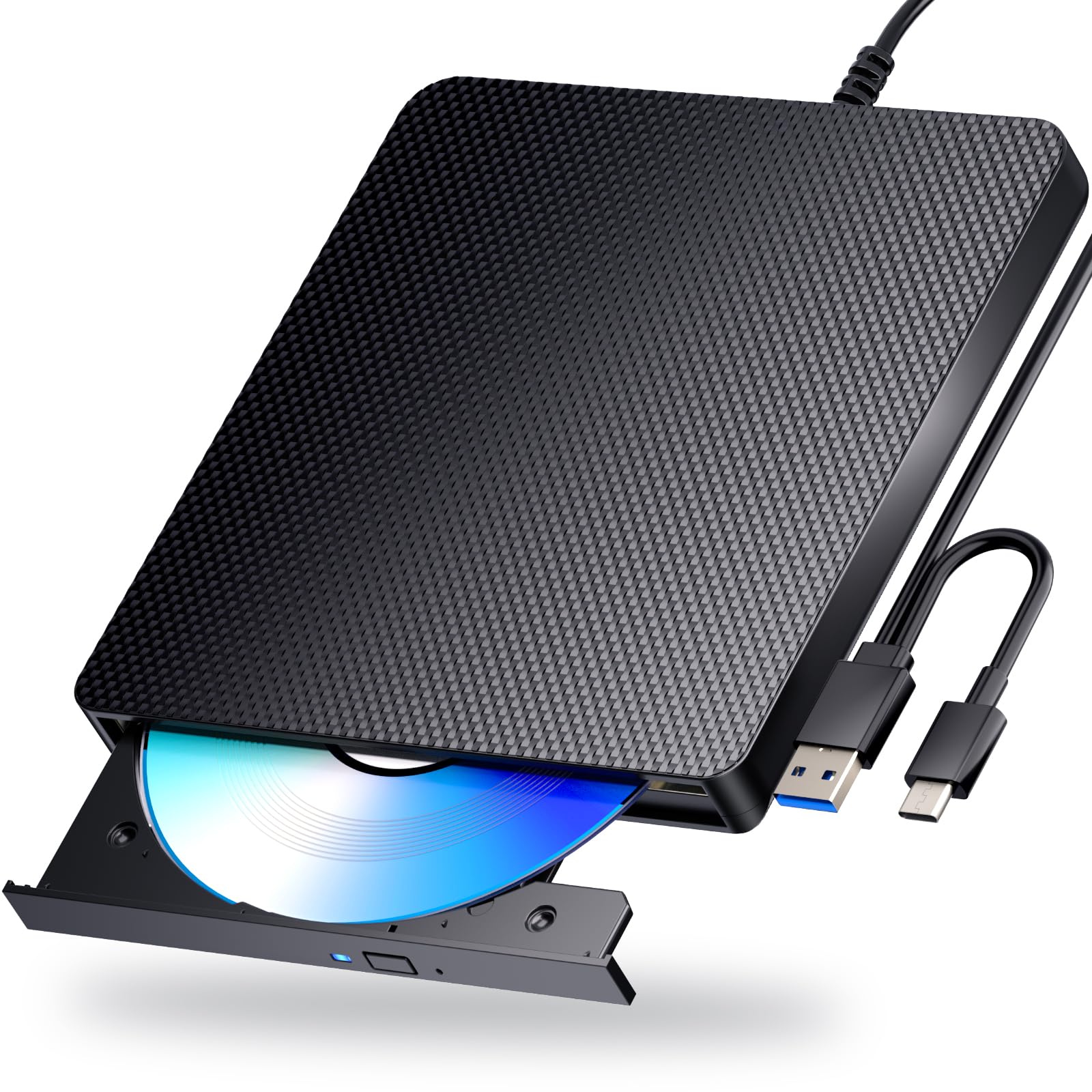
A second USB power cable is the reason this Dainty makes our list. Slim drives draw everything from the port they are plugged into, and on an older laptop, a busy hub or a long extension cable, that is where a burn can stall halfway. Dainty includes a dedicated power lead alongside the data cable, so the drive can draw from a second port when it needs the help.

The data cable itself ends in both a USB-A and a Type-C plug, so one lead covers either machine, and the drive is small and light enough to live in a laptop bag between trips. Nothing about the package is fussy, which is exactly what we want from something that gets packed and unpacked.

It is a proper Blu-ray writer rather than a reader in disguise: BD-R at 6x alongside DVD and CD burning, with the same plug-and-play behavior as the rest of these. Where it sits in the group is between the budget GODBPNYMU and the ASUS top pick, and it earns that position with power handling rather than features.

Against the GODBPNYMU, the trade is ports for power. That drive hands you a hub and a card reader; this one hands you a second power lead and a smaller package. On a laptop with connectors to spare but little power to give, the Dainty is the better buy; on a desk where a hub would earn its keep, it is not.

Bottom line: For a drive that travels and a laptop short on spare power, we reach for the Dainty, whose second power lead is the difference between a finished burn and a coaster.

4

ASUS BW-16D1X-U

ASUS BW-16D1X-U

Ripping and archiving

Our Score 8.6/10
Check Price

Worth Noting

  • Some units fail within the first months
Power
External power adapter
Weight
2.6 lb
BDXL Capacity
Up to 128 GB
Max Write Speed
16x

Two and a half pounds, a wall adapter and a footprint of around 9.5 by 6.5 inches: the BW-16D1X-U is a desk fixture, not a bag item. It is the drive you leave plugged in and feed a stack of discs to, and it behaves like a desktop burner because that is what it is.

The payoff is speed and capacity. At 16x it writes Blu-ray at nearly three times the rate of the 6x slim drives here, and BDXL support puts 128 GB on one disc, enough for a full camera card or a run of episodes without splitting the archive. The wall adapter is the unglamorous part we appreciate most: a long burn is not competing with anything else for port power. The bundled Power2Go software adds encryption for archives that need it.

Two things to know before you clear the space. An Ultra HD disc can fail to load, because this is a standard Blu-ray and BDXL drive rather than a 4K one, and the mechanism makes itself heard when a disc spins up, which you notice in a small room.

It is the most expensive drive here, and for someone burning a handful of discs a year that money buys little the SBW-06D5H-U does not already cover. Ripping a collection is the case that justifies it, and there the write speed and the steady power do the work.

Bottom line: Give the BW-16D1X-U the desk space if you are ripping or archiving in volume; 16x writing and 128 GB BDXL discs are what that space buys.

What Four Months With 12 Drives Taught Us

We started with a shortlist of about 30 drives pulled from manufacturer spec sheets and retail listings, then cut it to 12 by dropping anything with vague format support, a price out of line with its specs, or a design that needed a wall adapter just to play a movie. Before a single disc went in, we read the fine print on what each unit actually reads and writes — a surprising number labeled "Blu-ray drive" will play Blu-ray but only burn DVD and CD — and noted which ones handled BDXL for anyone archiving to 100GB discs.

Testing happened where these drives actually live: on a desk, and on a laptop run out to a living-room TV. We played a retail Blu-ray start to finish on each, watching for stutter, lip-sync drift, and whether the drive could be heard over quiet dialogue. Then we ripped a 20-disc stack of DVDs, timing every pass and noting which units ran hot, stalled, or shed read speed halfway through. Each one also rode along in a messenger bag on a couple of trips and burned a photo disc for a relative, which is about as close to real-world chaos as we could stage.

Ease of use came down to cables and first contact: how many USB ports the drive needed to spin up, whether it worked the moment it was plugged into Windows and macOS, and whether the tray or slot felt flimsy under a thumb. We inserted and ejected discs dozens of times per unit, pressed a palm to the case after a three-hour session, and listened from a few feet away on a quiet evening to judge noise. The drives that got through all of it without a single failed disc read are the ones we recommend.

How to Choose External Blu-Ray Drives

Reading and writing are separate purchases

Plenty of listings call themselves Blu-ray drives while only reading Blu-ray discs, so check for a write speed on BD-R before you pay for burning. The format matters as much as the number: BD-R takes a single write, BD-RE can be rewritten but slowly, BDXL pushes one disc past 100 GB, and M-DISC is the archival media you reach for when the disc has to outlast the drive.

Our rule is simple. If your projects run past 50 GB, do not buy anything without BDXL on the box, and if the disc is going into a safe for a decade, pay for M-DISC support. Everyone else can save the money and take a plain Blu-ray burner.

Power is what makes a drive portable

A slim drive runs off USB power, and one port is often not enough once a hub or an unpowered extension cable is in the path. That is why the Dainty ships a second power lead and why the GODBPNYMU's combined cable is worth having. A drive with its own wall adapter sidesteps the problem entirely and stops being portable in the same move.

If your laptop has a single USB-C port and you work through a dock, sort the power out before you order. On a desktop with free ports, it barely matters.

Speed only counts when you are writing

Playback runs at real time whatever the drive costs, so a 6x burner and a 16x burner watch the same film identically. Speed shows up when you rip or burn, and 16x writes at nearly three times the rate of the 6x drives here.

Across fifty discs that difference turns into an afternoon. Buy the fast drive if you are archiving a collection or duplicating discs for other people; skip it if you mostly watch.

Footprint, noise and where it lives

A full-size burner wants a socket, a clear square of desk and some air around it. A slim one needs a flat surface, gets warm during long burns, and can pull enough power that a tired port complains. Noise splits the same way: the 2.6 lb ASUS is the one that makes itself heard when a disc spins up.

Put a desktop unit on a hard surface rather than a rug, keep the vents clear, and give a slim drive a direct port rather than a hub where you can.

Frequently Asked Questions

Final Verdict

One drive earns the default recommendation: the ASUS SBW-06D5H-U. It writes BDXL and M-DISC discs, comes with both USB cables and weighs 240 g, so archival burning and laptop use do not require two products.

When the budget decides, the GODBPNYMU 8-in-1 burns Blu-ray for the least money here and adds a card reader. When the job is ripping a shelf of discs and the desk has room for a 2.6 lb burner, the 16x ASUS BW-16D1X-U is the faster tool.