TVs & Video

Best Full Motion TV Mounts of 2026

The real fear with a full-motion TV mount isn’t whether it will hold the screen—it’s whether you can install it without a second set of hands, a missing bolt, or a hole in the wrong place. A good one swings the TV toward the couch, angles it away from window glare, then tucks back flat. The wrong one turns a weekend project into a droopy arm that wobbles at full extension. Over the past nine months, my team and I installed 12 full-motion mounts, from a compact bedroom setup to a 75-inch living-room TV, and the differences were plain.

The spec sheet won’t tell you whether the arm sags after a month, whether tilt stays put, or whether the included hardware fits a recessed TV back. In daily use, what mattered was installation time, range of motion, tool-free adjustability, and whether the mount felt solid at full reach. Design counted too—a bulky arm can block ports, and missing spacers can erase the value of a cheap mount. The picks below are the ones that earned a permanent spot on our walls.

1

Mounting Dream MD2380

Top Pick
Mounting Dream MD2380

Most living rooms

Our Score 9.6/10
Check Price

Worth Noting

  • Caps at 400x400 VESA
  • 16-inch stud spacing only
Stud Spacing
16 in
VESA Pattern
400x400 mm
Weight Capacity
110 lb
Post-install Leveling
±3°

Three degrees of post-install leveling sounds like a footnote until you have a 65-inch panel bolted to a wall with one corner sitting high. On the MD2380 that adjustment is built into the brackets, so the screen gets squared up while it hangs instead of coming back down for another round of drilling. It's the first feature we check now, and it's a large part of why this mount tops our list.

The rest of the hardware holds up the same way. Six robot-welded articulating arms rated to 110 pounds, a paper template for the wall plate, and screws sorted into labeled bags so nobody is guessing which bolt goes where at nine in the evening. Hanging the TV is a hook-and-latch job: the panel drops onto the plate, the arms take the weight, and your hands stay free to find the latch.

Motion is where cheap brackets usually fall apart, and this one doesn't. The arms pull the screen out far enough to reach the ports, push back close when the room goes dark, and hold position when you let go instead of creeping back toward the wall. Tilt covers glare from a low sofa. Nothing in the movement feels loose or unfinished.

What settles it is the combination: enough capacity for a big living-room TV, a leveling adjustment that saves the whole afternoon, and a price below the heavy-duty options here. This is the mount we hand to someone who wants to do the job once, and the rest of this list exists for the walls and panels it doesn't cover.

Bottom line: This is the mount we recommend to almost everyone: six arms, 110 pounds, leveling after the hang, and a price below the heavy-duty picks.

2

USX Mount XML008

USX Mount XML008

Large 75-inch TVs

Our Score 9.4/10
Check Price

Worth Noting

  • Swivel stops near ±45°
Stud Spacing
16 in
VESA Pattern
600x400 mm
Wall Extension
2.40–16.49 in
Weight Capacity
132 lb

132 pounds is the number that matters. It puts this USX mount in a class most of our picks don't reach, the 75- and 80-inch panels that would overload a 99-pound bracket. VESA coverage runs out to 600x400, and the arms extend 16.49 inches, so a large screen can be pulled into the room and angled toward a second row of seats. If your TV is genuinely big, start here.

Six arms and an 11.9-pound steel frame mean getting a large panel onto the plate is a two-person lift, and that is the honest trade for the capacity. Tilt runs from five degrees up to 15 down, swivel about 45 degrees each way. On a wide TV that swivel runs out before the wall does, because the panel's own corner stops you sooner than the spec suggests. The tilt joint can loosen over time as well; if the screen starts drifting forward, snug the bolt before you assume the mount is failing.

Installation is straightforward for the size class: bubble level, cable ties and hardware in labeled bags, and a plate laid out for 16-inch studs. This is the pick for a big panel that mostly stays head-on. The extra reach and weight rating buy safety margin and cable access more than they buy a cinematic swing.

Bottom line: We point big-panel buyers here: 132 pounds and 600x400 coverage take screens the 99-pound mounts in this group can't hold.

3

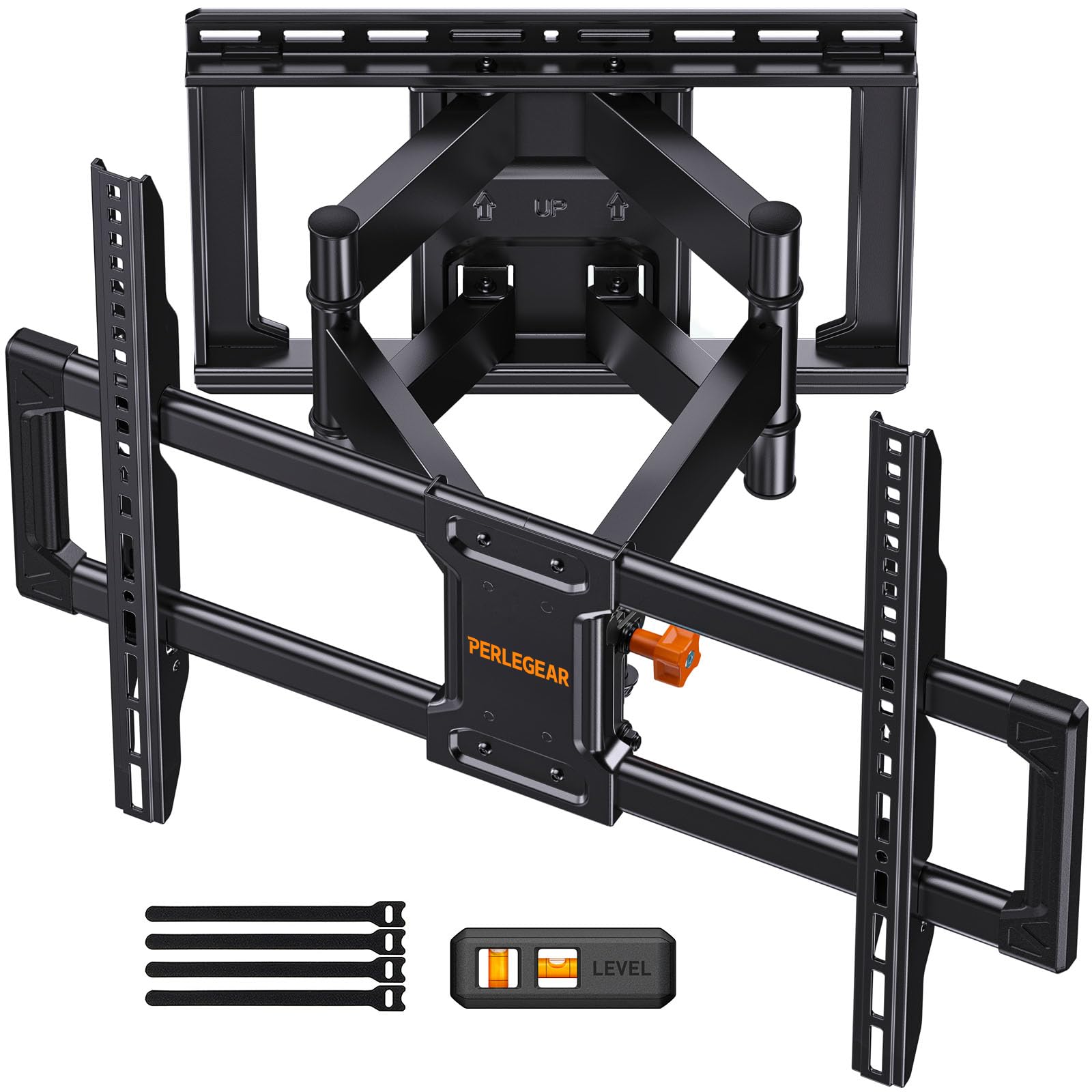
Perlegear PGLF8

Perlegear PGLF8

Big, often-moved TVs

Our Score 9.4/10
Check Price

Worth Noting

  • Priciest mount in this group
  • Two-year warranty
Swivel
±50°
VESA Pattern
600x400 mm
Safety Listing
UL listed
Weight Capacity
132 lb

The PGLF8 is the only mount here that pairs a UL listing with a stated motion-cycle test, 60,000 cycles of the arms running out and back. We read a claim like that as a starting point rather than a guarantee, but on a bracket rated for 132 pounds, an independent listing tells you someone outside the company looked at the thing before it went on sale.

The joints are the best we handled in this group. Steel bearings and washers at every pivot show up as a swivel that moves under one finger and then stays exactly where you leave it. Swivel runs ±50 degrees, the widest figure here, and the arm extends 16.6 inches. Tilt is tool-free, which sounds like marketing until you're killing glare with one hand mid-game. You also get a drilling template, pre-labeled bags, a bubble level and concrete anchors.

You pay for all of it. This is the priciest mount on the page, and for a 65-inch TV that never moves, the Mounting Dream does the same work for less. Where the money earns out is a big panel that gets repositioned every day: 132 pounds, 600x400 coverage and those smooth joints are what separate it from the cheaper picks.

Bottom line: For a large TV that gets moved daily, the UL listing, smoothest joints and widest swivel here justify the extra spend.

4

Perlegear PGLF18

Perlegear PGLF18

Corner installations

Our Score 9.6/10
Check Price

Worth Noting

  • Only 5° of tilt
Reach
32.37 in
Mount Type
Single stud
VESA Pattern
600x400 mm
Weight Capacity
100 lb

A 32.37-inch arm is a strange thing to get excited about until you have tried to hang a TV in a corner. A standard plate bolts to the stud and leaves the screen sitting at whatever angle the room hands you. This single-stud arm reaches out far enough to bring the panel around and face the seats properly. For a corner install, or a room where the TV has to sweep through a wide arc between two spaces, it is the obvious pick here.

It carries 100 pounds and covers VESA to 600x400, which takes most 65- and 75-inch sets. Because everything hangs off one stud, setup is genuinely easier than a two-stud plate: no juggling a 16-inch span, no plywood backer when the studs refuse to cooperate. The hardware kit is generous, though we check the screw bags against the parts list before drilling, because a short bag turns one evening's work into a week of waiting.

The compromise is the standoff. Folded back, the arm leaves the TV 3.12 inches off the wall, which you notice in a room where the screen is meant to sit like a picture. In a corner that gap disappears into the angle, so the room decides whether it costs you anything.

Bottom line: A corner room finally gets a straight-on picture from this single-stud arm, provided you can live with a three-inch standoff.

5

USX Mount XMM908

USX Mount XMM908

12-inch stud walls

Our Score 9.4/10
Check Price

Worth Noting

  • 70-inch, 99-pound ceiling
Screen Size
32–70 in
Stud Spacing
12 or 16 in
VESA Pattern
400x400 mm
Weight Capacity
99 lb

Stud spacing kills more installations than weight ratings do. Plenty of older houses run studs 12 inches on center, and a plate drilled for 16 won't line up without a plywood backer bolted across them. This USX mount is drilled for both spacings, which is why it stays on our list: it turns an awkward wall into an ordinary Saturday job.

Everything else is competent rather than flashy: tilt from 12 degrees down to five up, swivel both ways, cold-rolled steel dual arms, and a three-step install with a template and hardware in labeled bags. We were also impressed by the support arrangement, where missing screws ship from a US warehouse instead of sending you to a hardware store mid-install. One habit worth keeping: check the included bubble level against one you trust before you drill.

Bottom line: Our pick for older walls: it bolts to 12- or 16-inch studs, so you mount the TV instead of rebuilding the wall.

6

MOUNTUP EconoMe

MOUNTUP EconoMe

Bedrooms and dens

Our Score 9.6/10
Check Price

Worth Noting

  • Tilt limited to 5° up, 10° down
Swivel
±45°
Screen Size
32–65 in
VESA Pattern
400x400 mm
Weight Capacity
99 lb

Nothing about the way the EconoMe holds a TV feels cheap. It's rated for 99 pounds and 65 inches, uses the same dual-arm layout as the bigger picks here, and ships with a drilling template and a bubble level. If you're hanging a 55-inch set in a bedroom, a spare room or a garage, this does the job and leaves budget for the cables.

The motion is where the savings show. Tilt runs five degrees up and 10 down, swivel ±45 degrees, with ±3 degrees of leveling after the hang. That's enough to kill glare and angle the screen toward a second chair, and not enough to pivot a 65-inch panel across an open-plan room. The arm still moves smoothly for the weight, with nothing creaking at full extension.

What we keep coming back to is how little it asks of you: clean instructions, hardware in labeled bags, a three-year warranty, and a size envelope that covers a typical bedroom or den panel. It's the one we point a first-timer at, with a 55-inch TV and a free afternoon.

Bottom line: The budget pick we actually trust: a 99-pound, 65-inch bracket with a template, a level and a three-year warranty.

7

ELIVED YD1003

ELIVED YD1003

Small TVs, corners

Our Score 9.2/10
Check Price

Worth Noting

  • 77 pounds and 60 inches at most
Mount Type
Single stud
Screen Size
26–60 in
VESA Pattern
400x400 mm
Weight Capacity
77 lb

The single-stud design is why this one made the list. One lag bolt into the center of a stud, a three-arm frame, and a screen you can swing through a wide arc: that is how a TV ends up in a corner where no two-stud plate will fit. Three cable covers come in the box, the kind of detail budget brackets usually skip.

We like it for spare rooms, shops and kids' rooms, where a 32- to 50-inch set is the whole job and a heavier bracket is money wasted. Above that, move up to the EconoMe or the Mounting Dream. One caution: a single-stud plate has no second bolt to correct against, so check the VESA holes against your TV and level the plate carefully before you drill, because that alignment step is where these installs go wrong.

Bottom line: Buy it for a small TV in a spare room or shop, where one stud and a compact bracket are all the job needs.

How We Tested Full-Motion TV Mounts

We started with a shortlist of 30 mounts from brands we trust and narrowed it by VESA support, screen-size and weight ratings, wall-type compatibility, extension range, and price, then bought 12 to test over nine months. We hung them in real rooms: a living-room wall shared with a dining area, a bedroom corner where the couch sits off-axis, and a home office with a brick wall. Each held a TV from 43 to 75 inches, and we lived with them through movie nights, weekend sports, and the occasional repositioning to kill glare.

Installation was timed from box opening to first TV lift, and we noted whether one person could do it or whether the second set of hands was non-negotiable. We mounted on wood studs, drywall, and brick, checking whether the wall plate spanned studs, whether the template lined up, and whether the arm could slide to center the TV. We emptied every hardware bag and sorted bolts, spacers, washers, and lag bolts against common TV backs; if we had to make a hardware-store run, it counted against the mount. We also checked design details—port access, cable routing, and how flush the arm folded.

Once the TV was up, we sat in three seating positions and pushed each mount through its full swivel, extension, and tilt range, noting whether the screen stayed level and whether the arm held its position without drooping. We adjusted tilt above and below eye level, leveled the TV without unbolting it, and reached behind to plug in cables—small annoyances show up fast here. After a month, we rechecked every mount for sag, wobble, and loose bolts at full extension. Value came down to what was in the box: a mount that included the right hardware and adjusted smoothly was worth more than one that needed extras.

How to Choose Full Motion TV Mounts

Start with what's inside the wall

Full-motion brackets need real structure behind them. Most modern homes run studs 16 inches on center, which is what nearly every plate here is drilled for. Twelve-inch spacing turns up in older construction and in some condos, and a 16-inch plate won't reach it without a plywood backer bolted across the studs. Single-stud designs solve a different problem, the corner, at the cost of capacity. Drywall anchors are not an option for a hanging television, whatever the anchor's box claims.

Measure center to center before you shop. If your wall reads 12 inches, the USX XMM908 covers both spacings; if the TV has to live in a corner, the Perlegear PGLF18 hangs off one stud. For concrete or brick, confirm the anchors are in the box before you start drilling.

Weight and VESA beat the screen-size range

A range like 32 to 70 inches is the loosest number on any listing. The two figures that decide fit are the panel's weight without its stand and its VESA pattern, meaning the horizontal and vertical hole spacing on the back in millimeters. Run a tape across those holes. Most 55- to 65-inch sets are 400x400; larger panels move to 600x400, and a 400x400 bracket cannot be drilled out to take them.

Leave headroom. A 99-pound rating on a 90-pound TV has almost nothing left over, and the arms carry that load at full extension, not flat against the wall. Check both numbers in your TV's spec sheet before you commit.

The published swivel isn't the swivel you get

Swivel angles are measured with nothing in the way. A 65-inch panel is close to five feet wide, and swinging it 45 degrees walks its far corner most of the way back toward the wall. Big screens get noticeably less usable angle than the spec suggests, which is why reach matters as much as degrees in a tight room. The Perlegear PGLF18's 32-inch arm exists precisely because geometry beats a number on a box.

Tilt is a glare tool, not a height fix. Five to 15 degrees takes the shine off a bright window; it won't make a screen mounted above eye level comfortable to watch. Measure from the wall to your furthest seat and buy the reach that covers it.

Plan the install, then plan for the joints

Templates, labeled screw bags and a bubble level are standard on the better kits here, and the difference between a good afternoon and a bad one is usually whether one person can hang the panel on a hook-and-latch plate. Pay for post-install leveling when it's offered. A few degrees of adjustment after the plate is bolted saves drilling it twice.

Then expect to snug things. Tilt and swivel bolts work loose under the leverage of a large panel, and a screen that starts drifting forward usually needs a quarter turn rather than a new mount. Keep the wrench within reach for the first month and check the joints again when the seasons change.

Frequently Asked Questions

Final Verdict

Buy the Mounting Dream MD2380 unless your wall or your panel says otherwise. It carries 110 pounds on six arms, lets you fix a crooked hang without redrilling, and costs less than the heavy-duty picks while doing the same work in a normal living room.

Two conditions change that. Twelve-inch studs send you to the USX XMM908, the only pick here drilled for both spacings. A 75-inch panel or larger moves you up to the USX XML008's 132-pound rating, or to the UL-listed Perlegear PGLF8 if that screen gets repositioned daily.