TVs & Video

Best Streaming Devices of 2026

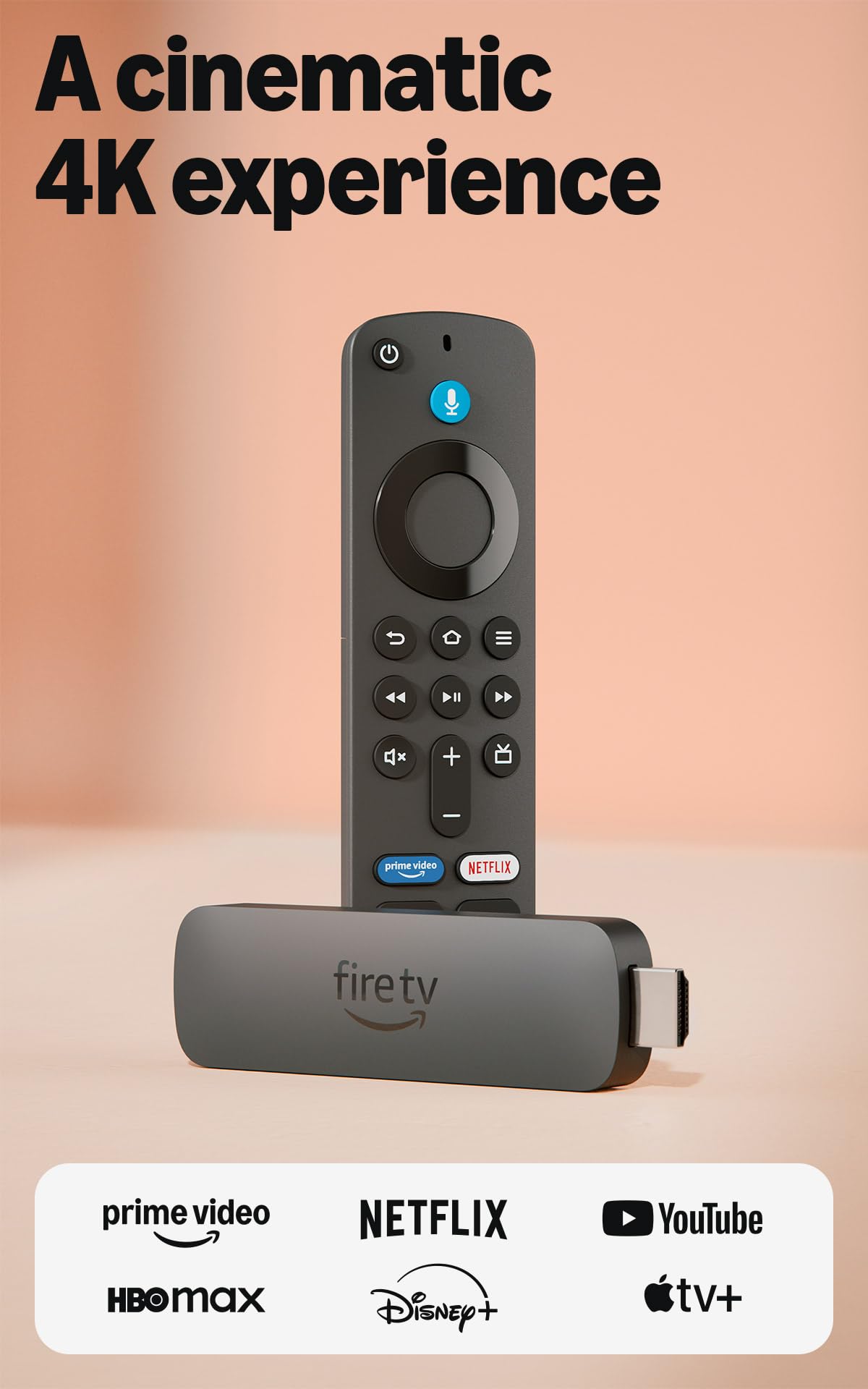
The best streaming device is the one you stop noticing. No second remote rattling around the coffee table, no spinner during the final five minutes of a movie, no squinting at a home screen that hasn't changed since 2018. I've lived with the other kind of setup — a TV whose built-in menu took the better part of a minute just to wake up — and the fix cost less than a dinner out. These sticks and boxes exist to make a television you already own feel current again, without buying a new panel.

My team and I have spent the past three months living with 14 of them, spread across a 4K living room set, a hand-me-down bedroom TV, and a basement screen where the Wi-Fi drops to two bars. What separates them is rarely the spec sheet. It's how they behave on a mediocre signal, whether the remote can actually turn on your TV and adjust volume, and whether setup means typing a password with a directional pad. Everything below earned its place in a real living room — keep reading and you'll find the one that fits yours.

1

Roku Streaming Stick 4K

Top Pick
Roku Streaming Stick 4K

Most buyers

Our Score 9.4/10
Check Price

Worth Noting

  • Remote pairing can drop out
Wi-Fi
Long-range Wi-Fi
Storage
16 GB
Resolution
4K UHD (up to 2160p at 60fps)
HDR Formats
Dolby Vision, HDR10+

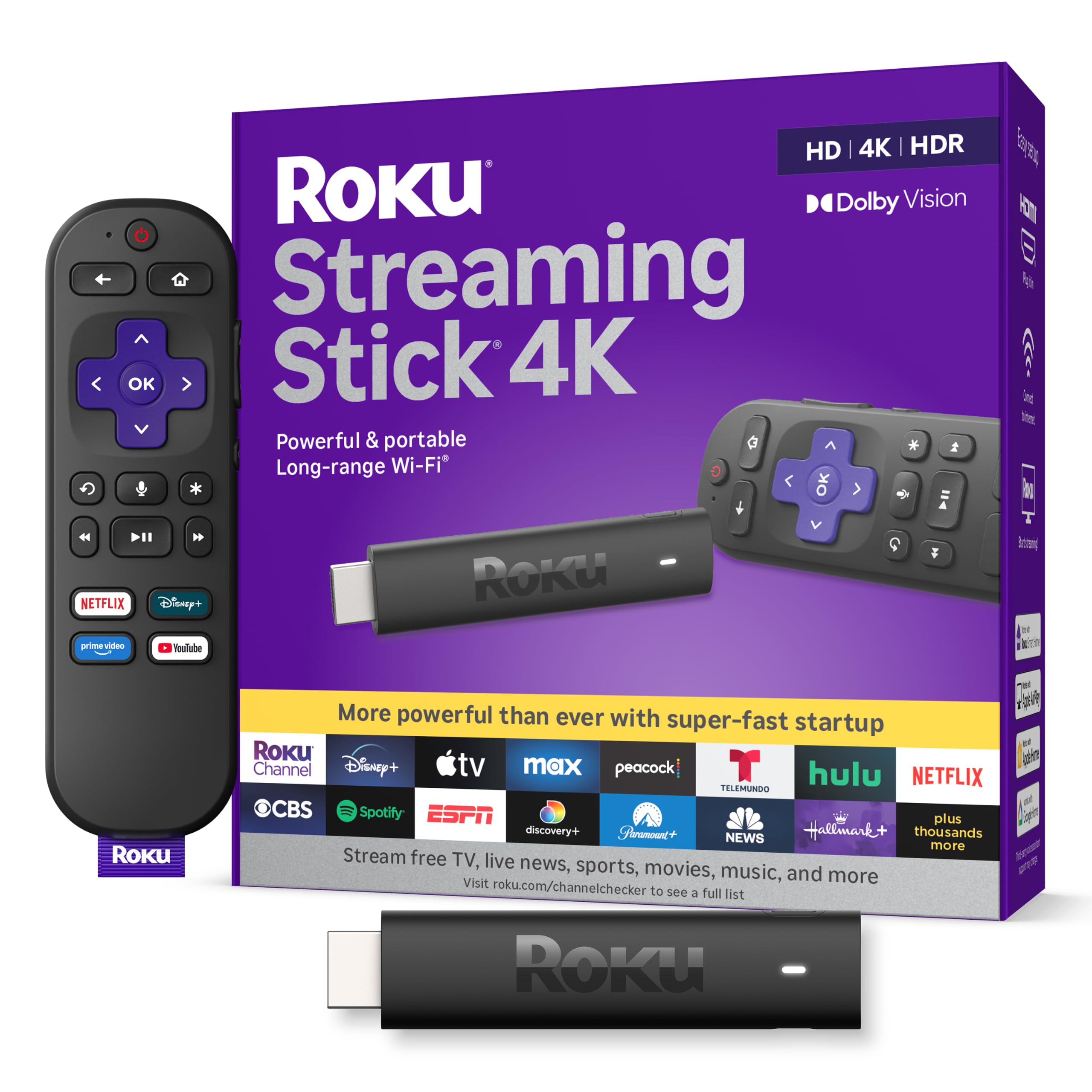
The case for spending more than the budget sticks is simple. This one streams 4K at up to 60 frames per second and handles Dolby Vision and HDR10+, and Dolby Vision is the format the Fire TV picks here do not list. Add the responsiveness that separates a current stick from a five-year-old one and it becomes the device we hand to anyone who has no specific reason to choose otherwise.

Roku builds the Wi-Fi receiver into the USB power cable rather than into the stick, which is the detail that matters in a bedroom at the far end of the house. The stick itself is under four inches long and about half an inch thick, so it hangs off the HDMI port without covering the ones beside it, a small thing until you are deciding which device to unplug to make room.

Sixteen gigabytes of storage is the number to look at when you compare it with the cheaper options: that is room for a full shelf of apps rather than a handful, and it ends the little ritual of deleting something to install something else. The voice remote handles power, volume and mute on the TV, so on most sets it becomes the only remote on the couch, and its generously sized buttons are the right call for something you use in the dark.

What you trade for it is deep assistant integration. Roku's voice search finds things to watch, while the Alexa and Google Assistant devices here will also run your lights and answer questions. For a device whose job is putting a picture on a screen, that is a trade worth making, and it is why this stays our default rather than the more clever boxes.

Bottom line: The streaming stick we recommend to most people: 4K with Dolby Vision, 16GB for apps, and a low-profile design that stays out of the way of everything else on the back of your TV.
2

Fire TV Stick 4K Plus

Fire TV Stick 4K Plus

Alexa households

Our Score 9.2/10
Check Price

Worth Noting

  • Narrower app store than Roku's
  • Some units stop working within weeks
Wi-Fi
Wi-Fi 6
Interface
Fire TV (2026)
Resolution
4K Ultra HD
Voice Assistant
Alexa+

Before you buy any Fire TV device this year, write down the five apps you actually watch in and check that Amazon's store carries them. The 2026 Fire TV software is the cleanest version of the platform so far, with faster menus, a better home screen and Alexa+ search that reaches across services, and it is also the most restrictive about what you can install. That single question decides whether this is a bargain or a paperweight.

Answer it and the 4K Plus is the best 4K value in this group. It is the least expensive route to a 4K picture here, it supports Wi-Fi 6, and the hardware is quick enough that menus arrive when you press the button. Wi-Fi 6 is the specification we would underline: on a network carrying phones, laptops and a console, the newer standard gives a 4K stream room to breathe that the older radios in cheaper sticks cannot offer.

Alexa+ is the other half of the pitch. Press the button and ask for the thing you half-remember, a plot, an actor, that show with the boat, and the search crosses services instead of dropping you into one app's search box. If the household already has Echos in it, this is the streaming device that fits the furniture rather than fighting it.

The part we would go in knowing is longevity. Fire TV sticks carry the roughest record in this group on units that simply stop working, and the failures tend to arrive early rather than years down the line. Buy from a retailer with a generous return window, set it up the day it lands, and use it properly for a fortnight, because that is the test that catches it.

Bottom line: The best 4K value here if your apps are in Amazon's store: Wi-Fi 6, quick navigation, and Alexa search that spans everything you subscribe to.

3

Roku Streaming Stick HD

Roku Streaming Stick HD

1080p TVs

Our Score 9.2/10
Check Price

Worth Noting

  • Only 1080p, with no HDR
Size
3.7 x 0.8 x 0.5 in
Power
TV USB port or wall adapter
Resolution
1080p
Voice Remote
TV power, volume, mute

If the TV you are trying to smarten up is a 1080p set, the bedroom one, the spare room, the one that came with the house, this is the stick to buy. Paying for 4K on a panel that cannot show it buys nothing you will see, and the money is better kept in your pocket.

What you get is the same Roku home screen as the 4K stick, the same voice remote with TV power and volume, and the same deep bench of free channels and live news. Setup is a couple of minutes of work: HDMI in, power, Wi-Fi password, then sign into your apps. At 3.7 inches and 60 grams it does not strain the port it hangs from.

We would buy this one without agonizing for a second TV, and we would pack it for a trip. Roku's pitch is that it runs off the TV's own USB port, which means one cable instead of two and no socket to hunt for, and that is genuinely nice in a hotel room. Keep the wall adapter in the bag anyway: some sets do not supply enough current over USB, and the symptom is a stick that reboots or refuses to wake. Move it to the wall before you blame the device.

The travel case is the underrated argument. Signing into your own accounts on a hotel TV, instead of the room's or a previous guest's, is the whole reason to bring it, and it is small enough to live in the bag between trips rather than being packed each time.

Bottom line: The right stick for a 1080p or secondary TV: quick to set up, powered by the set itself, and small enough to travel with.

4

onn Android TV 4K

onn Android TV 4K

Casting and apps

Our Score 8.8/10
Check Price

Worth Noting

  • No Ethernet port, Wi-Fi only
  • Older Android TV interface
RAM
2 GB
Casting
Chromecast built-in
Storage
8 GB
Resolution
4K UHD (3840 x 2160)

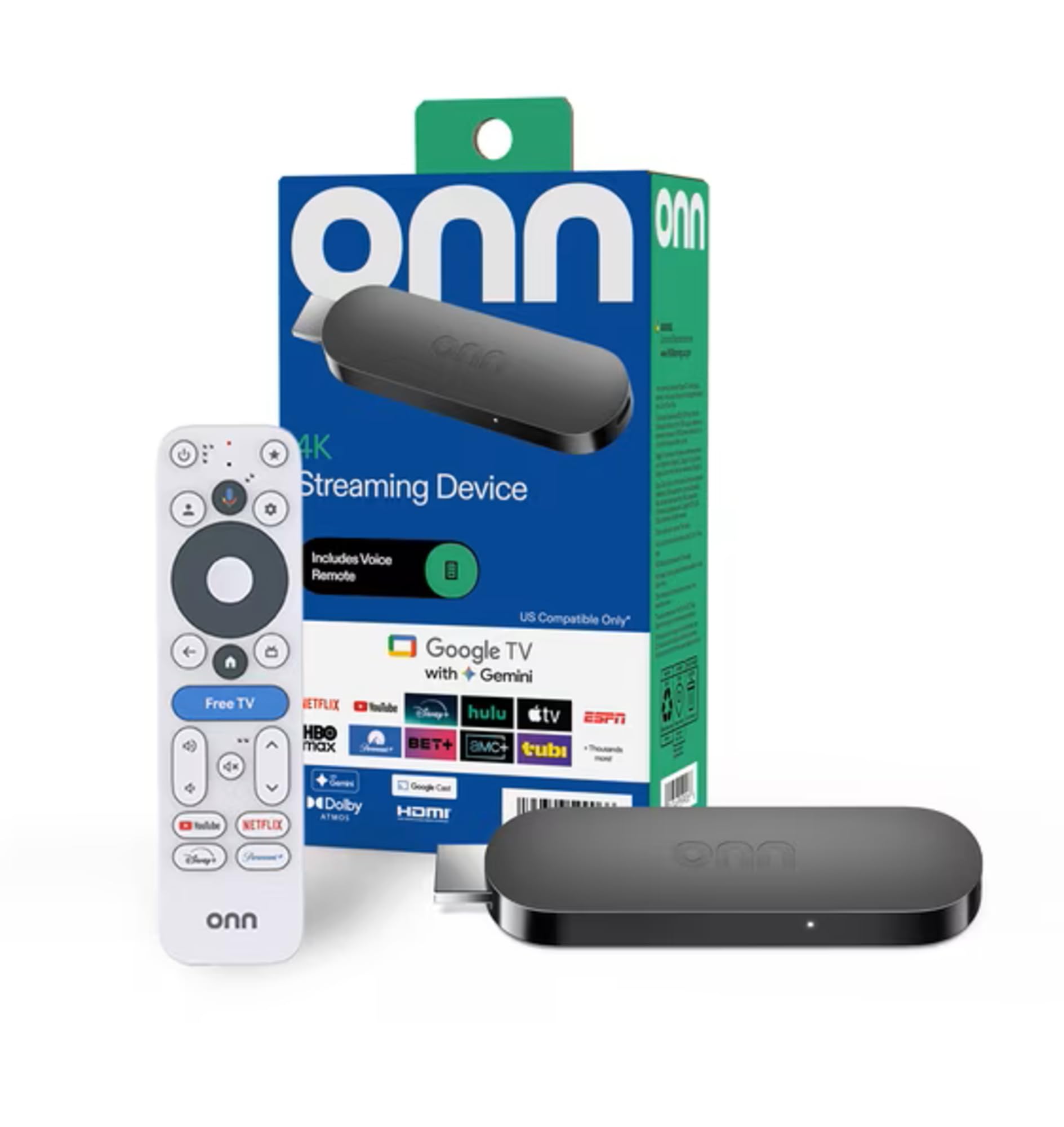
This is the cheapest box in the group, and for a lot of people a box is the right shape. It sits on the shelf under the TV instead of dangling off the back of it, its remote points at something you can see, and you never have to think about whether the HDMI port next to it is free. Inside you get 4K output, 2GB of RAM and Google's Play Store running on Android TV.

Two gigabytes of RAM is the number worth noticing, because it is more headroom than either Roku stick here carries and it matters more on Android TV, where the apps are heavier and the launcher is doing more work. Jump between a couple of apps and the box keeps up rather than leaving you watching a spinner, which is the difference between a cheap streamer you tolerate and one you use.

Chromecast is built in, and that is the feature we end up using most: anything playable on your phone goes up on the TV with a tap, no pairing ritual involved. Setup follows the standard Google routine of signing in and letting it pull your apps across, and the Assistant button on the remote handles the usual finding, playing and pausing.

Two things to know before you order. There is no Ethernet port, so a weak Wi-Fi signal in that room is a problem you cannot wire your way out of, and 8GB of storage goes quickly once a few of the larger apps are installed. The onn 4K Pro fixes both for more money, which is the upgrade to consider if either matters to you.

Bottom line: Our value pick among the boxes: 4K, Chromecast and the Play Store in a device that sits on a shelf and stays out of the way.

5

Fire TV Cube

Fire TV Cube

Hands-free voice

Our Score 8.8/10
Check Price

Worth Noting

  • The priciest device in this group
Voice
Hands-free Alexa with built-in mic
Wi-Fi
Wi-Fi 6E
Processor
Octa-core
Resolution
4K Ultra HD

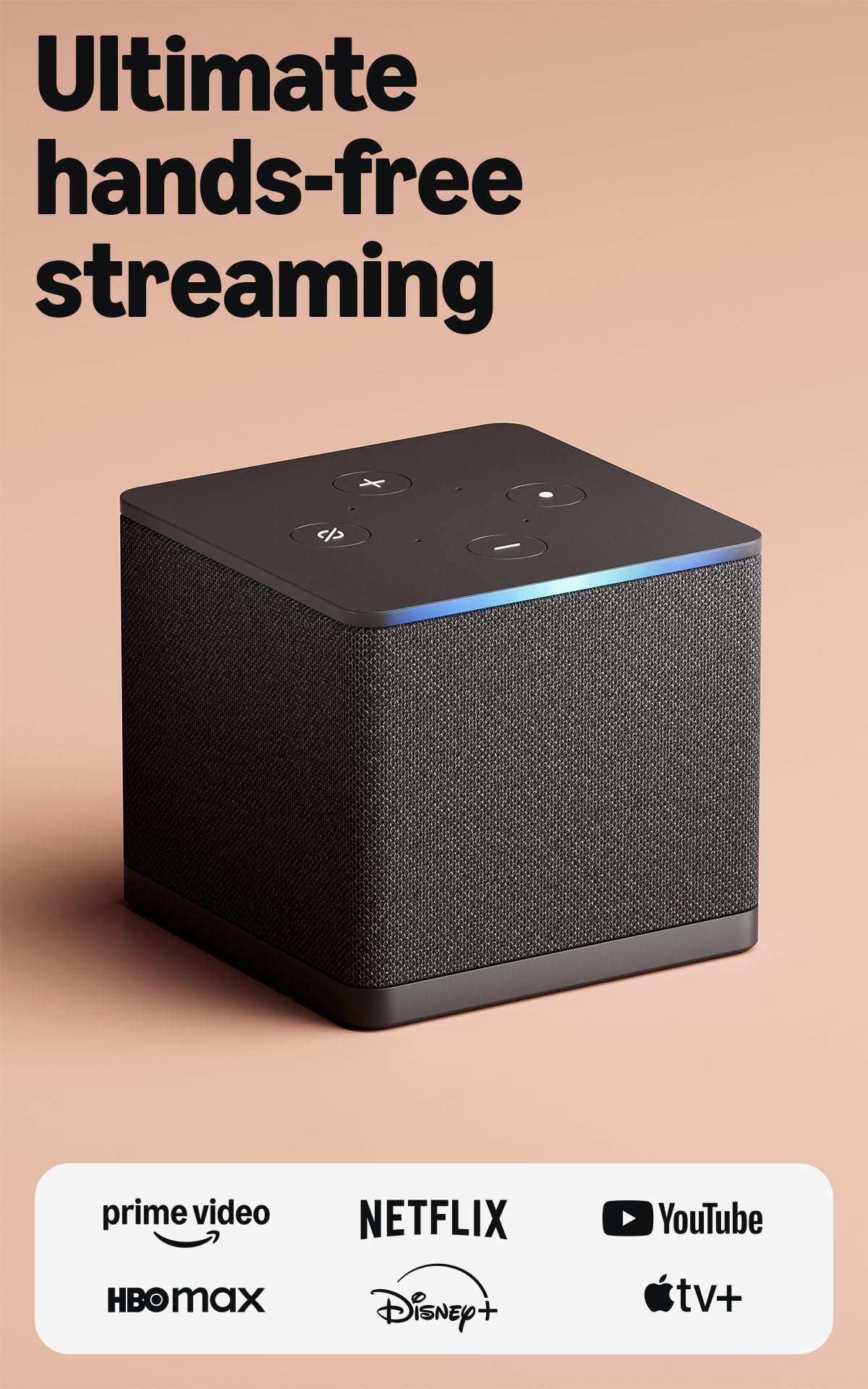
This is the most expensive device in the group, and the money buys one thing properly: a microphone array and speakers built into the box, so you can name a show from the sofa without picking anything up. Everything else is good rather than unique. The 4K picture, the octa-core processor and Wi-Fi 6E are all genuinely quick, and none of them would justify the premium on their own.

Where it earns its keep is a living room with a lot of boxes in it. Plug a cable box or a console into the Cube and it will move between that input and your streaming apps from the same voice remote, which is one fewer remote on the table and one fewer input menu for everyone else in the house to negotiate.

Our reservation is that you have to actually want the hands-free part. If you will talk to it, for shows, for the weather, for the lights, this is the best version of that idea here and the speed makes it pleasant to live with day to day. If you will not, the Fire TV Stick 4K Plus streams the same things for a fraction of the money and the Cube becomes an expensive box doing a stick's job.

Bottom line: Buy it for hands-free Alexa and one-remote input switching; if you will not talk to your TV, a stick does the same streaming for far less.

6

onn 4K Pro

onn 4K Pro

Wired setups

Our Score 8.4/10
Check Price

Worth Noting

  • Costs noticeably more than the plain onn box
RAM
3 GB
Storage
32 GB
Networking
Wi-Fi 6, Ethernet port
Resolution
4K UHD with Dolby Vision

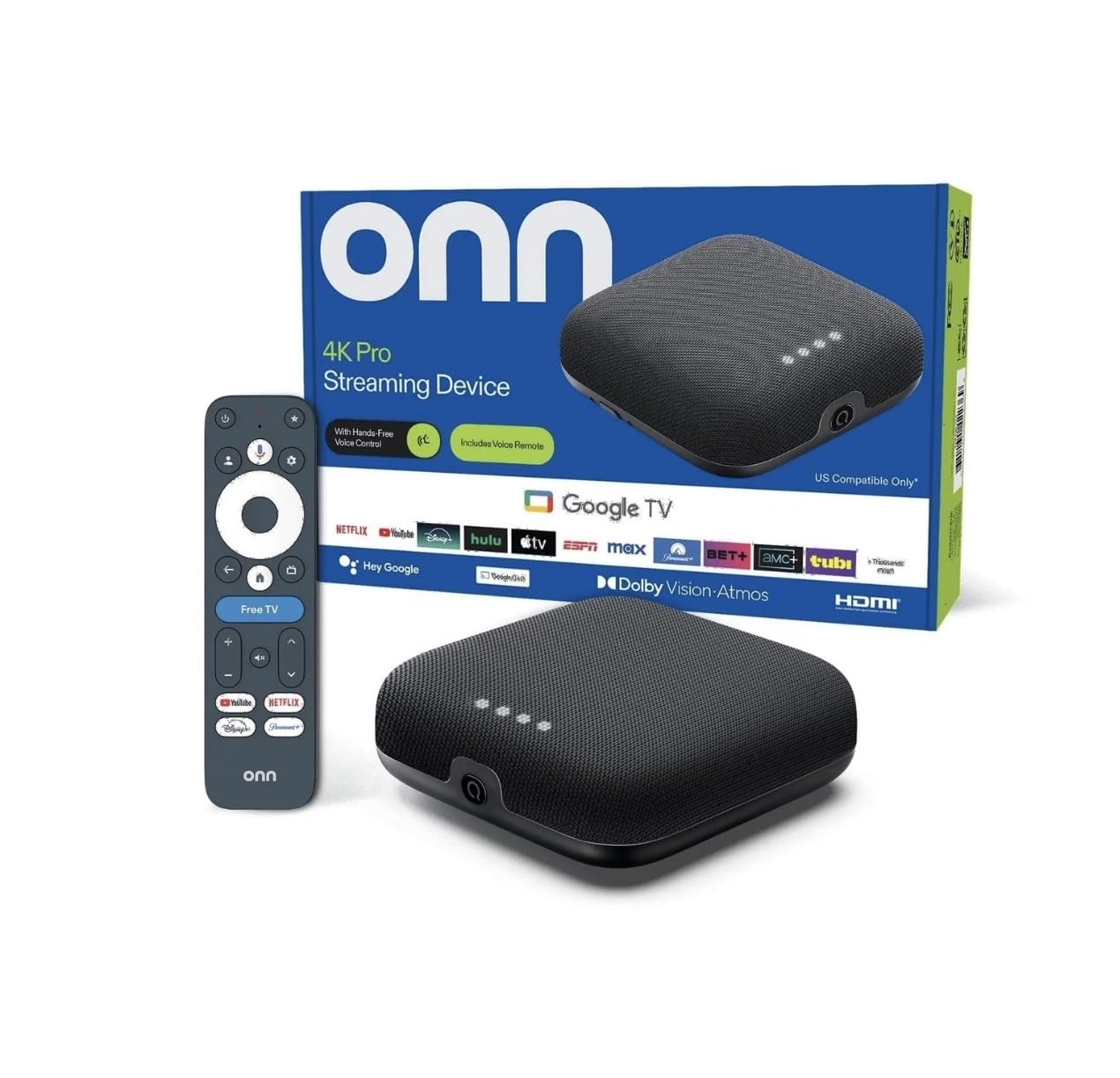
Three gigabytes of RAM, 32GB of storage, Dolby Vision, Dolby Atmos, Wi-Fi 6 and an Ethernet port: on paper this is the best-equipped device in the group, and it is the only pick here that will take a cable instead of relying on Wi-Fi.

The extra memory is what we would pay for. It is 50 percent more than the cheaper onn box and roughly triple either Roku stick, and on Google TV, where the launcher and the apps are both heavier, that headroom is what keeps a box feeling new three years in rather than three months. The 32GB of storage means games and big streaming apps can coexist without a weekly clear-out.

Two features are more useful than they sound. The backlit remote with a finder is the answer to the couch-cushion ritual that ends most streaming evenings, and Dolby Vision with Dolby Atmos makes this the least expensive way here to get both formats on a TV that supports them. Setup is the standard Google TV walk-through, and the Ethernet port is genuinely worth running a cable for if the router is on the other side of a wall.

The catch is the price. It costs noticeably more than the plain onn box for the same 4K picture and the same apps, so the premium only makes sense if you will use the storage, the wired connection or the better remote. If you stream from three services and nothing else, the cheaper box is the smarter buy.

Bottom line: The best-equipped box here for the money, and worth it only if you will use the storage, the wired connection or the backlit remote.

How We Tested 14 Streaming Devices

We started with roughly 40 current models and cut the field using spec sheets and support pages. That meant confirming the major apps were genuinely available rather than promised, checking advertised HDR formats, noting the form factor (stick, box, or dongle on a short cable), and reading whether the remote listed TV power and volume control. Compatibility with older sets and the ability to run off a TV's USB port rather than a wall adapter moved several devices up or down the list. That left 14, from entry-level sticks to pricier boxes.

Each device went into service for at least three weeks. We timed setup from the moment the box opened to the first thing playing on screen, including signing into two accounts and typing an email and password on the on-screen keyboard without a phone to help. Anything that took more than fifteen minutes got marked down.

Speed was measured rather than eyeballed: we launched the same five apps on every device, cold-booting after a full unplug, and counted the seconds. On the remote, we used it in a dark room for a week and noted whether we could find the volume and home buttons by feel, and how many presses it took to get back to the app we wanted. For connectivity we ran each one in the basement at roughly two bars, watching for resolution drops and buffering, and compared against wired where the device allowed it. Power came down to whether it woke with the TV or needed its own outlet.

Over the full twelve weeks we checked in every few days for forced logouts, app crashes, audio drifting out of sync with a soundbar, and updates that changed the interface overnight. A few boxes survived all of it and became the ones we kept reaching for — that's the short list below.

How to Choose Streaming Devices

Match the Device to the TV, Not the Spec Sheet

Resolution is the first fork. A 1080p set cannot show 4K, so a 4K stick on a bedroom LCD is money spent on pixels you will never see, and the Roku Streaming Stick HD exists for exactly that set. If you do have a 4K TV, check which HDR formats it supports before you pay extra: Dolby Vision and HDR10+ are separate standards, and a set that handles one gains nothing from the other. Not every 4K device here spells out its HDR support, so read the TV's specification sheet first and the streamer's second.

Check the App Store Before Anything Else

Roku, Google TV and Fire TV each run their own store, and the same service can be missing from one of them. The current Fire TV software is the most restrictive of the three: the catalogue is narrower, and installing apps from outside the store is limited. Google TV's Play Store is the most open, and the onn boxes will run apps from outside it. Roku sits in the middle with a curated store that is broad but closed. Write down your must-haves, then search for them on the device you are considering before you order.

Speed, Storage and the Network

Streaming devices age from the inside: the hardware does not change, but the apps get heavier, and a 1GB player with 8GB of storage feels old a couple of years before a 3GB box with 32GB does. RAM matters more on Google TV and Fire TV than on Roku's lighter interface. On the network side, Wi-Fi 6 helps on a crowded router, Wi-Fi 6E on the Fire TV Cube adds the quieter 6GHz band if your router broadcasts it, and an Ethernet port — the onn 4K Pro has one — beats every Wi-Fi claim when the TV sits two rooms from the router.

The Remote Is Half the Purchase

You will touch the remote more than any other part of this purchase, and it is also the component most likely to fail. Decide what you will pay for: backlit buttons, a finder that pages a lost remote, a rechargeable battery instead of AAAs. Then buy from a retailer with a return window you trust and test the pairing, the Wi-Fi and two or three apps inside the first week, because the failures that matter show up early. Roku states a one-year warranty on both sticks here; the rest of the group does not state one on the listing, which is worth asking about before you order.

Frequently Asked Questions

Final Verdict

The Roku Streaming Stick 4K is the one we point most people to. It does 4K with Dolby Vision, it disappears behind the TV, and 16GB of storage means you stop managing apps and start watching them.

If your set is 1080p, keep the money and take the Roku Streaming Stick HD: same interface, same remote, nothing wasted. And if the house already runs on Alexa and your apps live in Amazon's store, the Fire TV Stick 4K Plus is the quicker, cheaper route to a 4K picture.