Gaming

Best Gaming Mice of 2026

A gaming mouse should disappear in your hand—the moment you notice it, something's wrong. Maybe the scroll wheel jumps back a line mid-build, or the right-click goes mushy after a few months, or the battery dies in the middle of a ranked match. I've been there. The right mouse fixes all that: it tracks where you look, clicks when you mean it, and stays comfortable through hour six.

Over the past six months, our team tested 12 gaming mice, weighing each one, timing click response, and logging battery life across workdays and late-night sessions. We cared about the things you actually feel—how the scroll wheel steps, whether side buttons land under your thumb, and if the shape still feels good after a full day. One thing I've learned: weight matters less than balance, and a lighter mouse isn't automatically better if it rolls your wrist. We kept the picks that felt invisible, not the ones with the longest spec sheet—here are the ones worth your desk space.

1

Logitech G502 Hero

Top Pick
Logitech G502 Hero

All-round gaming

Our Score 9.2/10
Check Price

Worth Noting

  • Software needed for full customization
Sensor
25,600 DPI HERO
Buttons
11 programmable
Connectivity
Wired USB
Adjustable Weights
Up to five 3.6 g weights

Eleven programmable buttons on a wired mouse at a midrange price is the reason the G502 Hero keeps ending up on our desk. That sounds like a small thing until you map push-to-talk, a melee, a grenade, and a couple of macros without lifting your left hand. The 25,600 DPI HERO sensor gives you more range than most players use, and the zero-smoothing claim matters more for fast flicks than the headline number. For a first serious gaming mouse, this is the broadest safety net here.

The adjustable weight system is not a gimmick. Up to five 3.6 g weights let you shift the balance from quick to planted, and the dual-mode scroll wheel switches between a free-spin for long inventories and a detented mode for weapon swaps. We also appreciate that the main switches use metal spring tensioning, which gives the clicks a crisp, defined feel rather than a mushy one.

The G502 Hero is not the lightest or the most modern shape in this group. It is a wired, feature-dense mouse, and that is the trade: you give up the freedom of a cable and the bare feel of a 54-gram shell in exchange for buttons, weights, and a lower price than the premium wireless picks. If your desk is fixed and your games span genres, the G502 Hero is the one we keep plugged in.

Bottom line: We think the G502 Hero is the safest buy here: 11 buttons, a 25,600 DPI sensor, and adjustable weights cover FPS, MMO, and general play.

2

Razer Viper V3 Pro

Razer Viper V3 Pro

Competitive FPS

Our Score 9.2/10
Check Price

Worth Noting

  • Right-handed shape only
  • No Bluetooth mode
Sensor
35,000 DPI Focus Pro 35K
Weight
1.9 oz
Battery Life
95 hours
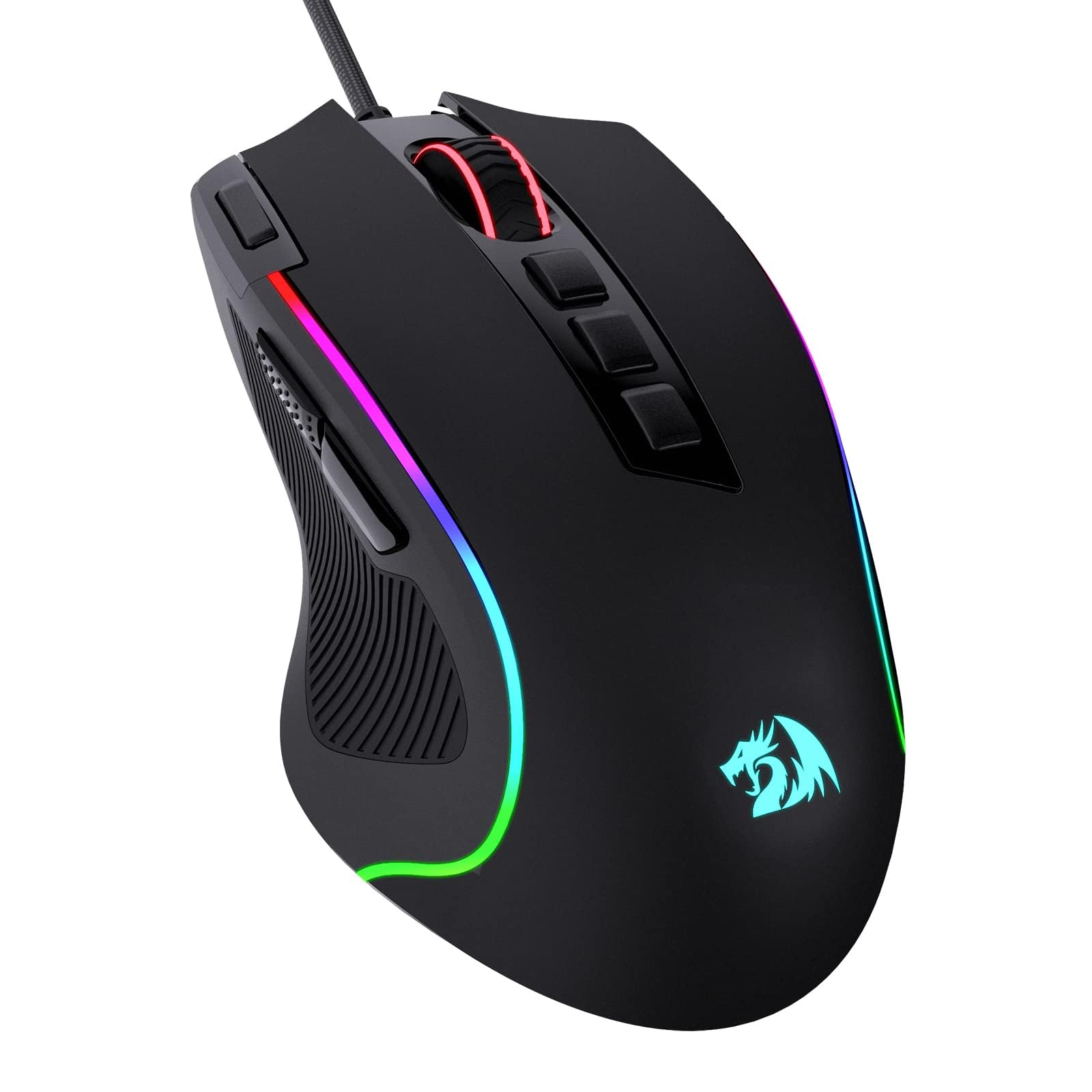
Polling Rate
8,000 Hz

Fifty-four grams is the number that changes how the Viper V3 Pro feels in a flick. The shell is light enough that small corrections come from your fingers rather than your whole arm, and the 8,000 Hz HyperPolling link keeps the cursor planted when you snap between targets. The Focus Pro 35K Gen-2 sensor is rated for glass and other difficult surfaces, which is useful if your desk setup is less than ideal.

We reach for this one when a game rewards speed above everything else. The optical switches have a crisp, immediate click, and the 95-hour battery rating means you are not tethered to a cable every night. The catch is that 8,000 Hz polling will shorten that runtime, so we treat the 95-hour figure as a best-case number for slower polling and dim lighting. You also need the included HyperPolling dongle to get the full 8,000 Hz rate.

Six buttons is the other trade. That is plenty for most shooters, but it is not an MMO grid, and the premium price buys competition-grade hardware rather than versatility. If your games need a dozen thumb buttons, the Basilisk or M908 is the more sensible shape.

Bottom line: Competitive FPS players should put the Viper V3 Pro at the top of their shortlist; we think its 54-gram body and 8,000 Hz polling justify the premium.

3

Razer Basilisk V3

Razer Basilisk V3

Ergonomic MMO

Our Score 9.2/10
Check Price

Worth Noting

  • Free-spin mode can feel loose
  • Razer Synapse required for macros
Sensor
26,000 DPI
Weight
3.56 oz
Buttons
11 programmable
Scroll Wheel
HyperScroll tilt

The thumb rest is the detail that makes the Basilisk V3 feel less like a generic gaming mouse and more like something built for long sessions. Your thumb sits on a shelf instead of dragging on the desk, and the 11 programmable buttons fall under your fingers without a stretch. The right-handed shape is not ambidextrous, but that is the point: it supports a palm or relaxed claw grip rather than asking your hand to adapt.

We like the HyperScroll tilt wheel for inventory-heavy games. It free-spins when you need to cross a long list and clicks back into a tactile mode when you need a weapon swap to land precisely. The optical switches are rated for 70 million clicks, and the 26,000 DPI sensor is more than enough for fast tracking. The rubberized finish also gives the sides a little grip without feeling sticky.

The Basilisk V3 is the wired ergonomic pick, not the lightest or the most portable. It earns its place if you want a substantial mouse with a thumb rest and a generous button count, and you do not mind a cable. If you need wireless, the G502 Lightspeed is the closer match for button count.

Bottom line: We like the Basilisk V3 best for right-handed MMO players who want a thumb rest, 11 buttons, and a scroll wheel that shifts between tactile and free-spin.

4

Logitech G502 Lightspeed

Logitech G502 Lightspeed

Wireless all-rounder

Our Score 9.2/10
Check Price

Worth Noting

  • No Bluetooth mode
Buttons
11 programmable
Weights
2 g and 4 g weights included
Battery Life
60 hours
Connectivity
LIGHTSPEED wireless

The G502 Lightspeed is the G502 Hero with the cable cut, and that is exactly why it earns a place here. You get the same 11-button layout, the same adjustable weight system, and the same dual-mode scroll wheel, but the LIGHTSPEED link removes the drag and the desk tether. For players who have been using a wired G502 for years, the switch feels immediately familiar.

We appreciate the PowerPlay compatibility more than we expected. Add the charging mouse pad and the mouse never needs a cable; without it, the 60-hour battery rating is respectable but not class-leading. The Viper V3 Pro is the longer-lasting wireless pick here, and it is also much lighter. The Lightspeed's advantage is control count and a shape built for palm support, not minimum weight.

That makes this a specialist for people who want wireless convenience without giving up buttons. It is more expensive than the wired version, and the battery is the price you pay for the layout. If your games need a dozen binds and you hate cable drag, the trade makes sense; if you want the fastest flick shot, the Viper is the better tool.

Bottom line: If you want the G502's controls without a cable, we think the Lightspeed is the version to buy, provided 60-hour battery life suits your routine.

5

Redragon M908

Redragon M908

Budget MMO

Our Score 8.8/10
Check Price

Worth Noting

  • Side buttons are tightly packed
  • Wired only
Sensor
12,400 DPI
Weight
6.17 oz
Buttons
18 programmable
Side Buttons
12 MMO buttons

The M908's 12-button thumb grid is the whole reason to look at it. For an MMO player, that is a row of abilities, mounts, and macros under one thumb, and the 18 programmable buttons extend the idea across the top and side. At a budget price, it is the cheapest way here to get a dedicated MMO layout without giving up RGB or onboard profiles.

We think the shape works best for players who rest their palm and roll their thumb rather than jab at individual keys. The 175 g body is planted, not quick, and the 12,400 DPI sensor is modest next to the premium picks. That is fine for tab-target games and general play; it is not the mouse we reach for in a fast flick shooter. The six top buttons and scroll wheel cover the rest, so you are not forced into the grid for every action.

The grid rewards a deliberate thumb roll; once your profiles are set, the software stays out of the way. For tab-target games, that is a lot of control for the money, and the five profiles make it easy to move between characters.

Bottom line: We see the M908 as the budget MMO pick: 18 programmable buttons, 12 of them on the thumb grid, for players who do not need wireless.

6

Redragon M612

Redragon M612

Budget wired

Our Score 9.2/10
Check Price

Worth Noting

  • Software required for remapping
Sensor
8,000 DPI
Weight
4.44 oz
Buttons
11 programmable
Connectivity
Wired USB

A budget wired mouse with 11 programmable buttons is the M612's whole pitch, and it delivers enough of it to matter. The 8,000 DPI sensor covers a 1080p or 1440p setup without drama, the five DPI steps are easy to cycle, and the RGB lighting gives a cheap mouse some desk presence. For a first gaming mouse, that is a useful bundle.

We think the shape suits a claw or relaxed palm grip, and the 126 g body feels stable rather than twitchy. It is not the mouse for a low-sensitivity flick shooter; that weight and the stiff cable work against fast, wide swipes. But for MMO dailies, strategy games, and general desktop use, the extra buttons earn their keep.

The M612 is the least expensive way into this group's button count, and it makes the most sense as a second setup or a first step up from a basic office mouse. Set your buttons once and leave them; that is a fair trade for the control count at this end of the market.

Bottom line: We think the M612 is a smart first gaming mouse when 11 programmable buttons and 8,000 DPI matter more than low weight.

How We Tested the Best Gaming Mice

We started with a long list of more than 30 mice from brands we've tested before, then narrowed it to 12 based on sensor specs, shape variety, and price spread—from budget wired models to premium wireless. We skipped anything with a fixed weight or a shape that only suits one grip style, since most people don't know their grip until they've used a mouse for a week. Each of the 12 got at least two weeks of daily use, split between fast-paced shooters, strategy games, and regular spreadsheet work, and the full test ran for six months.

To judge build quality and button responsiveness, we ran a 100-click rapid-fire test and noted whether buttons stayed crisp or started to mush. We scrolled through long documents and weapon menus to check if the wheel steps were distinct, slippery, or prone to skipping, and we middle-clicked constantly to see if it registered every time. We used a mouse-latency tester and played fast-paced games, watching for cursor skip or lag, then charged each wireless model to full and ran it until the low-battery warning while logging usage across workdays and gaming sessions. We also dropped each mouse from desk height onto a carpeted floor and checked for rattle or loose buttons.

Comfort and ergonomics were judged by three testers with different hand sizes and grip styles, who rated how their hands felt after a four-hour session—not just the first five minutes. We measured weight on a digital kitchen scale and paid attention to balance, since a mouse that's too light can feel twitchy and one that's too heavy tires your wrist. At the end, we compared what each mouse offered against its price, factoring in software, extra buttons, and how well the scroll wheel worked for everyday tasks. The ones that made the list earned their spot over months, not minutes.

How to Choose the Right Gaming Mice

Start With Hand Fit, Not Sensor Specs

Your grip decides more than any spec sheet. A palm grip wants a taller hump and a supportive right side; claw and fingertip grips usually feel better on a lower, narrower shell. The G502 Hero and Basilisk V3 are built around palm support, while the Viper V3 Pro is the low, light shape for fast claw or fingertip aim. Buy from a seller with returns and check whether your thumb reaches the side buttons without shifting your hand. A 26,000 DPI sensor will not save a shape that makes your wrist ache.

Wired or Wireless, and What Polling Costs

Wireless is now good enough for competitive play, but it adds two variables: battery management and radio reliability. A 1,000 Hz connection is plenty for most players; 8,000 Hz polling is a specialist feature that can shorten battery life and demands a capable PC. The Viper V3 Pro is the FPS-first wireless choice here, while the G502 Lightspeed trades some battery life for more buttons. If you hate charging, a wired model or a PowerPlay pad removes the chore. We still prefer a cable for a fixed desk when weight and price matter more than freedom.

Button Count Follows Your Game

An FPS mouse needs two main clicks, a reliable scroll wheel, and maybe two thumb buttons. An MMO mouse needs a grid. The M908 gives you 12 thumb buttons; the Basilisk V3 and G502 Hero give you 11 total buttons with a more general layout. More buttons are not automatically better: a crowded side grid can be slower to learn and easier to mispress. Map only the actions you use, then leave the rest alone. If you play several genres, a midrange 11-button mouse is the safer compromise than a dedicated 18-button MMO brick.

Weight, Balance, and the Parts That Wear

Light mice are easier to flick; heavier mice feel steadier in tracking and MMO sessions. The Viper V3 Pro is the light extreme at 54 g, while the M908 is a planted 175 g. Adjustable weights on the G502 models let you tune that balance, but they add complexity and cost. The parts that fail first are usually the switches and the scroll wheel, so buy from a seller with a clear return window and test the wheel and both main clicks in the first week. A two-year warranty is more useful than a higher DPI rating.

Frequently Asked Questions

Final Verdict

Most people should buy the G502 Hero. It covers FPS, MMO, and general play with 11 buttons, a 25,600 DPI sensor, adjustable weights, and a wired connection that never needs charging. The Viper V3 Pro is the better choice for competitive FPS players who want a 54 g wireless mouse, while the Basilisk V3 is the ergonomic pick for MMO players who want a thumb rest. Start with the G502 Hero unless a specific requirement points elsewhere.