PC Components & Storage

Best PC Cases of 2026

A PC case should be the least dramatic part of a build, but it’s often where the drama starts. You check that your graphics card and cooler fit, expect the panels to go back on without a fight, then find a front panel that chokes your fans, a cable channel too shallow for the 24-pin, or a panel that flexes. I’ve built in enough to know a case you forget about from one you resent every time you swap a drive. The right one gives your parts room to breathe, hides the cable mess, and feels solid each time you open it.

Over six months, we built and rebuilt systems in 12 cases, from mesh boxes to glass showpieces. We routed cables, fitted long graphics cards and big radiators, and listened for fan noise at idle and under load. The best ones weren’t the flashiest; they made assembly obvious and held up in design, case quality, and value after the third teardown. The picks below reflect that balance, with notes on airflow, fit, and noise to suit your own build.

1

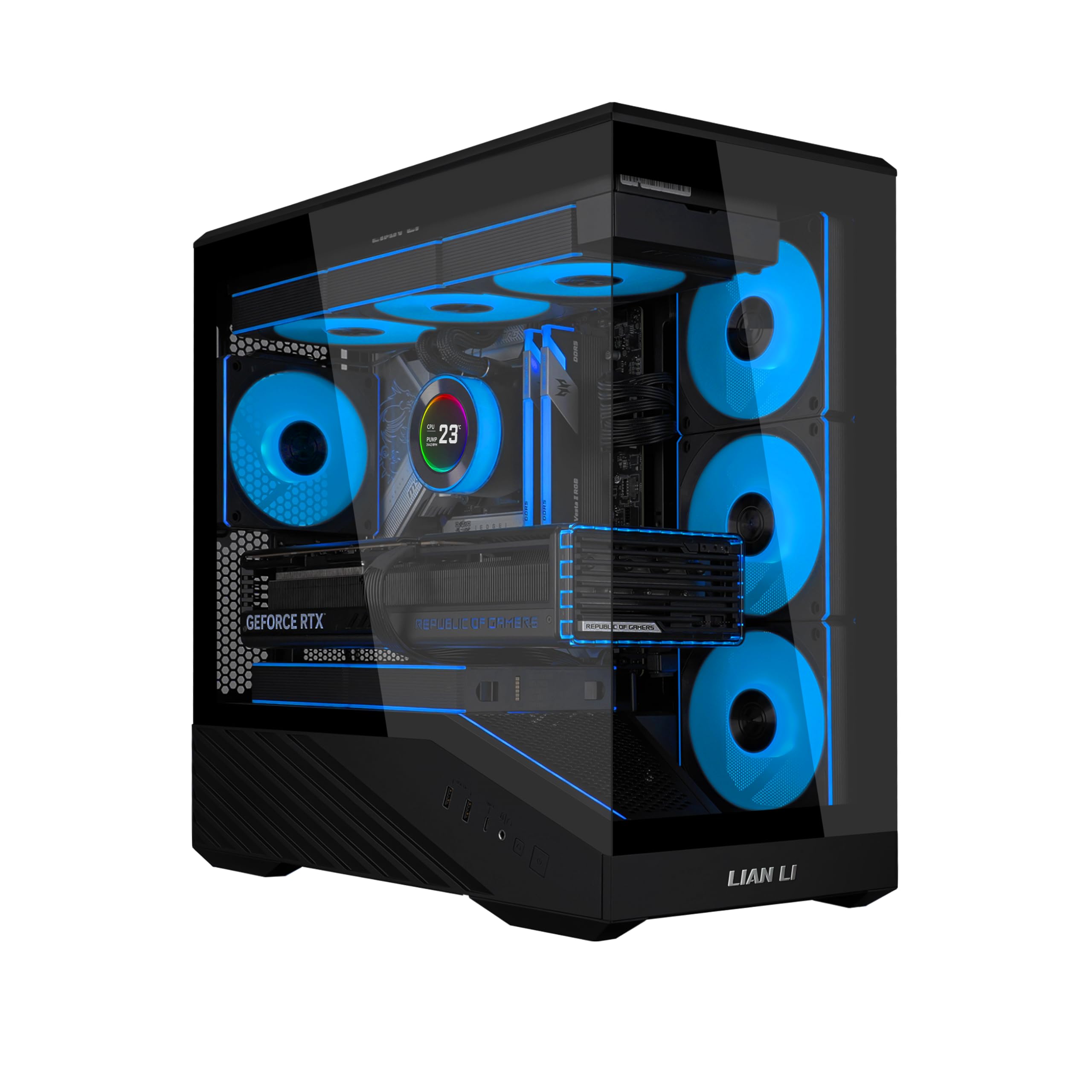
Lian Li LANCOOL 217

Top Pick
Lian Li LANCOOL 217

All-round ATX builds

Our Score 9.6/10
Check Price

Worth Noting

  • Real wood trim marks more easily than steel
Dimensions
18.97"D x 9.37"W x 19.8"H
Included Fans
5 (two 170mm, two 120mm, one 140mm)
Motherboard Support
ATX
Power Supply Mounting
Front or bottom

The two 170mm front fans are why this case sits at the top of this group. They move a lot of air at low speed, and Lian Li fits two 120mm reverse-blade intakes and a 140mm exhaust alongside them, so five PWM fans arrive already matched to the chassis. Add the walnut and steel front and you have a case that cools a modern build without a second shopping trip.

Building in it was the most straightforward of the set. Panels come off completely, the fan mounts are toolless, and the power supply can face forward or rotate sideways for cable access — we used the rotated position and had the 24-pin tucked away within a few minutes. Back-connect motherboards get the same treatment: route everything behind the tray and the glass side stays clean.

Noise is the part to manage. With all five fans at full tilt it gets loud, and the fix is a fan curve rather than different hardware, because the big front pair stays inaudible at lower speeds. The walnut is the one component to handle carefully during a rebuild — it marks where steel would shrug it off. Neither changes the recommendation for a full ATX build.

Bottom line: The easiest recommendation here for a standard ATX build: five PWM fans and two 170mm fronts mean the cooling is handled before you buy another part.

2

Fractal Design North

Fractal Design North

Design-led ATX builds

Our Score 9.4/10
Check Price

Worth Noting

  • GPU room drops to 300 mm with a front radiator
  • Only two fans supplied
Front I/O
USB Type-C
Included Fans
2 x 140mm PWM
Max GPU Length
355 mm, or 300 mm with a 360 mm front radiator
Motherboard Support
ATX / mATX / ITX

Walnut on the front, mesh behind it, charcoal steel around it: this is the case here that reads as furniture rather than hardware. The slats leave a genuinely open intake rather than a decorative grille, and the dark glass panel keeps a build visible without turning the front of the room into a light show.

We ran it with the stock pair and a tower air cooler and never felt the need to fill the front. Two 140mm Aspect PWM fans come fitted, and the path from the mesh intake up through the roof vent is short and unobstructed. The side panel comes off easily and the cable channels behind the tray have enough depth for a non-modular supply, which is not something every premium case gets right.

The number to check before ordering is graphics card length. Fractal rates the North for 355 mm, which covers most current cards, but fit a 360 mm radiator up front and that figure falls to 300 mm — at which point the longest cards in this guide no longer go in. Air-cool the CPU with a normal-length card and none of that applies to you.

Bottom line: The case to buy when it sits in a room you look at: walnut, mesh, and a quiet pair of 140mm fans, provided your graphics card stays under 355 mm.

3

Corsair 4000D RS ARGB

Corsair 4000D RS ARGB

Tinker-friendly ATX builds

Our Score 9.2/10
Check Price

Worth Noting

  • Steel and glass panels flex under pressure
Dimensions
19.17"D x 9.41"W x 19.13"H
Included Fans
3 x 120mm ARGB PWM
Radiator Support
Dual 360 mm
Motherboard Support
ATX

Corsair's FRAME system is the draw: the motherboard tray, the panel behind it, and the fan rails are all meant to be moved, and the steel front is perforated in a 3D Y-pattern so the intake is not a compromise. Nothing here is riveted shut, which is unusual at this size and price.

Cooling arrives sorted. Three RS ARGB PWM fans sit in the front, they daisy-chain, and the case takes dual 360mm radiators if you go liquid. The internal side panel is the clever bit — leave it in place as a cable cover, or pull it and mount fans on it for a side intake that feeds the graphics card directly. That trick is the one we kept showing people.

Where it gives ground is in the hand. This case is lighter than the North or the Flux Pro, and the panels flex when you press on them. For a machine that stays on a desk, the trade is easy to take: over two or three upgrade cycles the modularity is worth more than thicker steel is on day one.

Bottom line: The case for a builder who keeps changing things: a modular frame, three ARGB fans, and sliding fan rails, for less than the premium picks here.

4

Antec Flux Pro

Antec Flux Pro

Full-tower radiator builds

Our Score 9.4/10
Check Price

Worth Noting

  • 29 pounds and 21 inches tall before parts
Weight
29 lb
Included Fans
6 PWM
Radiator Support
420 mm + 360 mm simultaneously
Motherboard Support
E-ATX, ATX, Micro-ATX, Mini-ITX

A 420mm radiator in the roof and a 360mm alongside it, at the same time, is the figure that defines this case. Antec fits six PWM fans as standard and puts the power supply on a 90-degree iShift mount so it draws from the side rather than fighting the graphics card for air from the floor.

The cooling brackets on the top, front, and shroud all come out, so radiator fitting becomes bench work rather than contortion. Cable straps are pre-installed behind the tray, the shroud carries two reverse-flow P12R fans, and E-ATX boards fit without argument.

The built-in CPU and GPU temperature display is the sort of feature you dismiss on the listing and then check constantly once the machine is running, and the walnut-and-glass front means it does not look like a server chassis. Twelve fan mounts and ten drive bays tell you who this is for.

Size is the cost. Twenty-one inches tall and 29 pounds before a single component goes in, this is a case you put on the floor and leave there; lifting it onto a desk is a two-handed job at best. For a custom loop or a workstation with every slot filled, the size is the point, and the airflow it buys is the strongest in this group. Measure the space under the desk first.

Bottom line: For a build with two radiators and no interest in compromise: six fans, a 420mm roof, and a rotated power supply mount, if you have the floor space.

5

NZXT H5 Flow

NZXT H5 Flow

Budget airflow builds

Our Score 9.2/10
Check Price

Worth Noting

  • Tight cable space behind the motherboard tray
Included Fans
2 x 120mm
Expansion Slots
7
Radiator Support
360 mm front, 240 mm top
Motherboard Support
ATX, Micro-ATX

Mesh on the front, top, and side panels, plus two 120mm Quiet Airflow fans already screwed in, makes this the easiest case here to recommend to someone building a first machine. The H5 Flow does the fundamentals without a decision tree: panels come off without tools, the filters are where you expect them, and the airflow path is obvious the moment you look inside.

The design detail worth knowing is the power supply shroud. It is perforated on the side and the bottom so two 120mm fans can pull air up through it and feed the graphics card from below; the fans are optional, and without them the shroud is simply a place to hide cables. We also liked how much of the cable routing is pre-formed — hooks, channels, and straps are already in the case, so a first build does not turn into a zip-tie project.

Two things sit underneath that. The gap between the motherboard tray and the right side panel is tight, so a non-modular power supply needs planning rather than stuffing. And two fans are a start, not a finish; a front third fan is the upgrade that makes the mesh earn its keep. Neither is a reason to look elsewhere for a first build.

Bottom line: A strong first-build case: mesh on three sides, two quiet 120mm fans included, and a price near the bottom of this group — just keep the cable bundle tidy.

6

Lian Li Vector V100 Mini

Lian Li Vector V100 Mini

Compact micro-ATX builds

Our Score 9.6/10
Check Price

Worth Noting

  • No ATX motherboard support
Dimensions
436 × 221.5 × 443.9mm (L×W×H)
Included Fans
4 x 120mm ARGB PWM
Max GPU Length
415 mm
Motherboard Support
Micro-ATX, Mini-ITX

MINI is doing a lot of work in this name. The V100 Mini takes micro-ATX and Mini-ITX boards and no ATX, and at 436 × 221.5 × 443.9 mm it needs a real desk footprint — Lian Li says as much on the listing, and it is the first thing to check before ordering.

What the micro-ATX platform buys you is generous. Four 120mm ARGB PWM intakes sit behind the front glass with a 120mm exhaust at the back, the front and side panels form a 270-degree view, and there is room for a 415mm graphics card, a 163.5mm CPU cooler, and a 360mm radiator in the roof. A GPU anti-sag bracket is included, which matters once a card that long hangs off the board. For a micro-ATX build that wants to be seen, we have not found a better balance in this group.

The trade-offs follow from the platform. No ATX board goes in, so that is a decision you make before you buy rather than after. And the glass is the whole front: intake comes from the side fans rather than a mesh panel, so keep the case off a carpeted floor and give those intakes room to breathe.

Bottom line: The micro-ATX pick: four ARGB fans, 270-degree glass, and room for a 415mm card, in a case whose MINI badge is about the board, not the footprint.

7

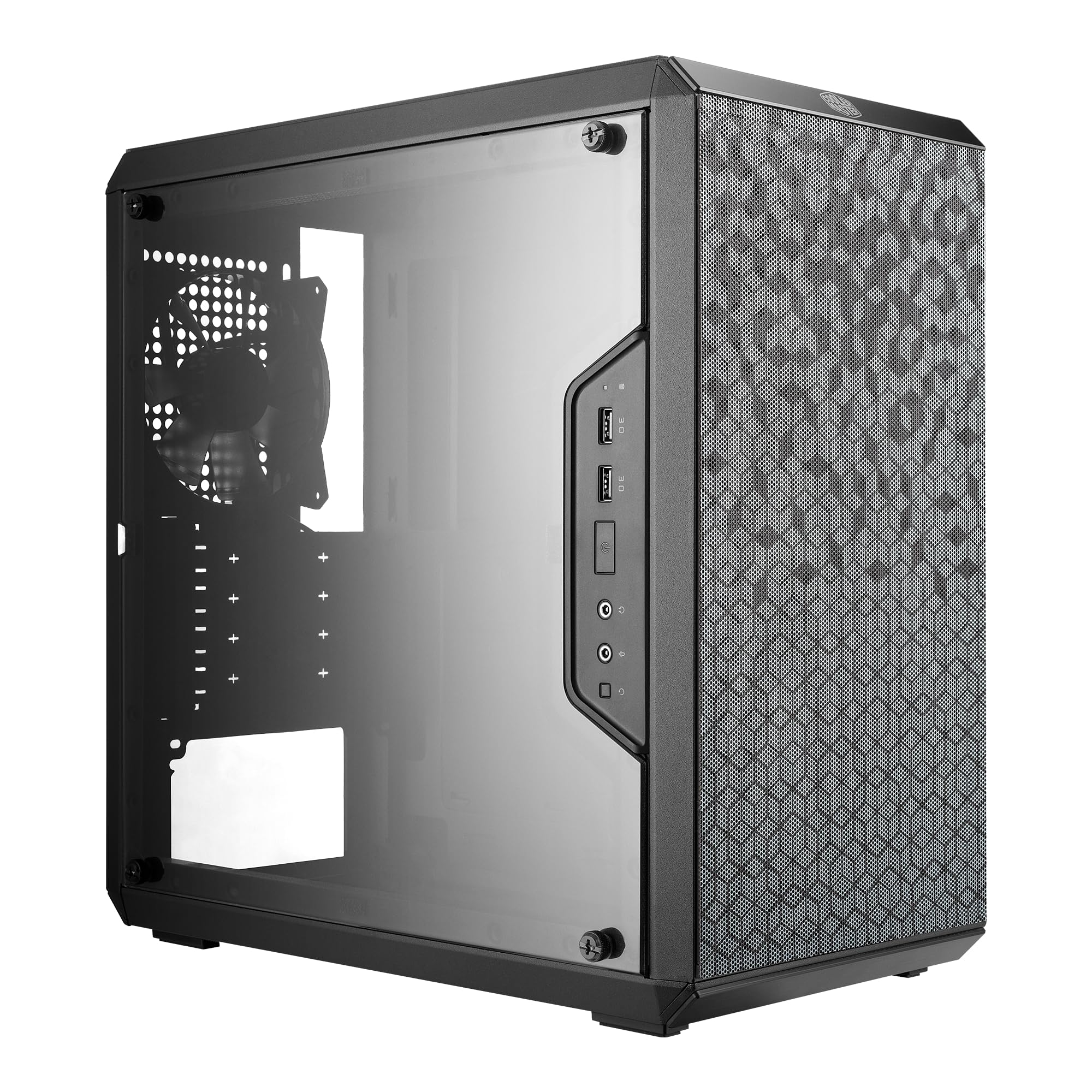
Cooler Master Q300L

Cooler Master Q300L

Tightest build budgets

Our Score 9.0/10
Check Price

Worth Noting

  • Acrylic side panel scratches easily
  • Thin steel panels flex
Max GPU Length
360 mm
Motherboard Support
Micro-ATX, Mini-ITX
Max CPU Cooler Height
159 mm
Max Power Supply Length
160 mm

At the bottom of this group's price range, the Q300L still swallows a 360mm graphics card, a 159mm air cooler, and a 240mm radiator. That combination is why it has stayed in builds for years: nothing else here gets you a 360mm card for so little.

The interior is more adaptable than the price suggests. The I/O panel can move to the front, top, or either side; the dust filters are magnetic; and the front and top panels are vents rather than solid sheets. We noticed the modular I/O first — it normally appears further up the range — and it matters if the case ends up under a desk with the ports facing a wall.

Airflow is the one thing to go in knowing. The vents are there, but the case rewards being filled: two front intakes and a rear exhaust give it a fighting chance, and running it on one fan does not. Otherwise you are buying capacity and flexibility at the bottom of the range, and nothing about it pretends to be a premium case.

Bottom line: The case to buy when the budget is the build: a 360mm card and a 240mm radiator fit inside, and you accept thin steel and an acrylic panel to get there.

8

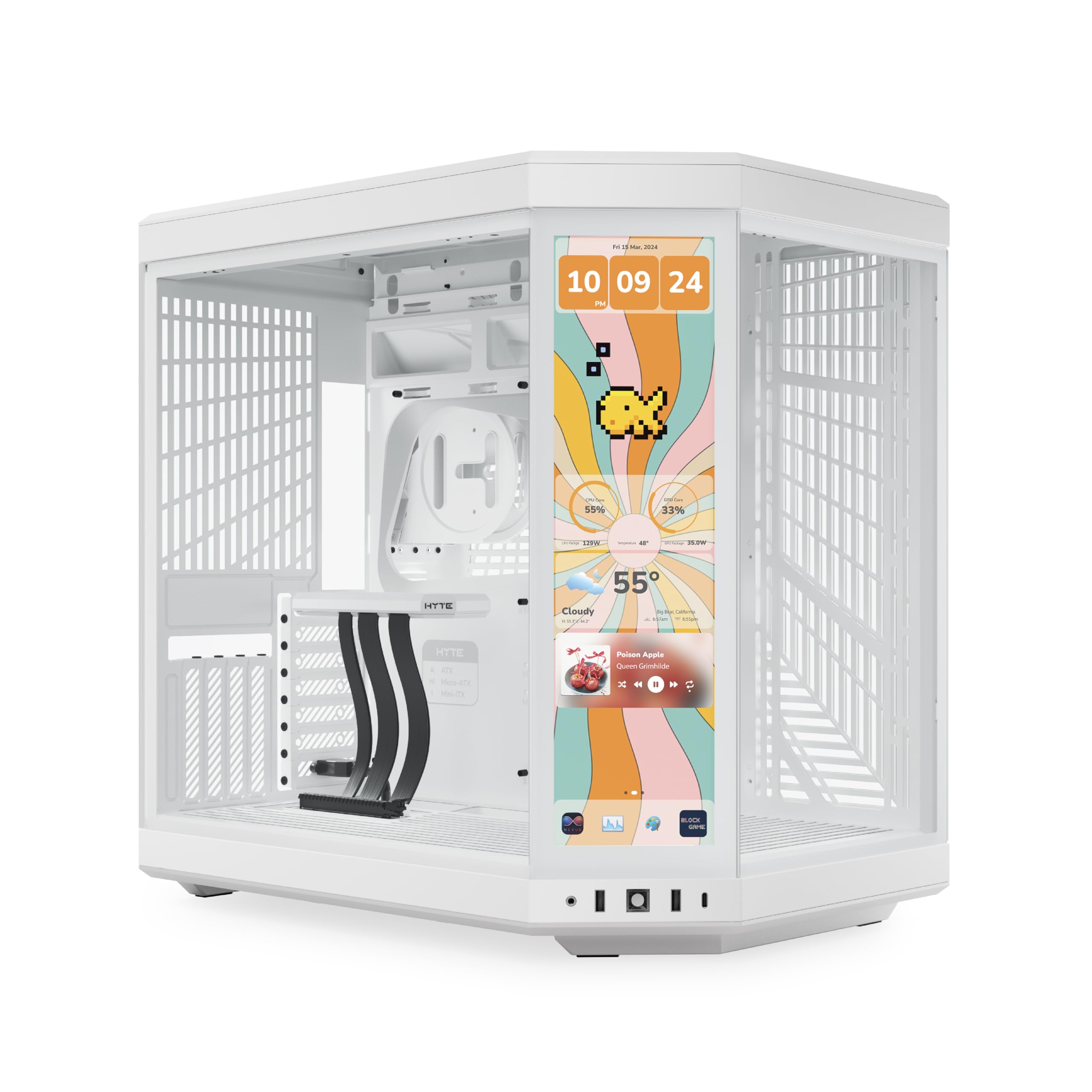
HYTE Y70 Touch Infinite

HYTE Y70 Touch Infinite

Showcase display builds

Our Score 9.4/10
Check Price

Worth Noting

  • No fans included
  • Deep, wide body needs dedicated space
Fan Capacity
10
Radiator Support
360 mm side and top
Integrated Display
14.9-inch 2.5K touchscreen
Motherboard Support
ATX

A 14.9-inch touchscreen set into the corner of the case is the reason this one exists. It is a 682 x 2560 panel with 10-point multi-touch and a 60Hz refresh, brighter than the panel it replaces, and it turns the side of a desktop into a second display for thermometers, wallpapers, or whatever else you feed it.

The rest of the case is built to be looked at too. Three pieces of glass wrap the front and side, the interior is split into two chambers so the power supply and drives hide behind the motherboard, and the graphics card mounts vertically on an included PCIe 4.0 riser with a four-slot canopy that keeps the lines clean. Ten fan mounts and 360mm radiators on the side and roof leave the cooling side covered.

Two things catch people out. Fans are not included, so ten mounting points are theoretical until you buy for them. And the body is enormous — a deep, wide dual-chamber frame that rules out most desks and a fair number of shelves.

We came away thinking of it as furniture with a computer inside: the glass is thick and clean, the screen is genuinely useful once it is showing temperatures, and the whole thing is a centerpiece rather than a box under a desk. If the build is the point of the room, this is the one to beat here. If it is not, the money goes further almost everywhere else on this page.

Bottom line: A display piece with a real screen built in: buy it to show off a build, not to save money, and budget for the fans it does not include.

How We Tested the Best PC Cases

We started by pulling together a shortlist of 30 cases—mesh-front airflow models, compact microATX boxes, and larger glass-sided towers—then narrowed it to 12 based on price, available specs, and whether the interior layout looked genuinely usable rather than just photogenic. Over six months, we built and rebuilt complete systems in each one, using the same core parts where possible so fit comparisons were fair. That meant installing a long graphics card, a tall air cooler, and a 360mm radiator in every case that claimed to support them.

Cable management got tested the way it actually happens: I routed the 24-pin, EPS, and GPU cables behind the motherboard tray, then tried to close the side panel without leaning on it. I noted whether the channels had enough depth, whether the Velcro ties held, and whether the panel bulged. Build quality and case quality came down to hands-on details—panel flex, paint finish, rivet tightness, and whether screw threads caught cleanly after the third teardown. For fit, we measured clearance for the GPU, top radiator, and front fans, then checked that the side panel and dust filters still went back on without forcing anything.

Airflow and noise were judged together. We ran a sustained CPU and GPU load for an hour, watched how quickly temperatures settled, and listened at idle and under load with the same fan curve. A case with great thermals but a rattling front panel or whiny included fans did not get a pass. Value came last: we compared what each case included—fans, fan hubs, cable straps, reusable PCIe slots—against what it asked you to spend, and whether its design and appearance held up on a desk rather than only in photos.

How to Choose PC Cases

Fit the biggest part first

Graphics card length is the specification that kills builds. The Lian Li Vector V100 Mini takes cards up to 415 mm; the Fractal North is rated for 355 mm, which covers most current cards until you add a 360 mm radiator up front and that figure drops to 300 mm. That interaction is the part buyers miss, because radiator thickness and fan depth both eat into the space in front of the card.

Check cooler height in the same pass — 159 mm on the Q300L, 163.5 mm on the V100 Mini — and you have the full list: card length, radiator-or-no-radiator, and cooler height. Everything else in the case is negotiable.

Count the fans before you count the glass

Fans included in the box are where the money actually goes. Five PWM fans arrive with the LANCOOL 217 and six with the Antec Flux Pro; the NZXT H5 Flow includes two and the Corsair 4000D RS three. A case with fewer stock fans is not automatically worse — it is a placeholder for a fan purchase you should budget for before you order the rest of the build.

Mesh fronts breathe better than solid glass. Panoramic cases such as the V100 Mini pull intake from the side instead, which works well but needs clear air around the panel rather than a shelf pressed against it.

Footprint, not form factor

Mini, micro, and mid-tower describe the motherboard, not the space on your desk. The V100 Mini is a micro-ATX case measuring 436 × 221.5 × 443.9 mm, which is more room than the name suggests, and the Antec Flux Pro is a full tower at 29 pounds. Measure the gap under the desk and the height to the shelf above, then match those figures to the case's own dimensions.

Leave clearance in front of the intake as well. A glass-front case with two inches of air in front of it cools worse than a mesh case wedged into a cabinet, and neither is the case's fault.

Where the extra money goes

Above the budget tier you are paying for steel thickness, panel fit, and space behind the motherboard tray. That last one separates an easy build from a frustrating evening: a deep channel with pre-formed hooks makes a non-modular power supply manageable, while a shallow tray turns every cable into a decision.

Tempered glass instead of acrylic is the other upgrade worth having. Acrylic looks fine new and scratches permanently, so if the side panel will be cleaned often, pay for glass.

Frequently Asked Questions

Final Verdict

Buy the Lian Li LANCOOL 217 if you want one answer and no shopping list: five PWM fans, a 170mm front pair, a 360mm radiator mount, and a finish that does not look like a server. It is the case here that asks the least of you after checkout.

Choose the Fractal North instead when the case has to sit in a room you care about and your graphics card stays under 355 mm. For a micro-ATX build, the Vector V100 Mini gives up the ATX board and nothing else that matters.