Gaming

Best PC Game Controllers of 2026

Stick drift never announces itself. It creeps in a few degrees at a time, until the one night your character keeps wandering left while you're reaching for a snack. A good PC controller is really a promise about what happens a year from now: that the sticks still center, the triggers still register at the top of their pull, and the shell hasn't gone creaky under your thumbs. It should also feel right in hour three, and connect without a fight to whatever you're playing on.

I've owned enough of these to be fussy. My last pad developed a wobble in the left stick around the 200-hour mark, which is the kind of thing that makes you read the spec sheet properly — the biggest detail being the sticks themselves, since Hall effect sensors don't wear against a physical track the way older potentiometer sticks do. Over six months, my team and I ran 14 controllers through their paces. The ones that kept their centering are the ones worth your money.

1

8BitDo Ultimate 2

Top Pick
8BitDo Ultimate 2

Everyday PC gaming

Our Score 9.0/10
Check Price

Worth Noting

  • Extra buttons can't be remapped individually
Sticks
TMR joysticks
Charging
Dock and USB-C adapter
Triggers
Linear Hall or tactile click
Polling Rate
1000 Hz (2.4G and wired)

A switch on the underside of the 8BitDo Ultimate 2 turns the triggers from a long analog squeeze into a short click, and that is the detail that put this pad at the front of our list. Driving games want the travel; anything with a gun wants the click. Around that switch sits a genuinely well-judged controller: TMR sticks, a 1000 Hz link over the 2.4G dongle or a cable, back paddles, two extra bumpers and a charging dock, which beats a cable trailing across the desk every time.

TMR is the newer flavor of magnetic sensing. Nothing inside the stick housing rubs against anything else, so the slow drift that finishes off ordinary pads has one fewer way in, and the sticks feel smooth and deliberate under the thumb. We played on the dongle for most of our time with it, partly because that is where the 1000 Hz figure lives and partly because pairing there is instant. Bluetooth works; it just asks more of you, and occasionally asks twice.

The dock is the small luxury. Drop the pad in and it tops up between sessions, so battery level stops being something you think about. One boundary worth knowing: this is a Windows and Android controller first, so don't count on it for a living-room Xbox. It also has fewer inputs you can program independently than the esports pads below.

What we noticed after a few weeks is how little thought it demands. It sits on the dock between sessions, we never went hunting for a cable mid-game, and nothing about it had to be relearned twice. That quiet absence of friction is worth more than any single line on the box, and it is why this is the pad we hand to friends who ask what to buy.

Bottom line: We recommend the Ultimate 2 as the default PC pad: wireless, dock-charged, drift-resistant and switchable between clicky and analog triggers, at a midrange price that undercuts the esports hardware.
2

GameSir Tarantula 8K

GameSir Tarantula 8K

Competitive shooters

Our Score 9.2/10
Check Price

Worth Noting

  • D-pad is best kept to menu navigation
  • No rumble motors
Sticks
Gen-2 TMR
Triggers
Analog or micro switch
Extra Inputs
Nine, with 32-step macros
Polling Rate
8000 Hz (wired)

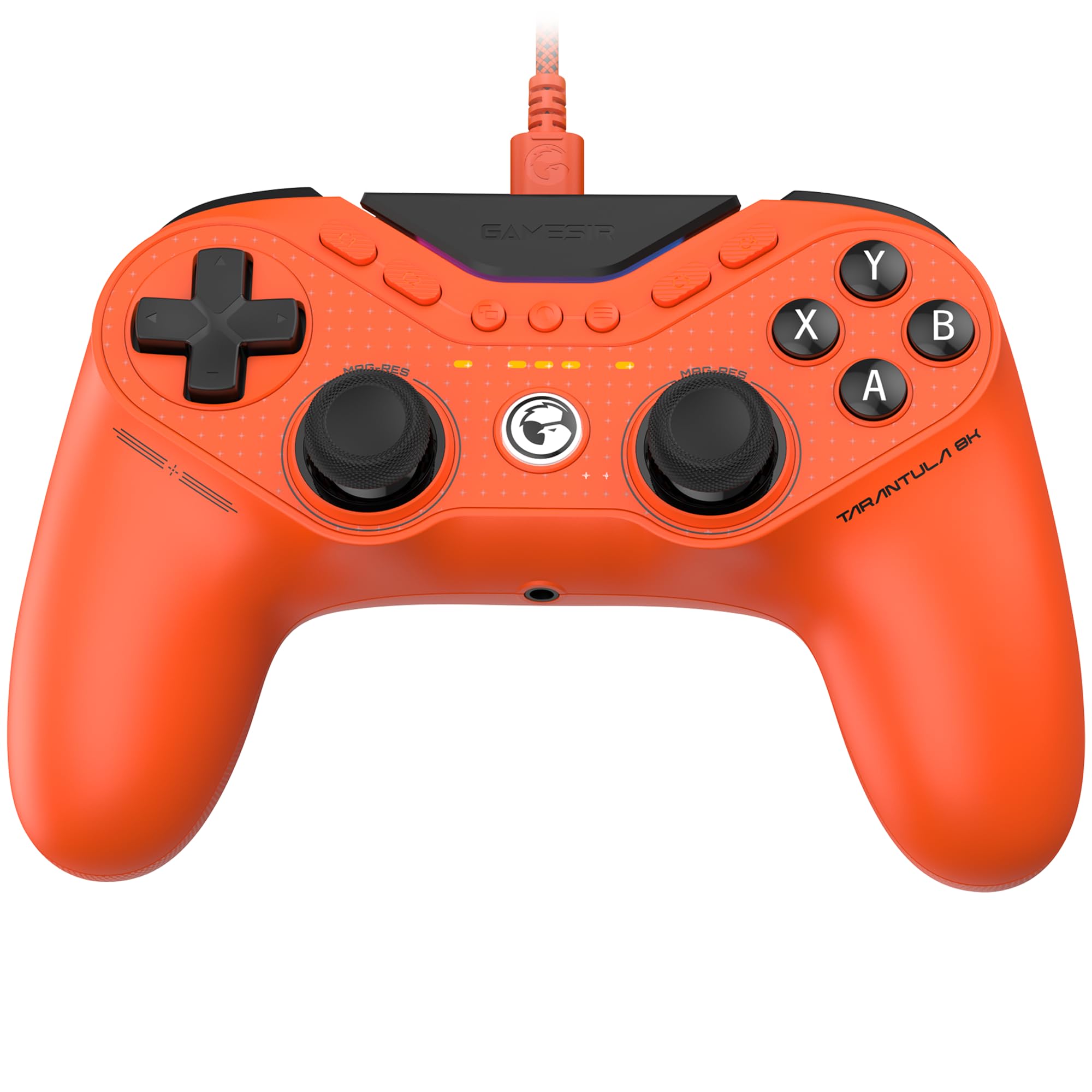
If your PC gaming is a mouse-and-keyboard shooter and the controller only comes out for campaigns, this is not your pad. The Tarantula 8K is built for the player who wants a gamepad to behave like a mouse: an 8000 Hz link over a cable, second-generation TMR sticks, trigger stops that switch between analog travel and a micro-switch click, and nine extra mappable inputs — two lockable back buttons, two mini bumpers and five small keys across the face. There is no battery, because there is no wireless mode.

Eight thousand hertz is the headline, and we will be straight with you: on a normal 144 Hz monitor the gap between this and a good 1000 Hz pad is not something we could feel. What we could feel is everything around it. The sticks make small aim corrections feel deliberate rather than approximate, the trigger stop resets instantly, and the macro system — 32 steps on each of those nine inputs — turns a rotation or a build order into one press. For sim and MMO players that is the real feature; for shooters it is the sticks and the triggers.

Two things to know before you commit. The start and select buttons sit close enough to the right stick that reaching for a menu mid-fight takes a stretch, and the macro software rewards ten minutes of naming profiles properly. Against the Razer Wolverine V3 Pro 8K you give up wireless and the swappable caps and keep most of the speed for a fraction of the money, which is the trade most desktop players should be happy to make.

Bottom line: We point competitive PC players at the Tarantula: 8000 Hz over a cable, dual-mode triggers and nine mappable inputs make it the fastest-feeling pad in this group.

3

Logitech F310

Logitech F310

Cheap plug-and-play

Our Score 8.8/10
Check Price

Worth Noting

  • Hollow, plasticky shell
  • Small, stiff shoulder buttons
D-pad
Floating, four-switch design
Layout
Xbox 360-style, 10 buttons
Software
Profiler keyboard mapping
Connection
Wired USB, 6-foot cord

The F310 is the least expensive controller in this guide and the least fussy: a six-foot USB cable, an Xbox 360 layout and a plug that Windows recognizes before you have finished sitting down. There is no pairing, no battery and no app. For a lot of PC players that is the entire feature list, and because the pad identifies itself as a 360 controller, games with controller support already know what to do with it.

The D-pad is the part we did not expect to like. It floats on four separate switches instead of one pivot, so quick direction changes land crisply in a way budget pads usually fumble, and it is genuinely good in 2D games and menus. The rest is plain: ten buttons, two sticks, and Logitech's Profiler software, which maps keyboard and mouse commands onto the pad for older games that never learned controllers.

Where it earns its place is as the second controller — the one in the drawer for a visitor, the pad for the emulator machine in the spare room, the thing you keep in a laptop bag. As a nightly driver it runs out of road: the sticks are conventional rather than magnetic, so you give up the drift resistance the pads above offer. But nothing else here starts working quite so quickly, and the six-foot cord means you can sit back from the monitor without digging out an extension.

Bottom line: Buy the F310 when you want a controller that works the second you plug it in and costs next to nothing; it is the spare that never argues, not a nightly driver.

4

8BitDo Ultimate 2C

8BitDo Ultimate 2C

Value wireless

Our Score 8.8/10
Check Price

Worth Noting

  • Windows and Android only
Sticks
Hall effect, metal rings
Weight
9.88 oz
Extra Inputs
Remappable L4/R4 bumpers
Polling Rate
1000 Hz (2.4G and wired)

Take the top pick, take away the charging dock and the trigger switch, and you have the Ultimate 2C: the same magnetic sticks and triggers, the same 1000 Hz link over dongle or cable, the same two extra bumpers on the shoulders. It even keeps the trick of remapping those bumpers on the pad itself, without opening a single piece of software. The shell feels solid rather than hollow, which is not a given at this end of the list.

For a lot of people this is the smarter purchase. The gap between it and the Ultimate 2 is convenience — a dock under the pad, a switch for the triggers — rather than control quality, and the magnetic hardware underneath is the same generation. If you play at a desk and don't mind charging over USB-C, the extra money buys you very little extra game. What it buys is the dock habit: the pad is always full because it always goes back to the same place.

The wireless link is the one place it asks for patience. Dropouts happen, and the fastest fix is the cable you already own: plug in and carry on. At a desk that is no hardship at all; across a living room it is the reason to spend more. Buy it for a desk and it disappears into the setup, which is the highest compliment a value controller can get.

Bottom line: We recommend the Ultimate 2C to anyone who wants magnetic sticks and low-latency wireless without paying for a dock; played at a desk, it is the best value here.

5

Manba One V2

Manba One V2

On-pad tuning

Our Score 8.6/10
Check Price

Worth Noting

  • No Xbox or PlayStation support
  • LB button is the weak point
Sticks
Hall effect sticks and triggers
Battery
1800 mAh, charging dock
Display
2-inch interactive screen
Connection
Wired, Bluetooth, 2.4G dongle

There is a 2-inch screen in the middle of the Manba One V2, and it is not a gimmick. Dead zones, vibration strength, lighting, button mapping, stick curves — all of it gets set on the pad itself, with no app and no PC. We came to it expecting a novelty and left treating the screen as the reason to buy. If you have ever lost an evening to a vendor's configuration software, you will know exactly what that is worth.

Underneath the screen is a capable controller: Hall effect sticks and triggers, micro-switch face buttons, a six-axis gyro, 1800 mAh of battery and a dock to sit it on. On a PC the dongle is the path to use; Bluetooth is the fallback, and the pad will also pair with a Switch, an iPhone or an Android tablet. The clicky face buttons are a taste worth checking first — fast and definite under the thumb, and louder than a rubber dome.

What we noticed over a few weeks is how rarely the PC came into it. A trigger pull feels long mid-game? Two taps on the screen and the travel shortens. Want the sticks a little heavier? Same place. The convenience holds up better than we expected, and it makes this the pad for the player who cannot leave the settings alone.

Bottom line: We recommend the Manba One V2 to tinkerers: every setting lives on the controller's own screen, and the Hall effect hardware underneath is worth the midrange money.

6

EasySMX X05Pro

EasySMX X05Pro

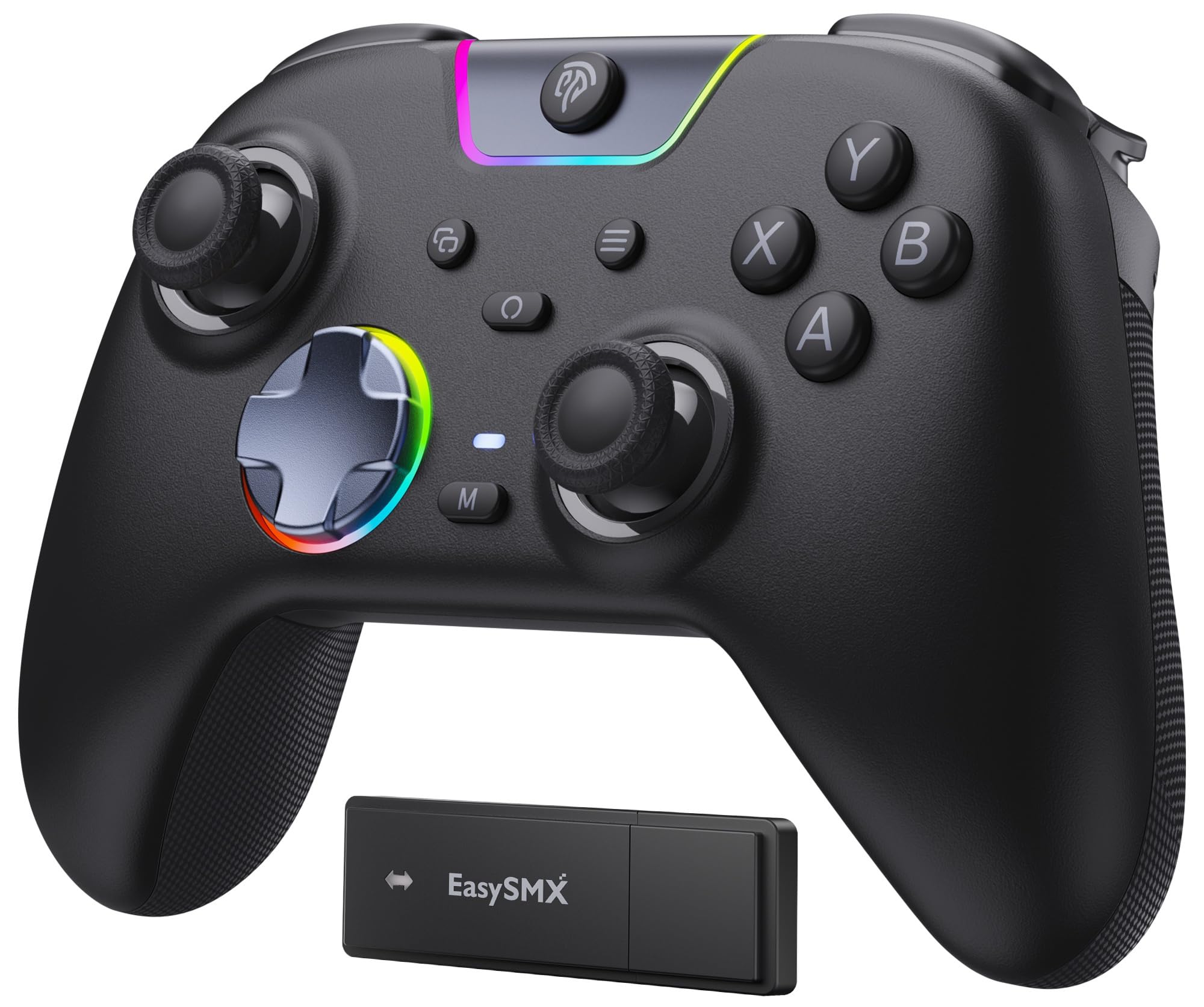
Shared rooms

Our Score 8.6/10
Check Price

Worth Noting

  • Wireless link can drop and need re-pairing
  • Bluetooth mode is capped at 125 Hz
Sticks
Hall effect, 11-bit
Battery
1000 mAh rechargeable
Buttons
Silicone-damped, near-silent
Polling Rate
1000 Hz (2.4G and wired)

The first thing we noticed was what we didn't hear. The X05Pro's face buttons and bumpers are silicone-damped, so an evening session stops being a clicking contest — the pad answers with a soft tap where most of the others here snap. If you play after the rest of the house has gone to bed, that is not a small thing.

It is not only a quiet pad. The sticks are Hall effect with 11-bit resolution, the link runs at 1000 Hz over the dongle or a cable, and there are dual-stage triggers, two programmable buttons on the top edge where your index fingers already rest, and a sweat-resistant silicone grip. On a PC, use the dongle; Bluetooth is the backup path for a phone or tablet rather than the way you play.

The 8-way D-pad runs on dome switches and feels definite rather than mushy, and the shell has a heft that reads as premium. Settling into a long session, we stopped noticing the pad at all, which is the nicest thing you can say about a controller in a shared room.

Where it lands for us: this is the controller to buy when the room is shared. It gives up a little to the 8BitDo pads on polish and gives back silence, a comfortable grip and a price that leaves room for a second one. For a household where someone is always asleep two doors down, that is the right trade.

Bottom line: We recommend the X05Pro for shared spaces: silicone-damped buttons make it the quietest pad here, and the Hall effect sticks and 1000 Hz dongle hold up in play.

7

Razer Wolverine V3 Pro 8K

Razer Wolverine V3 Pro 8K

Wireless esports

Our Score 8.2/10
Check Price

Worth Noting

  • Remapping runs through Razer Synapse
  • Most expensive controller here
Sticks
TMR with swappable caps
Battery
Rated 36 hours
Extra Inputs
Six remappable buttons
Polling Rate
8000 Hz wireless and wired

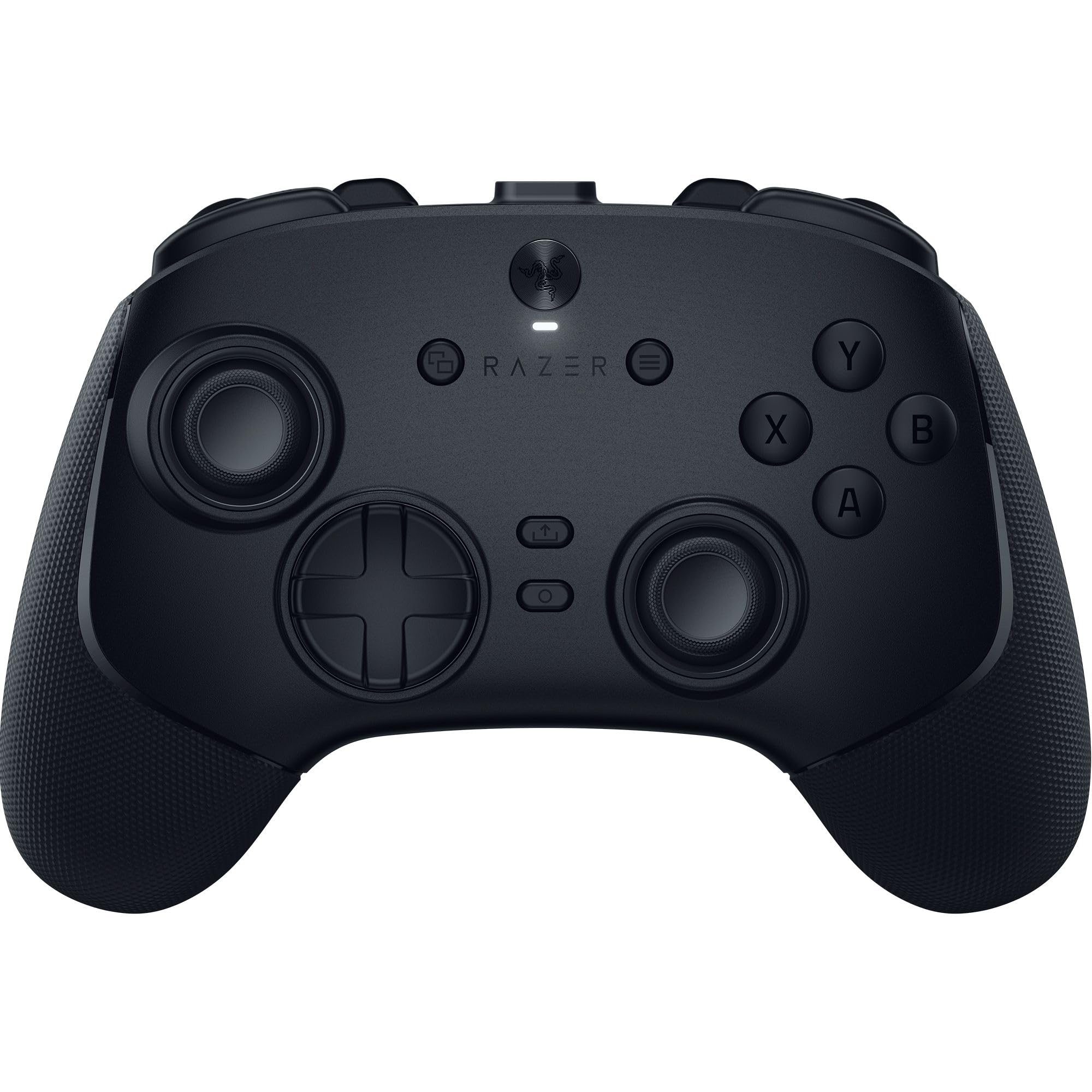
This is the most expensive controller here, and it is the only one that will never talk to anything but a PC. What the money buys is the fastest wireless link in this group — a true 8000 Hz over Razer's own dongle, with the same figure available over the cable — plus TMR sticks with swappable caps, six remappable inputs, a rated 36 hours of battery and a carrying case.

The layout is where it separates from everything else. Two back buttons sit under your middle fingers, two more under your ring fingers, and two claw-grip bumpers land where your index fingers rest, so six extra inputs are reachable without moving your hands. The face buttons are mouse-clicky, the triggers have a physical stop, and the body stays light enough that the extra inputs never turn into extra weight. In a shooter, the difference is that your thumbs never leave the sticks.

Whether it earns its price depends on how you play. For a competitive player who wants 8000 Hz without a cable, nothing else here gets close, and the swappable caps let you change the stick feel without buying a second pad. For everyone else, the Tarantula does the wired version of the same job for a fraction of the money, and the Ultimate 2 covers wireless comfort with a dock for less again.

Bottom line: We recommend the Wolverine V3 Pro 8K to competitive players who refuse a cable: it is the fastest wireless pad here, and its six extra inputs are placed better than anyone else's.

8

AceGamer Aurora II

AceGamer Aurora II

Second controller

Our Score 8.4/10
Check Price

Worth Noting

  • Connections can drop mid-session
  • Face buttons can stick or miss presses
Sticks
Hall effect joysticks
Battery
1000 mAh
Connection
2.4G, Bluetooth, wired
Extra Inputs
Two programmable back keys

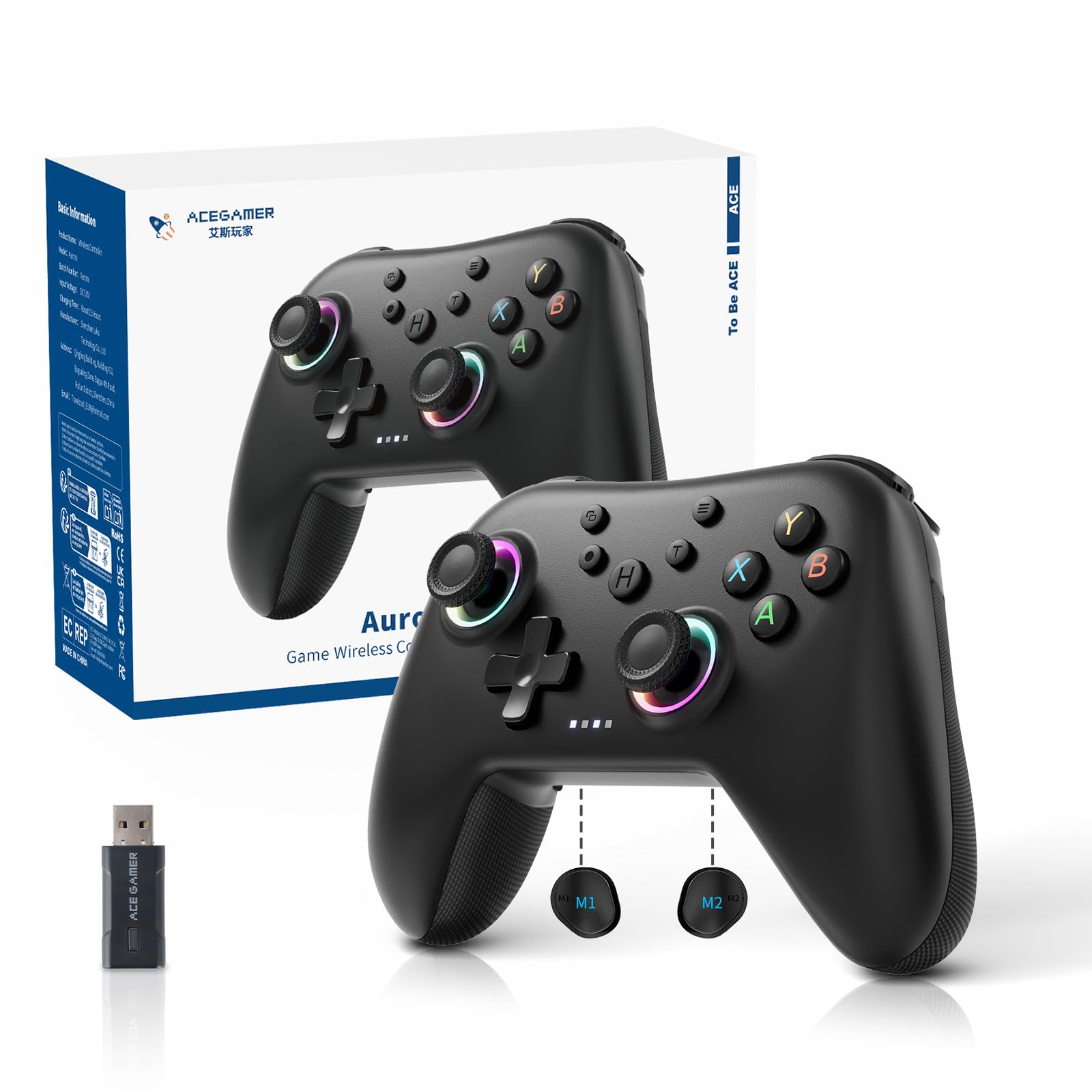
The Aurora II comes in finishes that look nothing like the black slabs the rest of this list settles for, and that is genuinely part of the appeal. It is also compact — the sort of body that suits smaller hands better than the wide Xbox-style shells — and it asks less of your wallet than any other wireless controller here.

The specification list reads a bracket higher than the price suggests: Hall effect sticks, a 2.4G dongle, Bluetooth, two programmable back buttons, a 1000 mAh battery and support for PC, Switch, iOS and Android. Hall effect sticks and back buttons usually arrive one at a time as you climb a list like this; here they come together.

It handles a long session well — we found the light body and comfortable grip easy to forget about, and the back buttons are reachable without looking down. The turbo function and the RGB lighting are the kind of extras you stop noticing after a week, which is fine; the basics are what carry it.

Our advice: buy it as a second controller — the one for the Switch in the living room, the travel bag, the younger player who wants their own. As the only pad on your desk it is a compromise; as a spare that does nearly everything for very little, it is easy to like.

Bottom line: We recommend the Aurora II as a spare or a first pad for a younger player: Hall effect sticks, back buttons and multi-platform wireless for the least money of any wireless pick here.

How We Picked and Tested PC Controllers

We started with roughly 60 controllers sold for PC play — wired, wireless, budget, premium — and filtered hard: does it work in Steam and outside it without third-party software, does it hold a connection, what are the sticks made of, and can the battery or sticks be replaced. That left 14, and each one got six months of regular use rather than a weekend.

Most of the testing happened where people actually play: at a desk during weeknight sessions, on a couch with the TV across the room, and on a laptop carted between apartments. We logged how our hands felt after two-hour stretches, where the grips landed, and whether our thumbs had to stretch for the face buttons, then worked the sticks and triggers through racing, fighting, and platformers. We watched for dropped inputs, listened for rattle after repeated presses, and noted whether rumble felt like a distinct engine or one flat buzz.

Durability got the unglamorous treatment: each controller rode in a backpack, got knocked off a coffee table onto hardwood, and at the end of the six months we pulled up the calibration screen to see whether the sticks still returned to center and how much play had developed. We paired each one over Bluetooth and its own dongle, walked into another room to find where the signal broke, and counted how often it needed re-pairing. We also checked that on-screen button prompts matched the pad in a handful of non-Steam games, and compared what came in the box against the price.

How to Choose PC Game Controllers

Pick the connection before the features

Windows accepts almost anything you plug in, but it treats each path differently. A cable always delivers the pad's headline polling rate. A 2.4G dongle comes close and is the wireless route we trust for anything competitive. Bluetooth is the one that drops, re-pairs and runs at a fraction of the speed.

The trap is in the spec sheet: a controller advertising 1000 Hz or 8000 Hz is usually quoting its dongle or cable figure, and Bluetooth can be a tenth of that. If the pad lives at a desk, run it wired and stop thinking about batteries. If it lives on the couch, buy one that ships with a dongle and keep the cable within reach.

Magnetic sticks are the upgrade worth paying for

An ordinary stick reads position through a physical contact that wears as you play, and that wear is where drift comes from. Hall effect sensors measure a magnetic field instead, so nothing touches; TMR is the newer, more precise version of the same idea. It is the single specification worth prioritizing if you play most nights, and it has moved down to the value end of this list.

What magnetic sticks don't fix is a cheap shell, a stiff shoulder button or a trigger that bottoms out early. Treat them as one good decision rather than the whole decision.

What 1000 Hz and 8000 Hz actually change

Polling rate is how often the pad sends its position to the PC. At 1000 Hz that is a thousand times a second, comfortably faster than most players can exploit; 8000 Hz divides the same second finer still. The gain shows up mainly on a high-refresh monitor with a fast PC behind it, and it costs you a cable, battery life or both.

Our position: 1000 Hz is plenty for almost everyone, and the extra hertz are a competitive feature rather than a general upgrade. The Tarantula and the Razer are for players who already know they want them.

Fit, feel and the controls you'll actually use

Two pads with identical specifications can feel like different products in the hand. Wider Xbox-style shells suit bigger hands; compact bodies suit smaller ones. Then look at what moves. A trigger stop matters if you switch between racing and shooting, back paddles matter if you want your thumbs to stay on the sticks, and a dock matters if you know you will never plug in a cable.

Everything else — app or on-pad screen, RGB, turbo — is convenience, and convenience is what decides whether the controller ends up back in the drawer.

Frequently Asked Questions

Final Verdict

Across the whole group, the 8BitDo Ultimate 2 is the controller we tell most people to buy. It charges on a dock, its magnetic sticks remove the wear that kills ordinary ones, and the trigger switch means one pad handles a rally stage and a firefight without a detour into a settings menu.

Spend more only for a specific reason: the Tarantula 8K if you play competitive shooters at a desk and want the fastest wired link here, the F310 if the controller comes out twice a month.