Power & Charging

Best Laptop Power Banks of 2026

A power bank that can't actually run your laptop is just a heavy brick in your bag. The label says 100W, the laptop says it's charging, and somehow the percentage still crawls while you're on a video call. What a good laptop power bank buys you is a real work session — or two — when the outlet is nowhere near you, without adding a second charger's worth of weight to your commute. The trick is finding one whose output holds steady under load and whose capacity number is honest.

I've charged a 14-inch laptop off battery packs on airport floors, train tray tables, and once, memorably, on a folding chair in a hotel hallway during a fire alarm. Over the past six months my team ran 10 of them through the routines we'd actually put them in, weighing portability against capacity the whole way. One thing first-time buyers get wrong: the mAh printed on the box isn't what reaches your laptop — after conversion you're looking at roughly 60 to 65 percent of it. The picks below are the ones that kept their promises.

1

Anker 25K 165W

Top Pick
Anker 25K 165W

Most laptop users

Our Score 8.8/10
Check Price

Worth Noting

  • 100W per port caps fast charging on 16-inch laptops
  • Built-in cables cannot be replaced if damaged
Ports
3 USB-C outputs, 1 USB-A
Cables
Two USB-C built in
Capacity
25,000mAh
Max Output
165W total, 100W per USB-C

Three USB-C outputs, each rated at 100W, is the specification that puts this Anker at the front of our list. Most banks in this group promise one fast port and fill the rest with slow ones; here it does not matter which socket is free, because the laptop still negotiates full speed. The 165W total is shared across everything connected, but a laptop pulling 100W and a phone pulling 30W sit comfortably inside it.

What we ended up appreciating most is the cabling. Two USB-C cables are built into the body: one retractable, pulling out to 2.3 ft with a claimed 20,000 retractions behind it, and one short 0.98 ft lead that doubles as the carry strap. Packing for a day out means no cable to forget and nothing orphaned at the bottom of a bag.

Capacity is 25,000mAh, which is a full charge for most 13- to 16-inch laptops plus a couple of phone top-ups. That is the number that covers a transatlantic flight and the layover after it without you rationing screen brightness, and it sits comfortably inside the 100Wh carry-on limit most airlines apply.

Where it gives ground is at the very top of the laptop market: every port stops at 100W, so a 16-inch MacBook Pro that wants 140W charges here more slowly than it does from the wall. If that is your machine and you push it hard on battery, the Anker Prime is the honest upgrade. For everyone else, those extra 40W buy very little.

Bottom line: We recommend this one to almost anyone who needs to run a laptop away from a socket: three full-speed USB-C ports, cables built in, and enough capacity for a long flight.
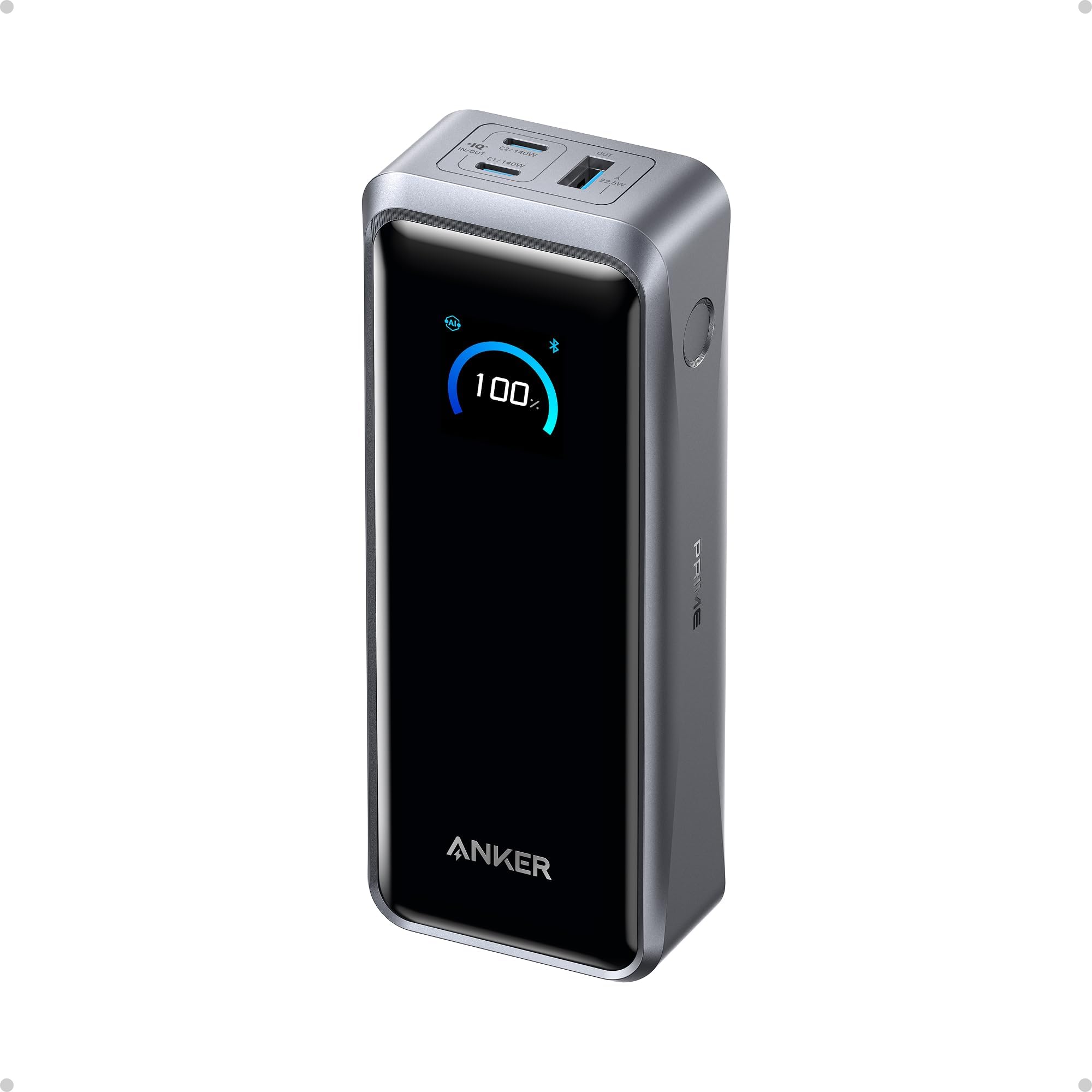
2

Anker Prime 300W

Anker Prime 300W

High-wattage laptops

Our Score 9.2/10
Check Price

Worth Noting

  • 600 g makes it the heaviest pick here
  • Wireless charging base sold separately
Ports
2 USB-C, 1 USB-A
Weight
1.32 lb
Capacity
26,250mAh (99.75Wh)
Max Output
300W total, 140W max single port

A 16-inch MacBook Pro pulls 140W, and every other bank here caps a single port at 100W. This Anker is the exception: 140W on one USB-C port and 300W across two USB-C and a USB-A, which is enough to keep two pro laptops running at full speed at the same time.

What we think justifies the premium is the input side as much as the output. Dual USB-C input at 250W takes the bank to 50% in around 13 minutes, so it refills while you are getting coffee rather than overnight. The 26,250mAh cell is rated at 99.75Wh, right at the airline ceiling, and good for about 0.8 of a MacBook Pro charge by the stated figure.

At 600 g it is the heaviest product in this group, and it sits in a shoulder bag like a small book. The display and app earn their keep in exchange: live wattage in and out, and the ability to dial a port down for a device that does not want the full 140W.

One ordering detail worth knowing before you commit: the wireless charging base is a separate purchase, and the bank is complete without it. Buy this for the ports, not the dock.

Bottom line: If you charge a 16-inch MacBook Pro, or two laptops at once, this is the pick that keeps up, at a weight and a price that only make sense for that job.

3

UGREEN Nexode 145W

UGREEN Nexode 145W

140W on a budget

Our Score 8.6/10
Check Price

Worth Noting

  • Output varies between individual units
  • Fast refill needs a 65W charger you supply
Ports
2 USB-C, 1 USB-A
Weight
1.11 lb
Capacity
25,000mAh
Max Output
145W total, 140W single port

This is the least expensive route in our group to 140W on a single USB-C port, and there is 25,000mAh behind it. UGREEN puts the capacity at about 1.3 full laptop charges, which is roughly a long-haul flight plus the airport before it.

We think that makes it the value pick for anyone with a 16-inch laptop and a limit on what they will spend. The first USB-C port delivers 140W to a MacBook Pro, a 65W charger brings the bank back to full in about two hours, and the display shows a percentage rather than four ambiguous dots.

Consistency is where it slips. Units that stop accepting a charge after a few months turn up here more than they do on the Ankers, and output varies between units as well. Treat the first month as a trial: a bank that is going to fail usually shows it early, and it is worth testing the second USB-C port alongside the first.

One thing to add to the order: that two-hour refill assumes a 65W PD charger, which is not in the box. A phone charger will get there eventually, so budget for the adapter if you want the bank ready the same evening.

Bottom line: The cheapest way here to put 140W into one port, which makes it the pick for anyone whose main machine is a 16-inch laptop.

4

INIU 65W 20K

INIU 65W 20K

Daily carry

Our Score 8.6/10
Check Price

Worth Noting

  • 65W is short for 16-inch laptops
Size
4.3 x 2.7 x 1.1 in
Ports
2 USB-C, 1 USB-A
Capacity
20,000mAh
Max Output
65W

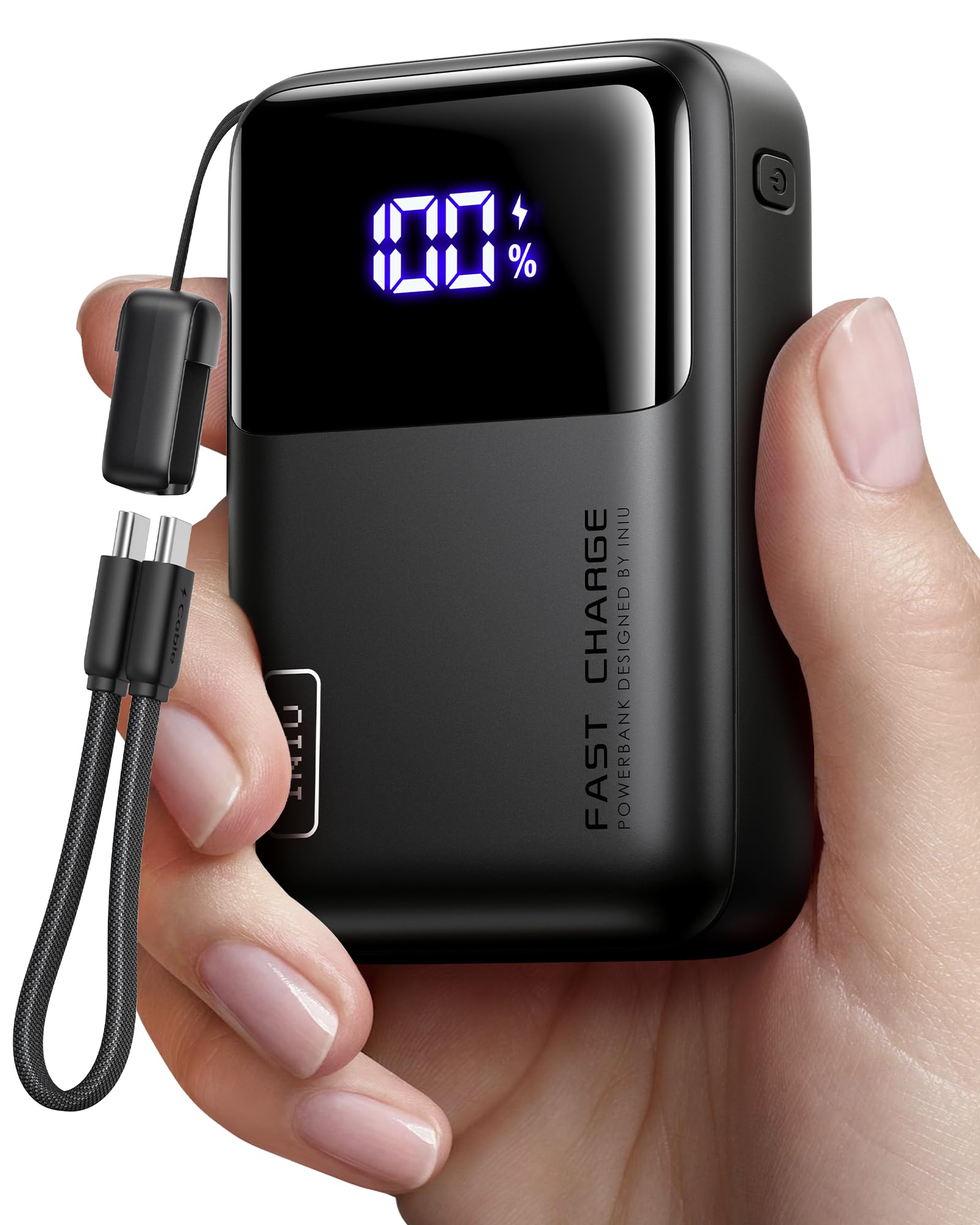
At 4.3 by 2.7 by 1.1 inches and 13.4 ounces, this is the one that vanishes into a jacket pocket and still holds 20,000mAh. INIU's wallet comparison is marketing, but it is not far off the mark.

65W is enough for a MacBook Air, a Chromebook, or a Steam Deck at full speed, and the bank feeds three devices at once over two USB-C and one USB-A. The 4.7-inch cable detaches and doubles as a lanyard, which sounds like a gimmick until you are the person who keeps leaving cables in hotel rooms.

Durability is where this one asks you to take a chance. Units that quit within a month or two come up more often than we like at this price, and the three-year warranty is doing real work in our recommendation. Register it the day it arrives and put the first few charges through their paces while you can still return it.

Bottom line: Twenty thousand milliamp-hours and 65W in something the size of a wallet, with a three-year warranty, is why this is the one we carry daily.

5

Baseus Blade 100W

Baseus Blade 100W

Laptop bags

Our Score 8.6/10
Check Price

Worth Noting

  • Heavier than smaller 20,000mAh packs
Ports
2 USB-C, 2 USB-A
Capacity
20,000mAh
Thickness
0.78 in
Max Output
100W USB-C PD

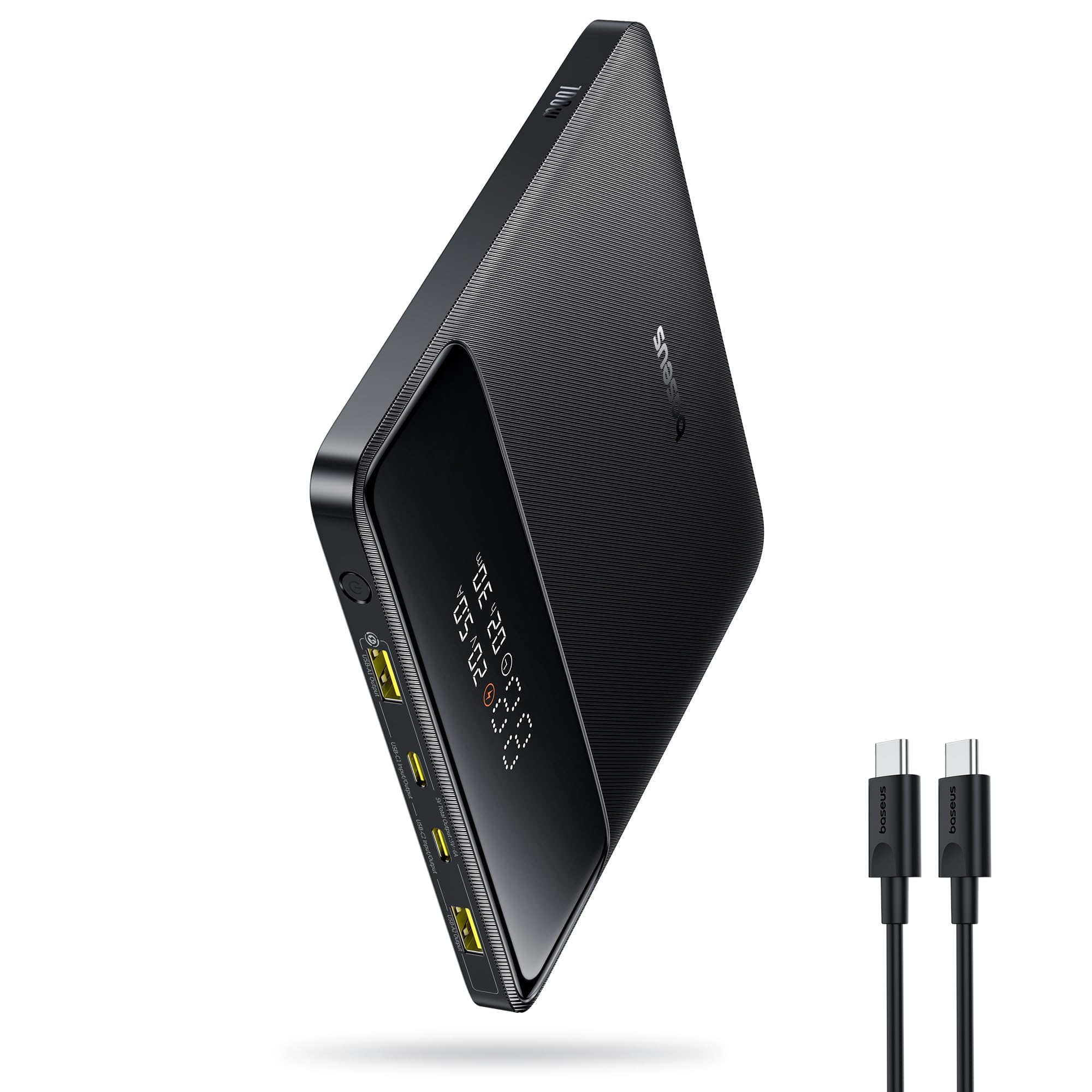
A 5.27-inch square is the wrong shape for a pocket and exactly the right one for a laptop sleeve. At 0.78 inches thick, this slides in beside a 14-inch notebook with no bulge and no corners pressing into the lid. For a bank that lives in a bag, we think that trade is worth making.

Output runs to 100W over USB-C PD, enough to take a MacBook Pro to half in about half an hour by the stated figure, and the two USB-C and two USB-A ports let the laptop and the rest of your kit share. A display shows watts in and out, and 60W input refills it faster than most of the budget picks here.

The 100W rating is the spec sheet's number, though, and some units deliver less in practice. If full 100W is the reason you are buying, watch the display on the first charge, which reports what is actually going out, and send it back if the figure does not hold. At 451 g it is also heavier than the INIU, which is the price of the flat body and the extra ports.

Bottom line: Buy this if your power bank lives in a laptop sleeve: the flat body and 100W output suit a bag far better than a brick does.

6

JUOVI 65W 20K

JUOVI 65W 20K

Tight budgets

Our Score 8.8/10
Check Price

Worth Noting

  • Some units stop holding a charge within months
Ports
2 USB-C, 2 USB-A
Capacity
20,000mAh
Warranty
3 years
Max Output
65W

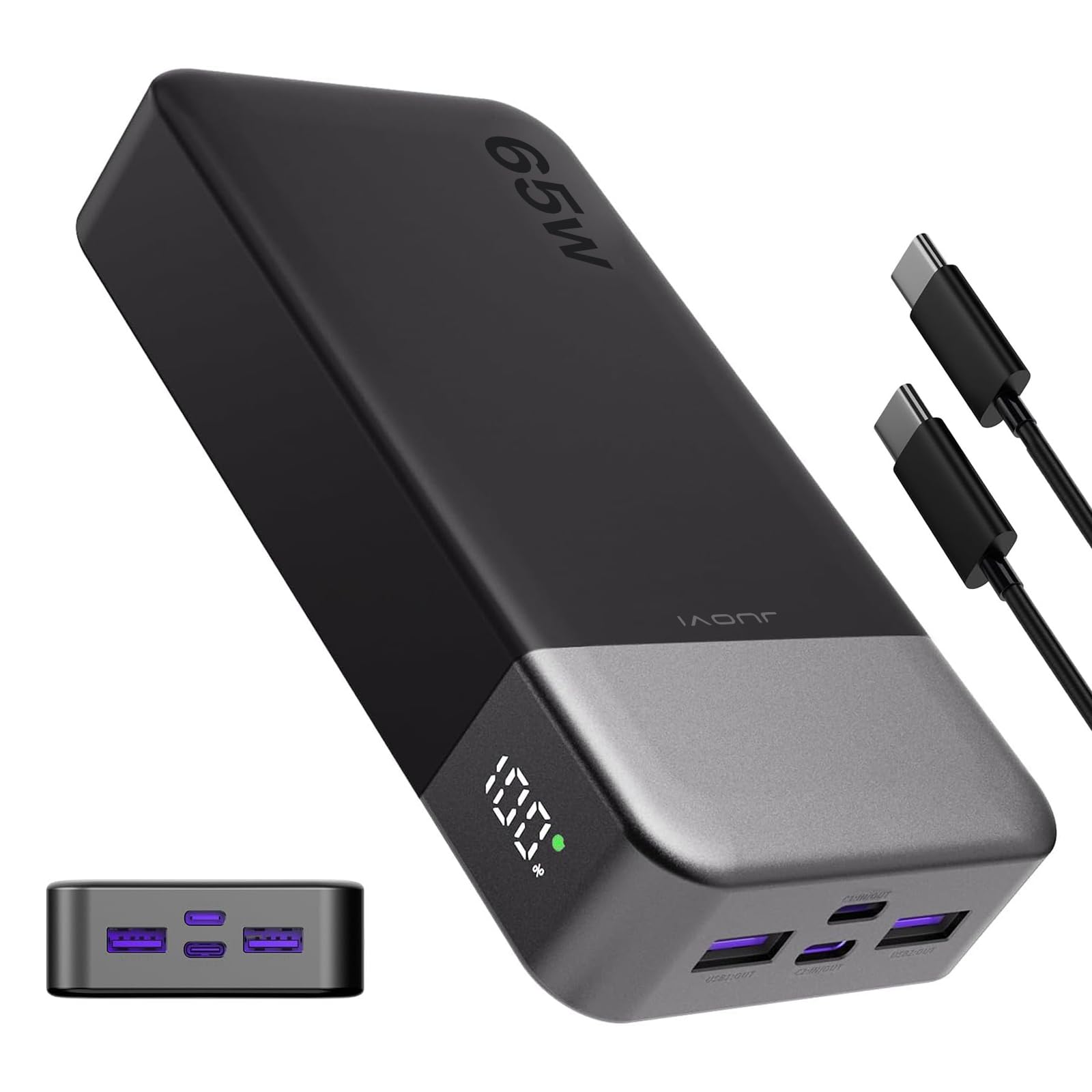
If the power bank is insurance rather than a daily tool, the thing in the bag for the day the laptop runs dry, this is the one to buy. It is the least expensive pick in our group, and it still puts 65W on a USB-C port.

Two USB-C and two USB-A ports cover a laptop, a phone, and whatever else travels with you, and 20,000mAh is a full charge for a 13-inch machine. At 400 g and roughly 5.4 by 2.8 by 1 inches it goes into a bag without a second thought, and the three-year warranty is longer than most of the bigger names here offer.

The weak point is the refill. Plugged into an ordinary charger it can take most of a day to come back to full, so the routine becomes charging it overnight after a trip rather than topping it up at lunch. Plan around that and it quietly does its job for a fraction of what the fast-charging picks cost.

Bottom line: The cheapest pick here still does the one thing that matters: 65W into a USB-C laptop, backed by three years of cover.

7

UGREEN Nexode Pro 200W

UGREEN Nexode Pro 200W

Cable-free travel

Our Score 9.4/10
Check Price

Worth Noting

  • Pricier than the 145W UGREEN at the same capacity
Display
TFT with live wattage
Capacity
25,000mAh (90Wh)
Max Output
200W total, 100W per USB-C
Built-in Cables
26.7 in retractable, 13.8 in fixed

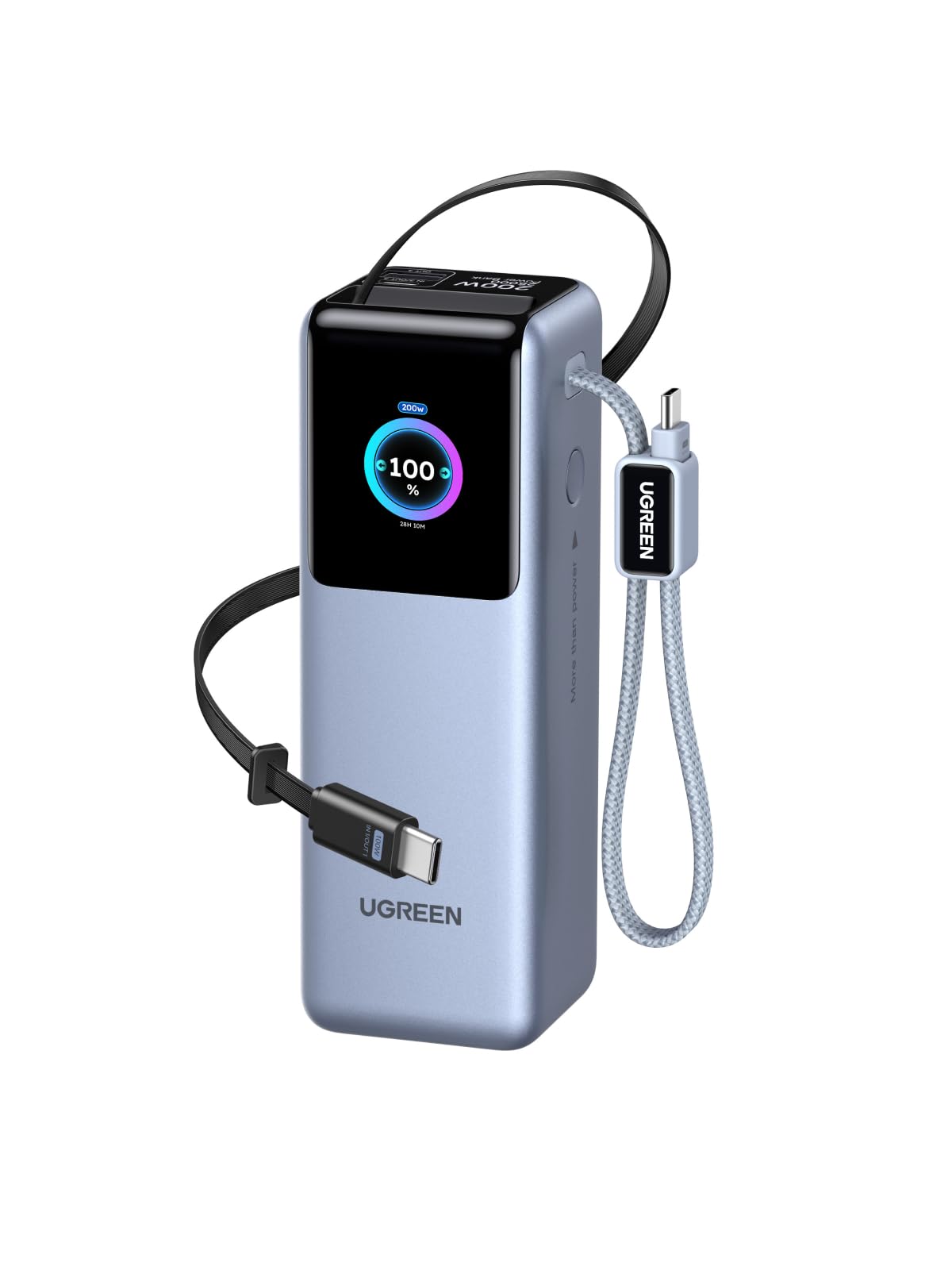
The first trip we took this on, we left the cable at home on purpose, and nothing went wrong. Both USB-C cables are built into the body, one retractable to 26.7 inches and one short fixed lead, so the bank is the whole kit.

200W total and 100W per USB-C port is the other half of the argument: enough for two laptops at once, or one all day, from 25,000mAh rated at 90Wh. The TFT screen reports live wattage, battery health, and cycle count, which is more than most banks here volunteer.

What we cannot vouch for is time. This model has not built the history the Ankers have, and there are units that run hot after a long 100W discharge and want a cool-down before they will accept a charge again. Put it through a full cycle or two at home before you depend on it in an airport.

Even with that caveat, we think it is the tidiest laptop bank in this group, and the one to pick if not carrying a cable at all matters to you. Go in knowing you are an early adopter rather than buying a proven five-year workhorse.

Bottom line: Two built-in cables, 200W of output, and a display that reports real wattage make this the tidiest laptop bank here.

8

Paopaoyu P5 27K

Paopaoyu P5 27K

AC-powered gear

Our Score 8.8/10
Check Price

Worth Noting

  • Some units stop working within months
Ports
4 total
Capacity
27,000mAh
USB-C PD
65W in and out
AC Output
100W

One hundred watts of AC output is something no other bank in this group offers, and it is the entire reason to consider this one, along with the reason it gives up ground everywhere else. The outlet takes a standard wall plug, so a projector, a fan, or a laptop brick that is not USB-C suddenly has somewhere to go.

The rest is ordinary: 27,000mAh, 65W USB-C PD in and out, a 12W USB-A, four ports in total, and a 6.7-inch body that fits a computer bag. The pack is rated under 100Wh, which is what makes it carry-on friendly.

Converting to AC and back to DC loses more energy than a straight USB-C handoff, so for laptop charging the same 27,000mAh buys less runtime here than it does in the USB-C-only banks. That is the trade the outlet asks of you, and it is a fair one only when something without a USB-C port has to run.

We think of it as the second bank: the one for the camping trip or the trade show where a wall socket is not guaranteed and the gear is not all USB-C. As a daily laptop charger, the Anker and UGREEN picks are lighter, faster, and more efficient.

Bottom line: The only bank here with a 100W AC outlet, and we recommend it for trips where something without USB-C needs power.

How We Tested: Six Months, Ten Packs, One Drained Laptop

We started by narrowing the market to packs rated for at least 45W over USB-C Power Delivery, since anything less will barely move a laptop's battery while the laptop is in use. From there we cut models above the 100Wh airline carry-on ceiling, anything that weighed as much as a spare laptop charger, and anything priced far out of line with the watt-hours it delivered. That left 10 packs, from slim 20,000mAh slabs to 27,000mAh units with AC outlets built in.

Each one lived in a backpack for six months. We drained a 14-inch laptop to 5 percent and timed how long the pack took to reach 50 percent — first with the laptop idle, then again mid-video-call, which is where several packs quietly dropped output and stretched the charge to nearly twice as long. We worked full eight-hour days away from any outlet on each pack, counting how many charges we got before it quit, and separately timed how long the pack itself took to refill from a wall charger. A pack that needs all night to top up is its own kind of useless.

Portability got measured rather than guessed: every pack went on a kitchen scale, and we checked whether it slid flat into a laptop sleeve pocket or bulged out of one. We dropped each from desk height onto hardwood, let them rattle around loose in bags next to keys, and cycled them weekly to watch for capacity fade over the six months. Value came down to cost per usable watt-hour rather than sticker price. What separated the winners was consistency — the packs delivering the same output in month six as in week one, and still disappearing into a bag without a second thought.

How to Choose Laptop Power Banks

Read the per-port wattage, not the total

Total output is a sum across ports, and it flatters every listing on the shelf. A pack advertised at 165W may cap each USB-C port at 100W; another at 300W puts 140W into one socket. We always look at the single-port number first.

Match that figure to the machine: 45W keeps an ultrabook topped up, 65W covers most 13- and 14-inch laptops, 100W handles a 15- or 16-inch machine at normal speed, and 140W is what a 16-inch MacBook Pro wants for full-speed charging. Below the laptop's requirement the bank still works, it just loses ground while you use it.

How much laptop time a capacity buys

Rated capacity is cell capacity, and conversion losses eat a sizeable share of it before your laptop sees anything. As a rough rule, 20,000mAh is about one laptop charge, 25,000mAh roughly one and a third, and 27,000mAh a little more than that.

That is why a claim like 1.3 laptop charges tells you more than the milliamp-hours alone. If you only need to rescue a laptop from dead to done before a meeting, 20,000mAh is plenty; if you are working a full day away from mains power, pay for the bigger cell and accept the weight.

The 100Wh airline line

Airlines cap lithium packs by watt-hours rather than milliamp-hours. The usual carry-on ceiling is 100Wh, and above it you need permission. Most cells run at 3.6 to 3.7 volts, which puts 27,000mAh at roughly 99.9Wh: inside the limit, with nothing to spare.

Check the Wh figure on the case before you fly, keep the bank in your carry-on rather than a checked bag, and do not assume a 30,000mAh pack will be waved through. The number that matters at security is not the one in the product title.

Cables, ports, and how fast the bank refills

Built-in cables remove the thing people actually forget. A bank with two of them, like the Anker 25K or the UGREEN Nexode Pro, is a complete kit for a weekend. Otherwise, count the ports for the devices you really carry and add the right cable to the bag.

Then look at the input. A 25,000mAh pack on a small phone charger takes all night, a 65W input refills in about two hours, and dual-port input on the Anker Prime reaches half in about thirteen minutes. Input wattage is the most-skipped line on the box.

Weight and shape decide where it lives

Everything here runs from about 400 g to 600 g, and that gap is the difference between a pocket and a bag. A flat square like the Baseus Blade fits a laptop sleeve; a narrow brick like the INIU fits a jacket pocket; the 600 g Anker Prime wants a shoulder strap.

Compact in a listing usually means small for its capacity, not small in absolute terms. Check the dimensions against the bag you will actually carry before you fall for the footprint in the photo.

Frequently Asked Questions

Final Verdict

The Anker 25K earns the top spot because it solves the ordinary case better than anything else here: three USB-C ports that each deliver 100W, two cables built into the body, and 25,000mAh that covers a laptop for a long flight. Very few buyers need more than that.

Step up to the Anker Prime 300W only if a 16-inch MacBook Pro or a pair of laptops has to run at full speed; choose the UGREEN Nexode 145W when 140W for one machine is the requirement and the Prime is too much money. If the bank is a spare rather than a workhorse, the INIU is the one that fits in a jacket.