PC Components & Storage

Best Thermal Paste of 2026

A cooler and a CPU both look perfectly flat until you press them together, and then the truth comes out: microscopic pits, ridges, and air trapped in between. Air is a miserable conductor of heat, so thermal paste fills those gaps and gives heat a path off the chip and into the cooler. Get it right and your processor holds the temperatures it was designed for. Get it wrong and it throttles under load, or idles hot for years while you blame the cooler.

What I didn't expect, after re-pasting a stack of machines this year, is how much of the outcome comes down to the tube rather than the hardware. Paste that's thick enough to fight the spreader and paste thin enough to dribble both eat your afternoon, and a few formulas dry out and crack within months. We've spent four months working through 16 tubes on the same set of test builds, and the ones worth rebuying stayed consistent. The picks below cover the easy-spreading crowd-pleasers, the stiff high-viscosity pastes that reward patience, and the cheap tubes that punch well above their price.

1

ARCTIC MX-4 (4 g)

Top Pick
ARCTIC MX-4 (4 g)

Most builds

Our Score 9.6/10
Check Price

Worth Noting

  • No cleaning wipes or applicator included
  • Not the pick for maximum overclocking headroom
Capacity
0.14 oz
Longevity
Long-term stable
Consistency
Ideal, easy to apply
Non-conductive
Yes

For a first desktop repaste, the decision is less about chasing the last degree than about a tube that is easy to apply, safe around exposed contacts, and cheap enough to keep on hand. That is why the 4 g ARCTIC MX-4 is our top pick. Its consistency is forgiving enough for a beginner, the metal-free formula is non-conductive, and 4 g leaves room for more than one application. We also like that it does not demand a particular spreading technique; a small dot and mounting pressure are enough.

The MX-4 has been around long enough that its formula is familiar, and ARCTIC's long-term stability design is the practical part: once applied, the paste is made to stay put over time. We do not treat it as a maximum-overclocking paste; the MX-7 and Kryonaut are the picks here for high heat and direct-die work. For a stock or mildly overclocked desktop, a console, or a laptop with an accessible cooler, it is the one we reach for first because it removes the usual beginner mistakes.

The tube is small enough to store in a drawer and large enough that a dropped blob is not a disaster. Cleaning is ordinary paste cleanup, not a special procedure. The 4 g size also makes it the easier tube to lend to a friend's build or keep for a second repaste, which is a real advantage over the 1 g Kryonaut. It is not the most exciting product here; it is the one we are happiest to recommend without a list of caveats.

Bottom line: Our top pick is the ARCTIC MX-4: the best overall thermal paste here for most desktop, console, and accessible-laptop repastes, with the easiest safe value in the group.

2

Noctua NT-H2 (3.5 g)

Noctua NT-H2 (3.5 g)

Premium all-rounder

Our Score 9.6/10
Check Price

Worth Noting

  • Costs more than the MX-4
  • 3.5 g tube is smaller than the 8 g MX-7
Capacity
0.12 oz
Included
3 cleaning wipes
Applications
About 3 to 20
Stated CPU Life
Up to 5 years

The three cleaning wipes in the NT-H2 box are the first thing we noticed, and not because the paste is an afterthought. Noctua includes them because the old paste is usually the messiest part of a laptop or console repaste. The 3.5 g tube is rated for roughly 3 to 20 applications depending on the chip size, and the paste goes on without pre-spreading. That makes it a complete kit rather than just another tube.

In this set, the NT-H2 is the premium all-rounder. It is easy to apply, easy to clean, and rated for up to five years of CPU use, so it suits someone who wants to open the machine once and forget about it. We think the wipes justify much of the premium over the MX-4, especially on a laptop GPU or a console APU where old paste gets into awkward corners. On a simple desktop, the extra cost is mostly convenience.

The paste itself has a smooth, spreadable consistency that is less fussy than the thick MX-7 or Duronaut, and the tube is small enough to store without taking over a drawer. It does not include a spreader, but Noctua's instructions do not require one. The wipes are large enough to clean a CPU and GPU without falling apart, which is the detail that makes the kit feel considered rather than padded.

Bottom line: Buy the Noctua NT-H2 if you want a premium, beginner-friendly repaste with cleaning wipes in the box; we think the convenience is worth the step up from the MX-4.

3

ARCTIC MX-7 (8 g)

ARCTIC MX-7 (8 g)

High-heat builds

Our Score 9.6/10
Check Price

Worth Noting

  • Cannot be spread manually; needs cooler pressure
Capacity
0.28 oz
Application
Under cooler pressure
Consistency
Dense, highly viscous
Non-conductive
Yes

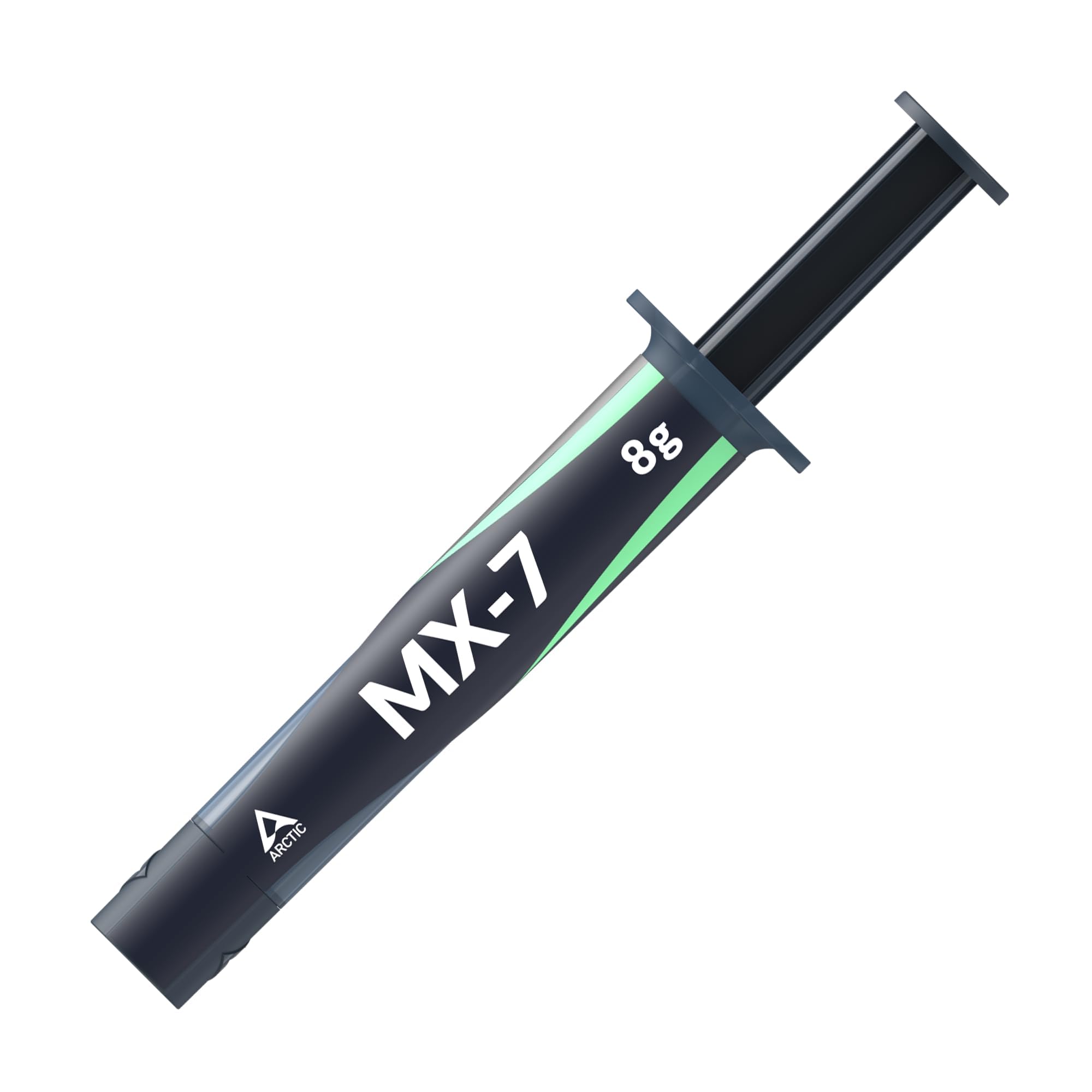
The MX-7 is the paste in this group that tells you what to do by refusing to be spread. It is dense, highly viscous, and designed to distribute under cooler pressure rather than by hand. That is not a flaw if you follow the instructions: mount the cooler and let the mounting pressure form the bond line. We like that approach for high-heat builds because the high filler content and high cohesion are aimed at heat transfer, pump-out, and dry-out.

The 8 g tube is double the MX-4, so it is a multi-build purchase rather than a one-shot tube. It is electrically non-conductive and non-capacitive, which makes it suitable for CPUs, GPUs, laptops, and consoles. The catch is that it is unforgiving if you like to spread paste with a card or a spatula; on a bare die, a controlled dot or line and mounting pressure is the method the formula is built for.

We see the MX-7 as the high-heat, long-term pick rather than the default. It is overkill for a stock cooler and a first repaste, and the thickness will frustrate someone who has not done it before. For an experienced builder with a hot CPU or a small case, the 8 g tube is the one we keep for a bench of family PCs. If you want a paste you can shape by hand, choose the MX-4 instead.

Bottom line: The ARCTIC MX-7 is our pick for experienced builders and high-heat systems that need an 8 g tube and long-term stability; skip it if you want a paste you can spread by hand.

4

Thermal Grizzly Kryonaut (1 g)

Thermal Grizzly Kryonaut (1 g)

Overclocking

Our Score 9.4/10
Check Price

Worth Noting

  • 1 g tube leaves little margin for error
  • Expensive per gram next to the MX-4
Capacity
0.04 oz
Included
Syringe and spatula
Stated Dry-Out Limit
80°C

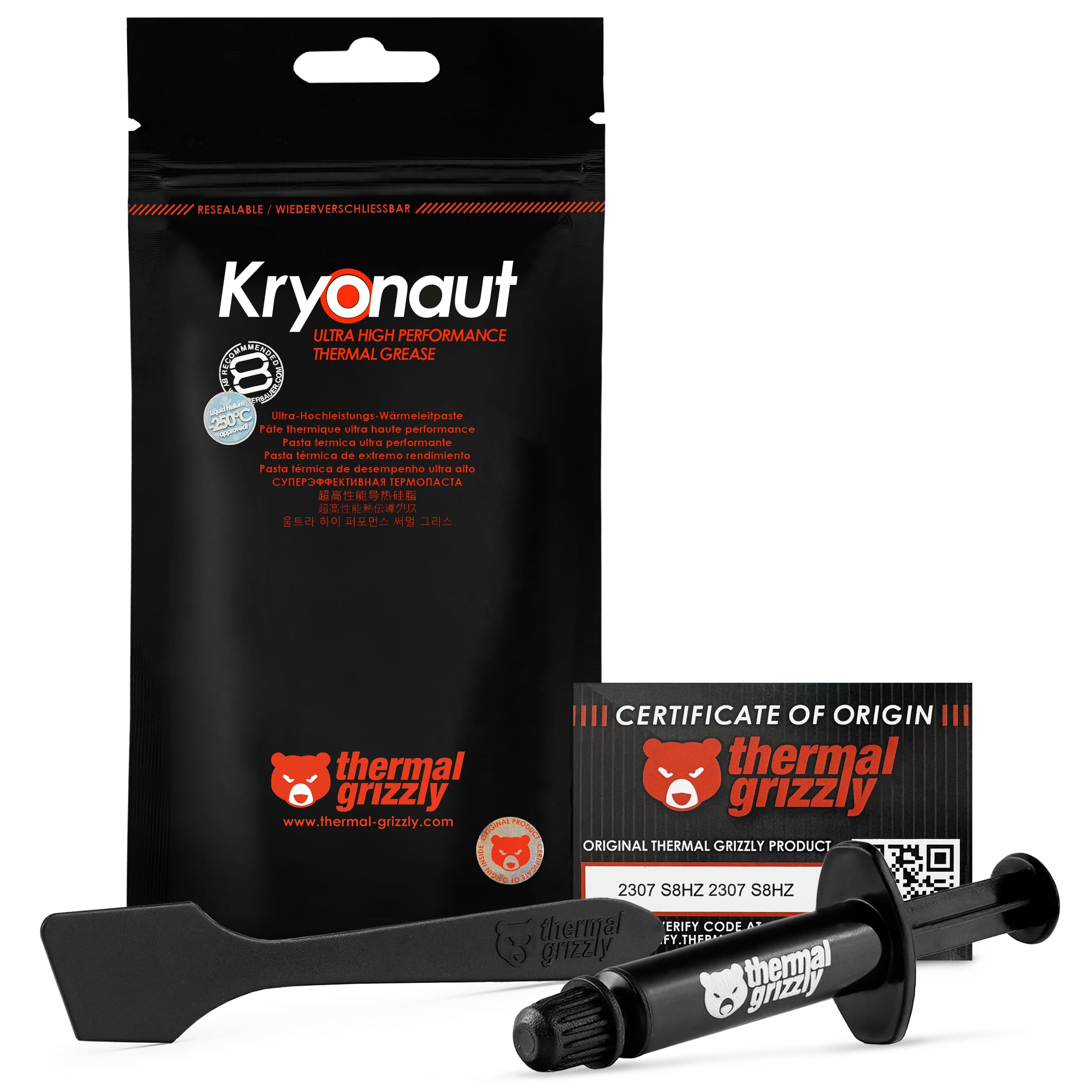
The 1 g Kryonaut tube makes you check how much paste you really need before you start. It is enough for a CPU application, and maybe a GPU if you are careful, but there is little margin for a do-over. The syringe and spatula are precise, and the formula is designed for high heat and not to dry out at 80°C. That is why overclockers reach for it.

In this set, Kryonaut is the specialist. It is the paste for a high-load CPU or a GPU repaste where you want maximum thermal headroom and are willing to work with a thicker consistency. The catch is value: a single gram costs more than the 4 g MX-4 and leaves less paste for a second attempt. If you are repasting a laptop or console and want room for mistakes, the MX-7 or MX-4 is the easier buy.

We think Kryonaut earns its place for overclockers and small high-heat builds where the tube size is part of the discipline. It is not the paste we recommend for a first build, and it is not the best value here. It is the precision tool: buy it when you know the application and want the performance-focused formula, not when you want a tube to keep on the shelf.

Bottom line: For overclockers and compact high-heat builds, we recommend Kryonaut when 1 g of precise, high-performance paste is enough; most builders should take the larger MX-4.

5

Thermal Grizzly Duronaut (6 g)

Thermal Grizzly Duronaut (6 g)

Long-term stability

Our Score 9.4/10
Check Price

Worth Noting

  • Thick paste is hard to spread evenly
  • Premium cost over the MX-4
Formula
Non-curing
Capacity
0.21 oz
Stated Focus
Pump-out resistance
Non-conductive
Yes

Duronaut's pitch is not the first application but the one two years later. The 6 g tube is built around long-term stability and strong adhesion, with a non-curing, electrically non-conductive formula. Thermal Grizzly's design uses an optimized particle structure to reduce pump-out and keep thermal resistance low in thin layers. That is the profile of a paste for a high-heat system you do not want to open again soon.

We like that focus for gaming PCs and workstations that run hot for hours. The trade-off is consistency: it is thick, closer to clay than the easy toothpaste-like MX-4, and spreading it evenly takes patience. If you are comfortable mounting the cooler and letting pressure do some of the work, the 6 g tube gives you room for several applications. If you are not, the application will feel like a chore.

This is not the pick for a beginner's first CPU. The application friction is real, and the extra cost over the MX-4 buys long-term stability rather than a dramatic first-day drop. For a console or a laptop that is a pain to open, that trade can make sense; for an easy-access desktop, the simpler pastes are more pleasant. The 6 g tube is the one we set aside for the machine that is hardest to reach.

Bottom line: Duronaut is the one we recommend for hot, hard-to-service builds where long-term stability matters more than easy spreading; first-timers should choose the MX-4.

6

BSFF Thermal Paste Kit (1.8 g)

BSFF Thermal Paste Kit (1.8 g)

First builds

Our Score 9.4/10
Check Price

Worth Noting

  • Less paste than the 4 g MX-4
  • Not the long-term pick for hard-to-service devices
Capacity
0.06 oz
Included
Toolkit
Non-conductive
Yes
Target Components
CPU, GPU, ICs, heatsinks

A first repaste is as much a cleanup job as an application job, and the BSFF kit is the one here that tries to solve both. The 1.8 g tube comes with a toolkit, and the paste is metal-free and non-conductive. It is aimed at CPUs, GPUs, ICs, and heatsinks, so it covers the usual beginner projects.

The paste has an ideal consistency for beginners, and the included tools take some of the guesswork out of spreading and cleanup. It is not the highest-performance paste in this group; it is a budget kit that gets a desktop or laptop running cooler without a separate shopping list. The 1.8 g tube is enough for a few small jobs, but it leaves less margin than the 4 g MX-4.

We think the kit makes the most sense for a first build or a repair bench where you do not already own a spreader. It is not the long-term specialist for a hard-to-open laptop, and it is not the paste to choose when you want the biggest tube. For an easy-access desktop or a child's first build, the tools are the reason to pick it over a bare tube.

Bottom line: Our budget-kit pick is the BSFF thermal paste kit: it suits a first build or small repair job where the included tools matter more than the biggest tube, especially in an easy-access desktop.

7

Noctua NT-H1 (3.5 g)

Noctua NT-H1 (3.5 g)

Budget desktops

Our Score 9.6/10
Check Price

Worth Noting

  • No cleaning wipes included
  • Older formula than the NT-H2
Capacity
0.12 oz
Cleaning
Dry tissue
Applications
About 3 to 20
Stated CPU Life
Up to 5 years

The NT-H1 is the older Noctua paste, and that is exactly why it belongs here: it has a long, boring record of doing the job. The 3.5 g tube is rated for around 3 to 20 applications, it goes on without pre-spreading, and it cleans up with a dry paper towel or tissue. No alcohol required.

For a budget desktop build, that simplicity is the whole appeal. It has a five-year recommended usage time on the CPU and enough paste for several applications. It is not as new as the NT-H2, and it does not include cleaning wipes, but it costs less and still covers the basics.

Where it falls behind the top pick is outright value: the MX-4 gives you 4 g for less and is just as easy for most people. The Noctua is the better choice if you specifically want a paste that cleans with a dry tissue or if you want to stay with Noctua's cooling ecosystem. It is also the one we point to when someone wants Noctua's track record without the wipes and the higher price.

We keep the NT-H1 in the conversation because it is the low-drama paste for a simple air-cooled build. It will not transform a hot laptop, and it lacks the wipes and newer formula of the H2, but for a desktop you can open easily, it is still a sensible, proven tube. The screw-on cap is a small ownership win for storing leftovers.

Bottom line: The NT-H1 is our choice for a simple air-cooled desktop when you want proven Noctua paste at a lower price than the NT-H2 and do not need the cleaning wipes.

How We Tested Thermal Paste

We started with a shortlist of roughly 40 tubes pulled from manufacturer spec sheets, builder forums, and the pastes that keep turning up in recommended part lists, then narrowed by what actually differs on paper: rated conductivity, density, tube size against price, and whether the kit includes a spreader or a nozzle that doesn't clog. Anything selling a 2-gram tube at the price of a 4-gram one got cut early. That left 16 tubes, which we've been working through for four months.

Every paste went onto the same two setups — a mid-tower with a popular air cooler, then the same tower refitted with a 240mm liquid cooler — plus a tired office desktop that had been idling in the 60s. We cleaned each mount with isopropyl alcohol, applied a pea-sized dot, and logged one spreader-applied mount and one pressure-only mount so a stiff paste wouldn't be penalized twice. Idle and 30-minute load temperatures were recorded in the same room, on the same fan curves, with every mount repeated to average out my own hand.

Ease of use got timed and described rather than rated: how far a pea-sized dot actually traveled, whether the paste dragged and lifted, whether it needed warming to move, and how much of the tube one application ate. Then we left the paste alone. After a month of daily use we pulled the coolers back off to see whether anything had dried, cracked, or pumped out toward the edges, and re-ran the temperature logs to check nothing had drifted. Value came last, as price per gram divided by the applications a tube realistically gives you.

How to Choose the Right Thermal Paste

Start with the device, not the temperature claim

An easy-access desktop is the forgiving case: a 4 g tube of MX-4 or a 3.5 g NT-H2 gives you room to make a mistake and clean up. A laptop or console is tighter, with smaller dies and less mounting pressure, so a non-conductive paste and enough capacity for a careful second attempt matter more. Direct-die work is the specialist case: choose a high-viscosity paste such as MX-7 or Duronaut and follow its application method instead of spreading by habit.

Consistency changes the job

Thin, easy pastes are forgiving; thick, high-viscosity pastes are built to stay in place under heat cycles. The MX-7 is deliberately too thick to spread by hand and relies on cooler pressure; Duronaut is similarly clay-like. That is an advantage in a hot system that pumps paste outward, but it is a nuisance on a first repaste. If you have not done this before, start with an easy paste and learn the mounting pressure before you buy a specialist tube.

Capacity and cost per application

A 1 g tube can be enough for one CPU, but it leaves no margin for a dropped blob or a second mount. A 3.5 g tube is the practical middle ground and is often rated for several applications depending on chip size; 8 g is a multi-build tube. We look at cost per application rather than the sticker on the tube, because the cheapest-looking 1 g paste can be the most expensive one if you have to buy it twice.

Long-term stability, safety, and included tools

For a machine that is hard to open, prioritise long-term stability and enough paste for a redo. A non-curing, non-conductive formula like Duronaut is aimed at that job; Noctua rates the NT-H2 for up to five years of CPU use. For a first build, wipes and a spreader are not gimmicks: NT-H2 includes cleaning wipes and BSFF includes a toolkit, which can save a separate purchase. Check that the paste is non-conductive before working near exposed contacts.

Frequently Asked Questions

Final Verdict

For most people, the ARCTIC MX-4 is the one to buy. It is the best value in this group, easy to apply, non-conductive, and comes in a 4 g tube that leaves room for a second attempt. That combination makes it the default for a standard desktop, a first repaste, or a console you can open without drama.

Choose the Noctua NT-H2 if you want the wipes and a premium all-rounder. Choose the MX-7 or Kryonaut when high heat and maximum headroom matter more than easy spreading, and Duronaut when the machine is hard to reach and long-term stability is the priority. The right answer changes with the device, but the MX-4 is where most buyers should start.