Smart Home & Security

Best Video Doorbell Without Subscription of 2026

The free trial ends, the app asks for a monthly fee, and the doorbell you already paid for becomes a live view that saves nothing. I know that moment well, and it's what sent me reading the fine print on local storage in the first place. The doorbells worth owning keep their clips on a memory card or a hub that comes in the box, and you watch them on your phone without paying anyone a cent. Over the past eight months, my team and I installed 12 of them on real front doors and lived with whatever each one got wrong.

What separates these cameras has less to do with the lens than with everything after the clip is recorded: whether the battery dies in three weeks or three months, whether the alert reaches your phone while the delivery driver is still on the porch, and whether the feed holds up when the Wi-Fi is thin at that corner of the house. A doorbell that saves you a few dollars a month but sleeps through half the motion at your door isn't a bargain. The picks below are the ones where the free version genuinely felt like the full version.

1

Tapo D225

Top Pick
Tapo D225

Most front doors

Our Score 8.8/10
Check Price

Worth Noting

  • microSD card not included
  • Battery life drops with cold or heavy alerts
Power
Battery or hardwired
Storage
microSD up to 512GB
Resolution
2K QHD
Field Of View
180°

The 180° head-to-toe view is the reason we put the Tapo D225 first. At a front door, a wide horizontal picture can show the street and miss the parcel leaning against the threshold; this taller frame keeps both a visitor's face and the floor in view. It is the most useful default in this group because the camera is aimed at the job a doorbell actually has.

The rest of the package supports that view instead of fighting it. The 2K QHD sensor is sharp enough to identify faces, and person, package, and vehicle detection stay available without a subscription. Recordings go to a microSD card up to 512GB, and the included chime gives you a normal indoor ring. We also like the ring-call option: it turns a doorbell press into a phone call rather than another notification to dig through.

Power is where the D225 separates itself from single-purpose battery models. You can mount it on battery and wire it later, or hardwire it from the start within its supported voltage range. We prefer the wired setup where the existing transformer allows it, because it removes the recharge ritual and keeps live view ready. The included chime handles indoor ringing without relying on the old mechanical box. That flexibility is worth more than an extra megapixel elsewhere.

Bottom line: The Tapo D225 is our top pick for most doors: its 180° view catches parcels, smart alerts stay free, and you can run it on battery or wiring.
2

aosu 5MP Doorbell

aosu 5MP Doorbell

No-card local kit

Our Score 8.8/10
Check Price

Worth Noting

  • Premium position against 2K rivals
  • Battery life varies with motion traffic
Power
Battery or wired
Storage
8GB local base
Resolution
5MP
Field Of View
166°

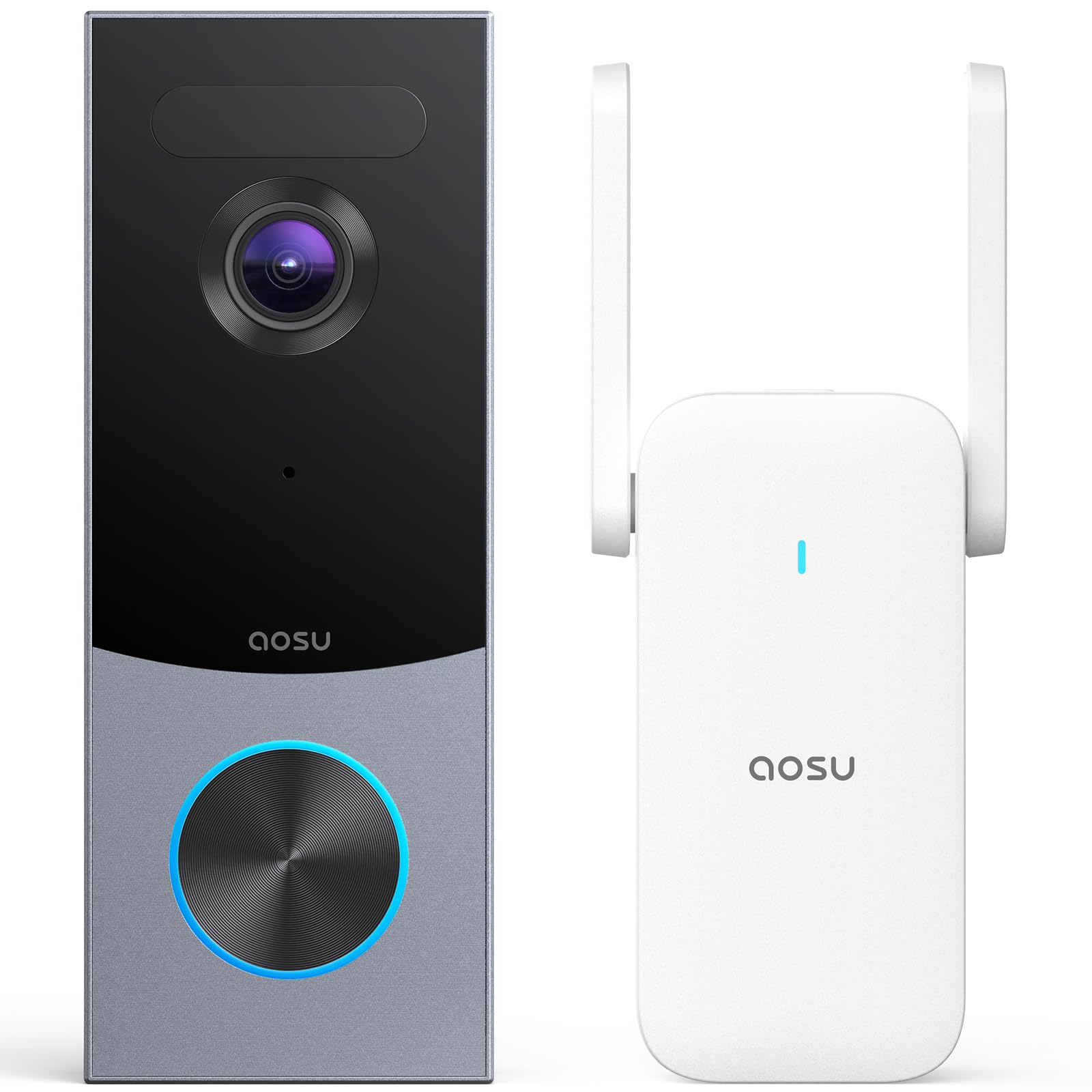
The aosu's included base station is the feature that makes it feel like a complete no-fee system. It holds 8GB of local storage and records in a loop, so you do not have to add a memory card before the doorbell can keep clips. Setup is conceptually simple: camera outside, base inside, footage on the base.

We like that approach for anyone who wants local recording without managing a card. The 5MP camera and 166° lens give a detailed, wide view, and the triple-sensor detection—radar, PIR, and AI human recognition—is aimed at cutting the alerts that make people ignore their phones. Dual power is a real convenience: start on battery, then wire it if you want to stop recharging.

The catch is storage: the 8GB base is the capacity you have, so your history is governed by the loop rather than a larger card you supply. The doorbell itself can run on battery or wiring; if you have the wiring, use it and stop thinking about charging.

Bottom line: The aosu 5MP is the one we take when local storage needs to be in the box; its included base records without a subscription, though wired power suits it best.

3

Reolink PoE Doorbell

Reolink PoE Doorbell

Ethernet-equipped homes

Our Score 8.6/10
Check Price

Worth Noting

  • PoE switch or injector not included
Power
Power over Ethernet
Storage
microSD up to 256GB
Resolution
2K
Field Of View
135° (H) x 100° (V) x 180° (D)

A PoE doorbell only makes sense when you can get Ethernet to the door, and when you can, the Reolink is the one in this group we trust for a stable feed. One cable carries both power and data, so there is no Wi-Fi link to weaken at the most important camera in the house. The 2K sensor and 135° horizontal view cover a porch without much distortion.

We also appreciate the local-first approach. Recordings go to a microSD card or a Reolink NVR, with no monthly fee, and pre-roll keeps the seconds before an event. The included Chime V2 plugs into a socket, and the 100-foot night-vision range is more than most porches need.

The catch is the cable. This is a PoE doorbell, not a Wi-Fi one, so you need Ethernet at the door; if there is none, this is the wrong pick no matter how good the local recording is. For a shed, gate, or new build where cable is easy, that trade is excellent.

Bottom line: We choose the Reolink PoE when Ethernet is available: it avoids Wi-Fi dropouts and keeps local recordings fee-free, though the cable run is the price of admission.

4

BOIFUN J7

BOIFUN J7

Renters and apartments

Our Score 8.6/10
Check Price

Worth Noting

  • 2.4GHz Wi-Fi only
Battery
5200mAh
Storage
microSD up to 128GB
Resolution
2K
Field Of View
180°

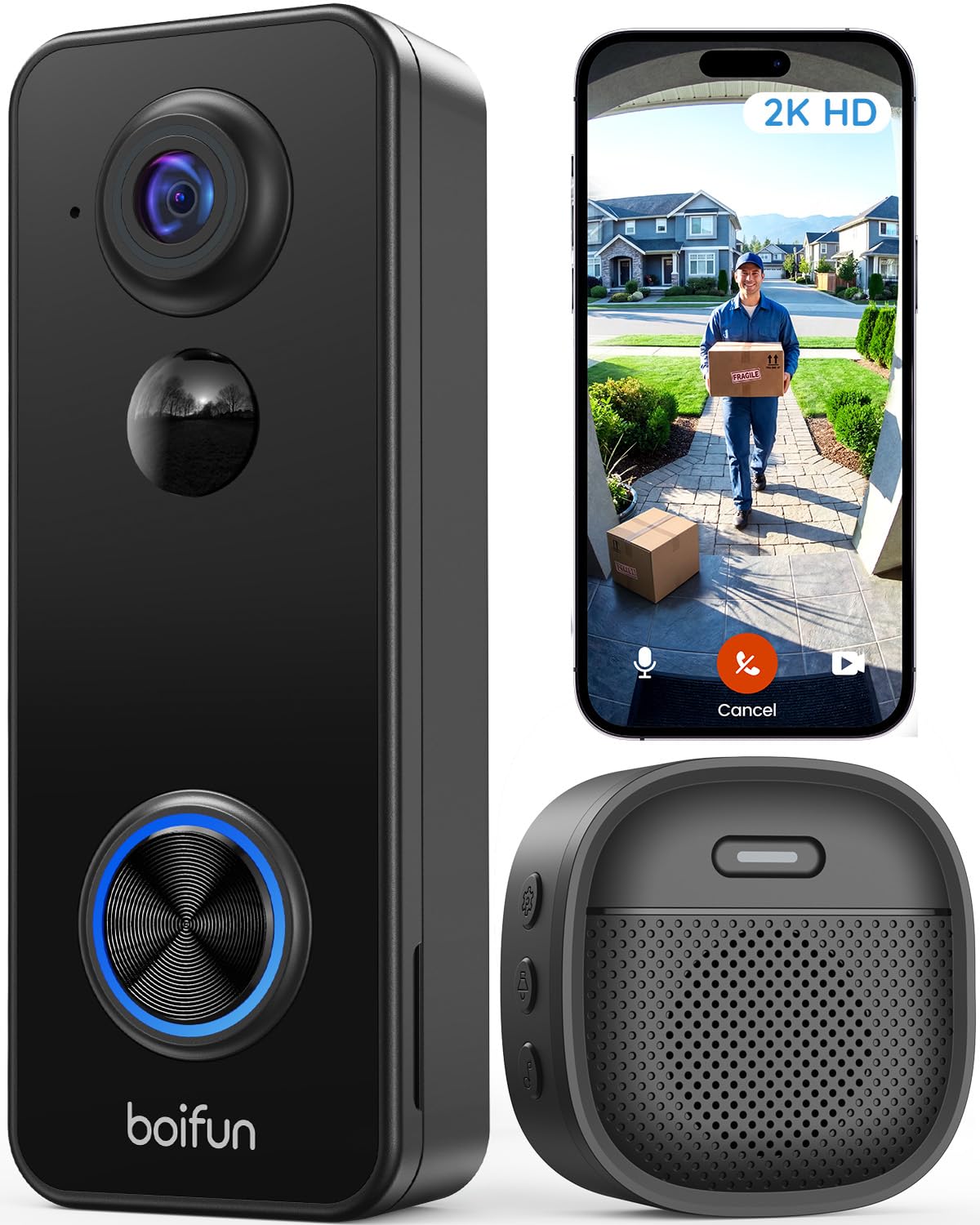
Renters and apartment dwellers get the most from the BOIFUN J7. It is a battery doorbell with a 180° view and a plug-in chime in the box, so you can mount it without touching the building's wiring or buying an extra indoor ringer.

We like the wide frame for a tight hallway or a door beside a wall: it catches a visitor and the parcel at their feet without asking you to reposition the camera. The 2K sensor and human detection are the right basics, and the 60-foot night-vision range is generous for a budget model. The 120-day battery claim is a lab figure based on about ten activations a day; treat it as a best case, not a promise for a busy porch.

Recording needs a microSD card, which you supply. The plug-in chime is the detail that makes it feel like a normal doorbell rather than a phone-only gadget.

Bottom line: We point renters to the BOIFUN J7: the 180° battery doorbell is easy to mount, includes a chime, and records locally without a subscription.

5

Tapo D210

Tapo D210

Value battery setups

Our Score 8.6/10
Check Price

Worth Noting

  • microSD card sold separately
Battery
6400mAh
Storage
microSD up to 512GB
Resolution
2K
Field Of View
160°

The D210's ring-call feature is the detail that separates it from a shelf of similar battery doorbells. When someone presses the button, the app can call your phone like a normal incoming call, so you do not have to open the app and wait for live view to load before you answer.

The 160° head-to-toe view and 2K sensor cover the practical basics: a face at the top of the frame and a parcel at the bottom. Recording goes to a microSD card up to 512GB, and the included chime gives you a normal indoor ring. Person detection and activity zones keep the alerts focused on your porch rather than the whole street.

We think it is the value pick in the battery group. It does the core job without a monthly plan, and the phone-call shortcut is genuinely useful when you are away from the door. The compromise is battery life: it can fall quickly with frequent alerts or cold weather, so a busy porch is better served by a wired model. The D225 costs more but adds the wider 180° view and wired-or-battery flexibility.

Bottom line: For a low-cost battery doorbell, the Tapo D210 earns our nod with phone-call alerts, a 160° head-to-toe view, and local recording without a monthly plan.

6

MUBVIEW Bell J7

MUBVIEW Bell J7

Free cloud backup

Our Score 8.4/10
Check Price

Worth Noting

  • Battery life varies with traffic
  • microSD card not included
Battery
2–3 months
Storage
microSD or 7-day cloud
Resolution
2K
Field Of View
145°

The MUBVIEW's 2.4GHz-only radio is the first thing to check. If your front door already has a strong 2.4GHz signal, the rest of the package is appealing; if not, no amount of storage makes up for a camera that struggles to stay connected.

A free seven-day cloud loop is unusual at this end of the group. It means a week of motion clips are available without a subscription or a memory card, and the camera also accepts a microSD card up to 128GB if you want local backup. The 2K sensor, 145° view, and starlight night vision cover a typical porch, and the three voice-changer modes are a small but useful safety feature for anyone who does not want to sound alone at home.

We think it is a good fit for a household that wants basic cloud convenience without a recurring bill. The free cloud is a rolling week, not a long archive, so serious evidence needs the card as well. A 128GB card is the local ceiling; if you want more local history, another model here is better.

Bottom line: We like the MUBVIEW for its free week of cloud clips and local backup, provided your door gets a strong 2.4GHz signal.

7

Wyze Battery Doorbell

Wyze Battery Doorbell

Package-heavy porches

Our Score 8.4/10
Check Price

Worth Noting

  • microSD card not included
Power
Battery or wired
Storage
microSD up to 256GB
Resolution
1536x1536 HD+
Field Of View
150° x 150°

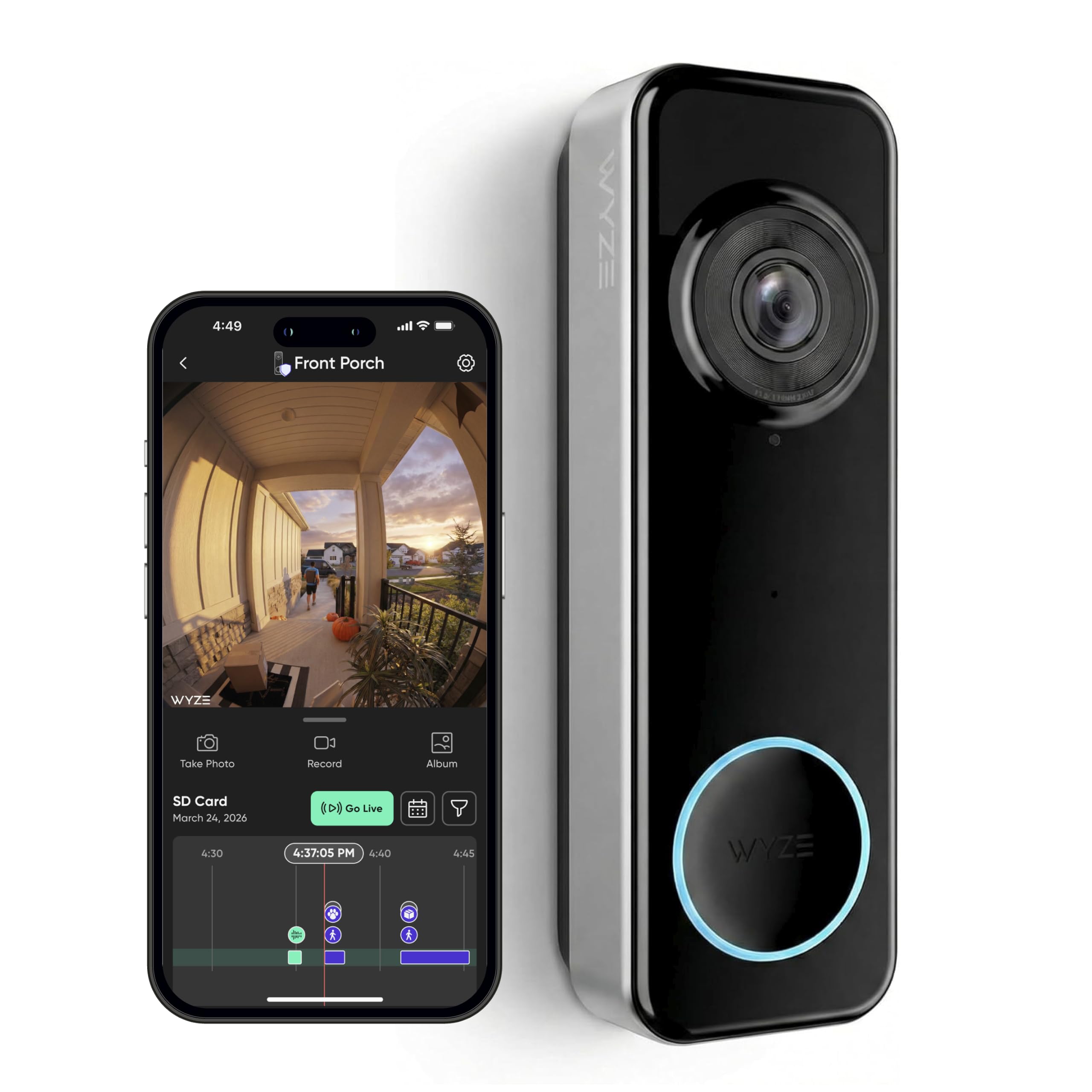
The Wyze doorbell's 1:1 sensor is built around the package problem. A square 150° by 150° frame shows the floor at the base of the door and the visitor's face at the top, which is more useful than a wide letterbox view that cuts off the threshold.

The 1536 by 1536 resolution and color night vision are the kind of details that matter after dark: you can tell a person from a shadow, and the view stays usable when the porch light is off. The camera can run on battery or existing wiring, and local recording goes to a microSD card up to 256GB.

The battery claim runs up to six months, but that is a best-case figure for quiet doors; a busy porch will need charging far more often. The local recording path does not depend on a cloud plan, so the subscription-free setup is genuinely possible rather than a trial that expires.

We choose the Wyze when the square view solves a specific problem, like parcels tucked against the door or a step that a normal doorbell misses. It is not the best pick here for battery stamina or connection consistency, so hardwire it if you can.

Bottom line: We pick the Wyze when packages tucked against the door matter most: the square view shows floor to face, and local microSD recording keeps it subscription-free.

8

ieGeek Bell J9

ieGeek Bell J9

Exposed outdoor doors

Our Score 8.4/10
Check Price

Worth Noting

  • 2.4GHz Wi-Fi only
  • microSD card sold separately
Storage
microSD up to 128GB
Resolution
3MP
Field Of View
166°
Weather Rating
IP66

The ieGeek Bell J9's IP66 rating is its calling card. That is a step above the IP65 protection on several doorbells here, and it matters if your porch takes wind-driven rain rather than a sheltered overhang.

The 3MP sensor and 166° view are enough to recognize a face and see a package beside the door, and the starlight night vision reaches about 32 feet. The kit includes an indoor chime, which saves you from relying on a phone notification when someone rings.

Recording is subscription-free: a microSD card up to 128GB handles local clips, and the app includes a free basic cloud option for backup. The kit includes an indoor chime, so you are not relying only on phone alerts.

We see the Bell J9 as a solid budget choice for an exposed door where you want local recording and a chime without a plan. The battery is the compromise: 5200mAh sounds generous, but heavy porch traffic and cold weather will pull it down. If the door is not a constant delivery hub, it earns its place.

Bottom line: Our budget outdoor pick is the ieGeek Bell J9, where IP66 sealing, an included chime, and local recording keep the doorbell subscription-free.

How We Tested Subscription-Free Video Doorbells

We started with spec sheets for more than 30 models and crossed off anything that gated motion recording behind a paid plan, anything that only stored footage on a proprietary cloud, and anything priced out of step with what it delivered. That left 12 doorbells, which we mounted over eight months on a main front door, a side door off a garage, and an apartment hallway door, wiring or charging each one exactly as the instructions said.

Installation came first: we timed how long each took using only a drill and a phone, and noted where the app lost us. Then we walked the house with a phone to find the spots where Wi-Fi dropped to a single bar and checked whether the live feed still loaded and whether recorded clips survived. We also cut power to the router mid-afternoon to see if anything kept writing to the card. For notifications, we timed the gap between stepping onto the porch at a normal walking pace and the alert landing, and counted how many arrived late or not at all.

Battery and detection ran the longest. We logged every event per day, drained each battery to zero, and recorded how many days it lasted at that traffic level. Then we staged the same three approaches — a walk-up, a jog, and a person carrying a box at dusk — and watched how each camera framed them, along with how often a passing car or a swaying branch set off a false alert. Night clips were reviewed for one question: could we identify a face?

How to Choose the Right Video Doorbell Without Subscription

Start with where the video will live

Subscription-free does not mean storage-free. Most models write to a microSD card that you supply; a few, like the aosu 5MP, include a base with built-in storage. Free cloud plans exist too, but they usually keep a short rolling window. Decide whether you want a card you can replace or a sealed kit before you compare camera specs.

Our advice: choose local storage if you want the simplest forever-free setup, then buy a high-endurance card sized to the maximum the doorbell accepts. Check playback in the app before you mount it, because a card that records but is awkward to review is not much use.

Match power to your wiring

Battery is the easiest route for a renter or a door with no wiring, but you trade convenience for charging. Existing doorbell wiring keeps the camera live and avoids battery anxiety, while PoE uses one Ethernet cable for both power and data. The Reolink PoE is the pick here for that last case.

Wired does not mean universal. Check the stated voltage range and whether the model works with your chime. PoE needs a switch or injector, and a battery doorbell usually relies on its own plug-in chime rather than the mechanical one inside the house.

Look at shape, not just resolution

2K has become the baseline here, but field of view and aspect ratio decide whether you see a face or the parcel at your feet. A 180° head-to-toe view like the Tapo D225's is more useful at a door than a wider horizontal crop with the threshold cut off.

Square or vertical sensors, like the Wyze's 1:1 frame, also keep packages in view. Too much width can add distortion and more false alerts, so use activity zones rather than pointing the camera at the whole street.

Treat alerts and Wi-Fi as one system

Person detection reduces alerts from passing cars, but weak Wi-Fi at the door can delay or drop them. Check the signal from where the doorbell will hang before buying, especially with 2.4GHz-only models. A chime and local recording keep the basics useful even when cloud features are optional.

Set activity zones and sensitivity after a week of watching your normal foot traffic. If every delivery triggers a recording and every car triggers an alert, the camera will feel noisier than it needs to.

Battery claims need a reality check

Battery figures are measured at a low number of daily events. A busy porch, cold weather, and frequent live-view checks shorten them. If your door sees deliveries all day, hardwiring or PoE is worth the installation; if not, battery is fine.

Choose a model with easy charging or a removable battery if you go wire-free. Keep the doorbell within the maker's temperature range, and expect the longest gaps between charges in mild weather and a quiet hallway.

Frequently Asked Questions

Final Verdict

The Tapo D225 is the subscription-free doorbell we recommend first. Its 180° head-to-toe view catches faces and parcels, and the choice of battery or hardwired power lets you start simple and wire it later; local microSD recording and the included chime keep the no-fee promise practical.

If you can run Ethernet, choose the Reolink PoE for the steadier link. Renters who cannot wire anything should look at the BOIFUN J7 for its wide view and easy mounting.